


 Menu
MenuMenu


Get Sales Advice from Mon - Fri 9am - 5:00pm:
020 3337 8950LAST UPDATED: April 21, 2026
What Is Apple Silicon? Why M-Chips Changed MacBooks Forever
A lot of MacBook buyers have heard names like M1, M2, M3, M4, and M5, but that does not always make it obvious what Apple Silicon actually means. In simple terms, Apple Silicon is Apple's own family of chips for the Mac, built to replace Intel processors and give Apple tighter control over performance, efficiency, and the overall Mac experience.
That shift changed much more than just the processor name. Today's Apple Silicon MacBook range now stretches from the MacBook Air with M5 and MacBook Pro with M5, M5 Pro, and M5 Max, through to Mac Neo, which Apple launched with the A18 Pro chip as a lower-cost entry point into the lineup.
This guide practically explains Apple Silicon. It covers what these chips are, why Apple moved away from Intel, how Apple Silicon architecture works, and why M-chips changed MacBooks so dramatically in areas like speed, battery life, thermals, and day-to-day usability.
What Is Apple Silicon?
At its core, Apple Silicon is the name Apple uses for the processors it designs for Macs. Instead of relying on Intel, Apple now builds its own chips for MacBook Air, MacBook Pro, and the wider Mac lineup.
Apple Silicon Explained in Simple Terms
In simple terms, an Apple Silicon chip is Apple's own processor for the Mac. It is the same broad idea behind iPhone and iPad chips, but adapted for desktop and laptop workloads. Apple introduced the first Mac version in late 2020 with the Apple M1 chip, describing it as the first chip in a family made specifically for the Mac.
What Apple Put Inside These Chips
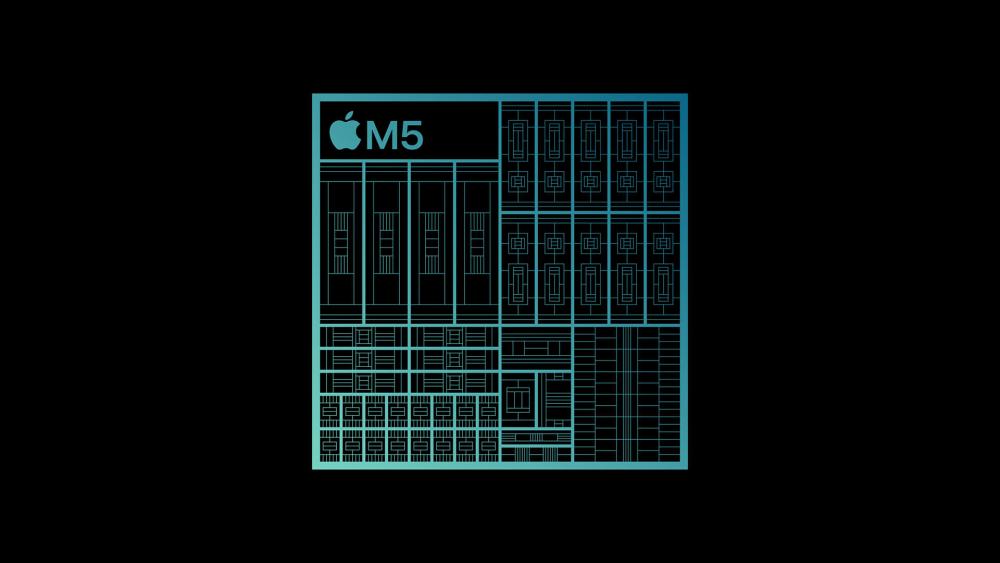
What makes Apple Silicon architecture stand out is that it brings several major parts of the system together in a single package. Apple's M-chip design combines the CPU, GPU, Neural Engine, memory controller, and other core technologies into what is known as a system on a chip design. That tighter integration is a big part of why newer MacBooks feel so responsive in everyday use.
How Apple Silicon Differs from Intel-Based MacBooks
The biggest difference in Apple Silicon and Intel chips is not just who makes them. It is how the whole system is structured. Older Intel MacBooks used a more traditional arrangement, where CPU, graphics, and memory were not integrated in the same tightly unified way. Apple Silicon moved MacBooks to an ARM-based architecture with a stronger focus on efficiency, integration, and performance per watt.
That is why an Apple Silicon MacBook feels like more than a routine processor upgrade. Apple did not simply swap Intel for another chip supplier. It changed the underlying design of the Mac, which is also why the jump from Intel to M-chips had such a noticeable effect on speed, battery life, and thermal behaviour.
Why Apple Switched from Intel to Apple Silicon
The move away from Intel was not just a branding change. It was a bigger shift in how Apple wanted MacBooks to perform, how long they should last on battery, and how closely the hardware could work with macOS. Apple announced the transition in June 2020 and said the goal was to deliver stronger performance and powerful new technologies through its own silicon.
The Limits Apple Faced with Intel in MacBooks
Intel-based MacBooks were excellent machines, but Apple had less control over the pace of improvement because the processor roadmap was not its own. That made it harder to push MacBooks exactly where Apple wanted, especially in areas like battery life, heat, and thinner designs. Apple's 2020 transition announcement framed the change around the need for better performance and more advanced technologies on the Mac.
This is the clearest starting point for understanding Apple Silicon vs Intel chips. Intel chips could still deliver strong performance, but Apple wanted a design built specifically around the Mac rather than one adapted from a broader PC market.
Why Apple Wanted More Control Over Performance and Efficiency
A big reason why Apple switched from Intel was control. By designing its own chips, Apple could shape CPU performance, graphics, AI features, memory handling, and software integration as part of one platform. That is also why Apple Silicon quickly became associated with power efficiency chips and stronger performance per watt, not just faster benchmark numbers.
That tighter control also helps explain why Apple Silicon feels different in practice. Apple could optimise macOS for its own hardware in a way that was much harder when the Mac depended on Intel processors.
How the Transition Reshaped the MacBook Lineup
The transition did more than replace one chip brand with another. It changed the whole MacBook range. The first wave started with M1 Macs in late 2020, and today the lineup stretches from Mac Air models with M5 to MacBook Pro laptops with M5, M5 Pro, and M5 Max. Apple has also added MacBook Neo, which it launched with the A18 Pro chip as a lower-cost entry point into the range.
That is why the transition matters so much when people compare a current Apple Silicon MacBook with older Intel machines. It was not a one-off processor swap. It shaped the MacBook lineup into something much more clearly built around Apple's own chip strategy.
What Makes M-Chips Different from Traditional Laptop Processors?
The real difference with M-chips is not just that Apple makes them. It is that the whole design is built around tighter integration, so more of the system works together as one unit instead of relying on separate components trying to keep up with each other.
Unified Memory Architecture Explained
One of the biggest changes in Apple Silicon architecture is unified memory. Instead of giving the CPU and GPU separate pools of memory, Apple uses a shared pool that both can access directly. That reduces duplication, lowers latency, and makes the system feel more efficient under real workloads. Apple described this from the start as a major advantage of the M1, and it remains a core part of Apple Silicon today.
CPU, GPU, and Neural Engine on One Chip
As already mentioned, M-chips bring the CPU, GPU, memory controller, media engines, and Neural Engine together on a single package. It means the parts that handle processing, graphics, and AI tasks do not have to communicate across a looser, more fragmented layout.
This level of CPU and GPU integration is a major reason modern MacBooks feel so responsive. It helps with everything from everyday tasks to heavier creative workflows, and it is also a big part of what separates Apple Silicon chips from traditional processors in practical use.
Why System-on-a-Chip Design Improves Efficiency
Bringing more of the machine into one chip design helps cut wasted power and improves coordination between components. That is why Apple Silicon has become closely associated with power efficiency chips and stronger performance per watt. Instead of pushing more power just to stay fast, the system gets more done with less overhead.
In simple terms, M-chips are different because they are built as one tightly connected system rather than a collection of separate parts. That design choice is what gave the Apple Silicon MacBook such a different feel compared with older laptop platforms.
How Apple Silicon Changed MacBook Performance
The biggest difference was not just that MacBooks became faster on paper. What changed was how quickly they felt in normal use and how well they handled heavier work without slowing down. These are some of the biggest Apple Silicon MacBook benefits.
Faster Everyday Performance
For everyday use, the improvement showed up in the things people notice immediately: app launches, waking from sleep, browser speed, and general responsiveness. Early M1 launch materials focused heavily on single-core speed and browser performance, which helps explain why even basic tasks started to feel snappier on newer MacBooks. More recently, the M5 MacBook Air has been positioned around a faster CPU and stronger responsiveness for day-to-day work, not just specialist workloads.
Better Multitasking and Creative Workflows
The jump became even more obvious in heavier workflows. Video and audio work benefited early on when M1 Pro and M1 Max enabled things like playing seven streams of 8K ProRes at full resolution and letting musicians use up to three times as many plug-ins for recording on MacBook Pro. In the current generation, M5 Pro and M5 Max push that further with faster multithreaded performance, higher memory bandwidth, and quicker storage. This is the reason M-chip MacBook performance now matters just as much to developers, researchers, and creators as it does to everyday users.
Stronger Performance Per Watt
One of the most important changes was that speed no longer had to come with the usual laptop compromises. From the original M1 onwards, Apple's chip launches have leaned on performance per watt as a defining advantage, and that is really the clearest answer to why M-chips changed MacBooks. The machines became faster while staying more efficient, which is exactly why newer MacBooks could improve performance without feeling louder, hotter, or shorter-lived away from a charger.
Why Apple Silicon Improved Battery Life and Thermals
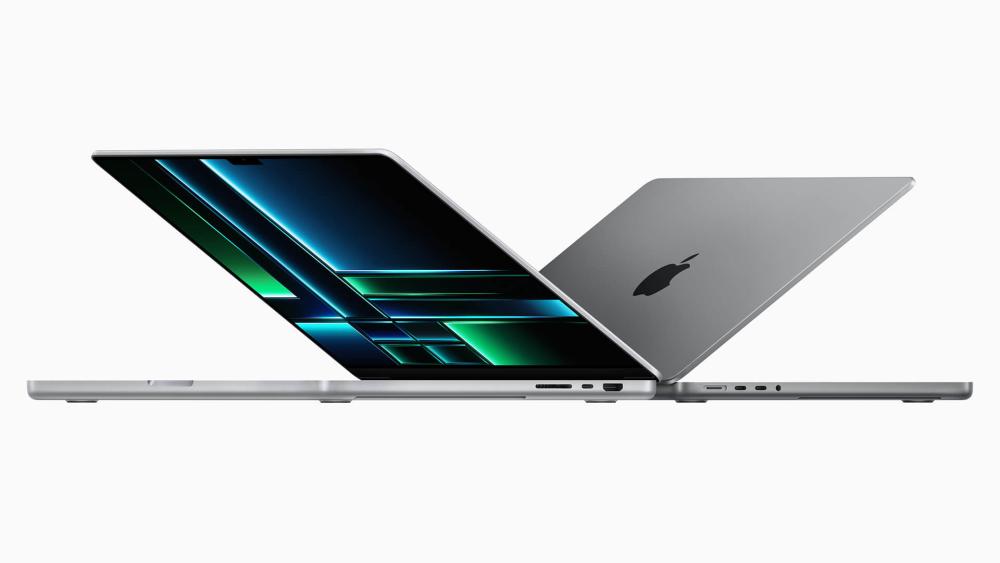
One of the biggest changes MacBook users felt was not just speed, but endurance. Apple Silicon made it possible for MacBooks to stay fast while using less power, which is why newer models can last longer away from the charger and run with less heat in everyday use. Apple's current figures reflect that clearly: MacBook Air with M5 is rated for up to 18 hours of battery life, while the latest MacBook Pro reaches up to 24 hours.
Lower Power Consumption in Daily Use
In practical terms, Apple Silicon machines' battery life improved because lighter tasks no longer needed as much energy to feel quick. Web browsing, office work, media playback, and general multitasking became less demanding on the battery than they often felt on older Intel-era laptops. That is a big part of why Apple could turn long battery life into a normal expectation rather than a premium extra.
Less Heat and Quieter Operation
The other noticeable shift was thermal behaviour. Newer MacBooks generally stay cooler and quieter in normal use because they do not waste as much energy as older models. For users, that translates into less fan activity during everyday work and a more stable, comfortable experience on a lap or desk. That is also why thermal efficiency became such an important part of the Apple Silicon story, even for buyers who never look at technical specs.
Why Thin and Fanless Designs Became More Practical
This efficiency also changed what Apple could do with the hardware itself. MacBook Air's silent, fanless design became much more viable with Apple Silicon, and Apple explicitly tied that design to the platform in its MacBook Air launches. That matters because it was not just about making laptops thinner. It meant a lightweight machine could stay responsive and quiet without needing the same kind of cooling overhead older designs relied on.
From M1 to M5: How Apple Silicon Evolved
The easiest way to understand the Apple silicon story is to see it as a steady progression rather than a string of unrelated upgrades. The M1 chip was the breakthrough, the next few generations refined the formula, and the current M5 era shows how far the platform has matured.
What the M1 Changed First
If you are wondering what the Apple M1 chip is, it was the beginning of a new era. The original Apple M1 chip mattered because it proved that a MacBook could feel dramatically quicker without becoming louder or shorter-lived on battery. It made Apple silicon feel like a clear break from older Intel MacBooks, not just a routine yearly update.
How M2 and M3 Refined the Formula
The M2 and M3 chip era was really about refinement. M2 and then M3 pushed the same core idea forward with stronger graphics, broader memory options, and better scaling across different MacBook tiers. Instead of reinventing the platform, they made the Apple Silicon Mac story more complete and more practical across the Air and Pro ranges.
How M4 and M5 Pushed Apple Silicon Further
M4 marked a more ambitious stage because Apple used it to push the Pro lineup harder and tie the platform more closely to AI-focused workloads. The M4 family arrived in MacBook Pro in late 2024, while the current MacBook lineup now centres on M5 in MacBook Air and M5, M5 Pro, and M5 Max in MacBook Pro. That makes today's latest MacBooks much easier to read: M5 is the current mainstream MacBook chip family, while M4 now sits as an important previous-generation step in the same broader platform story.
Which Apple Silicon Generation Matters Most Today
For buyers now, the best generation depends more on budget and workload than on chasing the newest name. M1 is still great for basic tasks, M2 and M3 remain perfectly usable for mid-range workflows, and M4 machines are still rated among the best laptops in the market. M5 is the clearest premium option across the Air and Pro lineup. This MacBook M-chip guide clearly explains that the right chip depends more on your workload than on specs.
Are There Any Downsides to Apple Silicon?
Apple silicon changed MacBooks for the better in most areas, but it did not remove every trade-off. The platform is stronger than before, though there are still some limitations buyers should understand before assuming it is the right fit for everyone.
App Compatibility During the Early Transition
One of the biggest early concerns was software compatibility. That problem is much smaller now, but it was real during the first years of the switch. Rosetta 2 helped bridge the gap by letting Apple Silicon Macs run Intel-based apps, and it still exists today, although Apple now says support for Rosetta will end in a future version of macOS. That means compatibility is far better than it used to be, but native Apple silicon software is still the better long-term path.
Limited Upgradeability and Fixed Memory Choices
Another downside is that memory and storage choices are largely locked in at purchase. That helps Apple deliver the performance and efficiency benefits already discussed, but it also means buyers need to think more carefully upfront. This is also where Apple laptop price becomes part of the conversation, because stepping up memory or storage on a MacBook is not possible.
Who Benefits Most from Apple Silicon MacBooks?
The biggest strength of Apple silicon is that it has improved MacBooks at more than one level. It did not just help one kind of buyer. It made the whole range more coherent, which is why the right model now depends more on your workload than on whether the platform itself is good enough.
Students and Everyday Users
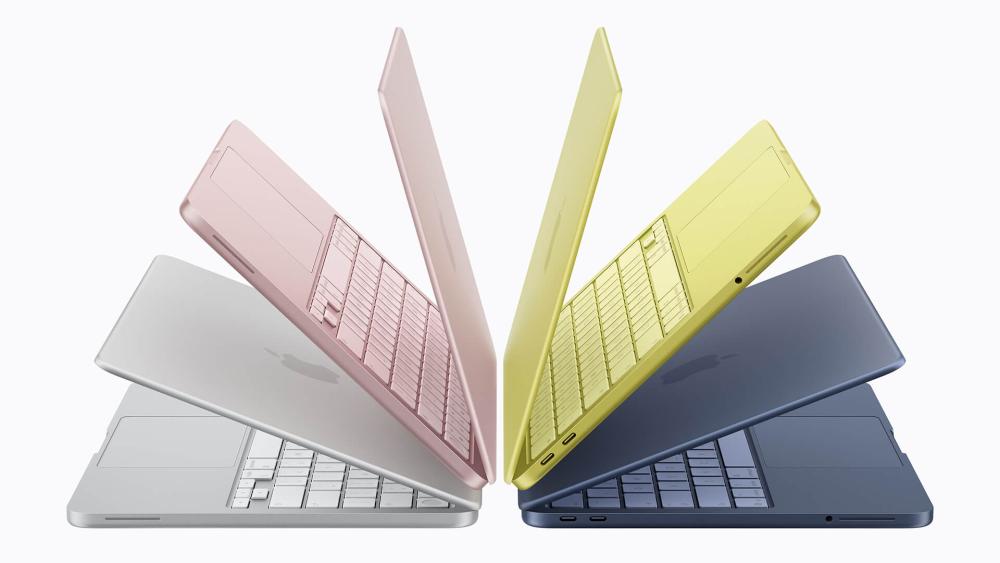
Students, remote workers, and general users benefit most from the lighter side of the range. MacBook Air gives strong battery life, low noise, and quick everyday responsiveness. On the other hand, MacBook Neo now offers an excellent machine at a highly affordable price. That gives Apple a much wider spread than before at the entry end of the lineup.
Creators and Professionals
The people who probably feel the biggest jump are creators and pro users. Video editors, music producers, designers, and developers benefit from the way Apple silicon scales up into the Pro range. A MacBook Pro laptop built around M5 Pro or M5 Max is clearly designed for those heavier workflows, and Apple's current positioning of the range reflects that.
Users Choosing Between MacBook and Windows Laptops
For buyers comparing MacBooks with Windows machines, the difference now comes down more to priorities. If battery life, quieter operation, and tightly integrated hardware-software behaviour matter most, an Apple Silicon MacBook is unusually strong.
If broader hardware choice, easier repair paths, or lower entry pricing matter more, then the Windows laptops are the best option.
Final Verdict: Why M-chips changed MacBooks Forever
The reason Apple silicon changed MacBooks so permanently is not just that the chips became faster. It is that Apple altered the whole balance of laptop computing. Speed improved, battery life improved, thermals improved, and the machines became more consistent in how they behaved across everyday and professional use.
For buyers, the outcome is straightforward. A modern Apple Silicon MacBook feels like a machine built around a different philosophy, one where performance per watt, battery efficiency, and thermal efficiency matter just as much as headline speed.
For future buyers, the takeaway is simple: Apple silicon was not just a successful processor transition. It reset expectations for what MacBooks should feel like, and it is still shaping the direction of the platform in the M5 era.
Frequently Asked Questions
What is Apple Silicon in simple terms?
It is Apple's own chip platform for Macs, designed to replace Intel processors and improve speed, efficiency, and integration.
Why did Apple stop using Intel in MacBooks?
The switch gave Apple more control over performance, battery life, thermals, and how closely the hardware works with macOS.
Is Apple Silicon better than Intel for MacBooks?
For most buyers, yes. Modern Apple silicon MacBooks are generally faster, more efficient, and quieter than older Intel-based MacBooks.
What is the difference between M1, M2, M3, M4, and M5?
M1 started the transition, M2 and M3 refined it, M4 pushed the platform further, and M5 now leads the current MacBook lineup.
Are Apple Silicon MacBooks worth buying?
Yes, especially if you value battery life, quieter operation, strong everyday speed, and a more tightly integrated laptop experience.
You can pay with:
*PayPal Credit Representative Example: Assumed credit limit £1,200, Representative 23.9% APR (variable). Purchase rate 23.9% p.a (variable).Terms & Conditions apply.


PayPal Credit and PayPal Pay in 3 are trading names of PayPal UK Ltd, 5 Fleet Place, London, United Kingdom, EC4M 7RD. Terms and conditions apply. Credit subject to status, UK residents only, Five Tech LTD acts as a broker and offers finance from a restricted range of finance providers. PayPal Pay in 3 is not regulated by the Financial Conduct Authority. Pay in 3 eligibility is subject to status and approval. 18+. UK residents only. Pay in 3 is a form of credit. Check if affordable and how you will repay. May make other borrowing more difficult or expensive. See product terms for more details.
Copyright © 1996-2026 Fivetech LTD | Terms and Conditions
box.co.uk & Box are trading names of Five Tech Limited. Registered office: Box LTD, Unit 10 Woodford Trading Estate, Woodford Green IG8 8HF