


 Menu
MenuMenu


Get Sales Advice from Mon - Fri 9am - 5:00pm:
020 3337 8950LAST UPDATED: March 19, 2026
Top Lenovo ThinkBook & ThinkPad Windows 11 Pro Laptops 2026
Choosing the right business laptop today involves more than just selecting the processing power. Professionals, small businesses, and enterprise teams increasingly rely on reliable systems that combine security, performance, and productivity tools for everyday work. This is where Lenovo’s Windows 11 laptops continue to stand out, offering a strong balance of hardware capability and business-focused software features.
Among Lenovo’s most popular options are the ThinkBook and ThinkPad series, both designed to support modern work environments while delivering the reliability that business users expect. Many professionals specifically look for Lenovo laptops with Windows 11 Pro because the operating system includes advanced security, device management, and collaboration tools that are essential for business productivity.
In this guide, we explore some of the top Lenovo laptops for business use, including models from the ThinkBook and ThinkPad families. From the modern design of ThinkBook systems to the proven reliability of ThinkPad machines, these Windows 11 Pro laptops from Lenovo offer practical solutions for professionals who need dependable performance for everyday work.
Why Choose Lenovo Windows 11 Pro Laptops in 2026?
Business laptops today must do more than simply run office applications. They need to support secure remote work, handle multitasking across modern productivity tools, and remain reliable for years of daily use. Lenovo has consistently focused on these needs by building devices designed specifically for professional environments.
Why Windows 11 Pro Is Ideal for Business Users
Windows 11 Pro includes several capabilities that make it particularly well-suited for professional use. Compared to the standard edition, it offers features such as BitLocker encryption, remote desktop access, device management tools, and enhanced identity protection.
These capabilities are especially valuable for businesses that rely on cloud services, collaboration platforms, and secure access to company data across office and remote work environments. This is why many professionals prefer Lenovo laptops with Windows 11 Pro when selecting reliable systems for everyday office workloads.
Lenovo’s Reputation in Business Computing
Lenovo has long been recognised for producing dependable business laptops used across organisations of all sizes. From compact productivity systems to durable enterprise notebooks, its portfolio continues to evolve to meet the needs of modern work environments.
Within the wider Lenovo laptop range, the ThinkBook and ThinkPad series have become the most trusted choices for professionals looking for reliable systems built for productivity.
Security and Productivity Features That Matter
Modern workplaces require laptops that can protect sensitive information while supporting efficient multitasking. Many Lenovo laptops with Windows 11 Pro include features such as TPM security chips, fingerprint authentication, Windows Hello login, and hardware-based encryption designed for professional use.
Combined with fast processors and SSD storage, these systems deliver dependable performance for common productivity tasks such as document editing, spreadsheets, video conferencing, and collaboration tools used in business environments.
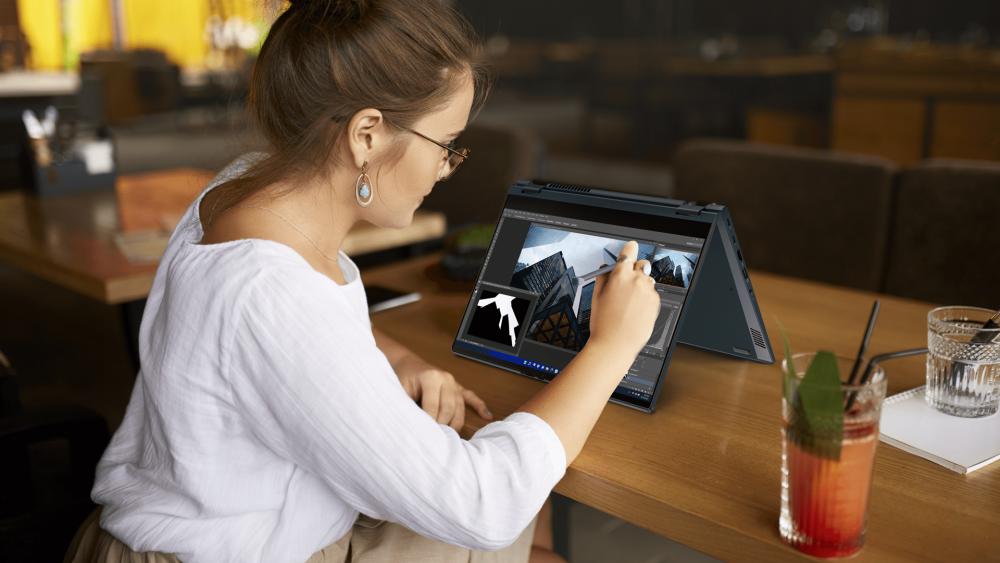
ThinkBook vs ThinkPad – What’s the Difference?
Lenovo offers several professional laptop lines, but the ThinkBook and ThinkPad families stand out as two of the most widely used options in business environments. A ThinkBook vs ThinkPad comparison can help organisations choose the right device depending on their workflow, budget, and durability requirements.
ThinkBook – Designed for Modern SMEs
The ThinkBook series is built primarily for small and growing businesses that need reliable performance with a modern design. Many Lenovo ThinkBook laptops for business feature a slim aluminium chassis, strong multitasking performance, and practical connectivity options suitable for office productivity.
Devices such as the Lenovo ThinkBook 14 G6 business laptop are designed to balance affordability and performance, making them a practical option for professionals who want a capable ThinkBook Windows 11 Pro device without moving into enterprise-level pricing. This makes ThinkBook models particularly attractive for ThinkBook for small business environments where productivity and value are both important.
ThinkPad – Built for Enterprise Durability
The ThinkPad series has long been recognised for its durability, reliability, and enterprise-grade security. Most of the Lenovo ThinkPad laptops are designed with reinforced chassis, spill-resistant keyboards, and business-focused security features that make them ideal for demanding work environments.
A Lenovo ThinkPad business laptop is often chosen by organisations that prioritise reliability, long-term deployment, and consistent performance. Moreover, ThinkPad enterprise laptops are widely used across corporate IT environments because they are built to handle heavy daily workloads and extended usage.
Which Series Is Better for Your Business?
Choosing between a Lenovo business laptop usually depends on the scale and needs of the organisation. Businesses that prioritise modern design and balanced performance often lean toward Lenovo ThinkBook laptops, while companies that require long-term durability and enterprise-level security may prefer Lenovo ThinkPad laptops.
Both product lines represent some of the top Lenovo laptops for business, giving professionals a choice between modern productivity-focused devices and rugged enterprise notebooks designed for demanding workloads.
ThinkBook vs ThinkPad – Quick Comparison
Both ThinkBook and ThinkPad laptops are designed for professional users, but they serve slightly different business needs. ThinkBook models generally focus on modern design and value for growing teams, while ThinkPad systems are known for their durability and long-term reliability in demanding corporate environments.
| Feature | ThinkBook | ThinkPad |
| Target Users | Startups and small businesses | Enterprise organisations |
| Design | Modern aluminium chassis | Classic durable business design |
| Security | Standard business security features | Advanced enterprise security |
| Durability | Designed for everyday office use | Built for long-term professional deployment |
| Typical Use Case | Small businesses | Corporate environments and large organisations |
For many buyers, the decision simply depends on the work environment. Companies that want a modern, cost-efficient device often choose ThinkBook, while organisations prioritising durability and long-term reliability typically prefer ThinkPad laptops.
Top Lenovo ThinkBook Business Laptops with Windows 11 Pro
The ThinkBook series is designed for professionals and growing teams who want reliable performance with a modern design. Many Lenovo ThinkBook laptops combine efficient processors, fast SSD storage, and business-ready security features, making them practical choices for everyday office productivity.
Below are the three best ThinkBook laptops with Windows 11 Pro available for professionals who need portability without sacrificing performance.
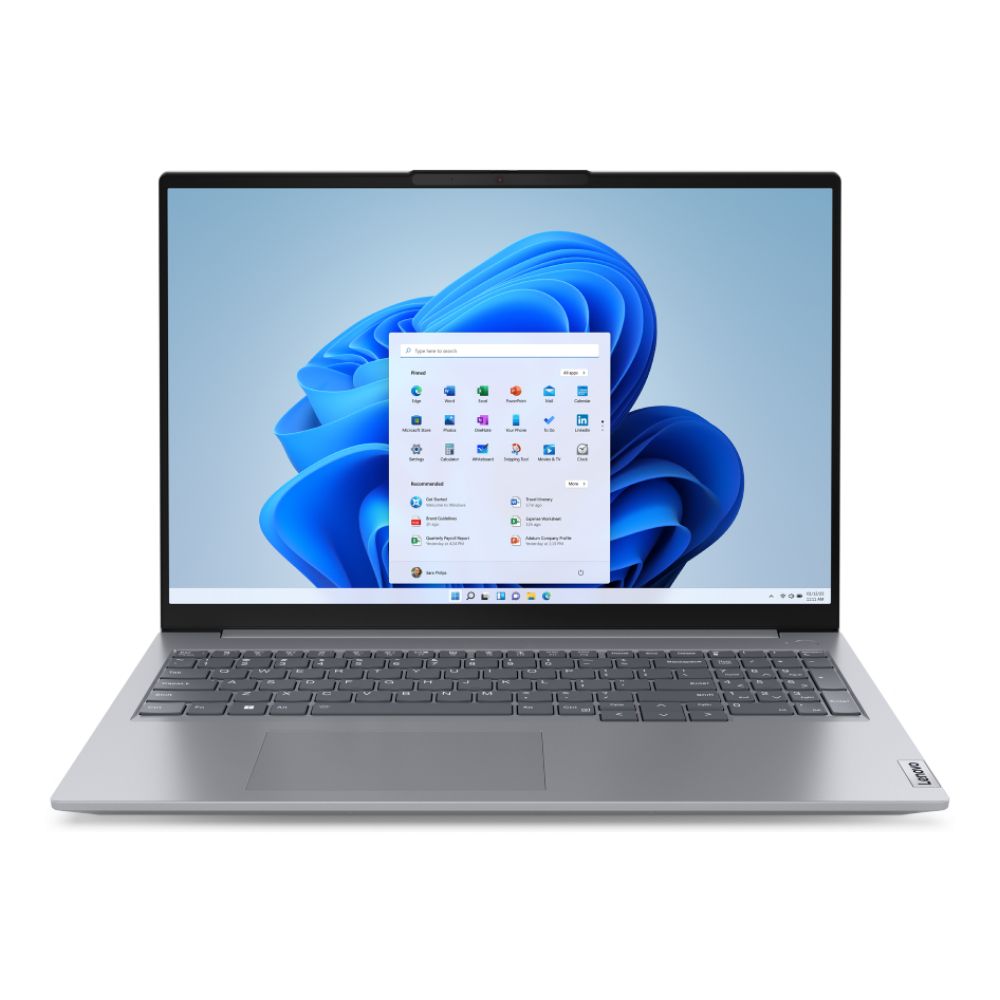
Lenovo ThinkBook 14 G6 IRL Business Laptop
MPN: 21KG00SHUK
Key Features
- Intel Core i5-13420H Octa-Core processor (up to 4.6 GHz boost)
- 14-inch WUXGA (1920 × 1200) IPS anti-glare display
- 8 GB DDR5 RAM for responsive multitasking
- 256 GB PCIe SSD for fast boot and application loading
- Windows 11 Pro operating system
- USB-C, HDMI, USB-A, Wi-Fi 6, Bluetooth, and Ethernet connectivity
What Makes It a Good Business Laptop
The Lenovo ThinkBook 14 G6 business laptop is built for professionals who need consistent performance for everyday work tasks. Its Intel Core i5 processor and DDR5 memory provide enough power to handle office applications, browser-heavy workloads, and collaboration tools without slowing down.
The 14-inch WUXGA display offers extra vertical space compared with traditional Full HD panels, which helps when working with spreadsheets, documents, or multitasking windows. Combined with its lightweight aluminium design and reliable connectivity options, the device is well-suited for professionals working between offices, home setups, and meetings.
With Windows 11 Pro, users also benefit from business-focused security and productivity tools, making it a practical option for organisations looking for dependable systems among today’s top Lenovo laptops for business.
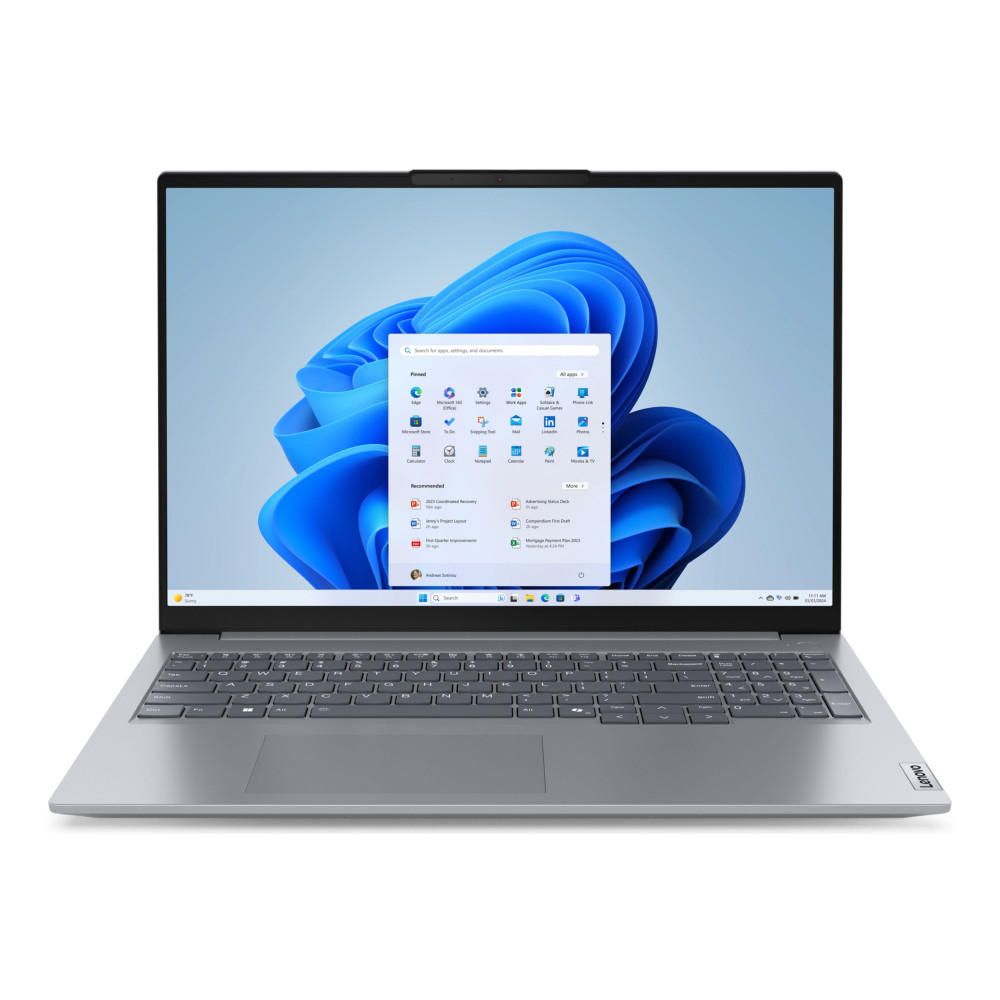
Lenovo ThinkBook 16 G7 ARP Business Laptop
MPN: 21MW002DUK
Key Features
- AMD Ryzen 5 7535HS Hexa-Core processor (up to 4.5 GHz boost)
- 16-inch WUXGA (1920 × 1200) IPS display
- 16 GB DDR5 RAM for stronger multitasking support
- 256 GB SSD storage
- Windows 11 Pro operating system
- USB-C, HDMI 2.1, Wi-Fi 6E, Bluetooth 5.3, and Ethernet connectivity
Why It Suits Business Users
For professionals who prefer more screen space, this model has a clear advantage. The 16-inch display gives you more room for spreadsheets, side-by-side windows, and document-heavy tasks, making everyday work feel more comfortable than on a smaller notebook.
Its Ryzen 5 processor and 16 GB of memory are better suited to users who keep several applications open at once throughout the day. That makes it a practical fit for multitasking, browser-based workflows, meetings, and general office productivity without the system feeling underpowered.
Because it ships with Windows 11 Pro, it also fits naturally into business environments where security, device management, and professional productivity features matter. As a larger-format option in the ThinkBook family, it works particularly well for users who want a modern business laptop with a bit more screen workspace.
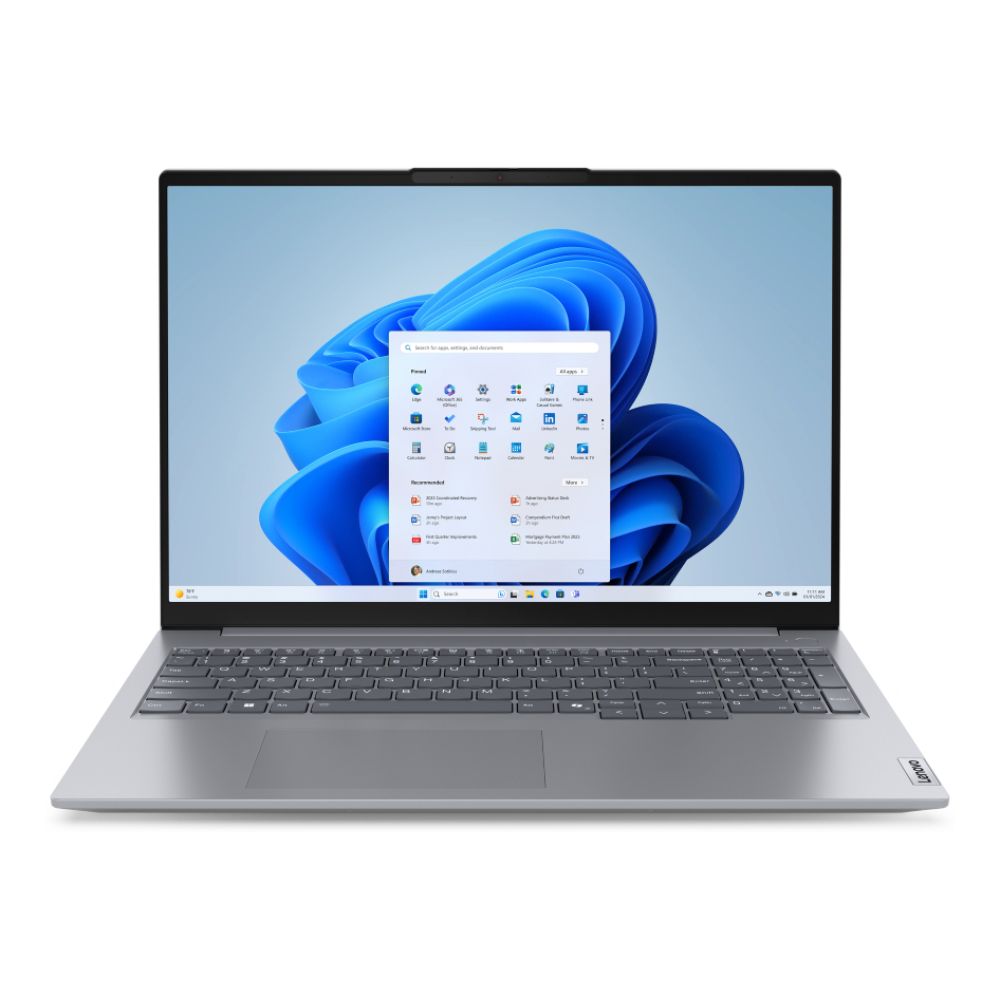
Lenovo ThinkBook 16 Gen 7 Business Laptop
MPN: 21MW0023UK
Key Features
- AMD Ryzen 5 7535HS Hexa-Core processor (up to 4.5 GHz boost)
- 16-inch WUXGA (1920 × 1200) IPS display
- 8 GB DDR5 RAM for everyday productivity workloads
- 256 GB SSD storage for fast system response
- Windows 11 Pro operating system
- USB-C, USB-A, HDMI, Wi-Fi, Bluetooth, and Ethernet connectivity
What Makes It a Practical Business Laptop
The Lenovo ThinkBook 16 Gen 7 business laptop focuses on providing a comfortable workspace and dependable performance for everyday professional tasks. Its 16-inch WUXGA display offers more vertical screen space than standard Full HD panels, which can make document editing, spreadsheets, and multitasking noticeably easier during long work sessions.
Powered by an AMD Ryzen 5 processor, the laptop handles typical office workflows smoothly, from managing emails and presentations to running browser-based tools and video meetings. The integrated Radeon graphics also add enough capability for light creative workloads, such as simple design tasks or media editing.
With Windows 11 Pro, users benefit from built-in security features, device management capabilities, and productivity tools suited to professional environments. Combined with reliable connectivity options and a durable chassis, this model fits well into modern workplaces where portability, screen space, and dependable daily performance matter.
The 3 Best Lenovo ThinkPad Windows 11 Pro Laptops for Professional Workloads
Professionals looking for dependable performance often turn to the ThinkPad lineup, which has long been recognised for reliability, security, and durability in demanding work environments. Many organisations rely on Lenovo ThinkPad laptops because they are designed to handle daily productivity workloads while maintaining consistent performance over years of use.
In this section, we look at three strong options that stand out among Lenovo laptops with Windows 11 Pro built for professional use. These models combine modern processors, efficient multitasking capabilities, and enterprise-focused features that make them suitable for organisations searching for a dependable Lenovo ThinkPad with Windows 11 Pro.
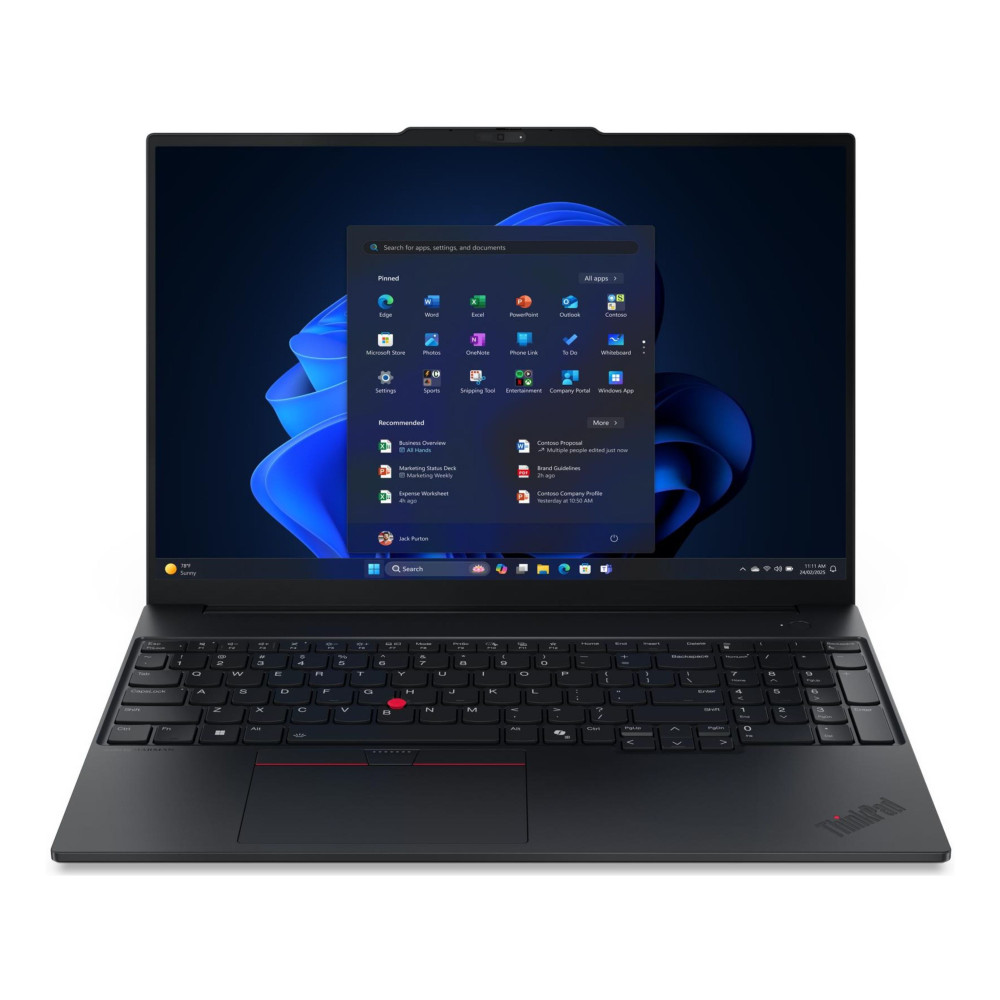
Lenovo ThinkPad E16 Gen 3 Business Laptop
MPN: 21SR0044UK
Key Features
- Intel Core Ultra 5 225U 12-Core processor
- 16-inch WUXGA (1920 × 1200) IPS display
- 16 GB DDR5 RAM for strong multitasking performance
- 512 GB PCIe SSD storage
- Windows 11 Pro operating system
- USB-C, USB-A, HDMI, Wi-Fi, Bluetooth, and Ethernet connectivity
Why It Works Well for Professional Workloads
The Lenovo ThinkPad E16 Gen 3 business laptop is designed for professionals who need both performance and screen space for demanding workdays. Its Intel Core Ultra processor and 16 GB of memory allow the system to manage heavier productivity tasks such as large spreadsheets, multiple browser tabs, collaboration tools, and data-driven applications without slowing down.
The 16-inch WUXGA display offers a comfortable workspace for multitasking, giving users enough room to keep documents, dashboards, or presentations open side-by-side. This makes it particularly useful for analysts, project managers, and professionals who regularly work with large datasets or multiple applications.
As a Lenovo ThinkPad with Windows 11 Pro, the laptop also includes business-focused features such as advanced security, improved device management, and productivity tools suited for modern workplaces. Combined with ThinkPad durability and modern connectivity options, it fits well into professional environments where reliability and performance are essential.
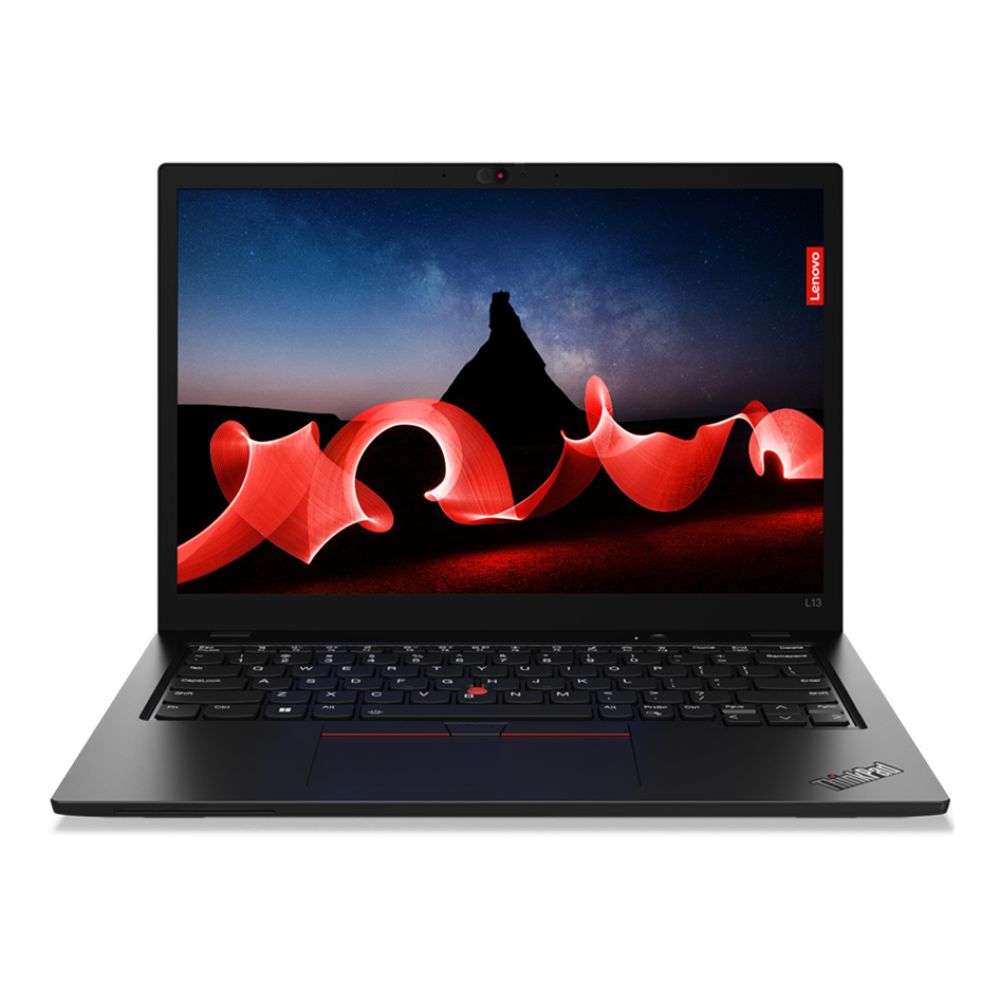
Lenovo ThinkPad L13 Business Laptop
MPN: 21FG002AUK
Key Features
- Intel Core i5-1335U 10-Core processor
- 13.3-inch WUXGA (1920 × 1200) IPS display
- 8 GB LPDDR5 RAM
- 256 GB SSD storage
- Windows 11 Pro operating system
- USB-C, USB-A, HDMI, Wi-Fi, Bluetooth, and Ethernet connectivity
Why This Laptop Works Well for Mobile Professionals
Portability is often the most important factor for professionals who frequently move between meetings, offices, or remote workspaces. The compact 13.3-inch form factor and lightweight design make this system easy to carry throughout the day while still providing enough screen space for everyday productivity tasks.
Despite its smaller size, the system remains capable of handling typical office workloads. The 13th-generation Intel Core processor, combined with LPDDR5 memory, allows smooth multitasking across web applications, productivity software, and collaboration tools without excessive lag or slowdowns.
Security and reliability are also key strengths of this configuration. As part of the Lenovo ThinkPad laptops lineup, it incorporates the durability standards and professional features that businesses often prioritise. Running on Windows 11 Pro, it supports secure login methods, device encryption, and management features commonly required in modern workplaces.
For users seeking a compact Lenovo ThinkPad business laptop that emphasises mobility without sacrificing productivity, this model offers a balanced combination of portability, dependable performance, and enterprise-focused features.
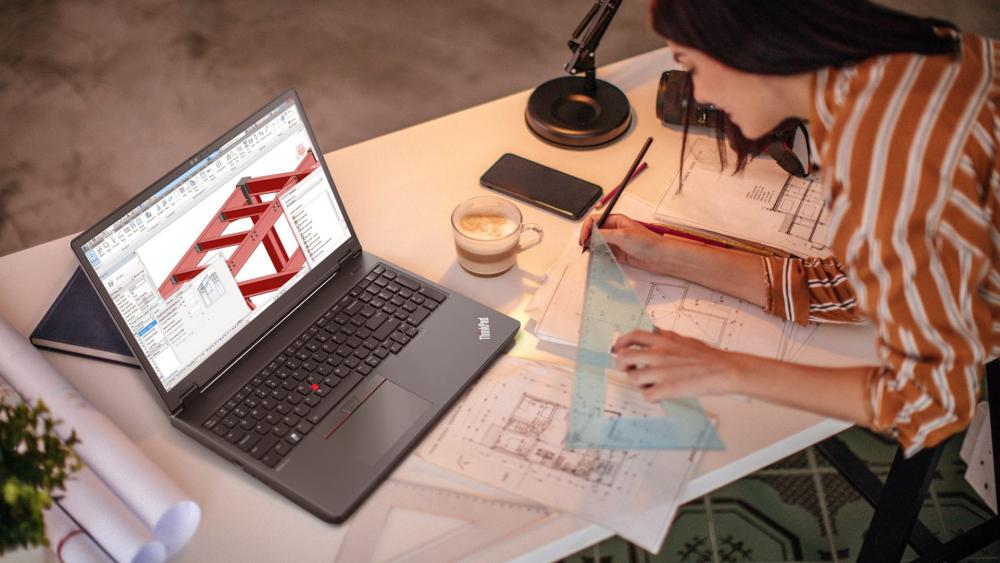
Lenovo ThinkPad P14s Gen 5 Mobile Workstation
MPN: 21ME000PUK
Key Features
- AMD Ryzen 7 PRO 8840HS Octa-Core processor
- 14-inch WUXGA (1920 × 1200) IPS touchscreen display
- 32 GB DDR5 RAM
- 1 TB PCIe SSD storage
- Windows 11 Pro operating system
- USB-C, USB-A, HDMI, Wi-Fi, Bluetooth, and Ethernet connectivity
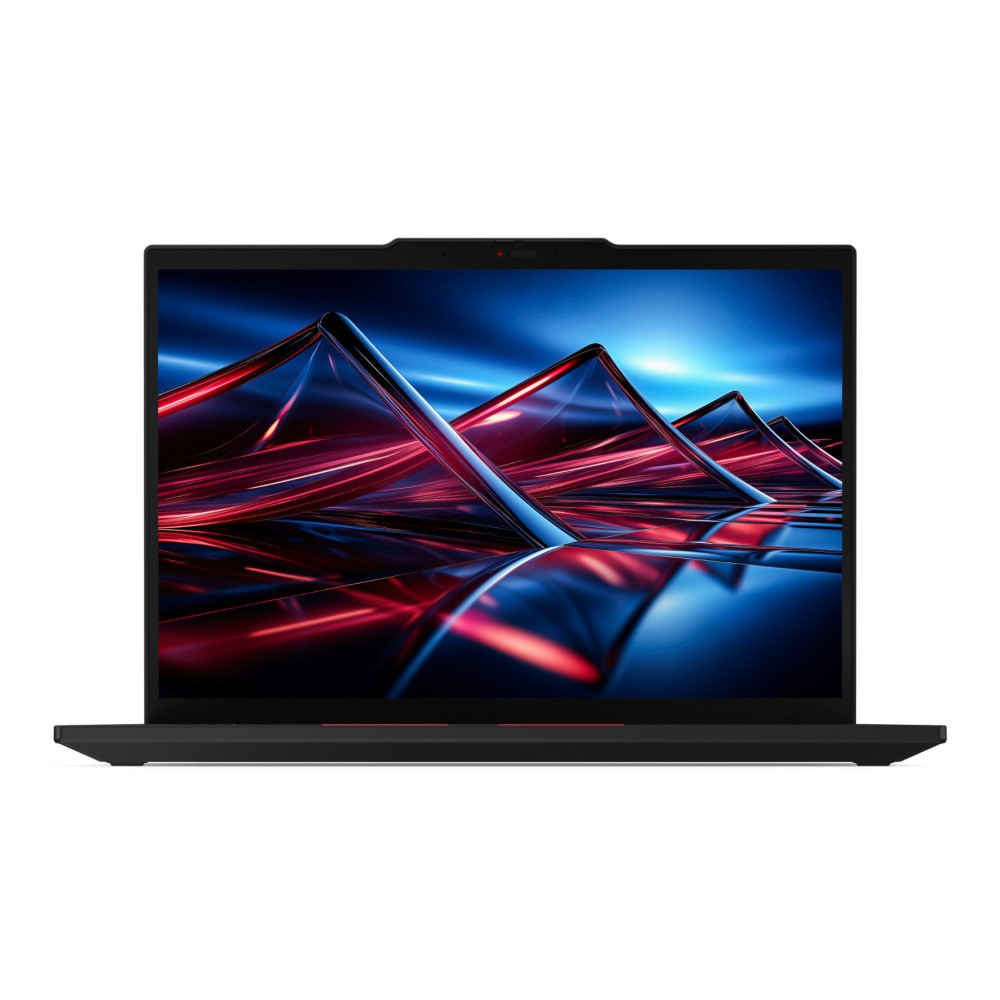
Why This Laptop Is Ideal for Power Users
Some professionals require more than a standard office laptop. For users working with complex spreadsheets, engineering tools, creative software, or large datasets, additional processing power and memory can significantly improve productivity. This configuration delivers that capability while remaining highly portable.
The AMD Ryzen 7 PRO processor paired with 32 GB of memory provides strong performance for multitasking across demanding applications. Tasks such as data analysis, design work, or running multiple development tools simultaneously can be handled comfortably without system slowdowns.
The 14-inch touchscreen also adds flexibility for professionals who prefer a more interactive workflow. It can make reviewing documents, navigating presentations, or working with creative tools more intuitive compared to traditional displays.
As part of the Lenovo ThinkPad laptops portfolio, this model follows the reliability and durability standards commonly associated with the series. With Windows 11 Pro providing enterprise security features and remote management capabilities, it fits naturally into professional environments that require both performance and dependable system control.
Performance Comparison – Which Model Is Right for You?
When comparing modern business laptops, the most important factors usually come down to processor performance, memory capacity, screen size, and battery efficiency. The systems highlighted in this guide are designed for professional environments, but each configuration suits a slightly different type of workflow.
Intel vs AMD in ThinkBook & ThinkPad
Both Intel and AMD processors power many modern ThinkBook and ThinkPad laptops, and each platform offers advantages depending on how the laptop will be used.
Intel processors are widely adopted in corporate environments because they work seamlessly with enterprise software, virtualisation platforms, and device management tools. Many business users rely on Intel-based systems for office applications, collaboration tools, and structured workloads.
AMD Ryzen processors have become increasingly popular thanks to their strong multi-core performance and efficiency. Ryzen-powered systems can handle heavy multitasking well, which makes them useful for professionals running multiple applications simultaneously or working with larger datasets.
8GB vs 16GB RAM for Business Workloads
Memory capacity plays a major role in day-to-day responsiveness. Systems with 8GB of RAM are generally suitable for everyday productivity tasks such as email, document editing, web browsing, and presentation software.
However, professionals who regularly run several applications at once may benefit from 16GB or more. Higher memory capacity improves multitasking stability and ensures smoother performance when working with large spreadsheets, cloud platforms, or browser-heavy workflows.
14-inch vs 16-inch Displays for Productivity
Screen size can significantly affect how comfortable a laptop is for extended work sessions. Many models across the ThinkBook and ThinkPad configurations are available in both 14-inch and 16-inch sizes.
A 14-inch display typically offers a better balance between portability and usability, making it a good choice for professionals who travel frequently. Larger 16-inch models, on the other hand, provide additional workspace that can make multitasking easier when working with multiple windows, spreadsheets, or design tools.
Battery Life Expectations
Battery performance varies depending on processor type, display size, and workload intensity. Most modern Lenovo business laptops are designed to support a full working day of productivity tasks such as document editing, meetings, and web-based collaboration tools.
For professionals who spend significant time away from a desk, choosing a system that balances performance efficiency with battery capacity can make a noticeable difference to everyday productivity.
What to Look for in a Windows 11 Pro Business Laptop
Choosing a business laptop is about reliability and practicality rather than just raw performance. Professionals typically need a system that can handle daily workloads smoothly while remaining secure, durable, and easy to manage across an organisation.
Security Features That Protect Business Data
Security is a major priority in professional environments. Features like TPM encryption, fingerprint authentication, and secure login options help safeguard company data while keeping access convenient for authorised users. Many Lenovo ThinkPad business laptop models are designed with these protections built in, making them a common choice in corporate environments.
Upgrade Potential and Long-Term Value
Businesses often expect laptops to remain usable for several years. Systems that allow memory or storage upgrades provide more flexibility as workloads grow. This is one reason many organisations continue to rely on Lenovo ThinkPad laptops, which are known for balancing performance with long-term reliability.
Connectivity for Modern Workspaces
Modern work setups frequently involve external displays, docking stations, and multiple accessories. Laptops that include versatile ports such as USB-C and HDMI make it easier to connect peripherals without relying on additional adapters. Devices from the Lenovo ThinkBook laptops lineup often focus on this type of practical connectivity for everyday productivity.
Warranty and Support
Reliable support can be just as important as the hardware itself. Business-focused devices often come with extended warranty options and stronger service coverage, helping organisations minimise downtime if a device ever needs maintenance or repair.
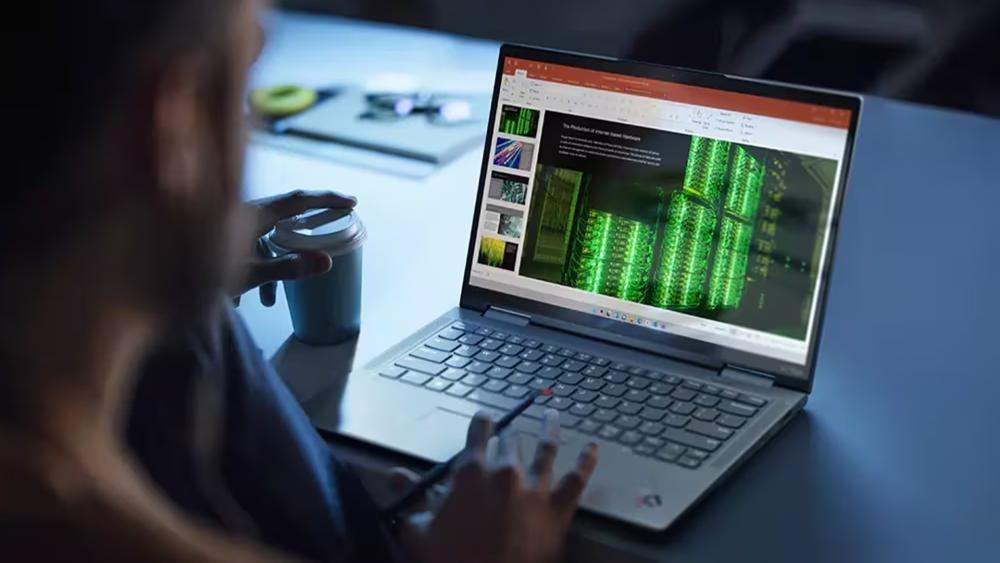
Final Verdict – Choosing the Right Lenovo Business Laptop
Selecting the right laptop ultimately depends on how and where the device will be used. Some professionals prioritise portability and everyday productivity, while others need higher performance for multitasking, data analysis, or creative workloads.
For smaller teams and growing companies, Lenovo ThinkBook laptops often provide a practical combination of modern design, solid performance, and affordability. They are well-suited to everyday office work, remote collaboration, and general productivity tasks without adding unnecessary complexity.
Professionals working in more demanding environments may prefer systems from the Lenovo ThinkPad family. Known for their durability, strong security features, and dependable performance, these machines are widely used across corporate and enterprise settings.
Ultimately, the best choice comes down to workload requirements, portability needs, and budget. Whether selecting a compact device for mobility or a larger system for multitasking and extended productivity, the current generation of Lenovo laptops with Windows 11 Pro offers reliable options designed to support modern business workflows.
Still unable to decide which machine is best for you? Here is our Lenovo laptop buying guide to help you make the right call.
Frequently Asked Questions
What is the difference between ThinkBook and ThinkPad?
The main difference lies in their target users and design philosophy. Lenovo ThinkBook laptops are generally aimed at small businesses and professionals who want modern styling, strong performance, and practical features for everyday work. Lenovo ThinkPad laptops, on the other hand, are built for enterprise environments where durability, security features, and long-term reliability are especially important.
Is Windows 11 Pro better for business users?
Yes, Windows 11 Pro includes several features designed specifically for professional environments. These include device encryption, remote management tools, domain join support, and advanced security capabilities that help organisations manage and protect their systems more effectively.
Which Lenovo laptop is best for small businesses?
For many small businesses, models from the Lenovo ThinkBook laptops lineup provide a good balance of performance, portability, and value. They are well-suited for daily office tasks such as document work, communication tools, and cloud-based applications.
Is 8GB RAM enough for office work?
In most cases, 8GB of RAM is sufficient for everyday tasks such as web browsing, spreadsheets, presentations, and email. However, professionals who frequently multitask or run heavier software may benefit from systems with 16GB or more for smoother performance.
Are ThinkPads worth the higher price?
Many businesses consider Lenovo ThinkPad laptops worth the investment because of their durability, security features, and consistent performance. They are designed for long-term use and often include enterprise-grade build quality and management features.
Do Lenovo business laptops include security features?
Yes, most modern Lenovo business laptops include built-in security features such as TPM encryption, fingerprint readers, secure boot support, and webcam privacy shutters. These features help protect sensitive data while maintaining convenient access for users.
What size laptop is best for productivity?
Both 14-inch and 16-inch laptops are common in professional environments. A 14-inch model is typically easier to carry for mobile professionals, while a 16-inch laptop provides more screen space, which can be helpful when multitasking or working with detailed documents and spreadsheets.
You can pay with:
*PayPal Credit Representative Example: Assumed credit limit £1,200, Representative 23.9% APR (variable). Purchase rate 23.9% p.a (variable).Terms & Conditions apply.


PayPal Credit and PayPal Pay in 3 are trading names of PayPal UK Ltd, 5 Fleet Place, London, United Kingdom, EC4M 7RD. Terms and conditions apply. Credit subject to status, UK residents only, Five Tech LTD acts as a broker and offers finance from a restricted range of finance providers. PayPal Pay in 3 is not regulated by the Financial Conduct Authority. Pay in 3 eligibility is subject to status and approval. 18+. UK residents only. Pay in 3 is a form of credit. Check if affordable and how you will repay. May make other borrowing more difficult or expensive. See product terms for more details.
Copyright © 1996-2026 Fivetech LTD | Terms and Conditions
box.co.uk & Box are trading names of Five Tech Limited. Registered office: Box LTD, Unit 10 Woodford Trading Estate, Woodford Green IG8 8HF