


 Menu
MenuMenu


Get Sales Advice from Mon - Fri 9am - 5:00pm:
020 3337 8950LAST UPDATED: March 24, 2026
TOPs in Intel vs AMD Laptop Processors: A Performance Showdown
Laptop performance is no longer judged solely by clock speed or the number of cores. In 2026, artificial intelligence has become a major part of everyday computing, and one of the key measures of this capability is TOPs, short for Tera Operations Per Second. This metric reflects how quickly a processor can handle AI-driven tasks, from real-time upscaling in games to background tools that optimise performance and battery life.
For gamers, understanding TOPs is more important than ever. Modern titles increasingly use AI to deliver richer visuals, more responsive environments and smarter non-player characters. Streamers and content creators also rely on the same AI performance for live overlays, video editing, and workflow automation. Choosing between an Intel vs AMD laptop is therefore no longer just about raw frame rates but also about which processor can sustain demanding AI workloads most effectively.
This article explores how Intel and AMD laptop processors compare in TOPs performance, what it means for gaming, and how to decide which option best fits your needs today and, in the years, ahead.
What is TOPs and Why Gamers Should Care
TOPs, or Tera Operations Per Second, is a measure of how quickly a processor can complete AI-related calculations. Unlike general computing performance, which focuses on raw CPU or GPU speed, TOPs specifically reflects the efficiency of the neural processing unit (NPU) or AI accelerator built into modern laptop chips. The higher the TOPs value, the more capable the system is at running AI models locally without depending on the cloud.
For gaming, this matters in several practical ways. AI-powered upscaling technologies such as DLSS and FSR benefit from processors that can handle large volumes of operations quickly, ensuring smoother frame rates and sharper visuals. AI also enhances background tasks, such as voice assistants, live translation, or system optimisation tools, all of which are now more common in gaming laptops.
TOPs are not just about visuals either. Game developers are beginning to use AI to control more complex NPC behaviours, generate richer environments, and streamline in-game performance. The difference between a laptop with modest TOPs capability and one with a more powerful AI processor can already be seen in titles that integrate these features.
Understanding TOPs helps gamers look beyond marketing terms and focus on a measurable metric that directly affects both current gameplay and the long-term relevance of a laptop.
Intel Laptop Processors and TOPs
Intel has steadily integrated AI acceleration into its laptop processors, most notably through the introduction of Core Ultra chips. These processors feature a dedicated NPU designed to handle AI workloads efficiently, allowing gaming systems to achieve higher TOPs without overloading the CPU or GPU. The result is a laptop that can balance fast gaming performance with intelligent background processing.
For competitive gamers, this means fewer compromises. High single-core speeds remain a hallmark of every Intel CPU, which is crucial for eSports titles where maximum frame rates make a difference. At the same time, the NPU delivers additional TOPs capacity for features such as AI-driven upscaling or system optimisation. A player can run a demanding game, stream their session, and still take advantage of AI overlays without noticeable slowdowns.
The range of Core Ultra processors demonstrates how Intel continues to evolve AI-ready laptops. Systems built on the best Intel processors offer not only raw power but also strong TOPs support for gaming workloads. Current Intel laptops include models that combine these processors with powerful graphics cards, making them suitable for both gamers and content creators who want long-term value.
Intel's progress shows that TOPs performance is not an abstract figure. It translates into smoother gameplay, efficient multitasking, and systems that are ready for the AI-driven features of tomorrow's titles. TOPs is often used to measure AI performance in Intel laptops as well.
AMD Laptop Processors and TOPs
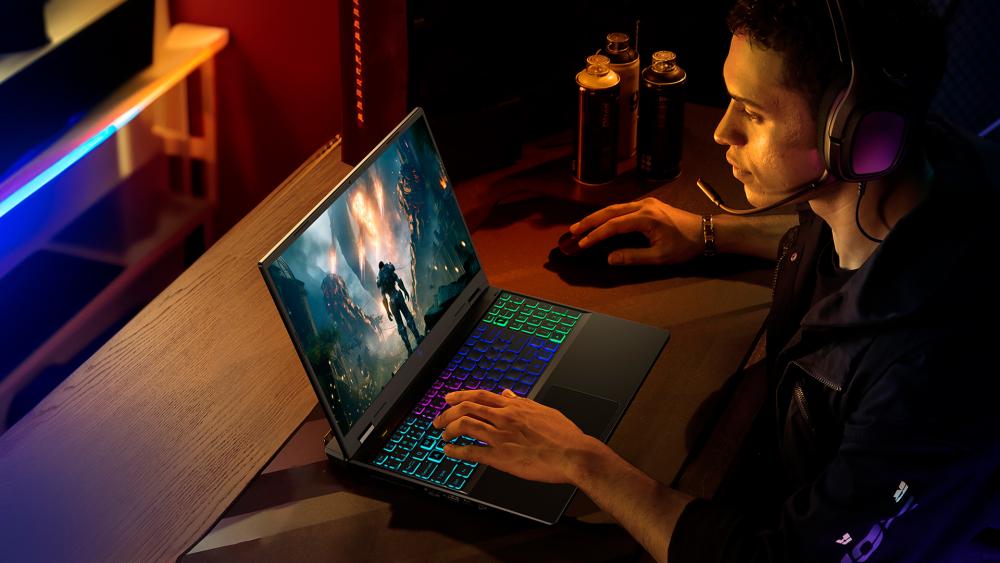
AMD has taken a different route to boosting AI performance, focusing on the integration of Ryzen AI technology in its latest laptop processors. These chips combine traditional CPU performance with a built-in NPU, giving them the ability to deliver competitive TOPs figures while maintaining efficiency. For gamers, this balance is important because it allows laptops to run advanced AI features without draining the battery or generating excessive heat.
An AMD CPU is often praised for its strong multi-core performance, which benefits modern gaming titles as well as multitasking. When combined with the NPU, AMD laptop processors can handle AI-driven rendering, real-time video enhancements, and productivity applications with ease. Gamers who also stream or edit videos find this especially valuable, as the AI component reduces the strain on the main cores and graphics system.
Systems powered by best AMD processors offer a competitive alternative to Intel in terms of AI acceleration. The latest AMD laptops feature Ryzen 7040, 8040, and 9000 series chips that pair strong GPU integration with advanced AI support, ensuring smooth frame rates while delivering enhanced AI performance.
AMD's approach highlights how TOPs are not just about maximum numbers but about efficiency in everyday use. By combining effective AI processing with their well-known multi-core strengths, these processors give gamers a reliable platform for both current titles and the AI-heavy applications expected to dominate in the near future.

Comparing Intel vs AMD Laptop Performance in TOPs
Both Intel and AMD are now competing to deliver higher TOPs in their laptop processors. An AMD vs Intel laptop comparison shows that Core Ultra systems provide around 45 to 50 TOPs from the NPU alone, while AMD Ryzen AI 300 series processors reach slightly higher figures above 50 TOPs. In practice, this means both brands are ready to handle advanced AI features such as upscaling, background optimisation, and creator workflows without relying heavily on the GPU or cloud processing.
For gamers, the distinction often comes down to workload. An Intel laptop processor still provides excellent single-core speeds, which makes a difference in competitive gaming, while an AMD laptop processor delivers strong TOPs performance with efficient multi-core support, which appeals to those who game and create content. Many laptops for gaming now include these AI-focused processors, ensuring that background AI tasks run smoothly without disrupting frame pacing.
The table below compares selected Intel and AMD laptops currently available, showing their processor, TOPs performance, and additional specifications that matter most to gamers.
| Laptop | Processor | Approx. TOPs (NPU) | GPU | RAM | Display | Battery Life |
| Dell XPS 13 9350 | Intel Core Ultra 7 256V | ~45 TOPs | Intel Arc integrated | 16GB | 13.4" OLED, 3K | Up to 13 hrs |
| HP EliteBook Ultra G1i | Intel Core Ultra 7 256V | ~45 TOPs | Intel Arc integrated | 16GB | 14" WQXGA | Up to 12 hrs |
| Lenovo ThinkPad P16s Gen 3 | Intel Core Ultra 7 155H | ~34 TOPs | Intel Arc integrated | 32GB | 16" WUXGA | Up to 12 hrs |
| ASUS ROG Zephyrus G16 GA605WV | AMD Ryzen AI 9 HX 370 | ~50 TOPs | NVIDIA RTX 4070 | 32GB | 16" QHD+ 240Hz | Up to 10 hrs |
| Razer Blade 14 (2026) | AMD Ryzen AI 9 365 | ~50 TOPs | NVIDIA RTX 4070 | 32GB | 14" OLED, 240Hz | Up to 9 hrs |
| ASUS ProArt P16 OLED | AMD Ryzen AI 9 HX 370 | ~50 TOPs | NVIDIA RTX 4070 | 32GB | 16" 4K OLED | Up to 11 hrs |
For gamers, the distinction often comes down to workload. An Intel laptop processor still provides excellent single-core speeds, which makes a difference in competitive gaming, while an AMD laptop processor delivers strong TOPs performance with efficient multi-core support, which appeals to those who game and create content. Both approaches show how TOPs now influence the choice between an Intel CPU and an AMD CPU, alongside traditional performance metrics.
AI Beyond Gaming
AI has transformed gaming experience and its effects are now going beyond entertainment. While a comparison of an Intel vs AMD laptop often begins with frame rates and competitive gaming benchmarks, the same AI acceleration also benefits everyday computing and creative workloads.
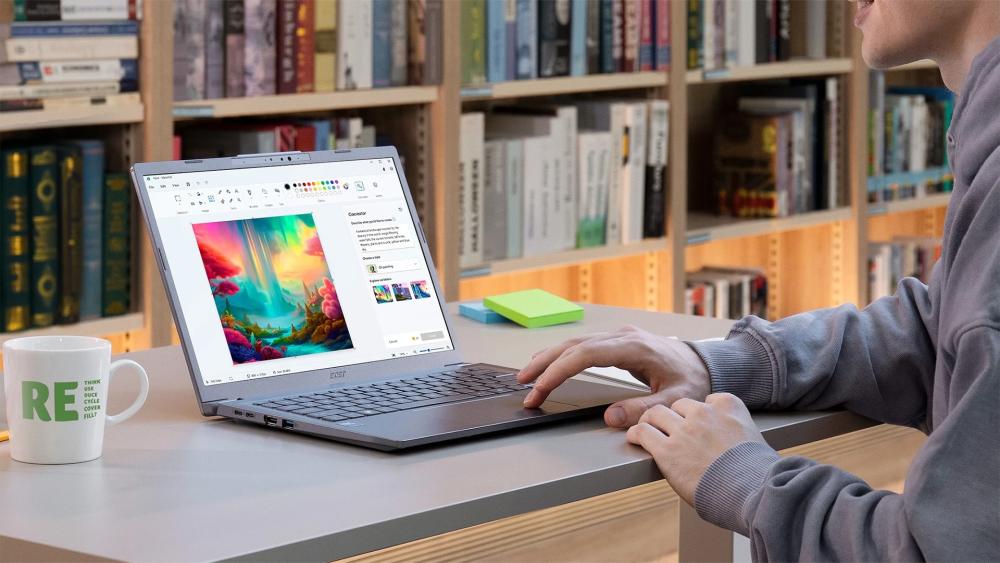
Video editing applications now rely on AI to speed up rendering, colour correction, and even content generation. A higher TOPs value allows these tasks to run more smoothly, reducing the load on the CPU and GPU. Streamers who use overlays, real-time noise cancellation, or automated background removal gain similar advantages, as the neural processing unit can handle these tasks independently.
Productivity software is also making increasing use of AI. Live transcription, automated summaries, and enhanced security features are all supported by AI acceleration. A latest Intel processor with a strong NPU or an AMD laptop processor with Ryzen AI can complete these functions locally, which saves both time and battery life.
As developers continue to add AI features to their applications, laptops with higher TOPs will prove more resilient and relevant over time. The choice between an Intel CPU and an AMD CPU is therefore not just about gaming performance but also about the efficiency and longevity of the system across a wide range of professional and personal uses.
Price-to-Performance in TOPs
When considering price-to-performance, the Intel vs AMD laptop analysis shows that both brands now offer AI acceleration across mid-range and flagship models. However, the balance of TOPs performance, GPU capability, and efficiency often determines which option delivers the best value for money.
In the mid-range, laptops equipped with Core Ultra 5 or Ryzen 7 AI processors already provide respectable TOPs values alongside solid gaming performance. Laptops under £1000 are often AI-ready and work great for players who want reliable frame rates and smoother multitasking without the cost of a flagship machine.
At the high end, laptops powered by Intel Core Ultra 9 processors or AMD Ryzen AI 9 HX chips achieve significantly higher TOPs figures, making them well suited for creators and streamers. These processors are often paired with powerful GPUs, such as those found in RTX 40 Series laptops. For gaming workloads, the combination of a capable GPU and strong TOPs support ensures both high frame rates and enhanced AI features like upscaling or noise reduction.
Most of the high-end latest laptops now come with higher TOPs figures and are quite costly than a standard machine for everyday use. However, they future-proof your investment for at least a couple of years, so it is not a bad call to make.
Ultimately, the right choice depends on whether the priority is maximum frames per second at the lowest price or a system that balances AI acceleration with top-tier gaming performance.
Future-Proofing with TOPs
AI-driven features are shaping the future of gaming laptops, making TOPs a key measure of long-term performance. Intel vs AMD laptop showdown now extend beyond raw speed to how effectively each processor manages AI workloads. Intel Core Ultra processors focus on efficiency, while AMD Ryzen AI chips aim for higher TOPs and closer GPU integration.
Systems built using the latest processors are already designed for real-time rendering, smarter NPC behaviour, and AI-assisted productivity. Choosing higher TOPs today ensures smoother gameplay now and greater relevance as AI becomes central to both gaming and everyday applications.
Recommendations for Gamers
When choosing between an Intel vs AMD laptop, the right decision often depends on gaming style and how the system will be used outside of games.
For higher frame rates prefer an Intel CPU.
For streaming, editing, or using AI-heavy creative tools, an AMD laptop process is the best option.
Final Thoughts: Choosing Between Intel and AMD
The Intel vs AMD laptop comparison is no longer just about raw speed. With TOPs now central to performance, both brands deliver processors that balance gaming power with AI capability. Intel CPUs excel in single-core tasks that boost frame rates, while AMD CPUs combine strong multi-core efficiency with higher TOPs for multitasking and content creation.
For gamers, the decision comes down to play style. Competitive players may lean toward Intel, while creators who also game may find AMD more appealing. In either case, higher TOPs ensures smoother gameplay today and readiness for the AI-driven features of tomorrow.
Frequently Asked Questions
What exactly does TOPs mean in a gaming laptop?
TOPs, or Tera Operations Per Second, is a measure of how many AI operations a processor can handle in one second. In gaming laptops, higher TOPs means better support for AI-driven features such as upscaling, system optimisation, and smarter non-player character behaviour.
Is TOPs more important than GPU power for gamers?
TOPs improves AI features like upscaling and streaming, but the GPU still drives raw frame rates and graphical detail. For gamers, the best performance comes from a balance of a capable GPU and a processor with strong TOPs to manage AI workloads efficiently.
Do Intel or AMD laptops have higher TOPs in 2026?
Intel Core Ultra processors currently deliver around 45 to 50 TOPs, while AMD Ryzen AI 300 series processors reach slightly higher, above 50 TOPs. Both provide excellent AI performance, but the choice between an Intel vs AMD laptop often depends on single-core speed versus multitasking balance.
Will TOPs make games run faster or just smarter?
TOPs does not directly raise frame rates in the way a GPU upgrade would. Instead, it supports smarter processing by handling AI-driven features like real-time upscaling, noise reduction, and advanced game mechanics. This leads to smoother gameplay experiences and better overall system efficiency.
Should gamers wait for higher TOPs laptops before upgrading?
The latest Intel and AMD laptops already include NPUs with strong TOPs performance, making them future-ready for most AI workloads. Unless a gamer has very specific long-term needs, upgrading now provides both immediate gaming benefits and the reassurance that upcoming AI features will run efficiently.
You can pay with:
*PayPal Credit Representative Example: Assumed credit limit £1,200, Representative 23.9% APR (variable). Purchase rate 23.9% p.a (variable).Terms & Conditions apply.


PayPal Credit and PayPal Pay in 3 are trading names of PayPal UK Ltd, 5 Fleet Place, London, United Kingdom, EC4M 7RD. Terms and conditions apply. Credit subject to status, UK residents only, Five Tech LTD acts as a broker and offers finance from a restricted range of finance providers. PayPal Pay in 3 is not regulated by the Financial Conduct Authority. Pay in 3 eligibility is subject to status and approval. 18+. UK residents only. Pay in 3 is a form of credit. Check if affordable and how you will repay. May make other borrowing more difficult or expensive. See product terms for more details.
Copyright © 1996-2026 Fivetech LTD | Terms and Conditions
box.co.uk & Box are trading names of Five Tech Limited. Registered office: Box LTD, Unit 10 Woodford Trading Estate, Woodford Green IG8 8HF