


 Menu
MenuMenu


Get Sales Advice from Mon - Fri 9am - 5:00pm:
020 3337 8950LAST UPDATED: February 19, 2026
Battery Lifespan in Gaming Laptops: How Long Will It Last & When to Replace in the UK
Every gamer wants power, performance and portability, yet battery life is usually the first to fall short. A gaming laptop's battery lifespan is often shorter than most users realise, especially with today's power-hungry GPUs and bright, high-refresh displays. Even high-end models can struggle to stay unplugged for long, forcing you to hunt for sockets mid-match or during long editing sessions. For gamers who rely on their laptops for everything, from work to weekend gaming sessions, understanding how long a battery truly lasts is key to keeping your setup reliable, efficient, and always ready to perform.
Understanding Gaming Laptop's Battery Lifespan
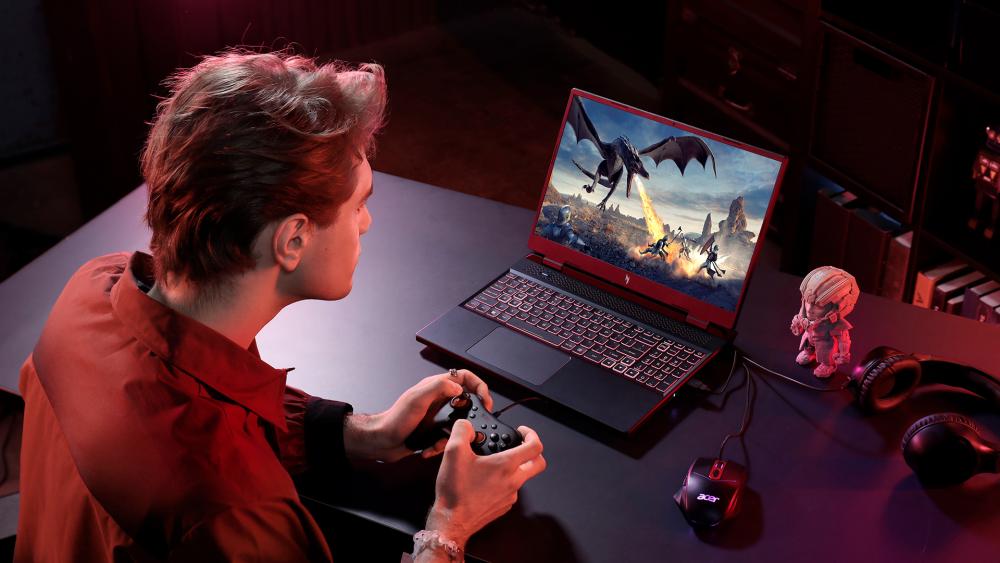
The typical battery lifespan of a gaming laptop sits between 2 to 4 years, or roughly 300 to 500 full charge cycles, depending on usage and care. Like all lithium-ion batteries, it gradually loses capacity each time it's charged and discharged. This degradation isn't sudden; it only becomes noticeable when your laptop lasts hours less than it used to. The rate of wear depends heavily on temperature, charging habits, and overall power management. The battery cycle count helps you monitor your laptop's battery degradation rate and predict when performance will begin to drop.
Average Lifespan in Years, Charge Cycles, and Battery Time
Here's a simple overview of what to expect from a typical gaming laptop battery, depending on usage and care habits:
| Usage Type | Average Battery Time (per full charge) | Expected Lifespan (years) | Typical Charge Cycles |
| Light use (browsing, documents, office apps) | 5–6 hours | 4–5 years | 400–600 cycles |
| Moderate use (streaming, editing, multitasking) | 3–4 hours | 3–4 years | 350–500 cycles |
| Heavy gaming sessions | 1.5–2.5 hours | 2–3 years | 300–400 cycles |
| Constant plug-in use (always on charge) | N/A | 2–2.5 years (accelerated wear) | 250–350 cycles |
Your laptop's battery performs best when kept between 40–80% charge, rather than being drained or kept at 100% continuously. This balance reduces stress on the cells and helps sustain consistent power delivery during gaming sessions.
What Makes Gaming Laptop Batteries Different from Regular Laptops
Unlike standard notebooks, gaming laptops draw significantly more power. High-performance GPUs, fast-refresh displays, and advanced cooling systems all demand heavy wattage, resulting in shorter unplugged times and quicker laptop battery degradation. Even with larger cells, a gaming laptop's power draw is so intense that it naturally shortens the usable life of the battery compared to Ultrabooks or productivity-focused devices.
Real-World Expectations
For UK users, mild temperatures generally help reduce battery stress, but performance loads still dominate overall lifespan. On average, you can expect:
- 1.5–2 hours for heavy gaming
- 3–4 hours for creative workloads or streaming
- 5–6 hours for light productivity
Balancing performance settings, limiting high brightness, and avoiding extreme heat are simple ways to maintain a stable average laptop battery life without major sacrifices in performance.
Key Factors That Reduce Battery Lifespan
Even the best-built gaming laptops can lose battery health faster than expected if not properly maintained. It is one of the reasons many people believe gaming laptops have a shorter lifespan. Understanding what causes wear helps extend your gaming laptop's battery lifespan and delay the need for battery replacement.
Constant Plug-In Habits
Many gamers keep their laptops plugged in 24/7, assuming it's harmless. In reality, maintaining a full charge for long periods places constant voltage stress on lithium-ion cells, leading to faster laptop battery degradation. It's best to unplug occasionally and let the battery cycle between 40 and 80% for optimal longevity.
High Internal Temperatures
Heat is the number one enemy of all laptop batteries. The thermal output from GPUs and CPUs during intense gaming can damage cell chemistry and shorten overall life. Investing in proper airflow or using a docking station with power delivery can help control temperatures and reduce degradation over time.
Deep Discharges (0% → 100%)
Fully draining your battery before each recharge accelerates chemical wear. Lithium-ion cells perform best with shallow discharge cycles (between 30% and 80%), which significantly slows your laptop's battery degradation rate and maintains consistent performance over years of use.
Running Games on Battery Power
Heavy games cause a major spike in your gaming laptop's power draw, which drains the battery faster and raises internal temperatures. Not only does this reduce immediate runtime, but it also contributes to faster battery wear over the long term. Making some simple changes in the way you use your gaming laptop can help extend the battery life.
Poor Power Adapter Usage
Using cheap or mismatched chargers can damage internal battery controllers, leading to voltage irregularities and reduced lifespan. Always use the manufacturer's adapter or a verified replacement to ensure safe, stable charging for your laptop's battery.
Background Power Drain & Software Load
Excessive background apps, RGB control software, and unnecessary updates increase idle power use. These micro-drains add up over time, contributing to subtle but consistent laptop battery degradation. Keeping your system clean, updating drivers properly, and running trusted antivirus software to detect hidden processes can make a noticeable difference.
Storage Conditions & Idle Time
Leaving your laptop unused for long periods at full or zero charge can damage the cells. The ideal storage level for a laptop battery is around 50%, kept in a cool, dry place. Avoid storing it in hot environments such as near radiators or in direct sunlight, as such situations accelerate your laptop's battery degradation even when the device is powered off.
Early Warning Signs Your Gaming Laptop's Battery Is Failing
Even with good habits, a gaming laptop's battery lifespan eventually comes to an end. Recognising the signs early helps you avoid sudden shutdowns, performance dips, and potential damage. Most issues start subtly, but knowing what to look for can save you from a complete battery failure.
Fast Battery Drain & Sudden Shutdowns
If your laptop's battery drops from 50% to 0% without warning or shuts down during gameplay, it's a major red flag. This behaviour points to chemical wear or inaccurate readings caused by ageing cells. It's often one of the first indicators that your laptop's battery life is nearing its limit.
Swollen Battery or Warping
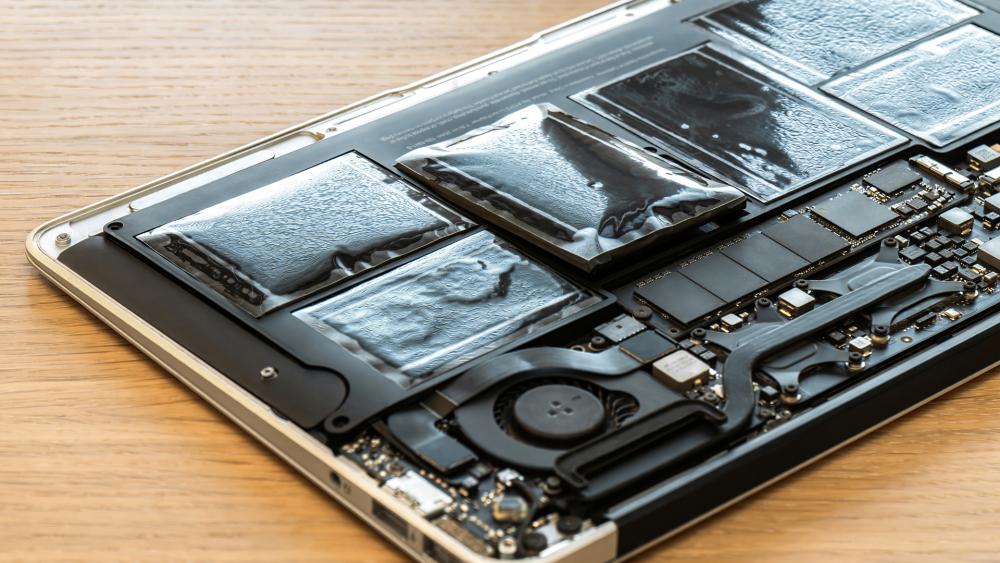
Physical swelling under the keyboard or touchpad is a serious sign that gases have built up inside the battery. This can damage internal components or even become hazardous if left unattended. If you notice your laptop chassis lifting or the trackpad sitting unevenly, stop using it immediately and arrange for a battery replacement as soon as possible.
Charging Inconsistencies or Power Fluctuations
When your battery charges only to 60–80% or disconnects unexpectedly, it may signal internal controller faults or advanced issues with your laptop's battery. Running a battery health check can confirm the issue. If results show less than 70% health remaining, it's time to plan a replacement before the battery fails.
How to Extend a Gaming Laptop's Battery Life
A few small changes can noticeably improve your gaming laptop's battery lifespan, keeping your system running longer between charges.
- Smart Charging Habits: Avoid leaving your laptop plugged in constantly. It is often rated as one of the mistakes that kill your gaming laptop. Keeping the laptop battery between 40–80% charge helps slow the laptop battery degradation rate and extend usable cycles.
- Performance & Power Settings: When you're not gaming, switch to "Battery Saver" or "Hybrid Mode" to cut down on the gaming laptop's power draw. Upgrading your laptop's RAM improves overall efficiency and reduces background strain.
- Maintenance Tips: Clean the vents regularly, keep the laptop cool, and close demanding background apps. Keeping an eye on other signs that indicate your gaming laptop is dying also helps keep your gaming laptop up and running properly.
When Should You Replace Your Gaming Laptop Battery
Even with careful use, the battery lifespan of a gaming laptop is between 2–3 years before noticeable wear appears. Over time, charge capacity drops, and the system begins to rely more on mains power to maintain performance.
Typical Lifespan Before Replacement
A well-maintained laptop battery should retain around 80% of its capacity after two years. Once it falls below 70%, or your laptop can't hold charge for more than an hour under normal use, at this time, battery replacement becomes the practical option.
How to Check Battery Health on Windows or macOS
On Windows, run powercfg /batteryreport for a full battery health check, or use built-in diagnostics under Settings → Power & Battery. macOS users can view battery condition directly under System Settings → Battery.
Replacement Signs Checklist
- Rapid drain even with light use
- Unexpected shutdowns or low runtime
- Battery health under 70%
- Laptop running only while plugged in
If you notice these symptoms, it's usually time to replace the battery rather than continue recalibrating or troubleshooting.
Battery Replacement Costs in the UK
The cost of replacing a gaming laptop battery in the UK varies by brand, model, and cell quality. On average, a gaming laptop's battery replacement cost ranges between £60 and £150 in 2025, including parts and labour. Premium gaming laptops or models with custom battery designs may cost slightly more due to limited availability.
If your setup frequently faces power fluctuations, investing in an Uninterruptible Power Supply can help protect a new battery from surges that speed up degradation. Choosing genuine or manufacturer-approved replacements is also essential, as third-party batteries often lack the same protection circuits, increasing wear and reducing lifespan.
Ultimately, knowing the expected price range helps you plan whether a replacement or full upgrade makes more financial sense, depending on your laptop's age and performance.
Final Words: Battery Replacement or Laptop Replacement
If the battery lifespan of your gaming laptop starts to decline, choosing between battery and laptop replacement depends on age, performance, and cost.
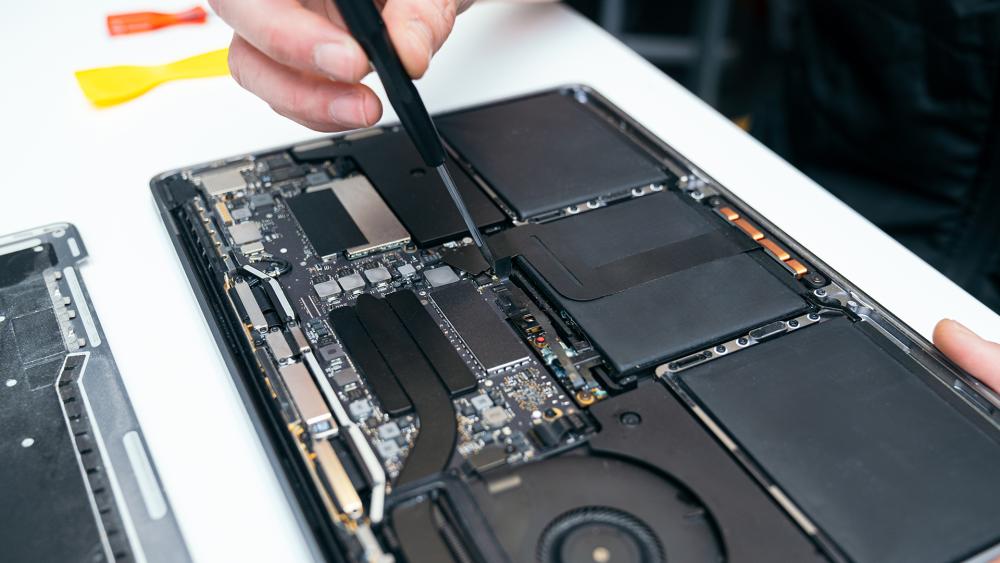
If your laptop is under three years old and performs well otherwise, a laptop battery replacement is usually the most cost-effective fix. It restores portability and extends usability without major expense. A timely battery replacement often helps you extend your gaming laptop's lifespan and get more out of your investment.
If the battery isn't the only issue, and critical components like the GPU, fans, or storage are also wearing out, replacing the laptop may be more practical.
Frequently Asked Questions
How long does a gaming laptop's battery lifespan usually last?
On average, it lasts 2–4 years or 300–500 charge cycles, depending on use, temperature, and charging habits.
Is it bad to keep my gaming laptop plugged in all the time?
Yes, constant charging can increase heat and accelerate laptop battery degradation. Try maintaining a charge between 40–80% for better long-term health.
How can I check my battery health on Windows 11?
Use the built-in powercfg /batteryreport command or check Settings → Power & Battery for a detailed battery health check report.
Can I game while charging without damaging the battery?
Yes, if temperatures stay low. Avoid gaming on battery power alone to prevent excess gaming laptop's power draw and heat buildup.
Does heat affect laptop battery lifespan in the UK climate?
Even with milder UK temperatures, heat from components can still shorten a laptop's battery life. Keeping vents clean and surfaces cool helps reduce this.
You can pay with:
*PayPal Credit Representative Example: Assumed credit limit £1,200, Representative 23.9% APR (variable). Purchase rate 23.9% p.a (variable).Terms & Conditions apply.


PayPal Credit and PayPal Pay in 3 are trading names of PayPal UK Ltd, 5 Fleet Place, London, United Kingdom, EC4M 7RD. Terms and conditions apply. Credit subject to status, UK residents only, Five Tech LTD acts as a broker and offers finance from a restricted range of finance providers. PayPal Pay in 3 is not regulated by the Financial Conduct Authority. Pay in 3 eligibility is subject to status and approval. 18+. UK residents only. Pay in 3 is a form of credit. Check if affordable and how you will repay. May make other borrowing more difficult or expensive. See product terms for more details.
Copyright © 1996-2026 Fivetech LTD | Terms and Conditions
box.co.uk & Box are trading names of Five Tech Limited. Registered office: Box LTD, Unit 10 Woodford Trading Estate, Woodford Green IG8 8HF