


 Menu
MenuMenu


Get Sales Advice from Mon - Fri 9am - 5:00pm:
020 3337 8950LAST UPDATED: June 17, 2026
The Future of the AI Notebook, 2026–2027
We’re on the brink of a major shift in mobile computing. What used to be a “notebook” is evolving into something far smarter and more responsive: the AI notebook.
Powered by specialised hardware like Neural Processing Units (NPUs) and enhanced by software that can run intelligent tasks directly on your device, this new generation of laptops is designed for the future of work, creativity, gaming, and learning.
The real game-changer? In 2026, AI-capable laptops with 40+ TOPS NPUs became the mainstream standard. As David Naranjo, Associate Director at Counterpoint, puts it:
“Hardware is finally meeting the software moment:
NPUs clearing the 40+ TOPS bar unlock richer,
low-latency features while keeping privacy and
cost of inference under control.”
That’s why the AI notebook isn’t just a passing trend; it’s a full platform shift. With next-gen Windows laptops (and Apple’s M-series MacBooks) meeting new AI thresholds, and enterprise upgrades driven by Windows 10’s end-of-support in late 2025, we’re looking at a multi-quarter refresh cycle that will accelerate adoption well into 2026 and 2027.
This guide will walk you through all of it from hardware specs to real-world benefits, and which devices to look at.
What Is an AI Laptop?
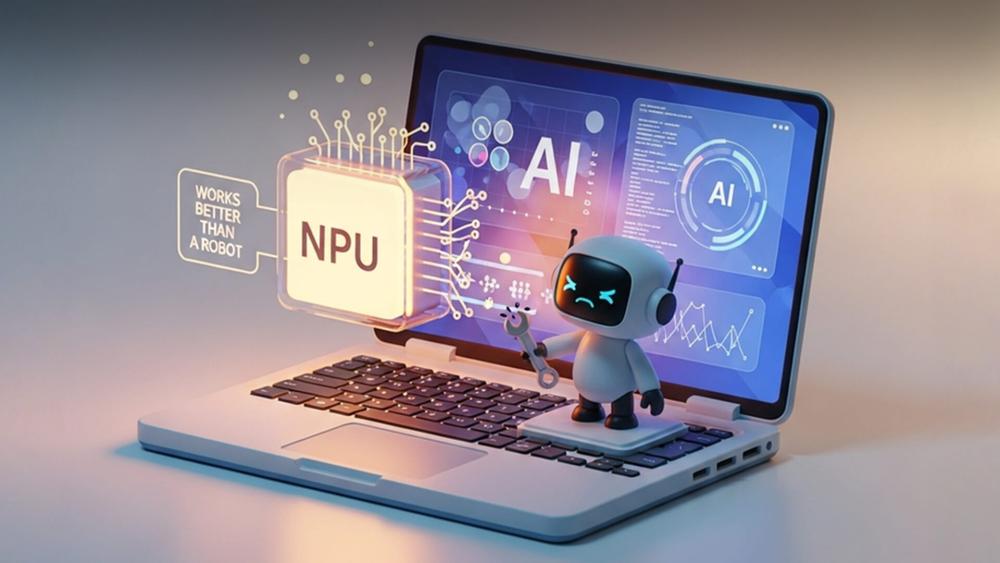
When you hear “AI laptop” or “AI notebook,” it’s easy to assume it’s just a marketing term. But in reality, these devices mark a fundamental evolution in how laptops think, learn, and perform.
Traditional laptops rely almost entirely on the CPU (central processing unit) and GPU (graphics processing unit) to handle tasks. AI laptops introduce a third brain: the NPU (neural processing unit). This dedicated chip is designed to handle artificial intelligence and machine learning tasks; things like real-time translation, image generation, intelligent photo editing, meeting transcription, or noise suppression directly on your device, without constantly relying on cloud servers.
The benefit? AI notebooks can run smarter, faster, and more privately. Your laptop can perform advanced operations locally, saving time and bandwidth, while maintaining data security since sensitive tasks stay on-device.
Based on performance, AI notebooks can be categorised into three tiers:
-
AI Basic – Smarter Everyday Laptops
Designed for light AI tasks like video call blur, transcription, or note-taking. Great for students and casual users who want enhanced features without high-end specs.
| Not sure which AI laptop fits your workflow? Our guide to the best AI-ready laptops compares the key specs to look for, from NPUs and GPUs to memory and everyday AI performance. |
-
AI Advanced – Built for Creativity and Workflows
Equipped for content creation, multitasking, and tools like Copilot or Adobe Firefly. Ideal for professionals and creators who need smooth, responsive performance.
-
AI Capable – Maximum Power for Demanding AI Task
Feature-rich machines with 40+ TOPS NPUs and high-end GPUs. Perfect for advanced AI workloads like 3D modelling, local inference, and real-time content generation.
What Powers an AI Laptop: The Core Tech That Makes It Smart
AI laptops aren't just faster; they're fundamentally different from traditional notebooks, thanks to specialised hardware built for handling intelligent tasks efficiently and locally. This section breaks down the essential components that define an AI-ready machine and what to look for when choosing your next device.
| If your main focus is image generation or local creative AI, read our breakdown of the PC specs needed to create AI art locally, including GPU, VRAM, RAM, and storage recommendations. |
The Role of the NPU (Neural Processing Unit)
At the centre of every AI laptop is the Neural Processing Unit, or NPU. This chip is dedicated to executing AI workloads faster and more efficiently than a CPU or GPU, and it's what enables features like real-time voice transcription, image enhancement, on-device language processing, and AI assistants; all without cloud dependency.
NPU performance is measured in TOPS (trillions of operations per second), which directly affects how capable your laptop is at running modern AI tools. Here's a quick breakdown:
- 20–30 TOPS is sufficient for lightweight AI tasks like intelligent browsing and entry-level Copilot functionality.
- 40 TOPS is the minimum requirement for full Copilot+ PC capabilities, offering smooth, responsive AI experiences.
- 45–50+ TOPS is ideal for users who multitask with AI applications, such as editing videos while running transcription or summarisation tools.
- 50+ TOPS is designed for intensive workloads such as data analysis, enterprise-grade AI modelling, or professional content creation.
You’ll find these high-efficiency NPUs in devices certified under Microsoft's Copilot Plus PCs programme, which ensures that systems are fully capable of running Windows 11's AI-native features without relying on cloud processing.
CPU: Still Crucial for Balanced Performance
While the NPU handles AI tasks, the CPU remains responsible for general computing, app management, and overall system performance. The latest Intel Ultra Laptops and Ryzen AI processors have AI acceleration integrated at the silicon level, making them ideal for hybrid workloads that combine productivity and AI-driven features.
This means you can write reports, run spreadsheets, and manage emails while your laptop simultaneously performs background AI tasks like summarising meeting notes or enhancing images without slowdown.
GPU: For AI-Enhanced Creative Work
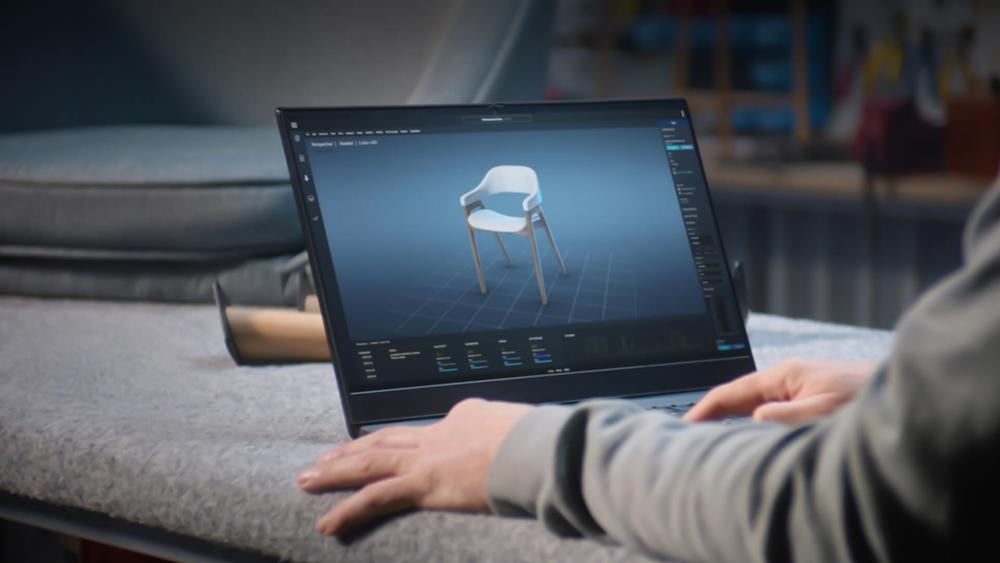
Graphics processing still plays an important role in AI computing, particularly for users who work with design, 3D rendering, or generative art. Modern GPUs especially those built into Intel Ultra, Apple’s M-series, or high-performance AMD/NVIDIA models include specialised engines that accelerate AI features in software like Adobe Creative Cloud, DaVinci Resolve, and Blender.
If you're a creator or a developer, investing in a device that supports GPU-based AI acceleration is essential for fast rendering and smooth visual workflows.
Memory and Storage: Keeping AI Workflows Smooth
AI workloads tend to demand more memory and faster storage. A minimum of 16GB of RAM is now considered essential for general AI functionality, while 32GB or more is recommended for creators and professionals. In terms of storage, a PCIe NVMe SSD is necessary to support fast data transfer and application performance. For those handling large video files, datasets, or design projects, 1TB or 2TB of storage is ideal.
These specs are increasingly available in modern AI laptops and even some well-priced AI laptops under £1,000, offering strong performance without stretching your budget.
| If you plan to run AI tools, creative apps, or heavy multitasking, it’s also worth checking how much RAM you need for an AI-powered laptop before upgrading. |
Battery Life and Efficiency Gains
One of the lesser-known but powerful advantages of AI-ready hardware is battery efficiency. NPUs are far more power-efficient than CPUs or GPUs when running AI tasks. By offloading those tasks to the NPU, laptops can deliver significantly longer battery life often 30–40% more during AI-heavy usage.
This is especially beneficial for students, remote professionals, and creators who work away from power outlets. Devices like MacBook Pro, with Apple’s M-series chips and integrated neural engines, are well known for combining power with long-lasting battery life, but Windows-based options are now matching or exceeding these standards thanks to recent hardware advancements.
Windows 11 and AI-First Software
Modern AI notebooks take full advantage of the latest Windows 11 features, including live captions, AI-enhanced background blur, voice focus, and natural language search. These features are built into the operating system and rely on the NPU for smooth, local processing reducing lag, improving privacy, and conserving battery life.
You’ll experience the best of these tools on Microsoft Surface Copilot Laptops, which are optimised for Copilot+ and represent Microsoft's own vision of the AI-powered PC.
| For users who prefer built-in AI productivity features, our guide to laptops with Google Gemini built in explains which devices support smarter writing, search, and workflow assistance. |
Compatibility That Lasts
AI laptops are also built to support key frameworks and platforms like TensorFlow, PyTorch, ONNX Runtime, and web-based AI tools. Whether you’re developing AI models, generating content, or using browser-based assistants, a well-configured AI laptop ensures full compatibility and long-term support.
As the software landscape evolves, having a future-proof machine with certified AI hardware ensures you’re not left behind.
Smarter Use of Cloud + Local Power
Many AI notebooks now support hybrid workflows splitting tasks between your local hardware and the cloud. This keeps performance high while reducing reliance on constant internet access. It’s especially useful in areas with inconsistent connectivity.
Who Should Buy an AI Laptop? Choose Based on What You Do

Not all AI laptops are created equally, and that’s a good thing. Whether you're a student, creator, remote worker, gamer, or just future-proofing your next tech investment, the latest AI notebooks are tailored to real-world needs. Here's how to match your use case to the right AI hardware so you can buy with confidence.
Students & Content Creators
If you're writing papers, editing videos, creating digital art, or using generative AI tools like Adobe Firefly or ChatGPT, an AI laptop saves time and keeps things flowing. Thanks to built-in NPUs and smarter Windows 11 features, you can summarise lectures, transcribe notes, clean up audio, and enhance photos all without lag or cloud dependence.
What to look for:
- 16–32GB RAM
- 512GB–1TB SSD
- 40+ TOPS NPU (for smoother creative AI tools)
- Integrated or entry-level GPU
Recommended Model:
Samsung Galaxy Book5 360 Intel Core Ultra 7 256V 16GB RAM 512GB SSD Intel Arc 15.6" Windows 11 Home Copilot+ 2-in-1 Laptop
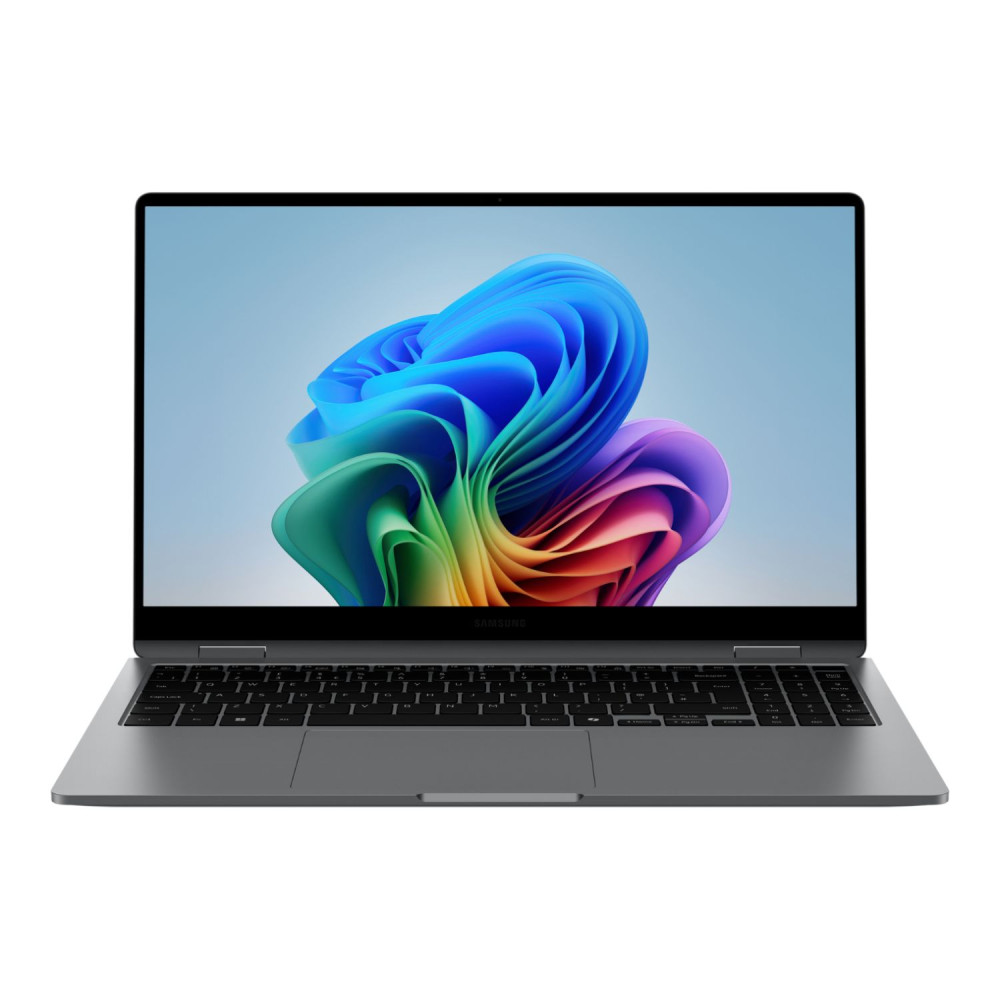
This versatile Copilot+ 2-in-1 laptop is a strong fit for students and content creators who need portability, touchscreen flexibility, and AI-ready performance for research, note-taking, editing, presentations, and everyday creative work.
Hybrid Workers & Remote Professionals
For those in meetings, switching between apps, managing spreadsheets, and dealing with constant calls; AI notebooks turn everyday tasks into seamless workflows. With features like voice focus, live captions, and smart task automation, they make remote work feel effortless.
What to look for:
- Copilot+ certification
- Intel Core Ultra or Ryzen AI processor
- Lightweight build with long battery life
- Thunderbolt/USB-C for peripherals
Recommended Model:
HP OmniBook X Flip 14-fk0009na AMD Ryzen AI 7 16GB RAM 1TB SSD AMD Radeon 860M 14" Windows 11 Home Touchscreen Copilot+ Laptop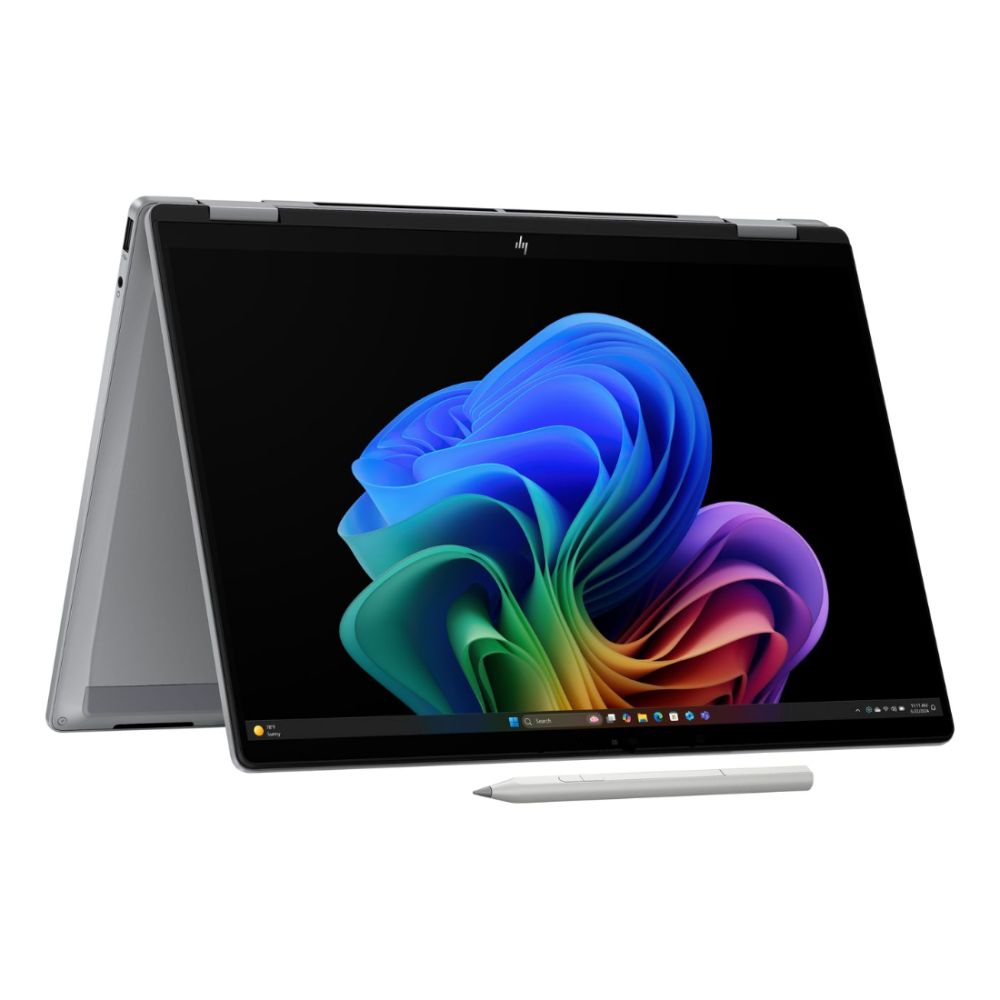
This compact touchscreen Copilot+ laptop is ideal for hybrid workers and remote professionals, offering strong AI-assisted productivity, flexible 2-in-1 usability, generous 1TB storage, and reliable performance for meetings, multitasking, documents, and cloud-based workflows.
Gamers & Streamers
Modern AI laptops are now blending high refresh rates and powerful GPUs with real-time video enhancements, background removal, and even AI-powered content generation. Whether you’re playing AAA titles or streaming to your audience, AI notebooks help you multitask without missing a frame.
What to look for:
- Strong GPU (Intel Arc, NVIDIA, or AMD Radeon)
- 32GB+ RAM
- AI-powered streaming features (voice, video, overlays)
Recommended Model:
ASUS ProArt P16 H7606WX AMD Ryzen AI 9 HX 370 64GB RAM 4TB SSD RTX 5090 16" Touchscreen Windows 11 Home Laptop
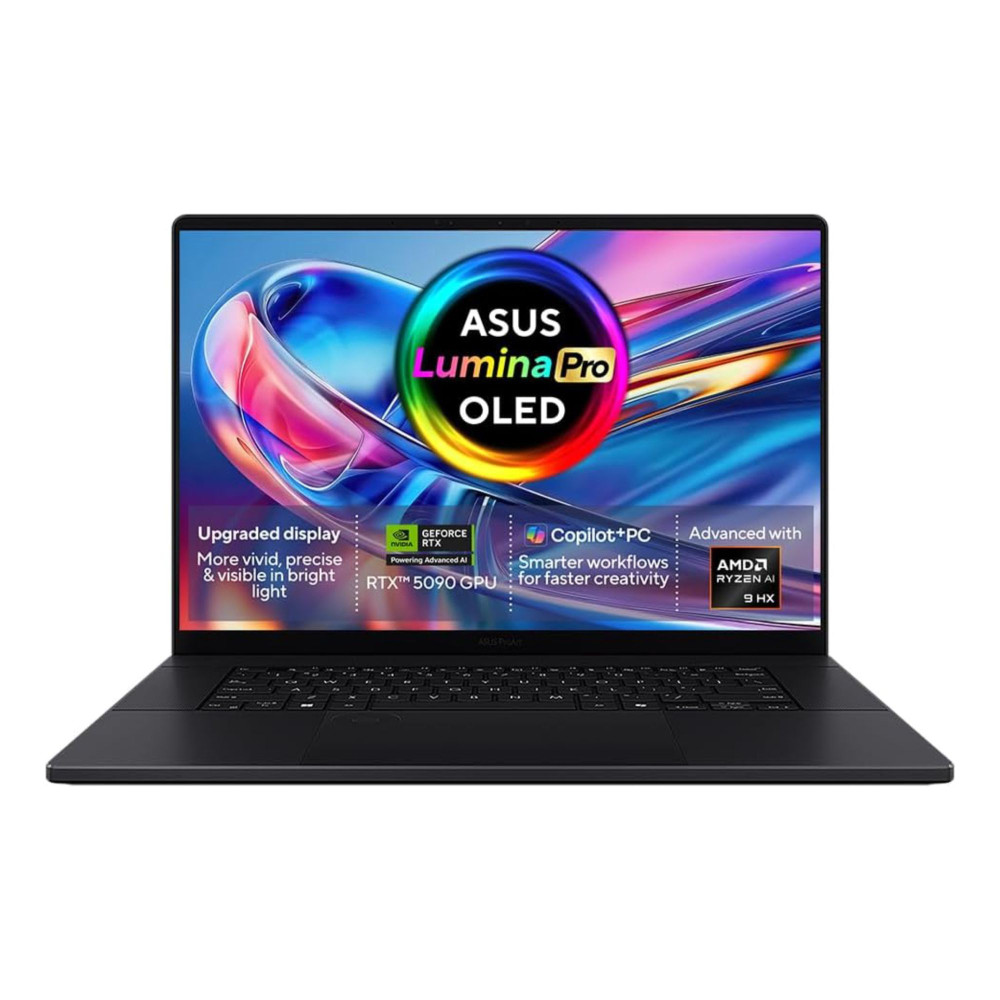
This high-performance RTX 5090 laptop is built for demanding gamers, streamers, and creators who need powerful graphics, fast AI acceleration, smooth multitasking, and plenty of storage for live streaming, editing, rendering, and next-gen visual workloads.
Future-Proof Buyers
If you're not upgrading every year, your next laptop should last. AI laptops with modern CPUs, NPUs, and GPU acceleration are ready for the future from AI-enhanced Office tools to complex software developments. Choosing an AI-ready machine now ensures you’re ready for 2026 and beyond.
What to look for:
- 40–50+ TOPS NPU
- Apple M-series (Neural Engine) or Copilot+ spec
- 1TB+ SSD, 32GB+ RAM
Compatibility with AI frameworks (TensorFlow, PyTorch)
Recommended Model:
ASUS ProArt PX13 HN7306EAC-LX084W AMD Ryzen AI MAX+ 395 128GB RAM 2TB SSD 13.3" Touchscreen Windows 11 Home 2-in-1 Laptop
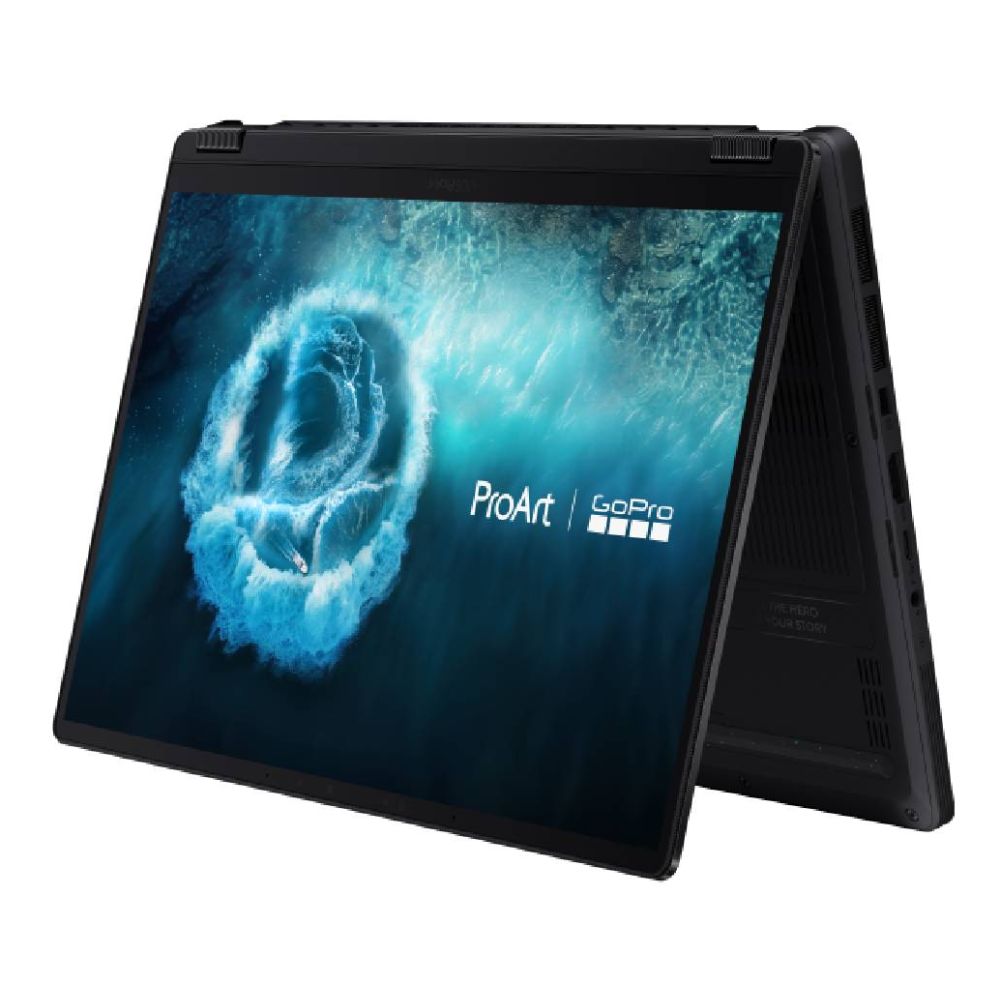
This premium 2-in-1 laptop is designed for future-proof buyers who want exceptional AI-ready performance, huge 128GB memory, strong creative capability, and a compact touchscreen form factor that can handle advanced workflows for years to come.
What UK Buyers Should Know about AI Notebooks
In 2025–2026, both categories are expected to be equipped with advanced AI features such as integrated NPUs (Neural Processing Units), Copilot+ certification, and real-time AI task handling. Expected models like the Dell XPS 13 (notebook) focus on portability and battery life, while high-performance options like the Acer Predator Helios 18 (laptop) deliver gaming and creative horsepower at a higher price point.
For UK buyers, AI notebooks may carry a modest price premium of £100–£250 over standard models due to advanced hardware like Core Ultra chips and AI acceleration. However, these models benefit from Box.co.uk support, faster delivery, and compatibility with UK-based software and warranty standards.
| For heavier AI workloads, model testing, rendering, or content generation, see why AI professionals should upgrade to RTX 50 Series laptops for stronger AI acceleration and next-gen GPU performance. |
Final Thoughts: Ready for the Next Generation of Notebooks?
AI notebooks are no longer just a glimpse into the future; they’re here, reshaping how we work, study, create, and play. With dedicated NPUs, smarter software, and Copilot+ integration, the laptops of 2025 and beyond are built to do more with less effort, giving you intelligent features that genuinely improve daily productivity and creativity.
Whether you're a student looking for value, a professional building your AI toolkit, or a creator needing top-tier performance, there's an AI laptop ready to meet your needs and it's already available at Box.co.uk. From Copilot Plus PCs to MacBook Pro and everything in between, we’ve got the models, specs, and expert support to help you make the right choice.
Explore our full collection of AI laptops today and step into the future of mobile computing.
Frequently Asked Questions
Which is better, Copilot or Apple Intelligence?
Copilot is best for Windows users; Apple Intelligence is built for the Apple ecosystem. Choose based on your platform preference.
How much RAM should a laptop have in 2025?
Minimum 16GB. For creators, 32GB or more is ideal.
What is the best Copilot laptop for 2025?
Microsoft Surface Copilot Laptops and other Copilot Plus PCs offer the best certified Copilot experience.
What laptop features will be important in 2025?
AI acceleration (via NPU), fast RAM (16GB+), PCIe SSD storage, long battery life, and Copilot+ PC certification.
Which laptop should I buy in 2025?
Choose based on usage: Students can start with AI laptops under £1,000; professionals should look at Copilot Plus PCs or Intel Ultra Laptops.
Will 2027 be the year of AI?
Yes, 2027 is expected to be a major year for AI as more laptops, apps, and everyday workflows become AI-powered. By then, features like on-device AI, AI assistants, automated content creation, and smarter productivity tools are likely to be more common across mainstream devices.
Why is 2027 important for AI?
2027 is important because it could mark the shift from AI being a premium feature to becoming a standard part of laptops, software, and work tools. As AI hardware improves, users may see faster local AI performance, better battery efficiency, smarter assistants, and more advanced creative and productivity features.
What is the best laptop for data science in 2027?
The best laptop for data science in 2027 should have a powerful AI-ready processor, at least 32GB RAM, fast SSD storage, and a strong GPU for machine learning, modelling, and large datasets. For advanced users, a laptop with 64GB or 128GB RAM and an RTX GPU, such as a high-end ASUS ProArt model, would be a strong future-ready choice.
You can pay with:
*PayPal Credit Representative Example: Assumed credit limit £1,200, Representative 23.9% APR (variable). Purchase rate 23.9% p.a (variable).Terms & Conditions apply.


PayPal Credit and PayPal Pay in 3 are trading names of PayPal UK Ltd, 5 Fleet Place, London, United Kingdom, EC4M 7RD. Terms and conditions apply. Credit subject to status, UK residents only, Five Tech LTD acts as a broker and offers finance from a restricted range of finance providers. PayPal Pay in 3 is not regulated by the Financial Conduct Authority. Pay in 3 eligibility is subject to status and approval. 18+. UK residents only. Pay in 3 is a form of credit. Check if affordable and how you will repay. May make other borrowing more difficult or expensive. See product terms for more details.
Copyright © 1996-2026 Fivetech LTD | Terms and Conditions
box.co.uk & Box are trading names of Five Tech Limited. Registered office: Box LTD, Unit 10 Woodford Trading Estate, Woodford Green IG8 8HF