


 Menu
MenuMenu


Get Sales Advice from Mon - Fri 9am - 5:00pm:
020 3337 8950LAST UPDATED: October 02, 2025
Getting More from Your Lenovo V Series Laptop with the Right Specs
The Lenovo V series laptop is designed for professionals and students who need dependable performance without stretching their budget. Positioned as an affordable business solution, it balances everyday productivity with practical features that support both office and remote work.
With options ranging from compact models to larger screens, the series ensures flexibility to match different workstyles. Strong build quality, security features like TPM, and a clean, professional design make it a reliable choice for those who value efficiency. Picking the right configuration is key, from processor and RAM to storage and display, as these choices directly affect how smoothly tasks run. With the right specs, this series becomes a cost-effective partner for long-term productivity.
Why the Lenovo V Series is a Smart Choice
Balancing affordability with professional reliability, the Lenovo V series laptop is an ideal option for small businesses, startups, and students. Its minimalist design projects a professional look while remaining durable enough for daily use. Essential features like firmware protection, a webcam shutter, and TPM security give added peace of mind, especially for business users.
The series also provides flexibility, with models available in multiple screen sizes to suit both portability and larger workspace needs. As part of the wider Lenovo family, it offers the dependable quality the brand is known for while remaining budget-conscious. For those evaluating entry-level business options, Lenovo business laptops provide a practical blend of performance and long-term value.

Core Specs That Matter Most
Whether it's Lenovo or another brand, the specifications of the machine play a significant role in deciding how it will perform in the long run. It is always a good idea to future-proof your laptop so you don’t have to worry about upgrades. Investing in a device with a powerful processor, ample RAM, fast storage (like SSD), and a high-resolution display ensures that it remains capable of handling modern applications and multitasking needs for years to come.
Processor: Intel or AMD
Choosing the right processor defines how well the Lenovo V series laptop handles daily tasks. Intel Core processors are popular for multitasking and office applications, while AMD Ryzen offers strong performance at competitive pricing. Both options deliver efficiency for business users who rely on consistent productivity.
RAM for Smooth Multitasking
With configurations starting from 4GB, upgrading to 8GB or 16GB RAM ensures smoother performance, especially when managing spreadsheets, video calls, and multiple apps at once. The Lenovo v15 benefits significantly from additional memory, making it better equipped for professional use.
Storage: SSD vs HDD
Speed is where storage matters most. An SSD shortens boot times and accelerates file access compared to a traditional HDD. Users often search for Lenovo v15 specs because storage choices directly impact day-to-day speed. The SSD vs HDD debate often goes in the favour of SSD when it comes to business laptops.
Display Options
From HD to Full HD, and TN to IPS panels, the right display affects clarity and viewing comfort. The Lenovo v15 with Full HD IPS is preferable for long working hours, while simpler models with HD screens meet basic needs.
Battery Life Expectations and Durability
The Lenovo V series laptop generally offers between 5–8 hours of battery life, enough for a working day with moderate use. While not designed as an ultra-portable, its balance of endurance and cost makes it dependable for both office and remote work. If you are looking for a machine that can withstand heavy usage, Lenovo ThinkPad laptops are an excellent option.

Finding the Right Lenovo V Series Model for Your Needs
The Lenovo V series laptop comes in different sizes and configurations, each designed to match specific user requirements. Whether portability is your top priority or you need a larger screen for business tasks, choosing the right model ensures you get the most from your investment. Below, we’ll look at the Lenovo V14 and Lenovo V15 in detail, with reviews highlighting their specs, and ideal use cases.
Lenovo V14 Intel Core i5-13420H 16GB RAM 512GB SSD 14"
Specs: Intel Core i5-13420H Octa-Core | 14" Full HD TN | Intel UHD Graphics | 16GB DDR4 RAM | 512GB SSD | Windows 11 Pro | 1.43 kg | 1 Year Warranty
Who Should Buy It
This model is well-suited for professionals who need a balance of portability and power. With its generous 16GB RAM and fast SSD storage, it handles multitasking smoothly while staying compact and lightweight for travel. It’s a practical choice for business users seeking reliable daily performance.

Lenovo V14 G4 IRU Intel Core i5-13420H 16GB RAM 256GB SSD 14"
Specs: Intel Core i5-13420H Octa-Core | 14" Full HD TN | Intel UHD Graphics | 16GB DDR4 RAM | 256GB SSD | Windows 11 Pro | HDMI | USB-C | Wi-Fi 6 | 1.43 kg | 1 Year Warranty
Who Should Buy It
This version is ideal for users who prioritize business essentials at a competitive price. It offers the same powerful processor and RAM as the higher-storage variant but at a lower cost, making it suitable for office applications, web use, and document handling with consistent reliability.

Lenovo V15 G4 IRU Intel Core i5-13420H 8GB RAM 512GB SSD 15.6"
Specs: Intel Core i5-13420H Octa-Core | 15.6" Full HD TN | Intel UHD Graphics | 8GB DDR4 RAM | 512GB SSD | Windows 11 Pro | HDMI | USB-C | Wi-Fi 6 | 1.65 kg | 1 Year Warranty
Who Should Buy It
This model is ideal for professionals who need reliable performance for standard office tasks. With a solid Intel Core i5 processor and fast SSD, it’s a dependable choice for small business use, online meetings, and multitasking without stretching the budget.
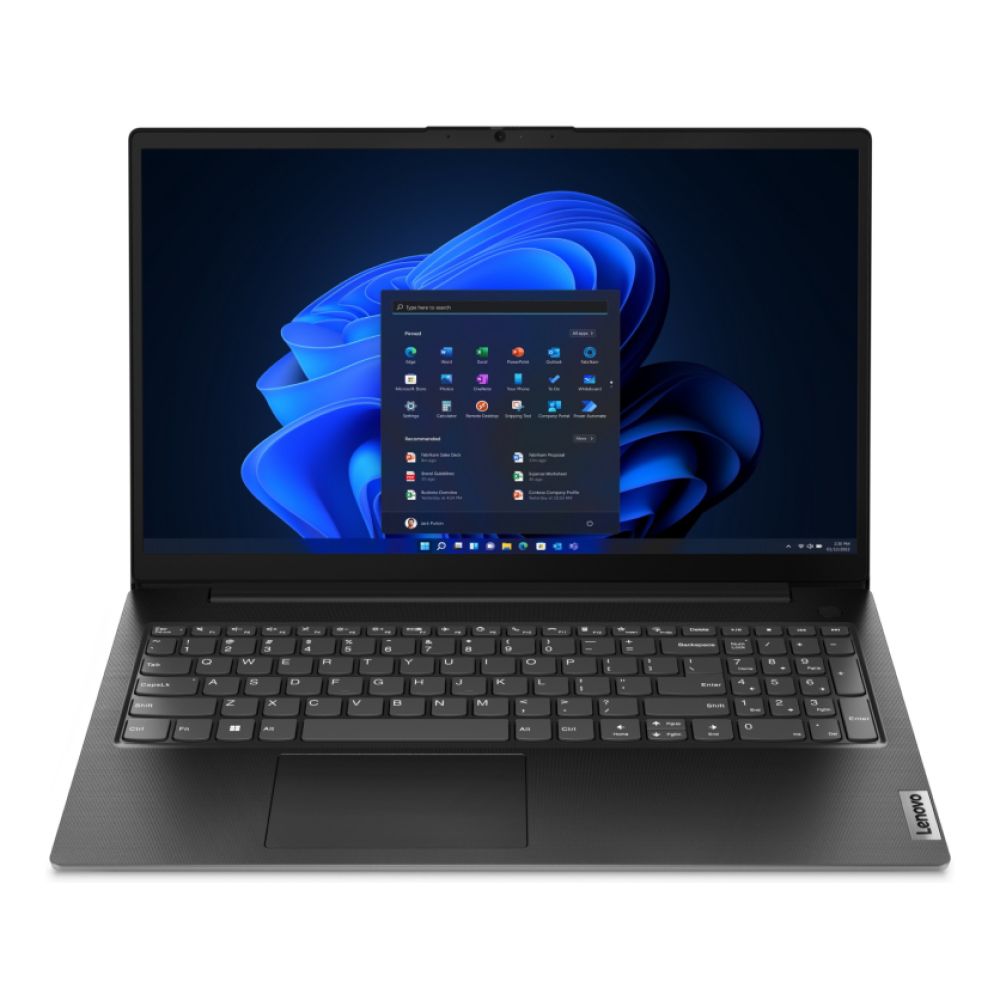
Lenovo V15 AMD Ryzen 5 7520U 16GB RAM 256GB SSD 15.6"
Specs: AMD Ryzen 5 7520U Quad-Core | 15.6" Full HD TN | AMD Radeon 610M Graphics | 16GB LPDDR5 RAM | 256GB SSD | Windows 11 Pro | HDMI | USB-C | 1.65 kg | 1 Year Warranty
Who Should Buy It
This version suits users who prefer AMD processors with efficient multitasking. Its 16GB RAM ensures smooth handling of demanding applications, making it well-suited for business professionals who run multiple programs simultaneously and require consistent responsiveness.
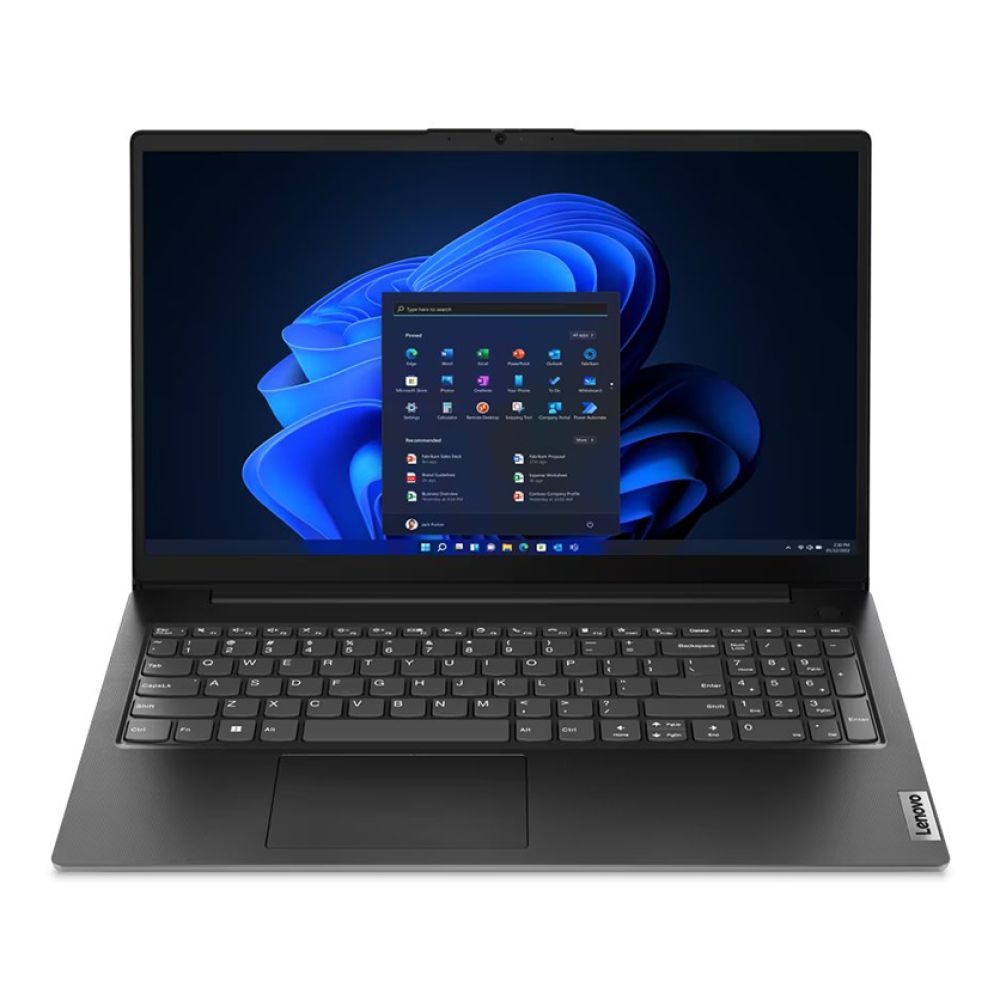
Lenovo V15 G4 IRU Intel Core i7-13620H 16GB RAM 512GB SSD 15.6"
Specs: Intel Core i7-13620H Deca-Core | 15.6" Full HD TN | Intel UHD Graphics | 16GB DDR4 RAM | 512GB SSD | Windows 11 Pro | HDMI | USB-C | RJ-45 | Wi-Fi 6 | 1.65 kg | 1 Year Warranty
Who Should Buy It
This higher-end model is designed for professionals who need extra processing power. Its Intel Core i7 processor and 16GB RAM make it capable of handling heavy workloads, business software, and multitasking with ease, making it suitable for users who want long-term reliability. It is an excellent Lenovo V15 business laptop that will not require any upgrades for a long time.
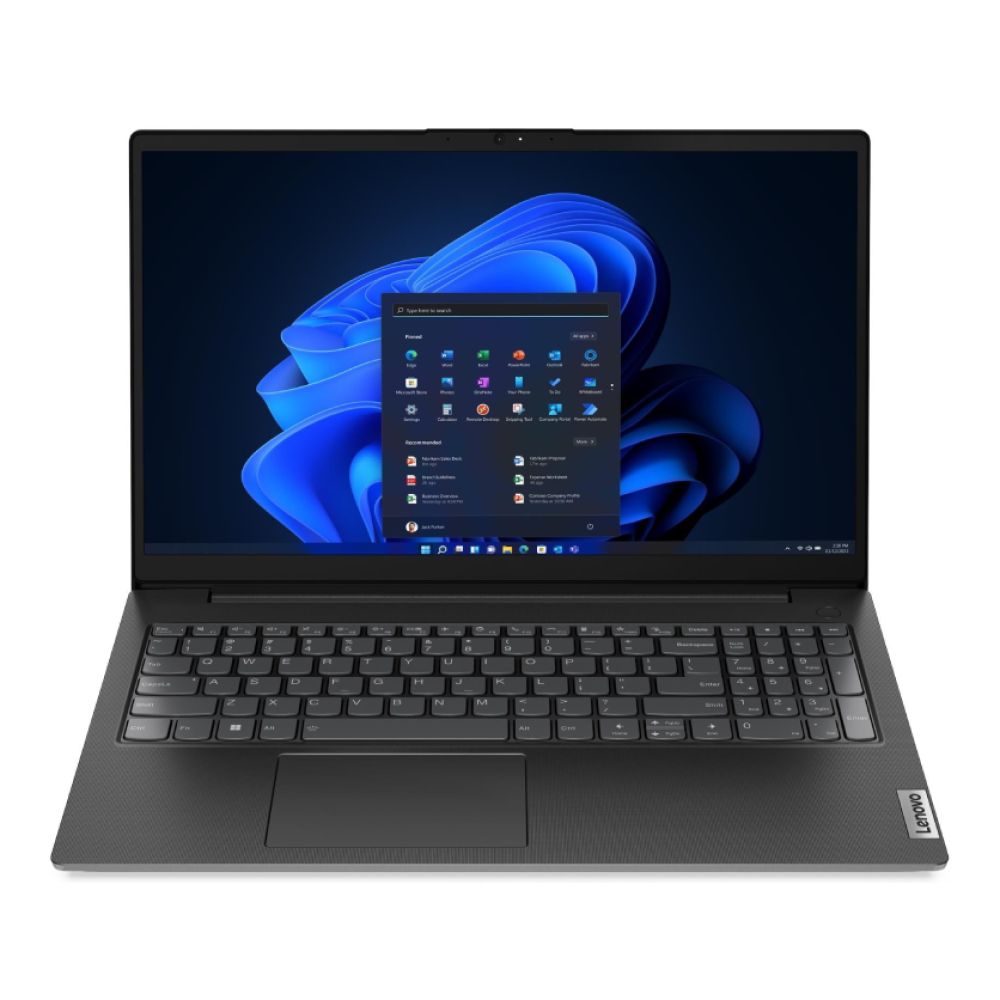
Upgrades & Customization Tips for Lenovo V Series Laptops
- RAM Upgrades: Most V series Lenovo models allow simple RAM expansion. Moving from 4GB to 8GB or 16GB can transform performance, especially for multitasking, video conferencing, and handling large files. It’s one of the most effective and affordable ways to extend the laptop’s lifespan. Don’t forget to check out a detailed Lenovo V series laptop review for the specific machine you are considering to buy.
- Storage Enhancements: Switching from a traditional HDD to an SSD or upgrading to larger SSD capacity greatly improves responsiveness. Faster boot times and quicker file access make a Lenovo V series laptop far more efficient for daily business use.
- External Accessories: Adding accessories like an external monitor, docking station, or ergonomic keyboard can enhance productivity and comfort. These customizations allow you to build a workstation setup while keeping the portability of the laptop intact.
- Value Beyond Specs: Lenovo’s V series laptops don’t only offer specification-based performance, they are also known as one of the most user-friendly and ergonomic machines in the market. Here are some of the features you must know in this domain.
- Keyboard Comfort: One standout feature of the Lenovo V series laptop is Lenovo’s well-regarded keyboard design. With solid key travel and responsive feedback, typing remains comfortable even during long work sessions, a benefit that professionals and students both appreciate.
- Durability and Build: Despite its budget-friendly positioning, the V Series is built to withstand daily wear. The robust design makes it a dependable choice for office use, travel, and long study hours without showing early signs of fatigue.
- Long-Term Reliability: Beyond raw specifications, long-term reliability is what defines business laptops. Here, the V Series delivers steady performance at a reasonable price point. Those considering alternatives can compare it against Lenovo IdeaPad laptops to see how the series fits within Lenovo’s wider portfolio.
Conclusion
The Lenovo V series laptop delivers a strong balance of affordability, reliability, and practical features for business and education. By selecting the right configuration, users can achieve long-term value and smooth performance. If you are planning to buy a Lenovo Laptop, don’t forget to compare all the specs and analyse price to performance ratio before making the final call.
Frequently Asked Questions – Lenovo V Series Laptops
Which Lenovo V Series model is best for multitasking and business use?
For multitasking, the Lenovo V15 with higher RAM options stands out. Its larger display and reliable processors handle business workloads effectively. Students and professionals who manage spreadsheets, video meetings, and multiple apps will find this model a dependable daily driver with long-term value.
How much RAM do I really need on a Lenovo V14 or V15 for smooth performance?
While 4GB RAM covers basic tasks, 8GB is ideal for everyday office use, and 16GB provides the best experience for multitasking. A Lenovo V14 or V15 equipped with higher RAM ensures smoother operation, fewer slowdowns, and better performance when running multiple programs simultaneously.
Can I upgrade the storage (SSD/HDD) or RAM later on my Lenovo V Series?
Yes, most Lenovo V Series laptops allow RAM and storage upgrades. Expanding RAM improves multitasking, while switching from HDD to SSD significantly boosts speed. These upgrades extend the device’s life and improve day-to-day performance, making them worthwhile for professionals and students seeking better efficiency.
What is the difference between Lenovo V Series and ThinkPad / IdeaPad lines?
The Lenovo V Series is budget-focused, delivering business-ready features at an affordable price. ThinkPad models emphasize premium durability and advanced security, while IdeaPad models cater to everyday consumers with a mix of style and multimedia options. Each serves a unique audience within Lenovo’s laptop range.
Does the Lenovo V Series support Windows 11, and what security features are included?
Yes, Lenovo V Series laptops support Windows 11 Pro and Home editions. Security is reinforced through TPM (Trusted Platform Module), firmware protection, and integrated webcam shutters on selected models. These features ensure safer business and personal use, making the laptops suitable for professionals managing sensitive data.
You can pay with:
*PayPal Credit Representative Example: Assumed credit limit £1,200, Representative 23.9% APR (variable). Purchase rate 23.9% p.a (variable).Terms & Conditions apply.


PayPal Credit and PayPal Pay in 3 are trading names of PayPal UK Ltd, 5 Fleet Place, London, United Kingdom, EC4M 7RD. Terms and conditions apply. Credit subject to status, UK residents only, Five Tech LTD acts as a broker and offers finance from a restricted range of finance providers. PayPal Pay in 3 is not regulated by the Financial Conduct Authority. Pay in 3 eligibility is subject to status and approval. 18+. UK residents only. Pay in 3 is a form of credit. Check if affordable and how you will repay. May make other borrowing more difficult or expensive. See product terms for more details.
Copyright © 1996-2026 Fivetech LTD | Terms and Conditions
box.co.uk & Box are trading names of Five Tech Limited. Registered office: Box LTD, Unit 10 Woodford Trading Estate, Woodford Green IG8 8HF