


 Menu
MenuMenu


Get Sales Advice from Mon - Fri 9am - 5:00pm:
020 3337 8950POSTED: April 30, 2026
Dell XPS Is Back: What the New 1Hz-to-120Hz Display Means for Everyday Use
The Dell XPS name is back, and this time the display is the feature getting most of the attention. Dell is positioning the latest XPS around a panel that can shift from 1Hz display behaviour for static content up to a 120Hz display for smoother motion, which makes this feel like more than a routine spec refresh.
What makes the new Dell XPS especially interesting is that this upgrade is easy to understand in real life. A faster screen can make scrolling feel cleaner, switching between windows feel smoother, and video look more fluid. A lower refresh rate can also help when the screen is showing mostly static content.
That is why this is worth looking at VRR for everyday use, not just as a line in the spec sheet. This guide breaks down what the new Dell XPS display actually does, where people will notice it most, and whether this change is enough to add Dell XPS laptops in your buying list.
Dell XPS Is Back—Why the New Display Is Getting Attention
The return of Dell XPS feels more interesting because the display upgrade is easy to notice. This is not the kind of change that only matters in benchmarks. Dell is highlighting a screen that can drop to 1Hz display mode for static content and rise to 120Hz display mode when motion matters more. It helps smoothness and can also support battery life when the content on screen is not moving.
What Makes the Latest XPS Refresh Stand Out
What stands out about the new Dell XPS is that the panel is doing more than just looking sharp. Dell describes it as a variable refresh display that shifts with the task, rather than staying fixed at one speed all the time. That makes the Dell XPS display feel like a meaningful usability upgrade, not just another premium-spec talking point.
This also changes how people read the spec sheet. A Dell XPS screen refresh rate that moves between low and high refresh levels says more about day-to-day feel than a static number does. That is why this Dell XPS display upgrade is getting more attention than a routine internal refresh would.
Why Display Upgrades Matter More Than Many Daily Users Expect
For daily use, the screen is one of the few parts you interact with constantly. A processor change may be harder to feel in normal tasks. A smoother display is easier to notice every time you scroll, switch apps, or browse the web. That is why using the Dell XPS for everyday use will enhance the user experience greatly.
This is also where Dell XPS smooth scrolling becomes a real user benefit rather than just a phrase. A more fluid screen can make the whole laptop feel faster and more polished, even when the actual workload is light. That is a big reason adaptive refresh can matter so much in a high refresh rate laptop for productivity.
Why the Comeback Angle Feels Real This Time
The comeback angle works because this is the kind of upgrade ordinary users can actually feel. Dell is not only talking about internals. It is tying the XPS story to a more responsive, battery-aware display experience. That gives the latest Dell laptop in the XPS line a stronger everyday relevance than a spec-only update might have delivered.
People comparing premium Windows laptops usually judge them by how refined they feel in daily use, not only by raw speed. The display update gives Dell XPS laptops another strong talking point and strengthens their place among the best laptops for buyers who care about a polished everyday experience.
What Does a 1Hz-to-120Hz Display Actually Mean?
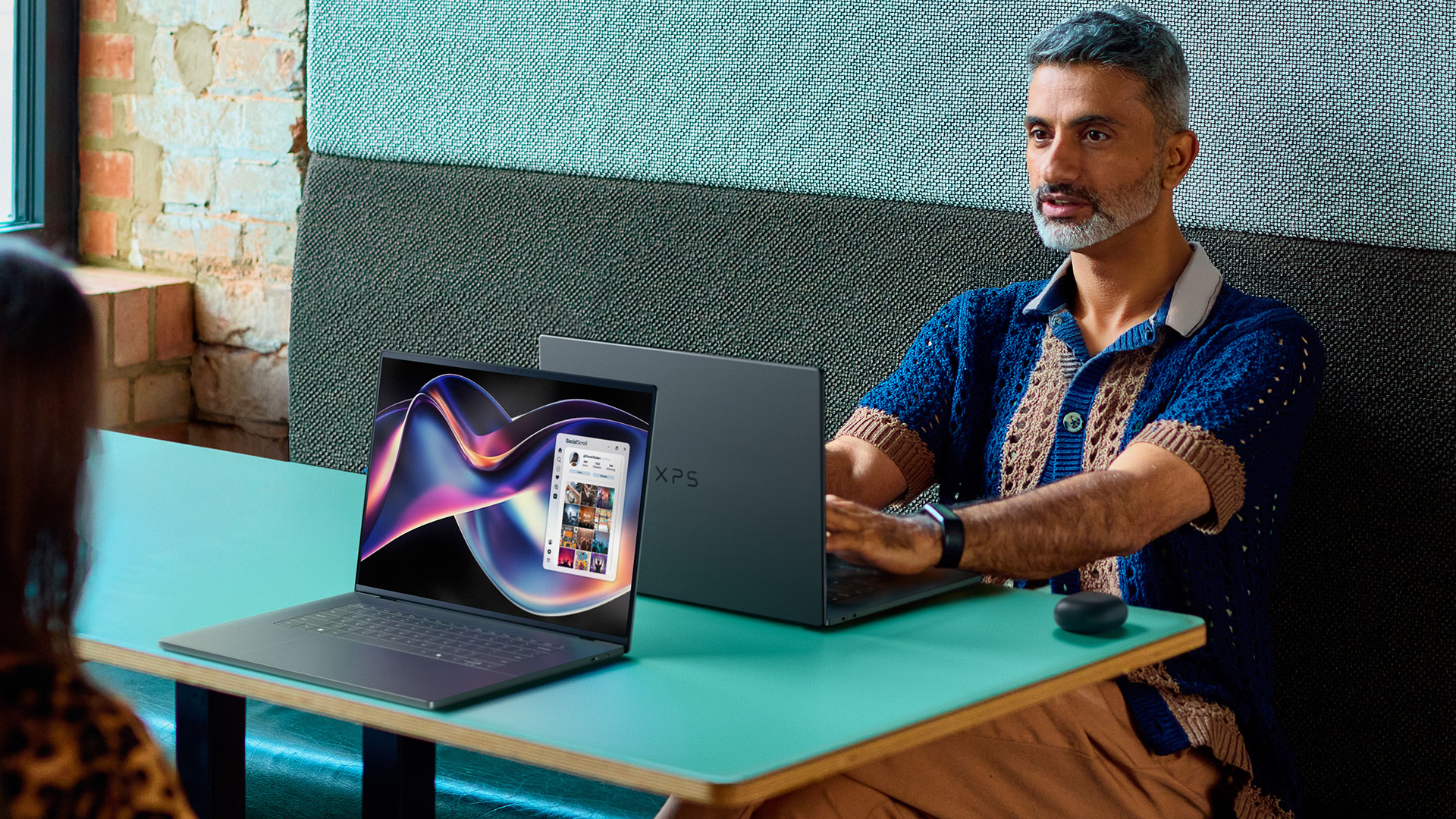
The easiest way to understand this feature is to think about how often the screen redraws itself. The new Dell XPS panel does not stay locked at one fixed speed. Instead, it can move between very low and very high refresh levels depending on what is happening on screen. Dell says the panel can drop to 1Hz for static content and rise to 120Hz when motion matters more.
Understanding Refresh Rate in Simple Terms
Refresh rate is the number of times the display updates each second. A 120Hz display updates more often than a 60Hz panel, so movement looks smoother and the screen feels more responsive. That is why scrolling, animations, and motion-heavy tasks can look cleaner on a higher-refresh screen.
At the other end, a 1Hz display is useful when very little is changing. Dell explains that the panel can sit at that low level for static content, such as reading email, which helps reduce unnecessary power use. The Dell XPS 1Hz refresh rate in such use cases enhances battery life greatly.
How Adaptive Refresh Rate Changes Based on What You Are Doing
This is where adaptive refresh rate becomes the key idea. The laptop is not asking you to choose between battery life and smoothness all the time. Instead, the display adjusts itself to match the task. Dell says it can stay low for static content and ramp up when you scroll or watch video.
That is why a Dell XPS adaptive refresh rate setup feels more practical than a fixed high-refresh panel. It aims to give you smoothness when you can see it and better battery efficiency when you do not need it. In simple terms, this is a more intelligent version of a variable refresh rate screen for everyday laptop use.
Why 1Hz and 120Hz Serve Different Purposes on the Same Laptop
The low end and high end are there for different reasons. The Dell XPS 120Hz display side is about smooth scrolling, better motion clarity, and a more fluid feel in daily use. The low-refresh side is about reducing power consumption when the image is mostly static.
That balance is what makes a 1Hz to 120Hz laptop display more interesting than a normal high-refresh panel. It is not only trying to look faster. It is trying to improve the overall user experience by making the screen feel smoother without wasting refresh rate when nothing is moving.
How the New Dell XPS Display Changes Everyday Use
The easiest way to judge this feature is not by the numbers alone. It is by how the laptop feels when you use it normally. In that sense, the updated Dell XPS display is less about technical bragging rights and more about making daily interaction feel smoother, quicker, and more polished. Dell says the panel can shift refresh behaviour depending on the task, which is what allows the screen to feel more fluid when movement matters and more efficient when it does not.
Smoother Scrolling When Browsing and Reading
This is where most people will notice the change first. On a higher-refresh panel, web pages, long documents, and app lists move with cleaner motion. That makes smooth scrolling feel more natural, especially when you spend a lot of time reading, browsing, or moving through long pages. It is a simple improvement, but it is one of the clearest ways the Dell XPS smooth scrolling benefit shows up in real use.
Better Visual Fluidity for Office Work and Multitasking
The upgrade also shows up in ordinary productivity tasks. Moving windows, switching tabs, opening menus, and working across multiple apps can all feel more responsive on a screen that ramps up when motion increases. That does not mean office work suddenly becomes “faster” in a raw performance sense. It means the visual side of the experience feels more refined.
That is a big reason a high refresh rate laptop for productivity can matter more than many users expect, especially when multitasking performance and overall screen fluidity shape how premium the machine feels.That smoother behaviour also becomes easier to notice on an XPS touch screen, where swipes, gestures, and on-screen movement can feel more immediate in daily use.
A More Responsive Feel for Casual Creative Work and Media Use
The same improvement carries into lighter creative and media-focused tasks. Scrubbing through photos, dragging elements around, previewing clips, or simply watching motion on screen can all feel cleaner when the display rises to a higher refresh level. That gives the XPS laptop a more responsive feel in casual visual work, and it makes the video playback experience more polished too. In practical terms, this is where the Dell XPS display performance story becomes easy to understand. You are not only looking at a better panel. You are feeling a more fluid everyday experience.
Where Users Will Notice the Biggest Difference
The biggest benefit of the new Dell XPS panel is not hidden in benchmarks. It shows up in the small moments you repeat all day. That is what makes the upgrade easier to appreciate in real life. Dell says the screen can shift its refresh behaviour depending on what you are doing, which is why the laptop can feel more fluid in motion-heavy moments and more efficient when the image is mostly static.
Web Browsing, Documents, and General Navigation
This is where most people will notice the difference first. Long web pages, document scrolling, and everyday navigation look cleaner on a display that can rise to 120Hz when movement starts. That is the most obvious example of Dell XPS smooth scrolling in daily use. It also helps explain why the panel matters so much for Dell XPS everyday use rather than only for specialist tasks.
Video Playback and Motion Clarity
Motion also looks more polished when the screen responds to what is on it. Dell specifically says the panel ramps up when you are scrolling or watching video, which is where better motion clarity and a smoother video playback experience become easier to notice. This does not turn the laptop into a media machine first and foremost, but it does make films, clips, and movement on screen feel more refined.
Light Gaming and High-Motion Tasks
Even though this is not being framed as a gaming-first XPS feature, faster refresh still helps with higher-motion work. Casual games, animated interfaces, and fast-moving visual tasks can all feel more responsive when the display rises towards its upper range. That is where the Dell XPS display performance story starts to make sense beyond office use, because the screen feels quicker and more immediate when motion increases.
A More Premium Feel in Day-to-Day Interaction
The final difference is less technical and more about polish. A laptop that scrolls more cleanly, reacts faster to movement, and adjusts refresh intelligently tends to feel more modern overall. That is part of why this feature matters in a premium Windows laptop. It improves the overall user experience, not just one isolated task. In practical terms, it helps the XPS feel more fluid every time you interact with it.
Can a 1Hz-to-120Hz Panel Help Battery Life Too?

Yes, that is one of the most practical benefits of this screen design. A panel that can fall to 1Hz display behaviour for static content and rise to 120Hz display when motion appears does not need to run at full speed all the time. That helps reduce unnecessary power consumption in lighter tasks. In the current XPS 13 family, this approach is paired with a 55Wh battery, and some configurations also use a Tandem OLED panel that is designed to deliver higher brightness with lower power use.
How Lower Refresh Rates Help Reduce Power Use
When you are reading email, viewing a still page, or working in mostly static apps, the display does not need to refresh constantly. That is where the Dell XPS 1Hz refresh rate matters most. Running at the low end of the range is one of the easiest ways an adaptive refresh rate laptop can improve battery efficiency during everyday work.
This matters because the display is one of the biggest power draws in a thin premium laptop. Brightness level and display behaviour can have a direct effect on runtime, which is why refresh-rate switching is useful in the first place.
When the Laptop Shifts Up to 120Hz
The screen moves up when the task needs it. Scrolling, video playback, and other motion-heavy actions are the moments where the panel rises towards 120Hz. That is what gives the system its smoother feel in motion, while still avoiding a permanently high-refresh setup.
In practical terms, that makes the Dell XPS 120Hz display easier to justify. The higher refresh rate is there when you can actually feel it, rather than burning extra power all day for no visible gain.
The Balance Between Smoothness and Efficiency
The main advantage is balance. A fixed high-refresh screen usually costs more battery because it updates more often. Here, the refresh rate changes with the task, so the laptop can aim for better screen fluidity without wasting energy on static content. Current XPS material says this variable behaviour helps battery life when viewing still images.
There is also useful context from the wider range. An FHD+ configuration in the XPS 13 line is rated for up to 27 hours of battery life, which shows how much panel choice still affects endurance overall. So, the real takeaway is not that adaptive refresh creates miracle battery life. It is that a 1Hz to 120Hz laptop display can make a premium screen feel smoother and more efficient at the same time.
Is the New Dell XPS Display Better for Work or Entertainment?
The short answer is that it helps both, but not in exactly the same way. For work, the value is usually in how fluid and responsive the screen feels during long daily sessions. For entertainment, the benefit is more about motion, polish, and a cleaner overall viewing experience. That makes the display upgrade feel useful across more than one type of user, rather than being locked to a single niche.
Why Productivity Users May Notice It More Than They Expect
This is where the upgrade can feel surprisingly useful. A more fluid screen makes browsing, reading, moving between tabs, and handling several windows feel more refined. That is why a productivity laptop with high refresh rate makes more sense than it might sound at first. It is not about turning office work into gaming. It is about making everyday interaction feel smoother and more responsive.
For many buyers, that matters more than raw benchmark gains. A panel with stronger display responsiveness can make a productivity laptop feel faster in daily use, even when the workload itself is fairly light. That is a big reason the new screen matters for the way people actually use an XPS day to day.
How Casual Users Benefit from a More Fluid Screen
You do not need to be a power user to notice the difference. Watching video, scrolling through social feeds, reading long pages, and moving around the interface all feel more polished on a panel that can rise when motion appears.
This is also where the upgrade helps the laptop feel more premium overall. Better screen fluidity, cleaner motion, and a smoother video playback experience do not change what the machine can do, but they can change how enjoyable it feels to use.
Whether Creators and Power Users Should Care About This Upgrade
Creators and heavier users may still appreciate the panel, but for a different reason. They are more likely to care about the whole Dell XPS display, not just the refresh behaviour. Things like panel type, brightness, colour quality, and touch support still matter as much as the refresh range itself.
That is why this feature is best seen as a meaningful quality-of-use upgrade rather than a reason on its own to buy the laptop. For many power users, it is a welcome improvement. It is just not the only thing that decides whether the new Dell XPS is the right machine for them.
Are There Any Downsides to a 1Hz-to-120Hz Display?
The short answer is yes, but they are more about limits than major drawbacks. A smarter panel can make a laptop feel smoother and more efficient, but it does not improve every task equally. It is also only one part of the laptop display technology story.
Higher Refresh Still Uses More Power When It Is Active
A high-refresh screen still draws more power when it is running at the top end. That means the Dell XPS battery life display advantage depends on the panel spending enough time at lower refresh levels to offset the extra power used during motion-heavy tasks. In other words, the battery benefit is real, but it is not unlimited.
Not Every App or Task Shows the Difference Equally
This is one of the most important limits. Microsoft’s explanation of dynamic refresh rate in Windows makes it clear that refresh changes are tied to what you are doing. It specifically highlights smoother scrolling and inking, while everyday productivity tasks can sit at lower refresh to save power. That means not every app will make the Dell XPS screen refresh rate feel dramatically different all the time.
Refresh Rate Is Only One Part of Display Quality
A smoother panel does not automatically mean a better screen in every other way. Brightness, colour, contrast, and panel type still matter just as much. That is why Dell XPS display should still be judged as a complete package, not just by whether it can move between 1Hz and 120Hz. In practical terms, refresh behaviour improves feel, but overall screen quality still depends on more than refresh alone.
Who Should Care Most About the New Dell XPS Display?
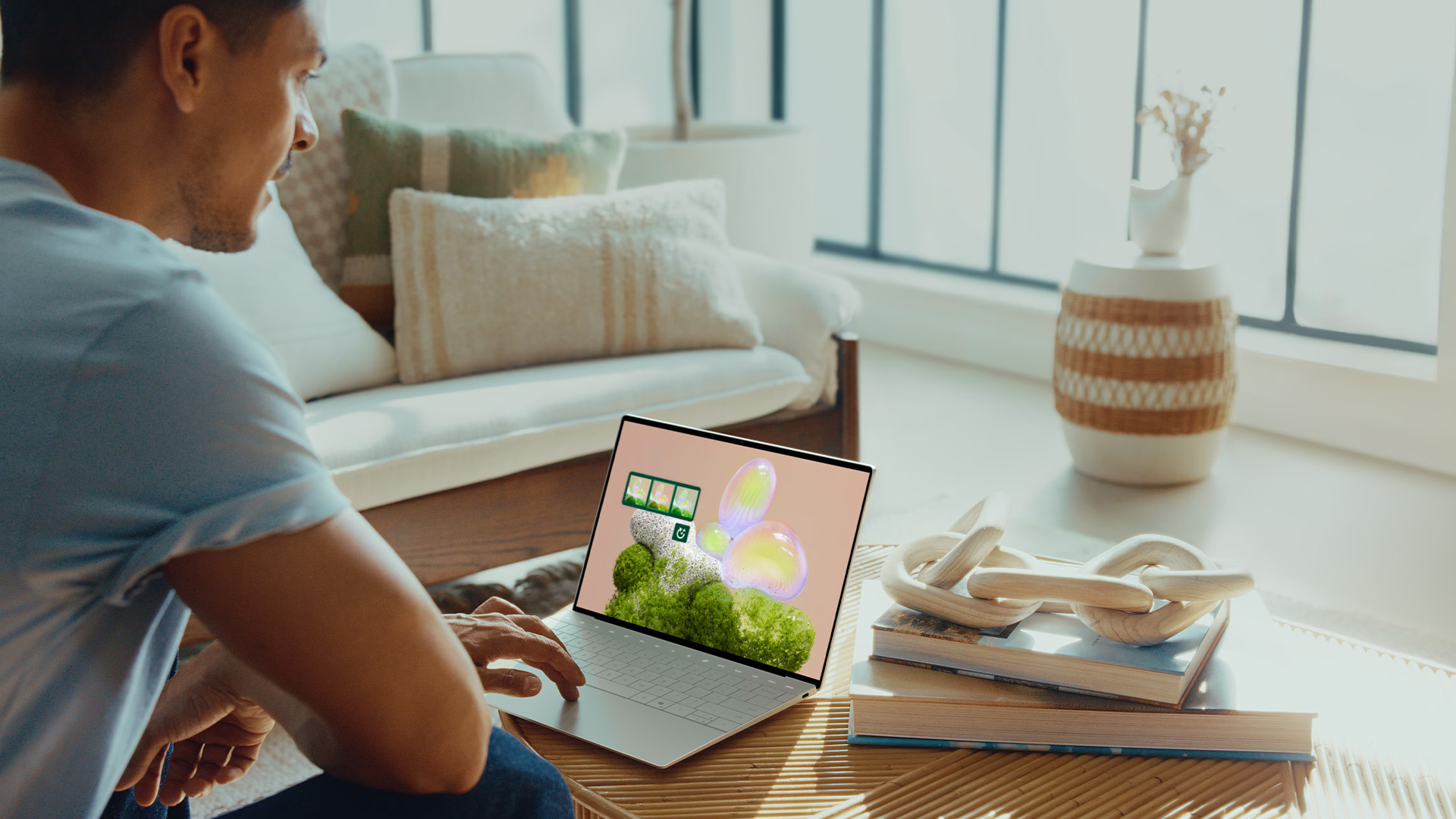
This upgrade will not matter equally to every buyer. The people most likely to notice it are the ones who spend a lot of time looking at the screen, moving through documents, or working across apps all day. In that sense, the value is less about raw power and more about how refined the laptop feels in constant use. Current XPS material also positions the line around premium mobility, strong visuals, and daily productivity, which fits that kind of buyer well.
Best Fit for Productivity-Focused Users
This is probably the clearest audience. If your day involves browsing, reading, email, documents, and lots of switching between windows, a more fluid panel is easier to appreciate. That is why a high refresh rate productivity laptop makes more sense than it may sound at first. It is not about turning office work into something flashy. It is about making movement on screen feel cleaner and more responsive.
For this kind of user, the benefit often shows up in smaller moments. Scrolling feels smoother, navigation feels lighter, and the laptop feels more polished overall. That is a meaningful gain in a productivity laptop, especially when the screen is one of the parts you interact with most.
Best Fit for Students and Everyday Premium Laptop Buyers
Students and general premium buyers are another strong match. They may not care much about display theory, but they do notice when a screen feels smooth, clear, and modern. That is where the new Dell XPS has a very practical advantage. It makes everyday browsing, study work, streaming, and general navigation feel more refined without asking the user to think about refresh rates all the time. The same kind of fluidity would make even more sense on a Dell XPS 2 in 1, where touch-first interaction, note-taking, and more flexible everyday use would make the display behaviour easier to appreciate.
This also fits the way the line is positioned. Current XPS messaging centres on premium quality, portability, and a better overall experience, which is exactly what many students and everyday buyers are looking for in Dell XPS laptops.
Who May Not Notice Enough Difference to Prioritise It
Some users simply may not care enough for this to be the deciding factor. If most of your day is spent in static apps, light text work, or tasks where screen motion barely changes, the feature may feel like a nice extra rather than a must-have. The upgrade still improves the overall user experience, but it may not be the thing that decides the purchase on its own.
That does not make the feature less useful. It just means the display is most meaningful for buyers who notice polish and responsiveness in daily use, rather than for people who only care about raw spec lists.
Final Verdict—Does the New Dell XPS Display Make a Real Difference?
For the right buyer, yes. This is the kind of upgrade that adds value through day-to-day polish rather than through headline performance. If you care about how a laptop feels during regular use, the new display makes the latest Dell XPS more appealing for that reason alone.
The more practical way to judge it is this: it matters most if display quality is already high on your list of priorities. If your buying decision is driven mainly by processor power, ports, or other hardware features, it may feel like a useful extra rather than the main reason to choose the machine.
Frequently Asked Questions
What does a 1Hz-to-120Hz display mean on the Dell XPS?
It means the screen can refresh very slowly for static content and much faster when motion appears. That helps balance smoothness and battery efficiency.
Is a 120Hz display useful for everyday laptop use?
Yes. It can make scrolling, switching between windows, and general navigation feel smoother and more responsive in daily use.
Does adaptive refresh rate improve battery life on a laptop?
It can help. Lower refresh behaviour reduces unnecessary display activity during static tasks, which supports better battery efficiency.
Will all users notice the difference between 60Hz and 120Hz on the Dell XPS?
Not equally. People who scroll often, multitask a lot, or care about interface smoothness are more likely to notice it clearly.
Is the Dell XPS 1Hz-to-120Hz display better for work or entertainment?
It suits both, but productivity users may notice the benefit more often because they interact with scrolling, navigation, and window movement throughout the day.
You can pay with:
*PayPal Credit Representative Example: Assumed credit limit £1,200, Representative 23.9% APR (variable). Purchase rate 23.9% p.a (variable).Terms & Conditions apply.


PayPal Credit and PayPal Pay in 3 are trading names of PayPal UK Ltd, 5 Fleet Place, London, United Kingdom, EC4M 7RD. Terms and conditions apply. Credit subject to status, UK residents only, Five Tech LTD acts as a broker and offers finance from a restricted range of finance providers. PayPal Pay in 3 is not regulated by the Financial Conduct Authority. Pay in 3 eligibility is subject to status and approval. 18+. UK residents only. Pay in 3 is a form of credit. Check if affordable and how you will repay. May make other borrowing more difficult or expensive. See product terms for more details.
Copyright © 1996-2026 Fivetech LTD | Terms and Conditions
box.co.uk & Box are trading names of Five Tech Limited. Registered office: Box LTD, Unit 10 Woodford Trading Estate, Woodford Green IG8 8HF