


 Menu
MenuMenu


Get Sales Advice from Mon - Fri 9am - 5:00pm:
020 3337 8950LAST UPDATED: July 06, 2026
Is the Dell Latitude 3450 a Good Choice in 2026? A Practical Buyer’s Breakdown
Dell Latitude 3450 is the sort of laptop that makes more sense when you look at how people work. It is not built to grab attention with flashy gaming features or luxury design touches. It is a practical 14-inch business machine aimed at documents, spreadsheets, emails, browser-based tools, video meetings and everyday productivity.
This Dell Latitude 3450 review looks at whether it still makes sense in 2026, especially for buyers who want something dependable rather than overcomplicated. With business-focused hardware options, a portable size and a work-first feature set, it is best judged on reliability, comfort and value, not raw power alone.
The key question is simple: does this laptop offer enough performance, battery life and everyday usability for office, study and remote work? That is what we will break down, without turning it into a spec sheet.
Where the Dell Latitude 3450 Fits in Today’s Laptop Market

The Dell Latitude 3450 sits in the practical business laptop space. It is made for people who need a dependable 14-inch machine for work, study and daily productivity, rather than a laptop built around gaming power or premium entertainment features.
Built for Work, Not Hype
The Dell Latitude 3450 business laptop keeps things straightforward. It offers a work-friendly design, integrated graphics, business-focused operating system options and a compact 14-inch form factor that fits neatly into office and hybrid work setups. Some configurations also include newer processor options, which help keep it relevant for everyday work in 2026.
This is not the kind of laptop you buy for heavy gaming, advanced 3D work or high-end creative editing. It is better suited to documents, spreadsheets, emails, admin tools, web apps and video calls.
Who This Laptop Is Designed For
The Latitude 3450 is aimed at users who want a simple, reliable work laptop without paying for features they may never use. Just like the Dell Pro 15, it makes sense for office professionals, small-business users, students, and remote workers who need something portable enough for daily use yet practical at a desk. It is also a sensible option for buyers comparing the latest Dell laptops and trying to decide whether they need a higher-end model or just a clean, capable work machine.
Why It Still Gets Attention in 2026
The reason it still gets attention is simple: it covers the basics well. A 14-inch screen, business-friendly design, modern processor options, useful connectivity and a starting weight of around 1.50kg make it easy to see why it remains part of the conversation for work-focused buyers. For users who want reliable everyday performance without unnecessary extras, the Dell Latitude 3450 still has a clear place in 2026.
Already decided that it is the best laptop for you? Check the Dell Latitude laptop 3450 price and features at Box.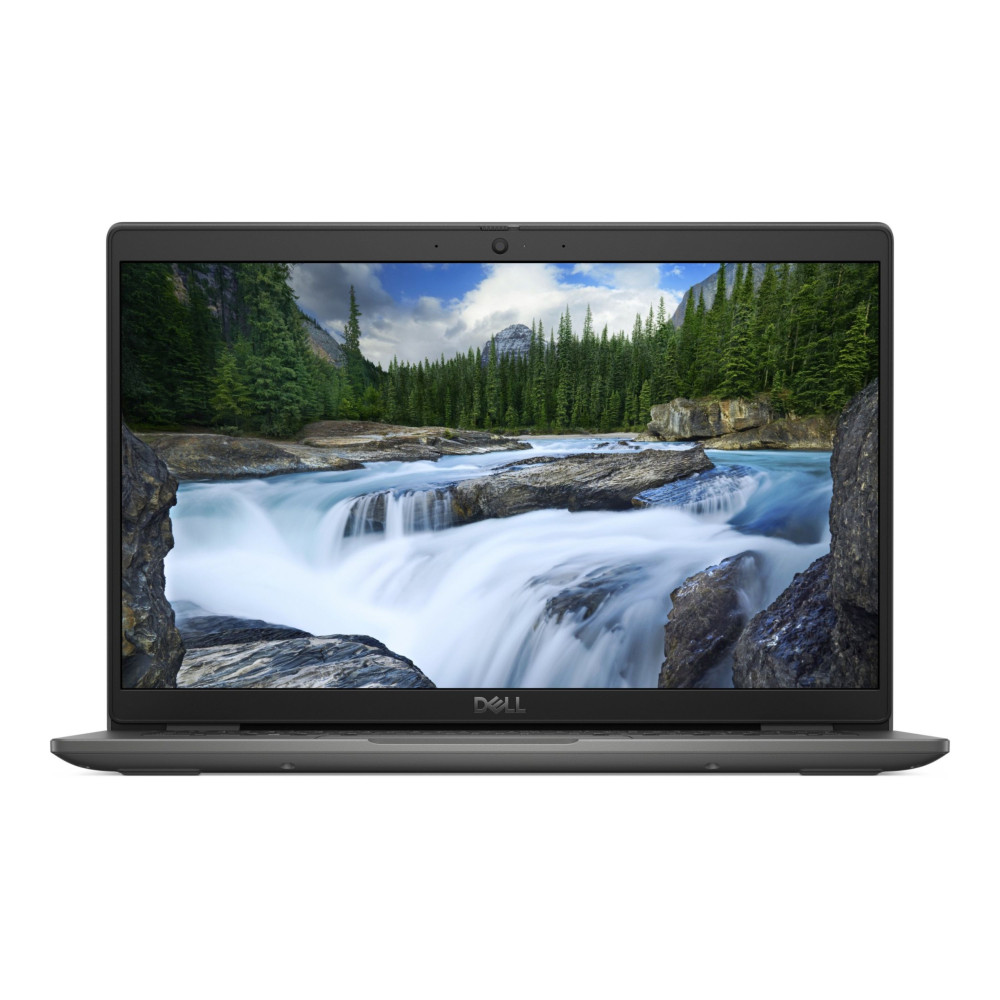
Key Specs That Define the Latitude 3450 Experience
The Dell Latitude 3450 is not about headline-grabbing performance. Its spec sheet is built around practical work: enough processing power for daily tasks, modern memory and storage options, and a compact 14-inch design that suits office and hybrid use.
Performance Hardware for Daily Tasks
The Dell Latitude 3450 specs vary by configuration, with options including 13th Gen Intel Core i3, i5 and i7 processors, plus Intel Core Ultra 5 and Ultra 7 options on selected models. Graphics are integrated rather than dedicated, which makes sense for a work laptop focused on productivity rather than gaming or heavy creative workloads.
For most users, a Latitude 3450 Core i5 configuration is likely the sensible middle ground. It should handle documents, spreadsheets, browser-based tools, email, admin systems and video meetings without pushing buyers into a higher spec they may not need.
Memory and Storage Flexibility
For 2026, the right memory and storage configuration matters more than chasing the highest processor name. A Dell Latitude 3450 laptop with enough RAM and SSD storage will feel much better in day-to-day use than a lower-memory model used with lots of browser tabs, cloud apps and video calls.
SSD storage is especially important for boot times, file access and general responsiveness. If the laptop is being used for business files, local documents and regular multitasking, 16GB RAM and a suitable SSD capacity are the safer choices.
Display and Build Designed for Work
The 14-inch display keeps the laptop compact, while Full HD options give enough workspace for documents, web tools and video meetings. The build is work-focused rather than flashy. Depending on configuration, webcam options include HD, Full HD and Full HD with IR, while the port selection can include USB4, USB-A, HDMI, RJ45 Ethernet, audio and a power-adapter connection. That gives the Dell Latitude 3450 enough flexibility for everyday desk setups without overcomplicating the experience.
How It Performs in Real-World Use
A laptop can look fine on paper, but the real test is how it handles everyday work. In practice, the Dell Latitude 3450 is best viewed as a steady productivity machine for people who need reliable performance across normal office and remote-working tasks.
Office Work and Productivity Apps
For documents, spreadsheets, presentations, emails and browser-based business tools, the Dell Latitude 3450 business laptop is well-suited to daily workloads. Its integrated graphics are not aimed at gaming or heavy creative work, but they are enough for typical office software, web dashboards and admin systems.
The main point in our Dell Latitude 3450 review is simple: choose the right configuration. A model with enough RAM and SSD storage will feel much smoother during normal work than a lower-memory version pushed too hard by lots of tabs and apps.
Multitasking in Everyday Workflows

Multitasking is where the configuration matters most. If you regularly keep browser tabs, documents, email, cloud apps and video calls open together, 16GB RAM is a more sensible target than 8GB for 2026 use. If you want a more premium Dell machine with on-device AI capabilities, the brand’s new XPS and AI PC lineup is a better option.
The SSD also helps the laptop feel quicker when opening apps, loading files and switching between tasks. For buyers comparing Dell laptops for daily use, the Latitude 3450 makes most sense when it is configured for steady multitasking rather than bought at the lowest possible spec.
Browsing, Meetings and General Usage
For browsing, online meetings and general work, the Latitude range keeps the focus on practical features. Depending on configuration, the laptop can include Wi-Fi 6 or Wi-Fi 6E options, Bluetooth 5.3, and HD or Full HD webcam options, including an IR camera on selected models.
That makes the Dell Latitude 3450 suitable for hybrid work, online learning and regular video calls. It is not the right choice for users who need dedicated graphics or workstation-level performance, but for everyday productivity, it does the job without overcomplicating the experience.
Designed for Work Anywhere: Battery and Portability
A work laptop needs to be easy to carry and dependable away from the desk. The Dell Latitude 3450 keeps that balance well, with a compact 14-inch size, sensible battery options and connectivity features that suit hybrid working.
Battery Life in a Typical Workday
The Latitude 3450 comes with 42Wh and 54Wh battery options, depending on configuration. The listed battery life goes up to 9 hours and 37 minutes, but real use will depend on screen brightness, video calls, browser tabs and how demanding your apps are.
For a normal workday, the 54Wh option is the more sensible choice if you spend time away from a charger. Dell ExpressCharge support also helps when you need to top up quickly between meetings or while working on the move.
Lightweight Enough for Daily Carry
The Dell Latitude 3450 is light enough for commuting, hot-desking and carrying between home and the office. The 14-inch size also helps, as it gives enough screen space for work without feeling as bulky as larger 15-inch or 16-inch laptops.
It is not an ultra-premium lightweight machine, but it is practical. That matters more for users who want something sturdy and work-ready rather than something designed mainly to look thin on a desk.
Working Remotely or On the Move
The specs make it one of the best laptops for office and remote work. Wireless options include Wi-Fi 6 and Wi-Fi 6E on selected configurations, with Bluetooth 5.3 support for accessories such as mice, keyboards and headsets.
The main thing is to choose the right configuration from the start. If you take regular video calls, work across locations or carry your laptop daily, battery size, webcam option and wireless specification matter just as much as the processor.
What Makes It a Practical Choice in 2026
The Dell Latitude 3450 works best when judged as a dependable work laptop, not a performance showcase. Its appeal comes from sensible configuration choices, a portable size and a straightforward setup that fits normal business and study use.
Reliability Over Raw Power
This is not a laptop for users who need dedicated graphics, high-end editing power or gaming performance. Its strength is routine work: opening documents, managing emails, joining calls, handling web tools and keeping up with everyday business tasks.
That makes the Dell Latitude 3450 a practical option for buyers who want consistency over flashy extras. It is more about getting through the workday smoothly than chasing specs most office users will never fully use.
Consistent Performance for Work Tasks
The right configuration matters. When comparing the Dell Latitude 3450 laptop price, the processor, RAM and SSD setup should carry more weight than the lowest upfront cost. A model with enough memory and fast storage will be the better long-term choice for multitasking.
The Dell Latitude 3450 specs also make more sense when matched to real use. A balanced setup is better for office work, browser-based tools and video meetings than overspending on power that will not be used properly.
A Straightforward Business Laptop Experience
The main benefit is simplicity. You get a familiar laptop layout, practical ports, business-friendly features and a size that works at a desk or in a bag. It does not try to be everything, which is part of its appeal.
Who Should Actually Consider the Latitude 3450

The Dell Latitude 3450 is best for buyers who want a sensible work laptop, not a high-performance machine.
- Office professionals: It suits users who spend most of their day in documents, spreadsheets, emails, presentations and browser-based tools. A Latitude 3450 with a Core i5 processor is likely to be the most balanced choice for this kind of workload.
- Students and remote workers: The compact size makes it easy to carry between home, lectures, offices or shared workspaces. It also fits well for video calls, online research, note-taking and cloud-based work.
- Users who want a simple, reliable laptop: If you do not need dedicated graphics, a premium display or heavy editing power, the Latitude 3450 keeps things practical. When comparing the Dell Latitude 3450 variants, focus on RAM, SSD storage and battery option rather than choosing only by the lowest cost.
- People building a work-ready setup: It also makes sense for users who plan to pair it with a monitor, keyboard, mouse, dock or laptop bag. Choosing the right accessories for the Latitude 3450 can make it easier to use as both a portable laptop and a desk-based work machine.
Conclusion
The Dell Latitude 3450 is a good choice in 2026 if you want a practical 14-inch laptop for work, study, emails, documents, browsing and video meetings. It is not built for gaming or demanding creative workloads, but that is not really its purpose.
Its strength is simple: reliable everyday productivity in a portable, business-focused design. If the configuration has enough RAM, SSD storage and the right battery option for your routine, the Dell Latitude 3450 specs still make sense for buyers who want a straightforward work laptop without unnecessary extras.
Frequently Asked Questions
How old is the Dell Latitude 3450?
The current Latitude 3450 generation was introduced around 2024. It still appears in current support and product documentation, so it remains relevant for buyers comparing practical business laptops in 2026.
What is the battery life of the Dell Latitude 3450?
Battery life depends on the configuration and how you use it. The listed figure goes up to 9 hours and 37 minutes, but video calls, high brightness and lots of browser tabs can reduce that.
Does the Dell Latitude 3450 have a fingerprint sensor?
A fingerprint reader may be available on some configurations, but it is not guaranteed across every model. Always check the specific model details before ordering.
What kind of RAM does it use?
Current configurations use DDR5 memory, with the amount depending on the model selected. For smoother multitasking in 2026, 16GB is a sensible target for most work users.
You can pay with:
*PayPal Credit Representative Example: Assumed credit limit £1,200, Representative 23.9% APR (variable). Purchase rate 23.9% p.a (variable).Terms & Conditions apply.


PayPal Credit and PayPal Pay in 3 are trading names of PayPal UK Ltd, 5 Fleet Place, London, United Kingdom, EC4M 7RD. Terms and conditions apply. Credit subject to status, UK residents only, Five Tech LTD acts as a broker and offers finance from a restricted range of finance providers. PayPal Pay in 3 is not regulated by the Financial Conduct Authority. Pay in 3 eligibility is subject to status and approval. 18+. UK residents only. Pay in 3 is a form of credit. Check if affordable and how you will repay. May make other borrowing more difficult or expensive. See product terms for more details.
Copyright © 1996-2026 Fivetech LTD | Terms and Conditions
box.co.uk & Box are trading names of Five Tech Limited. Registered office: Box LTD, Unit 10 Woodford Trading Estate, Woodford Green IG8 8HF