


 Menu
MenuMenu


Get Sales Advice from Mon - Fri 9am - 5:00pm:
020 3337 8950LAST UPDATED: May 13, 2026
Intel Core Ultra or Ryzen AI: Which Copilot+ Laptop Is Right for You?
Artificial intelligence is quickly becoming one of the biggest shifts in personal computing. Modern Copilot+ laptops are designed to run AI tasks directly on your device, delivering faster responses, better privacy and improved battery efficiency.
But if you’re shopping for a Windows 11 AI laptop, one question appears quickly:
Should you choose an Intel Core Ultra laptop or an AMD Ryzen AI laptop?
Both platforms power the latest AI-powered laptops with dedicated neural processing units (NPUs) capable of accelerating machine learning tasks locally. However, they take slightly different approaches to performance, efficiency, and AI acceleration.
In this guide, we’ll compare Core Ultra vs Ryzen AI performance, explore how NPU powered laptops work, and help you decide which Copilot+ laptop is right for your needs in 2026.
If you want to explore the latest AI PCs available today, you can browse the full collection.
What Is a Copilot+ Laptop and Why Does It Matter in 2026?
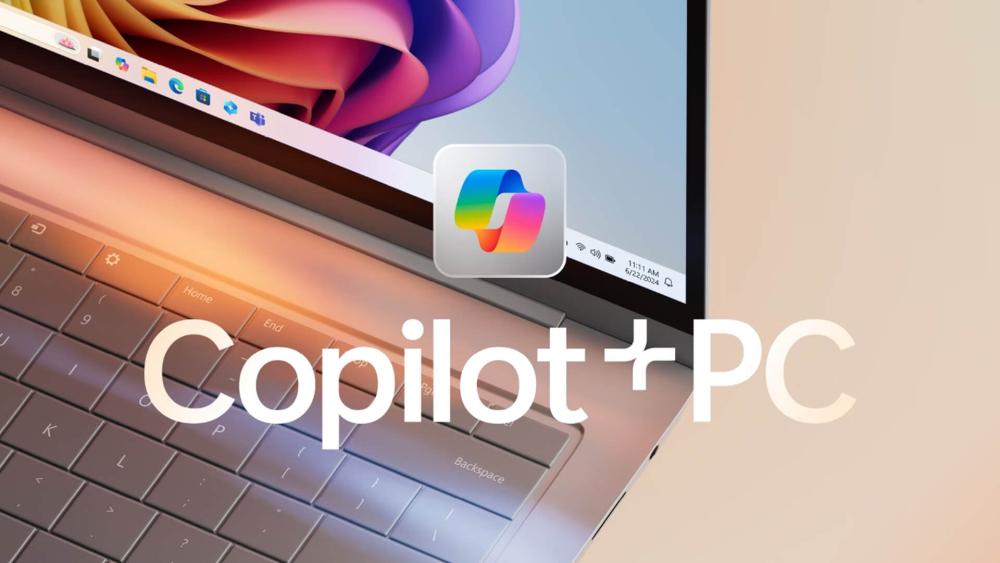
The AI PC category is evolving rapidly, and Copilot Plus laptops are leading the next generation of computing. These systems are specifically designed to run artificial intelligence workloads directly on the device rather than relying entirely on cloud services.
What Makes a Laptop "Copilot+" Certified?
Microsoft defines Copilot+ PCs as laptops that meet a specific set of hardware requirements designed for AI performance.
These requirements typically include:
- A dedicated Neural Processing Unit (NPU) capable of at least 40 TOPS (trillion operations per second)
- Modern processors such as Intel Core Ultra, AMD Ryzen AI, or Snapdragon X
- Advanced AI acceleration built into Windows 11
- Optimised battery efficiency for AI workloads
These systems are part of the new AI PC category, where AI features run locally on the laptop itself.

How AI Works in Copilot+ Laptops
Modern Copilot Plus laptops rely on a dedicated component called a Neural Processing Unit (NPU) to handle artificial intelligence tasks efficiently. Unlike the CPU and GPU, which manage general computing and graphics, the NPU is specifically designed to process machine learning workloads such as image recognition, voice processing and real-time AI enhancements. This allows AI features to run in the background without slowing down the rest of the system.
Many AI tasks now run directly on the device rather than relying entirely on cloud servers. This on-device AI processing improves responsiveness, enhances privacy, and reduces the need for constant internet connectivity. It also helps laptops manage AI workloads more efficiently, which can contribute to better battery performance.
In Windows 11 AI laptops, these capabilities power features such as Microsoft Copilot assistance, real-time captions and translation, AI image tools and smart productivity features. Together, these technologies allow AI-powered laptops to deliver faster, more responsive experiences for everyday tasks, communication, and creative work.
Intel Core Ultra Explained for Copilot+ Laptops
Intel’s Core Ultra processors represent Intel’s latest approach to building laptops specifically designed for the AI PC era. These processors combine traditional CPU performance with dedicated AI acceleration, allowing Copilot+ laptops to run intelligent features smoothly without relying heavily on cloud processing.
Unlike older laptop chips that focused mainly on raw speed, Intel Core Ultra processors are designed to balance performance, efficiency and AI capabilities. This makes them well suited to modern Windows 11 AI laptops, where background AI features run alongside everyday tasks such as browsing, video calls and productivity applications.
If you want to explore Intel-based systems, you can browse available models at Box.
Intel Core Ultra Architecture Overview
Intel Core Ultra processors use a hybrid architecture, meaning they combine multiple types of cores designed for different tasks. Performance cores handle demanding workloads such as creative applications or multitasking, while efficiency cores manage lighter background processes in a more power-efficient way.
Alongside these cores, the processor also includes integrated Intel Arc graphics and a dedicated Neural Processing Unit (NPU). This combination allows the system to divide workloads intelligently. Heavy computing tasks can run on the CPU, graphics processing can be handled by the GPU, and AI-related tasks are processed by the NPU.
This layered design helps modern Copilot+ laptops deliver smooth multitasking, responsive AI features, and improved battery efficiency.
Intel’s Integrated NPU and AI Acceleration
A key feature of Intel Core Ultra laptops is the integrated Neural Processing Unit, which accelerates machine learning tasks directly on the device. This allows AI-powered features to operate quickly without sending data to external servers.
For example, AI tools such as Windows Studio Effects, background noise removal, live captions, and Copilot assistance can run locally on the laptop. Because the NPU processes these workloads separately from the CPU and GPU, the system remains responsive even while multiple AI features are active.
This makes Intel-powered Copilot+ PCs particularly effective for productivity tasks, video conferencing, and everyday AI-assisted workflows.
Core Ultra 5 vs Core Ultra 7 Differences
Intel Core Ultra processors are available in several tiers designed for different levels of performance.
Core Ultra 5 processors are designed for general productivity and everyday computing. They offer reliable performance for tasks such as browsing, office applications, streaming and light multitasking, making them a good option for students or general users.
Core Ultra 7 processors provide higher processing power and stronger multi-core performance. These chips are better suited to users who regularly multitask, run demanding software or work with creative applications.
Intel Core Ultra Strengths for Productivity
Intel has long been associated with strong productivity performance, and Core Ultra laptops continue that tradition. They perform particularly well in office applications, collaboration tools, professional software and enterprise environments.
For business users, developers or professionals who rely on stable and consistent performance across a wide range of applications, Intel platforms often remain a dependable choice. Their compatibility with legacy software and drivers also makes them a safe option for work environments where stability is critical.
Battery Life and Efficiency with Intel Core Ultra
Another major advantage of Intel’s latest processors is power efficiency. The hybrid architecture allows the system to prioritise efficiency during lighter workloads while still delivering strong performance when needed.
This intelligent workload management helps many Core Ultra laptops achieve excellent battery life during everyday tasks such as browsing, streaming and productivity work. For users who travel frequently or need a laptop that lasts through a full day of work, this efficiency can be a significant benefit.

AMD Ryzen AI Explained for Copilot Plus Laptops
AMD has taken a slightly different approach with its Ryzen AI processors, placing strong emphasis on multi-core performance and dedicated AI acceleration. These processors are designed to power a new generation of AI powered laptops capable of handling demanding workloads alongside modern AI features.
Where Intel focuses heavily on power efficiency and balanced productivity performance, AMD prioritises high multi-threaded processing and strong integrated graphics, making Ryzen AI systems particularly appealing to creators and power users.
Ryzen AI Architecture and XDNA Engine
AMD’s Ryzen AI processors include a dedicated AI engine known as XDNA. This specialised hardware is designed to accelerate machine learning tasks such as image processing, generative AI features and real-time video enhancements.
By handling these workloads directly on the chip, the XDNA engine allows AI-powered features to run smoothly without consuming excessive CPU or GPU resources. This improves responsiveness while also helping maintain efficient power usage.
As a result, Ryzen AI laptops are capable of running advanced AI workloads while still delivering strong overall system performance.
AMD Ryzen AI 5 vs Ryzen AI 7 vs Ryzen AI 9
AMD offers several tiers of Ryzen AI processors, each designed for different types of users.
Ryzen AI 5 processors focus on balanced everyday performance and are suitable for general productivity, web browsing and entertainment.
Ryzen AI 7 processors provide stronger multi-core performance and are better suited to users who multitask frequently or run more demanding applications.
Ryzen AI 9 processors represent AMD’s high-end offerings. These chips deliver powerful multi-core processing designed for tasks such as video editing, rendering and advanced creative workloads.
Looking for more details? Check out our guide to Choosing Copilot+ Ryzen AI RTX Laptops to find your perfect match.
AI Performance and Multi-Core Power
One of the biggest strengths of AMD processors has traditionally been multi-core performance, and this continues with Ryzen AI chips. Their architecture allows them to handle multiple threads efficiently, which benefits workloads that require heavy parallel processing.
This makes Ryzen AI laptops particularly appealing for content creators, developers and users who regularly run complex applications alongside AI features.
Gaming and Creative Performance with Ryzen AI
AMD’s processors also include strong integrated graphics based on modern Radeon architecture. In many cases, these integrated GPUs deliver higher performance than competing integrated graphics solutions.
For users who enjoy casual gaming or creative applications such as photo editing, video editing or design software, this additional graphics capability can provide a smoother experience. When paired with a dedicated RTX GPU, Ryzen AI laptops can also perform very well in gaming and creative workflows.
Power Efficiency and Thermal Performance
Despite their focus on performance, modern Ryzen AI laptops are also designed with efficiency in mind. AMD has improved power management and thermal efficiency in recent processor generations, allowing laptops to maintain strong performance without excessive heat or battery drain.
This balance between performance and efficiency makes Ryzen AI systems versatile machines capable of handling both everyday computing and demanding workloads.
Intel Core Ultra vs Ryzen AI: Performance Comparison
When choosing between Intel Core Ultra laptops and AMD Ryzen AI laptops, the differences typically come down to how each platform prioritises performance, graphics capability and power efficiency.
The table below summarises how the two processors compare across the areas that matter most for Copilot Plus laptops.
| Feature | Intel Core Ultra | AMD Ryzen AI |
| CPU Performance | Strong single-core efficiency | Strong multi-core performance |
| Integrated Graphics | Intel Arc Xe-LPG | Radeon 890M / 880M |
| AI NPU Performance | Up to ~48 TOPS | Up to ~50 TOPS |
| Battery Life | Excellent efficiency (20+ hours in some devices) | Very good but varies by laptop |
| Creative Workloads | Good | Excellent |
| Gaming (Integrated GPU) | Suitable for light gaming | Significantly stronger |
| Compatibility | Excellent x86 compatibility | Excellent x86 compatibility |
Integrated Graphics Performance
Another important difference between Core Ultra vs Ryzen AI is integrated graphics performance.
AMD’s latest RDNA 3.5 architecture, used in GPUs such as the Radeon 890M, delivers noticeably stronger integrated graphics performance. In some benchmarks, Ryzen AI laptops can achieve up to 70–75% better performance in 1080p gaming scenarios compared to Intel’s integrated Arc graphics.
This makes Ryzen AI laptops particularly appealing for users who want stronger gaming or creative performance without relying on a dedicated GPU.
Intel’s Arc Xe-LPG graphics still provide solid performance for everyday workloads, media editing and esports gaming, but AMD currently holds the advantage in raw integrated GPU capability.
AI Performance and NPU Capability
Both Intel and AMD designed their latest processors specifically for the AI PC category.
The key component enabling this is the Neural Processing Unit (NPU).
| Processor | NPU AI Performance |
| Intel Core Ultra 200V | Up to ~48 TOPS |
| AMD Ryzen AI 300 | Up to ~50 TOPS |
Both platforms exceed Microsoft’s 40 TOPS Copilot Plus requirement, meaning they can handle AI features such as:
- Windows Studio Effects
- Live captions and translations
- AI-powered image generation
- Microsoft Copilot assistance
- AI productivity tools
In real-world usage, both deliver excellent AI performance laptops, although AMD holds a small advantage in raw throughput.
Battery Life Comparison
Battery life is another area where the two platforms differ slightly.
Intel’s Core Ultra 200V (Lunar Lake) processors are heavily optimised for efficiency and can deliver exceptionally long battery life, sometimes exceeding 20 hours of productivity in thin-and-light laptops.
AMD Ryzen AI systems also provide strong battery performance, but results depend more heavily on the specific laptop configuration, display type and cooling design.
For users prioritising long travel sessions or all-day portability, Intel often has the edge.
Compatibility and Software Support
Both Intel and AMD laptops use x86 architecture, which means they provide excellent compatibility with existing Windows software, drivers and peripherals.
This is a key advantage compared to some ARM-based AI laptops, which may still face compatibility limitations with certain legacy applications.
For professionals using specialised tools or older software, this compatibility ensures a smoother experience.
Best Copilot+ Laptop by Use Case
Choosing the right Copilot+ laptop ultimately depends on how you plan to use it. While both Intel Core Ultra laptops and AMD Ryzen AI laptops power modern Windows 11 AI laptops, each platform offers strengths that suit different workflows.
Students may prioritise portability and battery life; professionals may require reliability for productivity tasks, while creators and gamers often need stronger multi-core performance and graphics capability. Understanding these differences can help you choose the best Copilot+ laptop in 2026 for your specific needs.
The table below summarises which platform may be the better fit depending on your primary use case.
| Use Case | Recommended Platform | Why It Works Well |
| Students and everyday users | Intel Core Ultra | Efficient processors, strong battery life and smooth performance for browsing, study tools and everyday applications. |
| Business professionals | Intel Core Ultra | Excellent productivity performance, stable software compatibility and reliable multitasking for office workloads and professional software. |
| Content creators (video editing, design) | AMD Ryzen AI | Strong multi-core performance and AI acceleration make it ideal for rendering, editing and creative workflows. |
| Integrated graphics gaming | AMD Ryzen AI | Radeon integrated graphics often deliver stronger performance for casual gaming without needing a dedicated GPU. |
| Gaming with dedicated RTX graphics | Both Intel & AMD | When paired with NVIDIA RTX GPUs, both platforms provide excellent gaming and creative performance. |
| Long battery life and portability | Intel Core Ultra | Intel’s latest architecture is designed for strong power efficiency, especially in thin-and-light laptops. |
| Balanced AI workloads and multitasking | Both Intel & AMD | Both processors exceed Microsoft’s 40 TOPS requirement for Copilot Plus laptops, making them well suited for AI features and everyday workloads. |
Both platforms power some of the best Copilot Plus laptops in the UK, so the decision ultimately comes down to which strengths align best with your workflow.
Example Copilot+ Laptops to Consider
Several modern Copilot Plus laptops showcase the strengths of both AMD Ryzen AI and Intel Core Ultra processors, offering strong AI acceleration alongside everyday productivity and performance.
ASUS VivoBook M1407KA – AMD Ryzen AI 7
The ASUS VivoBook M1407KA is powered by the AMD Ryzen AI 7 350 processor, making it a strong option for users who need reliable multi-core performance and AI-powered features. With 16GB RAM and a 1TB SSD, it provides smooth multitasking, fast storage and plenty of capacity for files and applications. Its 14-inch design keeps the laptop portable, making it suitable for students, professionals and everyday users looking for a capable Ryzen AI Copilot+ lapto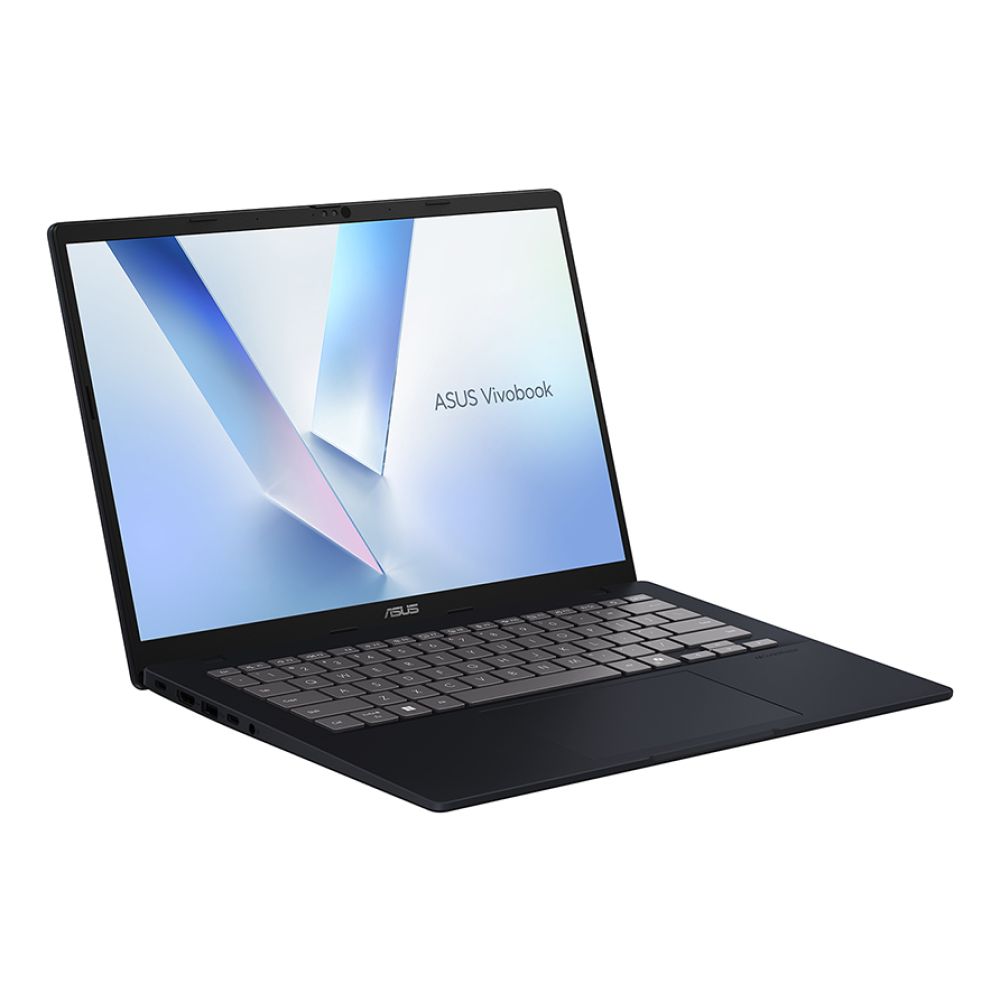
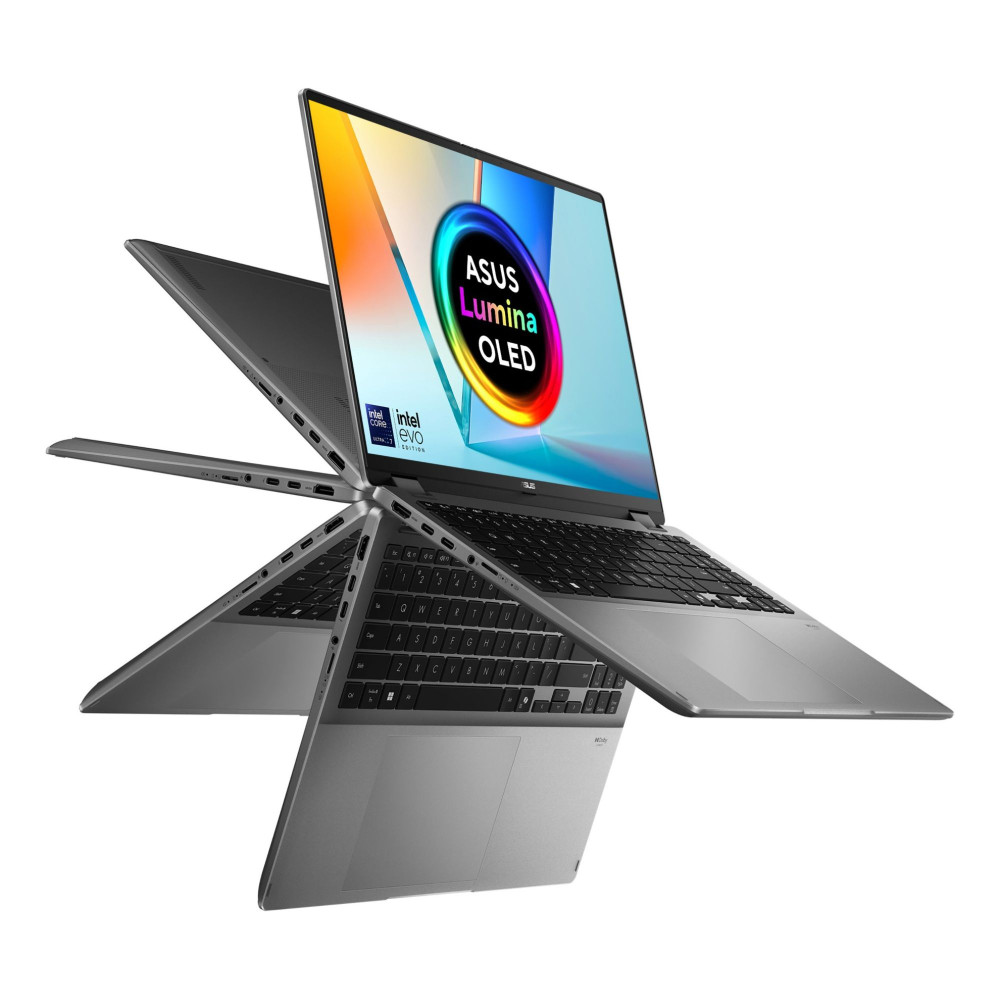
ASUS VivoBook 14 Flip – Intel Core Ultra 7
The ASUS VivoBook 14 Flip TP3407SA highlights Intel’s efficient Core Ultra platform in a flexible 2-in-1 Copilot+ laptop. Powered by the Intel Core Ultra 7 256V processor, it delivers strong performance for productivity tasks while supporting Windows AI features. The touchscreen convertible design allows it to switch between laptop and tablet modes, while 16GB RAM and 1TB SSD storage ensure smooth everyday performance.
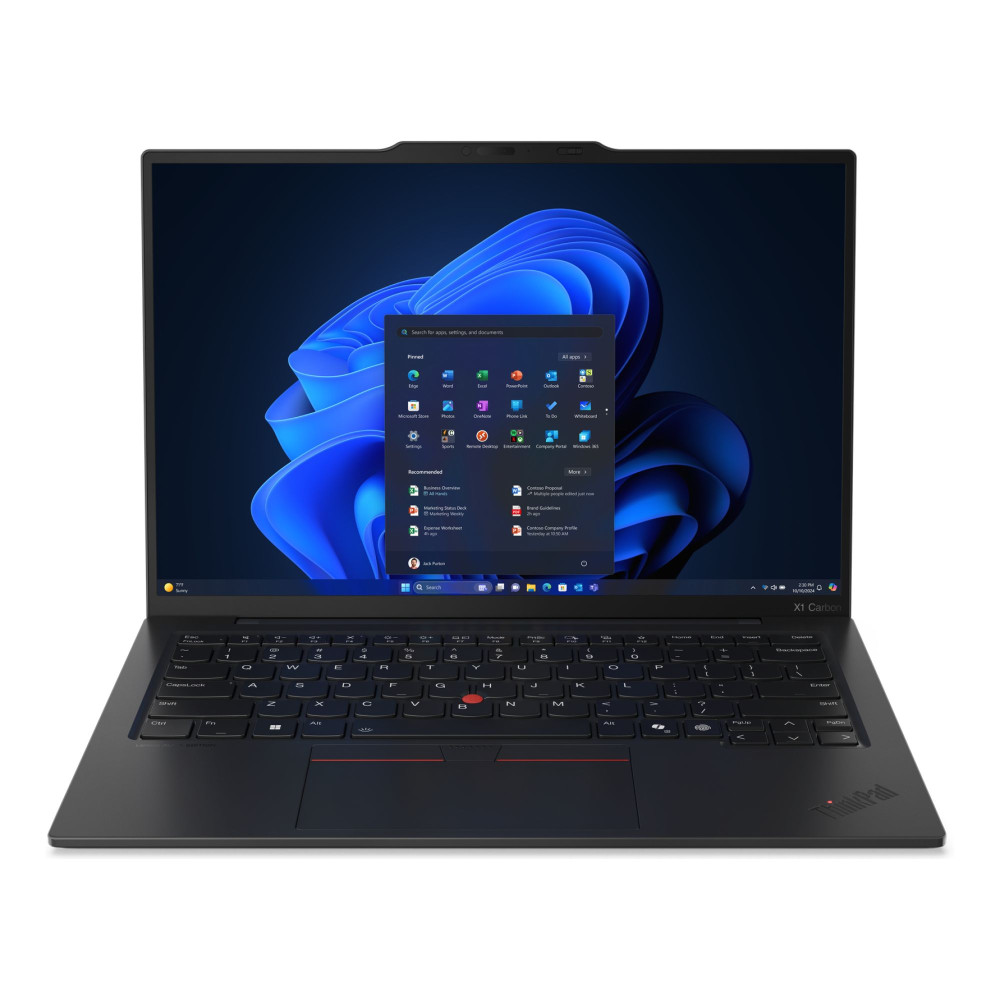
Lenovo ThinkPad X1 Carbon Gen 13 Aura Edition – Intel Core Ultra 7
For professionals, the Lenovo ThinkPad X1 Carbon Gen 13 Aura Edition Copilot+ PC offers premium performance and reliability. Powered by the Intel Core Ultra 7 258V processor, it features a sharp 14-inch 2.8K display, 32GB RAM and a 1TB SSD, making it ideal for demanding business workloads and multitasking. It’s a strong option for users who want a high-end Intel Core Ultra Copilot+ laptop built for productivity and AI-enabled workflows.
Users exploring premium AI laptops may also want to compare these models with devices from the Microsoft Surface Copilot Laptops range or higher-performance systems in the Intel Ultra9 Laptops collection.
Final Recommendation
Both Intel Core Ultra and AMD Ryzen AI processors power the latest generation of AI performance laptops, and each platform brings unique advantages depending on how you plan to use your device.
If your priority is multi-core performance, stronger integrated graphics and creative workloads, an AMD Ryzen AI laptop may be the better option. On the other hand, if you value battery efficiency, balanced productivity performance and thin-and-light designs, laptops powered by Intel Processors, including those from the Intel Ultra7 Laptops range, remain an excellent choice for everyday productivity and business use.
Ultimately, the best Copilot+ laptop is the one that fits your workflow, whether you’re studying, working, creating or gaming. To explore the latest AI powered laptops and Copilot+ PCs, browse the full range available at Box.co.uk and find a system that matches your performance needs and budget.
Frequently Asked Questions
What is the difference between Intel Core Ultra and Ryzen AI?
Both processors are designed for AI laptops. Intel focuses on hybrid CPU architecture and efficiency, while AMD emphasises strong multi-core performance and its XDNA AI engine.
Are Ryzen AI laptops better than Intel Core Ultra?
Neither platform is universally better. Ryzen often excels in multi-core workloads, while Intel is strong in productivity and balanced efficiency.
Is an NPU necessary for AI tasks?
NPUs allow AI workloads to run faster and more efficiently compared with relying solely on CPUs or GPUs.
Which Copilot+ laptop is best for gaming?
Gaming laptops with dedicated RTX GPUs paired with either Ryzen AI or Intel Core Ultra processors provide the best performance.
Do Copilot+ laptops improve battery life?
Yes. NPUs handle AI workloads more efficiently, helping improve battery efficiency.
Are AI laptops future-proof?
AI laptops are designed for emerging AI workloads, making them a strong long-term investment for many users.
You can pay with:
*PayPal Credit Representative Example: Assumed credit limit £1,200, Representative 23.9% APR (variable). Purchase rate 23.9% p.a (variable).Terms & Conditions apply.


PayPal Credit and PayPal Pay in 3 are trading names of PayPal UK Ltd, 5 Fleet Place, London, United Kingdom, EC4M 7RD. Terms and conditions apply. Credit subject to status, UK residents only, Five Tech LTD acts as a broker and offers finance from a restricted range of finance providers. PayPal Pay in 3 is not regulated by the Financial Conduct Authority. Pay in 3 eligibility is subject to status and approval. 18+. UK residents only. Pay in 3 is a form of credit. Check if affordable and how you will repay. May make other borrowing more difficult or expensive. See product terms for more details.
Copyright © 1996-2026 Fivetech LTD | Terms and Conditions
box.co.uk & Box are trading names of Five Tech Limited. Registered office: Box LTD, Unit 10 Woodford Trading Estate, Woodford Green IG8 8HF