


 Menu
MenuMenu


Get Sales Advice from Mon - Fri 9am - 5:00pm:
020 3337 8950LAST UPDATED: March 06, 2026
A Guide to Choosing Copilot+ Ryzen AI Laptops with RTX Graphics and Touchscreens
Artificial intelligence is no longer a future feature, it’s built directly into today’s laptops. If you’re searching for a Copilot+ Ryzen AI RTX laptop, you’re already looking at some of the most advanced Windows machines available.
But with so many specifications to compare; Ryzen AI processors, RTX 5070 or RTX 5080 graphics, touchscreen options, 32GB RAM configurations, choosing the right device can quickly become overwhelming.
This guide breaks it down clearly. Whether you want a Ryzen AI laptop for gaming, a touchscreen AI laptop for creators, or a high performance AI laptop for work and multitasking, we’ll explain what each feature means for you and how to choose the right model with confidence.
You can explore the Latest AI Laptops and Powerful Copilot+ PCs at Box.co.uk as you read.
What Is a Copilot+ Laptop and Why Does It Matter?
A Copilot+ AI laptop is part of Microsoft’s new AI PC category. These devices are designed to run advanced AI features directly on the laptop itself, powered by Windows 11 AI and Microsoft Copilot.
Unlike traditional Windows laptops, a Windows 11 Copilot+ PC includes a dedicated Neural Processing Unit (NPU) that accelerates AI workloads efficiently.
How Copilot+ Differs from Standard Windows Laptops
Standard Windows laptops rely mainly on the CPU and GPU. Copilot+ laptops include an additional AI engine the NPU which is designed specifically for machine learning tasks. This means faster AI features, lower power consumption, and smoother performance.
|
The Role of the NPU in AI PCs The Neural Processing Unit is what enables real-time AI features such as image enhancement, live captions, background blur in video calls and AI-driven productivity tools. Because the NPU handles these tasks separately, your CPU and RTX GPU remain available for gaming, creative software or heavy multitasking. |
On-Device AI vs Cloud-Based AI Processing
Copilot+ laptops perform many AI tasks directly on-device rather than relying entirely on the cloud. This improves speed, reduces latency, and enhances privacy. It also allows certain AI features to work offline.
What Is Ryzen AI and How Does It Enhance Copilot+ Laptops?

AMD Ryzen AI processors are built for the latest generation of AI PCs. Unlike traditional chips that focus mainly on raw CPU speed, Ryzen AI combines high-performance CPU cores, integrated graphics and a dedicated Neural Processing Unit (NPU) to handle AI tasks directly on the device.
When used in a Windows 11 Copilot+ PC, Ryzen AI enables faster, more responsive AI features without relying heavily on cloud processing. This results in smoother performance, improved privacy and better efficiency whether you’re using an AI powered gaming laptop or a productivity-focused system.
Ryzen AI Processor Tiers Explained
The Ryzen AI 300 Series, including Ryzen AI 7 and Ryzen AI 9 HX 370, delivers over 50 TOPS of AI performance. This exceeds Microsoft’s 40 TOPS Copilot+ requirement, ensuring AI workloads run locally and efficiently.
Higher-tier models offer stronger multi-core performance for video editing, rendering and multitasking, while maintaining good battery efficiency. When comparing Ryzen AI vs Intel Core Ultra, both platforms support AI acceleration, but Ryzen AI focuses heavily on integrated local AI processing combined with competitive power efficiency. Users considering alternatives can explore the Intel Ultra7 Laptops Collection, Intel Ultra9 Laptops Range, and learn more about Intel Core Processors at Box.co.uk.
Built-In AI Acceleration and Efficiency Gains
Because Ryzen AI processes many tasks on-device, it reduces latency and improves responsiveness. The dedicated AI engine handles background AI features separately, leaving the CPU and RTX GPU free for gaming, creative work or multitasking.
Everyday AI Tasks Powered by Ryzen AI
In daily use, Ryzen AI improves video calls with background blur and voice isolation, speeds up transcription, enhances photo and video editing, and enables smarter Microsoft Copilot features such as summarising and content assistance.
For creators, this means faster workflows. For professionals, improved productivity. For gamers, AI features run smoothly in the background without impacting performance.
Why RTX Graphics Are Important in Ryzen AI Copilot+ Laptops
When choosing a Copilot+ Ryzen AI RTX laptop, the processor and NPU handle AI acceleration, but the RTX GPU determines how far that performance can scale, especially for gaming, creative work and advanced AI rendering.
A Copilot+ laptop with RTX graphics combines three layers of performance:
1. CPU power (Ryzen AI processor)
2. AI acceleration (Neural Processing Unit)
3. Dedicated GPU performance (NVIDIA RTX 50-series)
This combination creates a true high performance AI laptop, capable of running AI tasks locally while also handling demanding graphical workloads without compromise.
RTX vs Integrated Graphics for AI Workloads
Integrated graphics are built into the processor and are suitable for web browsing, streaming, office applications and light creative tasks. However, once you move into AI rendering, 3D modelling, high-resolution video editing or modern gaming, integrated graphics quickly reach their limits.
Dedicated RTX graphics provide significantly more graphical cores, higher memory bandwidth and dedicated AI tensor cores. This allows the system to accelerate workloads such as real-time ray tracing, AI-enhanced rendering and GPU-accelerated creative software.
For example, tasks like AI image generation, 4K video export or complex 3D rendering rely heavily on GPU compute power. An RTX GPU dramatically reduces render times and improves overall responsiveness.
RTX for Gaming, Creation and AI Rendering
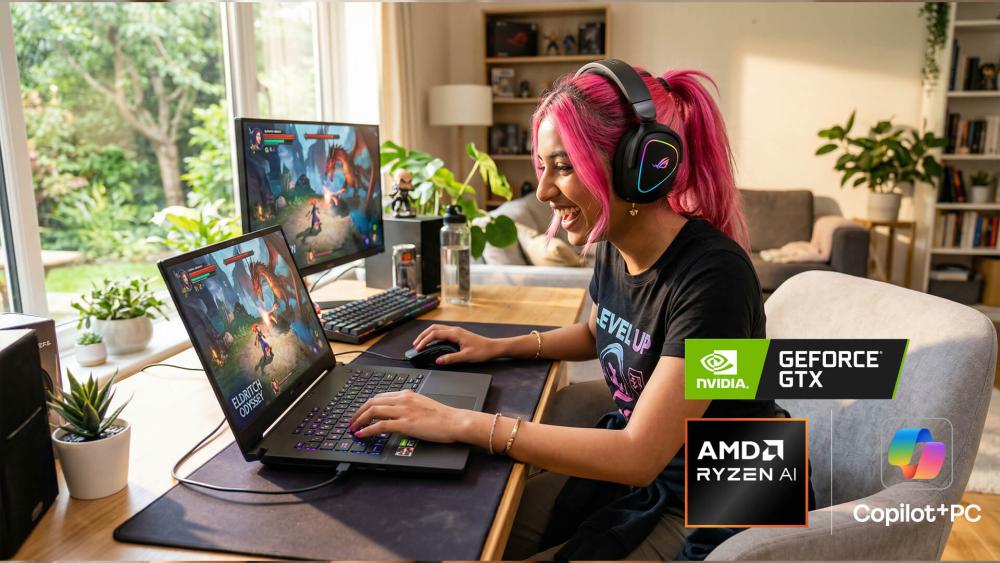
If you are considering a Ryzen AI laptop for gaming, RTX graphics are what transform it into a true RTX gaming laptop.
Modern NVIDIA RTX 50-series GPUs support DLSS 4, which uses AI to upscale frames for higher performance without sacrificing visual quality. This results in smoother gameplay at higher resolutions and refresh rates.
For creators, RTX GPUs accelerate creative software such as video editors, 3D modelling tools and AI-driven rendering platforms. Features like AI-powered ray tracing and GPU-based rendering significantly improve workflow speed.
For AI workloads specifically, RTX GPUs include dedicated tensor cores that assist with machine learning tasks, generative AI processes and large dataset rendering. This is particularly useful for AI laptops for creators who work with visual content, design tools or AI-enhanced applications.
Comparing RTX 5070 and RTX 5080 Performance
When comparing RTX 5070 and RTX 5080 configurations in a Copilot+ Ryzen AI RTX laptop, the difference primarily comes down to performance headroom and workload intensity.
Below is a more detailed comparison:
| Feature | RTX 5070 | RTX 5080 |
| Performance Level | High-end | Enthusiast / Premium |
| Best For | 1440p gaming, advanced creative tasks | 4K gaming, heavy AI rendering, professional workloads |
| AI Tensor Core Performance | Strong AI acceleration | Higher AI compute throughput |
| Ray Tracing Capability | Smooth ray tracing at high settings | Maximum ray tracing performance |
| Video Rendering Speed | Fast export times | Faster export times under heavy loads |
| Ideal User | Gamers & creators wanting balance | Power users & professionals requiring maximum performance |
| Typical System Pairing | 16–32GB RAM systems | 32GB+ RAM systems |
Should You Choose a Touchscreen Copilot+ Laptop?
A touchscreen Copilot+ Ryzen AI RTX laptop adds another layer of flexibility to an already powerful AI system. While performance components such as the Ryzen AI processor and RTX graphics determine speed and capability, the touchscreen changes how you interact with your device.
The decision ultimately depends on how you plan to use your laptop day to day. For some users, a touchscreen significantly improves workflow and creativity. For others, it may be a feature they rarely use.
Productivity Benefits of Touch Displays
A touchscreen makes navigation more direct and intuitive. Instead of relying solely on a trackpad or mouse, you can tap, swipe and scroll naturally. This can make everyday tasks feel quicker and more fluid, particularly when reviewing documents, managing spreadsheets or presenting content.
For professionals who attend frequent meetings, a touchscreen allows fast annotation during presentations and easier collaboration when sharing ideas. It can also improve efficiency when switching between apps in Windows 11 Copilot+, as touch gestures feel seamless alongside AI-powered features.
In short, a touchscreen reduces friction. Tasks that would normally require multiple clicks can be completed with a simple tap, which improves workflow speed over time.
2-in-1 Flexibility for Creative Users

For creators, a touchscreen AI laptop for creators becomes even more valuable when paired with stylus support and a 2-in-1 convertible hinge. This allows the device to function as both a traditional laptop and a digital canvas.
If you work in graphic design, digital illustration, photo editing or content creation, being able to draw directly on the screen provides a more natural and precise experience. The combination of Ryzen AI acceleration and RTX graphics ensures that editing software runs smoothly, while the touchscreen enhances control and creativity.
A convertible Copilot+ laptop also allows you to switch into tablet mode for sketching, tent mode for presentations or standard laptop mode for typing. This flexibility makes it ideal for designers, architects, content creators and students who benefit from hands-on interaction.
When a Non-Touch Display Makes More Sense
While touchscreen functionality is valuable, it is not essential for everyone. If you primarily use your laptop for gaming, coding or desk-based productivity with an external keyboard and mouse, a non-touch display may be more practical.
Gamers may prioritise higher refresh rates and GPU performance over touch functionality. In these cases, choosing a non-touch RTX configuration can sometimes reduce overall cost while maintaining identical processing and graphics performance.
Additionally, if your laptop rarely leaves a desk setup connected to external monitors, a touchscreen may not add significant value.
How to Compare Copilot+ Ryzen AI Laptops Step by Step
Choosing the right Copilot+ Ryzen AI RTX laptop becomes much easier when you compare each core component methodically. Rather than focusing on brand names alone, it is more useful to evaluate processor capability, AI performance, graphics power, memory configuration and display quality in relation to how you plan to use the device.
1. Comparing Processor Performance and AI Capability
Start with the processor. In 2026, most high-performance Ryzen AI laptops fall within the Ryzen AI 300 Series. These processors include a dedicated Neural Processing Unit capable of delivering over 50 TOPS of AI performance, which exceeds Microsoft’s 40 TOPS requirement for a Windows 11 Copilot+ PC.
In practical terms, higher TOPS performance means smoother on-device AI features such as real-time transcription, video enhancements and AI-assisted productivity tools. Alongside AI capability, you should also consider multi-core CPU performance. If you regularly run demanding applications such as editing software or development tools, a higher-tier Ryzen AI 9 processor will provide better sustained performance than entry-level variants.
For users comparing Ryzen AI vs Intel Core Ultra, both platforms support AI acceleration. The difference typically comes down to ecosystem preference and specific workload needs rather than raw capability alone.
2. Evaluating GPU Power and RTX Configuration
Once the processor is selected, the next major factor is graphics performance. If the laptop includes dedicated NVIDIA RTX graphics, it moves beyond basic productivity into gaming and professional creative territory.
An RTX 5060 or RTX 5070 configuration is generally well suited to high-refresh 1440p gaming, AI-assisted rendering and advanced creative applications. These GPUs offer strong performance without entering the highest pricing tier.
RTX 5080 or RTX 5090 models are aimed at users who require maximum rendering performance, consistent 4K gaming capability or intensive AI-enhanced creative workloads. They provide greater graphical headroom and are better suited to professionals working with large projects or 3D environments.
If your primary use is gaming or content creation, prioritising the RTX configuration will have a greater impact than marginal CPU differences.
3. Choosing the Right RAM and Storage Setup
Memory and storage determine how smoothly your laptop handles multitasking and large files. While 16GB RAM remains suitable for many users, a 32GB RAM AI laptop offers noticeably better performance for creators, developers and power users working with demanding applications.
More RAM allows you to run creative software, background AI processes and multiple browser tabs simultaneously without slowdowns. In 2026, 16GB RAM paired with a 1TB NVMe SSD can be considered a sensible minimum for a high-performance AI laptop. For users seeking longer-term flexibility, 32GB LPDDR5X memory and at least 1TB of storage provide greater future-proofing.
Storage capacity is equally important. AI tools, modern games and creative projects consume space quickly. A 1TB NVMe SSD ensures faster load times and enough room for large applications and media files.
4. Assessing Display Quality and Touch Features
Display quality directly affects usability, particularly for creators. High-resolution OLED panels in 2.8K or 4K provide sharper detail, improved colour accuracy and better contrast compared to standard panels. A 120Hz refresh rate benefits both gaming smoothness and general responsiveness.
Colour accuracy, such as 100% DCI-P3 coverage, is especially relevant for professionals working in photography or video editing. If your work depends on colour precision, display quality should not be overlooked.
Touch functionality adds flexibility but is not essential for every user. For those working with design software or who prefer interactive navigation, a touchscreen can enhance workflow. For gaming-focused users, display refresh rate and response time may take priority over touch capability.
5. Matching Specifications to Your Use Case
The most effective way to compare Copilot+ Ryzen AI RTX laptops is to align specifications with how the device will be used.
By evaluating each component in context rather than in isolation, you can choose a configuration that delivers the right balance of power, efficiency and value.
Best Copilot+ Ryzen AI Laptop for Different Users
Choosing the right Copilot+ Ryzen AI RTX laptop depends on what you expect it to handle daily. The table below breaks down recommended configurations by user type, explaining not just the specifications, but why they matter.
| User Type | Recommended Processor | RTX Graphics | RAM & Storage | Display Recommendation | Why This Setup Works |
| Gaming-Focused Users | Ryzen AI 9 (50+ TOPS NPU) | RTX 5070 or RTX 5080 | 16GB–32GB RAM, 1TB SSD | 144Hz–180Hz IPS or OLED | Delivers strong frame rates, AI-enhanced DLSS 4 upscaling and smooth ray tracing. The Ryzen AI processor ensures background AI tasks don’t impact gameplay. |
| Creative Professionals | Ryzen AI 9 HX 370 | RTX 5080 or RTX 5090 | 32GB RAM minimum, 1TB–2TB SSD | 2.8K or 4K OLED Touch (100% DCI-P3) | Designed for video editing, 3D modelling and AI-assisted rendering. 32GB RAM ensures smooth multitasking, while OLED provides accurate colour reproduction. |
| Business & Productivity Users | Ryzen AI 7 | RTX 5060 or balanced GPU | 16GB RAM, 1TB SSD | 14–16" High-resolution IPS or OLED | Prioritises AI productivity tools, Microsoft Copilot features and strong battery efficiency. Ideal for multitasking, video calls and business software. |
| Portability & Travel Users | Ryzen AI 7 or AI 9 (low-power variant) | RTX 5060 | 16GB RAM, 1TB SSD | 13–14" OLED or IPS Touchscreen | Balances AI performance with lighter chassis design. Smaller display improves mobility while RTX 5060 maintains capable creative and gaming performance. |
| Value-Conscious Buyers | Ryzen AI 7 | RTX 5050 or RTX 5060 | 16GB RAM, 1TB SSD | 14" OLED Touch | Offers essential 40+ TOPS NPU performance and dedicated RTX graphics without premium pricing. Suitable for general AI, gaming and productivity tasks. |
Recommended Models:
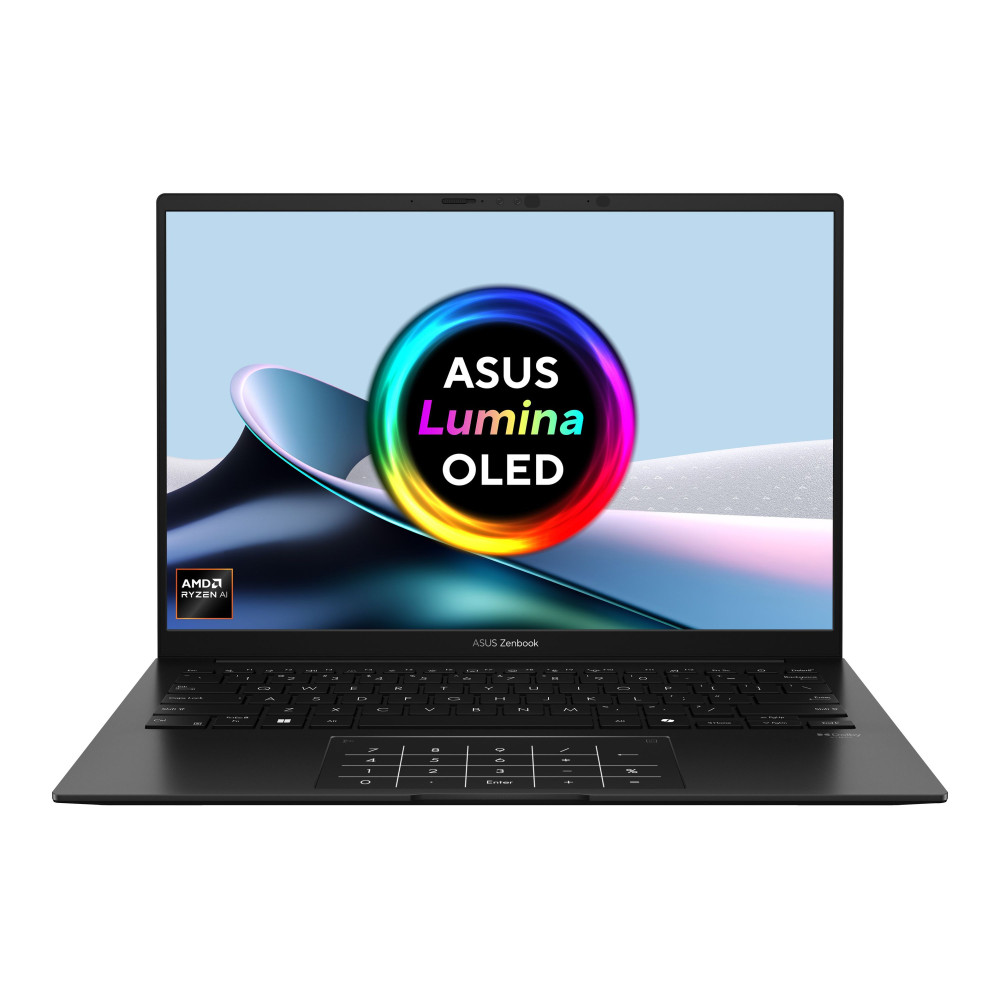
ASUS ZenBook 14 OLED (UM3406KA-PP005W)
Powered by the AMD Ryzen AI 7 PRO 350 processor, this 14-inch Copilot+ laptop is built for productivity and everyday performance. With 16GB RAM and a 1TB SSD, it handles multitasking smoothly while offering fast storage for work files and creative projects. The OLED display delivers vibrant colour and sharp detail, making it ideal for professionals who want a lightweight, high-quality Windows 11 Copilot+ laptop with strong AI capabilities.
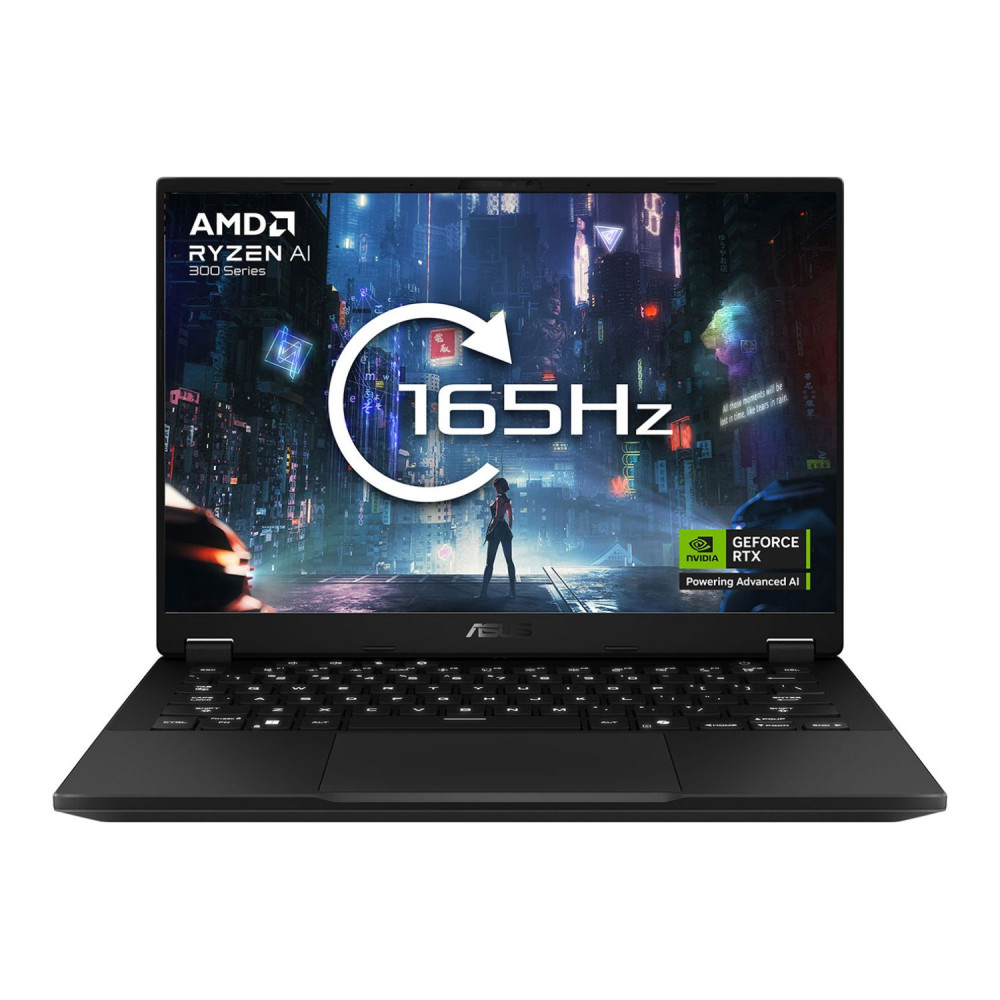
ASUS TUF Gaming A14 (FA401KM-RG003W)
The ASUS TUF Gaming A14 combines Ryzen AI 7 350 processing power with dedicated RTX 5060 graphics, making it a strong choice for gamers who also want AI-enhanced performance. With 16GB RAM and a 1TB SSD, it balances speed, storage and gaming capability in a compact 14-inch design. It’s well suited for users looking for an AI powered gaming laptop that can handle modern titles and creative tasks without compromise.
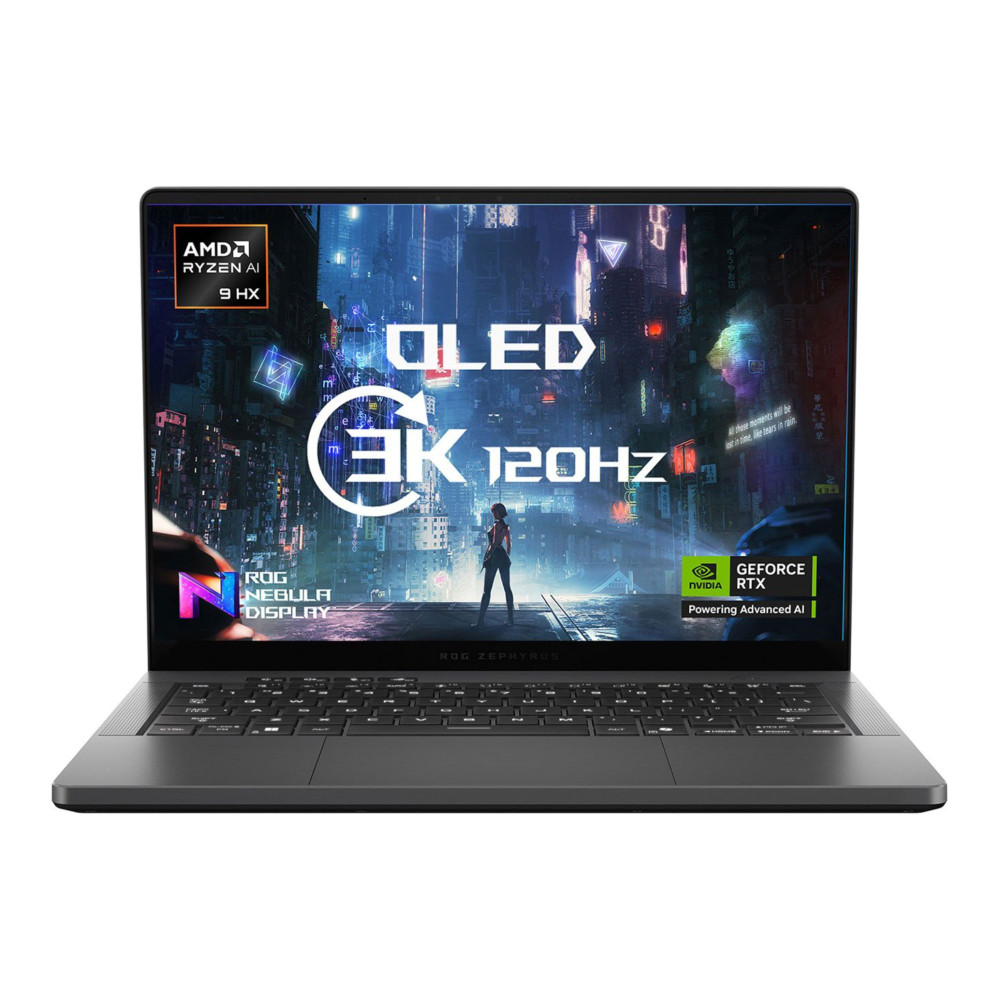
ASUS ROG Zephyrus GA403WW (GA403WW-QS075W)
Designed for high-end performance, the ASUS ROG Zephyrus GA403WW features the Ryzen AI 9 HX 370 processor, 32GB RAM and a large 2TB SSD. Paired with RTX 5080 graphics, it delivers premium gaming and advanced creative performance. This 14-inch Windows 11 Copilot+ laptop is ideal for users who want maximum AI acceleration, fast multitasking and powerful graphics in a portable form factor.
Final Thoughts: Choosing the Right Copilot+ Ryzen AI RTX Laptop
Copilot+ Ryzen AI RTX laptops represent a new generation of computing, combining local AI acceleration, high-performance graphics and intelligent Windows 11 features in a single device. Whether you prioritise gaming performance, creative workflows or productivity, the right configuration depends on matching processor power, RTX tier, RAM capacity and display quality to your needs.
You can also browse the Microsoft Surface Copilot Laptops Range to find the one that suits your workload.
Visit Box.co.uk today to discover the next generation of AI-powered laptops built for gaming, creativity and productivity.
Frequently Asked Questions
What Is a Copilot+ Laptop?
A Copilot+ laptop is a new category of Windows 11 AI PC designed with a built-in Neural Processing Unit (NPU). This allows AI tasks to run locally on the device, delivering faster performance, improved privacy and better battery efficiency compared to standard laptops.
Are Ryzen AI Laptops Good for Gaming?
Yes. A Ryzen AI laptop for gaming paired with dedicated RTX graphics delivers strong gaming performance while also supporting AI-enhanced features like DLSS and background optimisation. The Ryzen AI processor ensures gaming and AI tasks can run simultaneously without noticeable slowdowns.
Do RTX GPUs Improve AI Performance?
Yes. RTX GPUs include dedicated AI tensor cores that accelerate rendering, AI-powered upscaling, ray tracing and creative applications. In a Copilot+ laptop with RTX graphics, the GPU works alongside the NPU to improve overall AI and graphical performance.
Is a Touchscreen Necessary for Creators?
A touchscreen is not essential, but it can significantly improve workflow for designers, illustrators and content creators. A touchscreen AI laptop for creators allows direct interaction, annotation and stylus input, which can make editing and creative work more intuitive.
Are Copilot+ Laptops Future-Proof?
Copilot+ laptops are designed with future AI software in mind. With dedicated NPUs, powerful Ryzen AI processors and RTX graphics, they are built to support upcoming Windows 11 AI features and increasingly AI-driven applications.
You can pay with:
*PayPal Credit Representative Example: Assumed credit limit £1,200, Representative 23.9% APR (variable). Purchase rate 23.9% p.a (variable).Terms & Conditions apply.


PayPal Credit and PayPal Pay in 3 are trading names of PayPal UK Ltd, 5 Fleet Place, London, United Kingdom, EC4M 7RD. Terms and conditions apply. Credit subject to status, UK residents only, Five Tech LTD acts as a broker and offers finance from a restricted range of finance providers. PayPal Pay in 3 is not regulated by the Financial Conduct Authority. Pay in 3 eligibility is subject to status and approval. 18+. UK residents only. Pay in 3 is a form of credit. Check if affordable and how you will repay. May make other borrowing more difficult or expensive. See product terms for more details.
Copyright © 1996-2026 Fivetech LTD | Terms and Conditions
box.co.uk & Box are trading names of Five Tech Limited. Registered office: Box LTD, Unit 10 Woodford Trading Estate, Woodford Green IG8 8HF