


 Menu
MenuMenu


Get Sales Advice from Mon - Fri 9am - 5:00pm:
020 3337 8950LAST UPDATED: April 28, 2026
Battery Life vs Performance: What Matters Most in a Business Laptop in 2026?
When choosing a business laptop in 2026, one of the most common questions is whether to prioritise battery life or performance. Both are essential, but in most cases, improving one can impact the other.
Modern work laptops are expected to handle multitasking, cloud applications, video calls and AI tools; all while lasting through a full workday. This makes the balance between business laptop battery life and performance more important than ever.
The key is not choosing one over the other but understanding which matters more for your workflow.
Why Battery Life vs Performance Is a Key Trade-Off
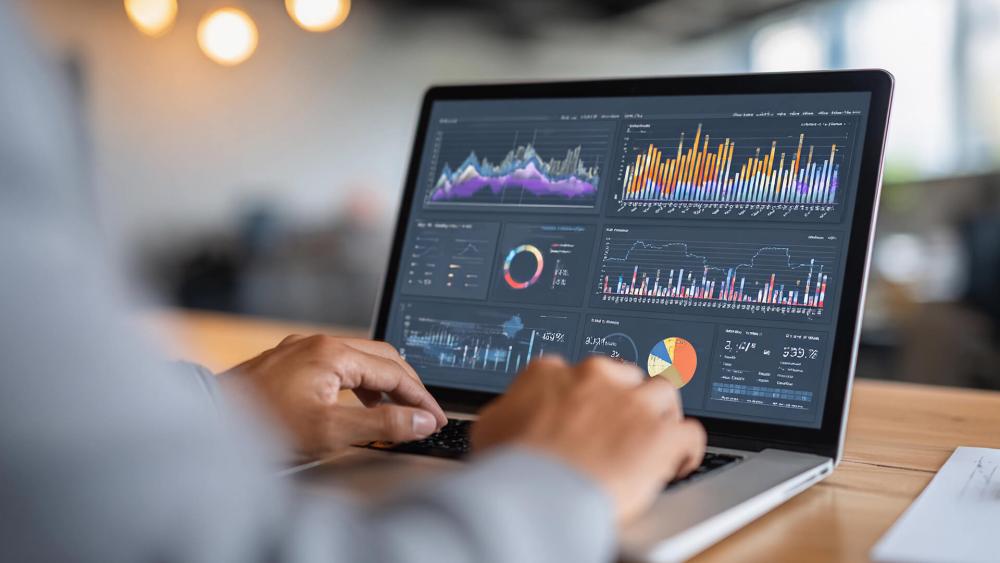
When choosing a business laptop, the balance between battery life and performance is one of the most important factors to consider. At first, it might seem like you should aim for both maximum power and all-day battery but in reality, these two often work against each other.
Understanding this trade-off helps you make a smarter decision based on how you actually work, rather than just focusing on specifications.
What Business Users Actually Need
In day-to-day business use, most people don't constantly push their laptops to the limit. At the same time, they don't always need extreme battery life either. What they really need is a system that feels reliable and consistent throughout the day.
A good business laptop should:
- Open apps quickly and run them smoothly
- Handle multiple tasks without slowing down
- Last through meetings, calls or travel without frequent charging
For example, an office worker may spend the day switching between emails, spreadsheets, video calls, and browser tabs. In this case, the goal is not maximum performance, but stable, efficient performance that doesn't drain the battery too quickly.
This is why modern laptops focus more on business laptop efficiency, delivering enough power for everyday tasks while still maintaining good battery life.
Why You Rarely Get Both at Maximum
The reason battery life and performance are difficult to maximise together comes down to power usage.
High-performance components such as powerful CPUs, dedicated GPUs and high-resolution displays require more energy to run. The more power your laptop uses, the faster the battery drains.
For example:
- Running heavy software or multiple apps increases CPU usage
- Gaming or design tools push the GPU harder
- High refresh rate displays consume more power continuously
On the other hand, laptops designed for long battery life reduce power usage by using:
- More efficient, lower-power processors
- Integrated graphics instead of dedicated GPUs
- Software features that limit background activity
While this improves battery life, it can reduce performance in demanding tasks.
So in practical terms:
- A high-performance laptop gives you speed, but needs more frequent charging
- A battery-focused laptop lasts longer, but may feel slower under heavy workloads
This is why finding the right balance is more important than choosing extremes.
Understanding Efficiency vs Power
In 2026, the focus is no longer just on raw performance; it's on how efficiently that performance is delivered.
Modern processors like Intel Core Ultra processors and AMD Ryzen PRO processors are designed to provide strong performance while using less power. They achieve this through smarter designs, such as separating high-performance cores from efficiency cores.
At the same time, ARM-based business laptops are becoming more popular because they prioritise battery life while still offering enough performance for everyday tasks.
In addition to hardware, software also plays a big role. Features like AI-powered performance management and Windows 11 power modes help optimise how your laptop uses energy. This means your system can adjust performance based on what you're doing; saving power during light tasks and boosting speed when needed.
The result is a more balanced experience where you don't have to sacrifice one completely for the other.
When Performance Matters More
While battery life is important for flexibility, there are many situations where business laptop performance becomes the top priority. This is especially true when your work involves demanding tasks, continuous usage, or complex workflows.
In these cases, having a more powerful laptop is not just about speed; it's about maintaining productivity without interruptions, slowdowns or system lag.
Multitasking and Heavy Workloads
Modern work rarely involves a single task at a time. Most professionals juggle multiple applications throughout the day, often switching between tools constantly.
If your workflow includes things like managing several browser tabs, working on large spreadsheets, attending video calls, and running background apps at the same time, your laptop needs enough power to keep everything running smoothly.
Without sufficient performance, you may experience:
- Delays when switching between applications
- Slower response times when handling large files
- System lag during busy workflows
A laptop with strong performance for work ensures that all these tasks run seamlessly together. This not only saves time but also reduces frustration, helping you stay focused and productive throughout the day.
Data Processing and Development
For users working in technical roles, performance is even more critical. Tasks such as data processing, software development, or running advanced tools require consistent computing power.
For example, developers and analysts often need to:
- Run virtual machines or containers
- Process large datasets or databases
- Compile code or run testing environments
These tasks put continuous pressure on the CPU and memory. In such cases, a high-performance laptop ensures that processes complete faster and run without errors or delays.
This is where performance laptops for business become essential. Even if battery life is slightly reduced, the ability to complete tasks efficiently and reliably makes a significant difference.
Long Work Sessions
Another key scenario where performance matters more is during long, uninterrupted work sessions.
If you spend hours working on demanding applications whether it's editing, analysing data or running multiple tools at once your laptop needs to maintain consistent performance over time.
Lower-powered laptops may start strong but can slow down as workloads increase or as the system heats up. This can disrupt your workflow and reduce overall efficiency.
A performance-focused laptop, on the other hand, is designed to:
- Maintain speed over extended periods
- Handle sustained workloads without slowing down
- Deliver a smoother and more reliable experience
This makes it ideal for professionals who rely on their laptop as a primary work device.
How Modern Business Laptops Balance Battery Life and Performance
In the past, choosing between battery life and performance often meant making a clear compromise. However, modern business laptops in 2026 are designed to reduce this gap by using smarter hardware and software.
Instead of forcing users to choose one over the other, today's laptops focus on delivering efficient performance, giving you the power you need while still maintaining good battery life throughout the day.
Efficient Processors (Intel Ultra / Ryzen / ARM)
One of the biggest improvements comes from modern processors. Unlike older CPUs that focused only on raw power, today's chips are built to balance performance and efficiency at the same time.
For example:
- Intel Core Ultra processors use a hybrid design with performance cores (for heavy tasks) and efficiency cores (for lighter tasks). This means your laptop only uses high power when it actually needs it.
- AMD Ryzen PRO processors are designed to deliver strong performance while using less energy, making them ideal for business users who need reliability and efficiency.
- ARM-based business laptops focus heavily on battery life, offering excellent efficiency for everyday tasks like browsing, emails and office work.
The benefit of these designs is simple: your laptop can stay fast during demanding tasks, while conserving battery during lighter use.
AI-Based Power Management
Another key improvement is the use of AI-powered performance management.
Modern laptops can now intelligently adjust how much power they use based on what you're doing. Instead of running at full power all the time, the system adapts in real time.
For example, your laptop can:
- Lower power usage when you're doing simple tasks like typing or browsing
- Increase performance when running heavy applications
- Reduce unnecessary background activity to save energy
This means you get performance when you need it, without constantly draining the battery. Over time, this leads to a more efficient and balanced experience.
Optimised Software and Operating Systems
Hardware is only part of the equation software that also plays a major role in balancing laptop battery vs performance.
Operating systems like Windows 11 are designed with built-in optimisation features that help manage power more effectively. These include:
- Different power modes depending on your usage (performance vs battery saving)
- Better handling of background apps and processes
- Smarter resource allocation for active tasks
These improvements ensure that your laptop runs efficiently in real-world scenarios, not just in benchmarks.
Real-World Scenarios: What Should You Prioritise?
| User Type | What to Prioritise | Why It Matters (Benefits) | Recommended Laptop |
| Office Workers | Balanced performance + good battery life | Office users typically run multiple apps like emails, spreadsheets and browser tabs. A balanced setup ensures smooth multitasking without draining the battery too quickly. This helps maintain productivity throughout the day without slowdowns or frequent charging. | Lenovo V15 G4 AMN (82YU00JYUK-V15) – AMD Ryzen 5, 16GB RAM, 512GB SSD. A reliable mid-range business laptop that offers the right mix of performance and efficiency for everyday work tasks. |
| Business Travellers | Battery life + efficiency | Travellers need laptops that last longer on a single charge and are easy to carry. Efficient processors and optimised power usage allow you to work during meetings, flights or commutes without worrying about battery drain. | ASUS Vivobook S 15 OLED (S5506MA-MA025W) – Intel Core Ultra 9, 32GB RAM, 1TB SSD. A powerful yet efficient laptop that combines strong performance with excellent battery optimisation, making it ideal for professionals on the move. |
| Power Users | Maximum performance | Power users run demanding workloads such as development, data analysis or creative tasks. High RAM, fast processors, and dedicated graphics ensure consistent performance, faster processing and smooth handling of complex tasks even during long sessions. | Lenovo ThinkPad P16s Gen 3 (21KS002DUK) – Intel Core Ultra 7, 64GB RAM, 1TB SSD, RTX 500 Ada. A high-performance workstation designed for professionals who need maximum power and reliability. |
Final Verdict: What Matters Most in 2026?
In 2026, choosing between business laptop battery life and performance is no longer about picking one and sacrificing the other. The real focus is on finding a laptop that delivers the right balance based on how you actually work. Modern devices are designed to be more efficient, but your workflow still determines what matters most.
For most users, a laptop that offers strong everyday performance with reliable battery life is the best choice. This means you can handle multitasking, meetings, and cloud-based tools smoothly without constantly worrying about charging. If your work is lighter and more mobile, prioritising battery life will give you more flexibility. If your workload is heavier and more demanding, then performance should take priority to avoid slowdowns and interruptions.
It's also important to consider the difference between business vs normal laptops. Business-focused devices are built for reliability, security, and consistent performance, making them better suited for professional use compared to standard consumer models.
Alongside performance and battery, your setup plays a key role. Understanding business laptop RAM & storage requirements ensures your device can handle modern workloads efficiently. If needed, you can also upgrade your laptop RAM to improve multitasking performance and extend the life of your system. Adding essential accessories for laptop, such as docking stations or external storage, can further enhance productivity, especially in hybrid or office environments.
If you're looking for a device that balances performance, efficiency and usability, explore the latest everyday laptops and business devices available at Box.co.uk. You'll find a wide range of options tailored to different workflows, helping you choose the right laptop for both current and future needs.
FAQs
Should I prioritise battery life or performance in a business laptop?
It depends on your workflow. Choose battery life if you work on the go, and performance if you handle demanding tasks or multitask heavily.
Do powerful laptops always have worse battery life?
Not always, but higher performance usually increases power usage. Modern processors help balance this, but heavy workloads will still drain battery faster.
What is the best balance for business laptops in 2026?
A laptop with efficient processors, at least 16GB RAM and good battery optimisation offers the best balance for most users.
Are ARM-based laptops better for battery life?
Yes, ARM-based laptops are generally more power-efficient and can deliver longer battery life for everyday tasks.
Does multitasking reduce battery life?
Yes, running multiple applications increases power usage, which can reduce battery life over time.
What is the best battery life and best performance in a laptop?
The best laptops combine efficient processors like Intel Core Ultra or AMD Ryzen with smart power management to deliver both strong performance and reliable battery life.
You can pay with:
*PayPal Credit Representative Example: Assumed credit limit £1,200, Representative 23.9% APR (variable). Purchase rate 23.9% p.a (variable).Terms & Conditions apply.


PayPal Credit and PayPal Pay in 3 are trading names of PayPal UK Ltd, 5 Fleet Place, London, United Kingdom, EC4M 7RD. Terms and conditions apply. Credit subject to status, UK residents only, Five Tech LTD acts as a broker and offers finance from a restricted range of finance providers. PayPal Pay in 3 is not regulated by the Financial Conduct Authority. Pay in 3 eligibility is subject to status and approval. 18+. UK residents only. Pay in 3 is a form of credit. Check if affordable and how you will repay. May make other borrowing more difficult or expensive. See product terms for more details.
Copyright © 1996-2026 Fivetech LTD | Terms and Conditions
box.co.uk & Box are trading names of Five Tech Limited. Registered office: Box LTD, Unit 10 Woodford Trading Estate, Woodford Green IG8 8HF