


 Menu
MenuMenu


Get Sales Advice from Mon - Fri 9am - 5:00pm:
020 3337 8950LAST UPDATED: December 01, 2025
How to Build a Gaming Setup on a Budget This Black Friday
There’s something electric about Black Friday for gamers. That rush of finding a great deal before anyone else, the thrill of adding the perfect GPU to your basket, and the quiet satisfaction of knowing you’ve just saved a few hundred quid. Whether you’re a first-time builder or a lifelong tinkerer, 2025 is shaping up to be the best year yet to create your ideal Black Friday budget gaming setup without overspending.
Why Black Friday Is the Perfect Time to Build Your Setup
Black Friday 2025 lands on 28 November, and it’s the best opportunity of the year to start building your gaming setup. The top Black Friday tech deals at Box often go live early, meaning you can secure your key components before stock runs low. By shopping smart and planning ahead, you can build a Black Friday budget gaming setup that delivers great performance without emptying your wallet. From high-refresh monitors to reliable prebuilt PCs, you’ll find powerful tech at prices that make sense for gamers on a budget.
This guide will walk you through everything you need to know for building a gaming desktop setup on a budget, so you can make the most of this year’s Black Friday and build a setup that performs brilliantly for less.
Understanding the Core of a Gaming Setup
Before you start adding parts to your basket, it’s important to understand what actually makes a great gaming setup. A true Black Friday budget gaming setup isn’t just about cramming in the cheapest parts you can find; it’s about synergy and ensuring how each component works together to deliver smooth, reliable performance without overspending.
The Core Components That Define Performance
Every gaming rig starts with a few key parts that do the heavy lifting. Your CPU, GPU, RAM, storage, and motherboard are what truly define your system’s speed, stability, and overall gaming experience.
- The CPU is your brain. Look for efficient and powerful options from AMD or Intel in the mid-range bracket. You can find a range of powerful yet efficient gaming Processors perfect for budget builds.
- The GPU is your muscle. It determines how well your favourite games run and how good they look. Many affordable graphics cards that offer excellent 1080p and even 1440p performance are available at amazing discounts at Box.co.uk this Black Friday.
- Your motherboard connects everything together. Stability and compatibility matter more than fancy features, so choose from reliable motherboards that fit your budget and CPU choice.
- Add at least 16GB of high-speed RAM to keep multitasking and gaming fluid.
- Don’t overlook cooling, either. A simple air cooler or a budget-friendly AIO keeps temperatures low, prolongs component life, and ensures your Black Friday budget gaming setup runs quietly and efficiently.
- Your computer case plays a big role too. It keeps your components protected, improves airflow, and makes cable management easier.
- Finally, never cut corners on your PSU. A solid PC power supply ensures your system stays safe and efficient.
When these parts are chosen wisely, your budget gaming setup becomes more than just a collection of parts and performs like a balanced and performance-ready machine.

Peripherals That Complete the Experience
Your build isn’t finished until you’ve got the right peripherals. An affordable gaming monitor, mouse, and keyboard can elevate your gameplay far beyond what specs alone can do. During this year’s sales, the best budget monitors for gaming will be worth watching. Models like MSI MAG 274QF 27" are leading the pack with amazing discounts.
For your keyboard and mouse, focus on comfort and response time rather than brand names. Add a reliable headset and you’ve got a proper setup that looks and feels like it belongs to a gamer who knows what they’re doing.
Don’t Ignore the Prebuilt Option
If you’re just starting out and prefer something ready to go, Prebuilt Gaming PCs are an excellent option. All you have to do is plug in the peripherals and you will be ready to roll in a couple of hours. If you can get best budget gaming rig prebuilt, there is no harm in checking that out.
What You Can Build for £500, £800, and £1000
Whether you’re just dipping your toes into PC gaming or planning a setup with more muscle, there’s a build for every budget. Let’s take a look at what you can expect as you scale up from a simple £500 gaming build to an £800 all-rounder and a £1000 setup ready for high-FPS gaming and streaming.
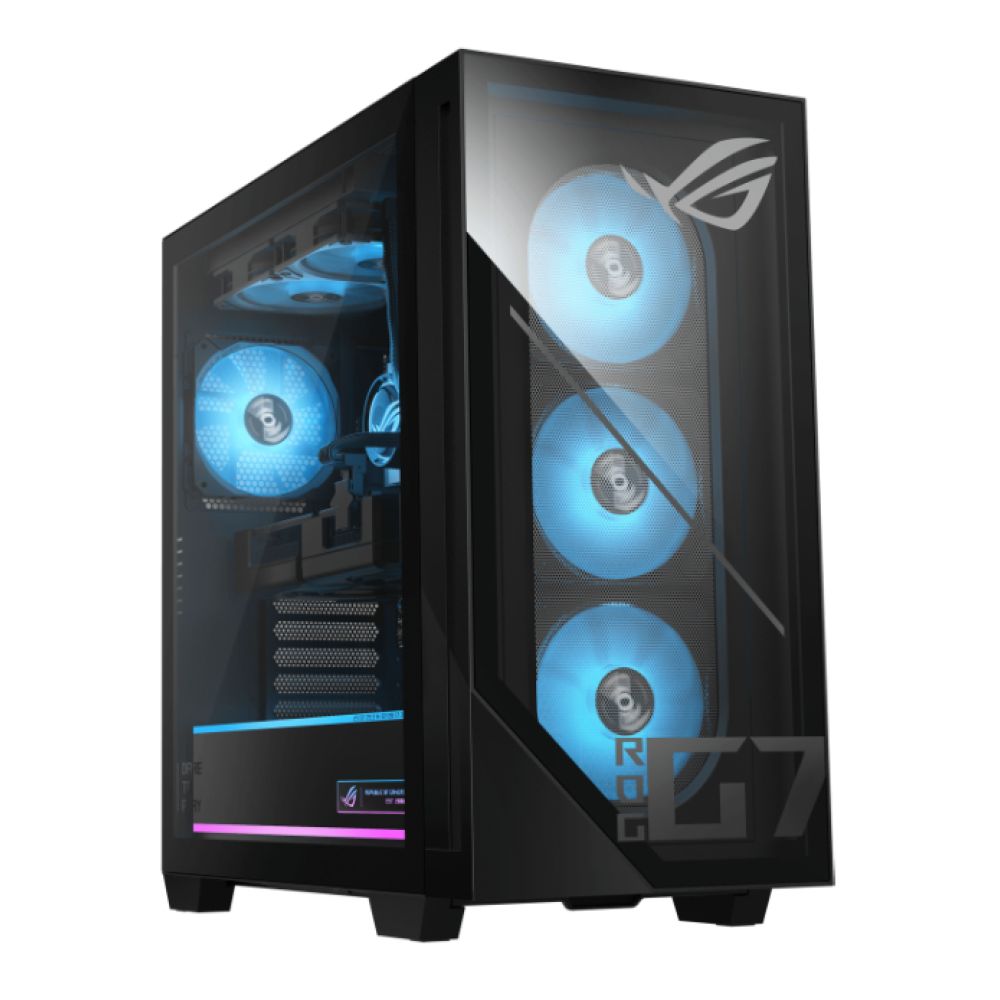
£500 Build – Smooth 1080p Gaming for Starters
If you’ve got around £500 to spend, your goal is simple: squeeze the best gaming performance out of every pound. At this level, graphics performance makes the biggest impact, so prioritise a solid GPU first, then balance your budget with dependable core components. The good news? You can now build a Black Friday budget gaming setup that comfortably handles modern esports titles like Fortnite, Valorant, and Apex Legends at smooth 1080p settings without dropping frames.
Here’s a recommended component list for getting the best affordable gaming PC build with around £500 to spend.
| Component | Product Name | Price (£) | Why It’s a Perfect Fit for a £500 Build | Buy Now |
|---|---|---|---|---|
| Motherboard | GIGABYTE AMD A520M S2H DDR4 micro ATX AM4 Motherboard | £50.95 | Reliable, affordable, and perfectly compatible with Ryzen CPUs — great for entry-level gaming builds. | Buy Now |
| CPU | AMD Ryzen 7 5700X Socket AM4 8-Core Processor | £133.99 | Offers excellent multitasking and gaming performance, ideal for a budget-friendly high-FPS setup. | Buy Now |
| GPU | ASUS GeForce RTX 3050 DUAL 6GB OC Graphics Card | £169.99 | Delivers strong 1080p gaming performance with ray tracing support at an unbeatable value. | Buy Now |
| Storage | Crucial P310 500GB M.2 2280 NVMe PCIe 4.0 SSD | £39.99 | Fast boot and load times for Windows and your favourite games, keeping everything responsive. | Buy Now |
| RAM | Kingston FURY Beast 16GB 3200 MHz DDR4 Desktop RAM | £58.75 | 16GB ensures smooth performance across modern games and multitasking without lag. | Buy Now |
| Cooling | DeepCool AK400 Digital CPU Air Cooler | £29.99 | Keeps the Ryzen 7 5700X cool and quiet under load — essential for long gaming sessions. | Buy Now |
| Power Supply | Cooler Master MWE 750 V3 750W ATX 3.1 80 PLUS Bronze PSU | £48.99 | Efficient, durable PSU with plenty of headroom for upgrades and future-proofing. | Buy Now |
| Computer Case | GameMax Icon RGB Tempered Glass Micro ATX Gaming PC Case – Black | £34.96 | Compact Micro ATX case with tempered glass and built-in RGB fans — stylish and airflow-friendly. | Buy Now |
At £567, this build sits just above the £500 mark, but that extra spend goes a long way. You’re stepping up to an 8-core Ryzen 7 processor and an RTX 3050 GPU, giving you far better performance, future-proofing, and upgrade flexibility than most entry-level rigs.
However, if you’d rather skip the DIY route and get gaming straight away, check out CyberPowerPC with AMD Ryzen 5 5600G Hexa-Core Processor, 16 GB RAM, 500 GB SSD, Integrated Radeon Vega 7 Graphics, Windows 11 Pro well under your budget.
£800 Build – Balanced Performance and Flexibility
With a budget of around £800, you enter the sweet spot for performance and longevity. This tier lets you move beyond the compromises of a starter rig, upgrading your CPU, GPU, and storage without worrying about future bottlenecks. It’s perfect for gamers who want smooth 1080p and 1440p gameplay and light streaming from their affordable gaming computer build.
At this budget, you can expect faster load times, better cooling, and components that won’t need replacing for years. Whether you’re diving into big open-world titles or competitive shooters, this Black Friday budget gaming setup strikes a fine balance between value and power. Here’s a build that gives you everything you need to play hard and upgrade smart.
Check out a carefully filtered component list for a well-balanced and future-ready £800 gaming build
| Component | Product Name | Price (£) | Why It’s a Perfect Fit for an £800 Build | Buy Now |
|---|---|---|---|---|
| Motherboard | ASUS TUF Gaming B550M PLUS AMD B550 Socket AM4 Micro ATX Motherboard | £121.99 | Durable and feature-rich board with strong VRMs, PCIe 4.0 support, and Wi-Fi readiness — ideal for future upgrades. | Buy Now |
| CPU | AMD Ryzen 7 5700G Socket AM4 Processor with Wraith Stealth Cooler | £149.99 | An 8-core powerhouse with integrated graphics and a bundled cooler, offering great gaming and multitasking efficiency. | Buy Now |
| GPU | PowerColor AMD Radeon RX 7600 Fighter 8GB Graphics Card | £228.99 | Delivers smooth 1440p and high-refresh 1080p gaming with modern RDNA 3 architecture and excellent efficiency. | Buy Now |
| Storage | Lexar NM620 1TB M.2 NVMe PCIe 3.0 SSD | £62.99 | A fast and reliable NVMe SSD that gives you plenty of space for your OS, games, and media. | Buy Now |
| RAM | Corsair Vengeance LPX 32GB (2x16GB) 3200 MHz DDR4 Desktop RAM | £114.99 | Massive 32GB capacity ensures flawless multitasking, streaming, and gaming performance now and for years ahead. | Buy Now |
| Power Supply | Cooler Master MWE 750 V3 750W ATX 3.1 80 PLUS Bronze PSU | £48.99 | Efficient, quiet, and reliable — provides more than enough power headroom for future GPU upgrades. | Buy Now |
| Computer Case | MSI MAG FORGE M100R Tempered Glass MicroATX PC Case – White | £63.99 | Sleek MicroATX design with excellent airflow and tempered glass, balancing aesthetics with practicality. | Buy Now |
At £791, this build hits the sweet spot between affordability and power. You’re getting an 8-core Ryzen 7 processor, a Radeon RX 7600 GPU, and 32GB of high-speed RAM, making it ideal for high-FPS 1080p and smooth 1440p gaming. It’s also built on the B550 platform, meaning you can easily upgrade the CPU, GPU, and storage without replacing your core components and still keeping your PC build under £1000.
But if building isn’t your thing, you can get Medion Erazer Recon P45 with some amazing specs like AMD Ryzen 5 5500, 16GB RAM, 1TB SSD and RTX 5050 GPU.

£1000 Build – High FPS Gaming and Entry-Level Streaming
You enter the realm of serious gaming performance with £1000 to spend. This tier is all about smooth 1440p gameplay, high frame rates, and even entry-level streaming or content creation. With more room in the budget, you can pair a powerful mid-range GPU with a high-performance CPU, backed by fast storage and premium cooling. The result? A setup that not only crushes modern titles but also stays whisper-quiet and cool under pressure. With some amazing Black Friday deals on PCs, you can build a PC gaming rig under £1000 that delivers top-tier performance without stretching your wallet.
Here’s a carefully curated component list for a powerful £1000 gaming setup, combining top-tier performance with long-term upgrade potential, featuring premium components available at box.co.uk.
| Component | Product Name | Price (£) | Why It’s a Perfect Fit for a £1000 Build | Buy Now |
|---|---|---|---|---|
| Motherboard | GIGABYTE AMD B650 EAGLE AX DDR5 ATX AM5 Motherboard | £141.49 | A next-gen AM5 motherboard supporting DDR5 memory, PCIe 5.0, and excellent power delivery — perfect for future upgrades. | Buy Now |
| CPU | AMD Ryzen 5 9600X 6-Core AM5 Zen 5 Processor | £187.99 | Latest-generation Zen 5 CPU delivering incredible gaming performance and efficiency with full AM5 platform support. | Buy Now |
| GPU | Palit GeForce RTX 5060 Dual 8GB OC Graphics Card | £279.99 | A fantastic balance of price and power for 1440p gaming, with DLSS 3 and ray tracing support for next-gen visuals. | Buy Now |
| Storage | Samsung 980 1TB M.2 NVMe PCIe 4.0 SSD | £102.99 | Fast and reliable PCIe 4.0 SSD offering rapid load times and smooth multitasking for modern titles. | Buy Now |
| RAM | Crucial Pro Overclock Black 32GB (2×16GB) 6000 MHz DDR5 Desktop RAM | £105.49 | High-speed DDR5 memory enhances responsiveness, multitasking, and stability in demanding games. | Buy Now |
| Cooling | Cooler Master MasterLiquid 360L Core ARGB Liquid CPU Cooler | £55.99 | Excellent thermal control for the Ryzen 5 9600X, ensuring quiet and efficient cooling under load. | Buy Now |
| Power Supply | Cooler Master MWE Gold 850 V2 850W ATX 3.1 80 PLUS Gold PSU – White | £79.99 | Highly efficient 80 PLUS Gold PSU with full ATX 3.1 support, ideal for future GPU upgrades. | Buy Now |
| Computer Case | Vida Solus Black ARGB Tempered Glass ATX Gaming Case | £69.98 | Spacious ATX case with improved airflow, 360 mm radiator support, and stylish ARGB fans — perfect for this configuration. | Buy Now |
At £1,023, this build delivers the kind of power and refinement that serious gamers crave. With the latest Ryzen 5 9600X, RTX 5060 GPU, and 32GB of DDR5 memory, it’s built for ultra-smooth 1440p gaming and high-refresh competitive play. The AM5 platform ensures long-term upgrade potential, so you can drop in future Ryzen CPUs or faster DDR5 kits with ease. It is your first step in putting together a great gaming setup for all your future needs.
Looking for a pre-built yet powerful gaming rig under £1000, consider Medion Erazer Bandit P20 that comes with 16GB RAM, 1TB SSD, RTX 5060 GPU.
Setting Up Your First Gaming Rig – Step-by-Step Guide
For many gamers, the build vs buy debate for gaming PC is often centred around putting the components together as it looks daunting. However, it’s easier than it looks when you follow a clear plan. This step-by-step guide walks you through every stage of the process, from installing your CPU to your first boot, ensuring your gaming setup runs smoothly, safely, and exactly how you want it.
- Prepare Your Workspace: Set up on a flat, static-free surface with good lighting. Keep a screwdriver, cable ties, and all your components within reach.
- Install the CPU: Open the CPU socket on your motherboard, align the gold triangle on the CPU with the socket corner, and gently secure it in place.
- Apply Thermal Paste & Mount Cooler: If your cooler doesn’t come pre-applied, place a small pea-sized drop of thermal paste on the CPU. Mount the cooler firmly but evenly.
- Insert RAM: Open the RAM slots and press each stick until it clicks into place. Use dual-channel slots (usually 2nd and 4th from the CPU).
- Install Storage (SSD/HDD): Slide your NVMe SSD into the M.2 slot or mount a 2.5"/3.5" drive with screws. Secure firmly to avoid vibration.
- Mount the Motherboard: Place the motherboard inside the case, align it with standoffs, and screw it in gently. Connect the front-panel cables (power, reset, USB, audio).
- Install GPU: Slot the graphics card into the top PCIe x16 slot and fasten it with screws. Connect the PCIe power cables from your PSU.
- Connect Power Supply: Mount the PSU into the case, then connect the 24-pin motherboard cable, 8-pin CPU cable, and GPU cables securely.
- Cable Management & Final Check: Use cable ties to tidy up wires. Check all connections including RAM, GPU, CPU power, fans, and front I/O.
- First Boot & BIOS Setup: Power on your PC, press DEL or F2 to enter BIOS, and enable EXPO/XMP for your RAM. Check that all components are detected.
- Install Windows & Drivers: Install Windows 11, then download motherboard, GPU, and chipset drivers. Update your BIOS if recommended.
- Optimise & Monitor: Run benchmarks to confirm stability. Use tools like MSI Afterburner or HWMonitor to track temperatures and performance.

Final Thoughts – Build Smart, Game Hard
Building your own gaming setup isn’t just about saving money. It is about crafting a system that truly fits your playstyle. Whether you’re starting with a £500 beginner rig or stepping up to a £1000 powerhouse, the key is balance: invest in performance, plan upgrades wisely, and shop smart. With Black Friday deals for gaming PCs at Box, you can stretch your budget further, secure high-end components at unbeatable prices, and build a setup that’s powerful, future-proof, and ready to dominate every game that comes your way.
Frequently Asked Questions
Can I build a full gaming setup for under £500?
Yes, it’s possible with smart part choices and a focus on essentials like CPU and GPU balance. You’ll get smooth 1080p gaming performance without overspending.
What’s more important for gaming — CPU or GPU?
The GPU handles most of the visual performance, so it’s your top priority. However, pairing it with a capable CPU ensures consistent frame rates and stability.
Should I buy used parts during Black Friday?
You can, but stick to trusted sellers and check warranty coverage before purchasing. Always avoid listings without clear return or testing policies.
When do Black Friday GPU deals go live?
Most GPU deals at Box start appearing about a week before Black Friday. The deepest discounts usually drop on Black Friday itself, with some lasting through Cyber Monday for last-minute buyers.
Is building a PC still cheaper than buying prebuilt?
Yes, building your own gives you more control and better hardware for your money. It also makes future upgrades easier and more cost-effective.
You can pay with:
*PayPal Credit Representative Example: Assumed credit limit £1,200, Representative 23.9% APR (variable). Purchase rate 23.9% p.a (variable).Terms & Conditions apply.


PayPal Credit and PayPal Pay in 3 are trading names of PayPal UK Ltd, 5 Fleet Place, London, United Kingdom, EC4M 7RD. Terms and conditions apply. Credit subject to status, UK residents only, Five Tech LTD acts as a broker and offers finance from a restricted range of finance providers. PayPal Pay in 3 is not regulated by the Financial Conduct Authority. Pay in 3 eligibility is subject to status and approval. 18+. UK residents only. Pay in 3 is a form of credit. Check if affordable and how you will repay. May make other borrowing more difficult or expensive. See product terms for more details.
Copyright © 1996-2026 Fivetech LTD | Terms and Conditions
box.co.uk & Box are trading names of Five Tech Limited. Registered office: Box LTD, Unit 10 Woodford Trading Estate, Woodford Green IG8 8HF