


 Menu
MenuMenu


Get Sales Advice from Mon - Fri 9am - 5:00pm:
020 3337 8950LAST UPDATED: August 29, 2025
Best Copilot+ Laptops for Students in 2025: Smarter AI Tools for Study, Research & Creativity
Heading back to uni this year? Whether you’re a fresher moving into halls for the first time, a final-year student about to smash out your dissertation, or a parent trying to find the right laptop for your teenager, one question comes up repeatedly: “Which laptop should I buy for university?”
It’s not just about specs and shiny designs anymore. In 2025, the real game-changer is AI and Microsoft’s Copilot+ laptops are leading the charge. These next-gen devices are built with students in mind, offering smart tools for writing essays, researching, coding, designing, and even managing that all-important Netflix downtime.
At Box, we know choosing the best laptop for students can feel overwhelming. That’s why we’ve pulled together this guide, your one-stop breakdown of the best Copilot+ laptops for students in 2025.
Already ready to browse? Check out our full range of student laptops and AI laptops.
What is Microsoft Copilot+?
In simple terms, Copilot+ is Microsoft’s AI assistant supercharged for modern devices. It’s built right into Windows laptops, giving you the kind of smart help that makes student life a lot less stressful.
How Copilot+ Helps Students Every Day?

So, what does Copilot+ do for students? Let’s break it down with some everyday uni-life examples you’ll recognise.
- Essay Writing
Staring at a blank Word document is every student’s nightmare. With Copilot+, you can generate essay outlines in seconds, tidy up clunky sentences, and even summarise chunky research papers into key points. It’s like having a personal writing coach on hand whenever you hit writer’s block. - Lecture Support
Missed a lecture because the bus was late (or because you just fancied a lie-in)? No stress. Copilot+ can turn rough lecture notes into neat summaries, helping you revise quickly. It’s also great for condensing those long, info-heavy slides into something easier to digest before exams. - Creative Work
Media, design, and art students rejoice: Copilot+ can whip up mood boards, generate quick visuals, and even suggest design tweaks. Instead of spending hours searching for inspiration, you can kickstart your projects in minutes. - Coding & Problem-solving Support
If you’re in computing or engineering, Copilot+ is like having a helpful lab partner. It can debug code, suggest solutions, and help explain algorithms when you’re stuck. That means less frustration and more time actually building. - Everyday Productivity
Beyond coursework, Copilot+ keeps you organised. From planning group projects to drafting emails and timetables, it integrates across your apps to save time and reduce stress.
Want to dig deeper? Have a read of our post on Microsoft Copilot: The Best AI Assistant for Work & Efficiency to see how it stacks up beyond education too.
Why AI Laptops are the Future of Study

So why pick a Copilot+ laptop over a standard one? The short answer: local AI performance. Unlike older devices that rely heavily on cloud-based tools, Copilot+ laptops come with specialised hardware that allows AI to run directly on the laptop itself. This isn’t just clever engineering, it translates into real benefits for student life:
Speed: Instant results when you need them most
No more staring at a loading screen while your laptop “thinks.” With AI built into the hardware, tasks like generating essay outlines, summarising lecture notes, or debugging code happen in real-time. That means less time waiting and more time studying (or relaxing).
Privacy: Keep your work safe and secure
Your essays, research projects, and personal notes never leave your laptop. With on-device AI, sensitive information isn’t constantly being uploaded and processed elsewhere. For students, that means peace of mind knowing your dissertation drafts, personal data, and study materials are private.
Efficiency: Longer battery life for all-day study sessions
Copilot+ laptops are designed to balance performance with power efficiency. Even when running demanding AI tasks, they use energy smarter, giving you the freedom to work in the library, a coffee shop, or during long lectures without hunting for a plug socket.
Want to see how Copilot+ fits into real student life? Check out Microsoft Copilot+ is the Ultimate Study Buddy
What to Look for in a Student Laptop (2025 Edition)
Choosing the right laptop depends on your lifestyle and course demands. Here are the key things every student should think about:
Portability & Battery Life
You’ll carry your laptop everywhere, lectures, libraries, group study sessions, coffee shops, and yes, maybe even the pub. That means it needs to be light enough to slip into your bag without weighing you down and have a battery that lasts through a full day on campus. A laptop that dies halfway through an afternoon lecture isn’t much use, so aim for all-day battery life.
Performance Levels
Not every student need workstation-level power. Balance your budget with what you actually need:
- Entry-level: Writing essays, browsing, note-taking.
- Mid-tier: Creative students juggling design, editing, or coding projects.
- Premium: Heavy multitaskers, engineering students, or future professionals who need raw power.
Design & Style
Let’s be honest; looks matter. A slim, stylish laptop doesn’t just look good in the library, it also fits better in your bag and won’t take up half your desk. Bonus points if it comes in colours or finishes that feel more “you.”
Value for Money
Budget is always a big factor, but don’t panic, there are options for everyone. From student discounts to laptop finance, you can get a Copilot+ laptop that suits your budget without cutting corners on performance. Remember, the right laptop is an investment that should last you through your degree (and maybe even your first job after uni).
From student discount laptops to laptop finance options, there’s a Copilot+ for every budget.
The Best Copilot+ Laptops for Students in 2025

Here’s where we get into the nitty-gritty. We’ve split our top picks into Entry-Level, Mid-Tier, and Premium categories so you can match your choice to your needs (and your budget).
Entry-Level: Everyday Use
Perfect for students who mainly need a reliable device for essays, online learning, and light AI assistance. These are affordable, efficient, and built for portability.
Top Picks:
- ASUS ZenBook S 14 UX5406SA-PZ127W: Ideal for first years starting out with basic study tasks.

- Acer Swift 14 AI Copilot+ (NX.J2KEK.002): Slim, lightweight, and budget-friendly.

Best for: Arts, humanities, and social science students who don’t need high-performance specs.
Mid-Tier: Creative Performance
For students in design, media, and computing, these laptops offer more horsepower without breaking the bank. Expect smoother multitasking and better graphics support.
Top Picks:
- ASUS ZenBook 14 OLED (UM3406KA-PP013W): Balanced performer with solid creative capabilities.

- ASUS VivoBook X1607QA-MB005W Snapdragon X : Perfect for coding, presentations, and light design work.

Best for: Design students, coding beginners, and anyone balancing coursework with creative projects.
Premium: Multitask & AI-Heavy Workflows
These are the powerhouses ideal if you’re in engineering, computer science, architecture, or media-heavy courses. If you need rendering, complex AI support, or just want a laptop that will stay future-proof, this is your tier.
Top Picks:
- Acer Swift 14 AI Intel Core Ultra 7 256V (NX.J2KEK.004): A multitasking beast with sleek style.
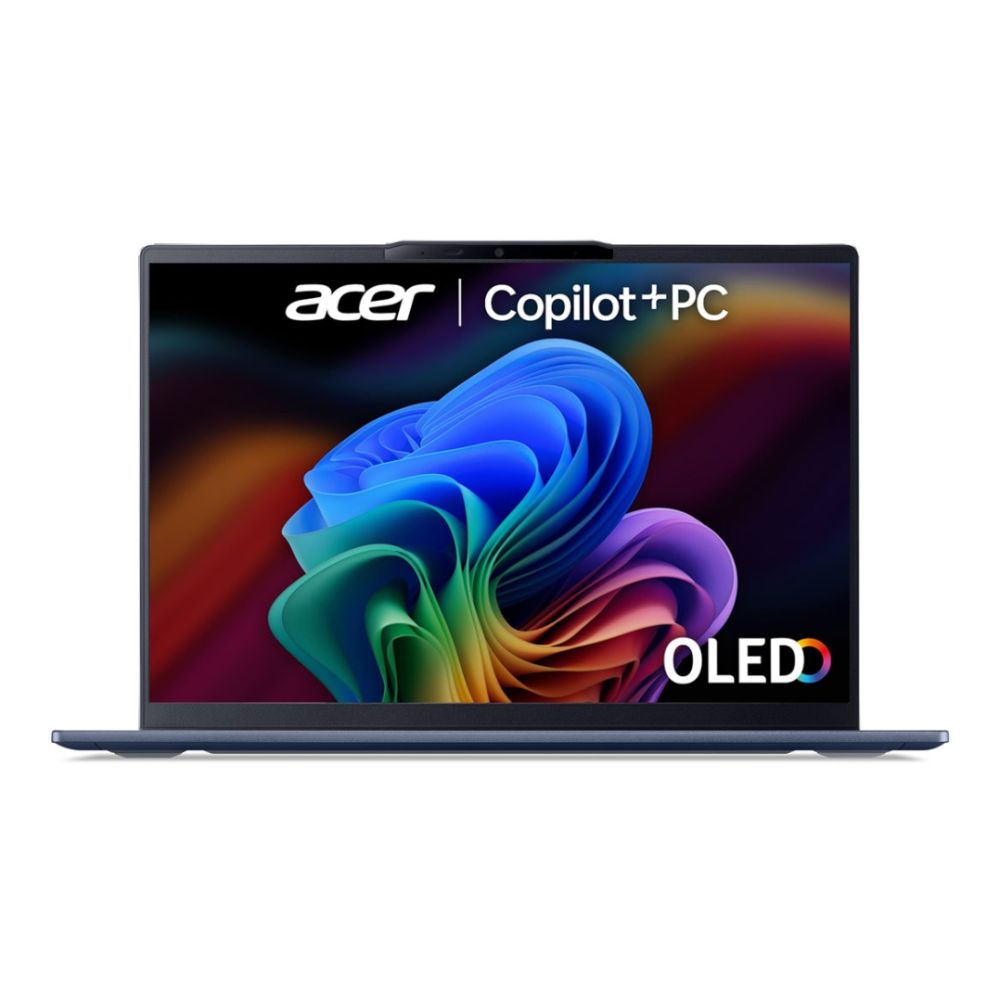
- ASUS ProArt P16 H7606 AMD Ryzen AI 9 HX 370 64GB RAM 4TB SSD RTX 5070 16" 3K OLED (H7606WP-RJ087W) : Built for heavy workloads, perfect for technical courses.

- ASUS ZenBook A14 Snapdragon X X126100 (UX3407QA-QD244W) : Powerful yet portable, premium without compromise.

Best for: Advanced courses, multitaskers, and students who want their laptop to double as a professional tool.
Copilot+ Laptops for Students: Side-by-Side Spec Comparison
| SKU | Tier | CPU | RAM | Storage | Display | Graphics | Weight | Battery / Extras |
| ASUS ZenBook S 14 | Entry-Level | Intel Core Ultra 5 226V | 16 GB LPDDR5x | 512 GB SSD | 14″ 3K (2880×1800) OLED, 120 Hz, Pantone-validated, DCI‑P3 100% | Intel Arc 130V (integrated) | 1.2 kg | Slim metal Ceraluminum build. Lightweight ultrabook—great for portability |
| Acer Swift 14 AI (Ultra 5 226V) | Mid-Tier | Intel Core Ultra 5 226V | 16 GB LPDDR5X | Up to 1 TB SSD | 14″ WUXGA OLED, DCI-P3 100%, 400 nits | Intel Arc Graphics 130V | 1.26 kg | Features Thunderbolt 4, Wi-Fi 7; long battery (practical all-day) |
| ASUS VivoBook X1607QA | Mid-Tier | Snapdragon X X1-26-100 (ARM) | 16 GB | 512 GB SSD | 16″ WUXGA IPS (media-friendly) | Qualcomm Adreno X1-45 | 1.76 kg | Super long battery (~19–20 hrs), AI noise-canceling |
| Acer Swift 14 AI (Ultra 7 256V) | Premium | Intel Core Ultra 7 256V | 16 GB LPDDR5X | Up to 1 TB SSD | 14″ 3K (2880×1800) OLED | Intel Arc 140V (<64 TOPS GPU) | 1.26 kg | Exceptional display, strong performance for power users |
| ASUS ProArt P16 (H7606) | Premium | AMD Ryzen AI 9 HX 370 (12-core, 24-thread) + 50 TOPS NPU | 64 GB | 2–4 TB SSD (e.g. 2×2 TB) | 16″ 3K OLED touchscreen, 120 Hz, 100% sRGB & DCI-P3 | NVIDIA RTX 5070 (8 GB GDDR6) | 1.85 kg | MIL-STD build, pro ports (HDMI 2.1, USB 4, SD Express 7.0), creator-focused toolset |
| ASUS ZenBook A14 | Premium | Snapdragon X X1-26-100 | 16–32 GB LPDDR5x | 512 GB – 1 TB SSD | 14″ WUXGA OLED or IPS 100-600 nits (long battery) | Qualcomm Adreno | <1kg | Remarkable battery (20-32 hrs) and ultra-light, great for mobility |
Why Buy Your Student Laptop from Box?
Buying a laptop for university is an important investment, and at Box we understand that it’s about more than just picking the latest model. Students and parents choose Box because we make the process simple, transparent, and genuinely student focused. Here’s what sets us apart:
Student Discounts
We know budgets are tight when you’re heading to uni, so we offer exclusive student discounts to help you save. Whether you’re looking for an entry-level device for everyday study or a premium Copilot+ laptop for demanding courses, you’ll find competitive pricing tailored to students.
Flexible Finance Options
A good laptop should last you throughout your degree, but that doesn’t mean you need to pay everything upfront. With our flexible finance options, you can spread the cost of your new device over manageable monthly payments. This makes it easier to balance your budget while still getting the performance you need.
A Wide Range of Copilot+ Laptops
Every student’s needs are different. That’s why we stock one of the UK’s widest selections of Copilot+ laptops; from slim, lightweight models perfect for note-taking and essays, to high-performance machines designed for engineering, design, and creative work. Whatever your course or study style, you’ll find a device that fits.
A Retailer You Can Trust
We’ve built our reputation as a trusted UK retailer by putting our customers first. That means clear product information, friendly advice, and reliable delivery. When you order from Box, you can be confident you’re getting a genuine product backed by excellent aftercare and support.
Final Thoughts: Smarter Tools for Smarter Study
Student life is fast-paced and demanding, and the last thing you need is a laptop that holds you back. Choosing a laptop with AI means you’re not just buying a device, you’re investing in a smarter way to study, create, and stay organised. With Microsoft Copilot PCs, everyday uni tasks like writing essays, designing projects, or managing group work become faster, easier, and more efficient.
Whether you’re working within a budget or want one of the best laptops 2025 for premium performance, there’s a Copilot+ device ready to be your ultimate study buddy. At Box, we make it simple to explore the Copilot+ range, compare devices side by side, and take advantage of exclusive student laptop deals so you can find the perfect uni companion with confidence.
You can pay with:
*PayPal Credit Representative Example: Assumed credit limit £1,200, Representative 23.9% APR (variable). Purchase rate 23.9% p.a (variable).Terms & Conditions apply.


PayPal Credit and PayPal Pay in 3 are trading names of PayPal UK Ltd, 5 Fleet Place, London, United Kingdom, EC4M 7RD. Terms and conditions apply. Credit subject to status, UK residents only, Five Tech LTD acts as a broker and offers finance from a restricted range of finance providers. PayPal Pay in 3 is not regulated by the Financial Conduct Authority. Pay in 3 eligibility is subject to status and approval. 18+. UK residents only. Pay in 3 is a form of credit. Check if affordable and how you will repay. May make other borrowing more difficult or expensive. See product terms for more details.
Copyright © 1996-2026 Fivetech LTD | Terms and Conditions
box.co.uk & Box are trading names of Five Tech Limited. Registered office: Box LTD, Unit 10 Woodford Trading Estate, Woodford Green IG8 8HF