


 Menu
MenuMenu


Get Sales Advice from Mon - Fri 9am - 5:00pm:
020 3337 8950LAST UPDATED: June 24, 2026
Best AOC Monitors for Everyday Use: Study, Gaming, Streaming and Work
Choosing the right monitor is not only about getting the biggest screen or the highest refresh rate. The best option depends on how you use your setup every day, whether that means studying, working from home, watching films, streaming content, playing games or keeping several windows open at once.
That is why AOC monitors are worth considering for mixed setups. A simple Full HD display may be enough for browsing, coursework and video calls, while a sharper QHD or 4K screen can make work, entertainment and gaming feel more comfortable. Some users may also prefer a curved ultrawide screen if they need more space for multitasking.
In this guide, we will compare the best AOC monitors for everyday use by looking at practical features and not just headline specs. That includes screen size, resolution, refresh rate, panel type, comfort features, connectivity and whether the monitor makes sense for study, streaming, work, casual gaming or console use.
Best AOC Monitors for Everyday Use
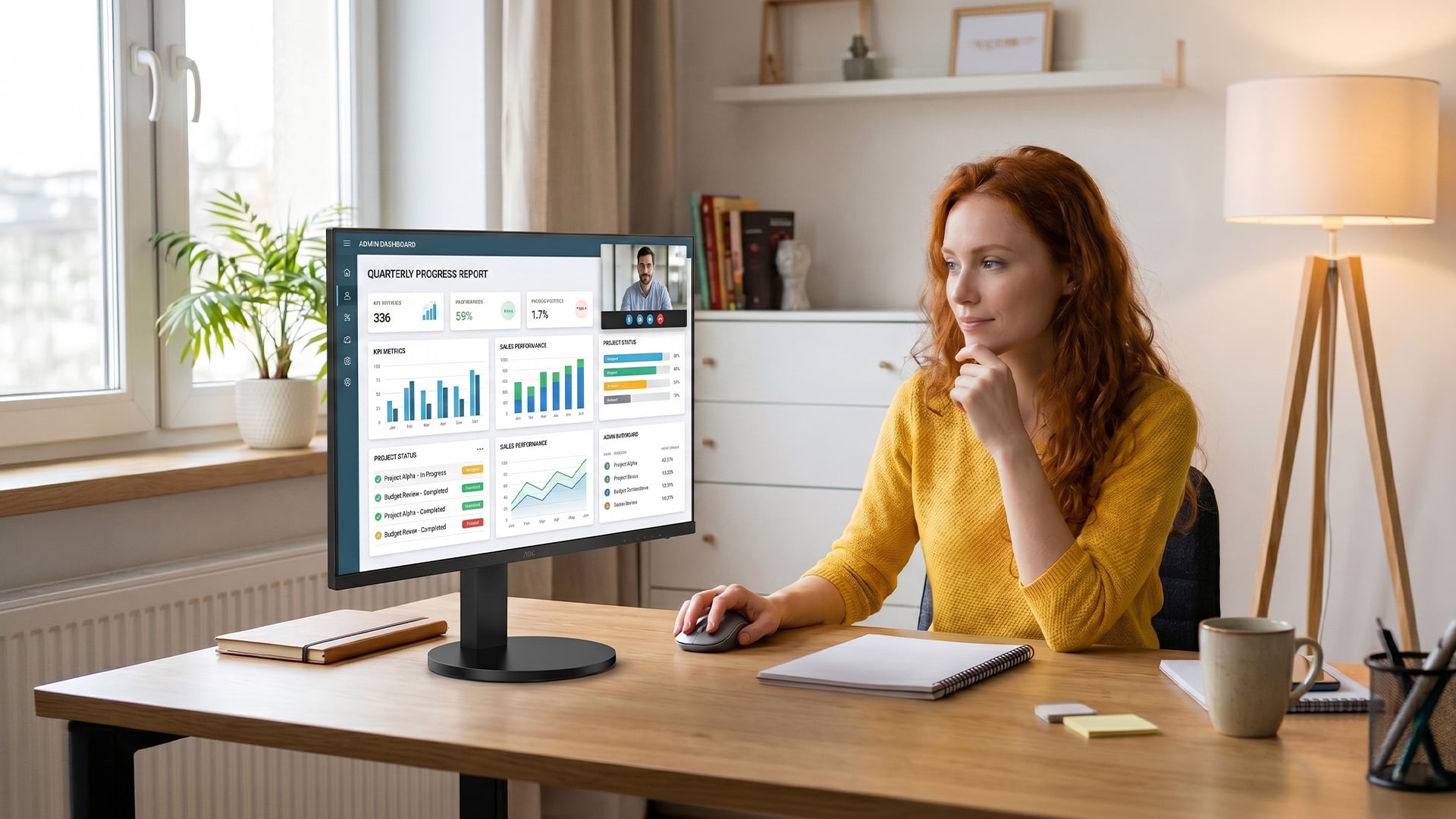
The right choice depends on what you want your screen to do most often. Some AOC monitors for everyday use are better for study and browsing, while others focus on sharper workspaces, smoother gaming, console support or ultrawide multitasking. Here is a quick comparison of the key differences before we look at each model in more detail.
| Monitor | Screen size | Resolution | Refresh rate | Panel | Key strength | Best suited to |
| AOC 24B3HA2/27B3HA2 | 23.8-inch/27-inch | Full HD | 120Hz | IPS | Compact, smooth and affordable everyday display | Study, browsing, video calls, casual streaming |
| AOC U27G4R | 27-inch | 4K UHD / Full HD dual mode | 160Hz at 4K, 320Hz at Full HD | Fast IPS | Switches between sharp detail and high-speed gaming | PC gaming, PS5, esports, high-refresh gaming |
| AOC Q27B35S3 | 27-inch | QHD | 120Hz | IPS | Sharper than Full HD with smooth everyday motion | Work, study, streaming, casual gaming |
| AOC CU34V5CW/BK | 34-inch | UWQHD | 100Hz | VA LED | Ultrawide curved workspace with webcam and USB-C | Work, multitasking, video calls, streaming |
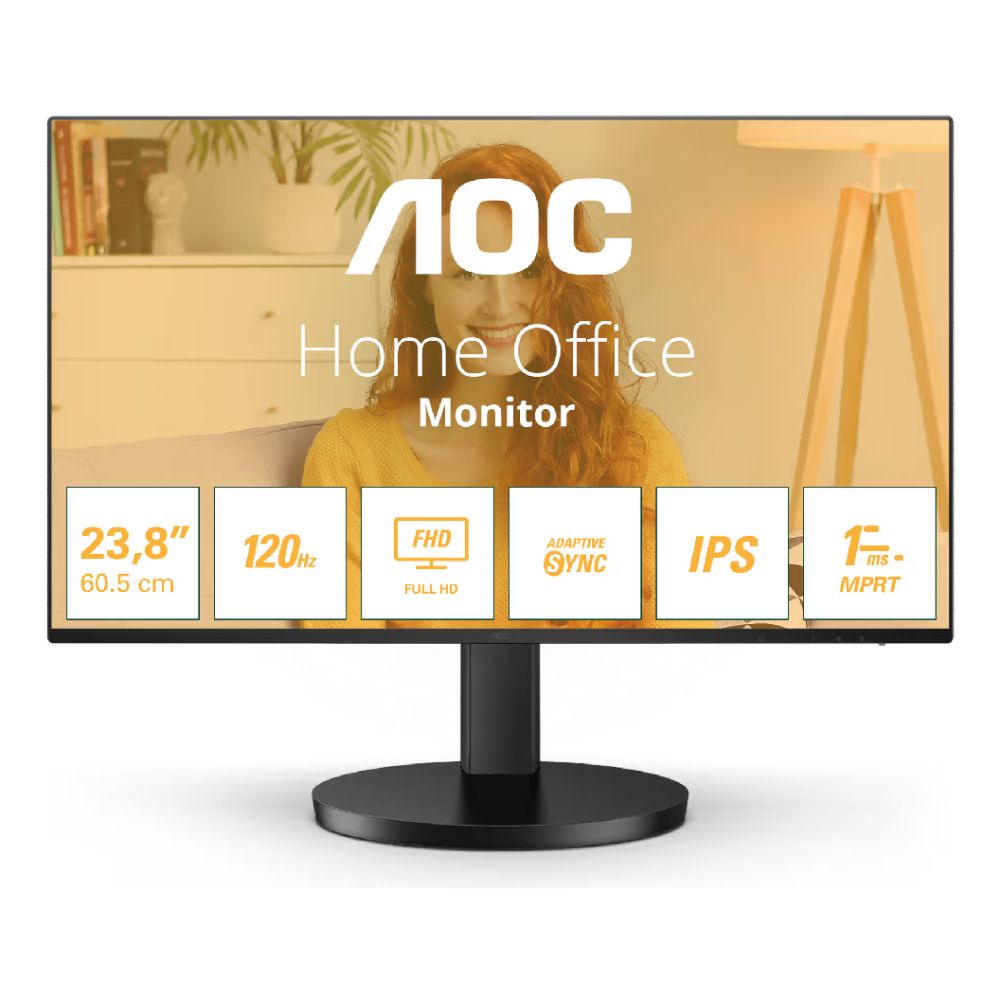
AOC 24B3HA2, Best Budget AOC Monitor for Students and Everyday Use
Top Features
- Screen Size: 23.8-inch
- Resolution: Full HD, 1920 x 1080
- Panel Type: IPS
- Refresh Rate: 120Hz
- Audio: 2x 2W built-in speakers
If you are looking for a practical AOC monitor for everyday use, 24B3HA2 is a compact and affordable choice. Its 23.8-inch Full HD IPS screen is a good fit for coursework, browsing, emails, online lessons and video calls, while the anti-glare display helps keep the picture comfortable in brighter rooms.
It is rated as one of the best monitors for students who want a simple screen that feels smooth without taking up too much desk space. The 120Hz refresh rate helps scrolling and light entertainment feel more responsive, while Adaptive Sync, Low Blue Light and flicker-free technology make it an ideal AOC monitor for long study sessions. If you prefer the same style but want a bigger screen, the AOC 27B3HA2 is the 27-inch Full HD variant to consider.
Shop AOC 23.8" Full HD IPS 120Hz
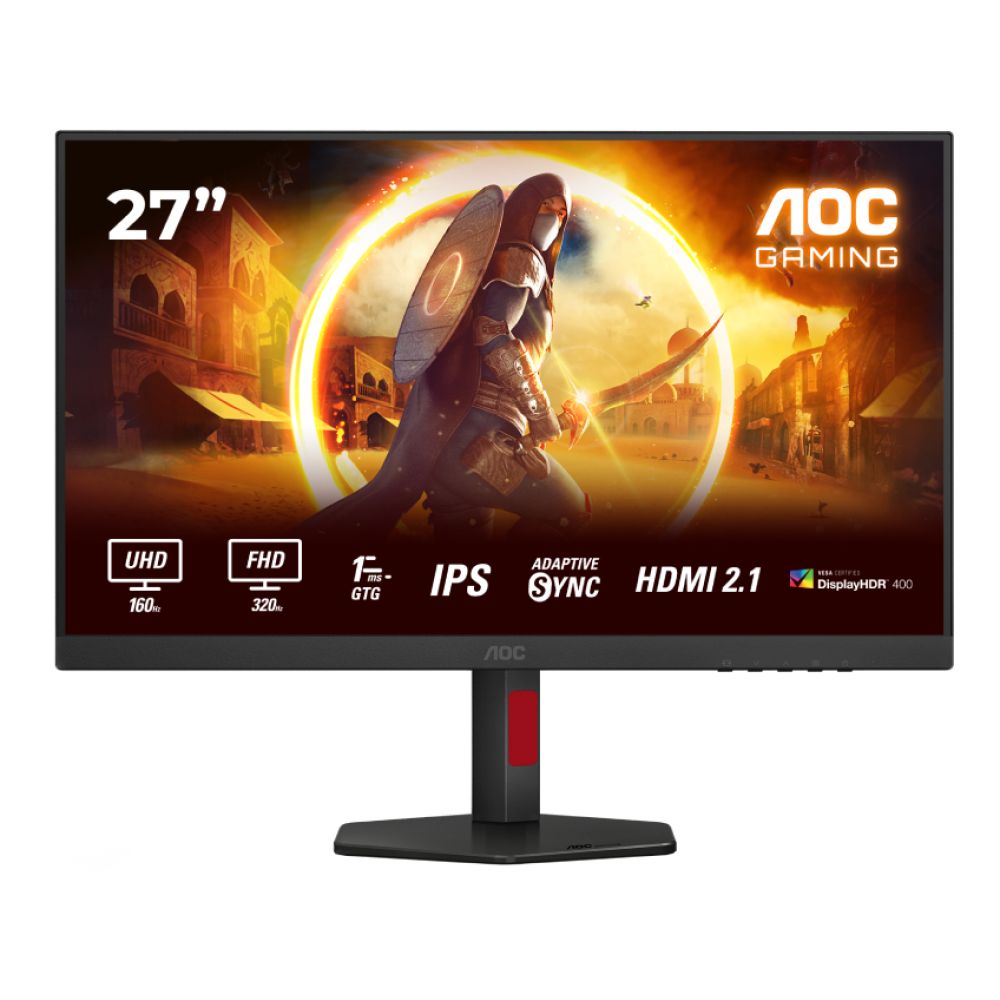
AOC U27G4R, Best AOC 4K Gaming Monitor for PS5 and PC Gaming
Top Features
- Screen Size: 27-inch
- Resolution: 4K UHD, 3840 x 2160
- Dual Refresh Rate: 160Hz at 4K, 320Hz at Full HD
- Panel Type: Fast IPS
- Connectivity: 2x HDMI 2.1, DisplayPort, 4x USB 3.1
The AOC U27G4R is a gaming-focused screen built for users who want sharp 4K detail and high speed. Its dual-mode setup lets you use 4K at 160Hz for detailed single-player games, films and console play, or switch to Full HD at 320Hz for faster competitive gaming.
A wide range of connectivity options makes it one of the best AOC 4K gaming monitors for a PC and PS5 setup. Thanks to HDMI 2.1, DisplayPort and a built-in USB hub, connectivity across consoles and PC feels quick and easy. Please note that it is not the cheapest everyday display, but it makes sense if you need a monitor for gaming that can also handle streaming, studying, working, and newer devices, putting it firmly among the more capable latest monitors for mixed setups.
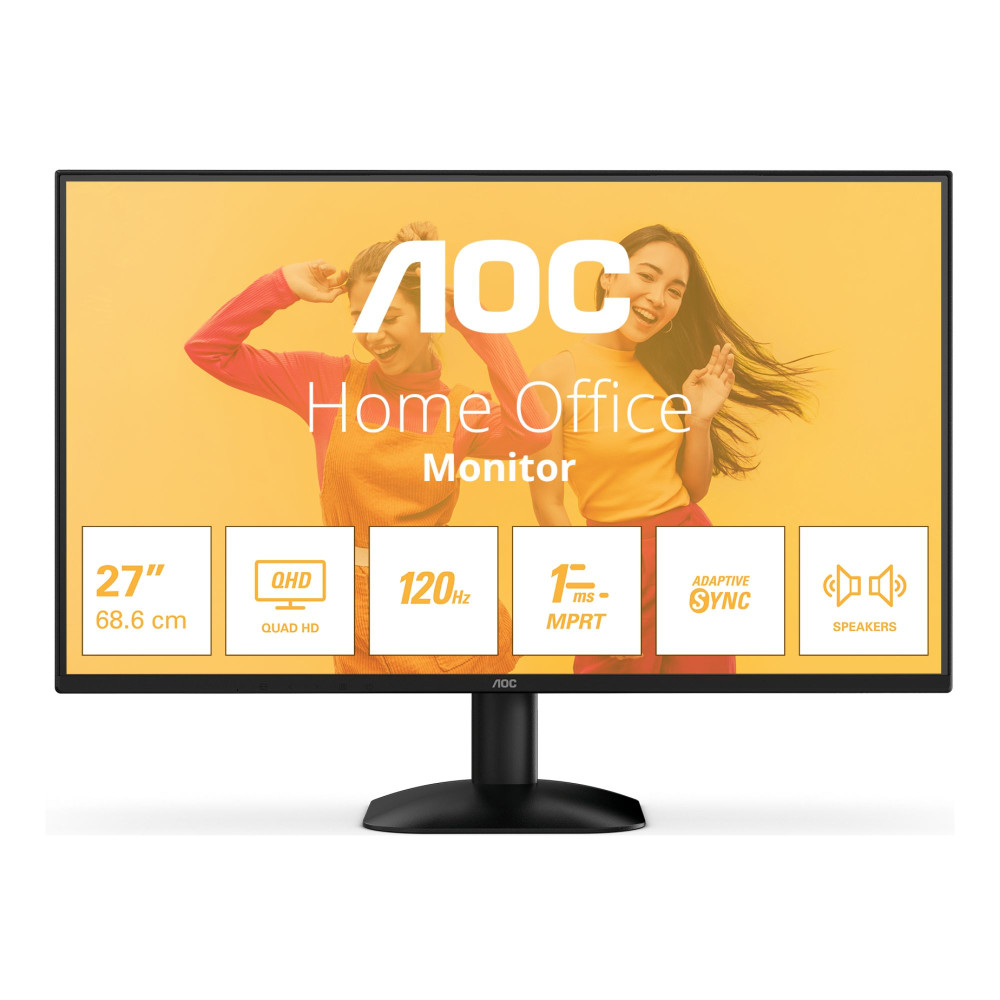
AOC Q27B35S3, Best QHD AOC Monitor for Work, Study and Streaming
Top Features
- Screen Size: 27-inch
- Resolution: QHD, 2560 x 1440
- Panel Type: IPS
- Refresh Rate: 120Hz
- Audio: 2x 2W built-in speakers
The AOC Q27B35S3 is a strong step up from a basic Full HD screen, especially if you want sharper text, more workspace and smoother everyday motion. Its 27-inch QHD IPS display makes it a good choice for spreadsheets, documents, research, light creative work and watching content. With a bigger screen, it supports hassle-free multitasking for professionals, making it one of the best monitors for work without going into ultrawide territory.
This AOC PC monitor is great for mixed home use as well. With a 120Hz refresh rate, Adaptive Sync, HDR10 support, Low Blue Light and flicker-free technology, long sessions stay comfortable. The built-in speakers are useful for casual videos and calls, while HDMI 2.0 and DisplayPort keep connectivity simple. With so many features at a highly affordable price, it is one of the best AOC monitors for study, work, and entertainment.
Shop AOC 27" IPS Quad HD 120Hz
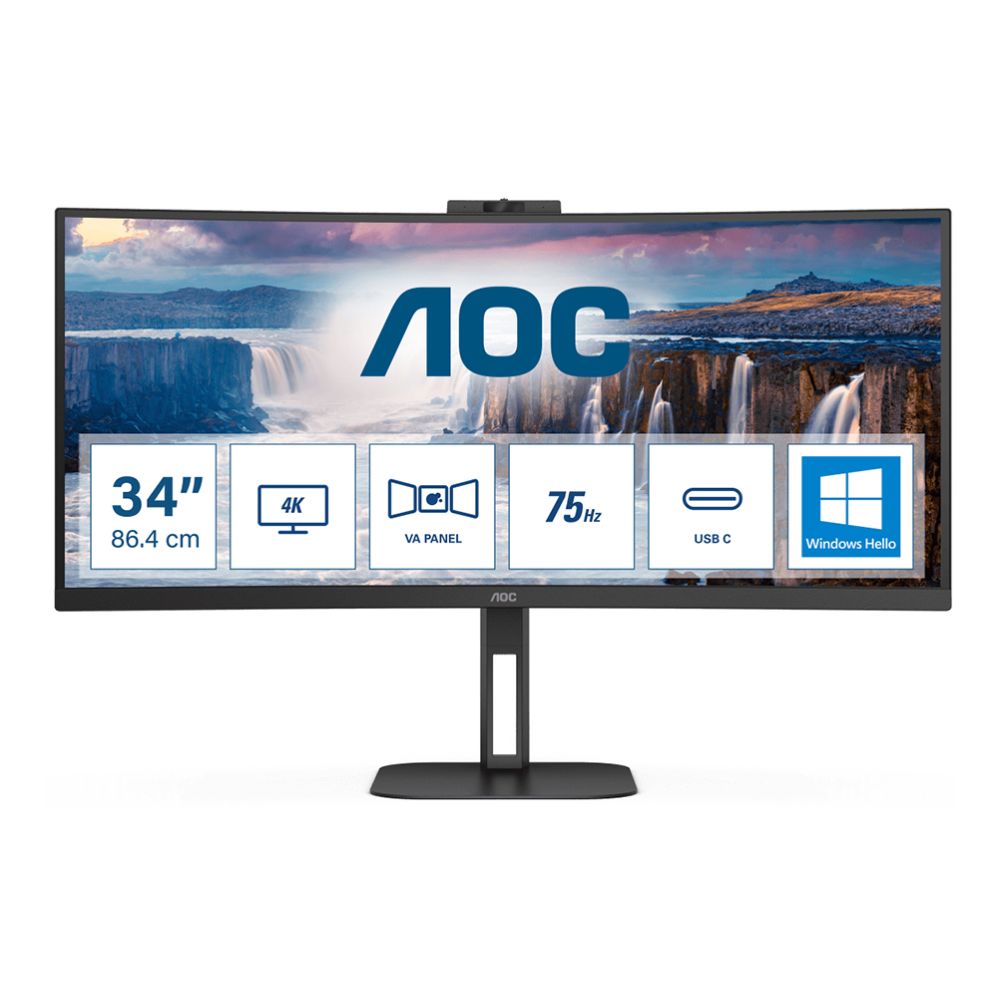
AOC CU34V5CW/BK, Best Curved AOC Monitor for Multitasking and Home Office Use
Top Features
- Screen Size: 34-inch
- Resolution: UWQHD, 3440 x 1440
- Panel Type: VA LED curved display
- Refresh Rate: 100Hz
- Extra Features: Built-in speakers, webcam, USB hub and height-adjustable stand
The AOC CU34V5CW/BK stands tall in the list of the best AOC curved monitors for work, streaming and multitasking. Its 34-inch UWQHD screen gives you a wide 21:9 workspace, which is useful for keeping documents, browser tabs, video calls and apps open side by side without needing a second monitor.
If you want an AOC curved gaming monitor for casual play, it can serve you very well. Thanks to its 100Hz refresh rate, 1ms response time, and AMD FreeSync support, it won't let you down during a gaming session. With built-in speakers, a webcam, USB hub, height adjustment, Low Blue Light and flicker-free technology, it sits comfortably among the best curved monitors for a cleaner home office setup.
Shop AOC V5 34" Wide Quad HD VA LED
How to Choose the Best AOC Monitor for Your Setup
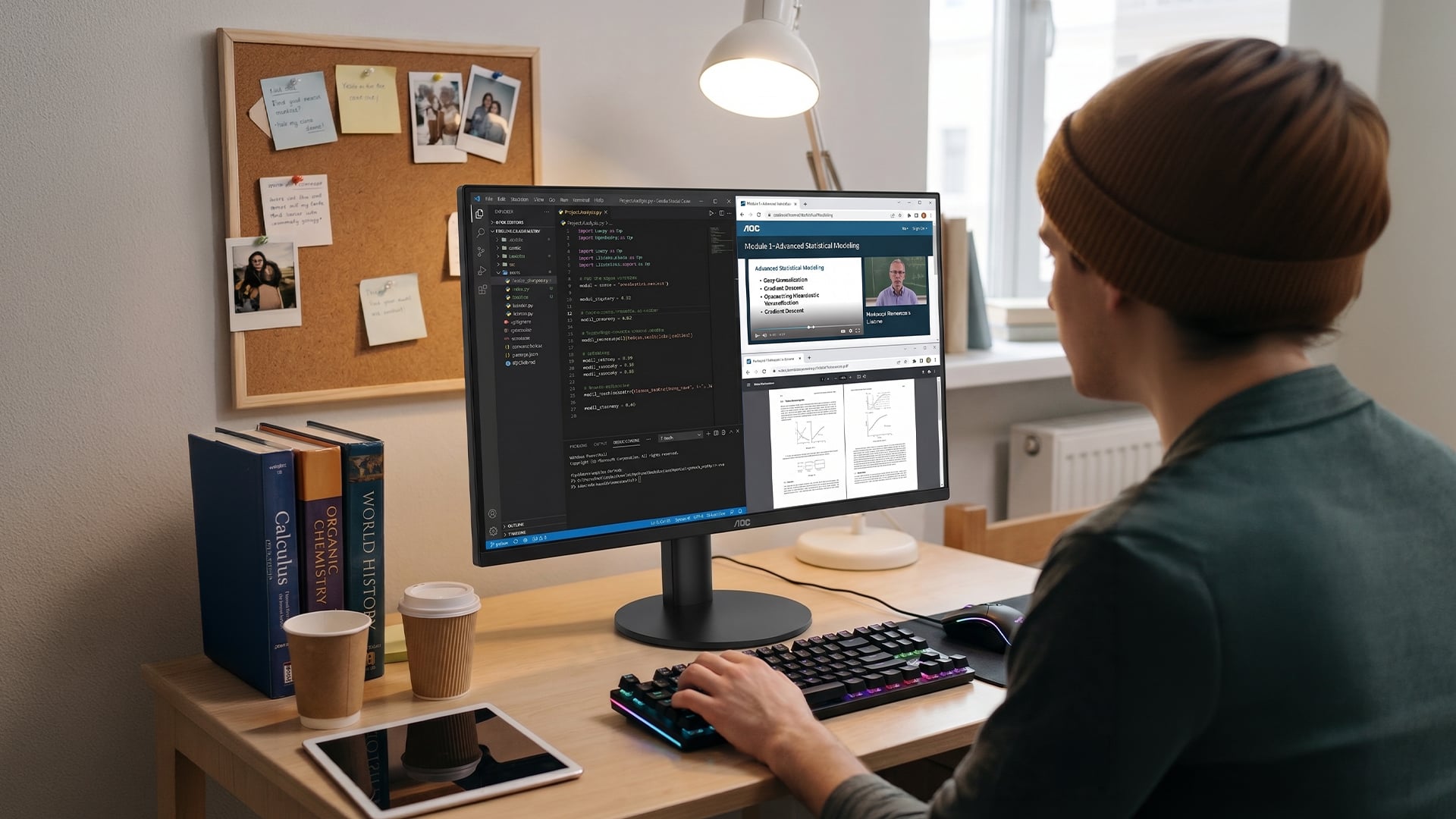
Choosing the right screen is easier when you match the monitor to your desk, devices and daily routine. A compact model may be better for study, a sharper 27-inch screen may suit work, streaming, and casual gaming, while a curved ultrawide is better for multitasking.
Choose the Right Screen Size
- Pick the size based on your desk space and workload: 24-inch is ideal for compact student setups, 27-inch gives a better balance for work, gaming and streaming, while 34-inch ultrawide is best for multitasking.
- If you need a flexible second screen rather than a fixed desk setup, a portable display may be more practical than a full-size monitor.
- For most home users, a 27-inch AOC PC monitor is the safest middle ground because it gives more room than a small study screen without taking over the desk.
Pick the Right Resolution
- If you are looking for the best AOC monitors for study, browsing, documents, and online lessons, a full HD screen is the best choice.
- QHD is a better fit for 27-inch screens because it gives sharper text and a more usable workspace, making it the best size if you are looking for the best monitors for work and productivity.
- Choose 4K or UWQHD if you want more visual detail, stronger console support, sharper films or extra horizontal space for multitasking.
Match Refresh Rate to Your Use Case
- A 100Hz or 120Hz refresh rate is smooth enough for everyday browsing, work, streaming and casual gaming.
- Higher refresh rates matter more for gaming: 160Hz at 4K is better for detailed play, while 320Hz Full HD is mainly for competitive users.
- For gamers looking for the best AOC monitor for PS5, the ideal approach is to focus on the full package: 4K resolution, HDMI 2.1 and smooth refresh rate support.
Check Connectivity Before Buying
- HDMI works well for most laptops, desktops and consoles, while DisplayPort is usually better for gaming PCs and high-refresh setups.
- Most of the best AOC 4K gaming monitors come with HDMI 2.1. However, you should always confirm this before buying, as HDMI 2.1 is essential for getting most of the PS5 features, such as 4K gaming.
- USB hubs and USB-C-style desk setups are more useful for workspaces where you want cleaner cabling and easier access to peripherals.
Think About Comfort and Desk Setup
- Low Blue Light and flicker-free technology are useful if you spend long hours reading, writing, studying or working on-screen.
- Height adjustment and VESA mounting are worth considering if you want a cleaner, more comfortable desk setup for daily use.
- Built-in speakers are handy for quick videos and calls, but headphones or dedicated speakers are still better for fuller audio.
Final Words: Which AOC Monitor Should You Pick?
The right choice depends on what you use your screen for most. If you want a compact and affordable display for studying, browsing, and simple home use, the AOC 24B3HA2 is the easiest pick, while the 27B3HA2 variant offers a larger Full HD option.
For a sharper all-round screen, the AOC Q27B35S3 offers the best balance for work, study, streaming and general use. If gaming is the priority, the AOC U27G4R is the stronger choice thanks to its 4K resolution, HDMI 2.1 support, and high-refresh-rate dual mode.
If you want more space for multitasking, video calls and entertainment, the AOC CU34V5CW/BK is a strong option among the top AOC curved monitors.
Overall, the best AOC monitors for everyday use are the ones that match your desk space, devices and daily routine without making you pay for features you will rarely use.
Frequently Asked Questions
What is the best AOC monitor for everyday use?
For most users, the AOC Q27B35S3 is a strong all-round choice because its 27-inch QHD screen gives sharper text, smoother motion and enough space for work, study, streaming and casual gaming.
Are AOC monitors good for work and study?
Yes, AOC monitors can be good for work and study, especially models with IPS panels, Low Blue Light, flicker-free technology and enough resolution for clear text and comfortable daily use.
Which AOC monitor is best for PS5?
The AOC U27G4R is the best fit from this list for PS5 because it offers 4K resolution, HDMI 2.1 and a high refresh rate, making it better suited to modern console gaming.
Are AOC curved monitors good for everyday use?
Yes, AOC curved monitors are useful for everyday use if you want more screen space and a more immersive view. A 34-inch ultrawide model is especially helpful for multitasking, streaming and office work.
Is a 24-inch or 27-inch AOC monitor better?
A 24-inch AOC monitor is better for compact desks, student rooms and basic browsing. A 27-inch model is better if you want more screen space for work, streaming and gaming.
You can pay with:
*PayPal Credit Representative Example: Assumed credit limit £1,200, Representative 23.9% APR (variable). Purchase rate 23.9% p.a (variable).Terms & Conditions apply.


PayPal Credit and PayPal Pay in 3 are trading names of PayPal UK Ltd, 5 Fleet Place, London, United Kingdom, EC4M 7RD. Terms and conditions apply. Credit subject to status, UK residents only, Five Tech LTD acts as a broker and offers finance from a restricted range of finance providers. PayPal Pay in 3 is not regulated by the Financial Conduct Authority. Pay in 3 eligibility is subject to status and approval. 18+. UK residents only. Pay in 3 is a form of credit. Check if affordable and how you will repay. May make other borrowing more difficult or expensive. See product terms for more details.
Copyright © 1996-2026 Fivetech LTD | Terms and Conditions
box.co.uk & Box are trading names of Five Tech Limited. Registered office: Box LTD, Unit 10 Woodford Trading Estate, Woodford Green IG8 8HF