


 Menu
MenuMenu


Get Sales Advice from Mon - Fri 9am - 5:00pm:
020 3337 8950LAST UPDATED: June 29, 2026
Asus Laptop Features: Tricks to Enhance Your Experience
ASUS has established itself as one of the top laptop brands worldwide, known for blending innovation, reliability, and style. Whether you own a sleek ZenBook, a powerful ROG gaming laptop, or a versatile ASUS VivoBook, understanding the machine’s features can truly transform how you use your device. By exploring built-in tools and handy tricks, you can boost performance, extend battery life, and personalise your experience to suit your needs. In this article, you’ll discover practical tips to unlock the full potential of your ASUS laptop, making everyday tasks smoother and more enjoyable.
But before we get into the details of these features, check out the best ASUS laptops for sale.
11 ASUS Laptop Features That Will Change How You Use Your Laptop
Let’s explore the different ASUS laptops features and how to use each of them to enhance your experience.
ErgoLift Hinge Design
Feature: Tilts the keyboard at an ergonomic angle and improves cooling.
How it Enhances Your Experience: The ErgoLift hinge, featured in models like the ASUS ZenBook 14 UX431FA and ROG Zephyrus G14, elevates the keyboard to a comfortable typing angle, reducing wrist strain during extended use. This design also increases airflow beneath the laptop, aiding in heat dissipation and maintaining optimal performance during intensive tasks. For instance, the ZenBook 13/14/15 (UX333/UX433/UX533) series incorporates this hinge, enhancing both comfort and cooling.

ASUS Splendid Technology
Feature: Enhances display colour accuracy and vibrancy.
How it Enhances Your Experience: ASUS Splendid Technology allows you to switch between display modes such as Vivid, Eye Care, and Manual. This flexibility ensures that whether you're gaming, watching movies, or working, your screen delivers the best visual experience tailored to your activity. For instance, the ZenBook 14 OLED Q425MA boasts a 14" FHD OLED display with 100% DCI-P3 colour gamut, ensuring vibrant and accurate colours.
ASUS SonicMaster Audio
Feature: Delivers enhanced sound quality with richer bass and clearer vocals.
How it Enhances Your Experience: With SonicMaster Audio, your laptop's speakers produce immersive sound, making music, movies, and voice calls more enjoyable. Customise audio settings to suit your content, ensuring optimal sound quality every time. Models like the ZenBook 14 OLED Q425MA are equipped with this technology, providing an enhanced audio experience.
Fast Charging Technology
Feature: Charges the laptop battery up to 60% in about 49 minutes.
How it Enhances Your Experience: Fast Charging Technology ensures that even during short breaks, you can quickly recharge your laptop, reduce downtime and keep you productive on the go. The ZenBook 3, for example, achieves up to 60% charge in just 49 minutes, allowing for extended usage without long charging periods. It is one of the best ASUS laptops features that comes handy in the long run.
NumberPad (on some models)
Feature: Touchpad doubles as a numeric keypad.
How it Enhances Your Experience: By tapping the NumberPad icon on the touchpad, you can switch modes and input numbers swiftly, making data entry more efficient without the need for an external keypad. This feature is available on select ASUS models, providing added convenience for users who frequently work with numbers. The NumberPad technology utilizes a five-layer construction with LEDs underneath the touchpad, illuminating the numbers when activated.
ScreenPad (on some models)
Feature: Secondary touchscreen integrated into the touchpad for shortcuts, apps, and controls.
How it Enhances Your Experience: Customise the ScreenPad with frequently used apps like a calculator, music player, or handwriting input, streamlining your workflow and boosting productivity. The ScreenPad feature is available on certain ASUS laptops, offering a dynamic and interactive second screen experience. You can also get this ASUS laptop with touch screen flip if you are looking for a versatile machine with excellent features.

Wi-Fi 6 Connectivity
Feature: Faster and more reliable wireless internet connection.
How it Enhances Your Experience: Pairing your laptop with a Wi-Fi 6 router ensures improved speeds and lower latency, enhancing your online activities such as gaming, streaming, and video conferencing. ASUS laptops equipped with Wi-Fi 6 technology provide a seamless and efficient internet experience.
ASUS Armoury Crate
Feature: Unified software to control system performance, lighting, and updates.
How it Enhances Your Experience: Armoury Crate allows you to switch between performance modes (Silent, Balanced, Performance) depending on your current task, ensuring optimal system performance and efficiency. This software is compatible with various ASUS models, providing centralised control over your laptop's settings.
AI Noise-Canceling Microphone
Feature: Reduced background noise during calls and recordings.
How it Enhances Your Experience: Enabling this feature ensures clear voice calls, especially in noisy environments, making virtual meetings and recordings more professional and intelligible. ASUS laptops with AI Noise-Canceling Microphone technology enhance communication quality during calls and recordings.
Backlit Keyboard
Feature: Illuminated keys for working in low light.
How it Enhances Your Experience: Adjusting the backlight brightness or switching it off when not needed helps conserve battery life, while still providing visibility in dimly lit settings. This feature is available on select ASUS models, ensuring comfortable typing in various lighting conditions.
Military-Grade Durability (MIL-STD-810H)
Feature: Durability against drops, shocks, and extreme conditions.
How it Enhances Your Experience: This certification provides peace of mind for users who travel frequently or work in challenging environments, ensuring that your laptop can withstand the rigours of daily use. The ExpertBook P Series, for example, boasts MIL-STD-810H certification, offering enhanced protection against everyday wear and tear.

5 Best ASUS Laptops to Buy for 2025 – Top Recommendations by Tech Experts at Box.co.uk
Being one of the best laptop and tech accessories providers in the UK, we have the perfect ASUS laptop deals for every purpose. Let it be gaming, business, everyday use, or AI development, we have got you covered with the best machines at the most affordable prices.
Best for Gaming: ASUS ROG Strix SCAR 18 G835 Intel Core Ultra 9 275HX 64GB RAM 2TB SSD RTX 5090 18" Windows 11 Home Gaming Laptop
The ASUS ROG Strix SCAR 18 G835 is a gaming laptop that unapologetically pushes the limits of mobile performance. Powered by Intel’s latest Core Ultra 9 275HX 24-core processor and paired with the jaw-dropping NVIDIA GeForce RTX 5090 (24GB GDDR7), this machine effortlessly handles AAA titles, 4K editing, and real-time ray tracing. The 18-inch Mini LED WQXGA display (2560 x 1600) offers breathtaking visuals with deep blacks and ultra-high brightness, making every game world come alive.
Its 64GB DDR5 RAM and 2TB SSD provide ultra-fast load times and ample room for large game libraries or creative workflows. The inclusion of Thunderbolt 5, Wi-Fi 7, and Bluetooth 5.4 future-proofs connectivity, while the per-key RGB backlit keyboard enhances the immersive gaming experience. At 3.48 kg, it’s a desktop replacement more than a portable laptop, but the performance trade-off is worth it.
Why It’s Best for Gaming
The ASUS ROG Strix SCAR 18 delivers desktop-class gaming in a laptop form. With an RTX 5090 GPU, 64GB DDR5 RAM, and a stunning 18" Mini LED display, it’s built for ultra settings, max FPS, and immersive visuals, perfect for competitive gamers and content-rich AAA titles alike. However, it is always better to read a detailed analysis of ROG series before investing your money in a costly machine.

Best for Business: ASUS ExpertBook B5 Intel Core Ultra 7 155U 16GB RAM 512GB SSD 14" Windows 11 Pro Business Laptop
The ASUS ExpertBook B5 is a lightweight, business-focused laptop that strikes the perfect balance between performance, portability, and professionalism. Powered by a 12-core Intel Core Ultra 7 155U processor and 16GB DDR5 RAM, this machine handles multitasking, spreadsheets, video conferencing, and cloud-based workflows with ease. The 512GB SSD ensures fast boot times and ample storage for documents and projects.
Its 14-inch WUXGA display (1920 x 1200) offers a productivity-friendly 16:10 aspect ratio, ideal for office apps and document editing. The device weighs just 1.46 kg, making it ideal for professionals on the move. With Thunderbolt 4, USB 3.2, and HDMI ports, it’s well-equipped for both office and remote work setups. Pre-loaded with Windows 11 Pro, it includes security and enterprise features like BitLocker encryption and remote desktop support.
Why It’s Best for Business Use
The ASUS ExpertBook B5 is tailored for business users seeking power, portability, and reliability. With enterprise-ready Windows 11 Pro, Thunderbolt 4, and long battery life in a lightweight chassis, it’s perfect for professionals who need secure, high-performance computing, whether in the office, on the road, or working remotely.
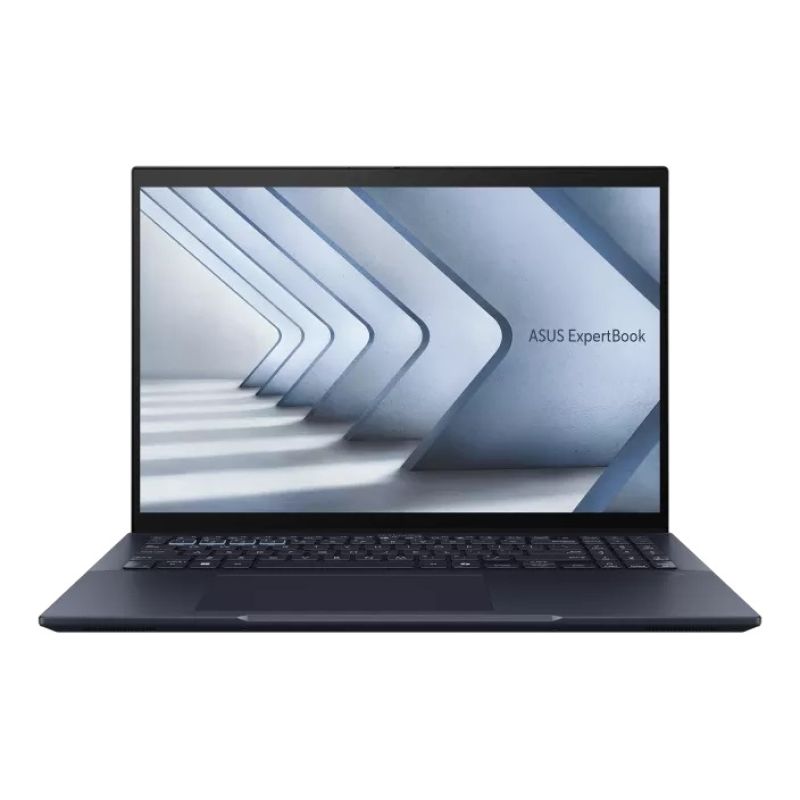
Best for Everyday Use: ASUS ZenBook S 14 UX5406SA-PZ127W Intel Core Ultra 5 226V 16GB RAM 512GB SSD 14" Touchscreen Windows 11 Home Laptop
The ASUS ZenBook S 14 UX5406SA-PZ127W is a premium ultrabook that delivers an ideal balance of performance, portability, and style. Powered by the efficient Intel Core Ultra 5 226V Octa-Core processor and 16GB of fast LPDDR5X RAM, this laptop ensures smooth multitasking whether you're working, streaming, or browsing. The 14-inch 3K OLED touchscreen (2880 x 1800) is sharp, vibrant, and responsive, making it perfect for media consumption or productivity tasks.
The integrated Intel Arc 130V graphics support casual creative work and light gaming, while the 512GB SSD offers quick boot times and ample storage. Weighing just 1.2 kg and only 12.9mm thin, it's impressively portable, with excellent connectivity options including Thunderbolt 4, HDMI 2.1, USB-A, WiFi 7, and Bluetooth 5.4.
Why It’s Best for Everyday Use
The ZenBook S 14 excels as a daily driver. Its ultra-light design, long battery life, fast performance, and brilliant OLED display make it perfect for students, professionals, and casual users alike. Whether you're taking video calls, editing documents, or watching Netflix, this laptop handles it all with elegance and ease, without weighing you down. Plus, it is also one of the best affordable ASUS laptops currently available in the market. If you find this laptop a bit pricey, we have a wide range of Refurbished ASUS notebooks as well that are budget friendly and practical options for everyday use.
Interested in Buying a Lenovo Laptop? Click here to find the best Lenovo laptop deals.
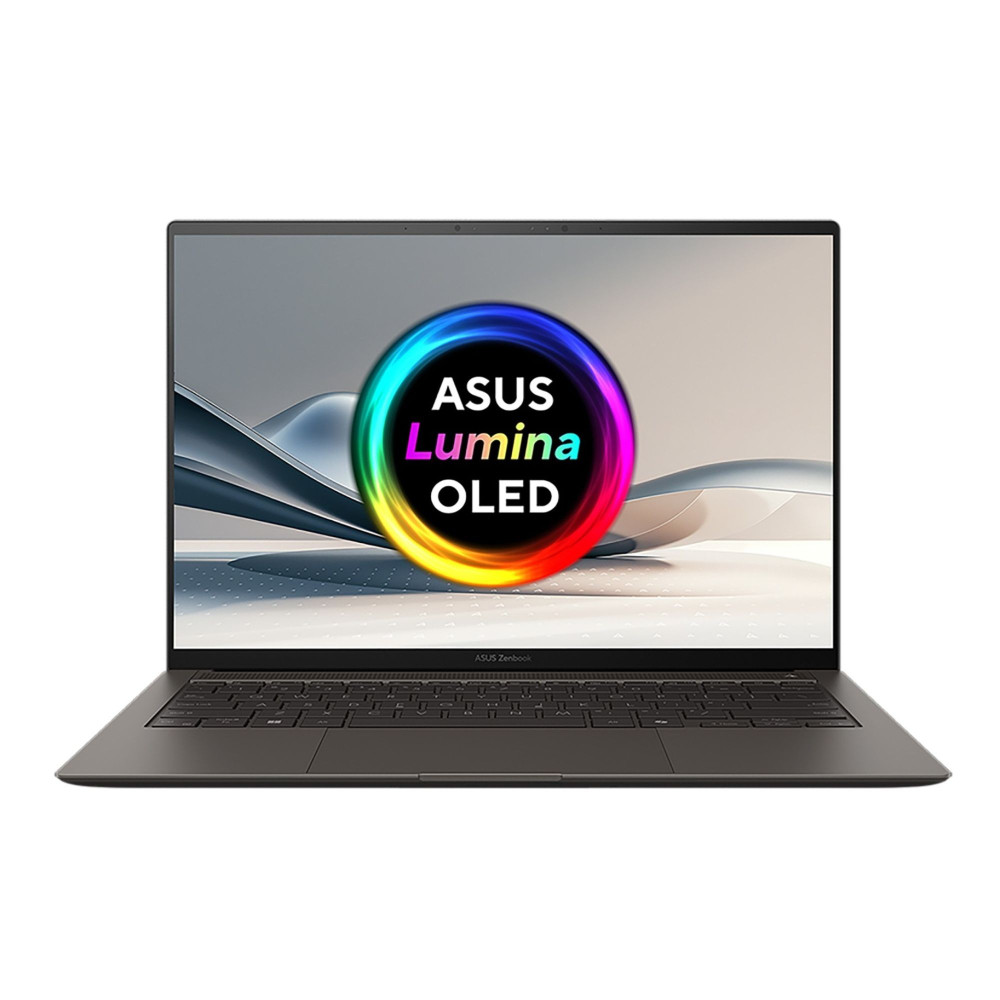
Best for Students: ASUS VivoBook M1407KA-LY014W AMD Ryzen AI 5 340 16GB RAM 512GB SSD 14" Windows 11 Home Copilot+ Laptop
The ASUS VivoBook M1407KA-LY014W is a smart choice for students seeking reliable performance, future-ready AI features, and practical portability. Powered by the new AMD Ryzen AI 5 340 Hexa-Core processor, this laptop blends solid multitasking capabilities with the next generation of AI computing, making it ideal for everyday student tasks, from writing essays to attending online classes and handling light creative projects.
Its 14" WUXGA (1920 x 1200) IPS LED display offers crisp visuals and a taller 16:10 aspect ratio, which is great for reading documents and working on multiple windows. With 16GB DDR5 RAM and a fast 512GB SSD, it boots quickly, runs smoothly, and has enough storage for class materials and media. Check this ASUS laptop price here.
Why It’s Best for Students
The Ryzen AI 5 processor ensures snappy responsiveness, while the lightweight 1.46 kg body makes it easy to carry between classes. With Windows 11 Copilot+ and 40 TOPs of AI acceleration, it's built to support future AI-powered tools, perfect for staying ahead in tech-savvy academic environments. We are offering excellent ASUS student discount offers on this machine, don’t forget to get it before the offer runs out. Looking for more options? Click here to find the best ASUS laptops for students in 2025.
Best for AI: ASUS ROG Strix G18 Intel Core Ultra 9 275HX 32GB RAM 2TB SSD RTX 5080 18" Windows 11 Home Gaming Laptop
The ASUS ROG Strix G18 is an elite-tier performance laptop built for power users, and it shines especially bright in AI workloads. Featuring the ultra-high-end Intel Core Ultra 9 275HX with 24 cores and advanced NPU (Neural Processing Unit) capabilities, this machine is designed to handle intensive AI-driven tasks such as deep learning, model training, and real-time AI-enhanced content creation with ease.
The NVIDIA GeForce RTX 5080 GPU with 16GB GDDR7 memory provides lightning-fast GPU acceleration for AI frameworks like TensorFlow, PyTorch, and Stable Diffusion. Whether you're developing machine learning models or running AI-powered simulations, the combination of 32GB DDR5 RAM and a 2TB SSD ensures smooth, responsive, and fast performance.
Why It’s Best for AI Development
This ASUS laptop specs are engineered for AI innovation. With a cutting-edge Intel Ultra 9 CPU featuring AI acceleration, RTX 5080 GPU optimized for CUDA, Tensor, and AI tasks, and Thunderbolt 5 for ultra-fast data transfer, the Strix G18 is ready for complex AI development and deployment. The large 18" 2.5K display also offers ample screen space for coding, visualization, and multitasking, making it a powerhouse AI workstation you can take anywhere.

Final Words: Why Are ASUS Laptops the Best Option in 2025?
ASUS laptops combine cutting-edge features with reliable performance, making them ideal for gaming, business, everyday use, and AI development. From ergonomic design to AI-enhanced tools, each innovation enhances your experience and makes them the best in 2025.
Frequently Asked Questions
How can I make my ASUS laptop run faster?
To make your ASUS laptop run faster and perform better, close apps and browser tabs you’re not using, update Windows and device drivers regularly, and remove startup programs. Use SSD storage (if available), ensure sufficient RAM, and enable performance mode via Armoury Crate or MyASUS.
What’s the difference between performance modes (Silent, Balanced, Performance) in Armoury Crate?
Silent mode limits CPU/GPU wattage and keeps fans quiet for light tasks. Balanced (sometimes called Performance) strikes a middle ground and offers better cooling and speed without high fan noise. Turbo mode pushes hardware for max performance but at the cost of heat and battery.
How do I extend the battery life of my ASUS laptop?
Use “Battery Saver” or “Power & Battery” settings to reduce power drain, lower screen brightness, and turn off unused peripherals like Bluetooth or Wi‑Fi. Enable “Battery Health Charging” to limit maximum charge (e.g., 80%) to reduce battery wear
What should I do if my ASUS laptop overheats?
Ensure your laptop is on a hard, flat surface so vents aren’t blocked, and use cooling pads or rubber feet. Clean dust from vents and fans. Close resourceintensive apps, update drivers/firmware, and monitor fan settings via Armoury Crate or MyASUS.
You can pay with:
*PayPal Credit Representative Example: Assumed credit limit £1,200, Representative 23.9% APR (variable). Purchase rate 23.9% p.a (variable).Terms & Conditions apply.


PayPal Credit and PayPal Pay in 3 are trading names of PayPal UK Ltd, 5 Fleet Place, London, United Kingdom, EC4M 7RD. Terms and conditions apply. Credit subject to status, UK residents only, Five Tech LTD acts as a broker and offers finance from a restricted range of finance providers. PayPal Pay in 3 is not regulated by the Financial Conduct Authority. Pay in 3 eligibility is subject to status and approval. 18+. UK residents only. Pay in 3 is a form of credit. Check if affordable and how you will repay. May make other borrowing more difficult or expensive. See product terms for more details.
Copyright © 1996-2026 Fivetech LTD | Terms and Conditions
box.co.uk & Box are trading names of Five Tech Limited. Registered office: Box LTD, Unit 10 Woodford Trading Estate, Woodford Green IG8 8HF