


 Menu
MenuMenu


Get Sales Advice from Mon - Fri 9am - 5:00pm:
020 3337 8950LAST UPDATED: February 27, 2026
How to Choose the Right AOC G4 Monitor for Your Gaming Setup
Your monitor is where every frame lands. If it's not keeping up, you feel it instantly. Missed shots in Warzone, blur during fast flicks in Valorant, stutter when the action peaks. The right screen does more than just look good. It keeps your gameplay sharp, smooth and responsive.
That's where the AOC G4 monitors come in. The G4 line-up is built for players who care about performance without overspending on features they'll never use. Strong refresh rates, low response times and clean, gamer-focused designs make it a solid choice whether you're grinding ranked or diving into single-player titles after work.
In this AOC G4 monitor guide, we'll break down what actually matters when choosing a model. Screen size, resolution, refresh rate, panel type, console compatibility, all of it, without overcomplicating things. Not every AOC gaming monitor in the G4 range suits every setup, and picking the wrong one can leave performance on the table. This is why we have explained the AOC G4 series for you in simple terms, so you can pick the best display as per your needs and budget.
By the end of this guide, you'll know exactly which AOC G4 fits your GPU, your desk space and the way you play. No fluff. Just clear advice so you can upgrade with confidence.
What Is the AOC G4 Series?
If this is the first time you are considering a G4 screen, we have the series explained for you.
The G4 line is where AOC focuses purely on gaming performance. Within the wider AOC monitors range, this is the segment aimed at players who want higher refresh rates, faster response times and modern panel tech without paying premium esports prices.
Instead of loading the spec sheet with gimmicks, the G4 models concentrate on what actually improves gameplay. Smooth frame delivery, sharp image quality and responsive panels are the priority. That makes them a strong fit for competitive shooters, fast racing titles and even story-driven games where fluid motion still matters.
You'll typically find options covering popular sizes, alongside Full HD and QHD resolutions. Some variants push higher refresh rates for players who care about every millisecond, while others balance visuals and performance for a more immersive experience. The idea is simple: give gamers flexibility without overcomplicating the decision.
If you are after an AOC gaming monitor that delivers consistent performance across PC and console setups, the G4 series is designed to sit right in that sweet spot. It offers meaningful upgrades over standard displays while staying practical for most real-world gaming builds.
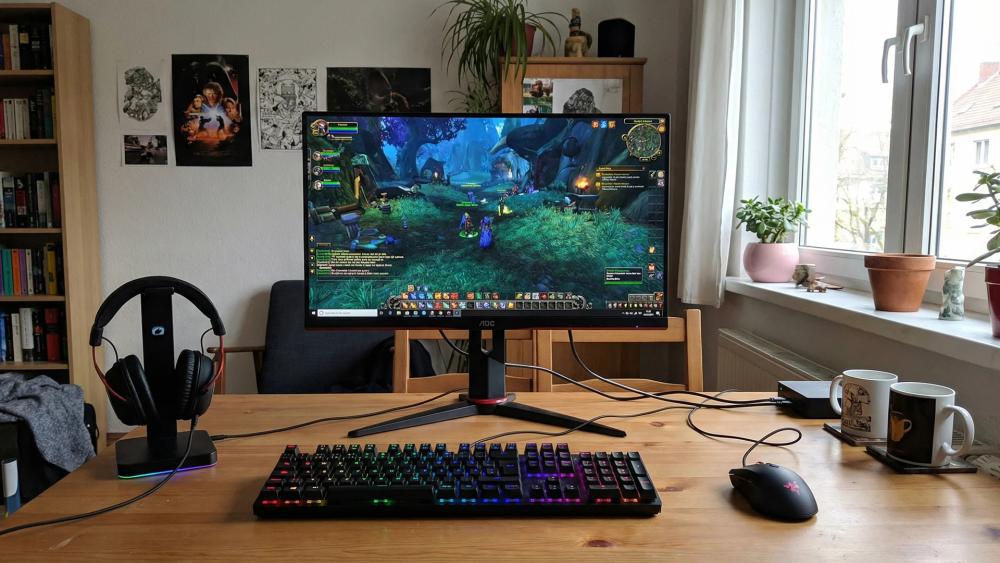
Key Features to Consider Before Buying an AOC G4 Monitor
Choosing the best monitor comes down to understanding how each spec affects your actual gameplay. Not every player needs the same setup. A competitive FPS grinder will prioritise speed, while someone building a cinematic single-player rig may care more about resolution and immersion.
Before picking your AOC gaming monitor, focus on the features that directly impact performance, visual clarity and comfort. Our AOC G4 monitor guide helps you strike the right balance, ensuring your hardware is fully utilised, and you are not overspending on specs you will never use.
Here is the AOC G4 series explained in terms of the features that matter most to gamers.
Screen Size & Resolution
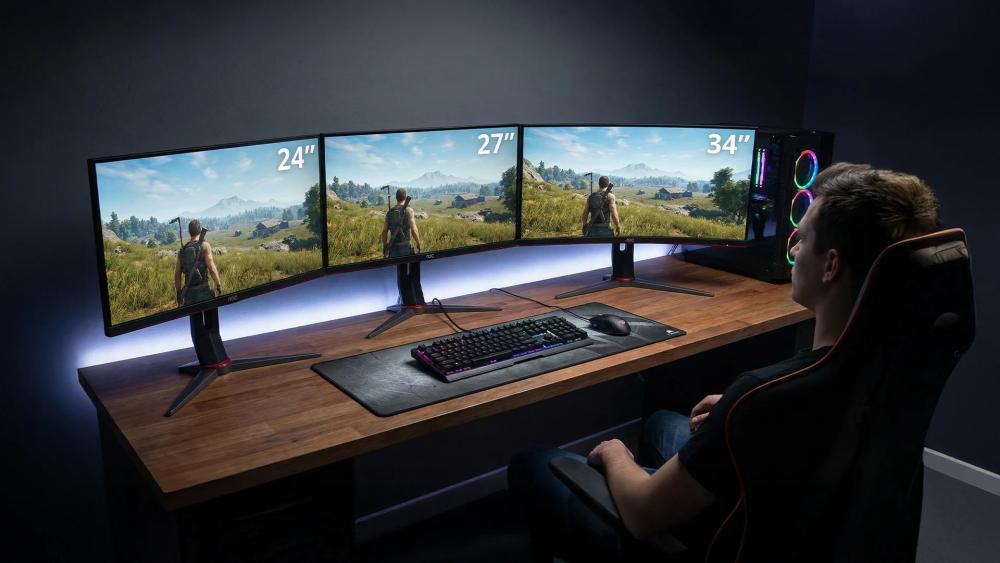
Screen size changes how your games feel instantly. A compact 24-inch panel keeps everything within your field of view, which is ideal for competitive titles. An AOC 27-inch or larger model gives you more screen size, making open-world and RPG games feel more immersive.
Resolution is just as important. Full HD remains popular for competitive players because it is easier to drive at higher frame rates. QHD (2560x1440) sharpens the image noticeably, especially on a 27-inch AOC screen. If you are considering an AOC 4K option, remember that higher resolution demands significantly more graphics power. You will need one of the more powerful GPUs for 4K gaming to maintain smooth frame rates.
The key is balance. There is no point pairing a high-resolution AOC display with hardware that struggles to keep up.
Refresh Rate & Response Time
If you play competitive shooters, refresh rate should be high on your priority list. Moving from 60Hz to 144Hz or 240Hz feels like night and day. Tracking targets becomes smoother, and input feels more responsive. The right refresh rate also depends on the type of games you mostly play.
Many models in this range offer 144Hz or 165Hz, which is more than enough for most players. For those chasing every possible advantage, certain AOC 240Hz variants push motion clarity even further. The difference is most noticeable in fast-paced esports titles where split-second reactions matter.
Response time also plays a role. A 1ms response time reduces ghosting and keeps fast movement looking clean. Combined with a high refresh rate, it gives your AOC gaming monitor that fluid, locked-in feel that competitive players expect. Getting the best out of your AOC monitor is not only about specs, the right gaming settings also matter a lot.
Panel Type & Curvature
Panel choice affects how your games look and feel. IPS panels are known for better colour accuracy and wider viewing angles, making them a strong all-round option. VA panels often provide deeper contrast, which can enhance darker scenes in immersive titles.
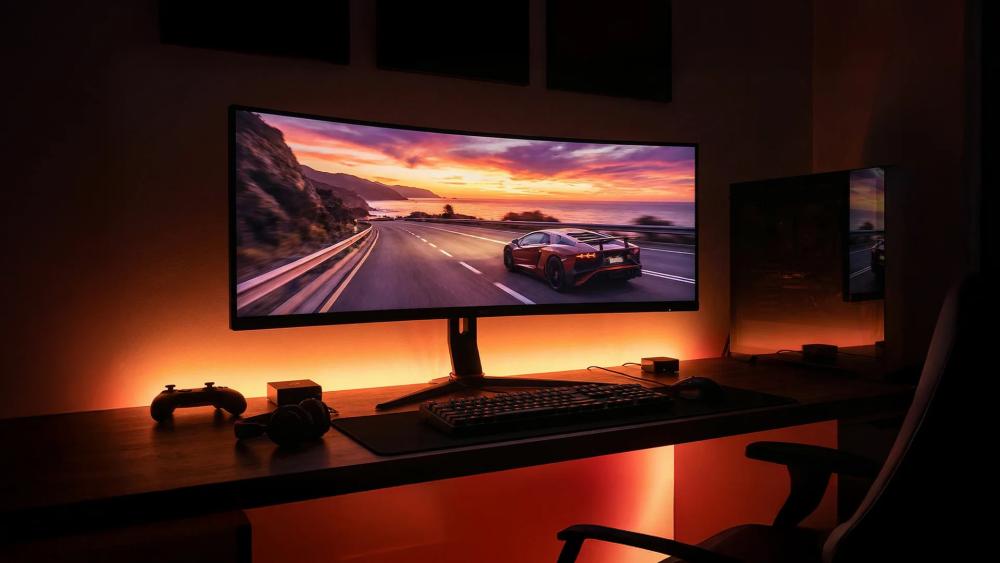
You can also opt for a curved monitor. A curved AOC screen can make wider displays feel more natural to look at, especially during long sessions. The curve pulls the edges slightly towards your field of vision, increasing immersion without distorting the image.
If you mostly play competitive titles, an AOC monitor with a flat IPS panel may be the safer choice. For cinematic single-player games or racing sims, a curved AOC display can add an extra layer of immersion.
Adaptive Sync & GPU Compatibility
Screen tearing ruins immersion. That is where adaptive sync technology steps in. This is basic stuff that you will find in almost all monitor buying guides. Many models support AMD FreeSync and are compatible with NVIDIA GPUs, helping your monitor match your graphics card's frame output.
When your refresh rate syncs with your GPU, gameplay feels smoother and more consistent. No tearing. Less stutter. Cleaner motion during heavy action scenes.
Before buying your next AOC gaming monitor, make sure your graphics card can consistently push the frame rates your chosen monitor supports. There is little benefit in choosing a high-refresh panel if your system cannot deliver the frames to match.
Connectivity & Console Gaming
If you plan to use your monitor with a console, check the HDMI specifications carefully. To get 120Hz on a PS5 or Xbox Series X, the port on the console gaming monitor needs to support the required bandwidth.
DisplayPort is typically the best choice for PC gaming, especially at higher refresh rates. Also, check for audio output options if you use external speakers or headsets routed through your monitor.
Making sure your AOC monitor has the right ports saves frustration later and keeps your setup flexible.
Ergonomics, Build & Setup
Long gaming sessions demand comfort. Look for height adjustment, tilt and swivel support so you can position the screen correctly. Poor alignment can lead to neck strain over time.
VESA mount compatibility is useful if you prefer a monitor arm. Pairing your setup with the right gaming desk accessories can also improve cable management and overall desk space.
A clean, well-positioned setup not only looks better but keeps you comfortable during long sessions.
Best AOC G4 Monitors for Different Gaming Setups
Not every gamer needs the same specs. Some prioritise ultra-high refresh rates for competitive shooters, while others want sharper resolution for immersive single-player titles. Let's explore the top models in the G4 line-up so you can quickly see which one fits your hardware, playstyle and budget. But before we go into the details, here is a quick comparison table to help you make the right call.
|
Model |
Screen Size |
Resolution |
Refresh Rate |
Response Time |
Panel Type |
Curved |
HDR |
Key Strength |
Buy Now |
|
AOC Q27G42ZE |
27" |
QHD (2560 × 1440) |
240Hz (260Hz OC) |
0.3ms MPRT / 1ms GtG |
Fast IPS |
No |
HDR10 |
Competitive QHD esports performance |
|
|
AOC CU34G4Z |
34" |
UWQHD (3440 × 1440) |
240Hz |
0.3ms MPRT / 1ms |
Fast VA |
Yes (1500R) |
DisplayHDR400 |
Immersive ultrawide with high refresh |
|
|
AOC U32G3U |
32" |
4K UHD (3840 × 2160) |
160Hz |
1ms |
Fast IPS |
No |
DisplayHDR400 |
Sharp 4K with strong refresh balance |
|
|
AOC U27G4R |
27" |
Dual Mode: FHD / 4K |
320Hz (FHD) / 160Hz (4K) |
0.3ms / 0.5ms |
Fast IPS |
No |
DisplayHDR400 |
Hybrid esports + 4K flexibility |
AOC G4 Q27G42ZE 27" QHD 240Hz (260Hz OC) Gaming Monitor – Best for Competitive QHD Esports
MPN: Q27G42ZE
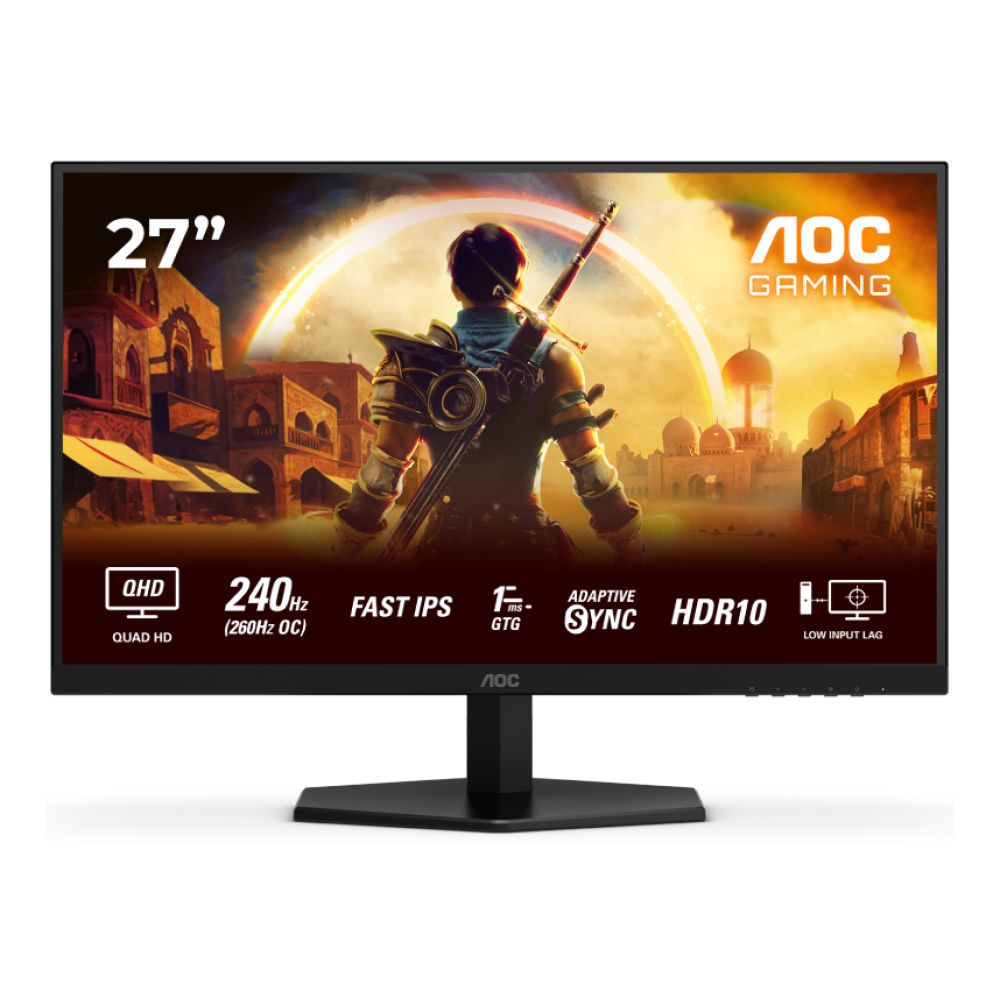
Pro-Level Speed with QHD Sharpness
The AOC G4 Q27G42ZE is built for players who want elite refresh rates without dropping to Full HD. Its 27-inch Fast IPS panel runs at 2560 × 1440, delivering sharper visuals than standard 1080p while maintaining competitive speed. With a 240Hz refresh rate, overclockable to 260Hz, and a 0.3ms MPRT response time, it is clearly aimed at fast-paced FPS and esports titles.
Performance That Keeps Up
Motion stays smooth and controlled thanks to Adaptive Sync, reducing tearing and stutter during intense firefights. Low Input Lag mode prioritises raw responsiveness, which competitive players will appreciate. HDR10 support and 300 cd/m² brightness add extra depth for story-driven games and media.
Connectivity & Practical Design
You get 2x HDMI 2.0 and 1x DisplayPort, making it easy to connect a high-end gaming PC or console. The flat anti-glare AOC display keeps reflections down, while Flicker-Free and Low Blue Light tech help during longer sessions. VESA support adds mounting flexibility, though the stand lacks height adjustment.
AOC G4 CU34G4Z 34" Curved UWQHD 240Hz Gaming Monitor – Best for Immersive Ultrawide Play
MPN: CU34G4Z
Ultrawide Immersion with Competitive Speed
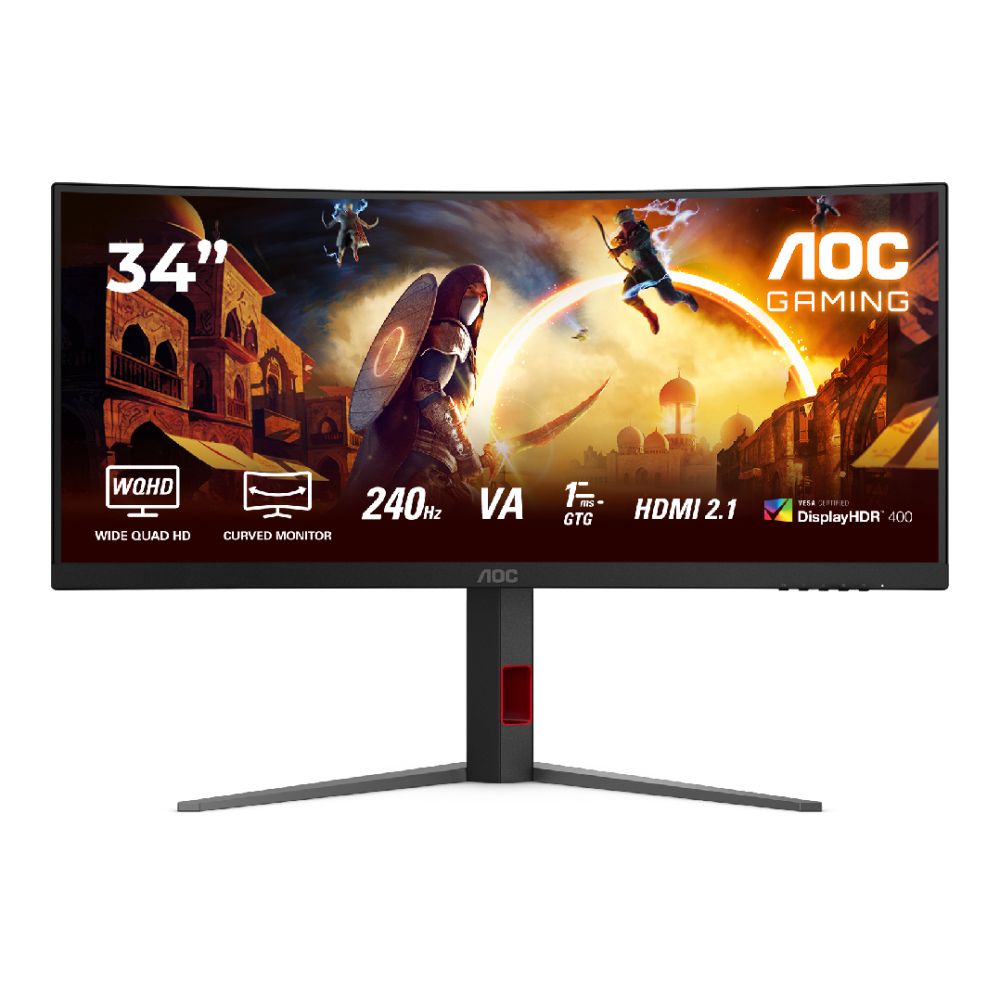
The AOC G4 CU34G4Z is built for gamers who want both scale and speed. Its 34-inch 1500R curved Fast VA panel runs at 3440 × 1440 (UWQHD), giving you a wider 21:9 field of view that feels incredible in racing sims, RPGs and open-world titles. Despite the larger format, it still delivers a 240Hz refresh rate with a 0.3ms MPRT response time, making it more than capable in competitive games.
Visual Depth & Smooth Performance
With DisplayHDR400, 450 cd/m² brightness and support for 1.07 billion colours, this AOC display produces strong contrast and vibrant detail. The curved design pulls you into the action, while Adaptive Sync keeps gameplay smooth and tear-free during intense scenes.
Connectivity & Comfort
You get 2x HDMI 2.1, DisplayPort and a USB 3.2 hub for easy multi-device setups. The height-adjustable stand (130mm), swivel support and VESA compatibility make positioning simple for long sessions.
AOC G4 U32G3U 32" 4K 160Hz Gaming Monitor – Best for High-Resolution Competitive Play
MPN: U32G4U
4K Detail Meets High Refresh Performance
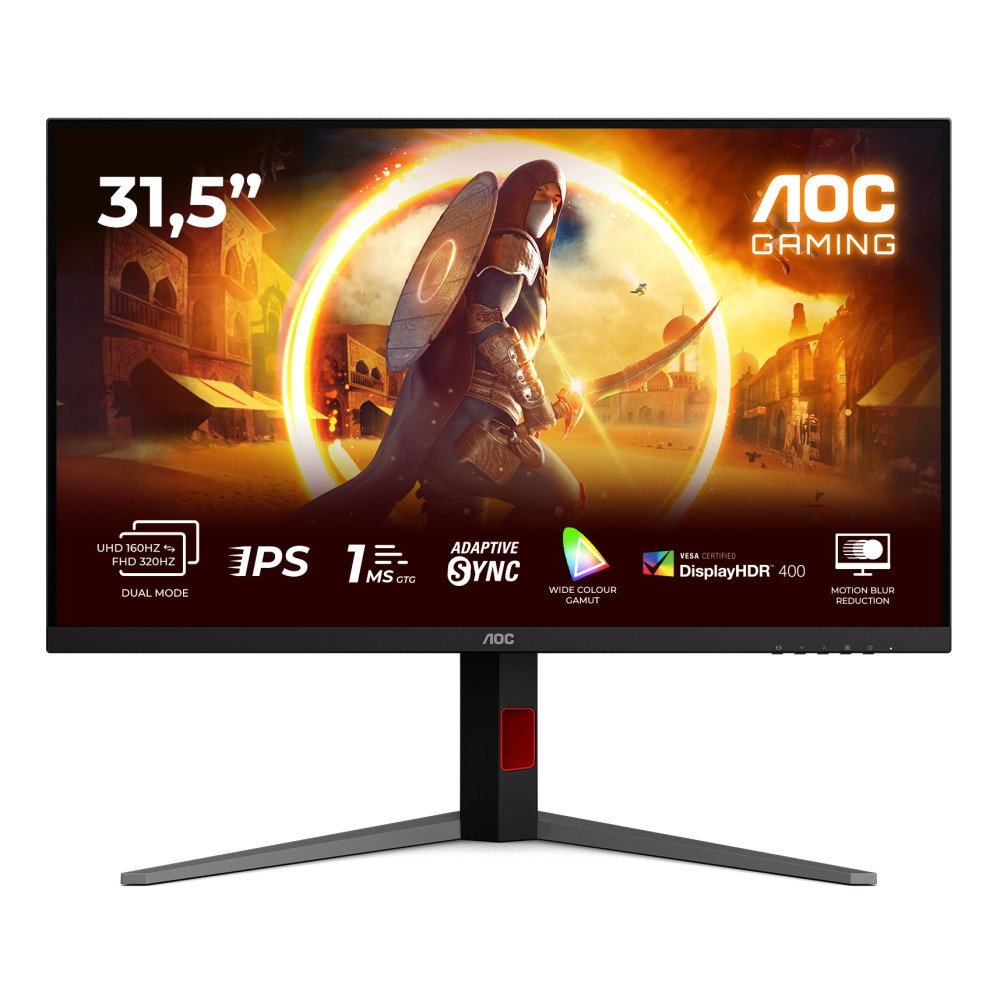
The AOC G4 U32G3U is built for gamers who want ultra-sharp visuals without sacrificing smoothness. Its 32-inch Fast IPS panel runs at 3840 × 2160, delivering true 4K UHD clarity with wide viewing angles and accurate colour reproduction. With a 160Hz refresh rate and 1ms response time, this isn't just a visual upgrade; it's a performance-ready display.
Smooth, Sharp and Responsive
The combination of 160Hz and Adaptive Sync keeps motion fluid, reducing tearing and stutter in demanding titles. DisplayHDR400 support and 450 cd/m² brightness add punch to highlights and improve contrast, making both competitive games and cinematic releases look more dynamic. With support for over 1 billion colours, this AOC display is equally suited for content creation and high-detail gaming.
Connectivity & Ergonomics
Equipped with 2x HDMI 2.1, DisplayPort and a USB hub, it's ready for modern gaming PCs and next-gen gaming consoles. The height-adjustable stand (up to 130mm), pivot, and swivel support help you dial in the perfect viewing angle. VESA compatibility adds flexibility for custom setups.
AOC U27G4R 27" Dual Frame 320Hz / 160Hz 4K Gaming Monitor – Best for Hybrid Competitive & 4K Play
MPN: U27G4R
Dual Mode Performance in One Panel
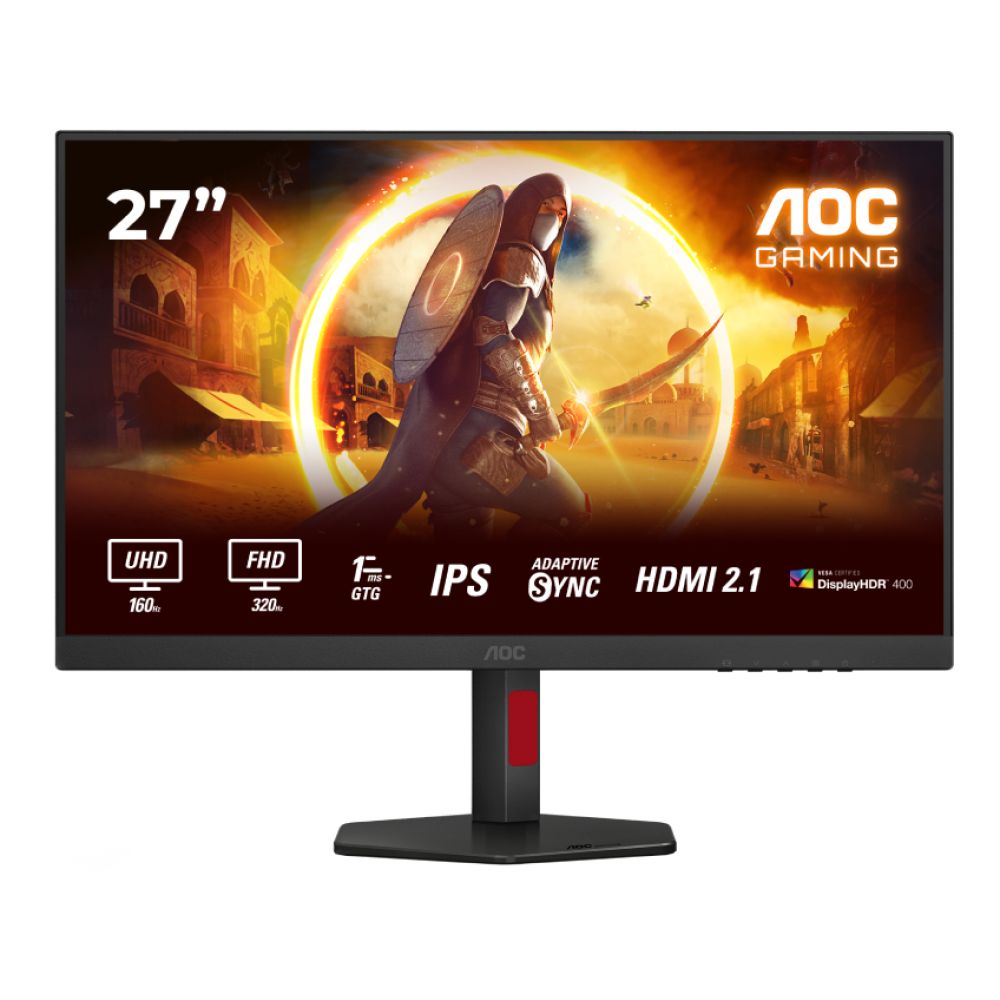
The AOC U27G4R is designed for gamers who refuse to choose between speed and detail. This 27-inch Fast IPS display lets you switch between 320Hz at Full HD for pure competitive performance or 160Hz at 4K UHD (3840 × 2160) for sharper, more cinematic gameplay. It's essentially two performance profiles in one AOC gaming monitor.
Built for Competitive Edge
At 320Hz with a 0.3ms response time, motion feels incredibly sharp and responsive, ideal for esports titles where every millisecond counts. Switch to 4K at 160Hz and you still get smooth gameplay, now paired with higher detail and DisplayHDR400 support for improved contrast and brighter highlights. Adaptive Sync keeps frames clean and tear-free in both modes.
Connectivity & Comfort
With 2x HDMI 2.1, DisplayPort and a 4-port USB 3.1 hub, this AOC display fits seamlessly into multi-device setups, including next-gen consoles. The height-adjustable stand (130mm), tilt and swivel support help dial in comfort for long sessions, while VESA mounting adds flexibility.
Final Words
Choosing the right gaming monitor comes down to one simple question: what kind of gamer are you? We have explained the AOC G4 line to help you pick the right monitor for your gaming desktop.
- If you play competitive shooters and care about reaction time, prioritise refresh rate and response time.
- If you want immersion and visual detail, lean towards higher resolution and larger panels.
- Ultrawide setups bring scale, 4K delivers clarity, and high refresh models give you that smooth, locked-in feel during intense matches.
The strength of the G4 line-up is flexibility. Whether you want 260Hz QHD speed, a 34-inch ultrawide experience, true 4K at 160Hz, or a dual-mode 320Hz setup, there is a model that matches your hardware and playstyle. Before buying, always match the monitor to your GPU, your desk space and the games you grind daily, and the upgrade will feel instant the moment you drop into your next match.
Frequently Asked Questions
Is the AOC G4 series good for competitive gaming?
Yes, the G4 range is built with competitive play in mind. Many models offer 240Hz or higher refresh rates, low response times, and Adaptive Sync support. If you mainly play FPS or esports titles, high-refresh options like 260Hz or 320Hz models provide smoother motion and faster visual feedback.
Is 240Hz worth it for gaming?
If your system can consistently push high frame rates, 240Hz makes a noticeable difference in fast-paced shooters. Tracking targets feels smoother and input delay is reduced. For casual or single-player gaming, 144Hz or 165Hz is often more than enough.
Can AOC G4 monitors run 120Hz on PS5 or Xbox Series X?
Yes, models with HDMI 2.1 or compatible HDMI ports can support 120Hz at supported resolutions. Always check the specific model's HDMI specification to ensure it matches your console's output capabilities.
Are IPS or VA panels better for gaming?
IPS panels offer better colour accuracy and viewing angles, making them great all-rounders. VA panels typically provide stronger contrast, which enhances darker scenes. Competitive players often prefer IPS, while immersive gamers may enjoy VA's deeper blacks.
What size monitor is best for gaming?
The best size depends on how you play. A 24-inch monitor is ideal for competitive gaming, keeping everything within easy view. A 27-inch screen offers a strong balance between performance and immersion. For racing games, RPGs or cinematic titles, a 34-inch ultrawide delivers a more immersive experience.
Is 4K or 240Hz better for gaming?
It comes down to priority. Go for 240Hz or higher if you focus on competitive FPS games and want maximum smoothness. Choose 4K if you prefer sharper visuals and more immersive detail. Some dual-mode monitors let you switch between high-refresh Full HD and 4K, giving you flexibility for both styles.
You can pay with:
*PayPal Credit Representative Example: Assumed credit limit £1,200, Representative 23.9% APR (variable). Purchase rate 23.9% p.a (variable).Terms & Conditions apply.


PayPal Credit and PayPal Pay in 3 are trading names of PayPal UK Ltd, 5 Fleet Place, London, United Kingdom, EC4M 7RD. Terms and conditions apply. Credit subject to status, UK residents only, Five Tech LTD acts as a broker and offers finance from a restricted range of finance providers. PayPal Pay in 3 is not regulated by the Financial Conduct Authority. Pay in 3 eligibility is subject to status and approval. 18+. UK residents only. Pay in 3 is a form of credit. Check if affordable and how you will repay. May make other borrowing more difficult or expensive. See product terms for more details.
Copyright © 1996-2026 Fivetech LTD | Terms and Conditions
box.co.uk & Box are trading names of Five Tech Limited. Registered office: Box LTD, Unit 10 Woodford Trading Estate, Woodford Green IG8 8HF