


 Menu
MenuMenu


Get Sales Advice from Mon - Fri 9am - 5:00pm:
020 3337 8950LAST UPDATED: December 04, 2025
How to Choose the Right Acer Gaming Monitor: Key Specs to Prioritise
Choosing the perfect gaming monitor isn’t just about picking the flashiest screen on the shelf. For gamers, every millisecond counts, every colour matters, and every frame could mean the difference between victory and defeat. Acer, renowned for blending cutting-edge technology with sleek design, offers a wide array of gaming monitors that promise immersive gameplay, but how do you separate the good from the great? In this Acer gaming monitor buying guide, we’ll break down the key specs you should prioritise, helping you make a choice that elevates your gaming experience from average to extraordinary.
Acer Monitors Buying Guide: Key Specs to Consider Before Buying
When choosing the right setup, it's essential to understand the core specifications that actually impact gaming performance. This Acer gaming monitor buying guide explains the key features that matter most and helps pick a screen that matches your play style and hardware without overspending.
Refresh Rate
Refresh rate plays a major role in how smooth your gameplay feels. For most players, a gaming monitor with 144Hz offers a strong balance of clarity and responsiveness, while competitive gamers often choose 240Hz for sharper motion tracking in fast-paced or esports titles. If you're weighing up 144Hz vs 240Hz monitors, make sure your GPU can push the frame rates needed to take advantage of the panel. Refresh rate is one of the first specs you’ll see highlighted in almost all Acer gaming monitor buying guides because it directly affects how smooth your gameplay feels.
Response Time
Response time determines how quickly pixels change colour, which directly affects motion clarity during fast gameplay. A low response time, ideally 1ms, helps reduce ghosting and keeps fast movements crisp, especially useful if you're using an Acer monitor for competitive shooters or racing titles. Pairing quick response time with the right settings on your Acer display also ensures you get the most out of your gaming monitor's response time capabilities without introducing blur or smearing.

Display Size
Choosing the right display size affects comfort, immersion, and how well your setup fits your desk. Here’s how to decide which size works best when choosing an Acer gaming monitor:
- 24–25 inch: Ideal for competitive or esports players who prefer tighter viewing angles and faster eye movement across the screen. Great if you want a compact monitor setup.
- 27-inch: The sweet spot for most gamers, offering excellent immersion without overwhelming desk space.
- 32-inch and above: Great for RPGs, open-world games, or cinematic experiences, especially if you're thinking about upgrading from a 27-inch Acer monitor.
Our Acer gaming monitor buying guide puts extra focus on display size because choosing the wrong screen can impact both your setup and your budget. Finalising the size early ensures every next choice fits your needs.
Panel Type (IPS vs VA vs TN)
Panel type greatly affects colour accuracy, contrast, and motion performance. Our Acer monitor buying guide helps you make the choice that will serve your setup and gaming style for years to come.
- IPS panels: Offering excellent colour accuracy and wide viewing angles, IPS panels are ideal for players who want vibrant worlds and consistent image quality. Many Acer Predator monitors use IPS panels for premium performance.
- VA panels: Known for high contrast and deeper blacks, making them great for atmospheric or story-driven games.
- TN panels: Prioritise speed over colour, often used in older esports monitors that focus on fast reaction times.
Resolution (1080p, 1440p, 4K)
The purpose of this Acer gaming monitor buying guide is to help you select a screen with the best resolution within your budget. Full HD (1080p) remains a strong choice for competitive players who want higher frame rates without pushing their GPU too hard. Stepping up to 1440p offers a noticeable jump in sharpness and is a popular middle ground if you want to pair a new Acer gaming monitor with modern hardware that can comfortably handle higher pixel counts. For maximum detail, 4K monitors deliver outstanding image quality, especially in open-world or cinematic titles, though it requires a capable setup to maintain smooth performance. Once your monitor is set up, you can also check our guide on troubleshooting flickers, display lines, or a black screen on Acer monitors to ensure your display runs perfectly.
Adaptive Sync (FreeSync vs G-Sync)
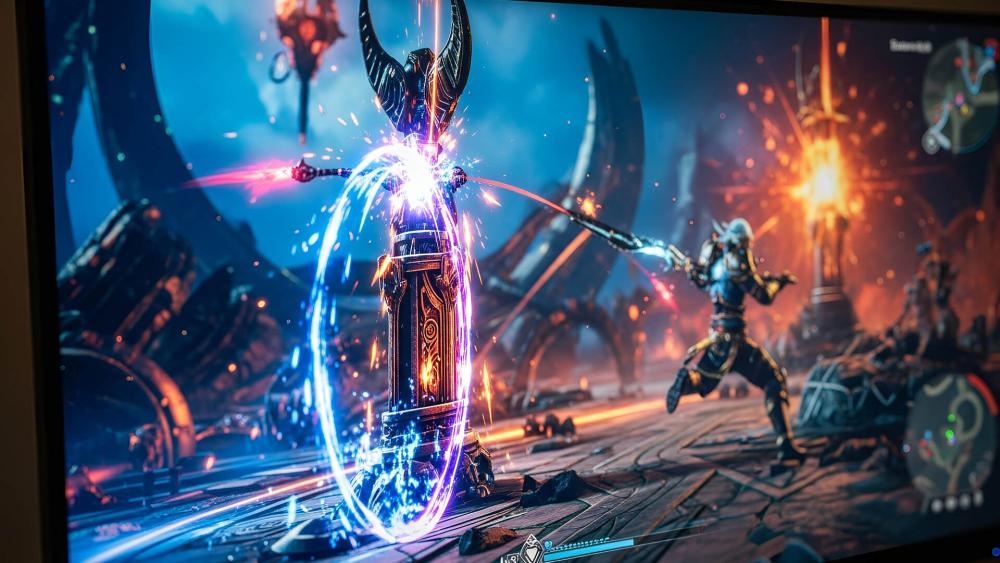
Adaptive Sync is essential for smooth, tear-free gameplay and is a key feature you need to consider if you want to buy the best Acer monitor for gaming. That’s why this Acer gaming monitor buying guide highlights it in detail. It keeps your monitor’s refresh rate in sync with your GPU output, preventing stutter and screen tearing during fast action. Here’s how the two main technologies compare:
- FreeSync: Widely supported across Acer’s Nitro monitors lineup and ideal for AMD GPU users. Most models include FreeSync as standard, offering great value and smooth performance.
- G-Sync / G-Sync Compatible: Found on higher-end and esports-focused models, especially within the Predator range. Perfect for NVIDIA GPU users who want the most stable frame pacing and reduced latency.
High Dynamic Range (HDR)
HDR enhances brightness, contrast, and colour depth, giving games a more realistic and visually impactful look. It’s a feature worth considering before buying a gaming monitor, especially for cinematic or story-driven titles. Many Acer monitors support HDR10, delivering richer highlights and deeper shadows, though the overall effect depends on peak brightness and panel quality. Paired with the right hardware, HDR can transform how environments, lighting, and effects appear on your Acer display, making games feel more immersive and lifelike.
Graphics Processing Unit (GPU) Compatibility
Your GPU determines how well your monitor’s resolution, refresh rate, and features perform, making compatibility crucial. That’s why our Acer gaming monitor buying guide explains how to match your graphics card with the right display.
A strong GPU can fully drive higher refresh rates on an Acer gaming monitor, especially at 1440p or 4K. AMD users may prefer FreeSync-compatible models, while NVIDIA users often look for G-Sync support across Acer displays. Matching your GPU ensures stable frame rates, smooth visuals, and avoids bottlenecks.
Also, check your GPU’s practical capabilities: ensure it supports DisplayPort for higher refresh rates, can handle multi-monitor setups, and is powerful enough for the monitor’s resolution and refresh rate, particularly for high-FPS gaming if you are planning to buy premium Acer models. If you run into connectivity issues, you can refer to our guide on diagnosing and fixing no signal issues on your Acer monitor.
Ergonomics
Ergonomics play a key role in long gaming sessions, and many Acer monitors offer practical adjustments to improve comfort. Look for features like height adjustment, tilt, swivel, and pivot so you can position your monitor exactly how you prefer. Eye-care technologies, such as blue light reduction and flicker-free panels, also help reduce strain during extended play. These ergonomic touches can make a noticeable difference, and this is why we suggest you give them some thought before investing your money.
Connectivity
Choosing the right connectivity options ensures your setup runs smoothly with your GPU, consoles, and other devices. When selecting an Acer gaming monitor, consider the following ports:
- DisplayPort: Ideal for high refresh rates and stable performance, especially on high-end models like the Acer XV gaming monitor.
- HDMI (including HDMI 2.1): Perfect for console users and PC gamers seeking broad compatibility. HDMI 2.1 is especially useful for 4K and high-frame-rate gaming.
- USB-C: Great for modern laptops or compact setups, offering power delivery and display output through a single cable.
- Audio Out & USB hubs: Convenient for connecting peripherals directly to your Acer monitor.
Choosing Based on Game Type & Setup
Different titles demand different strengths from your monitor, so choosing the right Acer gaming monitor depends on what you play and how you play it. Competitive titles benefit from speed and clarity, while cinematic games shine with richer visuals. Our Acer gaming monitor buying guide suggests considering the following factors:
- Competitive & esports games: Prioritise high refresh rates and fast response times. Acer’s both Nitro and Predator ranges excel in this category.
- Open-world, RPG, and cinematic titles: Focus on higher resolutions and stronger colour performance. Larger Acer displays are ideal here.
- Console vs PC setups: Console players benefit from HDMI 2.1 features, while PC gamers get the most from DisplayPort and adaptive sync compatibility.
Acer Gaming Monitors Buying Guide: Nitro vs Predator Lineups
Acer’s two main gaming families, Nitro and Predator, cater to different types of players. Here’s a quick Acer monitor lineup comparison to help you decide which suits your setup and gaming style best.
Acer Nitro Series
- Great value for everyday and competitive gamers
- High refresh rates and reliable performance.
- Strong colour accuracy with adaptive sync support
- Ideal for budget gaming monitors without sacrificing quality
Acer Predator Series
- Premium build and advanced gaming features
- Enhanced G-Sync support and stronger HDR
- Designed for esports-level responsiveness and clarity, especially the Predator XB series for elite performance.
Other than the Nitro and Predator series, Acer also offers its eco-focused Vero monitor lineup. If you want to read more about how all three compare, head over to our detailed Acer Nitro vs Predator vs Vero comparison to dive deeper into which lineup suits your needs the best.
Conclusion
Choosing the right monitor comes down to understanding your hardware, the games you play, and the features that genuinely improve your experience. If you follow the points discussed in this Acer gaming monitor buying guide, we’re confident you’ll find the best screen for your setup and play style. And if you want to explore top-rated Acer gaming monitors, you can browse the latest options available at Box.
Frequently Asked Questions
What’s the best Acer monitor for esports?
Esports players typically look for fast response times and high refresh rates. Acer Predator Monitors' lineup is built for this level of performance, offering excellent speed and clarity for competitive play.
Is 144Hz enough for casual gamers?
Yes, 144Hz delivers smooth, responsive gameplay that suits most titles. It’s a strong choice for casual players who want better motion handling without stretching their budget.
Which Acer monitor is best for consoles?
Console players benefit from Acer monitors with HDMI 2.1 support and solid HDR performance.
Do Acer gaming monitors support G-Sync or FreeSync?
Yes, Acer offers a mix of FreeSync and G-Sync compatible monitors.
You can pay with:
*PayPal Credit Representative Example: Assumed credit limit £1,200, Representative 23.9% APR (variable). Purchase rate 23.9% p.a (variable).Terms & Conditions apply.


PayPal Credit and PayPal Pay in 3 are trading names of PayPal UK Ltd, 5 Fleet Place, London, United Kingdom, EC4M 7RD. Terms and conditions apply. Credit subject to status, UK residents only, Five Tech LTD acts as a broker and offers finance from a restricted range of finance providers. PayPal Pay in 3 is not regulated by the Financial Conduct Authority. Pay in 3 eligibility is subject to status and approval. 18+. UK residents only. Pay in 3 is a form of credit. Check if affordable and how you will repay. May make other borrowing more difficult or expensive. See product terms for more details.
Copyright © 1996-2026 Fivetech LTD | Terms and Conditions
box.co.uk & Box are trading names of Five Tech Limited. Registered office: Box LTD, Unit 10 Woodford Trading Estate, Woodford Green IG8 8HF