


 Menu
MenuMenu


Get Sales Advice from Mon - Fri 9am - 5:00pm:
020 3337 8950POSTED: February 23, 2026
How to Choose the Right 4K Curved Monitor: Size, Refresh Rate & Panel Types
Interest in curved 4K displays has grown as more users look for sharper visuals without sacrificing immersion. Higher resolution panels are no longer reserved for creative studios, and curved screens are no longer limited to gaming setups. Together, they offer a combination of clarity and depth that suits everything from competitive play to detailed office work.
Choosing a 4K curved monitor involves more than checking the resolution on the spec sheet. Screen size influences clarity and comfort, refresh rate affects motion smoothness, and panel technology determines contrast and colour performance. Practical considerations such as desk space, seating position, and connectivity also contribute to long-term usability.
The right 4K curved monitor can replace multi-screen setups, improve focus across wide timelines or spreadsheets, and create a more engaging viewing experience when positioned correctly. However, the right choice depends heavily on how you use your system day to day. Gamers, remote workers, and creative professionals all value different strengths in a display.
This guide explains the key factors clearly and practically, helping you understand how to choose a 4K curved monitor that suits your workflow, space, and hardware without overcomplicating the decision.
Who Should Buy a 4K Curved Monitor?
Before narrowing down specifications, it's important to decide whether a curved format genuinely suits your workspace. The Best 4K Curved Monitors of 2026 combine high pixel density with a wraparound viewing angle, but the practical benefit depends entirely on how you use your system. For some setups, it enhances focus and immersion. For others, a flat 4K resolution monitor may be easier to manage.
When selecting a curved 4K screen, real-world positioning, desk depth, and typical viewing distance matter just as much as resolution. Here's where this type of display tends to work best.
Best for Immersive Gaming
Gaming is where curvature often feels most noticeable. A well-positioned curved gaming screen keeps the edges of the image within your natural field of view, which can make open-world and simulation titles feel more cohesive. On a larger panel, that effect becomes more pronounced. This is the reason why curved monitors are considered great for gaming.
Pairing curvature with 4K resolution enhances fine environmental detail, particularly in visually rich games. Many players looking at a 4K gaming monitor also consider refresh rate, especially if they're moving towards a 120 Hz monitor or higher. Smoother motion can improve responsiveness, but only if the GPU can consistently deliver those frame rates at 4K.
Features such as adaptive sync also become relevant here, reducing tearing and helping maintain fluid gameplay. For gamers looking for a monitor for PC gaming, a curved 4K panel can feel more immersive than a flat alternative of the same size.
Best for Productivity and Multitasking
When it comes to the monitors used in offices and remote setups, the advantage of a curved 4K panel is often about workspace efficiency. A large curved monitor allows multiple windows to sit side by side while maintaining strong pixel density (PPI) for crisp text rendering.
The curve helps bring the outer edges of the screen slightly closer to your line of sight, which can reduce excessive head movement during long sessions. When seated at an appropriate viewing distance, this layout can feel more cohesive than two separate flat displays.
Clarity is another strength. A high-resolution 4K display keeps spreadsheets and documents sharp even when Windows scaling is adjusted for comfort. For users who spend hours reading or editing text, that added sharpness contributes to long-term usability.
Best for Creative Professionals
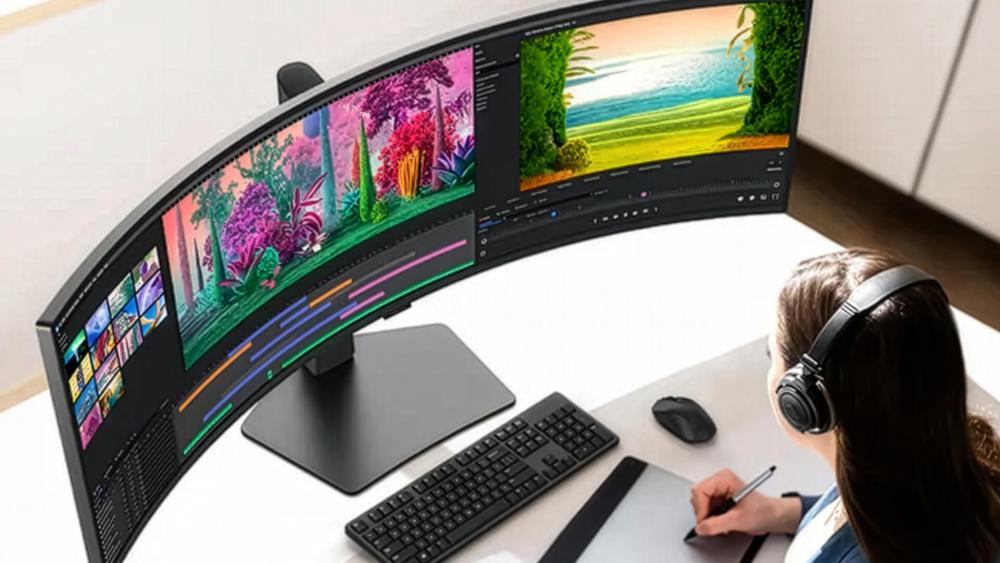
Creative workflows tend to prioritise panel performance over curvature alone. Designers and editors often look for strong colour gamut (DCI-P3/sRGB) coverage and low Delta E values to ensure accuracy. On a quality curved panel, wide-format timelines and detailed imagery can feel more unified across the screen.
A well-built 4K curved PC monitor can also provide consistent brightness and improved contrast, especially in models using advanced backlighting such as a mini-LED backlight. However, precise alignment work, including CAD or technical drafting, may still favour a flat screen for geometric accuracy.
When a Flat 4K Monitor Makes More Sense
Despite their strengths, curved panels are not universally practical. Multi-monitor arrangements are often easier to align with flat screens, particularly in professional environments where symmetry matters.
Budget can also influence the decision. In some cases, opting for a flat panel allows you to invest more in panel quality or a higher refresh specification within the same price range. For collaborative spaces where multiple people view the screen from different angles, a flat design may also feel more consistent.
A curved 4K display is best suited to users who sit centrally and value immersion in a single-screen setup. Others may find that a traditional flat alternative offers greater flexibility without sacrificing clarity.
Unable to decide which is the best monitor for you? Read our in-depth monitor buying guide and find the right screen according to your needs.
Choosing the Right Screen Size for 4K Resolution
Screen size plays a major role in how a 4K curved monitor actually feels in daily use. While 4K resolution provides the same pixel count regardless of panel size, the physical dimensions affect sharpness, comfort, and how much usable workspace you gain. Choosing the right size is less about chasing the biggest screen and more about balancing clarity, desk space, and seating position.
When deciding on a curved 4K screen, it's worth considering how pixel density (PPI), viewing distance, and ergonomics interact together.
27-inch vs 32-inch at 4K (Pixel Density Explained)
At 27 inches, a 4K panel delivers very high pixel density. Text appears extremely sharp, and fine detail stands out clearly. However, many users find that interface elements can look small at default settings on a 27-inch monitor, making Windows scaling almost essential for comfortable daily use.
Moving to 32-inch monitors spreads those same pixels across a larger surface. The result is a slightly lower PPI compared to 27 inches, but still more than sharp enough for office work, gaming, and content consumption. For many people, 32 inches feels like the natural sweet spot for a 4K resolution monitor, offering strong clarity without overly aggressive scaling adjustments.
If your desk allows it, a 32-inch 4K curved monitor often provides a more relaxed viewing experience than a smaller panel, especially for multitasking.
Is a 34-inch curved too wide for 4K?
A 34-inch curved screen typically uses an ultrawide aspect ratio rather than standard 16:9. While it may look similar to a traditional 4K display at first glance, many 34-inch models run at 3440 x 1440 instead of full 3840 x 2160 resolution.
For users specifically looking at 4K Ultra HD monitors, it's important to confirm the actual resolution. A true 4K panel provides greater vertical space, which can be beneficial for productivity tasks such as document editing and coding.
That said, a 34-inch ultrawide curved panel can still feel expansive and immersive. The key is understanding whether you value vertical sharpness and detail, or horizontal workspace and cinematic gaming.
Ideal Viewing Distance for 4K Curved Monitors
Resolution and size should always be matched with the appropriate viewing distance. Sitting too close to a large panel can make the image feel overwhelming, while sitting too far away reduces the benefit of 4K clarity.
As a general guide:
- 27-inch screens work comfortably at around 50–70 cm.
- 32-inch panels often feel more natural at 60–80 cm.
- Larger curved screens may require deeper desks to maintain comfortable positioning.
A curved design can help maintain a consistent distance between your eyes and the screen edges, particularly on wider panels. This is where curvature becomes practical rather than purely aesthetic.
Desk Depth and Ergonomic Considerations
Before committing to a larger display, measure your desk. A large curved monitor typically needs more depth than a flat screen to maintain a natural seating position. If the panel includes a deeper stand, the effective footprint can increase further.
Height adjustment, tilt range, and VESA mounting support also influence long-term comfort. Ergonomic positioning ensures the top of the screen sits near eye level and reduces strain during extended sessions.
Selecting the right size isn't about maximum dimensions; it's about how comfortably the display integrates into your workspace. The right 4K curved monitor should feel balanced within your desk environment rather than dominating it.
Understanding Curvature (1000R vs 1500R vs 1800R)
Curvature is often treated as a cosmetic feature, but it directly influences how a 4K curved monitor feels during extended use. The number attached to the curve rating represents the radius of a theoretical circle that the screen would form if completed. In practical terms, it indicates how tightly the panel bends toward you.
Choosing between different curve ratings is less about aesthetics and more about immersion, comfort, and desk positioning. The tighter the curve, the more noticeable the wraparound effect becomes.
What Curvature Numbers Actually Mean
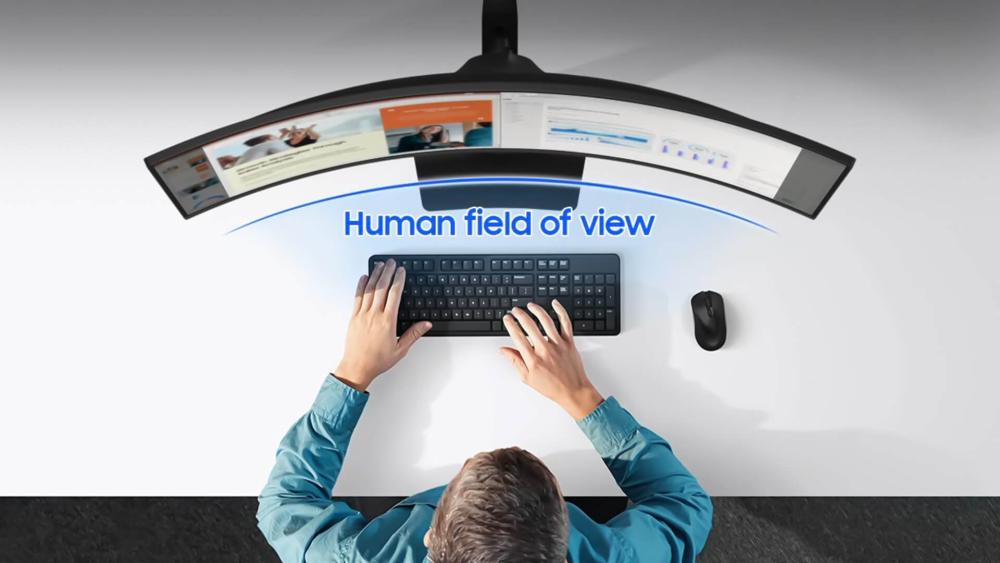
- A 1000R curvature forms part of a 1000mm radius circle. This is considered a tight curve and closely matches the natural field of human vision. It creates a stronger sense of depth, especially on larger displays.
- A 1500R curvature is slightly gentler. It still draws the edges inward but feels less dramatic than 1000R. Many users find this balance comfortable for mixed use.
- An 1800R curvature is subtler again. On mid-sized panels, it may feel only mildly curved, which can suit those who want some immersion without an aggressive wraparound effect.
On a larger 4K curved monitor, tighter curvature becomes more noticeable because the physical width of the screen increases.
Tighter Curves for Gaming vs Work
Gaming tends to benefit most from tighter curves. A 1000R panel can enhance peripheral engagement in racing games, flight simulators, and open-world environments. When paired with fast refresh screens, the combination of smooth motion and immersive depth can feel particularly cohesive.
For productivity and office work, a gentler curve such as 1500R or 1800R often feels more natural. It provides subtle edge alignment without distorting straight lines in spreadsheets or design layouts.
The choice here depends on how centrally you sit and how wide the display is. Larger panels amplify curvature, so tighter ratings may feel more intense at 32 inches and above.
Eye Comfort and Immersion Factors
One of the practical advantages of curvature is maintaining a more consistent distance between your eyes and different parts of the screen. On a flat, wide display, the edges sit slightly farther away than the centre. A curved panel reduces that variation.
For users working long hours, this can create a more uniform visual experience. The effect is particularly noticeable on a large curved monitor, where outer edges would otherwise require subtle head movement.
What Refresh Rate Do You Actually Need?
Refresh rate determines how many times per second your screen updates the image. On ultra-sharp display panels, this affects motion clarity, responsiveness, and overall smoothness. While resolution defines sharpness, refresh rate defines fluidity.
Not everyone needs the same specification. The right choice depends on whether you prioritise cinematic visuals, competitive gaming, or general desktop use.
60Hz vs 120Hz vs 144Hz at 4K
A 60Hz panel is sufficient for office tasks, media streaming, and slower-paced games. It keeps costs and hardware requirements lower while still delivering full 4K detail.
Moving to a 120 Hz monitor noticeably improves motion smoothness. Cursor movement, scrolling, and gameplay feel more responsive. For many users, 120Hz strikes a sensible balance between clarity and performance.
At 144Hz and above, you enter 4K high refresh rate monitor territory. This level suits competitive players who want reduced motion blur and tighter input feedback. However, the visual improvement is only meaningful if your system can maintain high frame rates consistently.
GPU Requirements for 4K High Refresh Gaming
Driving 4K at high refresh rates demands a powerful graphics card. Modern GPUs from NVIDIA and AMD can manage 4K gaming, but settings often need to be adjusted to sustain high frame rates.
A UHD gaming monitor running at 120Hz or 144Hz will expose performance limitations quickly. If your hardware struggles to push beyond 60 frames per second, investing in a very high refresh model may not provide real benefit.
Balancing GPU capability with panel specification is essential when selecting a 4K display for gaming.
Console Gaming Considerations (HDMI 2.1)
Current-generation consoles support 4K at 120Hz, but only through HDMI 2.1 bandwidth. Without HDMI 2.1, you may be limited to 4K at 60Hz.
If console gaming is a priority, the right monitor for console gaming must include full HDMI 2.1 support rather than relying solely on DisplayPort 1.4, which is more relevant for PC connections.
Bandwidth limitations can quietly restrict performance, so checking port specifications is just as important as checking refresh rate.
Adaptive Sync (FreeSync & G-SYNC compatibility)
Refresh rate alone does not guarantee smooth gameplay. Adaptive sync technologies, including AMD FreeSync and NVIDIA G-SYNC compatibility, align the monitor's refresh cycle with the GPU's frame output.
This reduces screen tearing and minimises stutter when frame rates fluctuate. Combined with lower response time (GtG), it improves clarity during fast motion sequences.
For gaming-focused setups, pairing higher refresh rates with adaptive sync support ensures that a 4K curved monitor performs consistently rather than just looking impressive on paper.
IPS vs VA vs OLED: Which Panel Type Is Best?
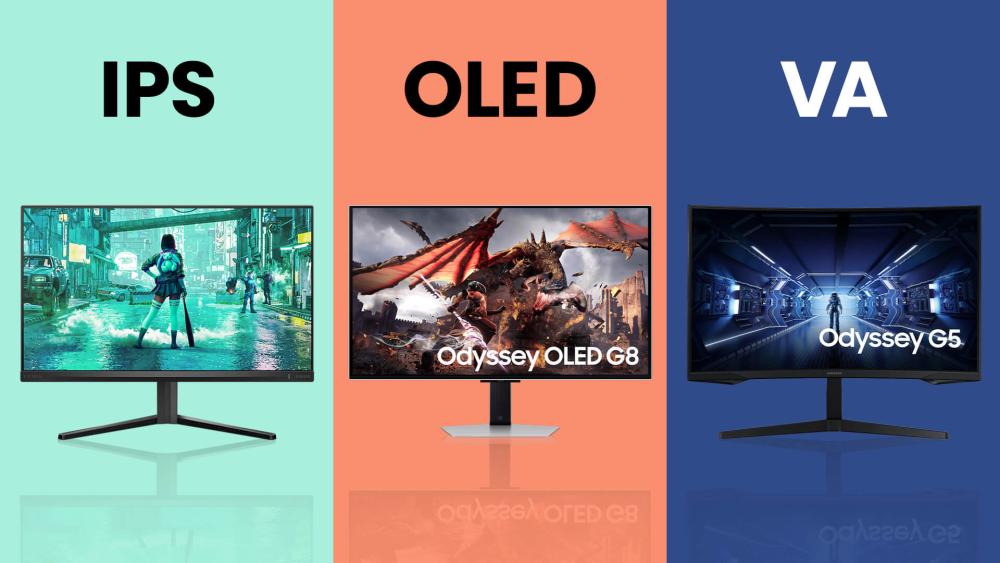
Panel technology shapes how curved display options handle colour, contrast, and motion. While resolution and refresh rate often receive more attention, the underlying panel type determines how the image actually looks in daily use. IPS, VA, or OLED technologies suit different priorities, so it helps to focus on what matters most in your workflow.
- IPS Panel: An IPS panel is known for strong colour accuracy and wide viewing angles. It suits users who prioritise consistent image quality across the screen, particularly for design and editing tasks. Many consider IPS the safest all-round choice among modern monitor panel types, especially when colour precision matters.
- VA Panel: VA panels deliver deeper blacks and higher contrast ratios than most IPS alternatives. This makes them appealing for gaming and media consumption, particularly in darker environments. On a curved display, the enhanced contrast can add noticeable depth without requiring extreme brightness levels.
- OLED Panel: OLED technology offers near-instant response time (GtG) and exceptional contrast because each pixel emits its own light. This results in true blacks and highly detailed shadow areas. However, long-term concerns such as OLED burn-in should be considered for static-heavy workloads.
Essential Connectivity & Features to Consider
Beyond size and panel type, connectivity determines how smoothly a 4K curved monitor integrates into your setup. Ports, bandwidth, and built-in features can influence refresh rate support, cable management, and daily convenience. Checking these details early prevents limitations later and helps you buy the best 4K monitor as per your needs. Also, using compatible display connectivity accessories is very important for a smooth setup.
- HDMI 2.1 and DisplayPort: For 4K at 120Hz on consoles, full HDMI 2.1 bandwidth is essential. PC users often rely on DisplayPort 1.4, which supports high resolutions and refresh rates with compatible GPUs. Choosing the right port ensures you actually achieve the performance the panel advertises.
- USB-C with Power Delivery: A USB-C connection with USB-C power delivery allows a single cable to carry video, data, and charge a laptop simultaneously. This is particularly useful in hybrid work setups where desk space and cable management matter.
- Built-in KVM Switch: A monitor with a KVM switch lets you control two connected devices using one keyboard and mouse. This can simplify switching between a work laptop and a desktop PC without additional peripherals.
- HDR Support: Basic HDR10/DisplayHDR certification indicates the monitor can process high dynamic range content, but brightness levels vary by model. Panels using a mini-LED backlight often deliver stronger peak brightness and improved contrast compared to standard LED designs.
Final Words: The Best 4K Curved Monitors for Every Need
After comparing size, curvature, refresh rate, and panel type, the final step is narrowing the choice to what genuinely fits your routine. A 4K curved monitor can serve different priorities, but the ideal specification changes depending on whether you game, work, or create most of the time.
- If You Game Mostly: Look for a 4K gaming monitor with a 32-inch panel, 120Hz refresh and adaptive sync support. A VA or OLED panel can enhance contrast in darker scenes, while ensuring your GPU can handle 4K at higher frame rates is essential. HDMI 2.1 is important for console players.
- If You Work Mostly: A 27-inch or 32-inch IPS panel offers strong clarity and stable colour. To get the best 4K monitor for office setups, focus on comfortable viewing distance, height adjustment, and USB-C connectivity for cleaner desk setups. Extremely high refresh rates are less critical here.
- If You Create Content: Prioritise an IPS or OLED panel with wide colour gamut (DCI-P3 / sRGB) coverage and low Delta E accuracy. Consistent brightness and reliable calibration matter more than aggressive curvature or maximum refresh speeds.
Frequently Asked Questions
What is the best size for a curved monitor?
For most users, 32 inches offers the most balanced experience at 4K. It provides strong clarity without requiring aggressive scaling and feels immersive without overwhelming a standard desk. Smaller 27-inch models appear sharper due to higher pixel density, while larger panels require more viewing distance.
Is 1000R or 1800R more curved?
1000R is more tightly curved than 1800R. The lower the number, the tighter the curve. A 1000R screen feels more immersive, particularly for gaming, while 1800R provides a gentler curve that many people find more natural for office work.
How far should you sit from a 1000R curved monitor?
For a 27-inch panel, around 50 to 70 cm is typically comfortable. A 32-inch model often works best between 60 and 80 cm. Sitting at the correct distance helps maintain visual comfort and ensures the curve aligns with your field of view.
What is the best refresh rate for a 4K monitor?
For general use, 60Hz is sufficient. For gaming, 120Hz offers noticeably smoother motion and better responsiveness. Higher refresh rates can provide additional fluidity, but only if your graphics hardware can consistently maintain high frame rates at 4K.
Does 4K look better on 27-inch or 32-inch screens?
A 27-inch 4K screen appears slightly sharper due to higher pixel density. A 32-inch model still looks crisp but offers larger interface elements and a more relaxed viewing experience. The better option depends on desk space, viewing distance, and whether you prefer maximum sharpness or greater screen real estate.
Are curved 4K monitors good for office work?
Yes, particularly in single-monitor setups. A curved design can make wider screens feel more cohesive and reduce excessive head movement. However, flat panels may be easier to align in multi-monitor environments.
You can pay with:
*PayPal Credit Representative Example: Assumed credit limit £1,200, Representative 23.9% APR (variable). Purchase rate 23.9% p.a (variable).Terms & Conditions apply.


PayPal Credit and PayPal Pay in 3 are trading names of PayPal UK Ltd, 5 Fleet Place, London, United Kingdom, EC4M 7RD. Terms and conditions apply. Credit subject to status, UK residents only, Five Tech LTD acts as a broker and offers finance from a restricted range of finance providers. PayPal Pay in 3 is not regulated by the Financial Conduct Authority. Pay in 3 eligibility is subject to status and approval. 18+. UK residents only. Pay in 3 is a form of credit. Check if affordable and how you will repay. May make other borrowing more difficult or expensive. See product terms for more details.
Copyright © 1996-2026 Fivetech LTD | Terms and Conditions
box.co.uk & Box are trading names of Five Tech Limited. Registered office: Box LTD, Unit 10 Woodford Trading Estate, Woodford Green IG8 8HF