


 Menu
MenuMenu


Get Sales Advice from Mon - Fri 9am - 5:00pm:
020 3337 8950POSTED: May 11, 2026
Why Buy an RTX Laptop? Top Reasons to Consider
RTX laptops have become popular because they offer more than basic laptop graphics. They are built for smoother gaming, better visuals, faster creative work, and newer AI-powered features, all in a portable machine.
For gamers, the appeal is clear. An RTX laptop can help with higher frame rates, sharper visuals, ray tracing, and DLSS support in modern titles. For creators and professionals, the same GPU power can also help with editing, rendering, streaming, and heavier software.
So, should you buy an RTX laptop in 2026? This guide breaks down the real benefits, who they suit best, what to check before buying, and how to choose between affordable RTX laptops and more powerful options.
What Is an RTX Laptop and How Does It Work?
If this is your first time buying an RTX laptop, it is better to know about it in detail. An RTX laptop is a machine with a dedicated NVIDIA RTX GPU inside. That GPU handles the heavy visual work in games, creative apps, streaming tools, and AI-supported tasks, so the laptop is not relying only on the processor or basic integrated graphics.
What Does “RTX” Actually Mean?
RTX (Ray Tracing Texel eXtreme) is NVIDIA’s graphics platform for real-time lighting, AI-enhanced performance, and GPU acceleration. In simple terms, it helps games look more realistic, run smoother, and support newer visual features that standard laptop graphics cannot handle as well.
RTX is also widely supported now, with hundreds of games and apps using RTX features for visuals, performance, or AI tools. That is a big reason many buyers look at RTX when choosing a modern gaming or creator laptop.
RTX vs GTX: What’s the Difference?
The main difference to consider in the RTX vs GTX laptop comparison is feature support. GTX laptops can still run games, but they are older and do not offer the same level of ray tracing, AI-powered upscaling, or creator-focused acceleration.
Rated among the top laptops in the world, RTX machines are better suited to modern games and heavier software because they include dedicated hardware for newer graphics features. That makes them more useful if you want better visuals, higher frame rates, or a laptop that feels more current in 2026.
Key Technologies Behind RTX (Ray Tracing, DLSS, AI Cores)
The key RTX laptop advantages come from the GPU features working together.
- Ray tracing: Improves lighting, reflections, and shadows in supported games, which helps scenes look more realistic.
- DLSS: Uses AI to boost frame rates and improve smoothness in supported games, especially when settings are demanding.
- Tensor Cores: Power the AI side of RTX, including DLSS and other AI acceleration features.
- CUDA cores: Help with graphics, rendering, and compute-heavy tasks in games and creative software.
That is why RTX laptops are not only for gaming. The same graphics power can also help with video editing, rendering, streaming, design tools, and other creative workloads where a stronger GPU makes the laptop feel much quicker.
Top Reasons to Buy an RTX Laptop in 2026
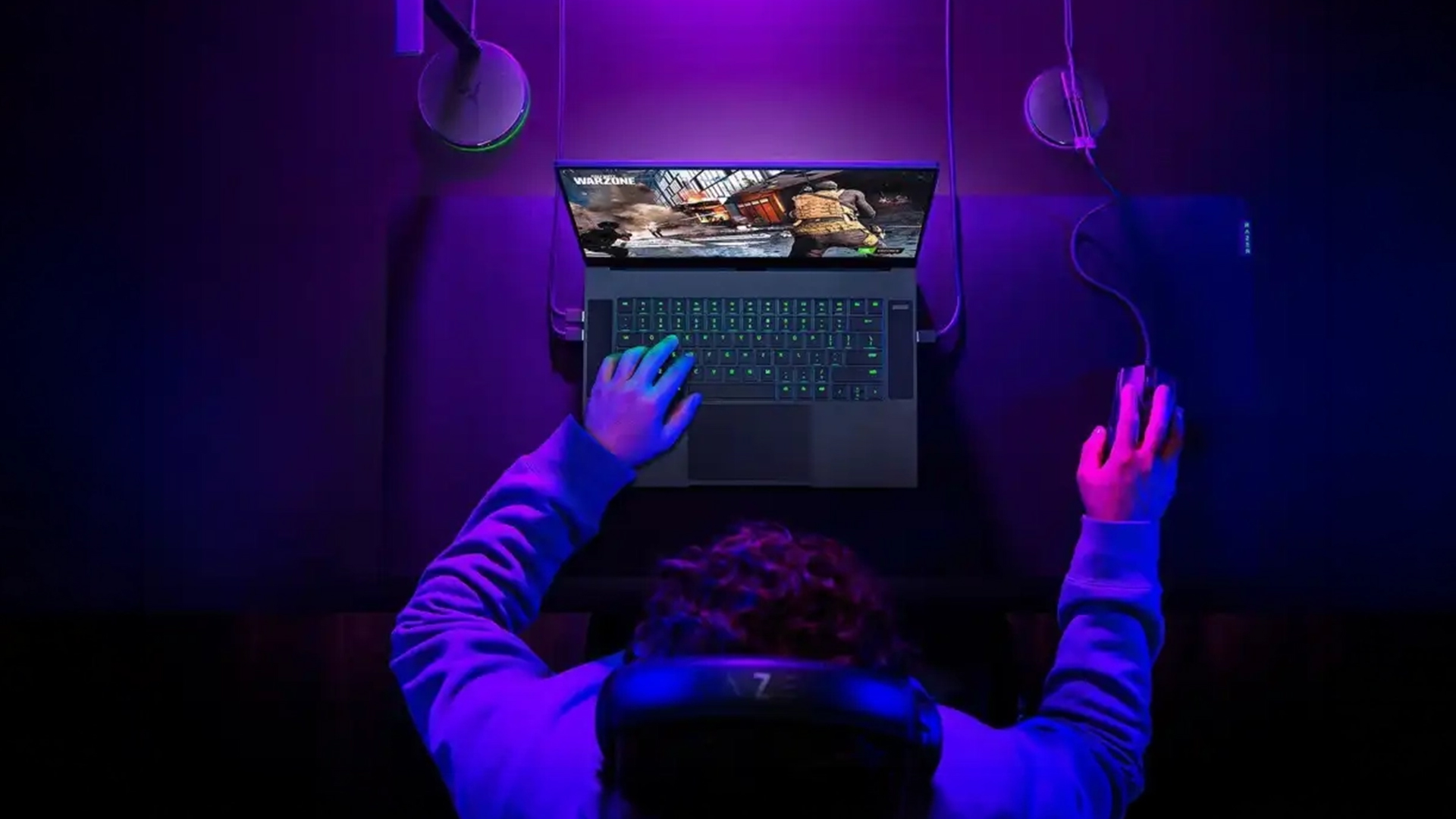
An RTX laptop makes sense when you want one machine that can handle gaming, streaming, creative work, and heavier everyday software without feeling limited. The biggest wins are smoother performance, better visuals, and features that help the laptop stay useful for longer.
Real-Time Ray Tracing for Ultra-Realistic Graphics
Ray tracing is one of the clearest visual upgrades when it comes to an RTX laptop for gaming. It makes lighting, shadows, and reflections look more natural in supported games, which is especially noticeable in story-driven titles, racing games, and cinematic open-world releases. It will not matter in every game, but when it is used well, it gives a more premium feel than a basic graphics setup.
DLSS for Higher FPS Without Sacrificing Quality
DLSS is a major reason why many players choose gaming laptops with RTX GPUs. Instead of relying only on raw power, it uses AI upscaling to help improve frame rates while keeping image quality sharp.
On newer RTX 50 laptops, DLSS 4 with Multi Frame Generation can boost performance in supported games, which is especially useful when playing demanding titles on higher settings or high-refresh displays.
AI-Powered Performance Enhancements
Modern RTX laptops are also useful beyond games. AI features can help with background effects, streaming tools, image generation, upscaling, and supported productivity apps.
That matters if you want a laptop that feels ready for modern software, not just today’s games. It is one of the practical reasons to buy RTX laptop if you want more than basic graphics power.
Future-Proof Hardware for Upcoming Games & Software
Newer games and apps are becoming more GPU-heavy, so having RTX hardware gives you more breathing room. This is where RTX 50 laptops and RTX 40 series laptops both remain relevant, depending on your budget and performance needs.
RTX is also widely supported now, with over 800 games and applications using RTX features, including ray tracing, DLSS, and AI-powered performance tools.
Better Performance for Creative Workloads
RTX laptops are not only for gamers. They can also help with video editing, 3D rendering, livestreaming, design work, and AI-assisted creator tools.
For creators, NVIDIA Studio laptops are worth considering because they are built around RTX GPU acceleration, Studio drivers, and optimised performance in creative apps. This makes them a stronger fit for editing, rendering, and content production than a standard laptop with basic graphics.
Who Should Buy an RTX Laptop?
An RTX laptop is a strong fit if your laptop needs to do more than browse, stream, and handle basic work. The best match is someone who wants gaming power, creator-friendly performance, or smoother handling of GPU-heavy tasks in one portable machine.
- Gamers who care about FPS: If you play shooters, racing games, battle royale titles, or fast multiplayer games, RTX laptops for FPS gaming make sense. Features like Reflex 2 are designed to reduce system latency in supported competitive games, which can help gameplay feel more responsive.
- Creators who edit, render, or stream: Video editors, 3D artists, streamers, and designers can benefit from the extra GPU power. RTX laptops are especially useful when your apps can use GPU acceleration instead of relying only on the CPU.
- Students using heavier software: Design, engineering, media, coding, and AI-related courses can all push a normal laptop harder than expected. An RTX model gives more room for project work, multitasking, and software that benefits from dedicated graphics.
- Professionals who want one portable setup: For users who move between home, office, and client work, RTX models can act like portable workstation laptops without needing a desktop for every demanding task.
- Budget-conscious gamers: The best value RTX laptops are usually the ones that balance GPU, CPU, RAM, storage, cooling, and display quality properly. A cheaper RTX model can still be a smart buy, but only if the full spec matches how you plan to use it.
RTX Laptop vs Non-RTX Laptop: Is It Worth the Upgrade?
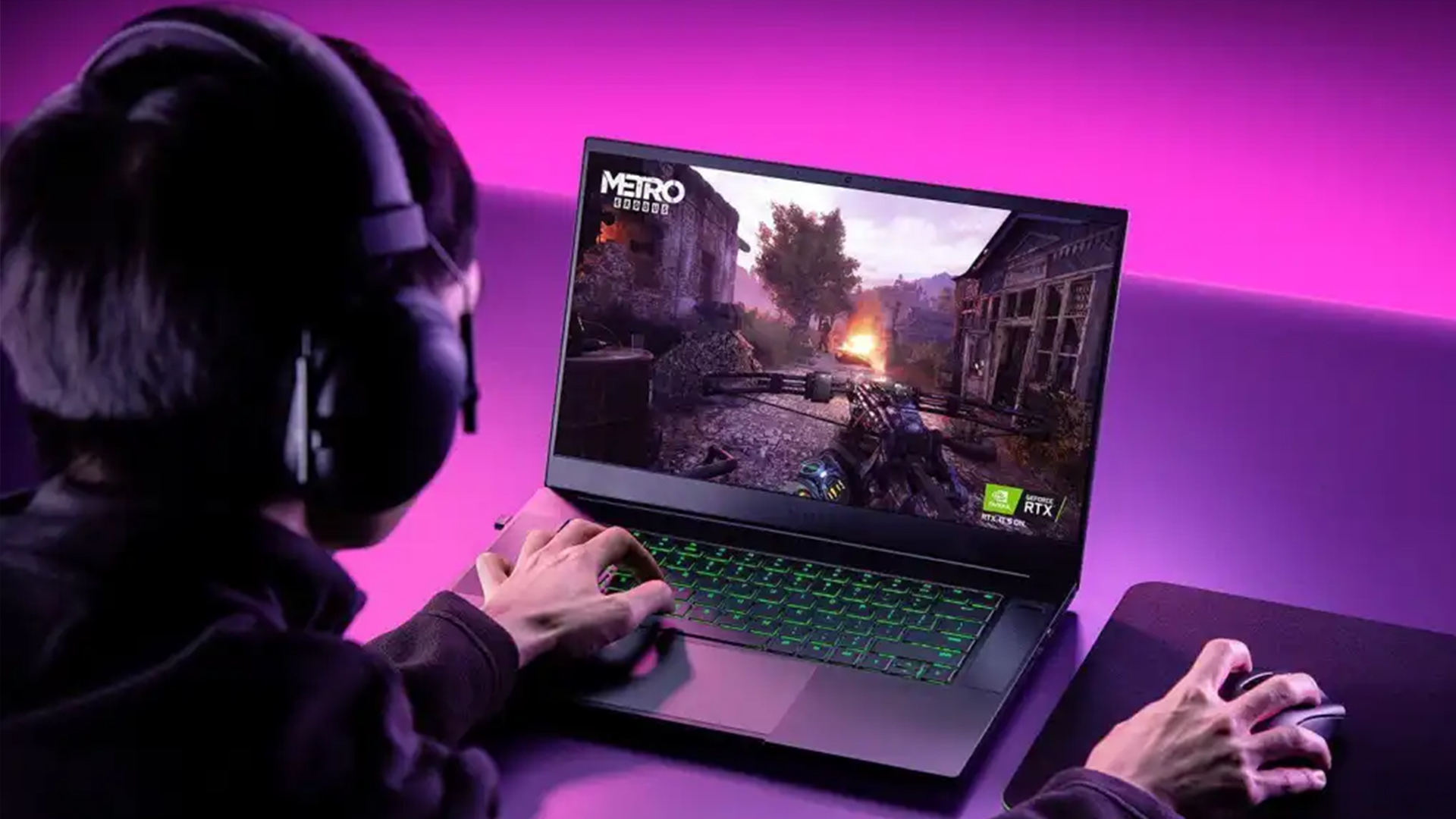
Upgrading to an RTX laptop is mainly about what you want the laptop to handle. If you only browse, stream, and use office apps, you may not feel the difference every day. If you game, edit, render, stream, or use GPU-heavy tools, the gap becomes much clearer.
Performance Comparison in Gaming
A non-RTX laptop can still be fine for light games, older titles, and basic everyday use. The issue comes with modern games that rely on newer graphics features, upscaling, and stronger dedicated GPU power.
An RTX model gives you a better route into smoother gameplay, higher settings, and stronger performance in supported titles. If you are doing an RTX laptop performance comparison with non-RTX machines, the RTX options are better suited for enthusiasts and people who want to get maximum output from their machines.
Productivity & Creative Software Benchmarks
For creative work, RTX laptops have a bigger advantage when software can use the GPU properly. Adobe Premiere Pro uses GPU acceleration to help with playback, rendering, and export, while Blender can use GPU rendering through technologies such as CUDA and OptiX.
That makes RTX more useful for video timelines, effects, 3D scenes, rendering previews, and heavier creator projects. A non-RTX laptop can still do those jobs, but it will usually lean more heavily on the CPU and may feel slower under load.
Power Consumption and Battery Considerations
RTX laptops use more power when the GPU is active, especially during gaming, rendering, or streaming. That means battery life will usually drop faster under heavy workloads.
For light tasks, many laptops can switch to lower-power modes or integrated graphics. So, the trade-off is simple: you get much better performance when plugged in, but you should not expect long battery life while gaming at full power.
Price vs Value: What Are You Really Paying For?
The extra cost is not just for a higher spec sheet. You are paying for stronger gaming performance, better creative acceleration, newer graphics features, and more flexibility over the life of the laptop.
So, is an RTX laptop worth it? Yes, if you will use the GPU for games, content creation, streaming, 3D work, or demanding software. If your use is basic, a non-RTX laptop may be the better-value choice.
Things to Consider Before Buying an RTX Laptop
Specs matter more than the RTX badge alone. Two laptops can use the same GPU name but perform differently because of cooling, power limits, CPU pairing, RAM, storage, and display quality.
Choosing the Right RTX Laptop GPU
Start with the GPU tier that matches your use case. An RTX 5050 laptop or lower-end RTX options, such as RTX 4060 laptops, RTX 4070 laptops, RTX 4080 gaming laptops, and RTX 4090 laptops, are usually more balanced picks for players who want stronger everyday performance.
If you want the perfect balance, RTX 5060 laptops and RTX 5070 laptops are great picks. For maximum performance and higher settings, RTX 5070 Ti laptops, 5080 gaming laptops, and 5090 laptops are the best options. They are perfect for premium gaming, creative workloads, and can work as desktop-replacement setups.
NVIDIA’s RTX 50 Series laptop range is built on Blackwell and supports DLSS 4, while RTX 40 Series laptops use Ada Lovelace with DLSS 3 support.
CPU, RAM and Storage Pairing
A strong GPU still needs the right parts around it. For most gaming laptops, 16GB RAM is the practical starting point, while 32GB is better for creators, heavy multitasking, and larger projects.
Storage is just as important. Modern games are large, so a 512GB SSD can fill up quickly. A 1TB SSD gives much more breathing room if you install several games, editing apps, and project files.
Cooling Systems and Thermal Performance
Cooling can make or break laptop performance. A slim chassis with a powerful GPU may look great, but if the cooling system cannot keep up, performance can drop during long gaming or rendering sessions.
This is why GPU power limits matter. Laptop GPUs can run at different wattages depending on the model, so two laptops with the same RTX GPU may not perform the same. Always check cooling design, power rating where listed, fan noise, and real-world performance before buying.
Display Quality
For gaming, look for a high refresh rate panel, ideally 144Hz or above. This matters most in shooters, racing games, and fast multiplayer titles where smooth motion feels better.
For creators, colour accuracy, brightness, resolution, and panel type matter more. A sharper QHD or OLED display may be worth paying extra for if you edit video, create artwork, or use the laptop for visual work.
Budget Planning for UK Buyers
In the UK, the best budget RTX laptops usually sit around the lower end of the market and focus on 1080p gaming. Mid-range models are often where the best balance sits, especially if you want decent cooling, a better display, and enough RAM.
Higher-end models cost more, but they can make sense if you want one machine for serious gaming, editing, streaming, or 3D work. The best approach is to avoid buying on GPU name alone and compare the full spec before choosing from affordable RTX laptops in the UK.
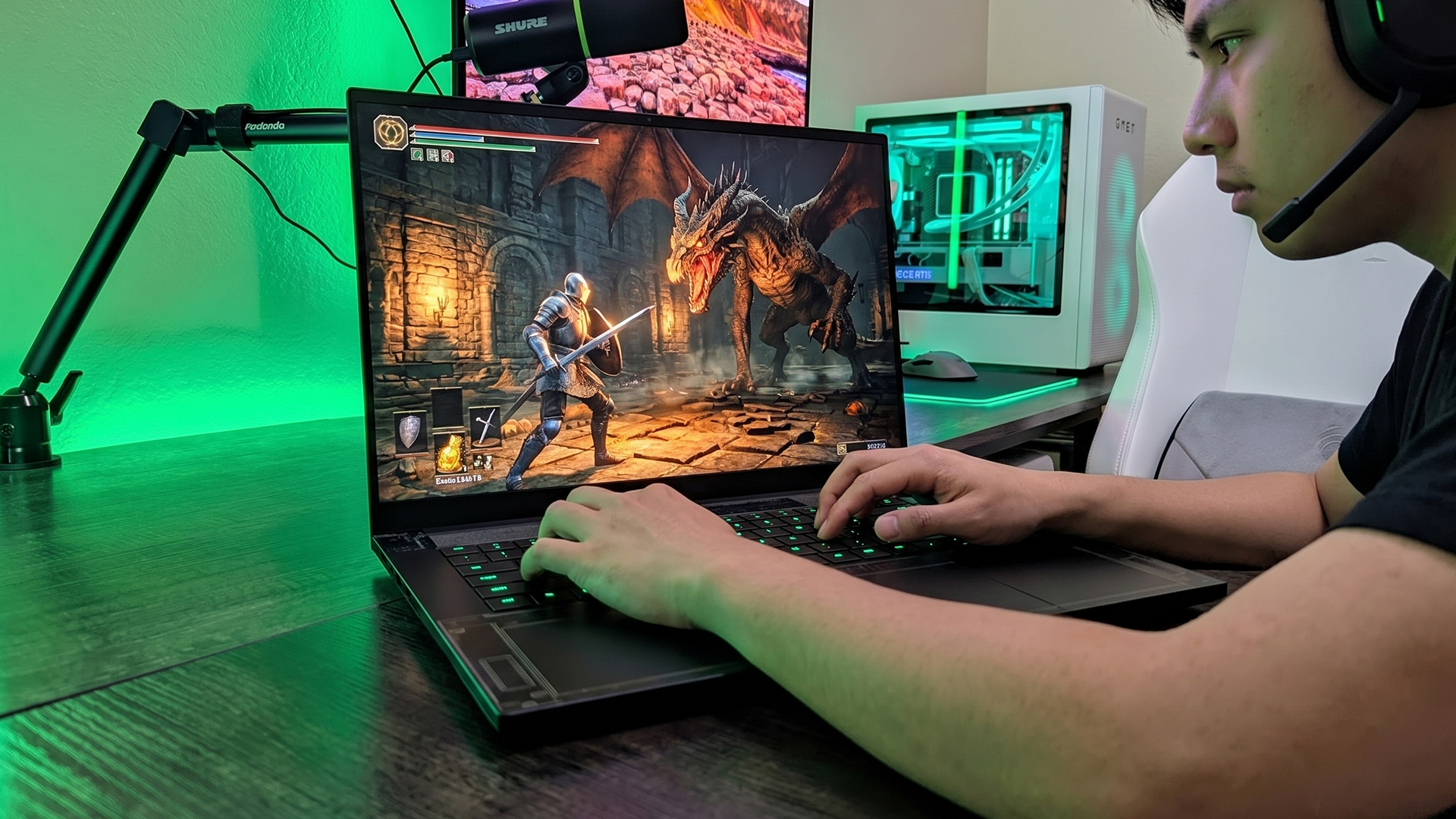
Final Verdict: Are RTX Laptops Worth It in 2026?
For most gamers and creators, yes, RTX laptops are totally worth it in 2026. The strongest reason to buy RTX laptop models is that they combine gaming performance, ray tracing, DLSS, AI tools, and creator support in one portable machine. NVIDIA’s current RTX 50 Series laptops are built around Blackwell, DLSS 4, Reflex 2, Max-Q, and Studio features, while RTX 40 Series laptops remain relevant for buyers who want strong performance at a lower price.
If you are asking, “Should I buy an RTX laptop instead of a standard machine?” the answer depends on your workload. For gaming, editing, streaming, design, 3D work, and AI-supported apps, RTX makes sense. For browsing, office work, emails, and streaming video, it can be overkill. In that case, you are paying for power you may rarely use.
The right choice comes down to budget and use case. The best RTX laptops are usually the models with a balanced GPU, CPU, RAM, cooling system, and display. For everyday gamers, mid-range RTX models often make the most sense.
Frequently Asked Questions
Are RTX laptops worth it for gaming in 2026?
Yes, they are worth it if you play modern games and want smoother frame rates, better visuals, ray tracing, and DLSS support. RTX 50 Series laptops also support newer features like DLSS 4 and Reflex 2, which can help in supported games.
Is RTX better than GTX for everyday use?
For basic browsing, emails, streaming, and office work, you probably will not notice a huge difference. RTX becomes the better choice when you game, edit videos, stream, render, or use software that benefits from dedicated GPU power.
How long will an RTX laptop last?
A good RTX laptop can last several years if you choose the right spec. For gaming, the GPU, cooling system, RAM, and display matter most. A mid-range or higher RTX laptop will usually age better than the cheapest entry-level model.
Do you need RTX for video editing or 3D work?
You do not always need RTX, but it helps a lot if you work with heavier projects. Apps like Premiere Pro and Blender can use GPU acceleration for playback, rendering, exports, or 3D workloads, so an RTX laptop can save time in creative work.
What is the cheapest RTX laptop worth buying in the UK?
The cheapest one worth buying is usually not the absolute lowest-priced model. Look for a laptop with at least an RTX 4050 or newer entry-level RTX GPU, 16GB RAM, SSD storage, and a decent 1080p display.
You can pay with:
*PayPal Credit Representative Example: Assumed credit limit £1,200, Representative 23.9% APR (variable). Purchase rate 23.9% p.a (variable).Terms & Conditions apply.


PayPal Credit and PayPal Pay in 3 are trading names of PayPal UK Ltd, 5 Fleet Place, London, United Kingdom, EC4M 7RD. Terms and conditions apply. Credit subject to status, UK residents only, Five Tech LTD acts as a broker and offers finance from a restricted range of finance providers. PayPal Pay in 3 is not regulated by the Financial Conduct Authority. Pay in 3 eligibility is subject to status and approval. 18+. UK residents only. Pay in 3 is a form of credit. Check if affordable and how you will repay. May make other borrowing more difficult or expensive. See product terms for more details.
Copyright © 1996-2026 Fivetech LTD | Terms and Conditions
box.co.uk & Box are trading names of Five Tech Limited. Registered office: Box LTD, Unit 10 Woodford Trading Estate, Woodford Green IG8 8HF