


 Menu
MenuMenu


Get Sales Advice from Mon - Fri 9am - 5:00pm:
020 3337 8950LAST UPDATED: March 19, 2026
Why 8GB RAM Chromebooks Deliver Better Multitasking and Productivity
If you use a Chromebook for more than just a couple of browser tabs and the odd email, RAM starts to matter surprisingly quickly. That is exactly why 8GB RAM Chromebooks have become a much more practical sweet spot for buyers who want smoother multitasking, better productivity, and a Chromebook that still feels capable a year or two down the line.
For a long time, cheap ChromeOS laptops were mostly sold with 4GB RAM, which was fine for lighter browsing, streaming, and basic study tasks. But ChromeOS has moved on. Modern Chromebooks now juggle more browser tabs, Android apps, Linux tools, video calls, cloud-based work, and Google AI features than they used to. Google’s own Chromebook Plus platform reflects that shift, with 8GB RAM now part of the baseline spec for those higher-performance devices.
This guide will help you understand why 8GB Chromebook options make more sense for modern workloads, and how that extra memory improves the experience for students, remote workers, office users, and anyone who wants a Chromebook to feel properly responsive rather than merely "good enough". We will also cover some excellent Chromebooks from different brands like HP, Acer, and ASUS to help you choose the right option. So, let’s get to it.
Why RAM Matters on Chromebooks
When people think about laptop performance, they often jump straight to the processor. That does matter, but on a Chromebook, RAM plays a huge role in how smoothly the system handles everyday tasks. RAM is what helps your Chromebook keep active tabs, apps, documents, and background processes ready to go without constantly reloading or slowing down.
That matters because ChromeOS is designed around lightweight, cloud-friendly computing, but "lightweight" no longer means doing one thing at a time. A normal work or study session can easily involve:
- several Chrome tabs
- Gmail or Outlook in the background
- Google Docs or Sheets
- YouTube or Spotify
- a video call
- messaging apps
- cloud file syncing
- maybe even Android or Linux apps
On a 4GB machine, that kind of session can start to feel cramped. On 8GB RAM Chromebooks, there is more headroom for everything to stay open and responsive. That is a big reason why Google’s Chromebook Plus standard starts at 8GB RAM and 128GB storage. Google is effectively signalling that this is the spec level where modern ChromeOS productivity becomes meaningfully more capable.
In simple terms, more RAM does not just help your Chromebook feel faster in synthetic tests. It helps it stay smooth when real life gets messy and you have too many tabs open while trying to finish something before the deadline.
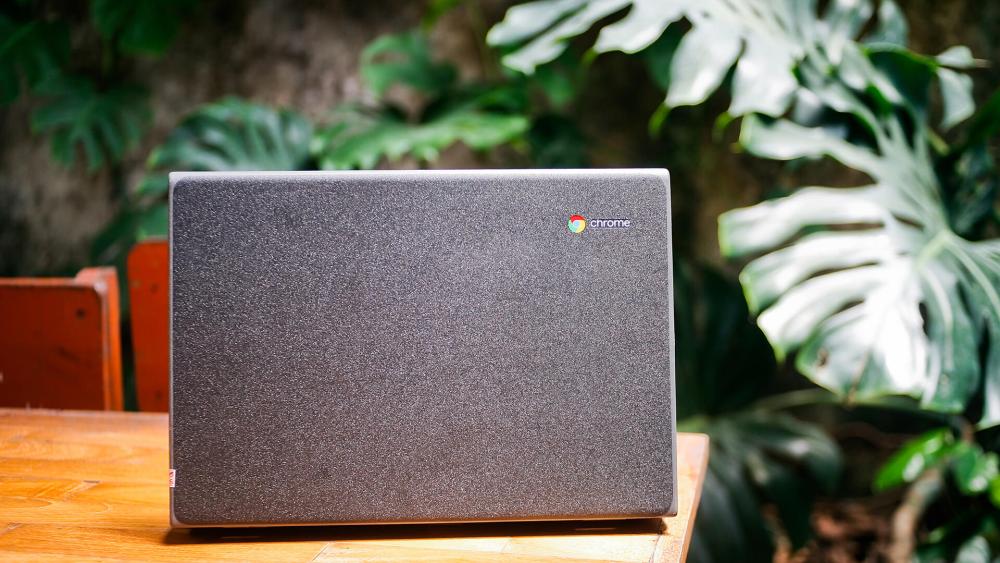
How 8GB RAM Improves Chromebook Multitasking
The strongest argument for 8GB Chromebook devices is not raw power for its own sake. It is smoother multitasking.
More Tabs Without the System Feeling Cramped
Chrome browsers are famously hungry for memory. Open enough tabs on a low-memory machine and you will start to notice refreshes, lag, and a general sense that the device is juggling too much. With Chromebook 8 GB models, that pressure eases. You can keep more tabs active at once and move between them more smoothly.
That does not just help power users either. Students researching an essay, remote workers hopping between browser tools, and everyday users comparing products, streaming media, and replying to emails can all benefit from the extra breathing room.
Better Handling of Video Calls and Background Tasks
Video calls put more strain on a Chromebook than many buyers realise. During a call, the device is not just showing your meeting. It is also handling the browser, webcam, microphone, network traffic, and whatever else you have open at the same time. On a 4GB machine, that can be where performance starts to wobble. On 8GB RAM Chromebooks, there is simply more room to keep things stable.
Fewer Reloads and Less Waiting Around
One of the most annoying signs of low memory is when you go back to a tab and it has reloaded instead of staying where you left it. That is one of those little frustrations that makes a laptop feel cheaper than it should. A Chromebook laptop 8GB RAM setup is much less likely to hit that point in normal use, especially if you are the sort of person who works across several windows at once.
This is where the real Chromebook memory performance benefit shows up. It is not always dramatic. It is just better. And over a long work or study day, that makes a difference.
Why 8GB RAM Feels Better for Productivity, Not Just Speed
8GB RAM Chromebooks tend to feel better for productivity because they reduce friction.
That means:
- switching between tasks more smoothly
- keeping more work visible at once
- handling cloud apps with less hesitation
- feeling less bogged down during busy sessions
- staying more comfortable for longer periods of use
If you only use a Chromebook for quick browsing and occasional streaming, 4GB can still be enough. But if your device is a daily work or study machine, Chromebook 8GB RAM options start making much more sense.
That is also why higher RAM Chromebooks offer better value in the long run. You are not just paying for an extra number on a spec sheet. You are paying for a machine that is less likely to feel overwhelmed by the way people actually use ChromeOS today.
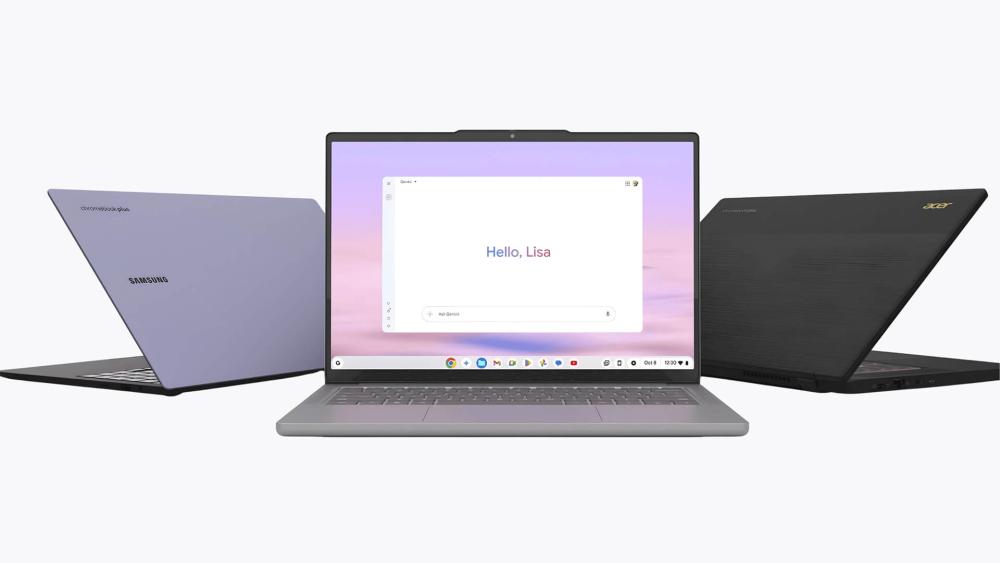
8GB RAM and Chromebook Plus: Why the Spec Matters More Now
One of the clearest signals that 8GB is becoming the new practical standard is Chromebook Plus.
Google’s Chromebook Plus platform is its way of identifying ChromeOS devices that meet a stronger minimum level of hardware and user experience.
That matters because Chromebook Plus is not positioned as niche or overkill. It is positioned as the more capable, productivity-ready version of the Chromebook idea. In other words, Google is effectively saying that if you want a Chromebook that handles modern workloads, AI-assisted tools, and more serious multitasking well, 8GB Chromebook hardware is the right starting point.
This does not mean every 8GB Chromebook is automatically a Chromebook Plus device, and it does not mean 4GB Chromebooks suddenly have no place. But it does reinforce the broader message: ChromeOS has matured, and the devices built to show it at its best generally start with 8GB RAM.
Who Benefits Most from 8GB RAM Chromebooks?
Not everyone needs the same Chromebook. The strongest case for the best Chromebook with 8GB RAM devices depends on how you use your laptop.
Students
Students often have more going on than just one document and one browser tab. Research tabs, online learning portals, PDFs, video lectures, messaging, and note-taking can add up quickly. A Chromebook with 8GB RAM is more likely to stay comfortable during those busier study sessions.
Remote Workers and Hybrid Users
For remote work, ChromeOS can be a great fit, especially if your workflow lives mostly in the browser. The catch is that browser-based work often means lots of tabs, web apps, and meetings. That makes Chromebooks for remote work one of the clearest use cases for 8GB memory.
Office and Admin Users
A lot of office work is browser-heavy now, from cloud dashboards to shared docs and communication tools. Efficient Chromebooks for work need enough memory to keep those tools open without turning simple multitasking into a slog.
Buyers Who Keep Devices Longer
If you are not replacing your Chromebook every year, 8GB gives you a bit more breathing room for the future. ChromeOS is efficient, but workloads do not stand still. Buying a little extra headroom now often helps a device stay comfortable for longer.
Do 4GB Chromebooks Still Make Sense?
Yes, but with limits.
There is still a place for 4GB ChromeOS machines, especially in the budget category. They make sense for:
- very light browsing
- younger users
- second devices
- occasional travel use
- streaming and simple web tasks
The issue is not that 4GB is unusable. It is that if you already know you will multitask heavily, use your Chromebook for daily productivity, or keep lots of browser-based tools open, 8GB RAM Chromebooks are the safer and more comfortable buy.
So, the question is less "Is 4GB bad?" and more "How much do you expect from your Chromebook?" If the answer is "quite a lot", then 8GB is where the conversation gets more compelling.
What to Look for Alongside 8GB RAM
RAM matters, but it is not the only thing that shapes the experience. If you are shopping for a best 8GB RAM Chromebook, it helps to think about the full package.
Processor
A stronger processor helps ChromeOS feel smoother under load. That is part of why newer performance-focused Chromebooks feel so much more capable than older entry-level models.
Storage
A lot of higher-memory Chromebooks also come with better storage. Google’s Chromebook Plus examples start at 128GB, and that extra space helps with downloads, Android apps, and local files.
Display
If you use your Chromebook for writing, research, or office tasks, display quality matters more than buyers sometimes expect. Many stronger 8GB Chromebook options also move up to Full HD or WUXGA screens, which feel better for longer use.
Form factor
Some buyers want a standard clamshell laptop. Others want a Chromebook 2 in 1 8GB RAM setup for flexibility. Brands like ASUS and HP both cover that side of the market, especially in their stronger Chromebook lines. You can find ASUS Chromebooks with touchscreen and 2-in-1 options at Box.
Good 8GB RAM Chromebook Options to Consider
Here are some popular 8GB RAM Chromebook options to choose from:
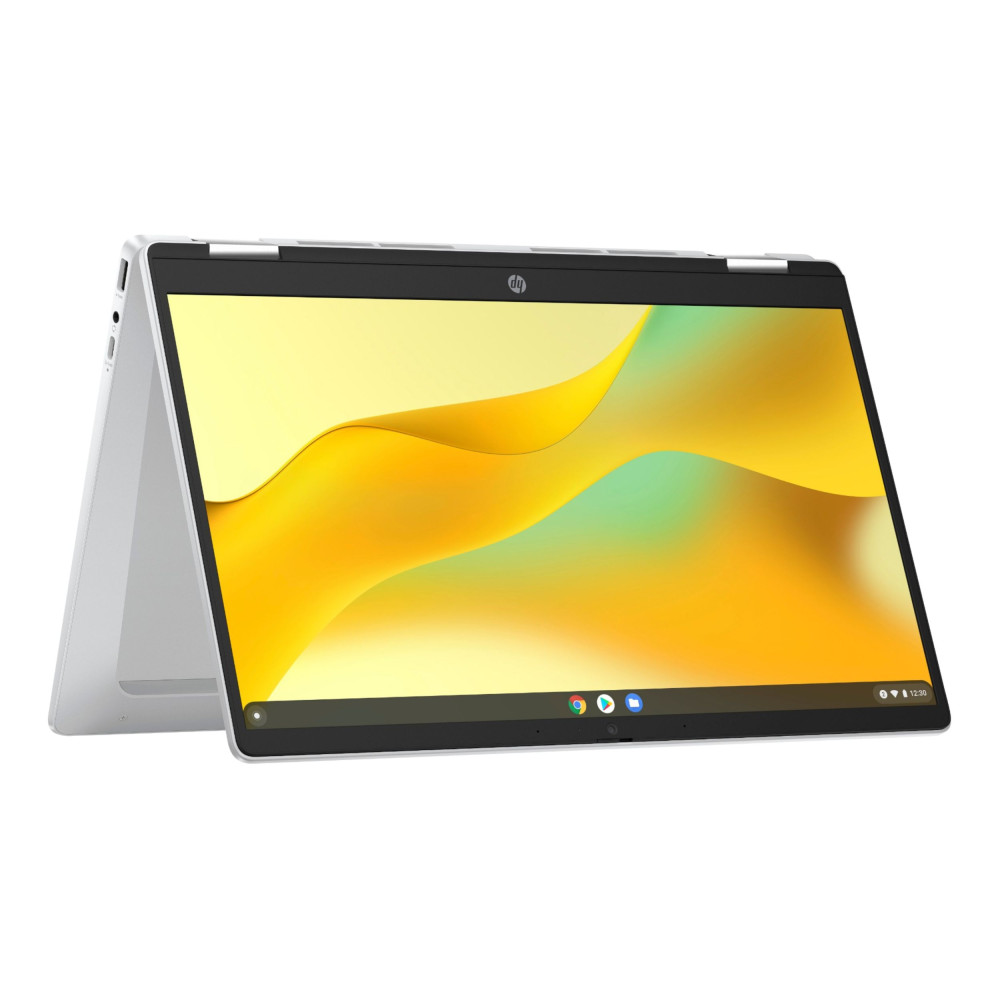
HP Chromebook x360 14b
If you want a Chromebook touchscreen 8GBram or a more flexible 8GB Chromebook 2 in 1, this HP example is useful. With 8GB RAM, 128GB storage, a 14-inch Full HD touchscreen, and a 2-in-1 design, it suits users who want a bit more versatility for work, note-taking, or everyday mixed use.
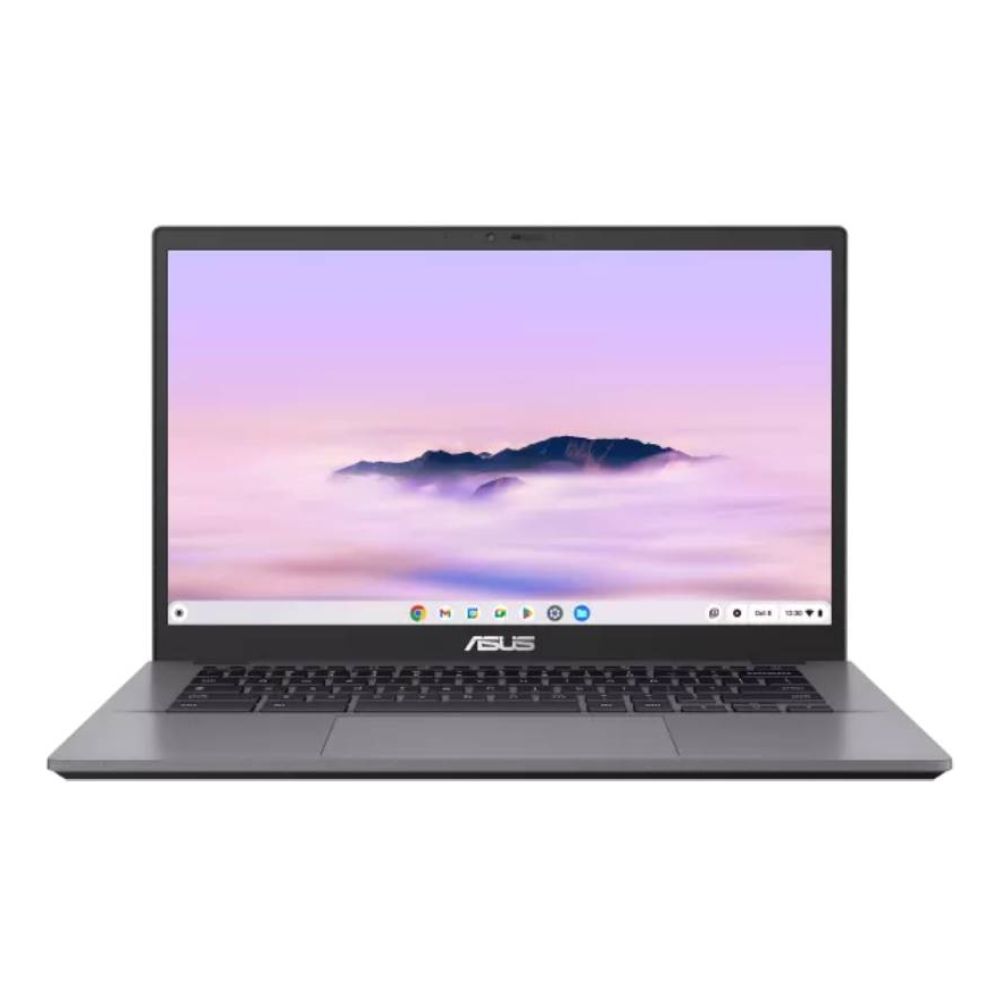
ASUS Chromebook Plus Enterprise CB34
This is a more premium example from ASUS Chromebooks 8GB RAM setup. It pairs 8GB RAM with a Core i3-1315U, 256GB SSD, and a 14-inch Full HD touchscreen. This is a great performance-beast for anyone who wants a laptop for a bit heavier workloads.
Acer Chromebook Plus 514
A strong example from ACER Chromebooks, the Acer Chromebook Plus 514 adds 8GB RAM, 512GB SSD, and a 14-inch WUXGA display with a more capable Intel processor. It reflects the growing role of high-memory Chromebooks in work, study, and more demanding ChromeOS use.
Acer Chromebook Plus 516
This larger Acer model is another good example of how Chromebook laptop 8GB RAM options now reach well beyond basic school machines. With 8GB RAM, 256GB SSD, and a 16-inch WUXGA display, it shows how Chromebook hardware has become much more serious for users who prioritise productivity and workspace comfort.

Are 8GB RAM Chromebooks worth it for work and study?
For a lot of buyers, yes.
If your Chromebook is mainly a streaming machine, the extra RAM may be nice rather than necessary. But if your Chromebook is part of your work, study, or everyday productivity setup, 8GB RAM Chromebooks are usually worth the extra spend.
That is because they are better placed to handle:
- heavier browser use
- longer sessions
- more apps open at once
- online meetings
- AI-assisted ChromeOS tools
- a more future-proof daily workload
This is also where the gap between Chromebook and higher-end business laptops becomes easier to understand. If your workflow grows beyond ChromeOS, you can go for HP Elitebook Laptops and broader HP Laptops ranges at Box. But if your work or study life is already heavily browser-based, an 8GB Chromebook can hit a very practical middle ground: simpler than a Windows laptop, but more capable than an entry-level Chromebook.

Final Thoughts
The real reason 8GB RAM Chromebooks matter is not because bigger numbers always sound better. It is because ChromeOS has grown up. Modern Chromebook use now includes more tabs, more cloud tools, more multitasking, more video calls, and more productivity features than it used to. That makes 8GBRAM feel less like a luxury and more like the comfortable point where ChromeOS starts to shine for serious everyday use.
If you only need the basics, a lower-spec Chromebook can still be fine. But if you want smoother multitasking, better long-session usability, and a device that feels more capable for work, study, and general productivity, 8GB Chromebook options are usually the smarter buy.
So, the answer is fairly simple: for buyers who expect their Chromebook to do more than the bare minimum, 8GB RAM is one of the easiest upgrades to justify.
FAQs
Is 8GB RAM enough for a Chromebook?
Yes, 8GB RAM is a very good amount for a Chromebook. It gives ChromeOS more room to handle multitasking, browser-heavy workflows, video calls, and productivity tools smoothly. It is also the baseline used in Google’s Chromebook Plus examples.
Are 8GB RAM Chromebooks better for multitasking?
Yes. 8GB RAM Chromebooks are generally better for multitasking because they can keep more tabs, apps, and tasks active at once without the system feeling as cramped or forcing tabs to reload as often.
Is 4GB or 8GB better for a Chromebook?
8GB is better if you want smoother multitasking, longer-term comfort, and more headroom for work or study. 4GB can still be fine for lighter browsing and simpler everyday use.
What is the best Chromebook with 8GBRAM?
There is no single answer for everyone. The best best Chromebook with 8GBram choice depends on whether you want a larger display, a touchscreen, a 2-in-1 design, or a more productivity-focused setup. Brands like HP, Acer, and ASUS all offer strong examples in this category.
Do students need 8GBRAM on a Chromebook?
Not always, but many students will benefit from it. If your workload includes lots of tabs, online learning platforms, video calls, and longer writing sessions, 8GBmakes the experience more comfortable and more reliable.
Are there good Acer Chromebooks with 8GBRAM?
Yes. Box’s Acer Chromebook range includes higher-spec models, and current Acer Chromebook Plus examples show how acer Chromebook 8GBoptions now target both productivity and stronger day-to-day performance.
Are there good ASUS Chromebooks with 8GBRAM?
Yes. ASUS offers a mix of standard and higher-spec Chromebook models, including touchscreen and Chromebook Plus options, which makes it a strong brand for buyers exploring ASUS Chromebook 8GB RAM devices.
Should I buy an 8GBRAM Chromebook for remote work?
If your remote work happens mostly in the browser, then yes, an 8GB Chromebook is often a very sensible choice. It is better equipped for video calls, cloud apps, multitasking, and longer productivity sessions than a lower-memory alternative.
You can pay with:
*PayPal Credit Representative Example: Assumed credit limit £1,200, Representative 23.9% APR (variable). Purchase rate 23.9% p.a (variable).Terms & Conditions apply.


PayPal Credit and PayPal Pay in 3 are trading names of PayPal UK Ltd, 5 Fleet Place, London, United Kingdom, EC4M 7RD. Terms and conditions apply. Credit subject to status, UK residents only, Five Tech LTD acts as a broker and offers finance from a restricted range of finance providers. PayPal Pay in 3 is not regulated by the Financial Conduct Authority. Pay in 3 eligibility is subject to status and approval. 18+. UK residents only. Pay in 3 is a form of credit. Check if affordable and how you will repay. May make other borrowing more difficult or expensive. See product terms for more details.
Copyright © 1996-2026 Fivetech LTD | Terms and Conditions
box.co.uk & Box are trading names of Five Tech Limited. Registered office: Box LTD, Unit 10 Woodford Trading Estate, Woodford Green IG8 8HF