


 Menu
MenuMenu


Get Sales Advice from Mon - Fri 9am - 5:00pm:
020 3337 8950LAST UPDATED: July 06, 2026
Best Devices for Watching the World Cup Without a TV
You do not need a traditional TV to watch the World Cup properly. With the right World Cup streaming devices, you can stream matches online through supported platforms, build a cleaner viewing setup, and still enjoy sharp visuals, strong sound and a comfortable match-day experience.
For UK viewers, World Cup streaming is no longer limited to the main TV in the living room. Matches can be watched through BBC iPlayer and ITVX, depending on the fixture, which means laptops, tablets, monitors, smart displays, projectors, and mobile devices can all become part of your match-day setup.
This guide covers the best ways to watch the World Cup without a TV, including flexible screens, portable options, audio upgrades, streaming accessories, and the key specs that matter for live sports streaming. We will also look at the LG display options provided, so you can see which type of screen makes the most sense for football streaming, casual viewing, gaming, or a full match-day setup.
Quick answer: The best World Cup streaming devices are the ones that match how and where you watch. A 4K monitor is best for sharp home viewing, an ultrawide screen works well for a desk setup, a smart monitor keeps things simple without a separate TV, and a projector is ideal for large group viewing.
Why You Don’t Need a TV to Watch the World Cup
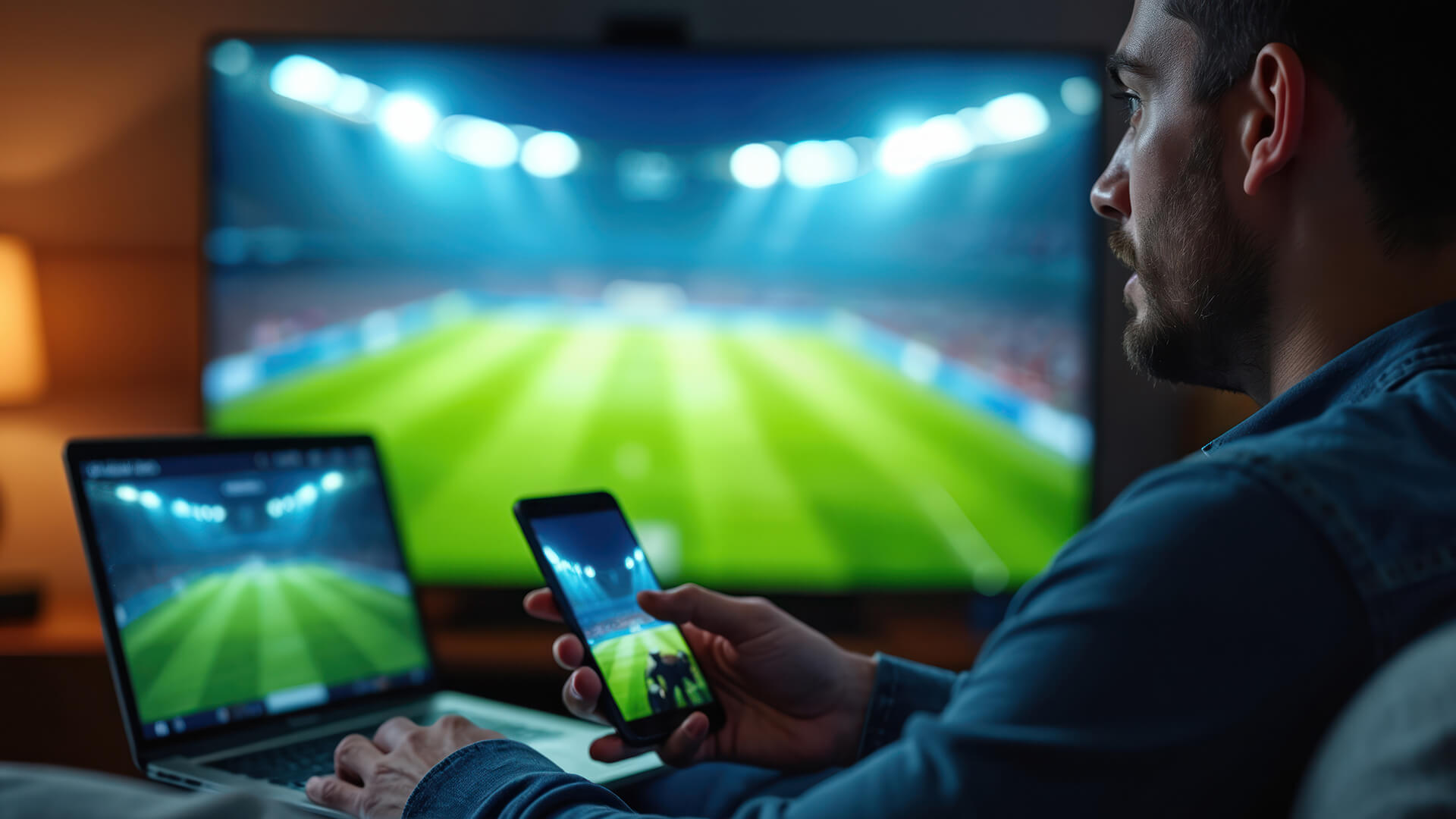
The way people watch football has changed. A TV is still a great option, but it is no longer the only option. World Cup streaming devices now make it easy to watch football online in different rooms, on a desk, in a bedroom, in shared accommodation, or even while travelling.
The biggest shift is convenience. Online match viewing means you can follow a sports stream on a device you already use every day, whether that is a laptop, tablet, smartphone or monitor connected to a streaming device. For busy households, that matters. Not everyone wants to gather around one TV, and not everyone has space for a large television.
This is where streaming display screens become useful. A good monitor or smart display can give you a sharper and more personal experience than an older TV, especially if you want a setup that also works for work, gaming or everyday entertainment after the final whistle.
World Cup streaming devices also give you more control over how you watch. You can use a large display for a proper match-night setup, a headset for personal viewing, or a portable screen for catching early kick-offs without taking over the house.
Best Devices for Watching the World Cup Without a TV
The best World Cup streaming devices depend on how you plan to watch. Some people need portability. Others want a big screen. Some want a full desk setup that can handle football streaming, gaming and work in one place.
Here is a simple breakdown:
| Device Type | Best For | Main Benefit |
|---|---|---|
| Laptop | Flexible viewing around the house | Easy access to browser and streaming apps |
| Tablet | Portable viewing | Comfortable for sofa, bed or travel |
| Smartphone | On-the-go matches | Best for quick updates and mobile viewing |
| Monitor | Bigger screen without a TV | Great for desk setups and high resolution viewing |
| Smart monitor | Simple streaming setup | Built-in smart features and speakers |
| Projector | Group viewing | Large screen feel without a traditional TV |
Laptops for Flexible Streaming
A laptop is one of the easiest World Cup streaming devices because it gives you quick access to BBC iPlayer, ITVX, and other legal streaming platforms through a browser or app. It is ideal if you want to move between rooms or watch a match while working at a desk.
The downside is screen size. Even a good laptop can feel small for a full football match, especially if more than one person is watching. A better option is to connect the laptop to a monitor using HDMI, USB-C or DisplayPort, depending on the device. That gives you the flexibility of a laptop with the comfort of a larger screen.
Tablets for Portable Viewing
Tablets are great for portable viewing solutions. They are light, easy to carry, and more comfortable than a phone for a full 90-minute match. If you are watching the World Cup online from bed, the kitchen, a hotel room or a shared space, a tablet makes sense.
For the best experience, use a stand rather than holding the tablet for the whole game. A Bluetooth speaker or headset can also help, especially if you are watching late matches and do not want to disturb anyone.
Smartphones for On-the-Go Matches
A smartphone is not the most immersive way to watch football online, but it is the most convenient. It is ideal for checking a sports stream while travelling, following highlights, or catching a match when you are away from a bigger screen.
The key issue is comfort. A small screen works for short bursts, but it is not ideal for tactical detail, crowd scenes or fast transitions. If your phone supports casting or screen mirroring, you can use it as the source and send the match to a larger display for a better mobile viewing experience.
Monitors for a Bigger Screen Experience
For most people without a TV, a monitor is the best balance of screen size, sharpness and practicality. The right display can sit on a desk, connect to a laptop or streaming device, and double as a gaming or work screen when the World Cup is over.
If you want a cleaner setup for live sports streaming, monitors for watching live sports are worth considering because they can offer sharper resolution, low input lag, strong motion handling, and better desk-friendly ergonomics than many older TVs.
This is also where the supplied LG display options fit well. They are not all aimed at the same viewer, which is useful because World Cup streaming devices should be chosen around the setup, not just the biggest spec sheet.
Best LG Display Options for World Cup Streaming
The products below all serve a different kind of viewing setup. Some are built for premium gaming and sports motion, some are better for casual streaming, and some make more sense for desk-based multitasking.
Quick Product Comparison
| Product | Best For | Key Strength |
|---|---|---|
| LG UltraGear 32GX870A-B | Premium sports and gaming setup | 4K OLED, 240Hz, 0.03ms response |
| LG 32U889SA-W | Smart display alternative to a TV | 4K touch display, smart swing design |
| LG UltraGear G6 34G630A-B | Immersive desk and gaming setup | 34" curved UWQHD, 240Hz |
| LG 32UN650K-W | Balanced everyday match viewing | 32" 4K IPS with speakers |
| LG 34U650A-B | Work, streaming and multitasking | Ultrawide docking features |
-
LG UltraGear 32GX870A-B: Premium 4K OLED for Sport and Gaming
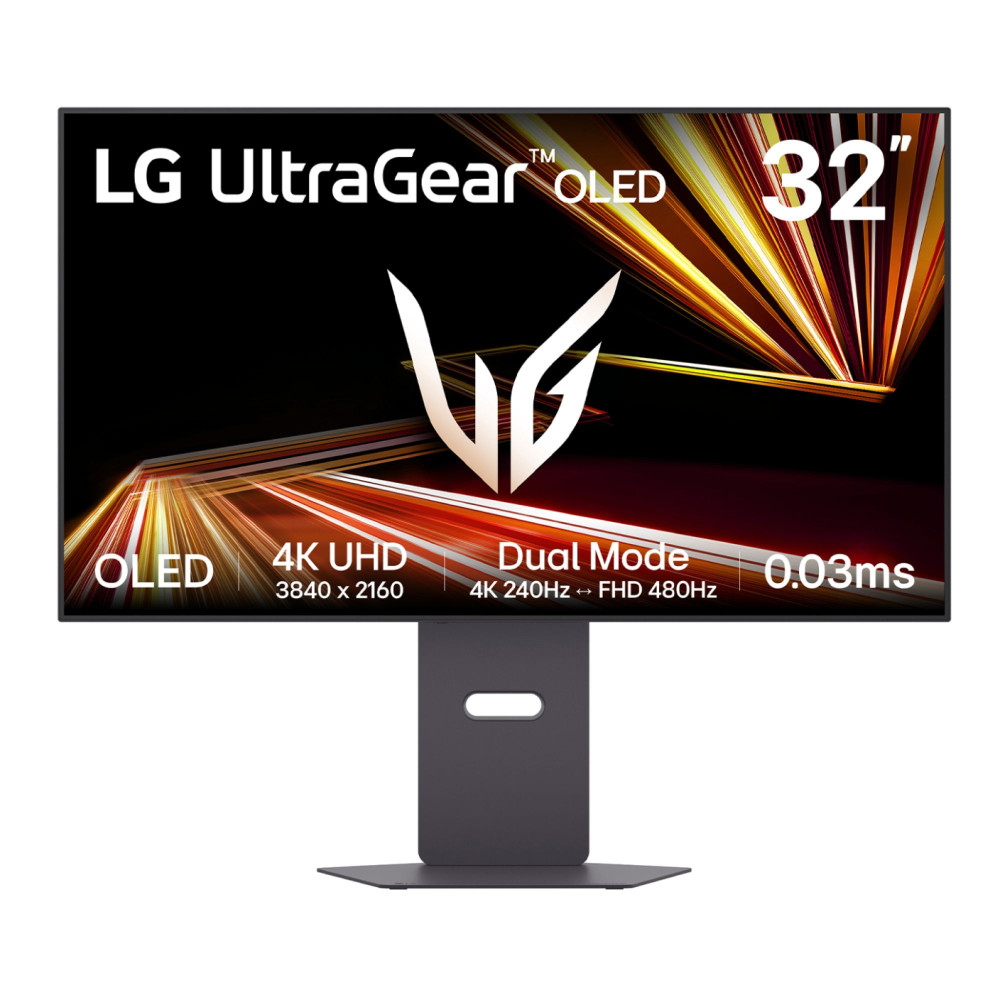
The LG UltraGear 32GX870A-B 32" OLED Dual Refresh UHD 4K monitor is the premium option for viewers who want a high-end display for both football streaming and gaming. The 31.5" OLED panel, 4K UHD resolution, 240Hz refresh rate, and 0.03ms response time make it the strongest option here for motion clarity and visual impact.
For World Cup streaming, the big benefit is the OLED panel. Football often includes fast camera pans, bright kits, floodlit pitches, and dark crowd areas. OLED contrast can make the image feel punchier and more cinematic. The built-in 2 x 7W speakers are useful for simple viewing, while the HDMI, DisplayPort 2.1, and USB-C with 90W power delivery give it strong connectivity for laptops and other devices.
This is overkill if you only want occasional match viewing, but it is one of the best World Cup streaming devices in this list if your setup also includes high-end PC or console gaming.
-
LG 32U889SA-W: Smart Touch Display for Simple Streaming
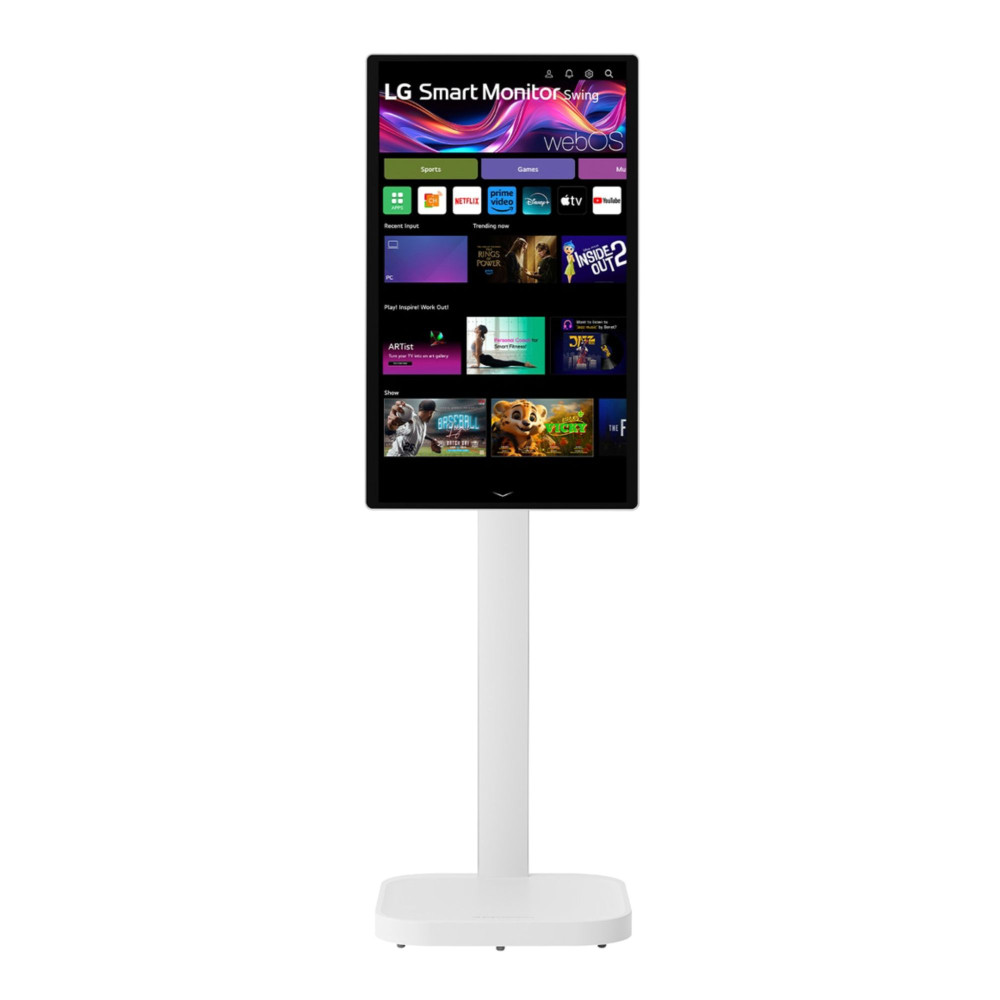
The LG 32U889SA-W 32" IPS Ultra HD 4K Smart Touch Display is a strong choice for anyone who wants a screen that feels closer to a TV alternative. It has a 31.5" 4K IPS panel, touchscreen support, built-in 2 x 5W speakers, HDMI, and USB-C connectivity, and a height-adjustable smart swing design.
This makes it useful for flexible viewing setups. You can use it at a desk, angle it for a sofa-style viewing position, or connect a laptop through USB-C. The 60Hz refresh rate is fine for streaming sports, because most broadcast streams will not need anything close to 240Hz.
For World Cup online viewing, this is one of the more practical options because it focuses on ease of use rather than pure gaming speed.
-
LG UltraGear G6 34G630A-B: Ultrawide Curved Screen for Desk Setups
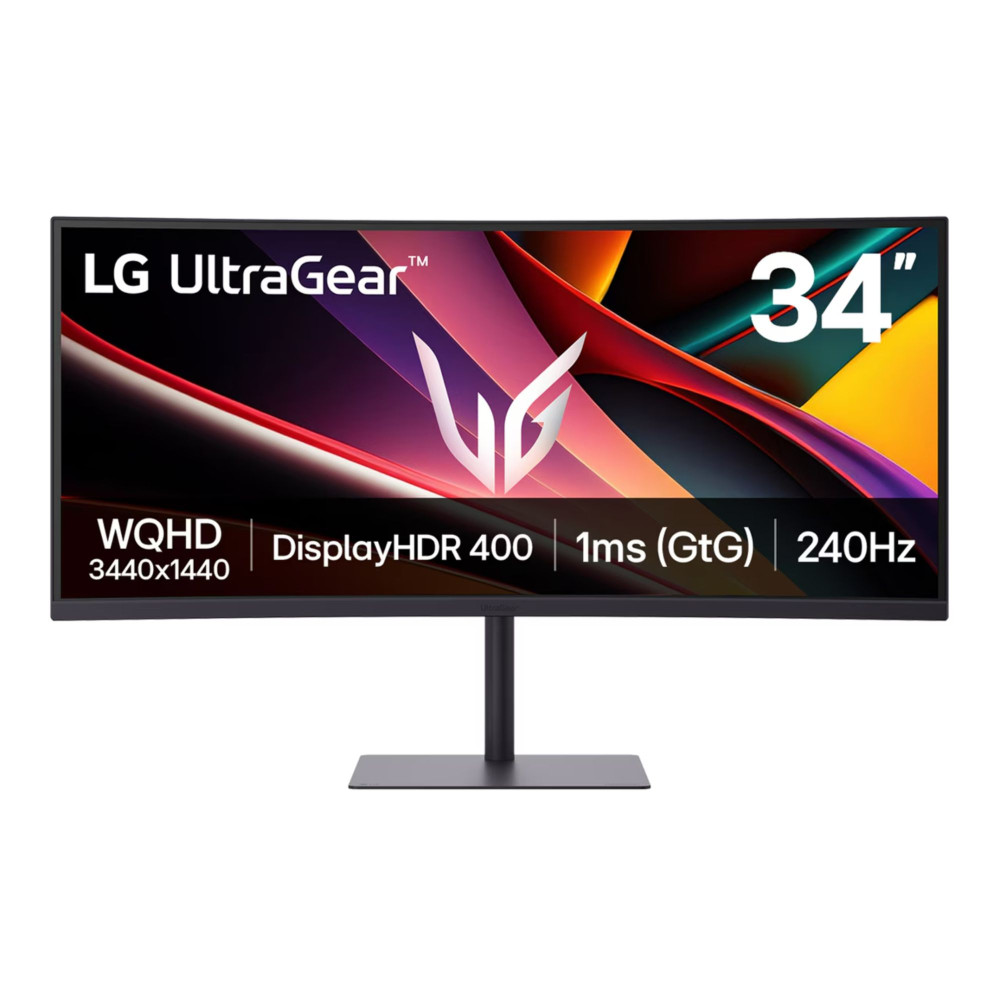
The LG UltraGear G6 34" WQHD 240Hz curved gaming monitor is best for viewers who want a more immersive desk setup. The 34" curved screen, UWQHD resolution, 21:9 aspect ratio, 240Hz refresh rate, and 1ms response time make it a strong option for gaming, but it can also work well for football streaming.
The ultrawide format gives you plenty of space, especially if you like to keep match stats, group chats or fantasy football updates open beside the stream. For actual match footage, most streams will display in 16:9, so expect black bars or unused side space unless you use the extra width for multitasking.
With HDMI 2.1, DisplayPort, USB-C ports, and built-in speakers, it is one of the more versatile World Cup streaming devices for people who split time between live sports, gaming and desk productivity.
-
LG 32UN650K-W: Balanced 4K Monitor for Everyday Viewing
The LG 32UN650K-W 32" Flat 4K Ultra HD monitor is a sensible all-round option. It gives you a 32" 4K IPS display, HDR10 support, HDMI, and DisplayPort connectivity, height adjustment and built-in 2 x 5W speakers.
For watching the World Cup without a TV, this is one of the cleaner choices. It does not chase extreme refresh rates, but it gives you the main thing many football fans want: a large, sharp 4K screen that works well for streaming, everyday use and casual entertainment.
If you want a straightforward monitor that can handle online match viewing without feeling like a specialist gaming display, this is a strong middle-ground choice.

-
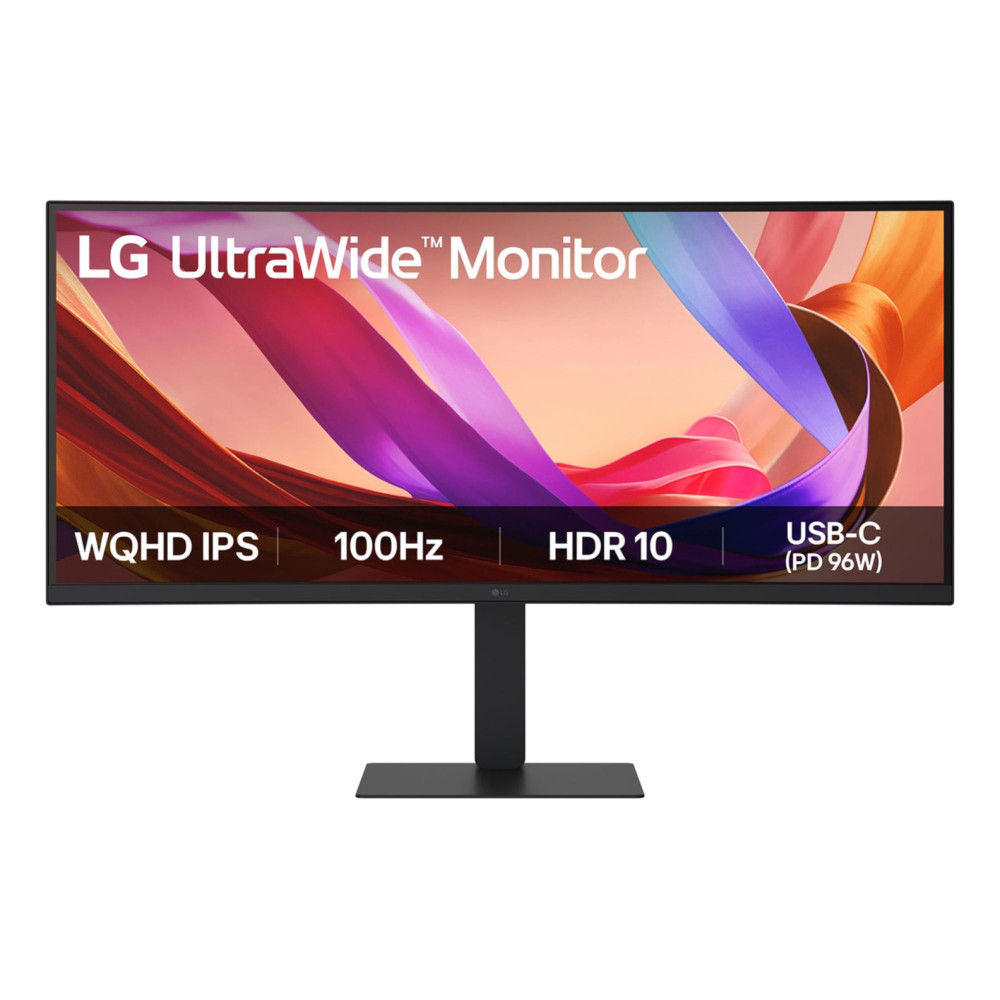
LG 34U650A-B: Ultrawide Docking Monitor for Work and Match Days
The LG 34U650A-B 34" Ultrawide Curved IPS Quad HD docking monitor suits people who want one screen for work, streaming, and general home use. It has a 34" curved IPS panel, UWQHD resolution, 100Hz refresh rate, USB-C, RJ45, HDMI, DisplayPort, and built-in 2 x 7W speakers.
The docking features are useful if your World Cup streaming devices include a laptop. You can connect through USB-C, keep your desk tidy, and use the same screen for work during the day and football streaming in the evening.
The 100Hz refresh rate is more than enough for streamed football, while the curved ultrawide layout gives you space for stats, line-ups or live text beside the main feed.
-
LG 27U511SA-W: Smart Monitor for Compact Spaces
The LG 27U511SA-W 27" Full HD 100Hz IPS Smart Monitor with webOS is best for smaller rooms, bedrooms, student spaces, and compact viewing setups. It has a 27" Full HD IPS display, 100Hz refresh rate, built-in 2 x 5W speakers, HDMI, USB, webOS smart features, and a remote controller.
It is not the sharpest display in this list, but it may be the most convenient for simple world cup streaming. The smart monitor format means you do not need a full desktop setup just to watch football online.
For casual viewers, shared accommodation or a secondary room, it makes a lot of sense.

Projectors for a Big-Match Setup
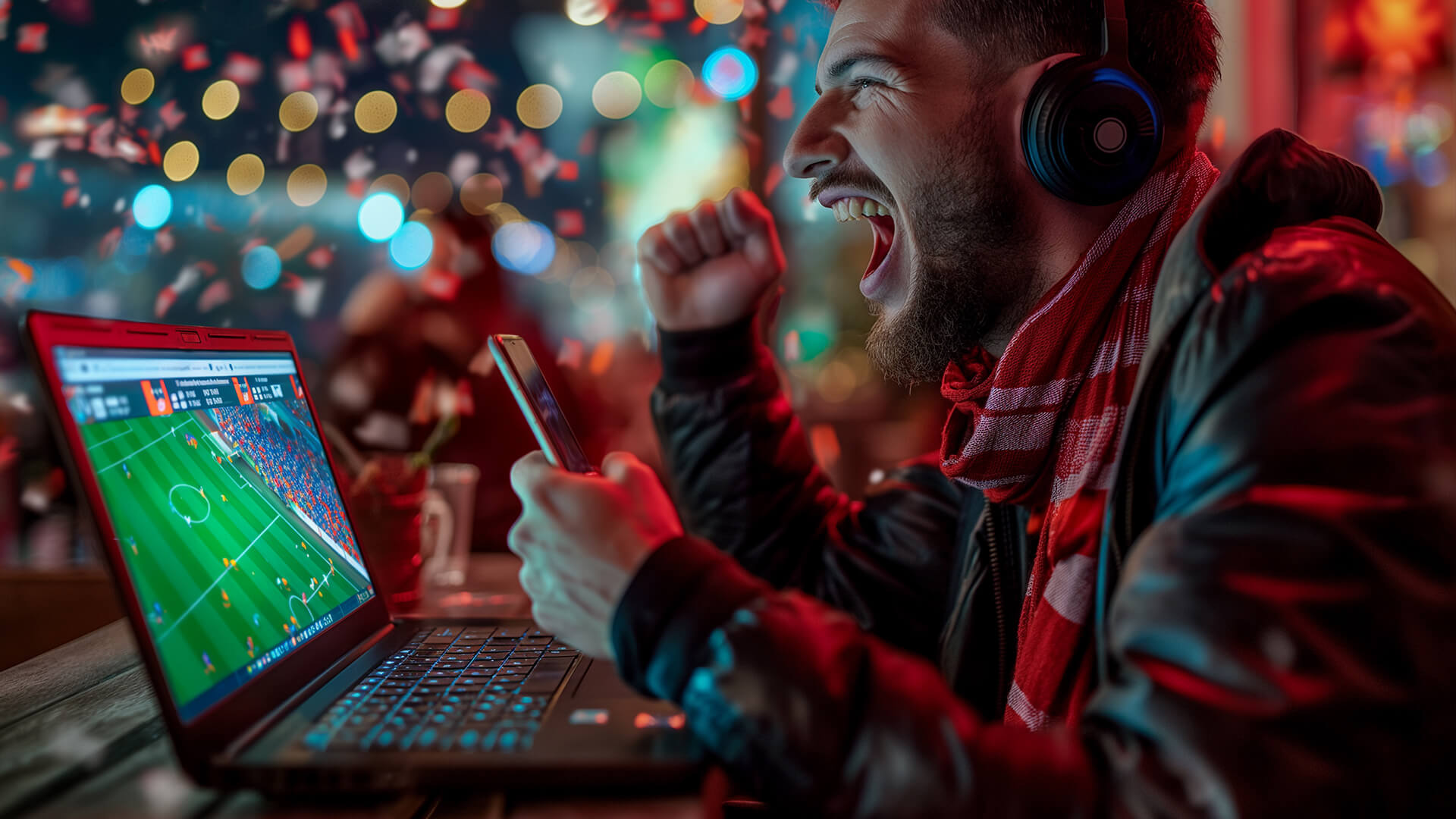
If you want the closest thing to a pub-style match day at home, a projector is the best TV alternative. Large screen projectors can turn a blank wall or projector screen into a much bigger viewing area than most monitors, making them ideal for group viewing.
A projector works best when you have space, a darker room and a stable surface or mount. It is not always as sharp or bright as a good 4K monitor, but the scale makes a difference when friends or family are watching together.
For World Cup streaming devices, projectors make the most sense for knockout games, finals, garden-room setups and bigger match nights where atmosphere matters more than desk-level sharpness. If you are wondering whether projectors are better than TVs for sports viewing, we have a detailed TV vs Projector guide that might help.
Enhancing Your Match-Day Experience
The screen gets most of the attention, but sound and connectivity can make or break online match viewing. Football is not just about seeing the ball. You want crowd noise, commentary, chants and the tension of a late corner to come through clearly.
-
Audio Setup for Better Sound
Built-in monitor speakers are useful, and several of the LG options above include them. However, external sound systems can make live sports streaming feel much more immersive. A soundbar, speaker set or compact audio system can add more depth to commentary and crowd atmosphere.
This is especially useful if you are using a projector or monitor with basic speakers. Better sound helps the match feel less like a stream on a screen and more like a proper viewing event.
-
Headsets for Personal Viewing
Not every match is at a convenient time. Some World Cup fixtures can land late at night or early in the morning, which is where headsets for live sports streaming become useful.
A headset lets you keep the commentary clear without waking the house. It is also handy if you are watching on a laptop, smart monitor or tablet in a shared space. For football fans who follow every group-stage game, not just the big fixtures, a headset can be one of the most practical World Cup streaming devices to have nearby.
-
Streaming Accessories for Seamless Connectivity
The right accessories help avoid match-day faff. HDMI cables, USB-C adapters, monitor arms, stands, capture accessories, and cable management can all make a setup easier to use.
If you are connecting a laptop to a monitor, casting from a device, or moving between rooms, accessories for online match viewing can help keep everything stable and tidy.
A simple tip: test your setup before kick-off. Do not wait until the national anthems to find out the cable is missing, the app needs updating, or the audio is coming from the wrong device.
What to Look for in World Cup Streaming Devices
The best World Cup streaming devices are not always the most expensive. For sports, the important things are screen size, resolution, motion handling, sound, connectivity, and comfort.
-
Display Quality and Resolution
For a sharp home setup, 4K is the best target. A 4K monitor gives you more detail, cleaner menus, and a better overall image when the stream supports high resolution. Full HD is still fine for smaller screens, especially around 27", but 32" and above benefits from 4K.
OLED is excellent for contrast and punchy visuals, while IPS panels are strong for colour consistency and wide viewing angles. Curved ultrawide screens work well for desk setups, especially if you also want multitasking space beside the sports stream.
-
Screen Size and Viewing Comfort
Screen size depends on viewing distance. A 27" monitor works well at a desk. A 32" screen is better if you want a more TV-like feel without actually buying a TV. A 34" ultrawide works best for desk-based setups, while projectors are better for larger rooms and group viewing.
Height adjustment also matters. A comfortable viewing angle reduces neck strain, especially during long match days with back-to-back fixtures.
-
Connectivity and Streaming Compatibility
Look for HDMI if you want to connect laptops, consoles or streaming boxes. USB-C is useful if you want a cleaner laptop connection, especially when it also supports power delivery. A headphone port is handy for private viewing, while built-in speakers are useful for quick setup.
For world cup online viewing, streaming platforms compatibility matters as much as the screen. Make sure your chosen device can access the platform showing the match, whether through a browser, app, smart monitor interface, laptop connection or streaming accessory.
Setting Up the Perfect Viewing Environment
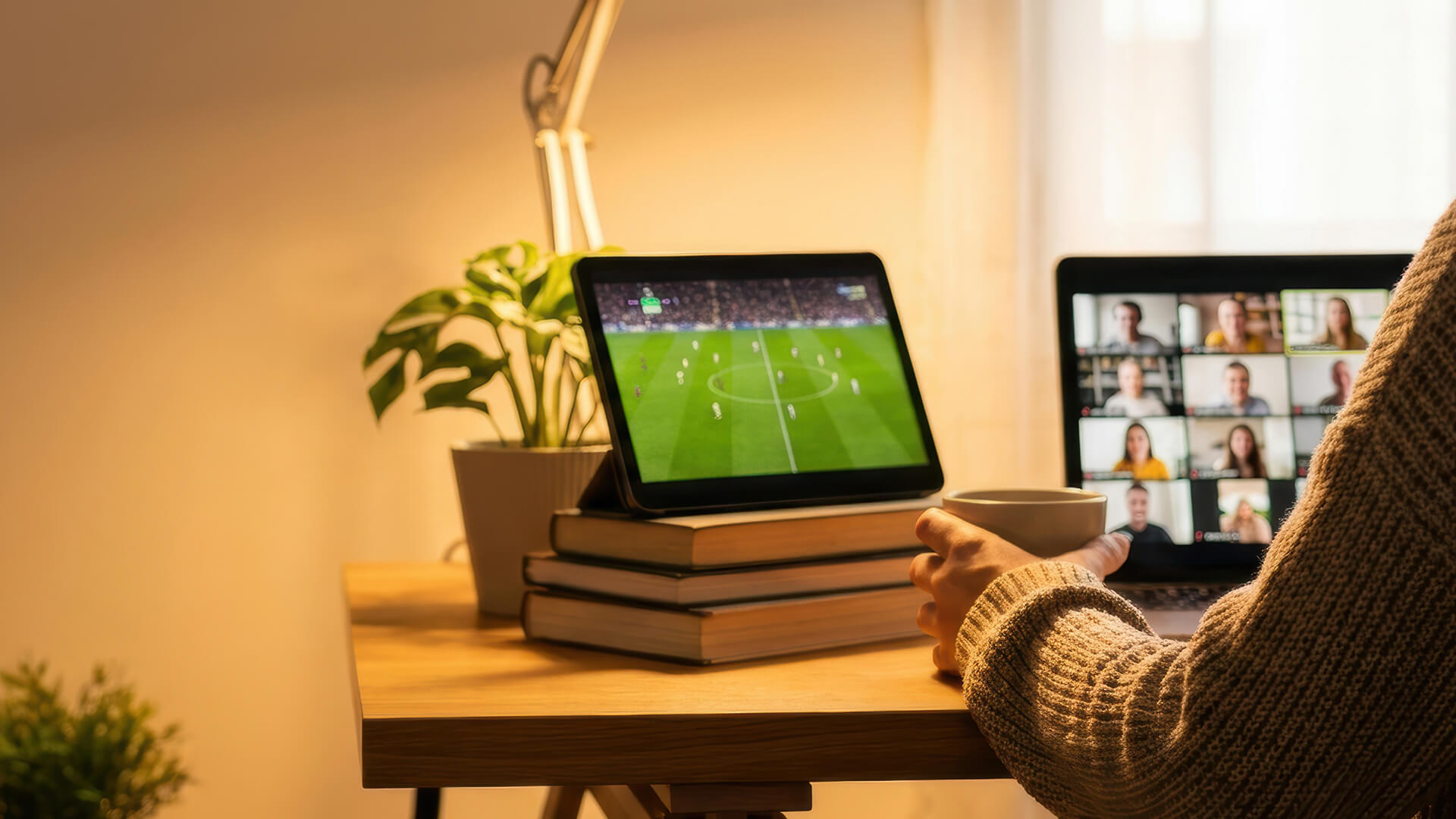
A good setup does not need to be complicated. It just needs to match how you watch football.
For a home setup without a TV, a 32" 4K monitor is the safest option. It gives you a sharp picture, a good screen size, and enough flexibility for streaming, gaming and everyday use.
For compact rooms, a 27" smart monitor or tablet setup can be enough. This works well for bedrooms, offices and student spaces where a full TV would take up too much room.
For group viewing, a projector is the strongest choice. It gives you the big-screen feel that makes knockout football more exciting, especially when several people are watching.
For multi-device viewing, keep it practical. Use the main screen for the match, then keep a phone or tablet nearby for live stats, group chats or fantasy football updates. That way, you are not constantly interrupting the main stream.
Tips for Smooth and High-Quality Streaming
Even the best World Cup streaming devices will struggle if the connection is poor. Live sports streaming needs stability because buffering at the wrong moment can ruin the match.
Use these match-day checks:
| Streaming Check | Why It Matters |
|---|---|
| Test your internet before kick-off | Gives time to fix issues before the match starts |
| Use Ethernet where possible | More stable than Wi-Fi for long streams |
| Move closer to the router | Helps reduce Wi-Fi dropouts |
| Close background downloads | Keeps bandwidth free for the sports stream |
| Update apps early | Avoids forced updates at kick-off |
| Check audio output | Stops sound playing from the wrong device |
| Choose the right quality setting | Helps balance picture quality and stability |
For general guidance, Full HD streaming usually needs less bandwidth than 4K, while 4K needs a stronger and more stable connection. If multiple people are gaming, downloading or streaming in the same house, leave extra headroom.
The most important advice is simple: prioritise stability over chasing the highest setting. A smooth 1080p stream is better than a 4K stream that buffers every few minutes.
Wrapping Up
Watching the World Cup without a TV is not a compromise anymore. With the right World Cup streaming devices, you can create a setup that is sharper, more flexible, and better suited to how you actually watch football.
A 4K monitor is the best all-round choice for most homes. A smart monitor keeps things simple. An ultrawide screen is great for desk-based match viewing and multitasking. A projector is ideal for big group games. A tablet or smartphone works when portability matters most.
The key is choosing a setup around your viewing style. If you want cinematic match nights, go bigger. If you want private late-night fixtures, add a headset. If you want a screen that works beyond the tournament, a good monitor gives you the most long-term value.
The World Cup is built for shared moments, but you no longer need one traditional TV to enjoy them. With the right screen, stable internet and a few smart accessories, watching football online can feel just as exciting, and a lot more flexible.
FAQs
-
Can you watch the World Cup without a TV?
Yes. You can watch the World Cup without a traditional TV by using legal online streaming platforms on a laptop, tablet, smartphone, monitor, smart display, or projector. In the UK, World Cup matches are covered by BBC and ITV across TV and digital platforms, including BBC iPlayer and ITVX depending on the fixture.
-
What is the best device for watching football matches?
For most people, a 32" 4K monitor is one of the best devices for watching football matches without a TV. It gives you a large, sharp screen while still working well for gaming, work, and everyday streaming. For groups, a projector is better. For portability, a tablet or laptop makes more sense.
-
Are monitors good for watching live sports?
Yes, monitors can be excellent for watching live sports. A good monitor can offer sharp resolution, low input lag, strong motion handling, and a comfortable desk setup. For football streaming, 4K resolution, good viewing angles, built-in speakers and HDMI or USB-C connectivity are especially useful.
-
Can you stream matches on a mobile phone?
Yes. You can stream matches on a mobile phone through supported apps or browser-based platforms. A phone is best for on-the-go matches, highlights or quick viewing, but for a full match, a tablet, monitor or projector will usually be more comfortable.
-
What internet speed is needed for streaming sports?
For smooth sports streaming, Full HD usually needs a stable connection of at least around 5 Mbps, while 4K streaming generally needs 15 Mbps or higher per stream. For busy households, it is better to have extra headroom, especially if other people are gaming, downloading or streaming at the same time.
-
Is a projector better than a monitor for the World Cup?
A projector is better for large group viewing because it creates a bigger image. A monitor is better for sharper personal viewing, desk setups and everyday use after the tournament. The best choice depends on whether you want atmosphere or all-round practicality.
-
Do you need a 4K screen for football streaming?
You do not need a 4K screen, but it helps if you want sharper detail and a more premium viewing experience. Full HD is fine on smaller screens, while 4K makes more sense on 32" monitors and larger displays.
You can pay with:
*PayPal Credit Representative Example: Assumed credit limit £1,200, Representative 23.9% APR (variable). Purchase rate 23.9% p.a (variable).Terms & Conditions apply.


PayPal Credit and PayPal Pay in 3 are trading names of PayPal UK Ltd, 5 Fleet Place, London, United Kingdom, EC4M 7RD. Terms and conditions apply. Credit subject to status, UK residents only, Five Tech LTD acts as a broker and offers finance from a restricted range of finance providers. PayPal Pay in 3 is not regulated by the Financial Conduct Authority. Pay in 3 eligibility is subject to status and approval. 18+. UK residents only. Pay in 3 is a form of credit. Check if affordable and how you will repay. May make other borrowing more difficult or expensive. See product terms for more details.
Copyright © 1996-2026 Fivetech LTD | Terms and Conditions
box.co.uk & Box are trading names of Five Tech Limited. Registered office: Box LTD, Unit 10 Woodford Trading Estate, Woodford Green IG8 8HF