


 Menu
MenuMenu


Get Sales Advice from Mon - Fri 9am - 5:00pm:
020 3337 8950POSTED: April 29, 2026
VR Gaming PC vs Laptop: Which Is Better for Virtual Reality in 2026?
Virtual reality gaming has evolved rapidly, but one thing hasn't changed; VR is far more demanding than standard gaming. Running VR smoothly requires powerful hardware, stable frame rates, and efficient cooling, which is why choosing the right setup matters more than ever.
If you're deciding between a VR gaming PC vs laptop, both options are capable of running VR in 2026, but they offer very different experiences. Desktops focus on raw power and long-term flexibility, while laptops prioritise portability and convenience.
In this guide, we'll break down the real differences in performance, cost, cooling, and usability, so you can choose the best setup for your VR gaming needs.
What Do You Need for VR Gaming in 2026?
Before comparing a VR gaming PC vs laptop, it's important to understand what VR gaming demands from your system. Unlike standard gaming, virtual reality places a much heavier load on your hardware because it needs to deliver a fast, smooth, and highly responsive experience at all times.
In simple terms, VR is not just about running a game; it's about creating a fully immersive environment where even small delays or performance drops can affect how the experience feels. This is why having the right hardware is essential from the start.
Minimum vs Recommended VR System Requirements
Most modern VR headsets will run on mid-range hardware, but there's a big difference between running VR and enjoying it smoothly.
At a minimum, you'll typically need:
- A mid-to-high-end processor such as an Intel Core i5/i7 or AMD Ryzen equivalent
- A dedicated graphics card, usually starting around RTX 3060 level
- At least 16GB of RAM to handle multitasking and game performance
However, in 2026, expectations are higher. VR games are becoming more detailed, and headsets are pushing higher resolutions and refresh rates. Because of this, a system with an RTX 4060 or higher GPU is now recommended for a smoother and more consistent experience.
For you, this means fewer performance drops, better visual quality, and a much more comfortable VR session overall.
Why GPU Performance Is Critical for VR
When it comes to VR gaming, the graphics card is the most important component in your setup. This is because VR systems don't just render one image; they render two separate images simultaneously, one for each eye.
This effectively doubles the workload compared to standard gaming.
A stronger GPU helps deliver:
- Higher and more stable frame rates
- Lower latency, which reduces motion delay
- A smoother and more immersive experience
If the GPU struggles, you may notice stuttering, lag or even discomfort while playing. That's why investing in a capable GPU is one of the most important decisions when building or buying a VR-ready system.
How VR Headsets Impact System Requirements
Not all VR headsets are the same, and the one you choose will directly affect the level of performance your system needs to deliver.
Entry-level headsets are less demanding and can run on mid-range systems, making them more accessible for casual users. However, advanced headsets, especially those with higher resolutions or faster refresh rates, require significantly more powerful hardware to perform properly.
This means your system should be chosen based on your VR headset first, and then your games. Matching your hardware to your headset ensures you get the best possible experience without unnecessary performance issues.
What Is a VR Gaming PC (Desktop)?
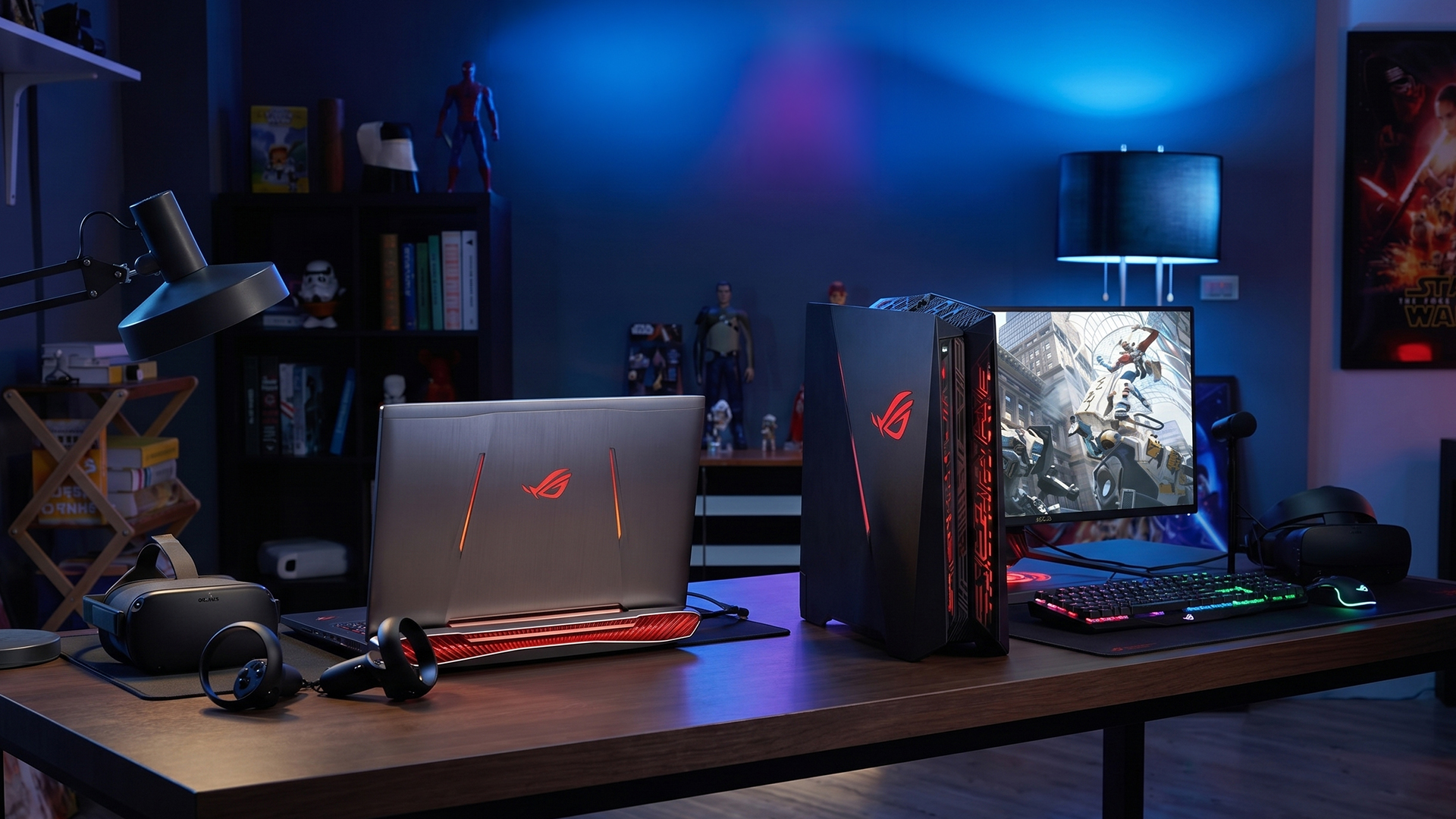
A VR-compatible PC is a desktop system specifically built to handle the high demands of virtual reality gaming. Unlike standard gaming setups, VR requires consistent performance, high frame rates, and low latency to create a smooth and immersive experience.
This is where desktop PCs stand out. They are designed with full-sized, high-performance components that can deliver the power needed to run VR applications without compromise. For users who want the best possible experience, a desktop remains the most reliable option.
How Desktop PCs Handle VR Workloads
VR gaming puts continuous pressure on your system, as it needs to render complex environments in real time while maintaining smooth motion. Desktop PCs are built to handle this kind of workload efficiently.
They use full-powered GPUs and CPUs, along with advanced cooling systems, which allow them to maintain stable performance even during long gaming sessions. This means you can play for extended periods without worrying about performance drops or overheating.
For you, this translates into a smoother experience with fewer interruptions; something that is especially important in VR, where consistency directly affects immersion.
Typical Specs of a VR-Ready PC
A modern VR gaming PC is equipped with hardware that is designed to handle both current and future VR demands.
Most setups include:
- High-performance GPUs, such as RTX 4060, 4070, 4080 or higher, which handle the heavy graphical workload required for VR
- Powerful processors, like Intel Core i7 or i9, or AMD Ryzen equivalents, to support multitasking and system responsiveness
- 16GB to 32GB of RAM, ensuring smooth performance across games and background processes
These specifications work together to deliver stable frame rates, faster loading times, and an overall smoother gaming experience.
Why Desktops Are the Standard for High-End VR
Desktop PCs are widely considered the best option for high-end VR because they offer three key advantages: performance, cooling, and flexibility.
Firstly, they provide maximum performance, allowing you to run demanding VR titles at higher settings with better frame rate stability. This results in a more immersive and comfortable experience.
Secondly, desktops have larger and more efficient cooling systems, which help maintain performance over long sessions. This is particularly important in VR, where consistent performance is essential.
Finally, desktops offer upgrade flexibility. You can easily replace or upgrade components like the GPU, RAM, or storage over time. This means your system can adapt to new VR technologies and games, making it a more future-proof investment.
What Is a VR Gaming Laptop?
A VR gaming laptop is a portable system designed to deliver virtual reality performance without the need for a full desktop setup. It combines powerful components such as dedicated graphics, high-performance processors, and fast memory into a single, compact device that you can use almost anywhere.
In simple terms, it gives you the ability to experience VR gaming without being tied to a fixed location. This makes it an attractive option for users who want flexibility alongside performance.
How VR Laptops Are Designed for Portability
One of the biggest advantages of a VR gaming laptop is its all-in-one design. Unlike desktops, where you need a separate tower, monitor, and accessories, a laptop integrates everything into a single device.
This means you can:
- Set up your VR system in different rooms
- Carry your laptop between home, work or study environments
- Use it as both a gaming device and an everyday laptop
For users with limited space or those who prefer a flexible setup, this portability makes a significant difference. It allows you to enjoy VR without committing to a permanent gaming station.
Common Specs in VR-Ready Laptops
To handle VR workloads, modern VR-ready laptops are equipped with powerful hardware that is specifically designed for gaming performance.
Most models include:
- NVIDIA RTX GPUs (such as RTX 4050, 4060 or 4070), which provide the graphical power needed for VR
- Intel Core i7 or i9 processors (or AMD Ryzen equivalents), ensuring smooth multitasking and system responsiveness
- 16GB of RAM, which helps maintain stable performance across games and background processes
These specifications allow laptops to run most VR games effectively, especially at 1080p and mid-to-high settings. For many users, this level of performance is more than enough to enjoy a smooth and immersive VR experience.
Key Limitations Compared with Desktops
While VR gaming laptops are capable, they do come with some trade-offs compared to desktop systems.
Because everything is packed into a smaller chassis, laptops tend to:
- Generate more heat, especially during long gaming sessions
- Rely on compact cooling systems, which may struggle under heavy workloads
- Offer limited upgrade options, meaning you can't easily replace components like the GPU
These factors can impact long-term performance and flexibility. For example, while a laptop may perform well initially, it may not keep up as easily with future VR demands compared to a desktop that can be upgraded over time.
VR Gaming PC vs Laptop: Key Differences
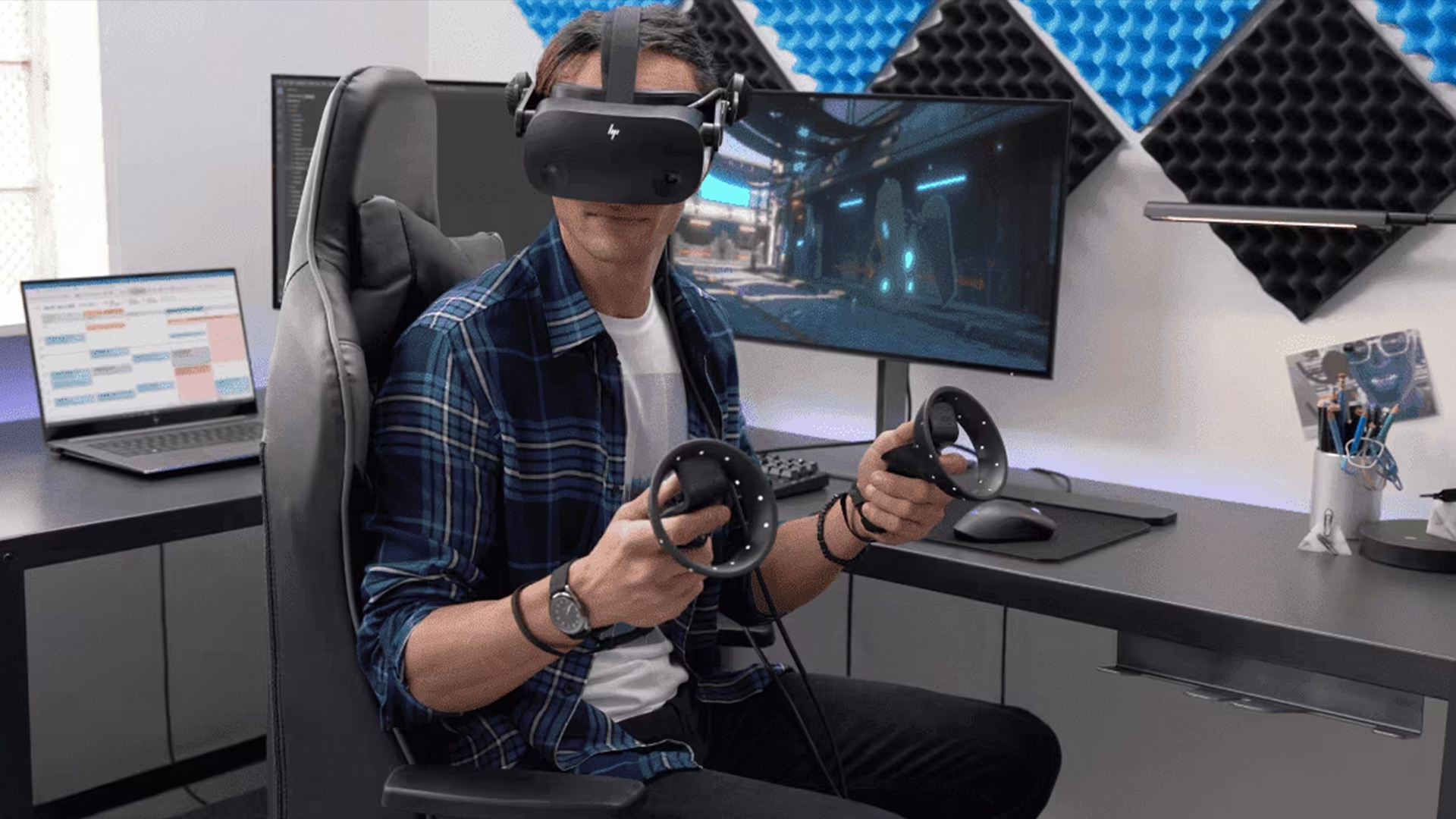
When comparing a VR gaming PC vs laptop, the differences go beyond specifications. Both options can run virtual reality, but how they perform in real-world scenarios, especially during longer sessions, can vary significantly. Understanding these differences helps you choose a setup that matches your expectations and usage.
Performance and Frame Rate Stability
One of the most important factors in VR gaming is consistent performance. Unlike traditional gaming, VR requires stable frame rates to maintain immersion and prevent motion discomfort.
In a desktop vs laptop for VR gaming comparison, desktops generally deliver higher and more stable frame rates. This is because they use full-power components that can run at higher speeds for longer periods without being limited by space or heat.
For you, this means smoother gameplay, fewer performance drops, and a more immersive VR experience. Laptops can still handle VR, but under heavier loads, performance may fluctuate more compared to a desktop.
Cooling and Thermal Management
Cooling plays a critical role in VR performance. Since VR pushes your system continuously, it generates more heat than standard gaming.
Desktops are equipped with larger cooling systems, including bigger fans and better airflow, allowing them to maintain performance over extended sessions. This ensures your system runs consistently, even during demanding gameplay.
Laptops, on the other hand, rely on compact cooling solutions. While modern gaming laptops are well-designed, they can still become warmer under heavy load, which may lead to reduced performance over time.
For you, this means desktops are better suited for long VR sessions, while laptops are more suitable for shorter or moderate use.
Upgradeability and Lifespan
Another major difference is how easily you can upgrade your system.
A VR compatible PC offers full upgrade flexibility. You can replace or upgrade components such as the GPU, RAM or storage as new technology becomes available. This allows your system to stay relevant for longer and adapt to future VR requirements.
Laptops are much more limited in this area. While some upgrades (like RAM or storage) are possible, key components like the GPU are usually fixed. This means your laptop's performance is largely locked in from the start.
For you, this translates to better long-term value with desktops, especially if you plan to upgrade over time.
Portability and Ease of Setup
This is where laptops have a clear advantage.
A VR gaming laptop is compact and portable, allowing you to move your setup easily. Whether you're gaming in different rooms or need flexibility in your space, a laptop makes it simple to set up and use VR without a permanent station.
In contrast, a desktop requires a dedicated setup, including space for the tower, monitor and accessories. While this provides better performance, it also reduces flexibility.
For you, this means laptops are ideal if you value mobility and convenience, while desktops are better suited for fixed gaming environments.
Price-to-Performance Ratio
When it comes to value, desktops generally offer better price-to-performance.
With a desktop, you get more powerful components for the same budget, which translates into better gaming performance and longer usability. This makes desktops a more cost-effective option for users who prioritise performance.
Laptops, however, include portability and an all-in-one design, which adds to the cost. While they may be more expensive for the same level of performance, they offer convenience that desktops cannot match.
For you, the choice comes down to priorities; maximum performance for your budget (desktop) or flexibility and convenience (laptop).
Which Is Better for VR Gaming Performance?
When comparing a VR gaming PC vs laptop, performance is often the most important factor. Virtual reality is far more demanding than standard gaming, which means even small differences in hardware can have a noticeable impact on how smooth and immersive your experience feels.
Both desktops and laptops are capable of running VR in 2026, but they do not deliver the same level of performance especially when you move into more demanding setups.
High-End VR Gaming (Advanced Headsets)
If you're using advanced VR headsets with higher resolutions and faster refresh rates, performance becomes even more critical. These headsets require your system to render detailed environments at very high speeds, which puts significant pressure on both the CPU and GPU.
In these scenarios, a VR gaming PC (desktop) is the clear winner. Desktops are equipped with full-power components that can handle these demanding workloads more efficiently. This allows them to deliver smoother visuals, higher frame rates and a more consistent experience, even in complex VR environments.
For you, this means better immersion, sharper visuals, and fewer interruptions during gameplay. If you're aiming for the best possible VR experience, especially with high-end hardware, a desktop setup is the most reliable choice.
Mid-Range VR Setups and Casual Gaming
Not everyone needs a high-end VR setup, and this is where gaming laptops become a more practical option. For casual VR gaming or mid-range setups, a VR-ready gaming laptop can still provide a solid experience.
Laptops equipped with GPUs like the RTX 4060 or similar can run most VR games at balanced settings. While they may not reach the same performance levels as desktops, they can still deliver smooth gameplay for many popular titles.
For users who want flexibility or have space limitations, this makes laptops a strong alternative. You can enjoy VR gaming without needing a dedicated setup, while still achieving a good level of performance for everyday use.
Frame Rates, Latency and Smooth Experience
One of the most important aspects of VR gaming is how smooth the experience feels. Unlike traditional gaming, VR requires consistent frame rates and low latency to maintain immersion and prevent discomfort.
Desktops have a clear advantage here. Their stronger hardware and better cooling systems allow them to maintain stable frame rates over long periods, which is essential for a seamless VR experience.
Laptops, while capable, may experience slight performance drops during extended sessions due to thermal limitations. This can affect frame rate stability and, in some cases, reduce overall smoothness.
For you, this means that a desktop offers a more reliable and consistent experience, especially if you plan to play for longer sessions or use more demanding VR applications.
Pros and Cons of VR Gaming PCs vs Laptops
| Category | VR Gaming PC (Desktop) | VR Gaming Laptop | What It Means for You |
| Performance | Superior performance with full-power GPUs and CPUs | Good performance, but slightly lower due to power limits | Choose a PC for maximum VR performance and smoother gameplay |
| Cooling | Advanced cooling systems with better airflow | Compact cooling, can heat up under load | PCs are better for long VR sessions without performance drops |
| Upgradeability | Fully upgradeable (GPU, RAM, storage) | Limited upgrades (mostly RAM/storage only) | PCs offer long-term value and future-proofing |
| Portability | Not portable, fixed setup required | Highly portable and easy to move | Laptops are ideal if you need flexibility or limited space |
| Setup | Requires full setup (monitor, cables, accessories) | Simple, all-in-one setup | Laptops are easier and faster to set up and use anywhere |
| Design | Separate components (tower + monitor) | Compact, all-in-one design | Laptops provide a clean, space-saving setup |
| Heat Management | Handles heat better under heavy workloads | Generates more heat in a smaller space | PCs maintain consistent performance, laptops may throttle slightly |
| Price-to-Performance | Better value for performance | Higher cost for same performance level | PCs give more power for your budget |
| Space Requirement | Needs dedicated desk/setup space | Minimal space required | Laptops are better for small rooms or shared spaces |
| Ease of Use | More complex initial setup | Plug-and-play convenience | Laptops are more user-friendly for beginners |
Who Should Choose a VR Gaming PC vs Laptop?
Choosing between a VR gaming PC vs laptop ultimately comes down to how you plan to use your setup and what matters most to you—performance, flexibility or long-term value.
A VR gaming PC (desktop) is best suited for users who want the highest level of performance and a setup that can grow over time. If you're a serious gamer or VR enthusiast, a desktop gives you the power needed to run demanding VR titles smoothly, especially when using advanced headsets. It also allows you to upgrade components like the GPU or RAM in the future, which means your system can keep up with new VR technologies without needing a full replacement.
On the other hand, a VR gaming laptop is a better fit for users who value convenience and flexibility. If you're a student, live in a smaller space or simply prefer a setup that you can move around easily, a laptop offers a practical solution. It allows you to enjoy VR gaming without committing to a fixed setup, while still delivering enough performance for casual to mid-range VR experiences.
In simple terms, desktops are ideal for users who prioritise performance and long-term investment, while laptops are better for those who need portability and ease of use.
How to Choose the Right VR Setup
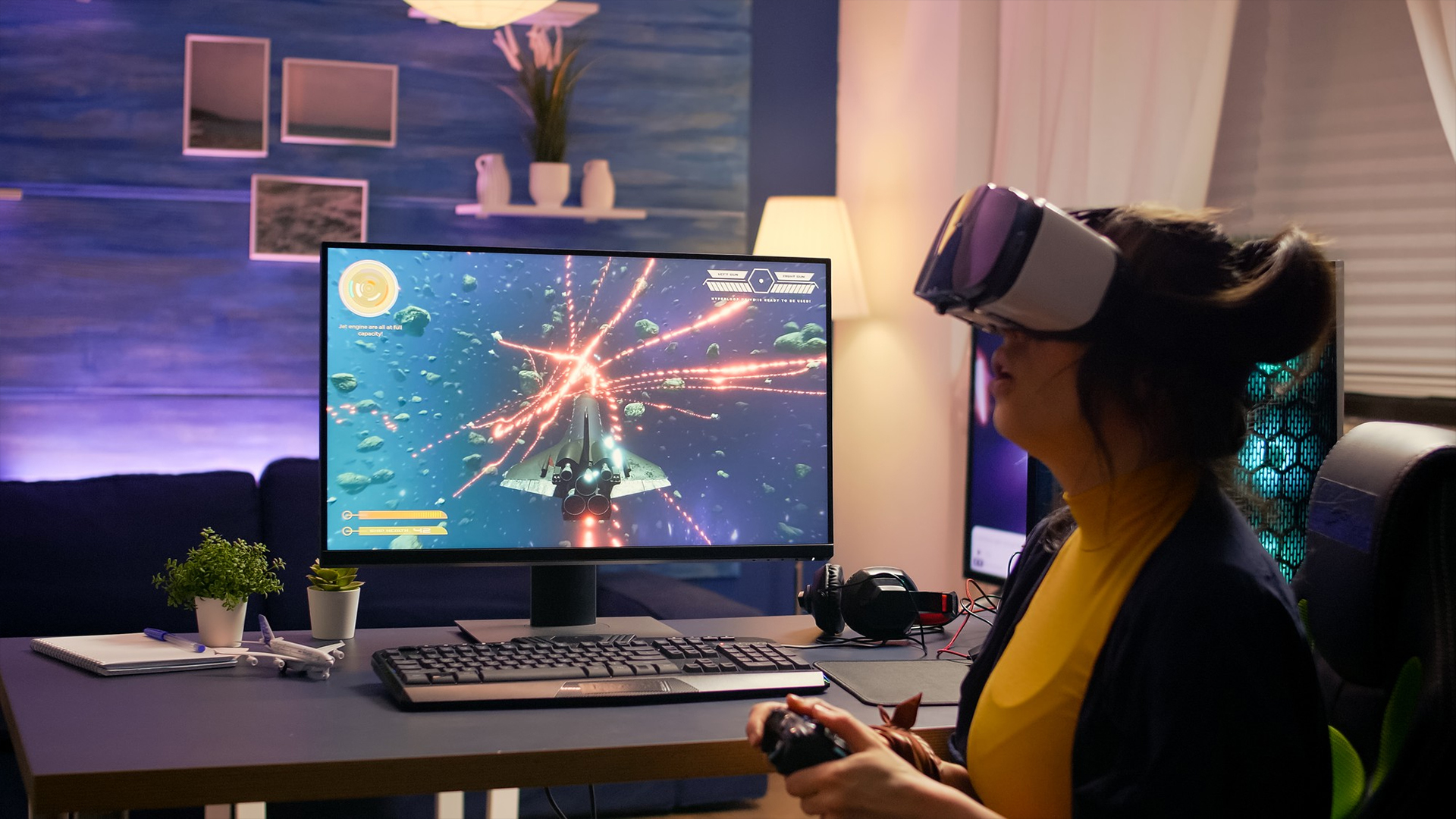
Once you understand the differences between desktops and laptops, the next step is choosing the right setup based on your specific needs. This decision becomes much easier when you focus on a few key factors.
Choosing Based on Budget
Your budget plays a major role in deciding between a desktop and a laptop. If your goal is to get the best performance for your money, a desktop is usually the better choice. It offers more powerful components at the same price point, making it ideal if you want maximum value.
Laptops, while often more expensive for similar performance, include the added benefit of portability. This means you're paying not just for performance, but also for convenience and flexibility.
Matching Hardware to Your VR Headset
One of the most important steps when choosing a VR setup is ensuring your system matches your headset's requirements. Different VR headsets demand different levels of performance, and choosing the right hardware ensures a smooth experience.
If your system only meets the minimum requirements, you may experience performance issues such as lag or reduced visual quality. By choosing hardware that meets or exceeds recommended specifications, you can enjoy a more immersive and comfortable VR experience.
Planning for Future Upgrades
VR technology is constantly evolving, which means your system should be able to keep up over time. This is where desktops have a clear advantage.
With a VR gaming PC, you can upgrade individual components as new technology becomes available. This makes it a more future-proof option, especially if you plan to use VR long-term.
Laptops, while convenient, are more limited in this area. Their performance is largely fixed, which means upgrading to meet future demands may require replacing the entire device.
Final Verdict!
When comparing a VR gaming PC vs laptop, the best choice ultimately depends on your priorities and how you plan to use your setup.
If you're looking for maximum performance, better cooling and long-term upgrade flexibility, a VR-compatible PC is the better option. It delivers a smoother and more consistent VR experience, especially demanding games and advanced setups where performance really matters.
However, if you value portability, convenience, and compact setup, a gaming laptop is a practical alternative. It allows you to enjoy VR gaming without needing a dedicated space, making it ideal for flexible environments, shared setups or users on the move.
To find the right setup for your needs, you can explore a wide range of VR-compatible PCs and Gaming Laptops at Box.co.uk, helping you build the best VR gaming experience based on your budget and usage.
Frequently Asked Questions
Can a gaming laptop run VR smoothly?
Yes, modern gaming laptops with RTX GPUs can run VR, but performance may be lower than desktops.
Is a desktop better than a laptop for VR gaming?
Yes, desktops offer better performance, cooling, and upgrade options.
What specs are needed for VR in 2026?
At least RTX 3060/4060 GPU, 16GB RAM, and a modern CPU.
Are VR gaming laptops future-proof?
They are less future-proof than desktops due to limited upgradeability.
Which is better value for VR, PC or laptop?
Desktops offer better performance for the price, while laptops offer portability.
You can pay with:
*PayPal Credit Representative Example: Assumed credit limit £1,200, Representative 23.9% APR (variable). Purchase rate 23.9% p.a (variable).Terms & Conditions apply.


PayPal Credit and PayPal Pay in 3 are trading names of PayPal UK Ltd, 5 Fleet Place, London, United Kingdom, EC4M 7RD. Terms and conditions apply. Credit subject to status, UK residents only, Five Tech LTD acts as a broker and offers finance from a restricted range of finance providers. PayPal Pay in 3 is not regulated by the Financial Conduct Authority. Pay in 3 eligibility is subject to status and approval. 18+. UK residents only. Pay in 3 is a form of credit. Check if affordable and how you will repay. May make other borrowing more difficult or expensive. See product terms for more details.
Copyright © 1996-2026 Fivetech LTD | Terms and Conditions
box.co.uk & Box are trading names of Five Tech Limited. Registered office: Box LTD, Unit 10 Woodford Trading Estate, Woodford Green IG8 8HF