


 Menu
MenuMenu


Get Sales Advice from Mon - Fri 9am - 5:00pm:
020 3337 8950LAST UPDATED: April 27, 2026
What Is USB-C Charging and How Does It Work for Laptops?
USB-C charging has gone from a nice extra to something many laptop buyers now expect as standard. For students, commuters, hybrid workers and anyone upgrading from older barrel-style chargers, the big appeal is simple: one compact connection can handle power, data and often display output too. That means less cable clutter in your bag, a tidier desk setup, and a much easier time if you are moving between lectures, meetings, home and travel.
For laptop buyers, USB-C charging is not just about convenience. It changes how you choose a charger, a cable, a dock and even the laptop itself. A good setup can let one cable top up your battery, connect your screen and keep accessories running. A bad setup can leave you with slow charging, an underpowered adapter or a port that looks right but does not actually support laptop charging. That is why understanding how USB-C charging works matters before you buy. So let’s get started.
What Is USB-C Charging for Laptops?
At the most basic level, USB-C charging means using a USB Type-C connection to deliver power to a laptop instead of relying on an older barrel plug or a proprietary charger. The connector itself is the small, oval, reversible port now found across many laptops, tablets, phones, docks and monitors. What makes it useful is not just the shape, but the standards that can run through it, especially USB Power Delivery.
-
USB-C and Older Ports
USB-C is the connector shape. Older USB-A ports were mainly for accessories, while older laptop chargers usually needed a separate round power jack. With USB-C charging, the same port can be used for power and, when supported, data and displays as well. That is a big shift from older laptop designs where every function had its own dedicated socket.
-
Why USB-C Suits Laptop Charging
What makes USB-C charging practical for laptops is USB-PD (USB Power Delivery). That standard lets devices negotiate higher power levels than older USB charging methods, with today’s specification supporting up to 240W over USB Type-C. In plain English, that is why a modern USB C laptop charger can do far more than a low-power phone brick.
-
USB-C and traditional chargers
Traditional laptop chargers are simple and predictable: one adapter, one plug type, one job. USB-C charging is more flexible, but that flexibility comes with conditions. A USB C power adapter, cable and laptop all need to support the right charging standard and enough wattage, otherwise the laptop may charge slowly or not at all. That is why a USB Type C charger is more universal than many older chargers, but not magically universal in every situation.
How USB-C Charging Works on Laptops
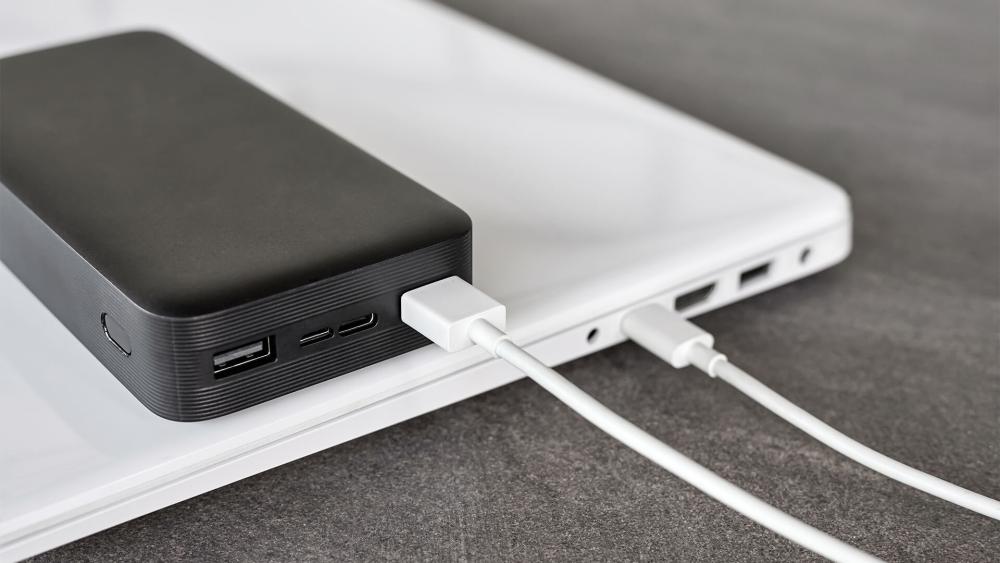
The reason USB-C charging feels clever is that it is not just pushing raw power down a cable. There is communication happening between the charger and the laptop, and that communication decides how much power is safe and appropriate. That is the part many buyers never see, but it is the reason USB-C can work across everything from thin notebooks to larger creator machines.
-
USB Power Delivery
USB-PD is the main engine behind USB-C charging. It allows higher power levels, defined voltage steps and clear rules for how power is offered and accepted. USB-IF lists new fixed voltages including 28V, 36V and 48V for higher-power charging, which is how the standard now stretches beyond the older 100W ceiling.
-
Power Negotiation
In a proper USB-C charging setup, the charger advertises what it can supply, the laptop requests what it needs, and the source then switches to the agreed level. The point is safety as well as speed. The laptop is not supposed to pull more than the charger and cable can support, and the charger is not supposed to guess what the laptop wants. That handshake is what makes a USB C laptop charger feel smarter than an old fixed-output brick.
-
Wattage and Charging Speed
Wattage is simply the amount of power available. For USB-C charging, higher wattage usually means more headroom, but not always faster charging in real life. Your laptop will only draw the level it is designed to request. So, a 100W USB C power adapter can safely charge a smaller laptop that only wants 45W, while a 45W adapter may keep a bigger machine alive but charge it slowly under load.
Key Benefits of USB-C Charging
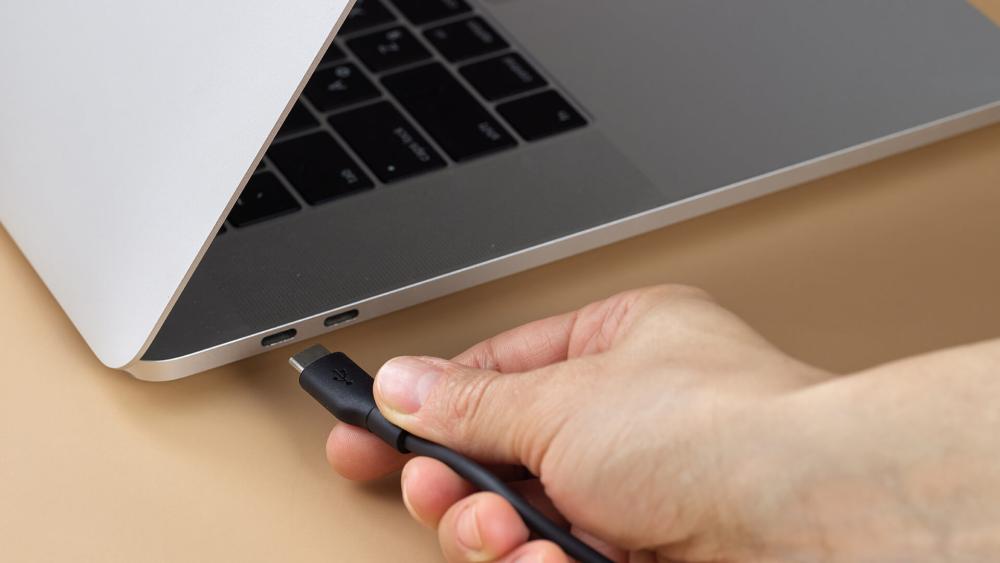
The reason USB-C charging has become such a big selling point is that it solves several annoying laptop problems at once. It simplifies travel, reduces the number of chargers you need and makes modern desks cleaner. For buyers moving from older standards, that is often the moment USB-C goes from sounding technical to feeling genuinely useful.
-
Wider Device Compatibility
One of the biggest wins with USB-C charging is broader compatibility across devices. A single type C charger might be able to top up a laptop, tablet, phone, handheld or headphones, provided the wattage is suitable. That does not mean every device charges at the same speed, but it does mean many USB C laptops fit more neatly into a mixed-device setup than older laptops did.
-
Faster, Smarter Charging
A good USB-C charging setup can also be faster and more efficient than older low-power USB charging. USB-PD allows the charger and laptop to match power levels more intelligently, and that makes a type C fast charger much more relevant for laptops than older USB charging methods ever were. The real gain is not just speed on paper, but getting meaningful charging without carrying a giant brick everywhere.
-
One Cable, More Jobs
For many users, the best part of USB-C charging is the single-cable desk. One USB-C port can charge, transfer files and drive an external display when supported. Thunderbolt builds on the same connector shape for even more bandwidth. So, if your laptop, dock and monitor all cooperate, one cable can do a lot of heavy lifting. If you want more details on this, our guide to HDMI, USB-C or DisplayPort is a must-read.
-
Travel and Portability
This is where USB-C charging really shines in everyday life. Instead of packing one laptop brick, one phone charger and another adapter for your accessories, a well-chosen USB Type C charger can cut down the kit you carry. For students and commuters, that lighter bag matters. For anyone building a cleaner desk or travel setup, a USB C portable charger is one of the easiest quality-of-life upgrades.
USB-C Charging Requirements for Laptops
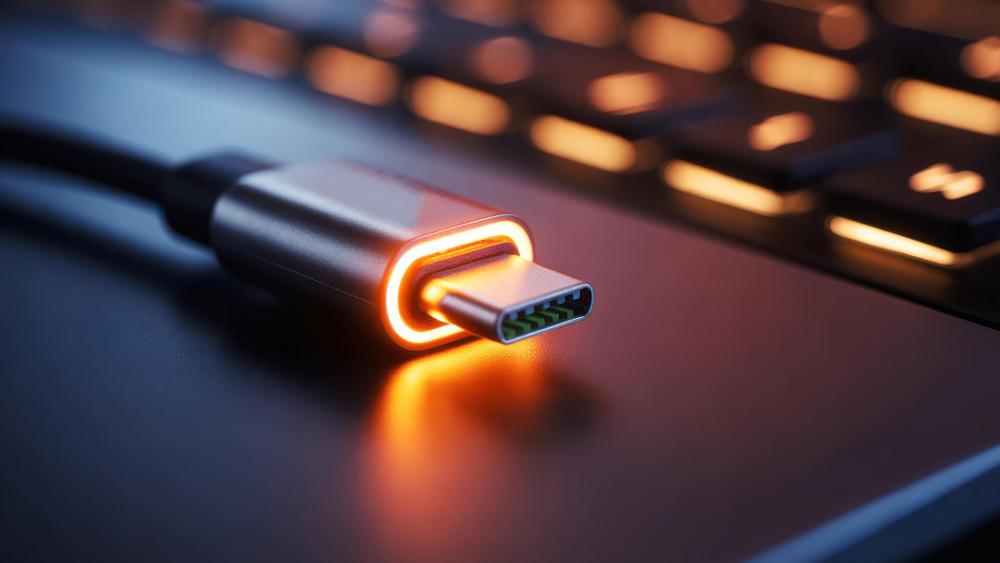
The catch with USB-C charging is that the connector alone tells you very little. You also need enough wattage, Power Delivery support and the right cable. This is the bit where buyers often assume any type C charger will do the job, then wonder why the battery is crawling upward or not moving at all.
-
Wattage by Laptop Class
There is no single wattage that suits every laptop. As a rule of thumb, many light everyday machines are comfortable around 45W to 65W, stronger productivity laptops often prefer 65W to 100W, and some larger performance systems need 100W to 140W or still rely on a separate power brick for full performance. For USB-C charging, the safest rule is simple: match or exceed the wattage your laptop was designed around.
-
Power Delivery Support
A laptop needs USB-PD support for proper USB-C charging. A USB C laptop charger without PD is far less useful for laptops, and a USB-C port without charging support is just a USB-C port. That is why spec sheets matter. When buyers compare USB C laptops, they should look for wording around USB-C Power Delivery rather than assuming every USB-C port charges the machine.
-
Cables and e-Marking
The cable matters more than most people think. Higher-power USB-C cables use electronic marking so devices know what the cable can safely handle. In practice, that means a cheap mystery cable can bottleneck USB-C charging even when the laptop and adapter are both capable. If you want stable high-wattage charging, treat the cable as part of the charger, not as an afterthought.
-
Compatibility Limits
Even with the right adapter, USB-C charging still has limits. Some laptops charge only through one of several USB-C ports. Some share bandwidth or power in ways that affect accessories. USB-C power delivery behaviour can vary between ports and can even change depending on how devices are attached. So a type C charger can be correct on paper and still behave differently across laptops.
Can All USB-C Ports Charge a Laptop?
This is probably the biggest confusion around USB-C charging, and the short answer is no. A USB-C shape does not guarantee laptop charging support. Some ports are there mainly for data. Some also handle displays. Some do all three. That is why two identical-looking ports can behave very differently.
-
Charging, Data and Display Roles
USB-C is a connector, not a promise. That is why a USB C power adapter may work brilliantly on one laptop and do nothing on another if the port is not configured for charging.
-
How to Check a Port
The best way to verify USB-C charging support is to check the laptop’s spec page, quick-start guide or manual. Port icons can help, but the spec sheet is the safest source. If a laptop explicitly mentions Power Delivery input, USB-C charging, or charger support via that port, you are on much firmer ground. That matters when shopping for USB C laptops because appearances alone are not enough.
-
Common Problems
The usual problems are underpowered adapters, the wrong cable, ports that do not support charging, or expecting full-speed charging while the laptop is under heavy load. Another common issue is assuming all cables support all features.
USB-C vs Thunderbolt for Charging
When people compare USB-C charging with Thunderbolt, they are often comparing different things. USB-C is the connector shape. Thunderbolt is a higher-performance connectivity standard that uses the USB-C connector. So the question is not really connector versus connector. It is connector versus protocol.
-
Shared foundations
Thunderbolt works through the USB-C connector and combines data, display and power in the same physical port. That means a Thunderbolt laptop can still use USB-C style charging behaviours, docks and accessories where supported. In day-to-day use, both can support a tidy single-cable setup.
-
Performance Differences
The difference is capability. Thunderbolt is a best-in-class high-speed connectivity solution built on USB, DisplayPort and PCIe protocols through the USB-C connector. In practical terms, Thunderbolt is usually the premium option for faster data, stronger dock support and more display bandwidth, while standard USB-C charging focuses first on power and broader everyday compatibility.
-
Which One Makes Sense
For most buyers, you do not choose Thunderbolt instead of USB-C charging. You choose a laptop whose USB-C port may also support Thunderbolt. If your priority is simple charging, a good USB C laptop charger and PD support matter more. If your priority is high-end docks, fast storage and multiple displays, Thunderbolt becomes more attractive.
Choosing the Right USB-C Charger for Your Laptop
Buying the right charger is where USB-C charging becomes practical rather than theoretical. The best charger is not the one with the biggest number on the box. It is the one that matches your laptop’s needs, your cable, and how you actually use the machine day to day.
-
Matching Wattage Properly
Start with wattage. A USB C laptop charger should meet at least the laptop’s expected input level. More headroom is usually fine because the laptop negotiates what it will draw. Less headroom can be fine for light use, but it can also mean slow charging, battery drain under load, or both. That applies whether you are buying a USB C power adapter for a lecture hall or a desk.
-
Single-Port and Multi-Port Chargers
A single-port charger is simple and often gives you the full rated output more consistently. A multi-port charger is better if you want to charge a phone, tablet and laptop together, but output may be shared between ports. If you want one brick for everyday kit, a USB Type C charger with clear port ratings is usually the smarter buy than guessing from marketing alone.
-
GaN Chargers
GaN chargers are popular because gallium nitride designs can run at higher switching frequencies and enable smaller, lighter, higher power-density chargers than traditional silicon approaches. In plain terms, a GaN type C fast charger is often easier to slip into a backpack without giving up useful wattage. For portable work setups and travel, that is a real advantage.
-
Safety Checks
For safer USB-C charging, prioritise clear wattage ratings, PD support, proper cable labelling and certification where possible. If you are shopping around laptop accessories, the safest habit is to buy the charger, cable and dock as a matched system rather than mixing random parts and hoping for the best.
Best Use Cases for USB-C Charging in Daily Life
The best thing about USB-C charging is that you feel the benefit every day, not just when reading a spec sheet. It makes laptop life simpler at home, in the office, on campus and on the move. That is why buyers upgrading from older charging standards often notice the difference straight away.
-
Home, Office and Travel
At home, USB-C charging helps cut desk clutter. In the office, it makes hot-desking easier. On the move, it reduces how many chargers you carry. A USB C portable charger or compact wall adapter can be especially handy for lighter machines, while a higher-wattage wall charger is better for bigger laptops that live under heavier workloads.
-
Docks and Hubs
Docks are one of the strongest reasons to care about USB-C charging. A good dock can power the laptop, connect peripherals and drive displays through one cable. If that sounds like your kind of setup, check out docking stations at Box after checking your laptop’s port capabilities.
-
One Adapter, Multiple Devices
This is the dream setup for many users. A properly rated USB C power adapter can often charge a laptop, a phone and other daily kit, especially if you choose a multi-port model with sensible output sharing. That is where a good USB Type C charger earns its keep, because it replaces multiple bricks without turning your bag into cable chaos.
Common Problems with USB-C Charging and Fixes
Even good USB-C charging setups can go wrong. The upside is that most problems come down to a few familiar causes: too little wattage, the wrong cable, an unsupported port or a dock that adds one more point of failure. The trick is checking the basics in the right order.
-
Slow Charging
If charging is slow, start with wattage. A smaller adapter may keep a laptop alive but fail to recharge it properly while you are gaming, editing or running a demanding workload. Next, check the cable rating. Slow USB-C charging is often a cable problem pretending to be a charger problem.
-
Incompatible Chargers or Cables
If nothing happens, test a different cable first, then a different charger, then the port itself. Not all USB-C cables support all features. That alone explains a lot of mystery failures. A type C charger can be fine, but the wrong cable can still block proper laptop charging.
-
Heat and Power Drops
Warm chargers are normal. Excessive heat, repeated disconnects or power drops are not. Those issues can point to an overloaded adapter, poor airflow, a questionable cable or a dock that is not delivering as much power as you thought. If your laptop only holds its charge while asleep or idle, the charger is probably below what the machine wants under real load.
-
When Charging Still Fails
If USB-C charging still does not work, strip the setup back. Connect the laptop directly to a known-good PD charger with a known-good cable. If that works, the problem is probably the hub, dock or accessory chain. If it still fails, double-check the laptop’s spec sheet to confirm that port really supports charging in the first place.
Wrapping Up
USB-C charging works because the port, charger, cable and laptop all follow a smarter set of rules than older charging standards. When those pieces line up, the result is brilliant: one compact connection that can power a laptop, clean up your desk and simplify travel.
For most buyers, the biggest takeaway is this: do not judge USB-C charging by the port shape alone. Check for Power Delivery support, match the wattage properly, use a good cable, and think about how you actually work or travel. Get that right, and USB-C charging quickly feels like one of the most useful laptop upgrades you can make.
FAQs
Can I charge any laptop with a USB-C charger?
No. A laptop needs a USB-C port that supports charging, and the charger must provide enough power through USB Power Delivery. Some USB-C ports are data-only or data-plus-display rather than full charging ports.
What wattage USB-C charger do I need for my laptop?
Use at least the wattage your laptop was designed around. Many lighter machines are fine with 45W to 65W, while stronger laptops often want 65W to 100W or more. For reliable USB-C charging, matching the original requirement is the safest move.
Why is my USB-C laptop charging slowly?
The most common reasons are an underpowered charger, a cable that does not support the right power level, or a laptop under heavy load. Slow USB-C charging often comes down to wattage or cable quality rather than a faulty battery.
Is USB-C charging safe for laptops?
Yes, when the laptop, charger and cable all support the right standard. USB-PD is designed around negotiated power levels rather than blind power output, which is why using a proper PD charger and correctly rated cable matters so much.
Do I need a special cable for USB-C laptop charging?
Sometimes, yes. Basic USB-C cables do not all support the same power levels or features. For higher-power laptop charging, choose a properly rated cable with clear power labelling, especially if you are aiming for 100W or above.
You can pay with:
*PayPal Credit Representative Example: Assumed credit limit £1,200, Representative 23.9% APR (variable). Purchase rate 23.9% p.a (variable).Terms & Conditions apply.


PayPal Credit and PayPal Pay in 3 are trading names of PayPal UK Ltd, 5 Fleet Place, London, United Kingdom, EC4M 7RD. Terms and conditions apply. Credit subject to status, UK residents only, Five Tech LTD acts as a broker and offers finance from a restricted range of finance providers. PayPal Pay in 3 is not regulated by the Financial Conduct Authority. Pay in 3 eligibility is subject to status and approval. 18+. UK residents only. Pay in 3 is a form of credit. Check if affordable and how you will repay. May make other borrowing more difficult or expensive. See product terms for more details.
Copyright © 1996-2026 Fivetech LTD | Terms and Conditions
box.co.uk & Box are trading names of Five Tech Limited. Registered office: Box LTD, Unit 10 Woodford Trading Estate, Woodford Green IG8 8HF