


 Menu
MenuMenu


Get Sales Advice from Mon - Fri 9am - 5:00pm:
020 3337 8950LAST UPDATED: March 30, 2026
Top Laptops with NVIDIA GeForce RTX Graphics Cards of 2026: Which Is Right for You?
If you’re in the market for a new laptop in 2026, chances are you’ve come across the term NVIDIA laptops. These devices are some of the most powerful on the market, offering cutting-edge graphics cards designed for gaming, creative work, and productivity. But with so many models available, from budget RTX laptops to ultra-premium RTX 5090 laptops, it can be hard to know which one is right for you.
This guide will walk you through the best RTX laptops in 2026, explain what makes them different, and help you match the right GPU to your needs.By the end, you will hopefully find the right laptop with NVIDIA graphics card to be your daily partner.
Why NVIDIA RTX Laptops Matter in 2026?
NVIDIA GeForce RTX GPUs are the heart of modern gaming and content creation laptops. They’re not just for gamers; they’re also excellent for professionals, students, and casual users who want more power than standard integrated graphics can offer.
Here’s why NVIDIA laptops stand out this year:
- Ray Tracing & DLSS 3.5: Enthusiasts love playing a game where lighting, reflections, and shadows look as real as the world around you. That’s what ray tracing does, and DLSS ensures smooth performance even at high settings.
- AI-Powered Enhancements: From frame generation in games to accelerated rendering in software like Adobe Premiere Pro, AI is working behind the scenes to save you time and improve quality.
- Better Battery Life & Cooling: The 2026 range of RTX laptops has improved efficiency, meaning they run cooler and last longer on battery compared to older models.
- Versatility: Whether you want to play esports titles, edit 4K video, or run CAD software, RTX GPUs adapt to multiple workloads.
Best RTX Laptops of 2026: From Entry-Level Choices to Premium Power
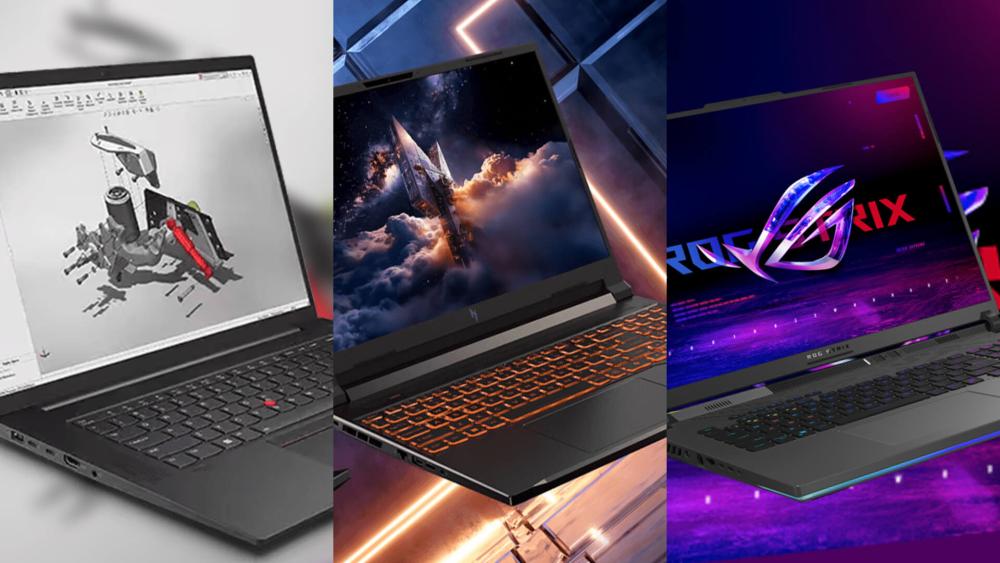
Whether you’re searching for a budget RTX laptop for everyday use or a flagship RTX 5090 powerhouse for gaming and creative work, 2026 has an option for every need.
1- Best Budget RTX Laptop (Great Value for Starters)
Who it’s for: Students, casual gamers, first-time buyers, or anyone who wants a laptop that’s good at everything without ballooning the budget.
What performance feels like:
- Esports titles (Fortnite, Valorant, Rocket League) run smoothly at 1080p with medium–high settings.
- Story/AAA games are best at 1080p with balanced presets; ray tracing is possible, but you’ll usually prefer upscaled or lower RT settings for steady frame rates.
- Creative tasks (Lightroom batch exports, 1080p–1440p timeline edits, simple 3D scenes) see a real boost vs. integrated graphics.
What to look for (specs that matter):
- GPU: Modern entry RTX (e.g., RTX 4050 Laptops RTX 4050 laptops). Older “cheapest RTX 3060 laptop” options can still be great value if discounted.
- CPU/RAM/Storage: 16GB RAM minimum, 512GB SSD minimum (1TB ideal). Pair with a current-gen Intel/AMD CPU; don’t fixate on core counts; real-world responsiveness matters more.
- Display: 1080p 120–144Hz IPS is the sweet spot for smooth gaming without overspending.
- Thermals: Dual-fan cooling and multiple heat pipes; avoid single-fan designs if you can.
- Portability: 1.8–2.2kg and 60–80Wh batteries make it campus- and commute-friendly.
Trade-offs: You’re choosing value over raw power; ultra settings in the latest AAA games aren’t the target here. Expect a plastic or mixed-material chassis and simpler RGB (or none).
Featured Laptop:
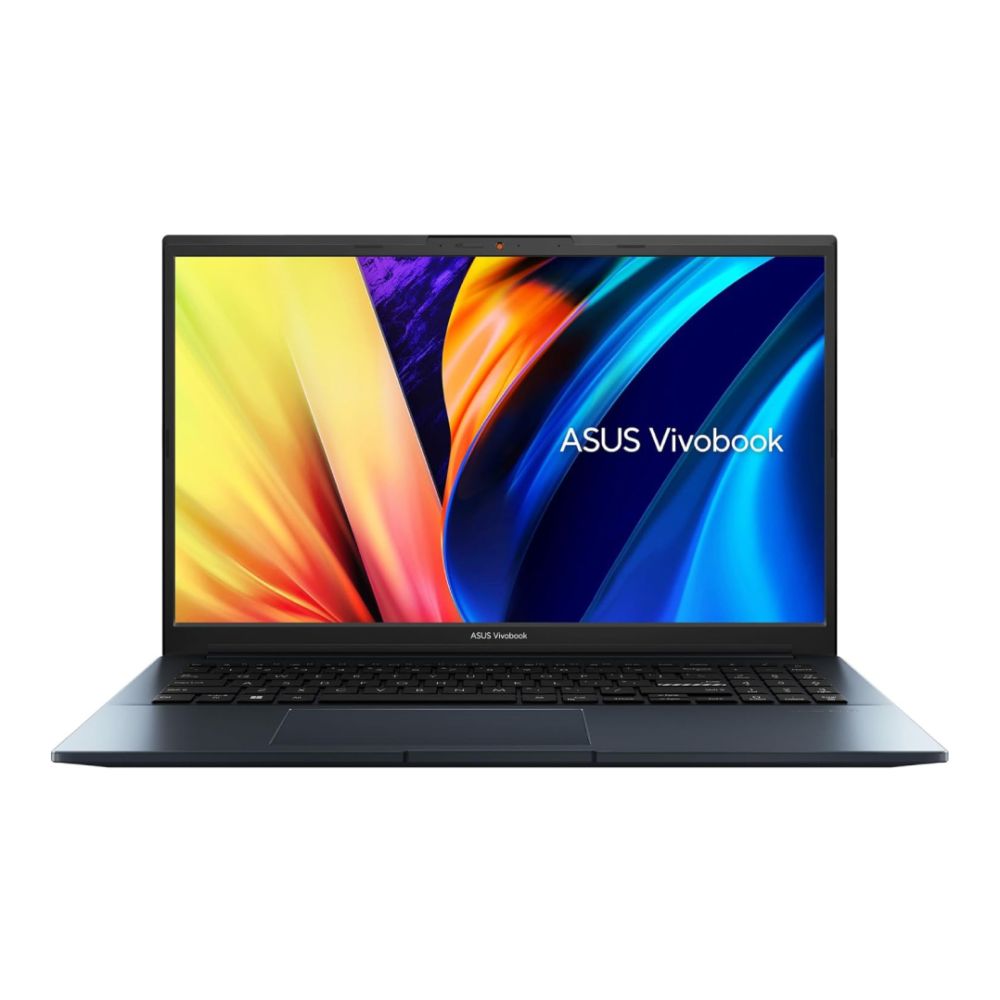
HP Victus Gaming 15-fa2300na C17WHEA Intel® Core™ i5-13420H 16GB RAM 512GB SSD RTX 4050 15.6" Windows 11 Home Laptop
MPN: C17WHEA#ABU
The HP Victus Gaming 15-fa2300na is a strong fit for the budget section because it delivers the key specs buyers actually need without pushing the price too high. With an Intel Core i5-13420H processor, 16GB RAM, 512GB SSD, and NVIDIA RTX 4050 graphics, it is well suited to students, first-time buyers, and casual gamers who want dependable 1080p gaming and solid all-round performance. The 15.6" Full HD display keeps things practical for everyday use, while the RTX 4050 gives it a clear advantage over standard laptops with integrated graphics.
| Looking for something different? Explore our full range of RTX 4050 laptops |
2- Best RTX 4070 Laptop (The People’s Champion)
Who it’s for: Most gamers and hybrid gamers/creators want speed and sanity on price.
What performance feels like:
- 1080p “maxed” and 1440p “high” gaming with consistently high frame rates.
- Stream, record, and play simultaneously without feeling sluggish.
- Creative work (4K timeline with effects, Blender cycles previews, large Lightroom catalogs) runs comfortably.
What to look for:
- GPU: RTX 4070 laptops are the 2026 sweet spot for power vs. price.
- Display: 1440p 240Hz (ideal) or 1080p 240–360Hz for esports. Look for G-Sync/Adaptive Sync to kill tearing.
- RAM/Storage: 16–32GB RAM, 1TB NVMe SSD (Gen 4 if possible) to keep projects and libraries snappy.
- Cooling: Vapour-chamber or robust heat-pipe designs with granular fan profiles.
- Build: Metal or high-quality composite chassis; decent keyboard travel and precision trackpad.
Trade-offs: Costs more than budget tier; some models are tuned for thinness over maximum sustained wattage. Check reviews for sustained clocks and fan noise.
Featured Laptop:
Alienware AC16250 Intel Core 7 240H 16GB RAM 1TB SSD RTX 4050 16" Windows 11 Home Gaming Laptop
MPN: 39J4J
The Alienware AC16250 is the closest match from your supplied list for buyers who want a stronger step up in overall build and display quality. While it uses an RTX 4050 rather than an RTX 4070, it still offers a more premium feel thanks to its Intel Core 7 240H processor, 16GB RAM, 1TB SSD, and sharp 16" WQXGA display. That makes it a sensible alternative for users who want a more polished gaming and creative laptop with strong day-to-day performance, better screen quality, and more storage headroom.
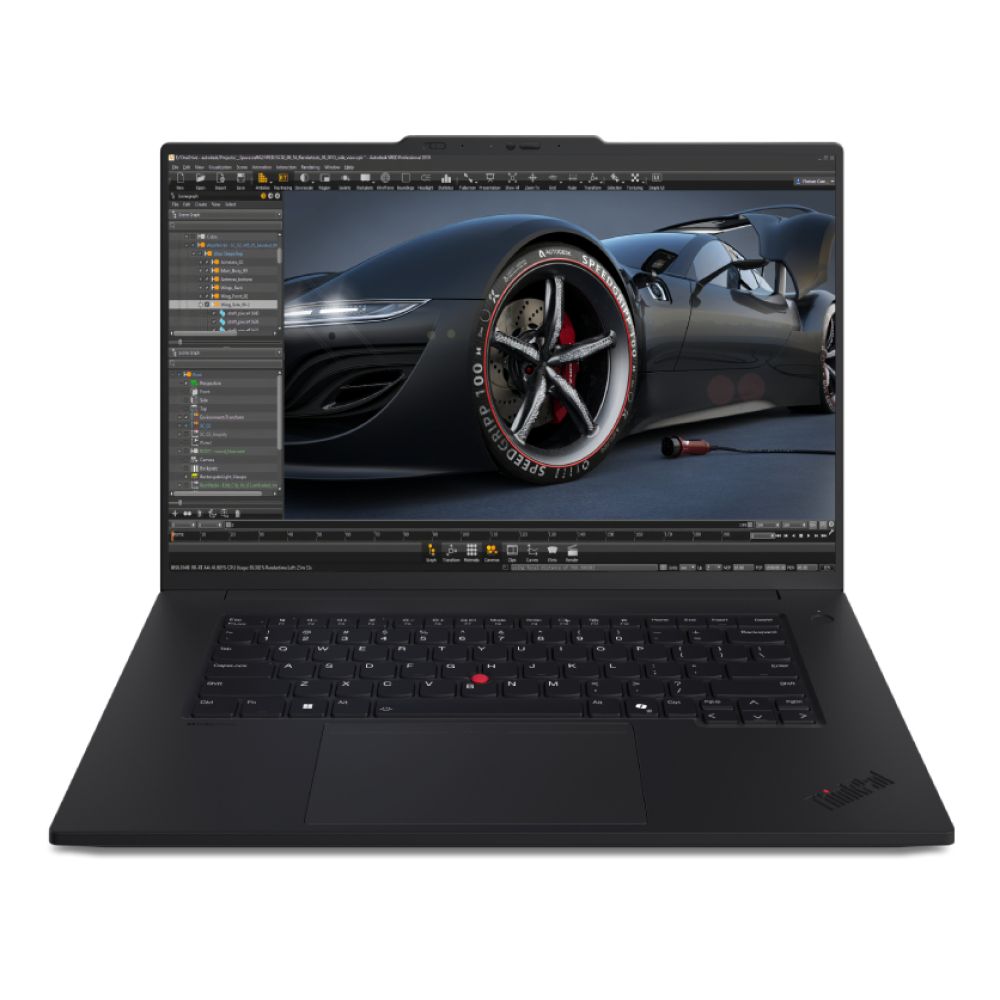
Shop Lenovo ThinkPad P1 Ultra 7
| Want more options? Take a look at our complete range of RTX 4070 laptops |
3- Best RTX 5080 Laptop (High-end for Gamers & Creators)

Who it’s for: Demanding gamers, streamers, and creators who want headroom for 4K gaming, heavy effects, and faster renders.
What performance feels like:
- 1440p “ultra” with ray tracing on (and DLSS/Frame Gen where supported) feels effortless; 4K is viable with smart settings.
- Serious creator workflows (After Effects comps, multi-cam 4K, GPU-accelerated denoise/upscales, complex 3D scenes) finish much faster.
- Smoother VR and AI-assisted pipelines.
- Streaming and recording while gaming stays smooth thanks to ample GPU headroom and modern encoders.
What to look for:
- GPU & power delivery: RTX 5080 designs with robust cooling and sustained clocks for long sessions.
- Display: 16–18" QHD+/1440p at 240–300Hz for competitive play, or 4K 120–144Hz for visuals-first creators.
- Memory & storage: 32GB RAM is the practical sweet spot; 1–2TB NVMe SSD for games + project media.
- I/O: USB4/Thunderbolt connectivity, HDMI 2.1/DP for high-refresh external monitors, and fast networking for big asset pulls.
- Thermals: Multi-fan, multi-heat-pipe (or equivalent) solutions to keep boost clocks stable.
Trade-offs: Heavier and pricier. Battery life is acceptable but this class thrives on mains power when you’re pushing it.
Featured Laptop:
Acer Predator Helios 18 AI – Intel Core Ultra 9 275HX | 32GB RAM | 1TB SSD | NVIDIA RTX 5080 | 18" Display | Windows 11 Home
MPN: NH.QVYEK.002
The Acer Predator Helios 18 AI is built for gamers who want nothing but top-tier performance. With a massive 18" display, this laptop immerses you in every detail; perfect for AAA titles at 1440p or even 4K. Powered by the Intel Core Ultra 9 and an RTX 5080, it breezes through demanding games and creative workloads. 32GB of RAM and a 1TB SSD ensure you have speed and storage for both gaming libraries and professional projects. Advanced cooling technology helps maintain performance during marathon sessions.
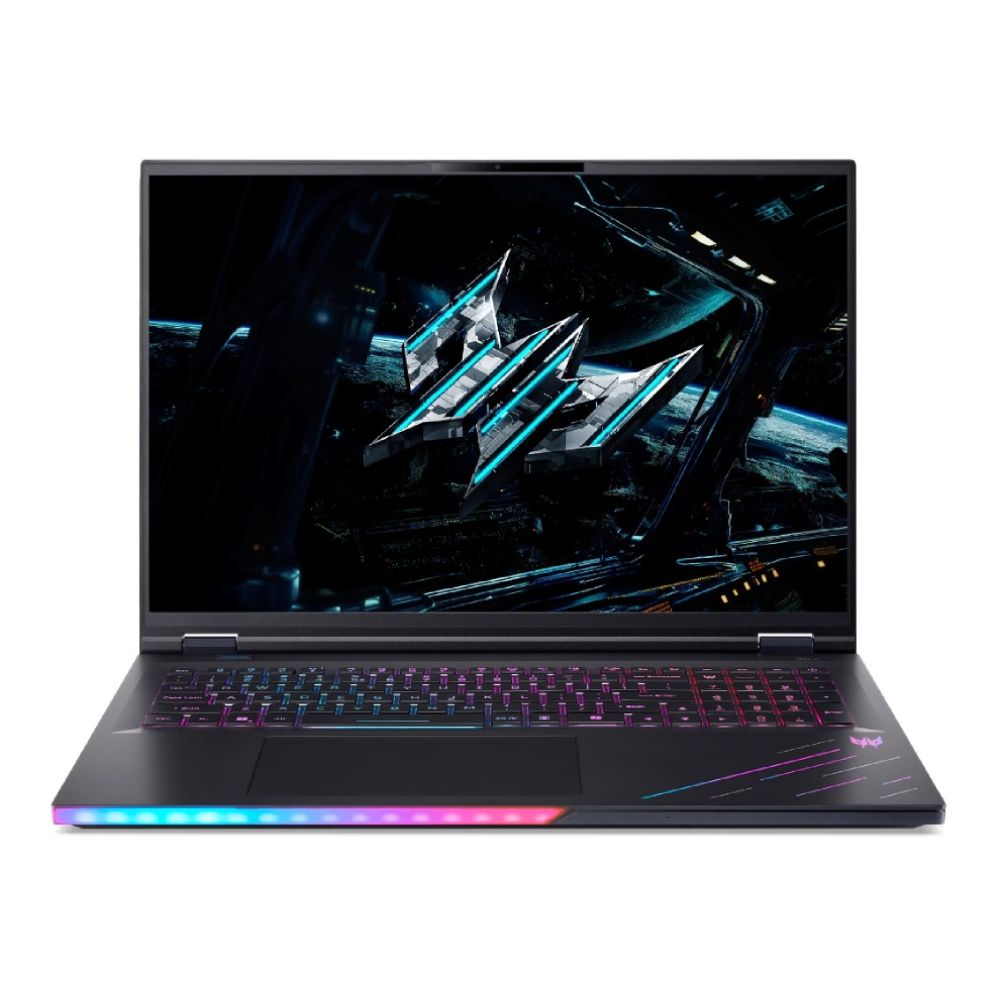
Shop Acer Predator Helios 18 AI Ultra 9
| Explore more: Want to compare additional premium options? Browse the latest RTX 5080 laptops to find the perfect fit for your play style and workflow. |
4- Best RTX 5090 Laptop (The Absolute Flagship)
Who it’s for: Enthusiasts and pros who want top-tier gaming, AI, and content workflows with the least waiting.
What performance feels like:
- 4K “ultra” gaming with advanced RT features is the target; 1440p high-refresh is trivial.
- 8K timelines, heavy simulations, complex 3D scenes, and AI workflows run astonishingly fast for a laptop.
- Multitask across large projects without compromise.
What to look for:
- GPU tier & power delivery: The highest-end designs with robust power limits and premium cooling.
- Display: 4K high-refresh or top-end 1440p panels with creator-grade color.
- Memory & storage: 32–64GB RAM, dual-SSD bays (often 2TB+ total).
- Chassis & thermals: Large, premium builds engineered to sustain boost clocks.
- Connectivity: Full-fat USB4/Thunderbolt, multiple video outs, 2.5GbE or better, Wi-Fi 6E/7.
Trade-offs: Highest price and generally the largest/heaviest form factors. Battery life isn’t the priority, performance is.
Featured Laptop:
MEDION Erazer Beast 16 X1 Ultimate Intel Ultra 9 275HX 32GB RAM 2TB SSD RTX 5090 16" Windows 11 Home Gaming Laptop
MPN: 30039609
The MEDION Erazer Beast 16 X1 Ultimate is a true flagship RTX laptop for 2026, built for gamers and creators who want elite-level performance without compromise. Powered by the Intel Core Ultra 9 275HX and paired with an NVIDIA RTX 5090, it is designed to handle demanding 4K gaming, advanced ray tracing, and heavy creative workloads with ease. With 32GB of RAM and a generous 2TB SSD, it has the speed and storage needed for large game libraries, editing projects, and high-end multitasking. Its 16" WQXGA display keeps visuals sharp and immersive, while the premium internal hardware makes it one of the strongest choices for anyone seeking top-tier portable power.
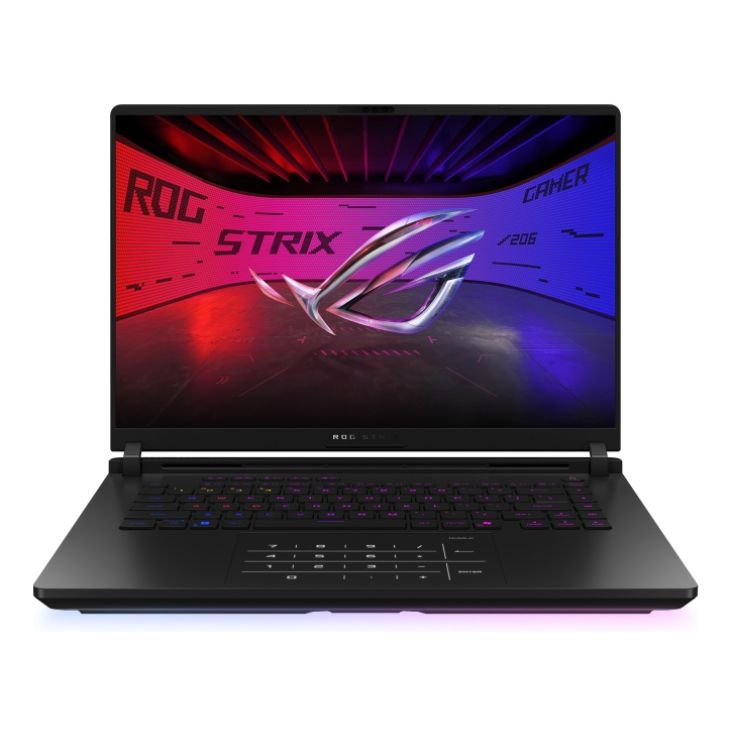
Shop ASUS ROG Strix SCAR 16 Ultra 9
Quick comparison of NVIDIA Laptops
| Category | Best use | Typical display sweet spot | RAM & storage sweet spot | Portability |
| Budget RTX (4050 / value 3060) | 1080p gaming, school/work, entry creation | 1080p 120–144Hz | 16GB / 512GB–1TB | Light–mid (1.8–2.2kg) |
| RTX 4070 | 1440p high-settings, stream + game, creator basics–intermediate | 1440p 240Hz or 1080p 240–360Hz | 16–32GB / 1TB | Mid (2.0–2.4kg) |
| RTX 5080 | 1440p ultra / 4K balanced, serious creation & VR | 1440p 240–300Hz or 4K 120–144Hz | 32GB / 1–2TB | Mid–heavy (2.3–2.8kg) |
| RTX 5090 (flagship) | 4K ultra, AI/8K/complex 3D workflows | 4K high-refresh or elite 1440p | 32–64GB / 2TB+ | Heavy (often 2.6–3.2kg) |
| Want a broad view first? Browse all NVIDIA laptops in one place: budget rtx laptop. |
Final Thoughts!
Choosing the right NVIDIA laptops in 2026 comes down to matching your needs with the right GPU tier.
No matter your budget or workload, NVIDIA laptops deliver the graphics performance, efficiency, and versatility you need for gaming, work, and creativity.
Ready to upgrade? Explore the full collection of NVIDIA RTX laptops today at Box.co.uk.
Whether you’re looking for budget RTX laptops, the popular RTX 4070 laptops, or flagship RTX 5090 laptops, Box has the latest models, competitive deals, and everything you need to find your perfect machine.
FAQs -Top Laptops with NVIDIA GeForce RTX Graphics Cards
-
What should I look for in a gaming laptop?
If you are wondering what to look for in a gaming laptop, focus on the GPU first, then check the CPU, RAM, SSD storage, display refresh rate, and cooling system.
-
What is the best gaming laptop under £1000?
The best gaming laptop under 1000 is usually one with an RTX 4050 or similar entry-level GPU, 16GB RAM, and at least 512GB of SSD storage. You can find many options at Box.
-
Is a cheap gaming laptop worth it?
Yes, a cheap gaming laptop can still be very good for esports titles, lighter AAA gaming, and everyday work, as long as it has the right GPU and enough memory.
-
Is an NVIDIA gaming laptop good for work as well as gaming?
Yes, a NVIDIA gaming laptop is often excellent for work as well as gaming, especially for editing, rendering, design software, and other graphics-heavy tasks.
-
What is the best laptop with NVIDIA graphics card?
The best laptop with NVIDIA graphics card depends on your budget, but RTX 4070 models usually offer the best overall balance, while RTX 5090 laptops sit at the very top end.
You can pay with:
*PayPal Credit Representative Example: Assumed credit limit £1,200, Representative 23.9% APR (variable). Purchase rate 23.9% p.a (variable).Terms & Conditions apply.


PayPal Credit and PayPal Pay in 3 are trading names of PayPal UK Ltd, 5 Fleet Place, London, United Kingdom, EC4M 7RD. Terms and conditions apply. Credit subject to status, UK residents only, Five Tech LTD acts as a broker and offers finance from a restricted range of finance providers. PayPal Pay in 3 is not regulated by the Financial Conduct Authority. Pay in 3 eligibility is subject to status and approval. 18+. UK residents only. Pay in 3 is a form of credit. Check if affordable and how you will repay. May make other borrowing more difficult or expensive. See product terms for more details.
Copyright © 1996-2026 Fivetech LTD | Terms and Conditions
box.co.uk & Box are trading names of Five Tech Limited. Registered office: Box LTD, Unit 10 Woodford Trading Estate, Woodford Green IG8 8HF