


 Menu
MenuMenu


Get Sales Advice from Mon - Fri 9am - 5:00pm:
020 3337 8950LAST UPDATED: June 30, 2026
Steam Machine Has Launched: Everything You Need to Know
The Steam Machine is Valve’s new way to bring PC gaming into the living room. It is a compact SteamOS-powered device built for players who want their Steam library on a TV without building a full desktop setup.
Valve’s Steam Machine looks and works more like a console-style system, but it is still based on PC gaming. You can use it for Steam games, connect it to a TV or monitor, pair it with a controller and use SteamOS features such as cloud saves and fast suspend/resume.
This guide covers the key details from the Steam Machine launch, including UK pricing, specs, SteamOS features, pre-order information, comparisons and whether the price makes sense.
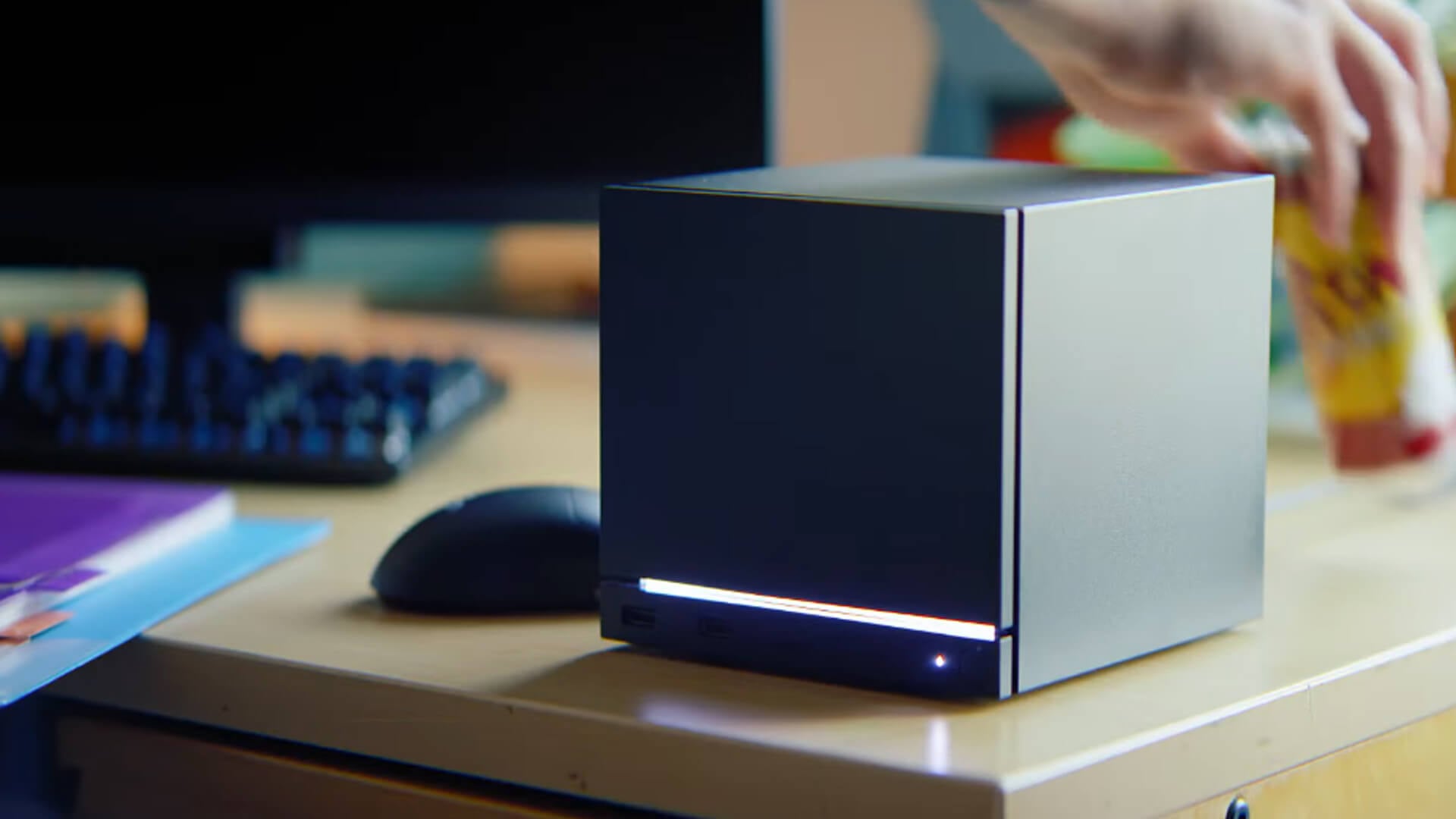
Steam Machine Price and Key Specs at a Glance
The Steam Machine 2026 comes in four options. The main differences are storage size and whether the new Steam Controller is included. The core CPU, GPU, memory, connectivity and SteamOS setup stay the same across the range. If you are planning to place a pre-order or buy it later, here is a quick comparison of all four variants.
| Model | Price | Storage | Controller | Hardware | Extras |
|---|---|---|---|---|---|
| Steam Machine 512GB | £879 | 512GB NVMe SSD + microSD slot | No | Zen 4 6C/12T, RDNA 3 28CU, 16GB DDR5 + 8GB GDDR6 | Wi-Fi 6E, BT 5.3, Gigabit Ethernet, SteamOS 3, Wireless adapter |
| Steam Machine 512GB + Controller | £938 | 512GB NVMe SSD + microSD slot | Yes | Same | Includes Steam Controller |
| Steam Machine 2TB | £1,149 | 2TB NVMe SSD + microSD slot | No | Same | Red fabric and walnut faceplates |
| Steam Machine 2TB + Controller | £1,208 | 2TB NVMe SSD + microSD slot | Yes | Same | Steam Controller + faceplates |
Key hardware details include:
- CPU: Semi-custom AMD Zen 4, 6 cores and 12 threads, up to 4.8GHz
- GPU: Semi-custom AMD RDNA 3 with 28 compute units
- Memory: 16GB DDR5 system memory plus 8GB GDDR6 VRAM
- Display outputs: DisplayPort 1.4 and HDMI 2.0
- Display support: Up to 4K at 240Hz or 8K at 60Hz over DisplayPort, and up to 4K at 120Hz over HDMI
- USB ports: Two front USB-A ports, two rear USB-A ports and one rear USB-C port
- Networking: Gigabit Ethernet, Wi-Fi 6E and Bluetooth 5.3
- Size: Around a 6-inch cube, weighing 2.6kg
- Power: Built-in power supply, so there is no large external power brick
The Steam Machine specs place it closer to a compact gaming PC than a standard console. The launch price of the Steam Machine console also reflects that, especially once you move up to the 2TB model or add the controller bundle.
Now that the pricing and hardware are clear, let’s look at how the Steam Machine actually works and what it offers in everyday use.
SteamOS and Steam Library on the Big Screen
Also known as GabeCube (fan name), the Steam Machine is built around SteamOS 3. This gives it a gaming-first interface that feels closer to a console, while still keeping the flexibility of a PC.
What SteamOS Adds
- Simple sign-in: Sign in with your Steam account, and your existing Steam library is ready to access.
- TV-friendly layout: SteamOS is designed for controller use, making it easier to browse games from the sofa.
- Fast suspend and resume: You can pause and return to games more easily than on a traditional desktop setup.
- Cloud saves: Supported games can sync progress across Steam devices.
- Desktop mode: SteamOS also includes a KDE Plasma desktop for users who want a more PC-like experience.
Steam Machine Verified
Valve is expanding its Verified programme to include Steam Machine. This should help players see how well games run before downloading them.
The rating system matters because the Steam library is huge. Some games will suit the device better than others, depending on controls, performance, display settings and compatibility.
Why It Matters
For players with a large Steam library, this is the main appeal. Instead of moving a desktop tower into the lounge, the Steam Machine console makes PC gaming on the big screen simpler.
It works best for users who want their Steam library on TV but still prefer the freedom of PC gaming over a closed console setup. Plus, its compact cube design makes it easier to move between rooms or take to another setup. Pack it with the power cable and controller, connect it to a TV or monitor, and your Steam library can move with you.
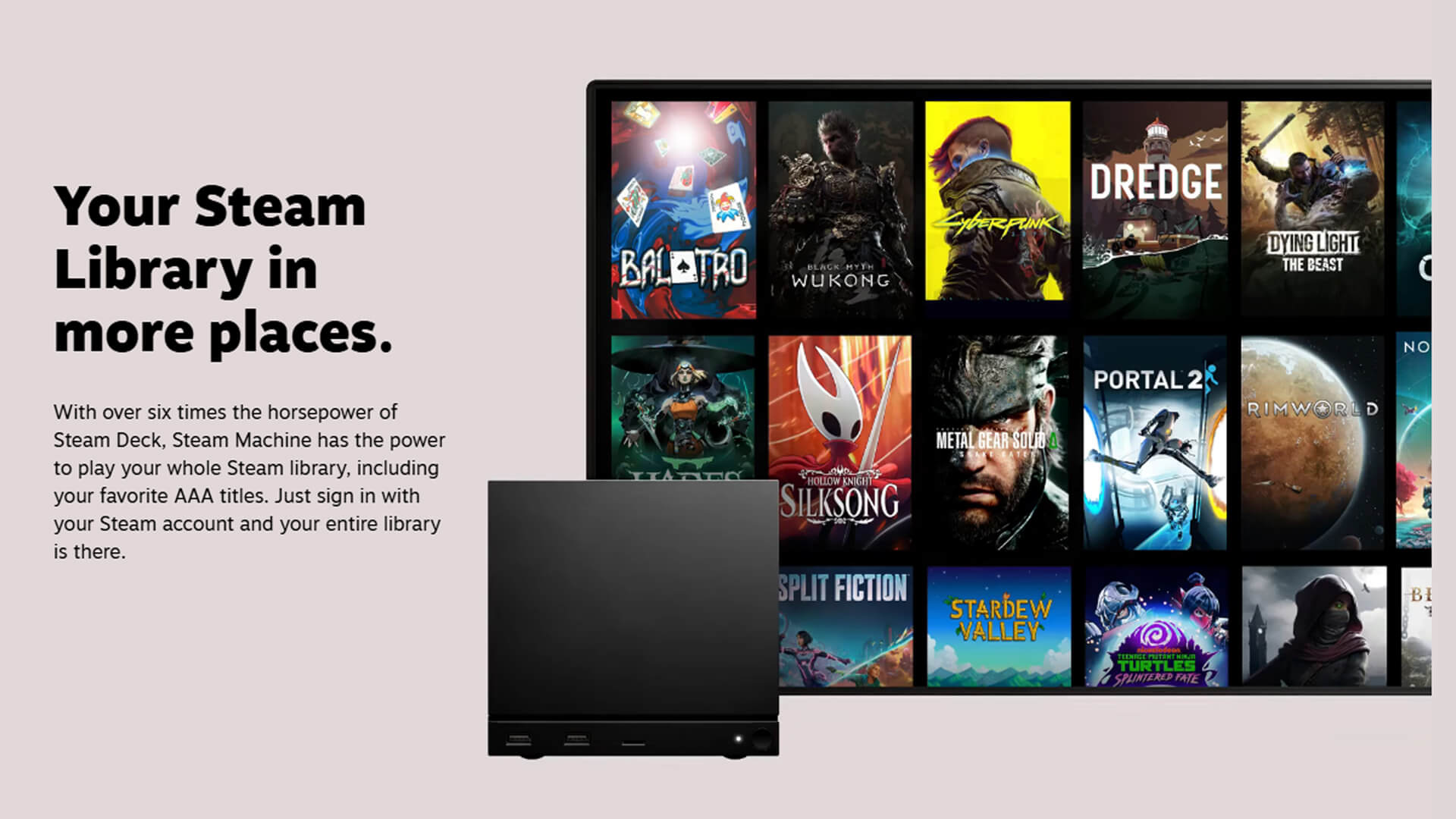
Performance: CPU, GPU and 4K Gaming Target
The Steam Machine 2026 uses a semi-custom AMD setup designed for living-room PC gaming. It is built to offer more power than the Steam Deck while staying compact enough for a TV setup.
Key Performance Hardware
| Component | What Steam Machine Includes | Why It Matters |
|---|---|---|
| CPU | Semi-custom AMD Zen 4 with 6 cores and 12 threads | Helps with modern game performance, background tasks and system responsiveness |
| GPU | Semi-custom AMD RDNA 3 with 28 compute units | Handles the main gaming workload and visual performance |
| Memory | 16GB DDR5 system memory | Supports game loading, multitasking and general system use |
| VRAM | 8GB GDDR6 | Helps with textures, visual settings and higher-resolution gaming |
| Upscaling target | 4K at 60FPS with FSR | Aims to make big-screen gaming smoother without needing full native 4K rendering |
What This Means in Real Use
- The Steam Machine specs make it a clear step up from the Steam Deck for TV-based play.
- It is designed around PC gaming rather than a locked console setup.
- The 4K target depends on FSR, so some games may use upscaling to reach smoother performance.
- Results will vary by game, settings, optimisation and Steam Machine Verified status.
- It is powerful for a compact box, but it should not be treated the same as a high-end desktop gaming PC.
For most players, the key point is simple: Steam Machine is built for big-screen Steam gaming with a more console-style feel, but its performance will still depend on how each game runs on the hardware.
Design, Ports and Living-Room Gaming Setup
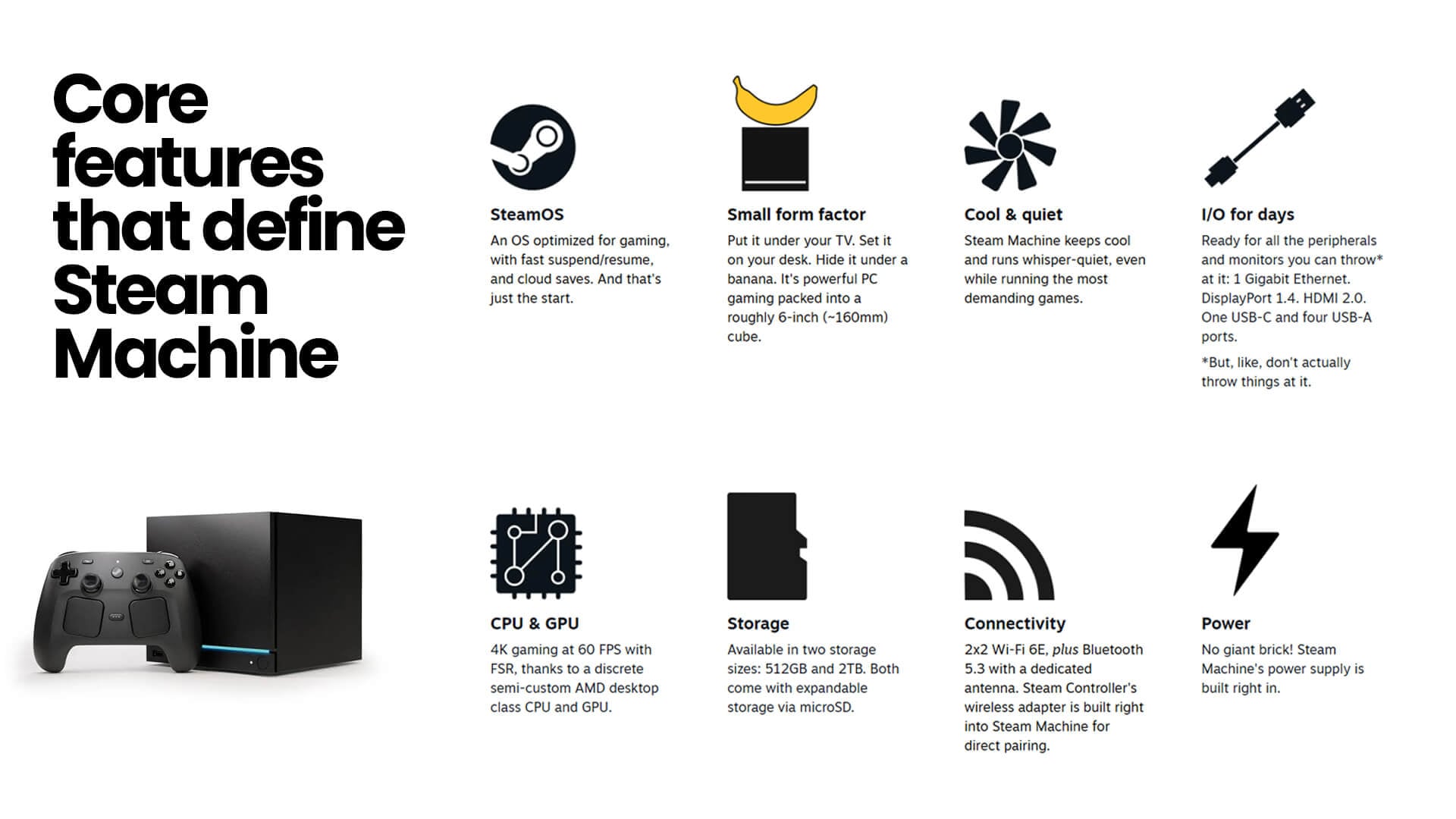
The Steam Machine console is built to sit where a normal desktop PC may feel too large. Its small cube design makes it easier to place under a TV, on a desk or beside a monitor.
Design Highlights
| Feature | What It Means |
|---|---|
| Compact size | Roughly a 6-inch cube, so it is easier to fit into a TV unit or desk setup |
| Built-in power supply | No large external power brick is needed |
| Cool and quiet design | Built to stay controlled during demanding games |
| LED strip | Shows system status, such as download progress, and can be customised |
| Desk or TV use | Works for both big-screen play and monitor-based gaming |
Ports and Connectivity
| Connection | What It Supports |
|---|---|
| DisplayPort 1.4 | Up to 4K at 240Hz or 8K at 60Hz, with HDR, FreeSync and daisy-chaining |
| HDMI 2.0 | Up to 4K at 120Hz, with HDR, FreeSync and CEC |
| USB-C | One rear USB-C 3.2 Gen 2 port |
| USB-A | Two front USB-A 3.2 Gen 1 ports and two rear USB-A 2.0 ports |
| Ethernet | Gigabit Ethernet for wired networking |
| Wireless | Wi-Fi 6E and Bluetooth 5.3 |
Setup Advice
For TV play, the key things to check are display support, seating distance, controller comfort and audio. If you want smoother big-screen play, monitors for Steam Machine can be useful for desk setups, while gear for living-room gaming can help with controllers, storage and other accessories.
For multiplayer, voice chat or late-night sessions, headsets for gaming are also worth considering. A good setup can make the Steam Machine (GabeCube) feel less like a small PC box and more like a proper living-room gaming setup.
Steam Controller Support and Streaming
Steam Machine is designed for couch-friendly play, so controller support is a key part of the setup. Valve has built the Steam Controller wireless adapter directly into the device, which makes pairing simpler.
Steam Controller Support
| Feature | What It Means |
|---|---|
| Built-in wireless adapter | Steam Controller can pair directly without a separate dongle |
| 2.4GHz connection | Designed for responsive wireless play |
| Up to four controllers | Useful for local multiplayer and shared living-room sessions |
| Wake from the couch | Steam Controller can wake the Steam Machine without needing to get up |
| Controller-first setup | Helps the device feel more natural on a TV than a standard desktop PC |
Streaming Features
Steam Machine can also act as a host PC for streaming. That means it can run games locally and stream them to other Steam-supported devices, including Steam Deck, Steam Frame and devices using Steam Link.
This makes it useful beyond one screen. You can play on the TV, stream to another room or continue playing on a handheld-style device. For players comparing living-room play with portable consoles, that flexibility is one of the more interesting parts of Valve’s wider hardware strategy.
Steam Machine Is Still a PC
Steam Machine (GabeCube) is built for easy gaming, but it is not locked down like a traditional console. Valve describes it as a gaming-focused PC, which gives users more freedom over how they use the device. Here are some perks of the Steam Machine.
- Install your own apps: Steam Machine is not limited to launching games through Steam. Users can add other apps if they want more from the system.
- Use desktop mode: SteamOS includes KDE Plasma, so users can switch into a more familiar desktop-style interface when needed.
- Connect PC peripherals: Keyboards, mice, monitors, storage devices and other accessories can be connected for a more flexible setup.
- Install another operating system: Valve says users can install another operating system if they prefer a different software setup.
- Use it beyond the TV: It can sit in a living-room setup, but it can also work on a desk like a compact Steam PC.
- Keep more control than a console: This open PC approach makes Steam Machine more flexible than a standard console, especially for players who like to adjust apps, settings and hardware use.
How to Pre-Order or Reserve the Steam Machine
The Steam Machine uses a reservation system rather than a normal first-come, first-served pre-order. Valve has designed it to make the launch fairer and reduce bot activity.
- Eligible customers can join the reservation list before 25 June at 6:00 PM BST.
- After the deadline, Valve will close and randomise the list.
- Customers will receive an email with their reservation or waitlist result.
- You need a Steam account in good standing to sign up.
- Your Steam account must have made a purchase before 27 April 2026.
- Signups are limited to one per household.
- Eligible customers can sign up for more than one model, but Valve will only allocate one reservation if selected.
- Separate reservation lists apply by shipping region, including North America, the UK, the EU and Australia.
- Purchase emails are expected to begin in the week of 29 June.
- If you receive a purchase invite, you get 72 hours to complete the order.
- If you sign up after the randomisation deadline, you will be added to the back of the waitlist.
- Once randomisation has happened, you cannot change the Steam Machine model you signed up for.
Is the Steam Machine Too Expensive?
The Steam Machine price is one of the biggest talking points around the launch. At £879 for the 512GB model and £1,208 for the 2TB bundle with controller, it sits above most traditional living-room consoles and moves into compact gaming PC territory.
Valve’s explanation is mainly tied to component costs. The company says memory and storage pricing changed sharply during development, making its original pricing goal no longer viable. Availability was also affected, with some key parts like GPUs becoming harder to source during production. That is why the final price is higher than many players may have expected.
The value depends on how you plan to use it. For players with a large Steam library, the Valve Steam Machine offers a simpler way to bring PC games to the TV. For players who only want the cheapest console-style gaming option, the price will be harder to justify.
If you are planning to place a pre-order but are still wondering whether it is the right option, the comparisons below look at how it stacks up against the Steam Deck, gaming PCs, PS5 Pro and Xbox Series X.
Steam Machine vs Steam Deck
Steam Machine and Steam Deck are both built around SteamOS, but they are made for different types of play. Steam Deck is for handheld gaming, while Steam Machine is for TV, monitor and desk-based gaming. Here is a quick overview of the Steam Machine vs Steam Deck comparison.
| Feature | Steam Machine | Steam Deck |
|---|---|---|
| Main use | Living-room and desk gaming | Portable gaming |
| Display | Needs a TV or monitor | Built-in screen |
| Controls | Uses Steam Controller or other peripherals | Built-in controls |
| Power | More powerful for big-screen play | Designed around battery-friendly performance |
| Best fit | Steam library on TV | Steam games on the move |
Steam Machine vs Gaming PCs
Steam Machine and gaming PCs both give players access to PC-style gaming, but they are built for different levels of simplicity, flexibility and upgrade control. The table below highlights the key differences between the two setups.
| Feature | Steam Machine | Gaming PCs |
|---|---|---|
| Setup style | Ready-made SteamOS device | Prebuilt or custom-built system |
| Main appeal | Easier Steam gaming on a TV | More control over hardware and software |
| Operating system | SteamOS 3 | Usually Windows, with Linux options available |
| Game access | Focused on Steam library support | Steam plus wider PC launcher support |
| Hardware choice | Fixed Valve hardware | Wider choice of CPU, GPU, RAM, storage and cooling |
| Upgrade path | More limited than a desktop tower | Usually easier to upgrade over time |
| Living-room use | Designed for couch and TV play | Possible, but setup depends on case size and layout |
| Best for | Players who want a simple Steam PC for the big screen | Players who want maximum performance, flexibility and future upgrades |
Steam Machine vs PS5 Pro
Steam Machine and PS5 Pro both target premium living-room gaming, but they take very different routes. Here are the key differences between the two.
| Feature | Steam Machine | PS5 Pro |
|---|---|---|
| Platform | SteamOS-based PC-style device | PlayStation console |
| UK price | Starts at £879 | £789.99 |
| Game library | Existing Steam library | PlayStation Store and PS5 games |
| Hardware style | Fixed Valve hardware with PC flexibility | Fixed console hardware |
| Main strength | Steam games on the TV with more openness | Enhanced PS5 gaming with simpler setup |
| Visual focus | 4K gaming target with FSR | Advanced ray tracing, PSSR and high frame rate support |
| Disc support | Digital Steam library focus | All-digital console, optional disc drive supported |
| Best for | Steam users who want PC-style gaming in the living room | PlayStation users who want the strongest PS5 experience |
Steam Machine vs Xbox Series X
Steam Machine and Xbox Series X both target big-screen gaming, but they sit in different price brackets and offer different levels of flexibility. The table below lists the key differences between the two consoles.
| Feature | Steam Machine | Xbox Series X |
|---|---|---|
| UK price | £879 to £1,208, depending on storage and controller bundle | £449.99 to £589.99, depending on the model |
| Platform | SteamOS-based PC-style device | Xbox console |
| Game library | Existing Steam library | Xbox ecosystem and backwards-compatible games |
| Main appeal | PC gaming on the big screen with more openness | Plug-and-play console gaming with Game Pass support |
| Performance target | 4K gaming at 60FPS with FSR | 4K gaming at up to 120FPS |
| Storage | 512GB or 2TB NVMe SSD, plus microSD expansion | 1TB or 2TB SSD, depending on the model |
| Controls | Steam Controller or other compatible peripherals | Xbox Wireless Controller |
| Flexibility | More open PC-style setup | More closed console-style setup |
| Best for | Steam users who want their library on a TV | Xbox players who want a simpler console experience |
Final Words: Who Should Consider the Steam Machine?
Steam Machine is mainly for players who already use Steam and want a simpler way to bring PC games into the living room.
It is a strong fit for:
- Players with a large Steam library who want easier access on a TV.
- Steam Deck owners who want a more powerful home gaming option.
- Living-room gamers who want a compact device with PC flexibility.
- Users who like SteamOS and want a setup that feels more console-like than a normal desktop PC.
It may not be the best fit for:
- PC builders who prefer choosing every component themselves.
- Budget-focused buyers who want the lowest-cost gaming setup.
- Console-only players who want the simplest plug-and-play experience.
- Users who need wider Windows launcher support without extra setup.
Frequently Asked Questions
How much does the Steam Machine cost?
The Steam Machine starts at £879 for the 512GB model without a controller. The 512GB version with controller costs £938, the 2TB model costs £1,149, and the 2TB version with controller costs £1,208.
Is the Steam Machine a console or a PC?
It is best described as a compact PC designed for console-style gaming. It runs SteamOS, works well on a TV and supports controller play, but Valve still treats it as a PC rather than a locked traditional console.
Can the Steam Machine play your existing Steam games?
Yes. You sign in with your Steam account and access your existing Steam library. Valve is also expanding its Verified programme to help show how well games run on Steam Machine.
Why is the Steam Machine more expensive than a console?
Valve says the price is mainly affected by rising component costs, especially memory and storage. It is also not priced like a subsidised console, as Valve is positioning it around PC flexibility and an open ecosystem.
How powerful is a Steam Machine?
Steam Machine uses a semi-custom AMD Zen 4 CPU, RDNA 3 graphics, 16GB DDR5 system memory and 8GB GDDR6 VRAM. Valve targets 4K gaming at 60FPS with FSR, though real performance will depend on the game and settings.
You can pay with:
*PayPal Credit Representative Example: Assumed credit limit £1,200, Representative 23.9% APR (variable). Purchase rate 23.9% p.a (variable).Terms & Conditions apply.


PayPal Credit and PayPal Pay in 3 are trading names of PayPal UK Ltd, 5 Fleet Place, London, United Kingdom, EC4M 7RD. Terms and conditions apply. Credit subject to status, UK residents only, Five Tech LTD acts as a broker and offers finance from a restricted range of finance providers. PayPal Pay in 3 is not regulated by the Financial Conduct Authority. Pay in 3 eligibility is subject to status and approval. 18+. UK residents only. Pay in 3 is a form of credit. Check if affordable and how you will repay. May make other borrowing more difficult or expensive. See product terms for more details.
Copyright © 1996-2026 Fivetech LTD | Terms and Conditions
box.co.uk & Box are trading names of Five Tech Limited. Registered office: Box LTD, Unit 10 Woodford Trading Estate, Woodford Green IG8 8HF