


 Menu
MenuMenu


Get Sales Advice from Mon - Fri 9am - 5:00pm:
020 3337 8950LAST UPDATED: July 15, 2026
Best Budget Chromebooks under £200-Samsung Galaxy vs HP Chromebook
Finding a genuinely good Chromebook under £200 can feel a bit like queueing for a launch-day drop and hoping there is still stock left when you reach the front. The good news is that there are still a few solid options around, and right now the Samsung vs HP Chromebook comparison is one of the most relevant for UK buyers shopping on a tight budget. Chromebooks are simple, fast laptops built for browsing, studying, streaming and light work, which is exactly the lane these models sit in.
This matchup matters because the laptops here are not trying to be premium flex machines. They are aimed at students, families, and everyday users who want reliable ChromeOS performance without spending big. In this budget bracket, the decision usually comes down to screen size, portability, storage, and how comfortable the device feels for schoolwork, web browsing, and video calls. That makes this Chromebook comparison less about flashy specs and more about which model gives you the best value for the way you actually use your laptop.
This guide will cover budget options from HP and Samsung to help you choose a good machine while staying under £200. So without further ado, let’s get started.
Why Chromebooks Still Make Sense Under £200
At this price point, Chromebooks are often a smarter buy than low-end Windows laptops. ChromeOS is lighter, easier to maintain, and generally better at running smoothly on modest hardware. Chromebooks are a good fit for students and everyday users because they handle browsing, Google Docs, Gmail, streaming, and lightweight school or work tasks without the overhead that can slow cheap Windows machines down.
That is why a budget Chromebook buyer looks for a few simple wins:
- good battery-friendly everyday use
- a screen size that suits study or travel
- enough storage for ChromeOS and offline files
- decent ports and wireless support
- a design that feels practical rather than cramped
If that sounds like your use case, the Samsung vs HP Chromebook debate is worth having because both brands offer credible budget options, but they are not trying to win in exactly the same way.
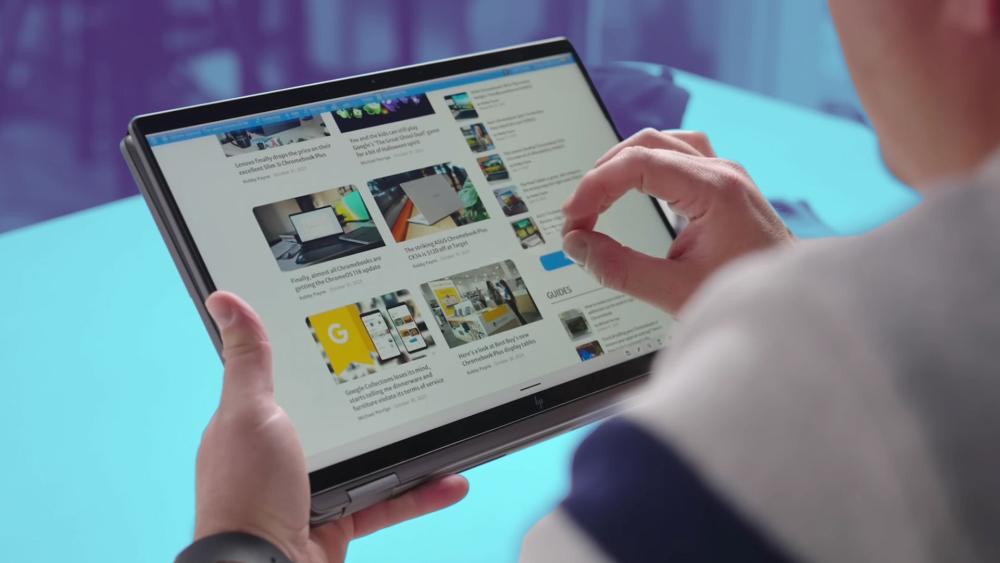
Best Budget Chromebooks to Consider Under £200
Whether you want a compact Chromebook for students, a larger screen for home use, or a more practical budget Chromebook for daily browsing and schoolwork, these are the types of devices worth looking at.
Samsung Galaxy Chromebook Go 11"
Price: £169.99
The Samsung Galaxy Chromebook Go is a compact option aimed at users who want something lightweight and easy to carry around from the Samsung laptops range. It features an Intel Celeron N4500 dual-core processor, 4GB RAM, and 64GB eMMC storage, which is enough for browsing, documents, streaming, and general ChromeOS use.
Key features:
- 11-inch HD display with 1366 x 768 resolution
- Intel Celeron N4500
- 4GB RAM
- 64GB eMMC storage
- WiFi 6 support
- USB 3.2 Type-A and USB4 Type-C
This is a strong fit for buyers who want a small Samsung Chrome laptop for travel, school bags, and quick everyday tasks.
Samsung Chromebook Galaxy Go 14"
Price: £199.99
For users who like the Samsung approach but want a bit more room to work, the Samsung Chromebook Galaxy Go 14-inch offers a larger display while keeping the same general ChromeOS-friendly hardware.
Key features:
- 14-inch HD display with 1366 x 768 resolution
- Intel Celeron N4500 dual-core processor
- 4GB RAM
- 64GB eMMC storage
- WiFi 6
- USB 3.2 Type-A, USB 3.2 Type-C, and HDMI
This version of the Galaxy Chromebook Go makes more sense for users who want a balance between portability and a more comfortable screen size.
HP Chromebook 14a
Price: £169.99
The HP Chromebook 14a is a solid example of how HP targets value-focused Chromebook buyers. It comes with familiar budget-friendly specs, but its biggest advantage is the sharper display, which can make everyday use feel more polished.
Key features:
- 14-inch Full HD display with 1920 x 1080 resolution
- Intel Celeron N4500 dual-core processor
- 4GB RAM
- 64GB eMMC storage
- USB Type-C, USB-A, and HDMI
- Wi-Fi and Bluetooth connectivity
This is the kind of lightweight HP Chromebook from HP laptops range that suits students, home users, and anyone who wants a bit more visual clarity without moving above the £200 mark.
HP Chromebook 15a
Price: £199.99
The HP Chromebook 15a is aimed at buyers who want more screen space and slightly stronger everyday practicality. It is a good example of a HP Chromebook laptop built for users who are less concerned with portability and more focused on comfort at home. While not as powerful as something from the HP Envy laptops range but it still gets the job done for which it is designed.
Key features:
- 15.6-inch HD display with 1366 x 768 resolution
- Intel N100 quad-core processor
- 4GB RAM
- 128GB UFS storage
- USB Type-C, USB-A, HDMI, Wi-Fi, Bluetooth, and Ethernet
This is one of the more practical choices for users looking for a larger HP Chrome laptop for browsing, streaming, schoolwork, and general household use.
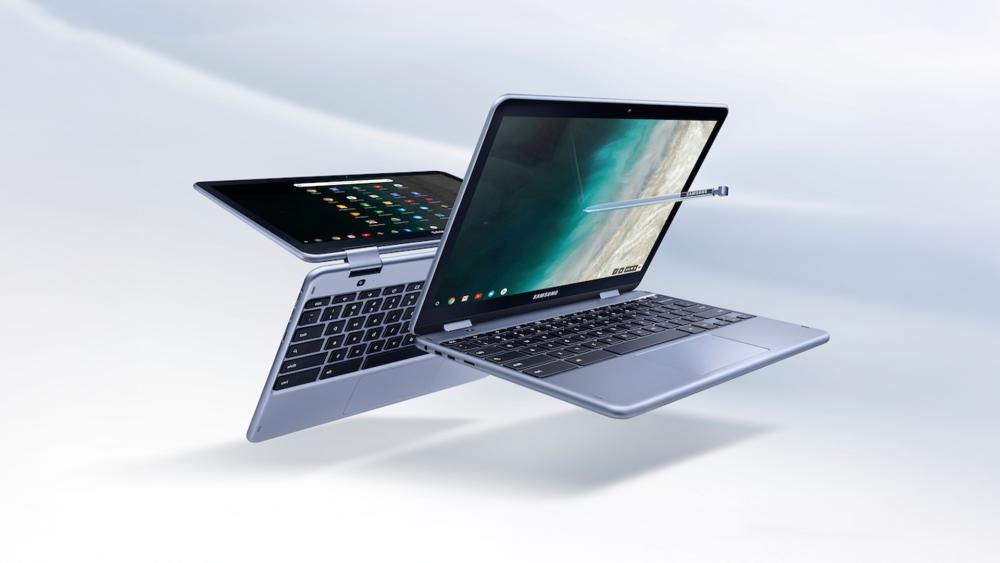
Samsung vs HP Chromebook: Quick Verdict Before the Deep Dive
If you want the short version, the Samsung vs HP Chromebook debate does not have one universal winner. Both brands offer strong options in the budget space, but they tend to appeal to slightly different types of buyers.
- Samsung Chromebooks are often attractive for buyers who want a simple, portable device for everyday browsing, streaming, and light study tasks.
- HP Chromebooks are often appealing for buyers who want a wider choice of screen sizes and a more home-friendly setup for daily use.
- Both brands can offer good value in the best Chromebooks under £200 category, depending on whether your priority is portability, display comfort, or general practicality.
- For students and casual users, both Samsung and HP Chromebooks can make sense, but the better choice depends on how and where the laptop will be used most.
Samsung and HP both have a place in the budget Chromebook market in the UK, and the deeper comparison is where the differences become clearer.
Design and Portability
When it comes to portability and design, Samsung’s budget Chromebooks often lean into lighter, simpler designs that suit commuting, classroom use, and casual sofa browsing. On the other hand, HP’s budget Chromebooks usually give buyers a wider spread of sizes, including more desk-friendly options for home use. Our Chromebook range reflects that broader pattern, with both brands covering entry-level ChromeOS users but appealing to slightly different priorities.
Samsung is often a natural fit for buyers who want something compact and easy to carry. The Samsung Galaxy Chromebook Go 11-inch is a good example of this. It is a very easy to carry option which is why Samsung frequently appeals to students and users who want a more travel-friendly laptop. Samsung’s 14-inch Galaxy Chromebook Go shows the same thinking in a slightly roomier format, keeping the slim everyday feel while adding a more comfortable screen size for browsing and schoolwork.
HP, on the other hand, tends to cover both portable and more home-oriented budget Chromebook use. The HP Chromebook 14a is a good example of a portable middle ground, while the HP Chromebook 15a shows how HP also caters to users who want more screen space for split tabs, streaming, and day-to-day work at a desk or kitchen table. HP’s own product positioning for the 14-inch and 15-inch Chromebook lines focuses on everyday productivity, longer-use comfort, and easy all-day ChromeOS use, which fits the wider impression that HP often gives buyers more choice if portability is not the only priority.
So, Samsung often feels more naturally aligned with buyers who want a compact Chromebook for students or on-the-go use, while HP often feels broader and more flexible for buyers who want either a portable option or a larger-screen Chromebook for everyday home use.
Display Quality and Screen Size
Screen quality is one of the areas where budget Chromebooks can differ more than buyers expect. In general, HP’s current budget Chromebook range gives it a slight edge in variety, because it includes both sharper displays and larger-size options depending on the model. Samsung’s budget Chromebooks, by contrast, tend to focus more on functional everyday panels rather than making the display the headline feature.
A good example is the HP Chromebook 14a, which features a 14-inch Full HD 1920 x 1080 display at the same broad budget level as more basic HD Chromebooks. That matters because sharper resolution can make web pages, text documents, video, and schoolwork noticeably more comfortable over longer sessions. By comparison, the Samsung Galaxy Chromebook Go 11-inch and Samsung Galaxy Chromebook Go 14-inch examples use HD 1366 x 768 panels, which are perfectly serviceable for browsing, streaming, email, and homework, but are not as visually crisp.
HP also covers buyers who simply want more room to work. The HP Chromebook 15a is a useful example here, with a 15.6-inch display that makes it easier to manage longer documents, larger browser windows, and casual multitasking at home. Even when the resolution remains HD, that larger screen size can still feel more comfortable for everyday use than a smaller, more travel-focused Chromebook.
That does not make Samsung weak on display in every sense. It just means Samsung’s budget Chromebook approach tends to prioritise practicality, battery-friendly everyday use, and portability over standout screens. So in a balanced side-by-side Chromebook comparison, HP often looks stronger for buyers who care about either a sharper panel or a larger display, while Samsung still makes sense for users who are happy with a simpler screen in exchange for a more compact machine.
Performance and Everyday Speed
ChromeOS is designed to run more efficiently than a cheap Windows laptop on modest hardware, so small spec differences do not always transform the user experience. In practice, most budget Chromebooks from both Samsung and HP are built for the same core jobs: browsing, email, Google Docs, streaming, class platforms, and light app use.
So, in terms of Chromebook speed comparison and Chromebook multitasking performance, the fairest conclusion is that Samsung and HP overlap heavily at the entry level, but HP currently looks a bit broader if you want the option of stepping up to stronger low-cost hardware without leaving the budget category. Samsung remains perfectly credible for buyers who mainly want lightweight ChromeOS use and do not need their Chromebook to stretch much further than the basics.
Storage and Long-Term Practicality
Storage is easy to overlook with ChromeOS because the platform leans so heavily on cloud use, but it still affects how comfortable a Chromebook feels over time. Downloads, offline Google files, Android apps, media, and shared household use can all eat into entry-level storage faster than buyers expect.
Across budget Chromebooks from both Samsung and HP, 64GB remains a common starting point. Most options sit in that range which is generally fine for lighter users who mostly work in the cloud and do not install much locally. For students using browser-based school tools or casual users relying on Google Drive, 64GB is usually workable.
So, the balanced takeaway is that both brands can work well for cloud-first users. If your Chromebook is mainly for browser work and streaming, typical 64GB setups remain practical. If you expect heavier offline use or shared family access, going for roomier budget options may feel easier to live with over time.
Connectivity and Useful Extras
Ports and connectivity may not be the first thing people check when buying a budget Chromebook, but they can make a real difference in everyday use. For students, home users, and casual buyers, the right mix of connections can affect how easy the laptop is to use with accessories, external displays, storage devices, and day-to-day charging.
In general, both Samsung and HP Chromebooks cover the basics well in this part of the market. Buyers can usually expect the core essentials, such as USB-C, USB-A, wireless connectivity, and support for the everyday accessories most Chromebook users rely on. That means neither brand feels lacking for normal browsing, schoolwork, video calls, or light home use.
Where the difference tends to show is in how the devices are positioned. Samsung Chromebooks often feel slightly more focused on mobility and simplicity, with connectivity that suits a lightweight, easy-to-carry device for moving between classes, rooms, or everyday tasks on the go. HP Chromebooks, on the other hand, often feel a little more adaptable for desk-based use, with the sort of port selection that makes them comfortable for home study setups, external screens, and general day-to-day practicality.
So, in this part of the Samsung vs HP Chromebook comparison, there is no dramatic winner. Both brands handle the essentials well. The more useful takeaway is that Samsung often feels a little more mobile-first, while HP often feels a little more suited to buyers who want their Chromebook to fit neatly into a home, study, or everyday workspace.
HP vs. Samsung - Which is better for students?
For students, there is no single universal winner in the Samsung vs HP Chromebook debate. The better choice depends on what “student use” actually looks like. If the priority is something light, easy to carry, and simple for notes, browsing, and web-based classroom platforms, Samsung’s more compact Chromebook style makes a lot of sense. The Samsung Galaxy Chromebook Go 11-inch is a good example of that portability-first approach.
If the priority is reading comfort, essay writing, and longer sessions at home, HP often looks stronger. The HP Chromebook 14a is a good example because its Full HD display should make documents, browser tabs, and online learning materials look sharper than a basic HD panel.
For older students, sixth form, or anyone wanting one device for school and relaxed home use, HP’s broader range currently looks slightly easier to recommend as you can find larger displays, more storage, and a stronger entry-level processor. That said, Samsung still makes a lot of sense for students who value portability first and do not need a more desk-oriented setup. So, for Chromebook for students, the fairest answer is that Samsung is often stronger for portability, while HP often feels stronger for longer, more home-based study use.
Samsung vs HP Chromebook: Which One Makes More Sense?
When it comes to Samsung vs HP Chromebook, the right choice really depends on how you plan to use it. Both brands offer strong options in the budget Chromebook space, and both can work well for everyday browsing, schoolwork, streaming, and general home use.
Samsung Chromebooks often appeal to buyers who want something simple, portable, and easy to carry around. HP Chromebooks, meanwhile, often suit buyers who want a bit more flexibility in screen size and a setup that feels comfortable for home study or everyday use.
So rather than looking for one clear winner, it makes more sense to think about which brand better matches your routine. If portability and simplicity matter most, Samsung may feel like the better fit. If screen comfort and all-round practicality matter more, HP may be the stronger choice. For most buyers shopping for a best budget Chromebook option, it is less about choosing the “better” brand and more about choosing the Chromebook that suits your day-to-day needs.

FAQs
Which is better, Samsung or HP Chromebook?
Neither brand is automatically better for everyone. In a Samsung vs HP Chromebook comparison, the better choice depends on what you need most. Samsung Chromebooks often suit buyers who want something simple, lightweight, and easy to carry around, while HP Chromebooks often appeal to buyers who want more screen-size choice and a setup that feels comfortable for study or home use.
Is a Samsung Galaxy Chromebook any good?
Yes, a Samsung Galaxy Chromebook can be a good option if you want a straightforward ChromeOS laptop for browsing, study, email, streaming, and everyday tasks. Samsung Chromebooks are often a strong fit for users who value portability, simple design, and easy day-to-day use over high-end specs.
Is HP better than Samsung?
Not necessarily. HP and Samsung both make good budget Chromebooks, but they tend to suit different buyers. HP often appeals more to users who want a practical everyday Chromebook for home or study, while Samsung often appeals to users who want something more portable and travel-friendly.
What is the best inexpensive Chromebook?
The best inexpensive Chromebook depends on how you plan to use it. For some buyers, the best option will be a lightweight Chromebook that is easy to carry around. For others, it will be a model with a larger display or a more comfortable setup for working at home. The key is to choose a Chromebook that matches your daily routine rather than focusing only on brand.
Is HP Chromebook better than Samsung Galaxy Chromebook?
Not in every case. HP Chromebooks can be the better fit if you want more screen comfort and all-round home usability, while Samsung Galaxy Chromebooks can be the better choice if portability and simplicity matter more to you. It is less about one brand being better overall and more about which one suits your needs best.
You can pay with:
*PayPal Credit Representative Example: Assumed credit limit £1,200, Representative 23.9% APR (variable). Purchase rate 23.9% p.a (variable).Terms & Conditions apply.


PayPal Credit and PayPal Pay in 3 are trading names of PayPal UK Ltd, 5 Fleet Place, London, United Kingdom, EC4M 7RD. Terms and conditions apply. Credit subject to status, UK residents only, Five Tech LTD acts as a broker and offers finance from a restricted range of finance providers. PayPal Pay in 3 is not regulated by the Financial Conduct Authority. Pay in 3 eligibility is subject to status and approval. 18+. UK residents only. Pay in 3 is a form of credit. Check if affordable and how you will repay. May make other borrowing more difficult or expensive. See product terms for more details.
Copyright © 1996-2026 Fivetech LTD | Terms and Conditions
box.co.uk & Box are trading names of Five Tech Limited. Registered office: Box LTD, Unit 10 Woodford Trading Estate, Woodford Green IG8 8HF