


 Menu
MenuMenu


Get Sales Advice from Mon - Fri 9am - 5:00pm:
020 3337 8950LAST UPDATED: May 14, 2026
AMD Ryzen Z1 Extreme vs Steam Deck APU: Which Handheld Gaming Chip Is Best?
Handheld gaming is no longer just about having a smaller screen and built-in controls. The chip inside the device now decides how well it handles AAA games, how long the battery lasts, how much tweaking you need to do, and whether the whole thing feels like a portable PC or a proper pick-up-and-play console.
That is why the Ryzen Z1 Extreme vs Steam Deck APU comparison matters. The AMD Ryzen Z1 Extreme is built for stronger peak performance, with 8 Zen 4 cores, 16 threads, RDNA 3 graphics and a 9W to 30W power range. The Steam Deck APU takes a different route, using a custom Zen 2 and RDNA 2 design tuned around efficiency, SteamOS optimisation and lower-power handheld play.
In simple terms, this is not just a specs fight. It is about whether you want more raw power from devices like the Asus ROG Ally Z1 Extreme or a more balanced handheld experience from the Steam Deck.
Ryzen Z1 Extreme vs Steam Deck APU: Key Differences
The Ryzen Z1 Extreme vs Steam Deck APU comparison starts with two very different goals. One chip is built for higher peak performance in Windows handhelds, while the other is built around efficiency, SteamOS optimisation and a more console-like experience.
| Feature | Ryzen Z1 Extreme | Steam Deck APU |
| CPU architecture | Zen 4 | Zen 2 |
| CPU cores/threads | 8 cores / 16 threads | 4 cores / 8 threads |
| GPU architecture | RDNA 3 | RDNA 2 |
| GPU compute units | 12 CUs | 8 CUs |
| Power range | 9W–30W | 4W–15W APU power |
| Main device example | Asus ROG Ally Z1 Extreme | Steam Deck / Steam Deck OLED |
| Software approach | Windows handheld | SteamOS handheld |
Architecture and Design
- AMD Ryzen Z1 Extreme: The Ryzen Z1 Extreme uses a newer Zen 4 CPU design with RDNA 3 graphics, giving it stronger raw hardware for heavier handheld games and higher frame rate targets. It feels closer to a compact portable gaming PC chip than a purely console-style handheld processor.
- Steam Deck APU: The Steam Deck APU uses a custom Zen 2 and RDNA 2 setup, designed around efficiency, lower wattage, and a fixed handheld target. It is older on paper, but the tight SteamOS setup helps the hardware feel more consistent in real play.
Performance Tier
- AMD Ryzen Z1 Extreme: This chip sits in a stronger performance tier because it can scale up to a higher power range. That gives it more room for demanding games, especially when the device is plugged in or running in performance mode.
- Steam Deck APU: It focuses less on peak numbers and more on tuned portable play. Its custom chip works within a lower 4W to 15W power window, which helps with consistency, heat, and battery behaviour during handheld gaming.
Device Integration
- AMD Ryzen Z1 Extreme: In the ROG Ally vs Steam Deck comparison, the Z1 Extreme take the more PC-like route. The ROG Ally pairs it with Windows 11, a 7-inch 1080p 120Hz screen, 16GB LPDDR5 memory and a 40Wh battery, giving the Asus ROG Ally Z1 Extreme more flexibility but also more settings to manage.
- Steam Deck APU: The Deck takes the more console-like route with SteamOS, a lower-resolution handheld target and tighter software integration. Its OLED model uses a 7.4-inch 1280 x 800 display, 90Hz refresh rate and 50Wh battery, which suits longer and more relaxed handheld sessions.
Gaming Performance Comparison
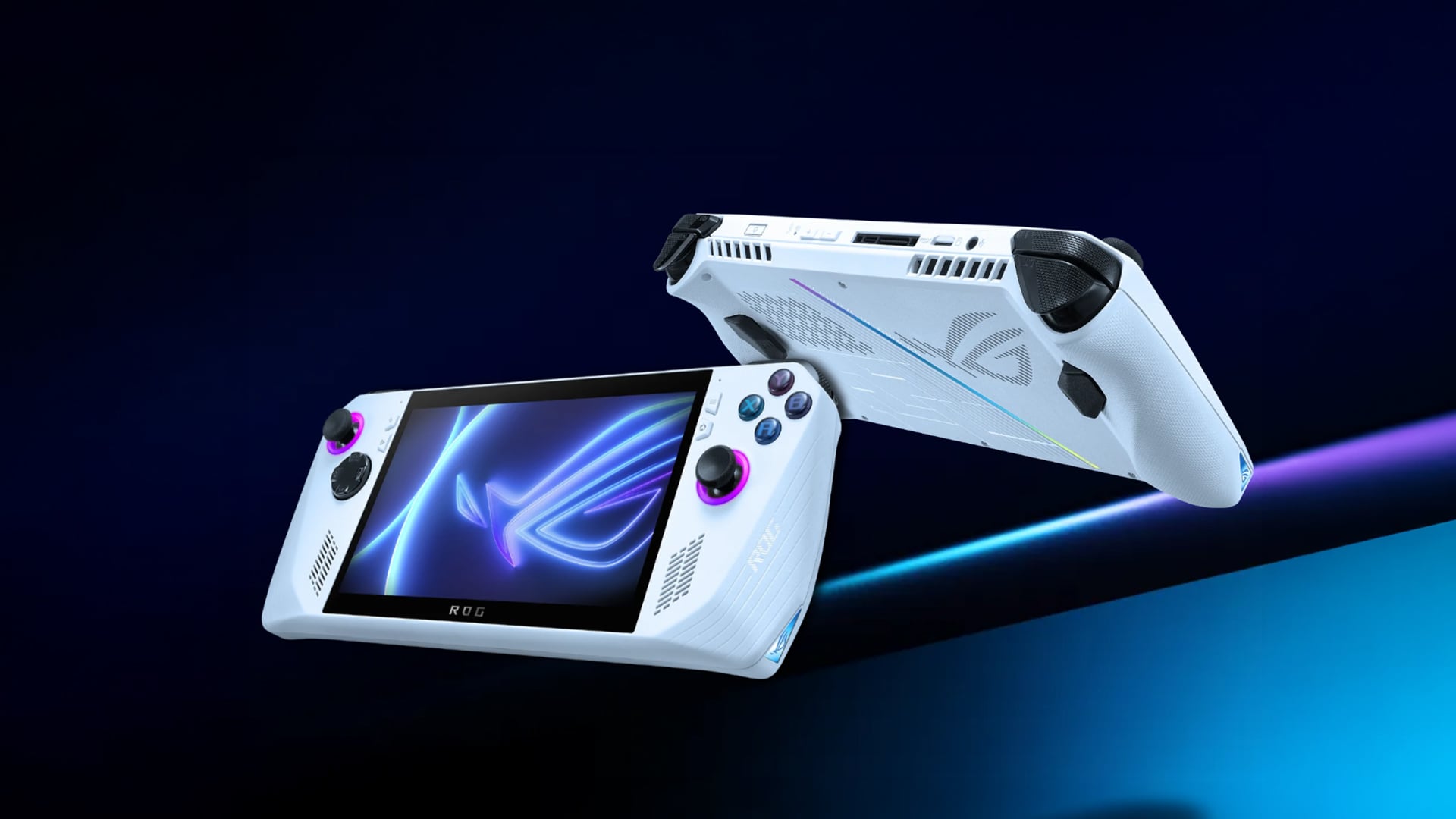
The Ryzen Z1 Extreme vs Steam Deck APU comparison becomes more practical when it comes to real-time performance in different games. The Z1 Extreme has more performance headroom, but the Steam Deck often feels smoother than its specs suggest because games are usually tuned around its lower handheld target.
AAA Game Performance
- AMD Ryzen Z1 Extreme: The Z1 Extreme is better suited to demanding AAA games when the device is plugged in or running a higher power mode. It has more room for modern open-world games, heavier visuals and higher frame rate targets, especially when you are happy to adjust settings.
- Steam Deck APU: The Deck is usually more comfortable at lower settings and lower resolutions, but that is not a bad thing. Its 1280 x 800 screen means 800p gaming can still look sharp enough in handheld mode, while using less power than a higher-resolution target.
Indie and Optimised Games
- AMD Ryzen Z1 Extreme: Indie games, older titles and lightweight PC games are generally easy work for the Z1 Extreme. In those cases, the extra power can be used for higher FPS, sharper visuals or quieter performance modes.
- Steam Deck APU: The Deck shines in well-optimised games and Steam Deck Verified titles. This is where the Steam Deck chip feels at its best: less tweaking, fewer surprises and a more console-style play session.
FPS and Visual Settings
- AMD Ryzen Z1 Extreme: If you like tweaking graphics presets, resolution scaling and performance modes, the Z1 Extreme gives you more room to chase smoother gameplay. It is the stronger pick for players who care most about performance and want more flexibility in demanding games.
- Steam Deck APU: It is better for players who prefer sensible settings over constant tweaking. The Steam Deck GPU is not as powerful on paper, but it works well when games are set up around the Deck’s native screen and realistic handheld frame rate targets.
Graphics and Architecture
The GPU side is a big part of this comparison because handheld chips have to balance visuals, heat, battery life and screen resolution all at once. This is where newer architecture helps the Z1 Extreme, while the Deck relies more on smart optimisation and a lower display target.
RDNA Generations
- AMD Ryzen Z1 Extreme: The Z1 Extreme performance is better in terms of graphics because it uses RDNA 3 graphics. It gives the device a newer graphics foundation and better headroom for modern visual features. That makes it stronger for players who want a handheld that behaves more like a small Windows gaming PC.
- Steam Deck APU: It uses RDNA 2 graphics, which is older but still well-matched to the Deck’s screen and power target. Instead of chasing the highest visual settings, the Steam Deck APU is built around practical handheld play.
GPU Core Differences
- AMD Ryzen Z1 Extreme: The Z1 Extreme has more compute units, which gives it stronger integrated graphics performance when the device has enough power and cooling available. This is why it can push higher settings more comfortably in demanding handheld games.
- Steam Deck APU: The Steam Deck GPU has fewer graphics cores, but it works inside a more controlled hardware and software setup. That helps the Deck get more consistent results from less raw graphics power.
Visual Performance Impact
- AMD Ryzen Z1 Extreme: This is a better option if you want sharper visuals, more graphics flexibility and stronger results in games that benefit from extra GPU headroom. It also gives players more room to adjust settings depending on whether they want visuals or FPS.
- Steam Deck APU: The Deck is better if you want games to feel balanced without constant setting changes. Its lower screen target helps hide some of the performance gap, so games can still look good in handheld mode without needing high-end visual presets.
Power Efficiency and Battery Performance
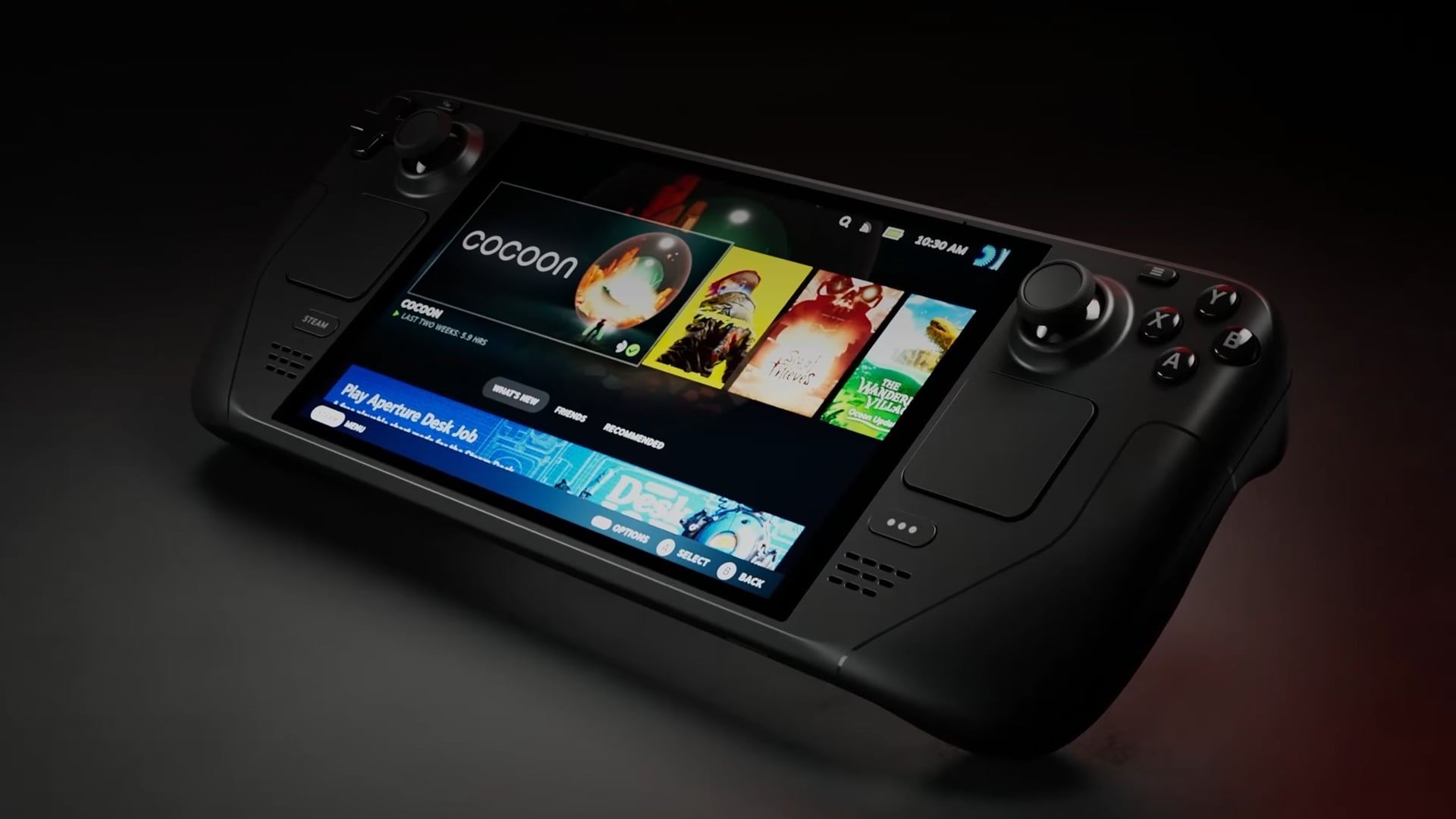
Power is one of the biggest differences between these two chips. The Z1 Extreme can push harder when performance matters, but the Steam Deck’s custom chip is usually easier to manage when battery life and predictable handheld play are the priority.
Power Consumption Behaviour
- AMD Ryzen Z1 Extreme: The chip can scale higher when a device is set to a performance or turbo mode. That extra power helps in demanding games, but it also means more heat, faster battery drain and more reason to keep the charger nearby.
- Steam Deck APU: The Deck’s chip is built around a lower power window, which makes it better suited to controlled handheld sessions. This is where power efficiency matters more than raw numbers, especially for players who want less setup and more actual play time.
Battery Life in Gaming
- AMD Ryzen Z1 Extreme: Devices using the Z1 Extreme can deliver stronger frame rates, but heavier games and higher power modes reduce unplugged play time quickly. In practice, it suits players who are happy to trade battery life for stronger portable gaming performance.
- Steam Deck APU: The Deck is better tuned for longer handheld play, especially when games are capped sensibly. The OLED model has a larger battery than the original Deck and is listed for 3 to 12 hours, depending on the game and settings.
Efficiency vs Performance Balance
- AMD Ryzen Z1 Extreme: Choose this route if performance matters more than battery life. It gives you more room for demanding games, but you will get the best out of it when you actively manage power modes, brightness and charging.
- Steam Deck APU: Choose this route if you want steadier battery behaviour and a more relaxed handheld experience. It is not as fast, but its performance per watt is a big reason the Deck still feels strong for portable gaming.
Thermal Performance and Sustained Gaming
Thermals matter because handheld chips are squeezed into small bodies with limited airflow. A faster chip can lose some of its advantage if heat builds up, while a lower-power chip can feel steadier over longer sessions.
Heat Management
- AMD Ryzen Z1 Extreme: Devices using the Z1 Extreme need stronger cooling because the chip can push harder in performance modes. The ROG Ally uses a dual-fan thermal system designed to keep the handheld cool in different playing positions, which helps the chip hold higher output for longer.
- Steam Deck APU: The Deck has less peak output to manage, so heat is usually controlled through lower power limits, fan behaviour and per-game tuning. This helps its thermal performance stay more predictable in handheld use, even if it cannot match the Z1 Extreme’s top-end speed.
Long Gaming Sessions
- AMD Ryzen Z1 Extreme: Longer sessions are better when you tune the wattage, cap the frame rate or plug in. If you run demanding games flat out, heat, fan noise and battery drain become more noticeable.
- Steam Deck APU: The Deck is more relaxed for long gaming sessions because it is built around a lower performance envelope. A sensible frame rate cap can make demanding games feel smoother for longer without constantly pushing the hardware.
Device Cooling Design
- AMD Ryzen Z1 Extreme: The cooling design has to support higher bursts of performance, so fan quality, airflow and device thickness matter a lot. This is why two handhelds using similar chips may not always feel the same in sustained performance.
- Steam Deck APU: The Steam Deck benefits from a more controlled hardware and software setup. It is not chasing the highest numbers, but the cooling design works with the chip’s limits instead of fighting against them.
Real-World Gaming Experience
Specs tell part of the story, but handheld gaming is also about how easy the device feels to use every day. Game launchers, compatibility, sleep mode, updates, controls and software polish can change the experience just as much as raw performance.
Optimisation and Software
- AMD Ryzen Z1 Extreme: These devices usually feel more like Windows handheld gaming PCs. That means wider launcher access and more freedom, but also more setup, driver updates, background apps and manual settings to manage.
- Steam Deck APU: The Deck is built around SteamOS optimisation, which gives it a cleaner handheld feel. Steam’s Deck Verified system also helps users see whether a game is expected to work well, may need tweaks, or is unsupported before installing.
Game Compatibility
- AMD Ryzen Z1 Extreme: Windows compatibility is a major strength in the ROG Ally vs Steam Deck debate. It can handle more PC launchers and games that depend on Windows-based anti-cheat or store apps, which makes it more flexible for players with libraries spread across different platforms.
- Steam Deck APU: The Deck has strong Steam library support, but some games still depend on Proton compatibility. Many titles work well, although certain games may need manual settings or may not be ideal because of software, controls or anti-cheat support.
User Experience Differences
- AMD Ryzen Z1 Extreme: A Z1 Extreme handheld gives you more control, but it also expects more from the user. If you like tweaking settings, changing launchers and treating the device like a mini-PC, it can feel very powerful.
- Steam Deck APU: The Steam Deck chip works inside a more guided, console-like interface. It is less flexible than a full Windows device, but the smoother menus, sleep-and-resume style and simpler game management make it easier for pick-up-and-play sessions.
Which One Should You Choose?
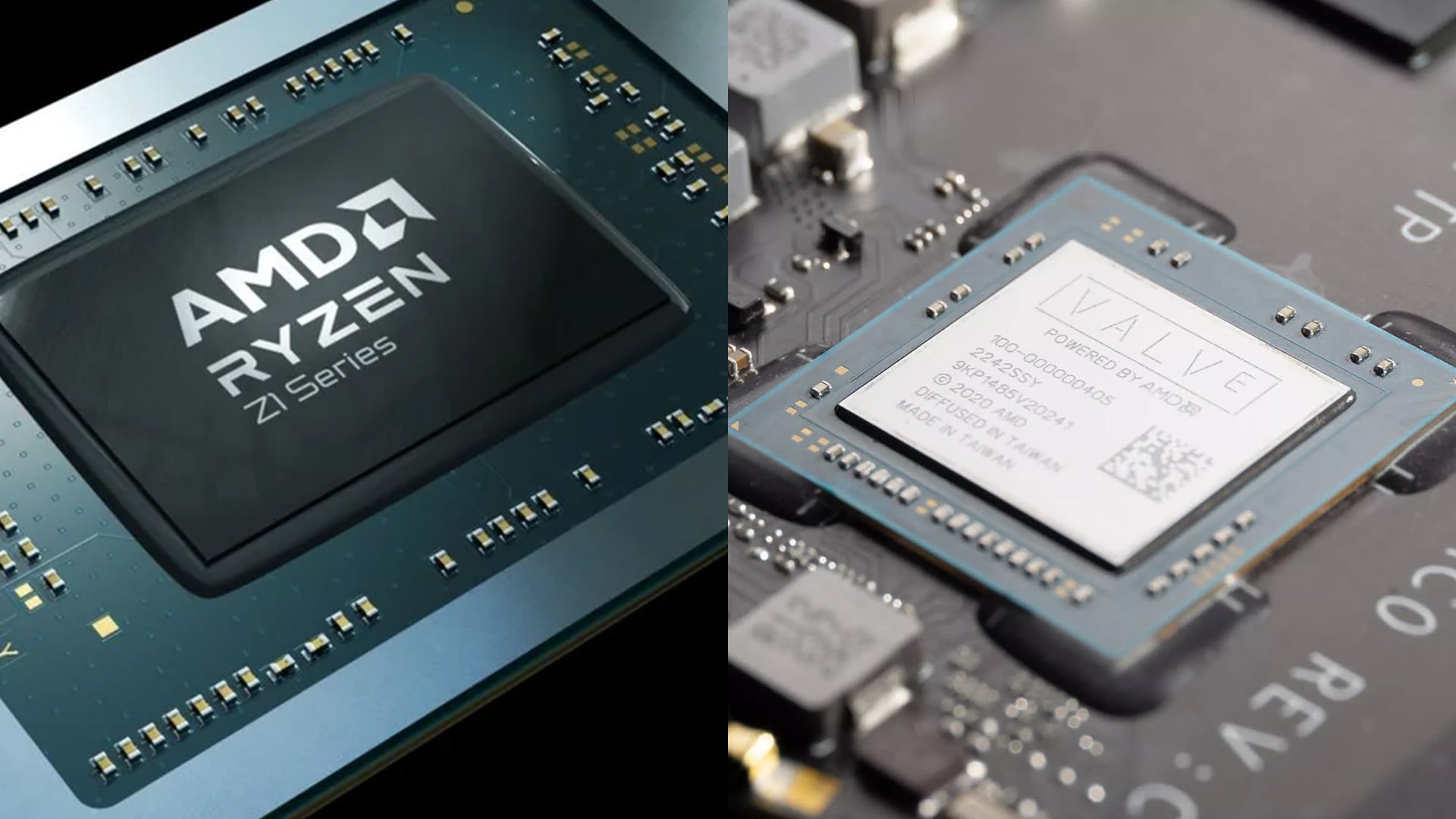
The better choice depends on the way you play. The Ryzen Z1 Extreme vs Steam Deck APU comparison is not just about raw speed. It is about whether you want more power to play with, or a smoother handheld setup that asks less from you.
- For players who want maximum handheld power: The Z1 Extreme route makes more sense if you care about stronger performance in demanding games, higher visual settings and wider Windows game access. Although handheld consoles are no match for high-performance gaming systems or gaming laptops, the Ryzen Z1 Extreme is the more powerful option among the two.
- For players who want an easier portable setup: The Steam Deck is the better fit if you want something that feels more like a console than a small PC. The Steam Deck APU is not as fast on paper, but the software, controls and lower power target make it feel more settled for relaxed handheld gaming.
- For mixed game libraries: If your games are spread across different launchers, subscriptions and Windows-based stores, a Z1 Extreme device gives you more freedom. This is one of the biggest points in the ROG Ally vs Steam Deck debate, because Windows opens more doors, even if it also brings more setup.
- For pick-up-and-play gaming: The Steam Deck works better if you mostly play through Steam and want fewer menus, fewer tweaks and fewer “why is this not launching?” moments. The Steam Deck chip benefits from being part of a device that is built around one cleaner handheld experience.
- For docked or accessorised play: If you plan to connect the device to a monitor, use controllers for gaming, or build out a setup with stands, storage and accessories for handheld gaming setups, both can work well. The Z1 Extreme gives you more PC-style flexibility, while the Steam Deck feels simpler if you want gaming consoles for on-the-go play with less fuss.
Final Verdict: Which Handheld Chip Is Better?
The Ryzen Z1 Extreme vs Steam Deck APU decision comes down to power versus balance. If you want stronger performance, more Windows flexibility and extra room to tweak games, the AMD Ryzen Z1 Extreme is the better chip.
If you want a smoother handheld experience with simpler software, better optimisation, and less messing about, the Steam Deck APU is easier to live with day to day.
Overall, the Z1 Extreme wins for raw performance. The Steam Deck wins for comfort, consistency and portable gaming balance. For most players, the best choice depends on whether you want a mini gaming PC or a more console-like handheld.
Frequently Asked Questions
Is the ASUS ROG Ally Z1 Extreme better than the Steam Deck?
It is better for raw performance, Windows game access and higher visual settings. The Steam Deck is better for ease of use, battery balance and a more console-like handheld experience.
What is a Steam Deck GPU equivalent to?
The Steam Deck GPU is often compared to a low-power integrated RDNA 2 graphics solution rather than a desktop graphics card. It is designed for handheld 800p gaming, not high-end PC performance.
Is Ryzen Z1 Extreme better than Ryzen 5 5600?
They are built for different devices. The Ryzen Z1 Extreme is a handheld APU with built-in graphics, while the Ryzen 5 5600 is a desktop CPU that needs a separate graphics card for gaming. For handheld gaming, the Z1 Extreme makes more sense.
Should I choose the Steam Deck or Z1 Extreme devices?
Choose a Z1 Extreme device if you want more performance, Windows flexibility and wider launcher support. Choose the Steam Deck if you want better optimisation, simpler software and a more relaxed portable gaming experience.
Can both run modern AAA games?
Yes, both can run many modern AAA games, but settings matter. Z1 Extreme devices usually give more performance headroom, while the Steam Deck works best with lower settings, resolution scaling and games that are well optimised for handheld play.
You can pay with:
*PayPal Credit Representative Example: Assumed credit limit £1,200, Representative 23.9% APR (variable). Purchase rate 23.9% p.a (variable).Terms & Conditions apply.


PayPal Credit and PayPal Pay in 3 are trading names of PayPal UK Ltd, 5 Fleet Place, London, United Kingdom, EC4M 7RD. Terms and conditions apply. Credit subject to status, UK residents only, Five Tech LTD acts as a broker and offers finance from a restricted range of finance providers. PayPal Pay in 3 is not regulated by the Financial Conduct Authority. Pay in 3 eligibility is subject to status and approval. 18+. UK residents only. Pay in 3 is a form of credit. Check if affordable and how you will repay. May make other borrowing more difficult or expensive. See product terms for more details.
Copyright © 1996-2026 Fivetech LTD | Terms and Conditions
box.co.uk & Box are trading names of Five Tech Limited. Registered office: Box LTD, Unit 10 Woodford Trading Estate, Woodford Green IG8 8HF