


 Menu
MenuMenu


Get Sales Advice from Mon - Fri 9am - 5:00pm:
020 3337 8950LAST UPDATED: July 06, 2026
RTX 50 Laptops for 1080p, 1440p and 4K Gaming: Which Tier Fits You?
Choosing the right RTX 50 laptop is not only about buying the most powerful GPU you can afford. The better question is: what resolution do you actually want to play at?
A laptop designed for 1080p gaming does not need the same graphics power as a machine built for 4K gaming. Likewise, a GPU that feels smooth at Full HD may struggle when you move to QHD or UHD settings. This is why understanding RTX 50 laptops for 1080p, RTX 50 laptops for 1440p and RTX 50 laptops for 4K can help you make a smarter buying decision.
The RTX 50 Series Laptop GPUs are built on NVIDIA’s Blackwell architecture and bring newer AI features, improved ray tracing hardware and DLSS technologies to gaming laptops. NVIDIA describes the RTX 50 laptop range as powered by Blackwell, with DLSS 4.5, fifth-generation Tensor Cores, fourth-generation ray tracing cores and Max-Q efficiency features.
For buyers, the benefit is simple: RTX 50 laptops can deliver better frame rates, stronger upscaling, and more advanced visual features than older gaming laptops. However, the best GPU tier still depends on your screen resolution, display refresh rate, budget, and expectations. Let’s learn more about it!
Why Resolution Matters in Gaming Performance
1080p vs 1440p vs 4K Explained
Gaming resolution tells you how many pixels your laptop has to render on screen. The higher the resolution, the sharper the image can look, but the harder the GPU has to work.
| Resolution | Common Name | Pixel Count | Best For |
| 1920 x 1080 | Full HD / 1080p | Around 2.1 million pixels | High FPS, esports, budget gaming |
| 2560 x 1440 | QHD / 1440p | Around 3.7 million pixels | Balanced sharpness and performance |
| 3840 x 2160 | 4K / UHD | Around 8.3 million pixels | Maximum detail and premium visuals |
The jump from 1080p to 1440p is noticeable because the image becomes sharper, especially on 15-inch, 16-inch and 17-inch displays. The jump to 4K is even sharper, but it also creates a much heavier workload for the GPU.
This is why RTX 50 laptop resolution choice matters. A laptop that performs well at 1080p may not deliver the same frame rate at 4K unless you reduce settings or use DLSS and upscaling.
How Resolution Impacts FPS
FPS (frames per second) measures how smoothly a game runs. Higher FPS usually feels smoother and more responsive, especially in fast games such as shooters, racing games and competitive multiplayer titles.
As resolution increases, FPS usually decreases because the GPU has to process more pixels. This creates the classic FPS vs resolution trade-off:
- 1080p gives the highest frame rates.
- 1440p offers a better balance of detail and performance.
- 4K gives the sharpest image but needs the most GPU power.
For example, an RTX 5060 laptop may be excellent for 1080p high-refresh gaming, while an RTX 5080 or RTX 5090 laptop is better suited to 4K gaming or QHD ultra settings.
GPU Load Differences
At 1080p, many games can be limited by the CPU, especially if you are chasing very high frame rates. At 1440p, the GPU becomes more important. At 4K, the GPU is usually the main performance limit.
This is why matching the GPU to the display is so important. Buying a high-end GPU for a basic 1080p 60Hz screen may not give you the best value. Buying a lower-tier GPU for a 4K display can also lead to disappointment if you expect ultra settings and high FPS.
The right choice is about balance: GPU tier, screen resolution, refresh rate and thermal design all need to work together.
RTX 50 Laptop Tiers Explained
Entry Tier: RTX 5050 and RTX 5060
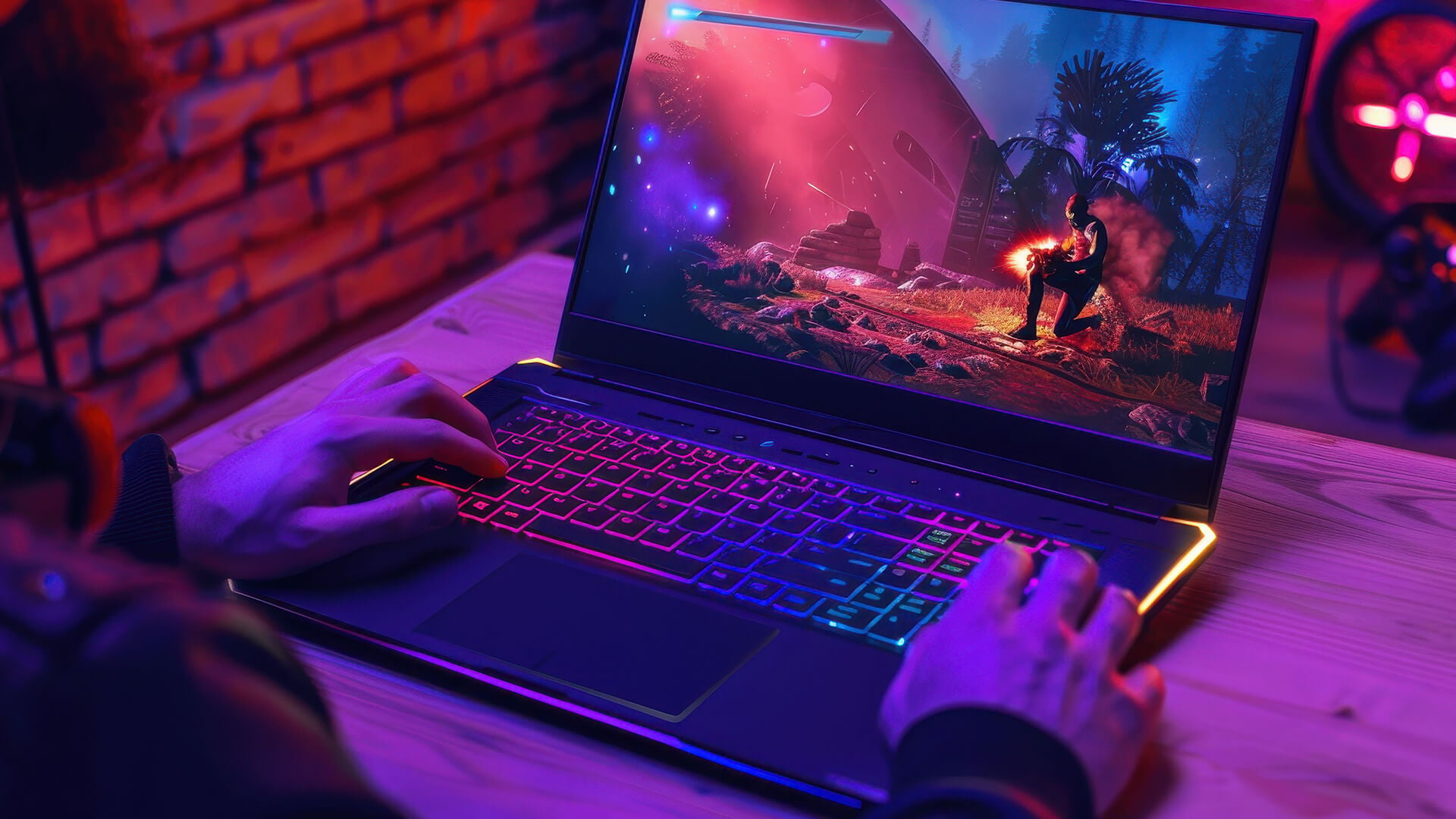
The entry tier includes RTX 5050 gaming and RTX 5060 gaming laptops. These are aimed at players who want strong 1080p performance without paying for a high-end system.
The RTX 5050 Laptop GPU is positioned as a more affordable Blackwell option like the RTX 5050 Laptop GPU with 2,560 CUDA cores and 8GB of GDDR7 memory on a 128-bit bus.
The RTX 5060 Laptop GPU is a stronger step up like the RTX 5060 Laptop GPU with 3,328 CUDA cores, 8GB GDDR7 memory and a 128-bit memory bus.
These GPUs are best for:
- 1080p gaming
- High settings in many games
- Esports titles
- Casual AAA gaming
- Budget-conscious buyers
- Students and everyday gamers
The RTX 5060 is the better long-term option if the price difference is reasonable, especially if you want higher settings and smoother performance in newer games.
Mid Tier: RTX 5070
The RTX 5070 sits in the middle of the RTX 50 laptop range. It is the tier many buyers will consider for 1440p gaming, especially if they want a better balance between price, performance and display quality.
This makes RTX 5070 QHD gaming a strong fit for users who want sharper visuals than 1080p but do not want to pay for the highest RTX 5080 or RTX 5090 configurations.
The RTX 5070 is best for:
- 1440p gaming
- High settings
- DLSS-assisted ultra settings
- High refresh QHD displays
- Better longevity than entry-tier GPUs
- Gamers who want strong performance without going premium
High Tier: RTX 5080+
The high tier includes RTX 5080 and RTX 5090 laptops. These are built for users who want premium gaming performance, high-resolution displays, better ray tracing, and stronger 4K capability.
The RTX 5080 Laptop GPU as a high-end Blackwell laptop GPU, while the RTX 5090 Laptop GPU is the flagship mobile option with 10,496 CUDA cores, a 256-bit memory bus, and 24GB GDDR7 memory.
This tier is best for:
- 4K gaming
- High-refresh 1440p gaming
- Ray tracing
- DLSS and upscaling
- Premium laptop displays
- Creative work alongside gaming
- Users who want maximum headroom
However, the higher tier does not always mean a perfectly linear performance jump. Laptop design matters. Cooling, GPU wattage, and chassis thickness can affect real-world results. Laptop Mag found the RTX 5090 laptop GPU won overall against the RTX 5080 in testing, but the RTX 5080 still beat it in some 1080p and 1600p benchmarks, showing how thermal efficiency and laptop design can affect results.
That is why RTX 50 series thermal performance is just as important as the GPU name.
Best RTX 50 Laptops for 1080p Gaming
Expected FPS
For 1080p gaming, RTX 5050 and RTX 5060 laptops are usually the most sensible starting points. They are designed for smooth Full HD gameplay and should handle esports titles, multiplayer games and many AAA games well at high settings.
Expected performance will vary by game, CPU, RAM, laptop cooling and GPU power limit, but this is a practical guide:
| GPU Tier | 1080p Gaming Expectation |
| RTX 5050 | Good 1080p gaming, best with optimised settings |
| RTX 5060 | Strong 1080p high settings performance |
| RTX 5070 | Excellent 1080p, often more than needed unless using high refresh |
| RTX 5080 / 5090 | Overkill for most 1080p users unless targeting very high FPS |
For many players, RTX 50 series laptops 1080p gaming will feel smooth even without buying the most expensive GPU. If your display is 1080p and your refresh rate is 144Hz or 165Hz, the RTX 5060 is likely to be the sweet spot.
Ideal GPU Tier
For 1080p gaming, you do not always need the most powerful RTX 50 laptop available. Full HD is easier for a laptop GPU to run than 1440p or 4K, which means you can get smooth gameplay from the lower and mid-range RTX 50 Series options.
For most users, the RTX 5060 is the best all-round choice for 1080p gaming. It offers a stronger level of performance than the RTX 5050, while still keeping the laptop more affordable than higher-end RTX 5070, RTX 5080 or RTX 5090 models.
This makes the RTX 5060 a good fit if you want to play modern games at high settings, enjoy smoother frame rates and keep the laptop useful for longer. It gives you more breathing room than the RTX 5050, especially in newer games that need more graphics power.
The RTX 5050 still makes sense if your budget is tighter or if you mainly play lighter games. For esports titles, older games, casual multiplayer games and less demanding releases, an RTX 5050 laptop can still deliver a good 1080p experience. However, if you want stronger long-term performance, the RTX 5060 is usually the safer option.
In simple terms, choose RTX 5050 if you want the lowest entry price. Choose RTX 5060 if you want better performance, higher settings and a more future-ready 1080p gaming laptop.
Use Cases
1080p gaming is still one of the most popular choices for laptop gamers because it gives you a strong balance of smooth performance and affordable hardware. You may not get the same sharpness as 1440p or 4K, but you usually get higher FPS, better responsiveness and less pressure on the GPU.
That makes 1080p ideal for competitive players who care more about speed than maximum visual detail. Games such as shooters, racing titles and esports games often feel better at higher frame rates, especially on a high refresh rate display.
1080p gaming is also a good choice for students, casual gamers and buyers who want a capable gaming laptop without paying for a premium GPU tier. If you mostly play online games, multiplayer titles or popular esports games, a 1080p RTX 50 laptop can offer excellent value.
Overall, 1080p is the best choice if you want smooth gameplay, lower laptop costs and strong FPS without needing the most expensive hardware.
Best RTX 50 Laptops for 1440p Gaming

Performance Expectations
1440p, also known as QHD, is often the sweet spot for gaming laptops. It looks sharper than 1080p, but it is not as demanding as 4K. This makes it a very good choice for 15-inch and 16-inch gaming laptops, where the extra detail is noticeable without putting extreme pressure on the GPU.
For 1440p gaming, the RTX 5070 is usually the most balanced option. It gives you enough performance for high settings in many modern games, while still being more affordable than the RTX 5080 and RTX 5090 tiers.
The RTX 5070 is especially useful if you want a laptop that feels more premium than a 1080p-focused machine but do not want to move into the highest price bracket. It is a good fit for players who want sharper visuals, strong FPS, and a better overall gaming experience.
However, buyers should be realistic. 1440p is more demanding than 1080p, especially in newer AAA games. The RTX 5070 can handle QHD gaming well, but if you want ultra settings, ray tracing and very high frame rates at the same time, you may need to move up to an RTX 5080 laptop.
Balanced Settings
At 1440p, it is usually better to aim for high settings rather than pushing everything to ultra. This is because the visual difference between high and ultra is often small, but the performance difference can be much bigger.
For example, lowering shadows or reflections from ultra to high can improve FPS without making the game look noticeably worse. This helps you keep gameplay smooth while still enjoying the sharper QHD image.
A sensible 1440p setup would usually look like this:
| Setting | Recommended Approach |
| Texture quality | High, or ultra if the laptop has enough VRAM |
| Shadows | Medium to high |
| Reflections | Medium to high |
| Ray tracing | Use selectively |
| DLSS | Quality or Balanced |
| Frame generation | Useful in supported single-player games |
This approach gives you the best balance between visual quality and performance. Instead of chasing maximum settings for the sake of it, you get a smoother and more enjoyable gaming experience.
DLSS Impact
DLSS is especially useful at 1440p because it helps improve frame rates while keeping image quality high. Instead of rendering every frame at native resolution, DLSS uses AI upscaling to make the game run more efficiently.
For the user, the benefit is simple: you can enjoy sharper QHD visuals without taking as big a hit to FPS. In many games, DLSS Quality mode is a strong option because it keeps the image looking clean while improving performance.
Frame generation can also help in supported games, especially single-player titles where smoothness matters more than competitive response time. This can make demanding games feel much more playable on RTX 50 laptops.
For most buyers, DLSS makes 1440p gaming far more practical. It helps the RTX 5070 deliver a smoother experience and gives RTX 5080 laptops even more headroom for high refresh rate QHD gaming.
Best RTX 50 Laptops for 4K Gaming
GPU Requirements
4K gaming is much more demanding than 1080p or 1440p because the laptop has to render far more pixels. This puts a much heavier load on the GPU, especially in modern games with high textures, ray tracing, and detailed environments.
For serious 4K gaming on a laptop, the RTX 5080 should usually be considered the starting point. It gives you the level of graphics power needed for high-resolution gaming while still being more accessible than the flagship RTX 5090 tier.
The RTX 5090 is the better choice if you want the strongest possible 4K laptop experience. It is designed for users who want maximum performance, more VRAM headroom, and better support for demanding games, ray tracing, and high-resolution textures.
That said, 4K gaming on a laptop is still demanding, even with high-end hardware. You should not expect every game to run at native 4K, ultra settings and very high FPS without help from DLSS or setting adjustments.
For a deeper breakdown of the RTX 50 series performance gap, compare how each GPU tier differs in real-world gaming, thermals and long-term value before choosing your next laptop.
Realistic Expectations
When buying an RTX 50 laptop for 4K gaming, it is important to understand what “good 4K performance” really means.
In less demanding games, 4K gaming can feel smooth and look excellent. In modern AAA titles, especially those with ray tracing or path tracing, you will usually need to use DLSS, frame generation or adjusted graphics settings to keep performance comfortable.
For the best 4K experience, expect to use:
| Feature or Setting | Why It Matters |
| DLSS Quality or Balanced | Helps improve FPS while keeping strong image quality |
| Frame generation | Makes supported games feel smoother |
| High settings | Often gives better FPS than ultra with little visual loss |
| Selective ray tracing | Keeps visuals strong without overwhelming the GPU |
| Strong cooling | Helps the laptop maintain performance for longer |
| High-wattage GPU design | Allows the GPU to perform closer to its full potential |
Cooling is especially important. A thin RTX 5090 laptop may not always perform as well as expected if it cannot manage heat properly. In some cases, a thicker RTX 5080 laptop with better cooling may deliver more consistent performance over long gaming sessions.
This is why the GPU name is only part of the story. Thermal design, wattage, display resolution and chassis size all affect real-world performance.
Visual vs Performance Trade-Off
4K gives you the sharpest image, but it is not always the best choice for every laptop gamer. On a smaller 15-inch or 16-inch display, 1440p can already look very sharp. The move to 4K is more noticeable if you are using a larger laptop screen or connecting the laptop to an external monitor.
If you care most about smooth gameplay, high refresh rates and responsive performance, a 1440p RTX 5070 or RTX 5080 laptop may feel better than a 4K laptop running at lower FPS.
If you prefer cinematic visuals, detailed single-player games and the sharpest possible image, a 4K RTX 5080 or RTX 5090 laptop makes more sense.
As for 8K gaming, it is not a practical target for most gaming laptops. It is mainly relevant for experimental setups, external displays or marketing demonstrations. For real laptop gaming, 1080p, 1440p and 4K are the resolutions that matter most.
Choosing the Right RTX 50 Laptop for Your Setup
Display Matching
The best RTX 50 laptop is not always the one with the highest GPU number. It is the one where the GPU, screen resolution and refresh rate work well together.
If you buy a laptop with a 1080p screen, an RTX 5090 will usually be more power than you need. You may get very high FPS, but you will not be using the full visual potential of the GPU. On the other hand, if you buy a 4K laptop with an RTX 5050 or RTX 5060, the GPU may struggle in demanding games.
A balanced setup looks like this:
| Laptop Display | Best GPU Match |
| 1080p 144Hz | RTX 5050 or RTX 5060 |
| 1080p 240Hz | RTX 5060 or RTX 5070 |
| 1440p 165Hz | RTX 5070 |
| 1440p 240Hz | RTX 5070 or RTX 5080 |
| 4K 120Hz+ | RTX 5080 or RTX 5090 |
This makes the buying decision easier. Match the GPU to the display you will actually use, rather than paying extra for power that does not suit your screen.
Budget vs Performance
Every step up the RTX 50 range gives you more performance, but it also increases the price. The best-value choice depends on what you want from your laptop.
If you are a budget gamer, the RTX 5050 gives you a lower entry point for 1080p gaming. If you want the best 1080p value, the RTX 5060 is usually the stronger option. If you want a proper 1440p experience, the RTX 5070 is the best balance. For premium QHD or entry-level 4K gaming, the RTX 5080 makes more sense. For the strongest 4K performance, the RTX 5090 is the top-tier choice.
| Buyer Type | Best RTX 50 Tier |
| Budget gamer | RTX 5050 |
| Best 1080p value | RTX 5050 |
| Best 1440p balance | RTX 5070 |
| Premium QHD / entry 4K | RTX 5080 |
| Best 4K and maximum headroom | RTX 5090 |
The key is to avoid overspending on the power you do not need. A 1080p gamer does not need the same GPU as someone playing at 4K. Likewise, a 4K gamer should not expect an entry-tier GPU to deliver premium results.
Future-Proofing
Future-proofing is more than just choosing the most expensive GPU. A laptop also needs enough memory, storage, cooling, and display quality to stay useful as games become more demanding.
For longer-term use, look for at least 16GB RAM, although 32GB is better for premium gaming laptops. A 1TB SSD is also a sensible choice because modern games can take up a lot of storage space.
Cooling is another major factor. A powerful GPU needs a laptop chassis that can keep temperatures under control. If cooling is weak, performance may drop during longer sessions.
For the best long-term experience, look for:
- A GPU that matches your target resolution
- 16GB RAM minimum, or 32GB for premium systems
- 1TB SSD storage where possible
- Strong cooling and good airflow
- DLSS support
- A high refresh rate display
- Good port selection
- Upgradeable storage if available
You can compare RTX 50 series gaming laptops if you want a laptop with next-gen GPU performance, or browse RTX laptops for high resolution gaming if you want to compare different RTX options. If you are building a desktop instead, you can also explore 50 Series GPUs.

Wrapping Up
The best RTX 50 laptop tier depends on the resolution you want to play at.
For RTX 50 laptops for 1080p, the RTX 5050 and RTX 5060 are the most sensible options. The RTX 5050 is the entry point, while the RTX 5060 is the better choice for stronger high-settings performance and longer-term use.
For RTX 50 laptops for 1440p, the RTX 5070 is the strongest balance. It gives you the performance needed for QHD gaming without pushing into the highest price brackets. If you want higher refresh rates or more consistent ultra settings, RTX 5080 is the better upgrade.
For RTX 50 laptops for 4K, focus on RTX 5080 and RTX 5090 systems. These GPUs are built for high-resolution gaming, ray tracing and DLSS-enhanced visuals. Just remember that 4K gaming on a laptop still benefits heavily from DLSS and good thermal design.
In simple terms: choose RTX 5060 for 1080p, RTX 5070 for 1440p and RTX 5080 or RTX 5090 for 4K. That gives you the best balance between performance, price and real-world gaming experience.
FAQs
Which RTX 50 laptop is best for 1080p gaming?
The RTX 5060 is usually the best RTX 50 laptop GPU for 1080p gaming. It offers stronger performance than the RTX 5050 while still keeping pricing more reasonable than RTX 5070 or RTX 5080 laptops.
Can RTX 50 laptops handle 4K gaming?
Yes, RTX 50 laptops can handle 4K gaming, but you should look at RTX 5080 or RTX 5090 models for the best experience. DLSS is strongly recommended for demanding games at 4K.
Is 1440p the best resolution for RTX 50 laptops?
For many gamers, yes. 1440p offers a strong balance between sharp visuals and smooth performance. RTX 5070 and RTX 5080 laptops are especially well suited to QHD gaming.
Does resolution affect FPS on RTX laptops?
Yes. Higher resolution means the GPU has to render more pixels, which usually lowers FPS. This is why 1080p is easier to run than 1440p, and 1440p is easier to run than 4K.
Do you need DLSS for 4K gaming on laptops?
In many modern games, yes. DLSS helps improve FPS at high resolutions, making 4K gaming more practical on RTX laptops. It is especially useful when ray tracing or ultra settings are enabled.
You can pay with:
*PayPal Credit Representative Example: Assumed credit limit £1,200, Representative 23.9% APR (variable). Purchase rate 23.9% p.a (variable).Terms & Conditions apply.


PayPal Credit and PayPal Pay in 3 are trading names of PayPal UK Ltd, 5 Fleet Place, London, United Kingdom, EC4M 7RD. Terms and conditions apply. Credit subject to status, UK residents only, Five Tech LTD acts as a broker and offers finance from a restricted range of finance providers. PayPal Pay in 3 is not regulated by the Financial Conduct Authority. Pay in 3 eligibility is subject to status and approval. 18+. UK residents only. Pay in 3 is a form of credit. Check if affordable and how you will repay. May make other borrowing more difficult or expensive. See product terms for more details.
Copyright © 1996-2026 Fivetech LTD | Terms and Conditions
box.co.uk & Box are trading names of Five Tech Limited. Registered office: Box LTD, Unit 10 Woodford Trading Estate, Woodford Green IG8 8HF