


 Menu
MenuMenu


Get Sales Advice from Mon - Fri 9am - 5:00pm:
020 3337 8950LAST UPDATED: May 12, 2026
Best Settings for RTX 3050: FPS Boost Guide for Smoother 1080p Gaming
The right RTX 3050 best settings can make a bigger difference than many players expect. The GeForce RTX 3050 is built on NVIDIA’s Ampere architecture, supports ray tracing, DLSS, NVIDIA Reflex, Game Ready Drivers, and NVIDIA Studio, and NVIDIA positions it around 1080p gaming with high settings on the 8GB model. That means the card still has a clear place in 2026, but only if you treat it like what it is: a 1080p-first GPU that responds well to smart optimisation rather than a card that should be left on Ultra by default.
That is why the best settings for RTX 3050 are really about balance. You are not trying to squeeze every possible visual effect onto the screen. You are trying to get a stable frame rate, cleaner frame pacing, lower input latency, and better image quality than a low preset would give you. The RTX 3050 can still deliver a very playable experience in a wide range of games, especially when you use features like DLSS and Reflex properly, keep drivers current, and lower the settings that hit FPS hardest instead of dropping everything at once. The RTX 3050 falls in the affordable gaming GPUs for1080p space, especially for players who want DLSS support without stretching into higher GPU tiers. That is what makes it popular among most gamers. So, this guide will help you through the best settings for RTX 3050 if you are just starting out so you can get the most out of your gaming experience. So, let’s get to it.
Why Optimising RTX 3050 Settings Matters
Getting good performance from the RTX 3050 is less about chasing maxed-out settings and more about using the card in the way it actually makes sense. Once you treat it as a 1080p-focused GPU and start prioritising stable frame rate over unnecessary visual extras, the value of proper optimisation becomes much clearer.
-
Why Newer Games Feel Heavier on Budget GPUs
Newer games are simply asking more of entry and lower mid-range cards than they did a few years ago. Bigger texture packs, heavier post-processing, more complex lighting, larger worlds, and more aggressive effects all stack up quickly. NVIDIA still presents the RTX 3050 as a capable 1080p card with DLSS and ray tracing support, but it may not be the best choice when it comes to 1080p on high settings. The problem is that many newer games assume more GPU headroom than a budget Ampere card has if you start pushing every effect upward.
-
The Difference Between Playable and Smooth Performance
For RTX 3050 FPS boost tuning, the real target is not “can it launch the game?” It is “does it stay smooth when the scene gets busy?” Playable performance often means the average FPS looks fine until shader-heavy moments, busy cities, big firefights, or heavy weather effects cause frame drops. Smooth performance comes from keeping those dips under control. That is why RTX 3050 performance settings matter more than just quoting an average number. A consistent 60 FPS with sensible settings usually feels much better than a wobbly 75 FPS with regular drops. If you want to learn more about this, our guide on upgrading graphics cards to improve FPS is a useful read once you start thinking about longer-term upgrade paths.
-
Why the Right Settings Matter More than Ultra Presets
Ultra presets are easy, but they are not clever. They usually push expensive effects that add much less visible value than players expect, especially on a card like this. The RTX 3050 best settings approach works because it targets the settings that cost a lot of performance but do not always transform how the game looks. If you handle those properly, the RTX 3050 can look much better than a low preset while staying much smoother than an untuned Ultra preset. That is where real RTX 3050 optimisation begins.
Best Resolution and Starting Preset for RTX 3050
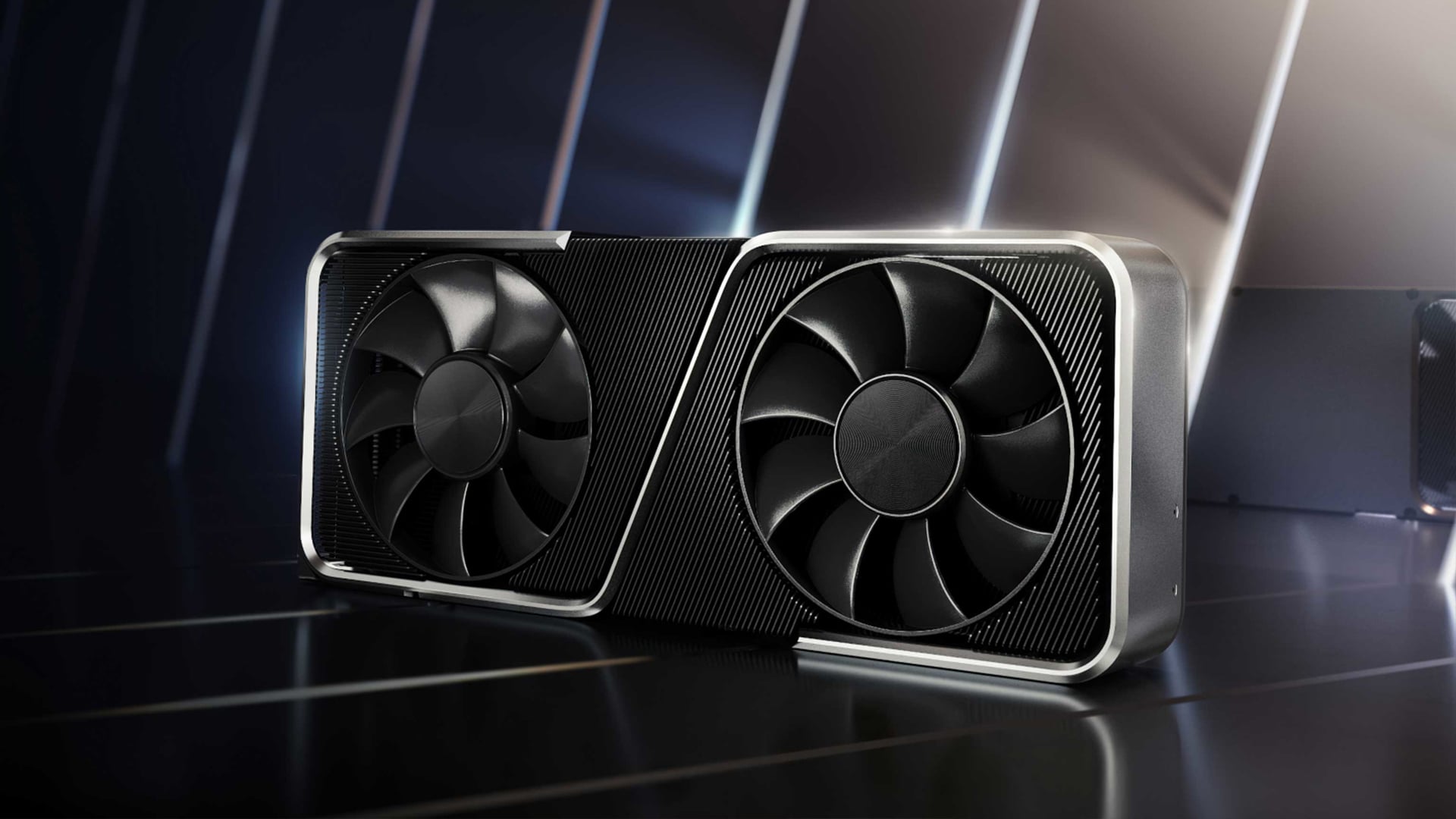
The RTX 3050 performs best when you start from a realistic baseline instead of trying to force it into settings that are too heavy for the card. Resolution and preset choice set the tone for the whole experience, so getting these right early makes the rest of the optimisation process much easier.
-
Why 1080p is the Sweet Spot
For most users, 1080p is still the right answer. NVIDIA frames the card around 1080p high game settings and gives DLSS a major role in boosting performance while keeping image quality strong. That is the clearest sign that the card’s natural home is Full HD, not a 1440p Ultra mindset. If you are aiming for higher frame rates, better consistency, and fewer compromises, 1080p is where the RTX 3050 best settings conversation should start.
-
Medium vs High Settings
A good starting point for RTX 3050 gaming settings is medium to high, not low and not ultra. In older games and lighter competitive titles, high settings are fine. In newer AAA games, medium is often the smarter baseline, then you raise a few nicer-looking settings one by one. That keeps the card in its comfort zone. Starting too high usually forces you to make a messy set of reductions later, while starting at medium makes it easier to see which settings you can afford to improve.
-
Which Visual Options Matter Least
The least valuable settings are usually the ones that look dramatic on a comparison screenshot but are much harder to notice while actually playing. Heavy reflections, extreme shadow quality, high volumetric settings, ambient occlusion extremes, and some post-processing options often cost more FPS than they are worth. On a card like this, the smartest 3050 FPS settings are the ones that keep core clarity and image stability intact while trimming the visual extras that chew through budget GPU headroom.
Best RTX 3050 Graphics Settings for Higher FPS
Once resolution and preset are in the right place, the next step is deciding which individual settings are actually worth keeping high. This is where the biggest RTX 3050 gains usually come from, because some options cost far more performance than they give back in visible image quality.
-
Textures, Shadows and Effects
For RTX 3050 graphics settings, texture quality should not always be the first thing you cut. If your card has enough VRAM headroom for the game, textures can often stay at medium or high without hurting performance as much as people think. Shadows are a different story. Shadow quality, shadow distance, and shadow filtering are often among the first settings worth lowering because they can hit FPS hard. General effects settings also need careful handling. Medium effects usually preserve enough visual punch without hammering frame rate.
-
Reflections, Volumetrics, and Post-Processing
Reflections and volumetrics are some of the most expensive settings on budget GPUs. Screen-space reflections can stay on at lower intensity in some games, but high-quality reflections are often not worth the cost on the RTX 3050. Volumetric fog, cloud quality, and lighting should usually sit at medium in demanding titles. Post-processing is a mixed bag. Motion blur, film grain, chromatic aberration, and depth-of-field effects often cost image clarity more than they improve the presentation. Turning them down can make the game feel cleaner as well as faster.
-
How to Balance Visual Quality and Performance
The best RTX 3050 gaming optimisation usually follows a simple order. Keep resolution at 1080p. Start at medium or high, depending on the game. Lower shadows, reflections, volumetrics, and expensive post-processing first. Then test again. If frame rate still swings too much, reduce effects or crowd density before you touch textures. That gives you better-looking results than just dragging every slider downward at the same time.
Best DLSS Settings for RTX 3050
DLSS is one of the most useful tools the RTX 3050 has for keeping demanding games smooth without dropping visual quality too aggressively. Used properly, it can give the card more breathing room at 1080p and make heavier settings much easier to manage.
-
When to turn on DLSS
DLSS is one of the biggest reasons the RTX 3050 still makes sense for 1080p gaming. NVIDIA says DLSS is a suite of neural rendering technologies powered by RTX Tensor Cores that boosts frame rates while delivering crisp, high-quality images that rival native resolution. DLSS gives games a speed boost with uncompromised image quality and lets you raise settings and resolution for a better visual experience. In practical terms, that means DLSS should be on in most demanding games where you want stronger frame rate without dropping the whole preset.
-
Quality vs Balanced vs Performance Modes
For most RTX 3050 DLSS use, start with Quality at 1080p. It usually gives the cleanest image while still improving performance. If that is not enough, move to Balanced. Performance is the option to use when the game is genuinely heavy and you need a more noticeable FPS lift. All supported models work with Quality and Balanced, while the biggest quality-versus-performance gains appear in Performance and Ultra Performance modes. That lines up with practical RTX 3050 tuning too: Quality first, Balanced second, Performance only when the game is clearly pushing the card hard.
-
When DLSS helps most in Demanding Games
DLSS helps most in games that are shader-heavy, ray tracing-heavy, or simply expensive at higher presets. It is less useful in lighter titles where the RTX 3050 is already comfortable. If the game already runs well at native 1080p, DLSS is optional. If the game struggles with frame pacing or stays too close to the edge of your target frame rate, DLSS becomes one of the best 3050 optimised settings tools you have.
Should You Use NVIDIA Reflex on RTX 3050?
NVIDIA Reflex is not really about higher frame rates. It is about making games feel more immediate and responsive. For RTX 3050 users, that makes it especially relevant in fast online games where lower latency can matter just as much as raw FPS.
-
What Reflex Does
NVIDIA says Reflex technologies optimise the graphics pipeline for better responsiveness, faster target acquisition, quicker reaction times, and improved aim precision in competitive games. The key point here is latency, not raw FPS. Reflex is designed to reduce the delay between your input and what happens on screen, which is why it fits best in fast shooters and competitive play.
-
Why it Matters in Competitive Games
On a budget card, low latency matters because you are often already balancing settings carefully to hit stable performance. In esports titles, turning on Reflex can make the game feel more responsive even when the FPS gain itself is not the main story. That is why RTX 3050 best settings for games like shooters and battle royales usually include Reflex when the title supports it. It is about making the card feel sharper rather than simply making the number in the corner bigger.
-
Best Use Cases for Lower Latency
The best use cases are competitive shooters, hero shooters, battle royales, and any fast game where snap aim and response matter. For story-driven single-player games, Reflex is nice but less important. For esports, it is one of the easiest wins in the whole RTX 3050 tuning process.
Driver and Software Settings That Can Help
Game settings are only part of the picture. Even well-optimised in-game settings can be held back by outdated drivers, background activity, or Windows features that are not configured properly. That is why a good RTX 3050 setup also depends on keeping the software side of the system in good shape.
-
Why Game Ready Drivers Matter
NVIDIA says Game Ready Drivers deliver the best experience for your favourite games, are finely tuned with developers, extensively tested across thousands of hardware configurations, and can enable the latest technologies over time. It also says gamers who prioritise day-one support for new games, patches, and DLC should choose Game Ready Drivers, while Studio Drivers are aimed more at creative reliability. For RTX 3050 performance settings, that means gaming-first users should stick with Game Ready Drivers unless the machine is mainly being used for creation work.
-
Using the NVIDIA App for Game Optimisation
NVIDIA describes the NVIDIA App as the essential companion for gamers and creators, and says it can optimise games and applications through a unified GPU control centre while keeping your PC up to date. That makes it a good starting point for RTX 3050 optimisation, especially if you want a quick baseline before doing manual tweaks in-game. The app will not always choose the exact settings an enthusiast would, but it is useful for getting close quickly and then fine-tuning from there.
-
Keeping Your System Tuned for Better Stability
Drivers are only part of the picture. Windows also lets background apps run even when you are not using them, and Microsoft notes that these apps can sync, send notifications, and use power in the background. Windows also allows you to control background activity and app permissions. On top of that, Windows 11 includes optimisation for windowed games to improve performance and reduce frame latency in supported DirectX 10 and 11 games running in windowed or borderless modes. So if you want smoother RTX 3050 gaming settings, keep background activity under control and make sure Windows gaming features are not working against your setup.
What Settings Should You Lower First?
If you need a quick performance gain, the easiest approach is to lower the settings that cost the most first instead of reducing everything at once. That gives you a cleaner way to improve frame rate while keeping the game looking far better than a blanket low preset.
-
Settings that Hurt FPS the most
If you need a quick order for RTX 3050 performance settings, lower these first: ray tracing, shadow quality, volumetric lighting or fog, reflections, and crowd density or world detail where available. These are the usual FPS killers on a card in this class. Ray tracing is the big one. Yes, the RTX 3050 supports ray tracing, but NVIDIA still frames the card around 1080p high settings and DLSS-assisted gaming, not high-end ray-traced performance. That is why ray tracing is usually the first thing to disable in demanding titles.
-
Settings You can Reduce with Minimal Visual Loss
If you want easy wins, start with motion blur, film grain, depth of field, chromatic aberration, bloom intensity, and unnecessarily high ambient occlusion or reflection quality. These often cost more than they give back. Lowering them usually keeps the game looking good while making it cleaner and easier to run.
-
How to Prioritise Consistent Frame Rate
Aim for stability first, not bragging rights. It is better to lock into a smoother range than to chase bigger peaks with ugly dips. If you want a higher refresh experience, make sure Windows is actually set to the monitor’s supported refresh rate. Microsoft says higher refresh rates can reduce motion blur and screen tearing, improve responsiveness, and are adjusted in Settings > System > Display > Advanced display. That is a small step, but it matters more than many players realise.
RTX 3050 Settings for Different Game Types
Not every game should be treated the same on the RTX 3050. The right settings depend heavily on whether the focus is competitive speed, visual quality, or a lighter multiplayer experience. Once you adjust for the type of game you are playing, the card becomes much easier to optimise properly.
-
Esports and Competitive Games
For esports, the RTX 3050 best settings are usually straightforward. Use 1080p, low to medium settings, Reflex on if available, and keep distractions such as motion blur off. Competitive games care more about clarity and latency than about visual extras. This is where the RTX 3050 still feels very comfortable.
-
AAA Story Games
For heavier single-player games, use 1080p, start on medium, raise textures if VRAM allows, switch on DLSS where available, and leave ray tracing off unless the game is unusually light. This is where the best settings for RTX 3050 become more about smart compromise than maxing sliders. If you want a rough idea of how lighter and more popular titles sit in the budget GPU space, our guide to RTX 3050 supported games is a good read.
-
Racing, Sports and Lighter Multiplayer Titles
These games often run well on the RTX 3050, so you can be more generous. High settings at 1080p are often realistic, and DLSS may not always be necessary. If the game is already smooth, keep the image cleaner and avoid overcomplicating the setup.
Common Mistakes That Hurt RTX 3050 Performance
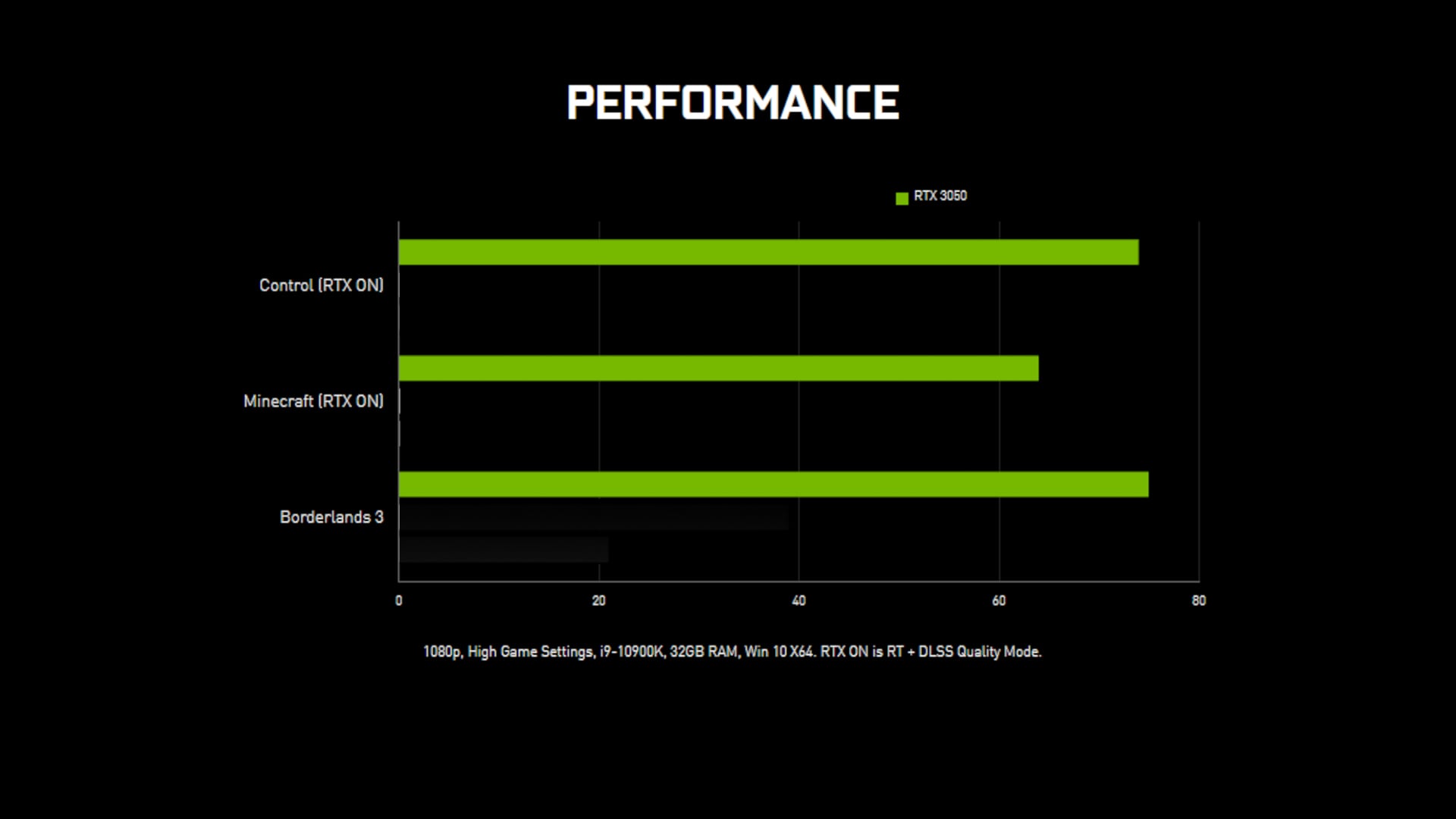
A lot of RTX 3050 performance problems come from habits rather than hardware limits. Small mistakes in game settings, driver maintenance, or system setup can make the card feel weaker than it really is. That is why avoiding the wrong choices is just as important as picking the right ones.
-
Chasing Ultra Settings
The most common mistake is leaving everything on Ultra because the menu says the GPU supports it. Support is not the same as comfort. The RTX 3050 can run modern games, but its best results come from tuned 1080p settings, not from forcing every visual option to the ceiling.
-
Leaving Ray Tracing on by Default
The second mistake is assuming ray tracing should stay on because the card is called RTX. Ray tracing is real, and the RTX 3050 does support it, but the card makes more sense as a DLSS-assisted 1080p GPU than as a ray-tracing-first card in demanding modern titles. If you want smoother RTX 3050 FPS boost results, ray tracing is usually the first thing to cut.
-
Ignoring Drivers and Background Usage
The third mistake is forgetting that software matters too. Outdated drivers, too many background apps, incorrect refresh settings, and poor Windows gaming setup can all drag down the result even before you touch the in-game graphics menu. That is why proper RTX 3050 gaming optimisation includes the whole system, not just the slider menu in one game.
Wrapping Up
The RTX 3050 best settings are built around 1080p, medium-to-high presets, ray tracing off in heavier games, DLSS on where it actually helps, and Reflex enabled in competitive titles. That combination plays to the GPU’s strengths instead of forcing it into workloads that belong to stronger cards.
So the practical answer is simple. Start at 1080p. Use medium in heavier AAA games and high in lighter titles. Lower shadows, reflections, and volumetrics first. Use DLSS Quality or Balanced before dropping the whole preset. Use Reflex in shooters. Keep Game Ready Drivers current and use the NVIDIA App as a starting point, not the final answer. That is the setup that gives the RTX 3050 its best chance of feeling properly smooth in 2026. If you are looking at options for buying, check out our range of GeForce 3050 RTX GPUs to find the best option for your needs. But if you are considering other options, read our guide to learn is 3050 still worth it to ensure you make the right decision.
FAQs
-
What are the best graphics settings for RTX 3050?
For most modern games, the best graphics settings for RTX 3050 are 1080p resolution, medium to high overall quality, reduced shadows and reflections, ray tracing off in heavier titles, and DLSS enabled where supported. NVIDIA’s own RTX 3050 page frames the card around 1080p high settings and DLSS-assisted performance rather than high-end ray tracing.
-
How many FPS can a RTX 3050 run?
That depends on the game, settings, and whether DLSS is available. In lighter games and esports titles, the RTX 3050 can deliver much higher frame rates at 1080p. In newer AAA games, the card is usually better treated as a 1080p medium-to-high GPU rather than an ultra-settings card.
-
Should I use DLSS on RTX 3050?
Yes, in demanding games. NVIDIA says DLSS boosts frame rates while delivering crisp, high-quality images, which is exactly why it is useful on the RTX 3050. Start with Quality mode, then move to Balanced or Performance if the game still feels too heavy.
-
Does NVIDIA Reflex improve RTX 3050 gaming?
Yes, especially in competitive games. NVIDIA says Reflex improves responsiveness, target acquisition, reaction times, and aim precision by reducing system latency. That makes it well worth using in shooters and other fast online games.
-
Is RTX 3050 good for 1080p gaming?
Yes. NVIDIA explicitly positions the GeForce RTX 3050 around 1080p high game settings, and that remains the card’s natural target in 2026. It is best used with tuned settings rather than Ultra presets.
You can pay with:
*PayPal Credit Representative Example: Assumed credit limit £1,200, Representative 23.9% APR (variable). Purchase rate 23.9% p.a (variable).Terms & Conditions apply.


PayPal Credit and PayPal Pay in 3 are trading names of PayPal UK Ltd, 5 Fleet Place, London, United Kingdom, EC4M 7RD. Terms and conditions apply. Credit subject to status, UK residents only, Five Tech LTD acts as a broker and offers finance from a restricted range of finance providers. PayPal Pay in 3 is not regulated by the Financial Conduct Authority. Pay in 3 eligibility is subject to status and approval. 18+. UK residents only. Pay in 3 is a form of credit. Check if affordable and how you will repay. May make other borrowing more difficult or expensive. See product terms for more details.
Copyright © 1996-2026 Fivetech LTD | Terms and Conditions
box.co.uk & Box are trading names of Five Tech Limited. Registered office: Box LTD, Unit 10 Woodford Trading Estate, Woodford Green IG8 8HF