


 Menu
MenuMenu


Get Sales Advice from Mon - Fri 9am - 5:00pm:
020 3337 8950LAST UPDATED: January 23, 2026
QHD, 4K or 1080p at 360Hz? Choosing the Right Display on a 2026 Gaming Laptop Without Wasting Money
Choosing the best resolution for a gaming laptop in 2026 is no longer straightforward. You’re no longer just deciding between "Full HD or 4K" you’re now weighing up 1080p at 360Hz, QHD at high refresh rates, and 4K gaming laptop displays that promise stunning visuals but demand serious hardware built around cutting-edge gaming technology.
On paper, higher resolution and higher refresh rates sound like obvious upgrades. The wrong screen choice can leave you paying more for performance you’ll never see, shorter battery life, louder fans, and games that don’t run as smoothly as you expected.
This guide breaks down how 1080p, QHD, and 4K gaming laptop displays perform in real-world use, what they look like in motion, and most importantly who each option is really for.
What Really Matters in a Gaming Laptop Screen
Forget marketing labels for a moment. The best gaming laptop screen isn’t decided by resolution alone; it’s decided by how well your display, GPU, and the games you play work together.
Resolution vs Refresh Rate: The Simple Rule
Resolution controls how sharp the image looks, while refresh rate controls how smooth motion feels. One of the most common mistakes buyers make when choosing the best resolution for a gaming laptop is prioritising one without considering how it affects the other.
A 4K laptop screen delivers incredible detail, but it’s much harder for your GPU to drive at high frame rates. A 1080p 360Hz display, on the other hand, sacrifices pixel density for ultra-smooth motion something competitive players value far more than visual detail.
The rule is simple: If your laptop can’t consistently hit high FPS at your chosen resolution, you won’t benefit from a high refresh panel; no matter how impressive it sounds on the spec sheet.
Why Your GPU and Game Type Matter More than Panel Type
Many gaming laptop buyers overspend by focusing on specs like "4K" or "360Hz" without considering whether their GPU and games can benefit from them. Higher-resolution displays place far more strain on the GPU, often leading to lower frame rates, louder fans, and reduced settings on mid-range hardware.
In competitive games like Counter-Strike 2, Valorant, and Fortnite, smooth motion and low input lag matter more than extra pixels. This is why 1080p paired with a high refresh rate delivers a better experience than 4K for esports-focused players.
For modern AAA games, higher resolution does improve visual quality, but it also demands more power. On most gaming laptops, QHD offers a better balance than 4K, delivering sharper visuals without constant performance compromises. If you game, stream, or work on the same laptop, choosing a display that matches your GPU keeps performance smooth across everything you do.
| Quick Display Recommendations (Most Buyers)
Choose 1080p at 240Hz or 360Hz if you mainly play competitive esports or fast-paced FPS games and want the smoothest motion, lowest input lag, and the best chance of consistently high frame rates. Choose QHD (1440p) with a High Refresh Rate if you want the best balance of sharp visuals and strong performance. For most gamers in 2026, this is the best resolution for a gaming laptop overall. Choose a 4K Laptop Screen only if visual quality matters more to you than maximum FPS, and you’re using a high-end RTX-powered gaming laptop that can handle demanding games without constant compromises |
What 1080p, QHD and 4K Actually Mean on a Gaming Laptop
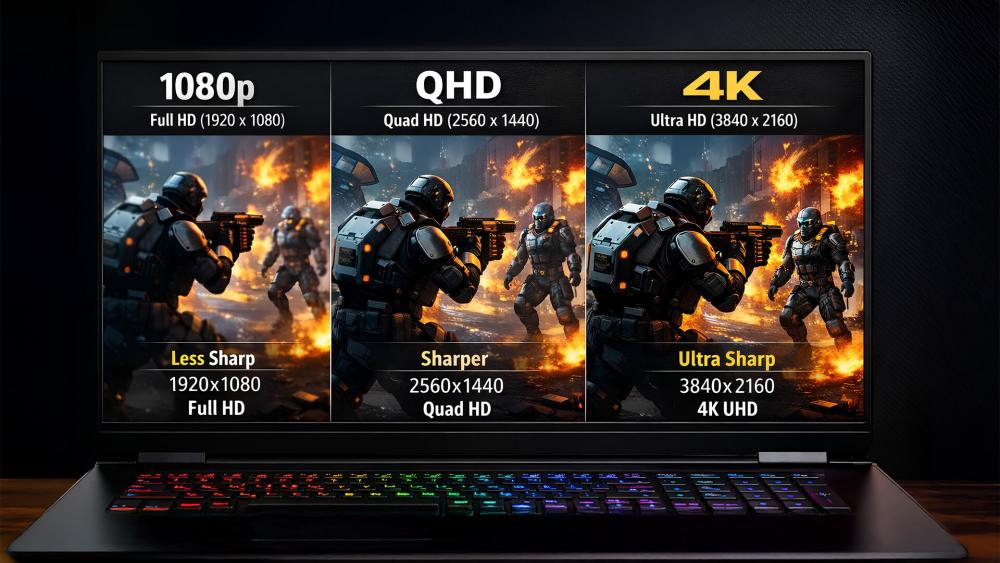
On a gaming laptop, resolution and refresh rate behave very differently than they do on a desktop monitor. Let’s break down what each option really delivers in day-to-day gaming.
1080p Explained: Why it Still Dominates Competitive Gaming
1080p, known as Full HD, remains one of the most popular laptop display resolutions for gaming and for good reason. On a typical 15–17 inch gaming notebook screen, 1080p still looks sharp while being far easier for the GPU to drive at high frame rates, which is why many players consider it the best resolution for a gaming laptop focused on performance.
This is why you’ll often see 1080p at 240Hz or 360Hz panels on competitive gaming laptops. Lower resolution means the GPU can push more frames, resulting in smoother motion, lower input lag, and more consistent performance. For fast-paced games like CS2, Valorant, or Fortnite, this directly improves responsiveness rather than just visuals.
A Full HD gaming laptop also runs cooler and quieter under load, with better battery efficiency than higher-resolution options. The trade-off is visual detail textures, and fine elements don’t look as crisp as they do at QHD or 4K, but for esports-focused players, that’s rarely a concern.
Best for: competitive FPS players, esports-focused setups, and buyers prioritising high refresh rates over visual detail.
QHD Explained: The Sweet Spot for Most Gaming Laptops
QHD (1440p) has become the most balanced option for modern gaming laptops, which is why many consider it the best laptop screen resolution in 2026. It offers a noticeable step up in sharpness compared to 1080p without the heavy performance cost of 4K.
On a 16-inch or larger big screen gaming laptop, QHD looks visibly cleaner, especially in open-world games, RPGs, and visually rich titles. Textures appear sharper, HUD elements are clearer, and games feel more immersive; all without demanding extreme GPU power.
Most mid-to-high-tier RTX-powered gaming laptops can handle QHD comfortably at high settings, especially with modern upscaling technologies. When paired with a high refresh rate (often 165Hz or 240Hz), a QHD gaming laptop delivers smooth gameplay while still looking impressive.
This balance is why many buyers see QHD as the best value option among high resolution gaming laptops.
Best for: most gamers, mixed competitive and AAA gaming, and buyers who want strong visuals without sacrificing smooth performance.
4K Explained: Stunning Visuals with Real Compromises
A 4K laptop screen delivers the sharpest image of all, with incredible detail in textures, environments, and cinematic scenes. On a gaming laptop with a 4K screen, games can look genuinely stunning, especially single-player titles designed for visual impact.
However, 4K comes with a steep performance cost. Running games at native 4K puts significant strain on the GPU, even on high-end hardware. In many cases, achieving smooth gameplay means lowering settings, relying heavily on upscaling, or accepting lower frame rates.
Because of this, many 4K gaming laptops pair their panels with lower refresh rates, such as 120Hz or 144Hz, rather than extreme high-refresh options. Battery life, heat output, and fan noise are also noticeably higher compared to 1080p or QHD setups.
For buyers expecting ultra-smooth competitive gameplay, 4K often disappoints. But for players who value image quality above all else, it can still make sense.
Best for: cinematic single-player games, content creation, and users who prioritise visuals over maximum FPS.
What 360Hz Does and What it Doesn’t
A 360Hz display doesn’t make games run faster by itself; it simply shows more frames if your GPU can deliver them. When paired with 1080p and a capable GPU, a 360Hz panel can make motion feel exceptionally smooth, reducing blur and input lag.
If your system can’t consistently reach around 300–360 FPS, much of that refresh potential goes unused. This is why 360Hz displays are almost always paired with 1080p at higher resolutions, the GPU simply can’t keep up.
For most gamers, the difference between 165Hz and 240Hz is subtle, while the jump to 360Hz is mainly noticeable in competitive esports, where every millisecond matters.
| If you’re chasing ultra-smooth gameplay, the same principles that apply to gaming laptops also apply to gaming monitors with high refresh rates, where higher FPS only matters if your hardware can consistently support it. |
The Real Trade-offs Behind Each Gaming Laptop Display Choice
Every gaming laptop display comes with compromise. Higher resolutions and higher refresh rates place extra demand on the GPU, and on a laptop, that impact is far more noticeable than on a desktop.
1080p to QHD:
Moving to QHD increases GPU workload and can lower frame rates, especially on mid-range hardware. On higher-tier RTX-powered gaming laptops, the performance hit is easier to manage, making QHD a practical upgrade for better visuals without major sacrifices.
Why 4K is demanding:
4K delivers impressive image quality but often requires lower settings or upscaling to stay smooth. It also increases heat, fan noise, and power draw, making it better suited to cinematic, single-player games than competitive play.
Power and thermals:
1080p systems tend to run cooler and quieter, QHD strikes a balance, and 4K drains battery faster while pushing cooling systems harder.
360Hz reality check:
A 360Hz panel only helps if your GPU can consistently deliver very high frame rates. If it can’t, much of that refresh potential goes unused, which is why 360Hz works best with 1080p competitive gaming.
What Display Works Best for the Games You Play
| Game Type | Best Display Choice | Why It Works Best |
| Competitive esports & FPS games (CS2, Valorant, Fortnite) | 1080p with a high refresh rate (240Hz–360Hz) | Delivers the smoothest motion and lowest input lag, which matters far more than extra visual detail in fast-paced games |
| AAA single-player games | QHD (1440p) at a high refresh rate | Provides sharper visuals and better immersion without the heavy performance hit that comes with 4K |
| Mixed gaming & content creation (streaming, editing) | QHD (1440p) | Offers a strong balance between resolution and performance, making it suitable for both gaming and creative work |
| Casual gaming & everyday use | 1080p | Efficient, affordable, and easy for the GPU to run smoothly alongside work or study tasks |
Match Your Display to Your GPU Tier (So You Don’t Overspend)
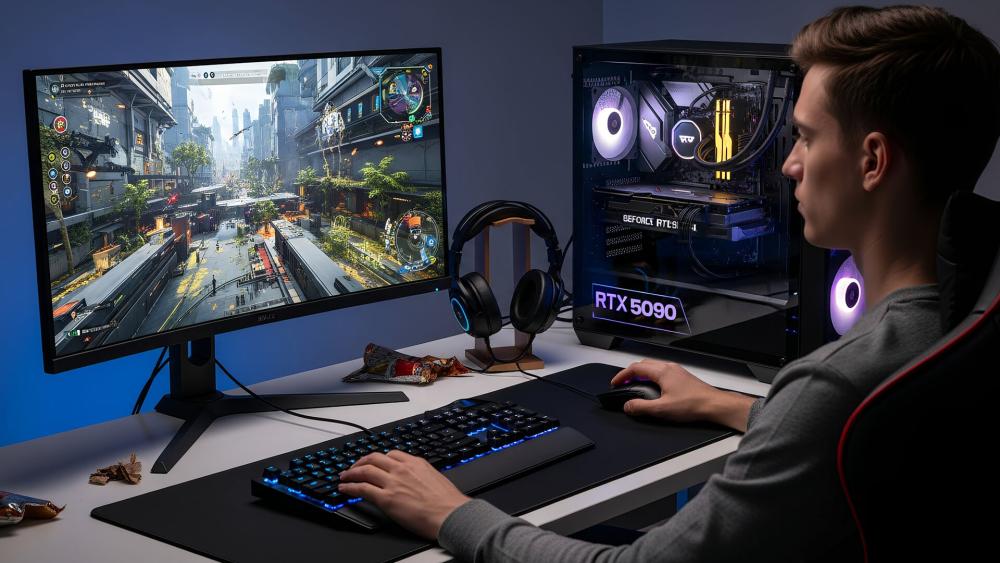
Matching your display to your GPU tier is one of the most important decisions when buying a gaming laptop.
Entry-level Gaming GPUs
Typical examples: RTX 3050, RTX 4050 (lower-power variants), entry-level AMD or Intel Arc GPUs
Best use case: Esports titles, lighter AAA games, everyday gaming
For this tier, 1080p is the right choice. It allows the GPU to deliver stable frame rates without excessive heat or fan noise. A high refresh rate can still make sense here, especially if you mainly play competitive titles, but chasing extreme resolutions will only limit performance.
Best display match:
- Resolution: 1080p (Full HD)
- Refresh rate: 144Hz to 240Hz
Why it works: Smooth gameplay, better battery efficiency, and fewer compromises on settings
Mid-range Gaming GPUs
Typical examples: RTX 4060, RTX 4070
Best use case: Competitive gaming plus modern AAA titles
This is where QHD (1440p) really starts to shine. These GPUs have enough power to handle higher resolution comfortably with smooth gameplay, especially when paired with modern upscaling features. For most buyers, this tier delivers the best balance of visuals and performance.
Best display match:
- Resolution: QHD (1440p)
- Refresh rate: 165Hz to 240Hz
- Why it works: Sharper visuals than 1080p with frame rates that still feel fast and responsive
High-end Gaming GPUs
Typical examples: RTX 5090 laptop GPU
Best use case: High-end AAA gaming, immersive visuals, premium laptops
High-end GPUs, especially the RTX 5090 laptop GPU, open the door to genuinely playable 4K gaming on laptops though expectations still matter depending on the game and settings. While these GPUs can handle 4K far better than lower tiers, most users will still rely on upscaling or adjusted settings to keep frame rates smooth. Many players at this level still prefer high-refresh QHD for competitive balance.
Best Display Match:
- Resolution: QHD at very high refresh or 4K at 120–144Hz
- Refresh rate: 144Hz or higher
- Why it works: Maximum visual quality without completely sacrificing performance
Quick Buying Checklist Before You Choose a 2026 Gaming Laptop
Before you commit to a gaming laptop, run through this checklist to make sure you’re paying for features you’ll benefit from not just impressive numbers on a spec sheet. This approach makes it much easier to land on the best resolution for a gaming laptop that suits how you play.
Screen Specs that Matter
Brightness: Aim for at least 300 nits for indoor use; higher is better if you game in bright rooms
Colour coverage: Look for good sRGB or DCI-P3 coverage for richer, more accurate visuals
Response time: Lower response times reduce motion blur and ghosting, especially in fast-paced games
Avoid These Marketing Traps
- Peak refresh rates: A 360Hz panel only helps if your GPU can consistently deliver very high FPS
- "4K" on small screens: 4K looks impressive on paper, but often delivers little real benefit on smaller laptop displays
- Specs without context: High numbers mean less if the GPU can’t fully support them
Best Settings Strategy to Keep Games Smooth
- Lower shadows and reflections first before reducing resolution
- Use upscaling where available to balance performance and image quality
- Prioritise stable frame rates over maximum visual settings for smoother gameplay
What to Prioritise If You’re on a Budget
- GPU first, display second: A stronger GPU matters more than ultra-high resolution
- 1080p or QHD over 4K: Better performance and better value
- Balanced specs: Avoid overspending on features you won’t fully use
Best Picks by Buyer Type (Choose What You Need)
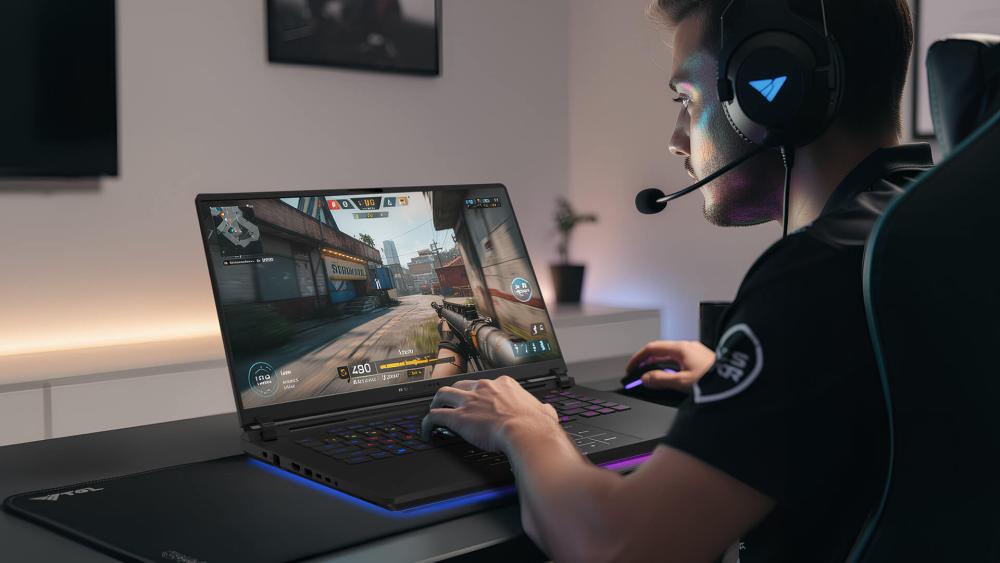
If you don’t want to compare specs for hours, this section gives you a quick, practical way to narrow down the right gaming laptop display based on how you play and use your laptop.
Best for Competitive FPS Players
Recommended Display Setup:
1080p (Full HD) at 240Hz or 360Hz
Recommended Products:
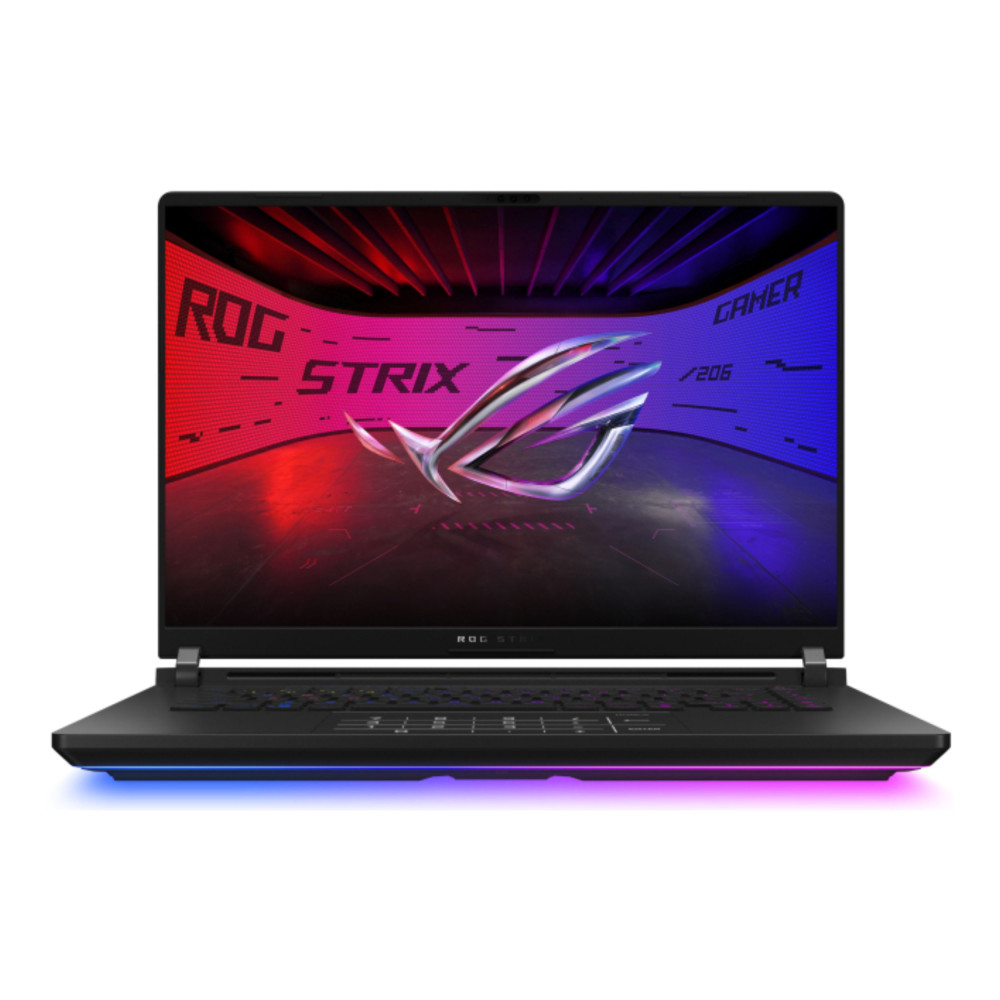
ASUS ROG Strix SCAR 16 (Core Ultra 9, RTX 5080) - MPN: G635LW-RW041W
This is where ASUS gaming laptops for competitive play stand out, pairing high-refresh displays with hardware tuned for consistently high frame rates in esports titles. The ASUS ROG Strix SCAR 16 is built for players who care about speed above everything else. Its powerful Core Ultra 9 processor and RTX 5080 graphics are designed to push extremely high frame rates, making the most of fast, high-refresh displays in competitive games. This setup is ideal for esports-focused players who want ultra-smooth gameplay, low input lag, and consistent performance during intense matches, without compromise.
Best for Most Gamers (Best Value Option)
Recommended Display Setup:
QHD (1440p) at 165Hz–240Hz
Recommended Products:
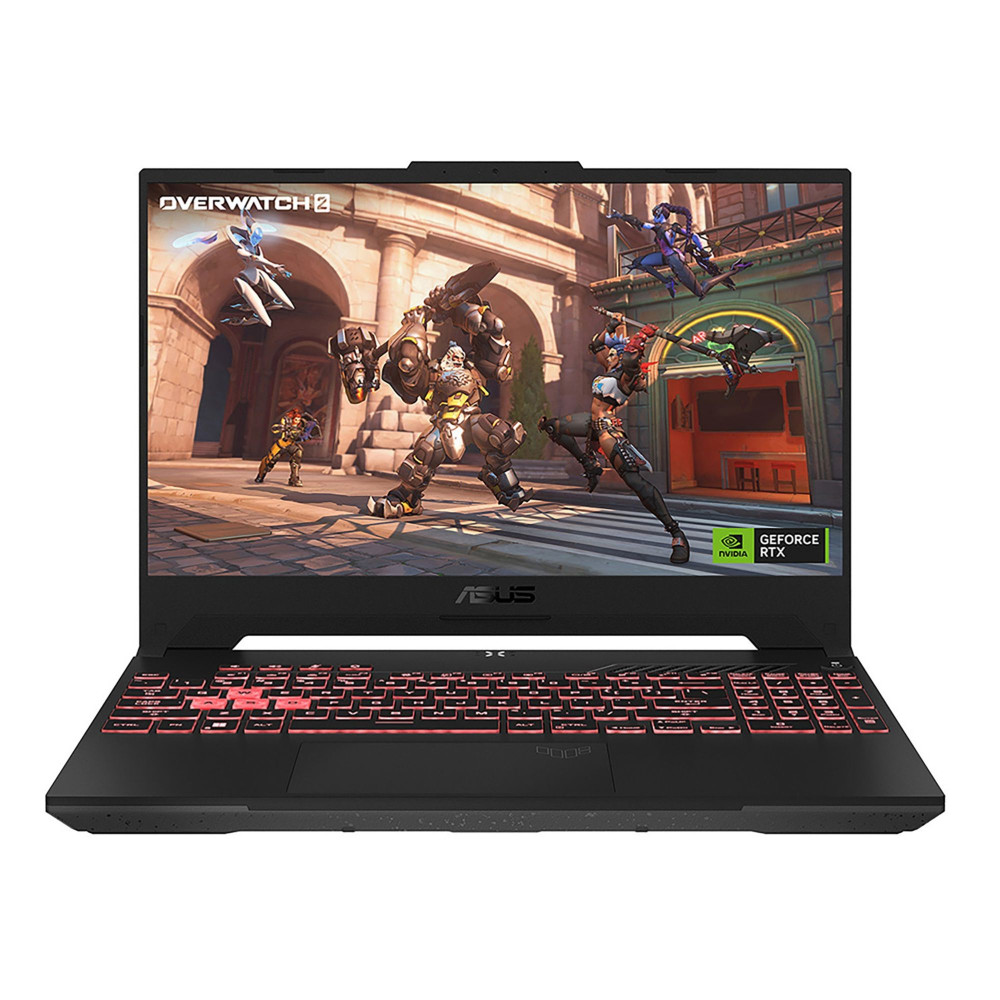
ASUS TUF Gaming A15 (Ryzen 7, RTX 4050) - MPN: FA507NUR-LP011W
The ASUS TUF Gaming A15 is a strong all-rounder for gamers who want solid performance without overspending. With a capable Ryzen 7 processor and RTX 4050 graphics, it handles modern games comfortably at sensible settings while keeping heat and noise under control. It’s a great choice if you want reliable performance for a mix of competitive and AAA games, making it one of the best-value options for everyday gaming.
Many Acer gaming laptops with fast displays focus on QHD panels with high refresh rates, offering a strong balance of visual clarity and smooth performance for everyday gaming.
Best for Cinematic Single-player Visuals
Recommended Display Setup:
4K (Ultra HD) at 120Hz–144Hz
Recommended Products:
Acer Predator Helios 18 AI (Core Ultra 9, RTX 5090) - MPN: NH.QVWEK.007
The Acer Predator Helios 18 AI is designed for gamers who prioritise visual impact above all else. Its large 18-inch display, paired with top-tier RTX 5090 graphics and a powerful Core Ultra 9 processor, delivers stunning detail and immersive performance in visually rich, single-player games. This is the kind of machine built for maxed-out settings, cinematic experiences, and no-compromise gaming at the highest level.

Best for Gaming Plus Creative Work
Recommended Display Setup:
QHD (1440p) or 4K with high colour accuracy
Recommended Products:
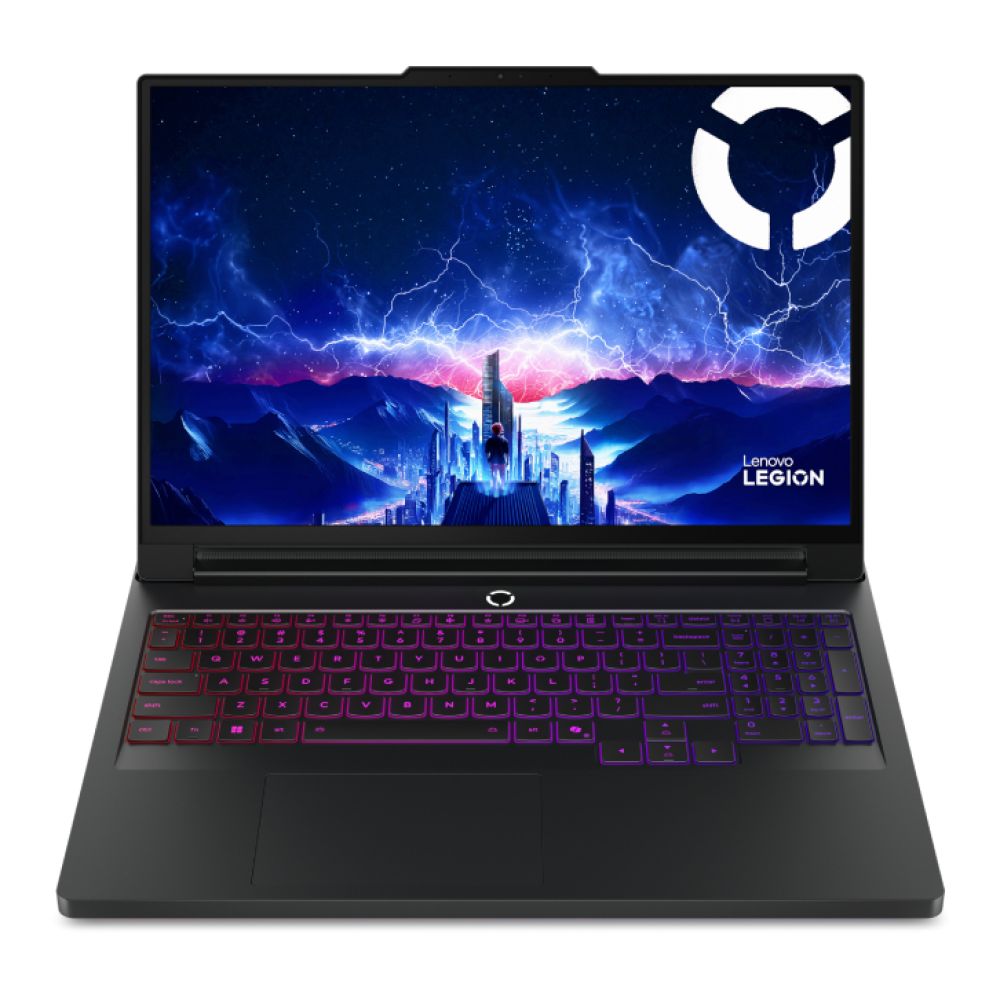
Lenovo Legion Pro 7 (Core Ultra 9, RTX 5090) - MPN: 83F5000UUK
The Lenovo Legion Pro 7 strikes a strong balance between gaming performance and professional-grade workloads. With an RTX 5090 GPU and high-end Intel Core Ultra 9 processor, it handles demanding games, creative software, and multitasking with ease. It’s particularly well suited to users who game in their downtime but also need a machine capable of heavy content creation, streaming, or productivity tasks without slowing down.
If you’re after a consistent, stutter-free experience rather than chasing extreme specs, HP gaming laptops for smooth gameplay are often a solid choice for everyday and mixed-use gaming.
Final thoughts
Choosing the right gaming laptop display in 2026 isn’t about chasing the highest numbers, it’s about matching resolution and refresh rate to your GPU, the games you play, and how you use your laptop. When you focus on finding the best resolution for a gaming laptop that fits your setup, QHD often delivers the strongest balance of performance and visual quality, while 1080p at high refresh rates suits competitive play and 4K remains a more niche choice for visual-first experiences.
You can explore a wide range of high-performance gaming laptops, the latest gaming laptop releases, and RTX-powered gaming laptops at Box, where expert-picked options make it easier to choose a setup that delivers smooth gameplay without overspending. At Box.co.uk, you’ll find everything from gaming laptops to accessories and displays in one complete gaming gear store, making it easier to build a setup that works together without overspending.
Frequently Asked Questions
Is QHD good for gaming laptops?
Yes, QHD offers a strong balance of sharp visuals and smooth performance, making it ideal for most gaming laptops.
Do pro gamers use 1080p or 1440p?
Most pro gamers prefer 1080p because it allows for higher and more consistent frame rates.
Is QHD better than 4K for gaming?
For gaming laptops, QHD is often better than 4K because it delivers smoother performance with fewer compromises.
Why do gamers prefer 1440p over 4K?
1440p provides sharper visuals than 1080p without the heavy performance and power demands of 4K.
What is the best resolution for gaming?
For most gamers, QHD is the best resolution, while 1080p suits competitive play and 4K suits visual-focused gaming.
You can pay with:
*PayPal Credit Representative Example: Assumed credit limit £1,200, Representative 23.9% APR (variable). Purchase rate 23.9% p.a (variable).Terms & Conditions apply.


PayPal Credit and PayPal Pay in 3 are trading names of PayPal UK Ltd, 5 Fleet Place, London, United Kingdom, EC4M 7RD. Terms and conditions apply. Credit subject to status, UK residents only, Five Tech LTD acts as a broker and offers finance from a restricted range of finance providers. PayPal Pay in 3 is not regulated by the Financial Conduct Authority. Pay in 3 eligibility is subject to status and approval. 18+. UK residents only. Pay in 3 is a form of credit. Check if affordable and how you will repay. May make other borrowing more difficult or expensive. See product terms for more details.
Copyright © 1996-2026 Fivetech LTD | Terms and Conditions
box.co.uk & Box are trading names of Five Tech Limited. Registered office: Box LTD, Unit 10 Woodford Trading Estate, Woodford Green IG8 8HF