


 Menu
MenuMenu


Get Sales Advice from Mon - Fri 9am - 5:00pm:
020 3337 8950LAST UPDATED: December 17, 2025
What PSU Do I Need for My Gaming PC in the UK? A Complete Readiness Guide
When building or upgrading a gaming rig, the PSU for gaming PC is often treated as an afterthought. For UK gamers running modern hardware, that's a risky move. Today's GPUs and CPUs draw more power than ever, with sudden spikes that cheap or underpowered units simply can't handle. The result can be crashes, black screens, system instability, or even long-term component damage.
A reliable PSU for gaming PC isn't just about switching your system on. It delivers clean, consistent power to every component, keeps temperatures under control, and protects your hardware during heavy gaming sessions. With high-end graphics cards, faster processors, and upgrade paths becoming the norm, choosing the wrong unit can limit performance or force an early replacement.
Many UK builders still fall into common traps, buying low-wattage units to save money, ignoring efficiency ratings, or using unbranded power supplies with poor safety protections. Others underestimate how future upgrades, such as a more powerful GPU, can push their system beyond safe limits.
This guide breaks everything down clearly. You'll learn how to choose the right wattage, understand efficiency ratings, and ensure compatibility with modern components available in the UK. Whether you're upgrading a current setup or speccing out a new build using our range of PC power supplies, this guide helps you make a confident, future-ready decision.
Understanding PSU Basics: Wattage, Efficiency & Build Quality

Before choosing a PSU for gaming PC, it's important to understand what actually makes one reliable. Wattage alone doesn't tell the full story. Efficiency, internal components, and cable design all play a role in how stable and future-proof your system will be, especially with modern gaming hardware.
What Does PSU Wattage Really Mean?
PSU wattage refers to the maximum amount of power a unit can deliver to your system, not what it constantly uses. A gaming PC only draws the power it needs at any given moment, but modern GPUs can create sudden power spikes during gameplay. If your PSU can't handle those spikes, you may experience shutdowns or instability.
Many UK gamers assume higher wattage always equals better performance. In reality, an efficiently built 650W unit from a trusted brand will outperform a cheap 800W alternative. When comparing a power supply PC option, quality matters just as much as headline numbers.
Efficiency Ratings Explained (80 Plus Bronze to Platinum)
Efficiency ratings tell you how well a PSU converts power from the wall into usable energy. The higher the rating, the less electricity is wasted as heat.
- 80 Plus Bronze: Entry-level efficiency, suitable for budget builds
- 80 Plus Gold: The sweet spot for most gaming PCs
- 80 Plus Platinum: Premium efficiency for high-end or always-on systems
For UK households, better efficiency doesn't just mean cooler operation. It can also reduce long-term electricity costs, making a Gold-rated PSU for gaming PC a sensible balance between price and performance.
Modular, Semi-Modular & Non-Modular PSUs
Cable design affects airflow, noise levels, and ease of building.
- Non-modular: Fixed cables, cheapest option, harder to manage
- Semi-modular: Essential cables attached, others optional
- Fully modular: All cables removable, ideal for clean builds
If you care about tidy cable routing or plan future upgrades, a modular gaming computer power supply makes life easier. It's especially useful in compact cases where airflow is critical.
How to Calculate the PSU Wattage You Need
Choosing the correct wattage is one of the most important steps when selecting a PSU for gaming PC builds. Go too low and you risk instability. Go unnecessarily high and you may waste money without gaining real benefits. The goal is to match your power supply to your components, with enough headroom for safe operation and future upgrades.
Matching PSU Wattage to Your CPU & GPU
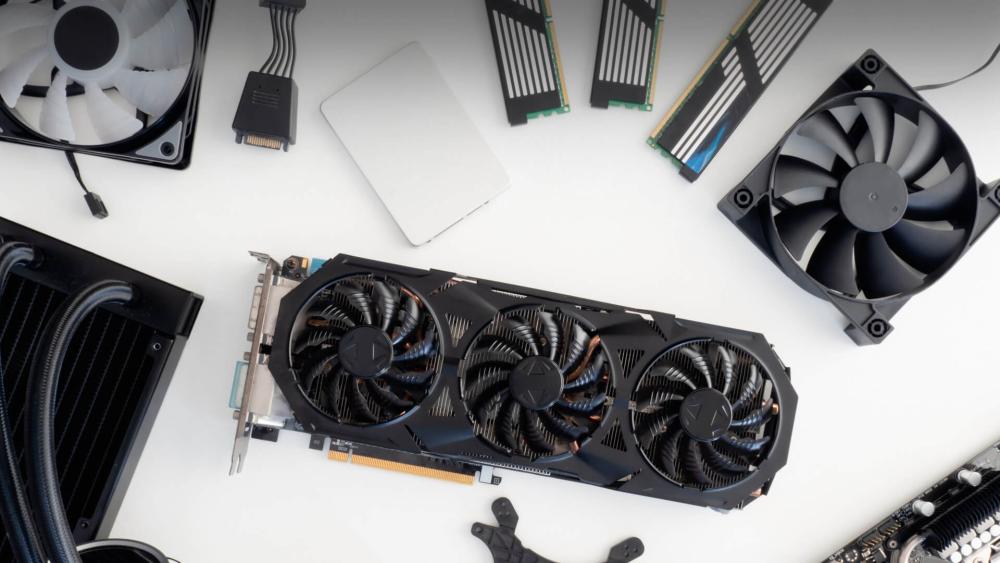
Your graphics card is the biggest power draw in any gaming system, followed by the CPU. Modern GPUs can pull far more power in short bursts than their average rating suggests, which is why a PSU for gaming PC needs to handle peak loads, not just steady usage.
For example, a mid-range GPU paired with a modern processor may only average 350–400W during gaming, but sudden spikes can push much higher. A quality unit with sufficient wattage ensures smooth performance without crashes, especially during demanding titles or high refresh rate gaming.
PSU Wattage Ranges
While every build is different, these ranges work well for most UK gaming setups:
- 550W: Entry-level gaming PCs with modest GPUs
- 650W: The most popular choice for mid-range systems
- 750W: Ideal for higher-end GPUs and future upgrades
- 850W+: Recommended for flagship graphics cards and overclocked systems
Choosing the right PSU for gaming PC within these ranges ensures stability without overspending. UK availability also tends to be strongest in the 650W to 850W bracket, making upgrades easier down the line.
Allowing Headroom for Future Upgrades & Overclocking
Headroom is essential. Running a PSU near its maximum capacity can reduce efficiency, increase fan noise, and shorten its lifespan. Leaving around 20 to 30 percent spare capacity allows your system to handle power spikes and future upgrades safely.
If you plan to swap to a more powerful GPU later, choosing a higher-capacity best power supply for gaming PC now can save you from replacing it again in a year or two.
Example Wattage Scenarios
- Entry-level gaming PC: 550W quality PSU
- Mid-range gaming PC: 650W to 750W PSU
- High-end gaming PC: 850W or higher, depending on GPU
These examples show why wattage planning matters when building or upgrading desktop computers for gaming, particularly if performance longevity is a priority.
Buying Considerations: Price, Availability & Trusted Brands
Once you know the wattage and features you need, the next step is choosing the right PSU for gaming PC within the UK market. Availability, pricing, and brand reliability can vary significantly, so it's worth understanding what you're paying for and where to buy with confidence.
Best PSU Brands Available in the UK
Not all power supplies are built the same, even if the specs look similar on paper. Trusted brands invest in higher-quality internal components, better cooling, and longer warranties, all of which matter for a long-term gaming build.
Some of the most reliable PSU brands widely available in the UK include:
- Corsair: Strong balance of performance, pricing, and warranty support
- Seasonic: Known for excellent build quality and efficiency
- EVGA: Popular with gamers for reliability and clear wattage ratings
- be quiet!: Ideal for low-noise and energy-efficient systems
Choosing a well-known brand ensures your PSU for gaming PC delivers stable power and protects your components during demanding gaming sessions.
Typical UK PSU Price Ranges
PSU prices in the UK generally scale with wattage, efficiency, and modularity:
- £50–£70: Entry-level units for basic gaming builds
- £70–£110: Gold-rated PSUs suitable for most gaming PCs
- £110–£160+: High-end and future-proof power supplies
While it's tempting to cut costs here, spending a little more on the best PC power supply often results in better stability, quieter operation, and longer lifespan.
Where to Buy PSUs in the UK
Buying from a trusted retailer matters just as much as choosing the right model. UK gamers benefit from local warranty support, faster delivery, and easier returns when purchasing from established sellers like Box.co.uk.
Choosing the Right PSU for Different Gaming PC Build Levels
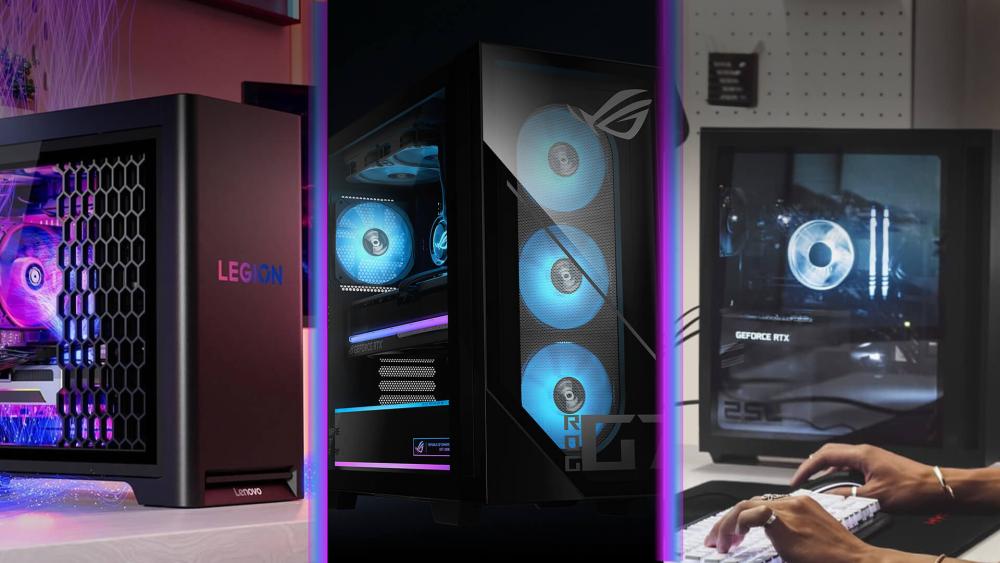
Not every gaming system has the same power requirements. Matching your PSU for gaming PC to your build level ensures stable performance today and avoids unnecessary upgrades later. Below is a practical breakdown based on the most common tiers for the best gaming PCs in the UK.
Budget Gaming Builds
Entry-level gaming PCs typically use lower-power GPUs and CPUs, but that doesn't mean the PSU should be an afterthought. A reliable PSU for gaming PC in this category still needs solid voltage regulation and basic protections.
- Recommended wattage: 500W–550W
- Efficiency target: 80 Plus Bronze or better
- Ideal for systems with entry GPUs and mainstream processors
For budget-focused desktop computers, choosing a quality unit prevents crashes and protects components without overspending.
Mid-Range Gaming Builds
This is the most popular category for UK gamers. Mid-range systems benefit the most from balanced power delivery, especially when gaming at higher resolutions or refresh rates.
- Recommended wattage: 650W–750W
- Efficiency target: 80 Plus Gold
- Ideal for modern GPUs paired with current-generation CPUs
A well-chosen PSU for gaming PC at this level provides enough headroom for minor upgrades while keeping noise and heat under control.
High-End Gaming Builds
High-end gaming PCs place serious demands on power delivery. Flagship GPUs can draw large amounts of power in short bursts, making PSU quality essential.
- Recommended wattage: 850W or higher
- Efficiency target: 80 Plus Gold or Platinum
- Support for modern GPU connectors is critical
For premium gaming PCs, investing in a high-quality best power source for gaming pc ensures consistent performance and long-term reliability.
Quiet, Energy-Efficient & Compact Builds
Some gamers prioritise low noise or small form factor cases. These builds need efficient, well-cooled PSUs to maintain stability in tighter spaces.
- Look for high-efficiency ratings
- Fully modular designs improve airflow
- Compact PSU sizes may be required
In these scenarios, the right PSU for gaming PC improves thermals and keeps your setup quiet during extended gaming sessions.
Common PSU Mistakes Gamers Should Avoid
Even experienced builders can run into problems when choosing a PSU for gaming PC. Many power-related issues don't show up immediately, but they can quietly reduce performance, cause instability, or shorten the lifespan of expensive components. Avoiding these common mistakes will save time, money, and frustration.
Buying Too Little Wattage
One of the most common errors is choosing a PSU that only just meets the minimum requirement. While a system may boot and run, there's no margin for power spikes or future upgrades. A PSU for a gaming PC operating near its limit is more likely to overheat, become noisy, or shut down under load.
Using Unbranded or Low-Quality PSUs
Cheap, unbranded units often exaggerate their wattage ratings and lack essential safety protections. This puts your entire system at risk. A trusted best PC power supply includes safeguards against over-voltage, short circuits, and overheating, which are especially important for modern gaming hardware.
Ignoring GPU Connector Requirements
Newer graphics cards require specific power connectors, and not all PSUs support them. Using adapters or incorrect cables can lead to instability or damage. Always check that your PSU for gaming PC supports your GPU's power requirements out of the box.
Not Planning for Future Upgrades
Upgrading a GPU or CPU later can quickly outgrow a poorly chosen PSU. Spending slightly more now on a higher-capacity gaming computer power supply often works out cheaper than replacing it later.
Reusing Old PSUs With New Hardware
Older PSUs may lack efficiency, modern connectors, or the ability to handle power spikes from newer GPUs. Even if the wattage seems sufficient, an ageing PSU for gaming PC can become a hidden bottleneck in otherwise powerful desktop computers.
Final Checklist: Is Your Gaming PC PSU-Ready?
Before committing to a new PSU for gaming PC, it's worth running through a final readiness check. This quick checklist helps confirm that your power supply won't hold back performance or cause issues later.
- Correct wattage selected: Enough capacity for your current CPU and GPU, plus 20–30% headroom
- Trusted brand chosen: Reliable internals, solid warranty, and proven safety protections
- Efficiency rating: At least 80 Plus Bronze, with Gold preferred for most gaming builds
- Right connectors available: Native GPU power cables without relying on adapters
- Future upgrade ready: Capacity to support a GPU or CPU upgrade later
- UK warranty and support: Easy returns and long-term cover
If you're unsure at any stage, comparing your build against complete gaming PCs can help benchmark what level of PSU for gaming PC is appropriate for your setup.
FAQs:
How many watts do I need for a gaming PC in the UK?
Most gaming PCs need between 550W and 750W, depending on the GPU and CPU. Higher-end systems may require 850W or more.
Is 650W enough for a gaming PC?
Yes, a quality 650W PSU for gaming PC is ideal for many mid-range builds and offers a good balance of performance and headroom.
What PSU do I need for an RTX graphics card?
RTX GPUs typically require at least 650W, with higher-end models benefiting from 750W or 850W units.
Which PSU brands are best in the UK?
Corsair, Seasonic, EVGA, and be quiet! are among the most trusted PSU brands available to UK gamers.
How do I check if my PSU is strong enough?
Check your GPU and CPU power requirements, then compare them to your PSU's wattage and connector support.
Is a modular PSU worth paying extra for?
Yes, especially for airflow, cable management, and easier upgrades in gaming builds.
How much headroom should a PSU have?
Around 20–30% spare capacity is ideal for handling power spikes and future upgrades.
You can pay with:
*PayPal Credit Representative Example: Assumed credit limit £1,200, Representative 23.9% APR (variable). Purchase rate 23.9% p.a (variable).Terms & Conditions apply.


PayPal Credit and PayPal Pay in 3 are trading names of PayPal UK Ltd, 5 Fleet Place, London, United Kingdom, EC4M 7RD. Terms and conditions apply. Credit subject to status, UK residents only, Five Tech LTD acts as a broker and offers finance from a restricted range of finance providers. PayPal Pay in 3 is not regulated by the Financial Conduct Authority. Pay in 3 eligibility is subject to status and approval. 18+. UK residents only. Pay in 3 is a form of credit. Check if affordable and how you will repay. May make other borrowing more difficult or expensive. See product terms for more details.
Copyright © 1996-2026 Fivetech LTD | Terms and Conditions
box.co.uk & Box are trading names of Five Tech Limited. Registered office: Box LTD, Unit 10 Woodford Trading Estate, Woodford Green IG8 8HF