


 Menu
MenuMenu


Get Sales Advice from Mon - Fri 9am - 5:00pm:
020 3337 8950LAST UPDATED: September 11, 2025
Portable Monitors: Pair Your Smartphone for Best Mobile Experience
The future of mobile tech is in your hands (literally)!
Forget carrying a laptop everywhere. In 2025, portable monitors are redefining how mobile professionals, commuters, and tech enthusiasts engage with content, collaborate remotely, and multitask on the move. Lightweight, powerful, and incredibly versatile, these displays aren’t just extra screens, they're your new command centres.
While portable monitors are already praised for their benefits like ultra-slim designs, USB-C connectivity, and crystal-clear visuals, there’s one use case that’s quickly gaining traction: smartphone pairing. Specifically with flagship models like the Samsung Galaxy S25 Series, pairing your phone with a portable screen unleashes the best mobile experience that’s as smooth as it is smart.
New to portable monitors or never thought about pairing one with your smartphone? This blog has everything you need to know!
Portable Monitors – Your Ultimate Travel Companion in 2025
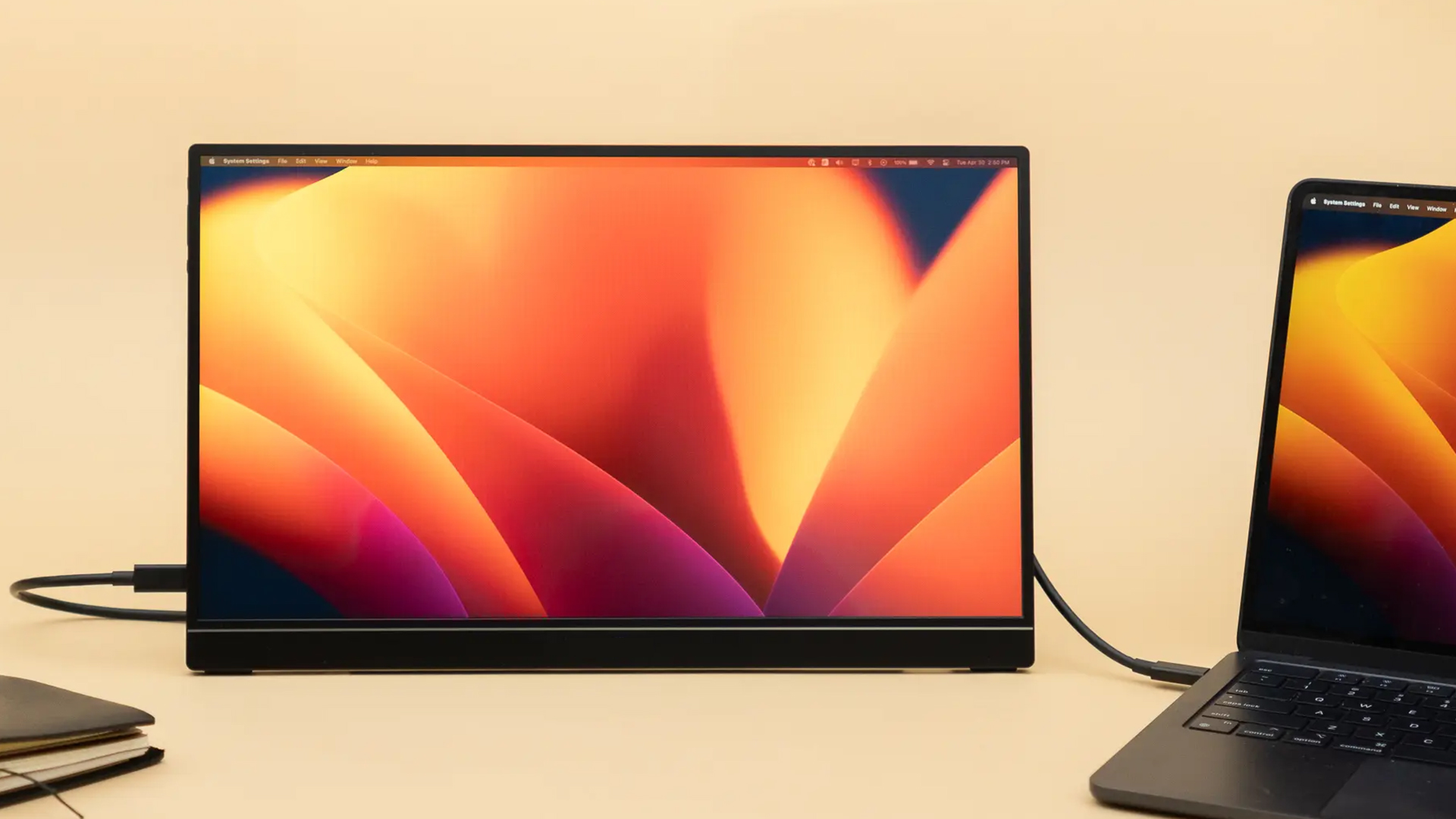
Portable monitors are ultra-thin, lightweight displays that connect to laptops, tablets, gaming consoles, and yes, even smartphones, primarily via USB-C or HDMI. They serve as secondary screens, allowing you to extend your display, mirror your device, or run multiple apps simultaneously. Most models are plug-and-play, requiring no additional drivers or software.
Common uses for portable monitors include:
-
Work: Portable displays are ideal for dual-screen setups—perfect for managing spreadsheets, emails, and video calls simultaneously.
-
Study: Excellent for students, they offer a second screen for research while keeping your primary screen free for note-taking or attending online classes.
-
Entertainment: Portable screens make brilliant entertainment companions. Stream films or play games in crisp Full HD or even 4K resolution.
-
Presentations: Instantly transform your setup into a professional meeting space. Use a portable monitor for presentations, client pitches, or on-the-go demos.
Portable Productivity: How Commuters and Mobile Professionals Stay Ahead
London commuters and mobile professionals are increasingly adopting portable monitors to maximise productivity in diverse settings like coffee shops, coworking spaces, or even on the Tube. With USB-C connectivity now standard across most new smartphones and laptops, pairing devices is simpler than ever. In a world where flexibility is paramount, portable monitors empower users to carry their full workspace or cinema experience conveniently in a backpack.
Pairing a Portable Monitor with a Smartphone: A Guide for Beginners

Surprised you can pair your smartphone with a portable monitor? You're not alone!
If the thought of connecting your smartphone to a portable screen never crossed your mind, you're missing a trick, particularly if you're always on the go.
Today’s USB-C monitors aren’t just for laptops. With many modern smartphones supporting DisplayPort Alt Mode via USB-C (including the Galaxy S25 range), you can transform your phone into a productivity or entertainment powerhouse. And the best part? Just one cable is all it takes. Connect your phone to the monitor via USB-C and instantly access a full desktop environment, stream films on a bigger screen, or even game using a Bluetooth controller.
Benefits of Pairing a Smartphone with a USB-C Portable Monitor
There are several benefits to pairing a smartphone with a USB-C portable monitor, including:
The Best Mobile Experience On the Go
By combining the power of your smartphone with a portable screen, you create a mini work or entertainment hub without the need for a laptop. This setup is ideal for working in transit, watching content on a bigger display, or multitasking effortlessly.
Versatile Usage Across Environments
Adapt your workspace on the fly: this pairing excels whether you're at a London cafe or on a train heading to Manchester. USB-C monitors, known for their slim and light profiles, are perfectly suited for easy transport and quick setup, wherever your day takes you.
Perfect for Streaming and Media
Enjoy Netflix, Prime Video, or YouTube on a crisp 15.6-inch or even bigger screen. Some models even rival traditional televisions, making them excellent viewing accessories, especially for Android users.
Boosted Productivity Without a Laptop
Using Samsung DeX or similar software, your smartphone interface converts into a desktop layout. With a Bluetooth keyboard and mouse, you’re ready to type, design, or manage spreadsheets as you would on a full PC setup.
Enhanced Visuals
Some monitors come with near-accurate colour reproduction, giving you one of the best monitor for colour accuracy options when editing on the move.
Power Efficiency
USB-C monitors often pull power directly from your phone, or from a power bank. This keeps your setup minimal and free from bulky chargers.
Instant Collaboration
Show your teammates a deck, pitch, or design mock-up on a bigger screen straight from your phone—no HDMI adapters needed.
Setup Guide: How to Connect Your Smartphone to Your USB-C Portable Monitor

Turning your mobile into a productivity powerhouse or media centre is easier than you think. Here’s a step by step guide for you to execute this better.
Step 1: Check Your Phone's Compatibility
Ensure your smartphone supports DisplayPort Alt Mode (DP Alt Mode) via USB-C. This is crucial for video output. Most modern flagship Android phones (e.g., many Samsung Galaxy and other newer phones) support this.
- Tip: For Samsung Galaxy flagships, Samsung DeX is often built-in, offering a full desktop experience without additional downloads.
If you're unsure whether your device supports video output via USB-C, check the manufacturer’s website or look up your phone model with terms like “USB-C DisplayPort Alt Mode” or “video out support”. iPhones currently do not support video output over USB-C natively—even on models with USB-C ports.
Step 2: Choose the Right Portable Monitor
Look for a monitor with a full-featured USB-C input (often indicated by a display icon or "DP Alt Mode" next to the port). Prioritise models that support power pass-through, allowing the monitor to power itself and potentially charge your phone through a single cable.
Some portable monitors come with built-in OS or touch support—if you want touchscreen functionality, check for compatibility with your phone or operating system. Not all portable monitors with touchscreens will work fully with smartphones.
Step 3: Connect via USB-C
Use the USB-C cable that came with your monitor, or ensure you use a high-quality, full-featured USB-C to USB-C cable capable of video and power delivery.
-
Plug one end of the cable directly into your smartphone's USB-C port.
-
Plug the other end into the correct USB-C input port on your portable monitor.
If your portable monitor has multiple USB-C ports, make sure you're using the one labelled for video input—some ports may only support power delivery or data.
Step 4: Consider Optional Accessories
To enhance your experience, consider using these optional accessories:
-
Keyboard and Mouse: Pair a portable Bluetooth keyboard and mouse directly with your smartphone. Alternatively, use a USB-C hub to connect wired peripherals.
-
External Power Source: For extended use, particularly if the monitor draws significant power, connect the monitor to a power bank or mains power. This prevents rapid draining of your phone's battery.
Step 5: Optimise and Enjoy
Once connected, your phone's display will likely mirror to the monitor.
-
For a Desktop Experience: Many phones (e.g., Samsung phones via DeX) will automatically launch a desktop-like interface, allowing you to run multiple apps in resizable windows.
-
For Simple Mirroring: If no desktop mode activates, your phone's screen will simply be mirrored on the larger display, perfect for presentations or enjoying media.
For the best mobile experience, adjust your monitor's brightness, scaling, and aspect ratio via its on-screen display (OSD) menu for optimal viewing. Some phones also allow you to change the resolution or refresh rate under developer options or display settings.
The Best Portable Monitors for the Samsung S25 And Other Devices
Acer PD193QE Dual 18.5" FHD Portable IPS Monitor (MPN: UM.XP3EE.E02)
The Acer PD193QE Dual 18.5" FHD Portable IPS Monitor (MPN: UM.XP3EE.E02) stands out as a premier choice for Samsung Galaxy S25 users and mobile professionals alike. This innovative dual-screen monitor combines unparalleled versatility, portability, and power, making it a perfect fit for enhancing productivity on the go.
Featuring dual 18.5-inch Full HD IPS displays, the PD193QE boasts comprehensive connectivity with two USB-C ports and HDMI, ensuring flawless compatibility with USB-C smartphones supporting DisplayPort Alt Mode, such as the Samsung Galaxy S25 Series. Its unique 315° foldability allows for adaptable display configurations, ideal for mobile multitasking, presentations, or leveraging Samsung DeX to transform your smartphone into a desktop-like workstation.
More than just an extended display, the Acer PD193QE offers a true mobile workstation experience. The 100Hz refresh rate and 4ms response time ensure smooth, snappy visuals for real-time work or streaming. It’s an outstanding choice for business users needing an extended digital workspace, creatives who appreciate vivid colours and wide viewing angles, and commuters seeking easy fold-up design for on-the-go dual-screen productivity. Gamers also benefit from smooth casual gaming via AMD Adaptive-Sync.
Its seamless plug-and-play compatibility is a major draw for mobile professionals; simply connect your Samsung Galaxy S25 via USB-C to instantly mirror or extend your phone's screen without extra adapters. The power-efficient design and power pass-through support guarantee minimal battery drain and sustained performance during longer sessions, solidifying its position as a top portable monitor for mobile professionals, commuters, and tech enthusiasts.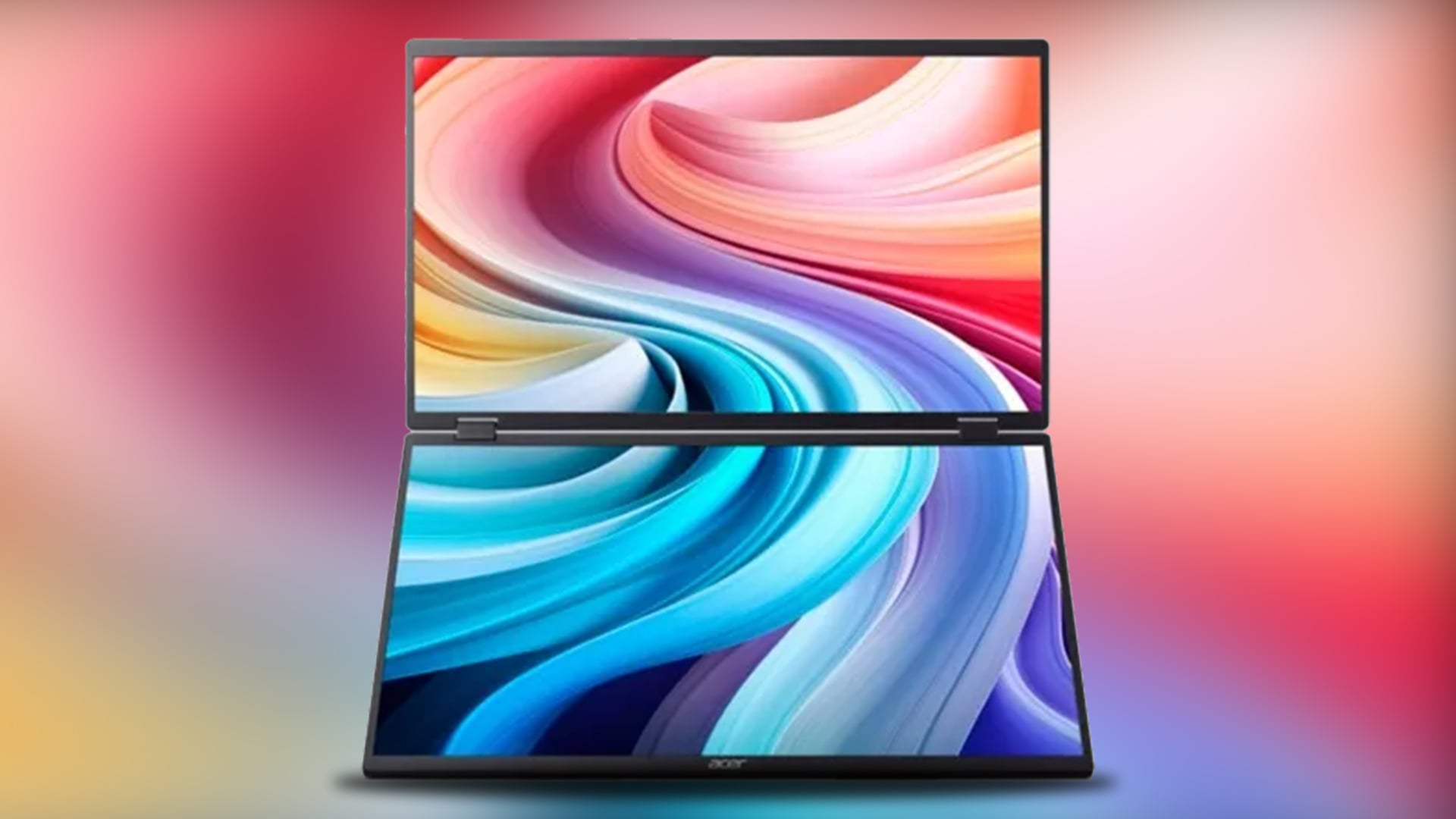
Lenovo ThinkVision M14t 2.2K Touchscreen Portable Monitor (MPN: 63FDUAT6WL)
For those seeking a premium touchscreen companion to boost mobile productivity, the Lenovo ThinkVision M14t stands out as a top portable monitor for 2025. This versatile touchscreen display offers seamless smartphone pairing via USB-C with DisplayPort Alt Mode, making it perfect for flagship Android devices like the Samsung Galaxy S25 and Google Pixel.
Its vibrant 14-inch 2.2K IPS display boasts a 2240 x 1400 resolution, 100% sRGB colour coverage, and 189 PPI, delivering exceptional visuals for professionals, creatives, and streamers on the go. Equipped with dual USB-C ports, the M14t supports extended or mirrored display setups, complete with 65W USB Power Delivery pass-through charging to keep your smartphone powered. It seamlessly supports Samsung DeX, providing a full desktop-style experience without extra dongles.
Weighing just 700g with a 4.6mm slim profile, it slips effortlessly into any bag, fantastic for commuting, travel, or remote work. Additionally, the 10-point capacitive touchscreen enables intuitive control, perfect for sketching, annotating, or app navigation directly from your phone. Furthermore, its TUV Eyesafe certification and Natural Low Blue Light ensure extended viewing comfort for content lovers.
The Lenovo ThinkVision M14t delivers unmatched portability, connectivity, and touchscreen functionality, solidifying its position as a leading portable monitor for smartphone users. It makes elevating your mobile setup powerful, simple, and highly efficient.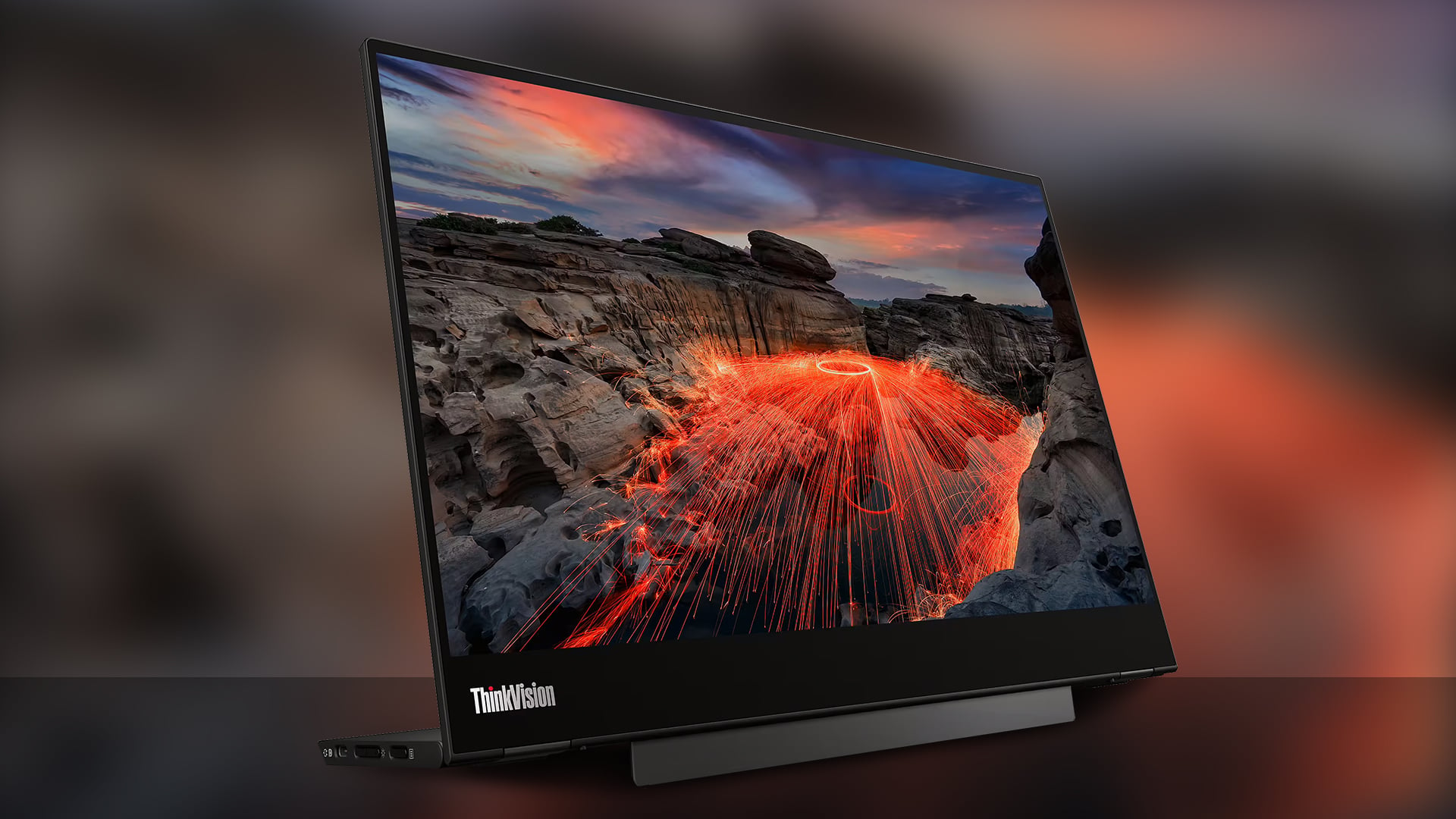
ASUS ZenScreen MB16QHG WQXGA Portable Monitor (MPN: MB16QHG)
The ASUS ZenScreen MB16QHG genuinely redefines portable productivity, establishing itself as a top contender for mobile professionals and commuters. This sleek, high-performance USB-C monitor boasts a striking 16-inch WQXGA IPS display, complete with a smooth 120Hz refresh rate and DisplayHDR 400 for exceptional clarity and vibrant colours.
Connecting this ultra-slim, lightweight monitor is effortless thanks to USB-C DisplayPort Alt Mode, ensuring perfect compatibility with flagship Android devices such as the Samsung Galaxy S25 and Google Pixel. Additionally, its dual USB-C ports facilitate simultaneous charging and display, or even daisy-chaining with other peripherals.
The MB16QHG truly transforms your mobile device into a versatile workstation. It’s ideal for demanding tasks like multitasking, sketching, or experiencing HDR streaming on the move. Beyond productivity, it delivers cinematic visuals with 100% DCI-P3 colour and 500-nit brightness, alongside a swift 5ms response time, making it one of the best streaming accessories and a fantastic option for low-lag mobile gaming.
The ASUS ZenScreen MB16QHG combines both practicality with premium performance to deliver one-of-a-kind user experience. Its flexible L-shaped kickstand supports both portrait and landscape orientations, remarkable for multitasking on the move. Eye comfort is prioritised with integrated Flicker-Free and Low Blue Light technologies, making it incredible for extended use. An additional HDMI port enhances connectivity, allowing seamless pairing with a variety of devices. Whether you're working remotely, gaming, or streaming content, the MB16QHG is a superb companion for mobile-first productivity.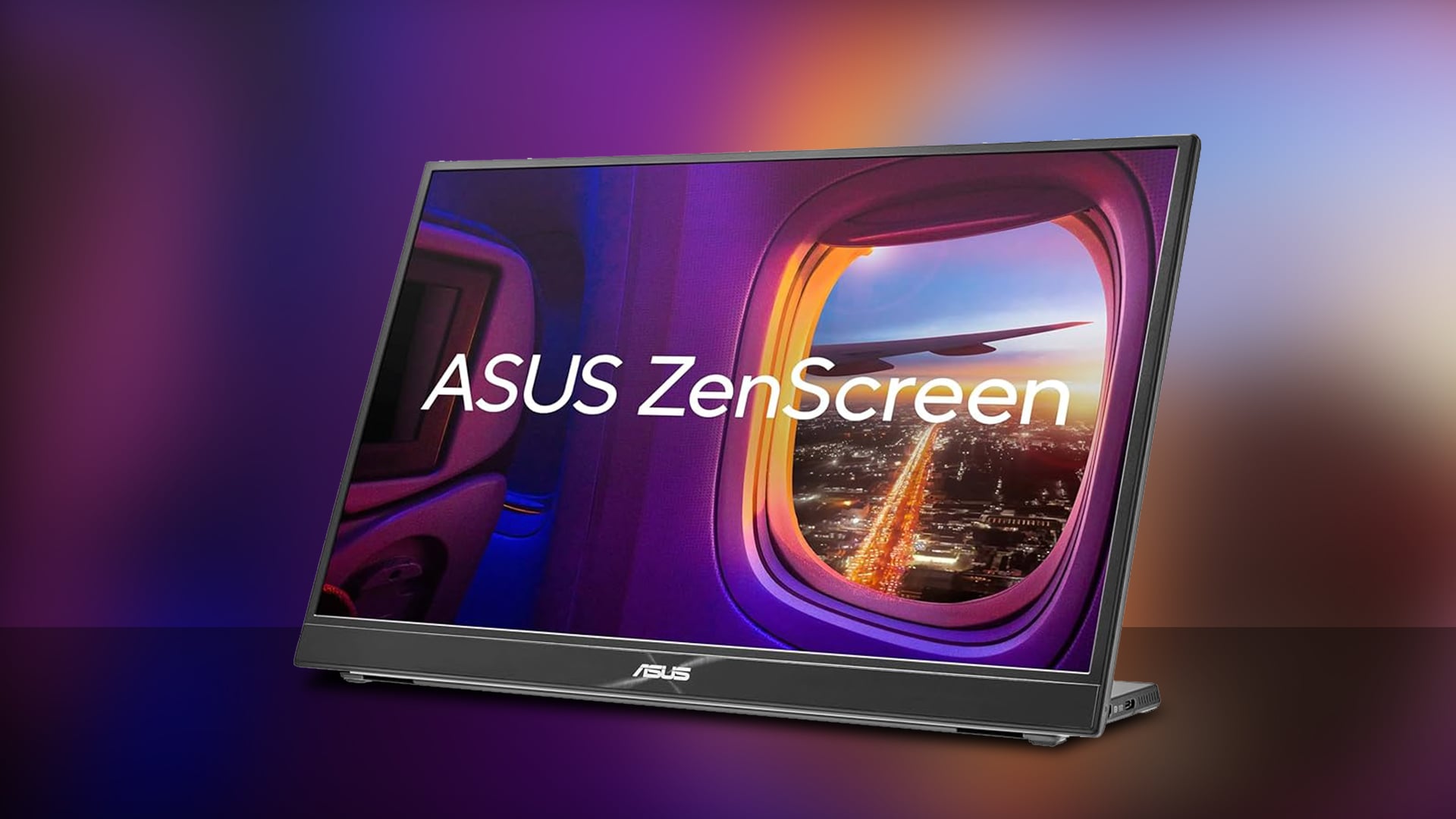
ViewSonic VP16-OLED 15.6" Full HD OLED Portable Monitor (MPN: VP16-OLED)
The ViewSonic VP16-OLED truly redefines portable productivity. It delivers stunning OLED visuals and pro-level colour accuracy, making it a standout choice for creators and mobile professionals alike. Designed for seamless USB-C smartphone pairing with devices like the Samsung Galaxy S25 and other compatible phones, this 15.6-inch Full HD display offers effortless plug-and-play functionality via its dual USB-C ports with DisplayPort Alt Mode. Crucially, its 40W USB-C power delivery keeps your phone charged, which is perfect for extended sessions on the go.
This portable monitor's OLED panel provides unparalleled deep contrast, true blacks, and 1.07 billion Pantone-validated colours, establishing it as a top contender for creative tasks. With a rapid 1ms response time and 60Hz refresh rate, it's also excellent for casual gaming, video editing, or high-resolution streaming, significantly enhancing any content consumption. Moreover, mobile professionals can easily review documents or deliver presentations directly from their phones, whilst commuters will appreciate the brilliant visuals, further complemented by an anti-reflection hood, foldable stand, and integrated speakers.
Lightweight and travel-ready, the ViewSonic VP16-OLED seamlessly combines style, function, and professional reliability. Featuring additional Micro HDMI input and low blue light technology for eye comfort, this portable monitor delivers a premium mobile experience, clearly asserting its place among the best portable monitors.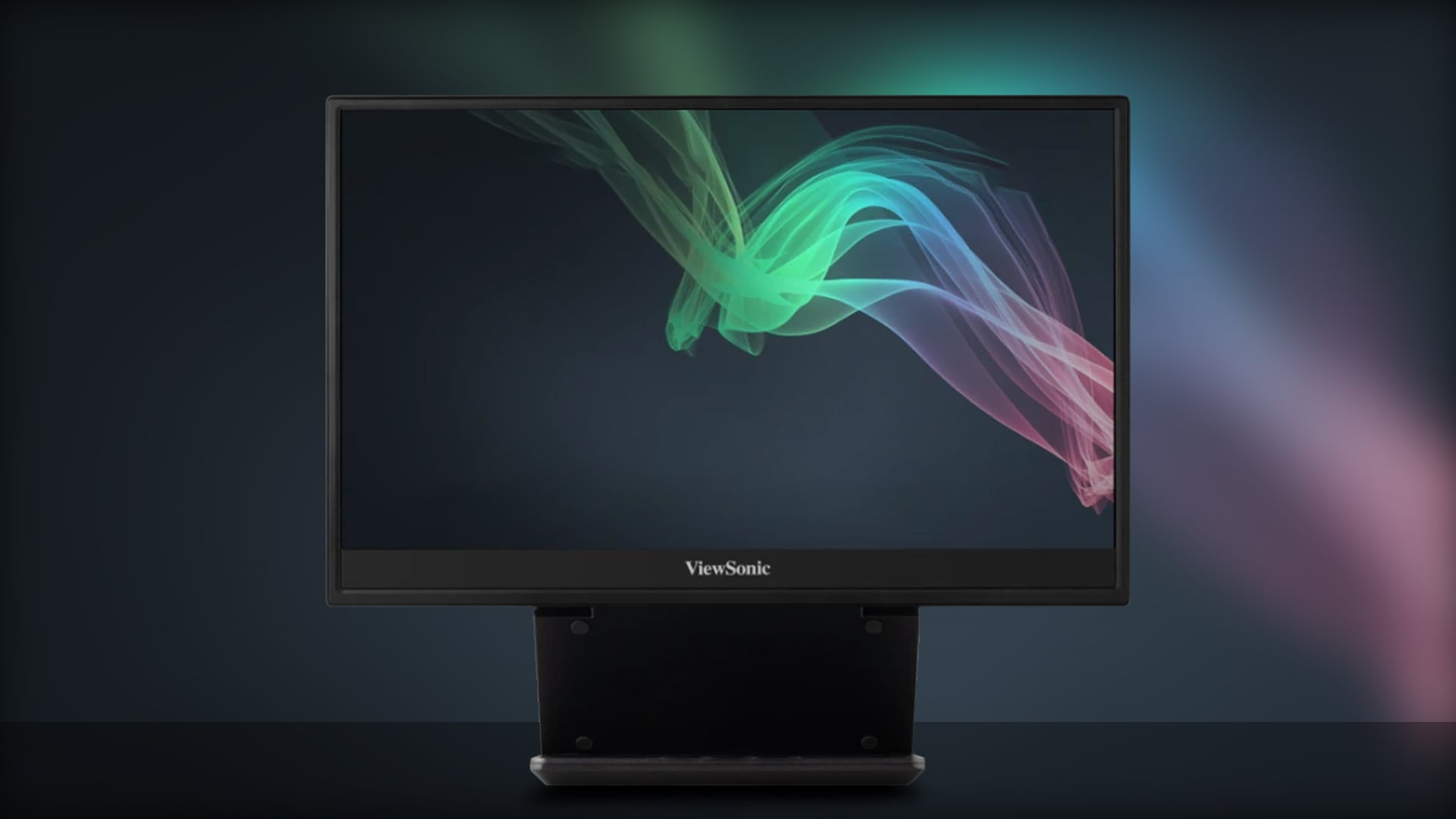
In addition to the models featured above, you’ll find a wide selection of compatible USB-C portable monitors at Box.co.uk. Explore more options from ASUS, along with other top contenders from trusted brands like Dell, all designed to help you get the most out of your smartphone.
Enjoy fast UK delivery, including free standard shipping on qualifying orders, expert customer support, secure checkout, and flexible payment options, including PayPal Pay in 3.
Whether you're looking to boost productivity on the move or turn your phone into a personal cinema, browse our full collection today and discover the ultimate portable monitor to transform your mobile experience.
Conclusion
In 2025, portable monitors are proving to be more than just secondary screens, they’re compact powerhouses that elevate productivity, media, and mobile workspaces. Whether you’re a commuter, student, creative, or remote worker, pairing a USB-C monitor with your smartphone offers the best mobile experience possible, combining versatility, portability, and high-performance visuals. From mirroring your phone’s display to unlocking full desktop environments via Samsung DeX, the setup is simple, streamlined, and impressively powerful.
Though many portable monitors support smartphone pairing, models like the Acer PD193QE Dual, Lenovo ThinkVision M14t, ASUS ZenScreen MB16QHG, and ViewSonic VP16-OLED stand out for their specialised features, such as touchscreen controls, 120Hz refresh rates, OLED colour precision, and flexible stands, making them ideal for everything from streaming to spreadsheets.
Additionally, with most supporting DisplayPort Alt Mode, plug-and-play connectivity, and power pass-through, these portable screens are perfectly suited for transforming your smartphone into a full-fledged workstation or portable cinema. Depending on your priorities, be it colour accuracy, on-the-go entertainment, or seamless multitasking, there’s a right match to suit your needs.
Tired of limited screen space on the go? Take your smartphone setup to the next level—browse our full selection of USB-C portable monitors and the best streaming accessories to unlock your mobile potential with the best portable monitor for your lifestyle.
You can pay with:
*PayPal Credit Representative Example: Assumed credit limit £1,200, Representative 23.9% APR (variable). Purchase rate 23.9% p.a (variable).Terms & Conditions apply.


PayPal Credit and PayPal Pay in 3 are trading names of PayPal UK Ltd, 5 Fleet Place, London, United Kingdom, EC4M 7RD. Terms and conditions apply. Credit subject to status, UK residents only, Five Tech LTD acts as a broker and offers finance from a restricted range of finance providers. PayPal Pay in 3 is not regulated by the Financial Conduct Authority. Pay in 3 eligibility is subject to status and approval. 18+. UK residents only. Pay in 3 is a form of credit. Check if affordable and how you will repay. May make other borrowing more difficult or expensive. See product terms for more details.
Copyright © 1996-2026 Fivetech LTD | Terms and Conditions
box.co.uk & Box are trading names of Five Tech Limited. Registered office: Box LTD, Unit 10 Woodford Trading Estate, Woodford Green IG8 8HF