


 Menu
MenuMenu


Get Sales Advice from Mon - Fri 9am - 5:00pm:
020 3337 8950LAST UPDATED: May 14, 2026
How Motherboard VRM Affects Gaming Performance and Stability
Most gaming PC builders focus on the graphics card, processor and RAM first, but the motherboard’s VRM can quietly affect how stable the system feels under pressure. This is where motherboard VRM gaming performance matters, especially in builds with powerful CPUs, long gaming sessions or games that keep the processor working hard.
It is the part of the board that controls power before it reaches the CPU; that’s the motherboard VRM explained in simple terms. Short for voltage regulator module, VRM works as part of the CPU power delivery system, helping turn incoming power into a cleaner and more stable supply for the processor.
A good VRM will not magically add FPS on its own, but it can help the CPU hold boost speeds more consistently, avoid unnecessary throttling and keep the gaming PC stable when the load increases.
What Is VRM on a Motherboard?
To understand motherboard VRM gaming performance, start with the basics. The VRM is the part of the motherboard that prepares power for the CPU, so the processor gets clean, controlled voltage instead of raw power straight from the PSU.
VRM Explained in Simple Terms
Its job is to take the 12V power coming from the PSU and step it down into the much lower voltage that the CPU uses. Modern CPUs can change power demand very quickly, so the VRM has to keep that supply steady as the workload changes.
In normal language, it works like a power filter and controller. A good VRM helps deliver a stable voltage supply, while a weak one can struggle when the CPU is under heavy gaming, streaming or productivity load.
How VRM Powers the CPU
The CPU does not simply pull power directly from the PSU. In a VRM PC setup, the motherboard sits between the processor and the main power source, controlling how that power is delivered.
A VRM uses components such as MOSFETs and chokes to switch, smooth and regulate power before it reaches the processor. Better designs also help with voltage ripple control, which means the CPU receives cleaner power instead of unstable spikes and dips.
Why It Matters for Gaming
Gaming loads are not always smooth. One moment, the CPU may be handling background tasks, physics, AI, open-world streaming or high frame-rate gameplay, and the next it may need to boost harder. This is why it is important to have a stable VRM CPU performance.
A stronger VRM will not turn a mid-range CPU into a flagship chip, but it can help the processor behave more consistently under load. For a serious gaming PC, a stable power delivery mobo with good VRM can support smoother boost behaviour, fewer stability issues and better confidence during long gaming sessions.
How VRM Affects Gaming Performance
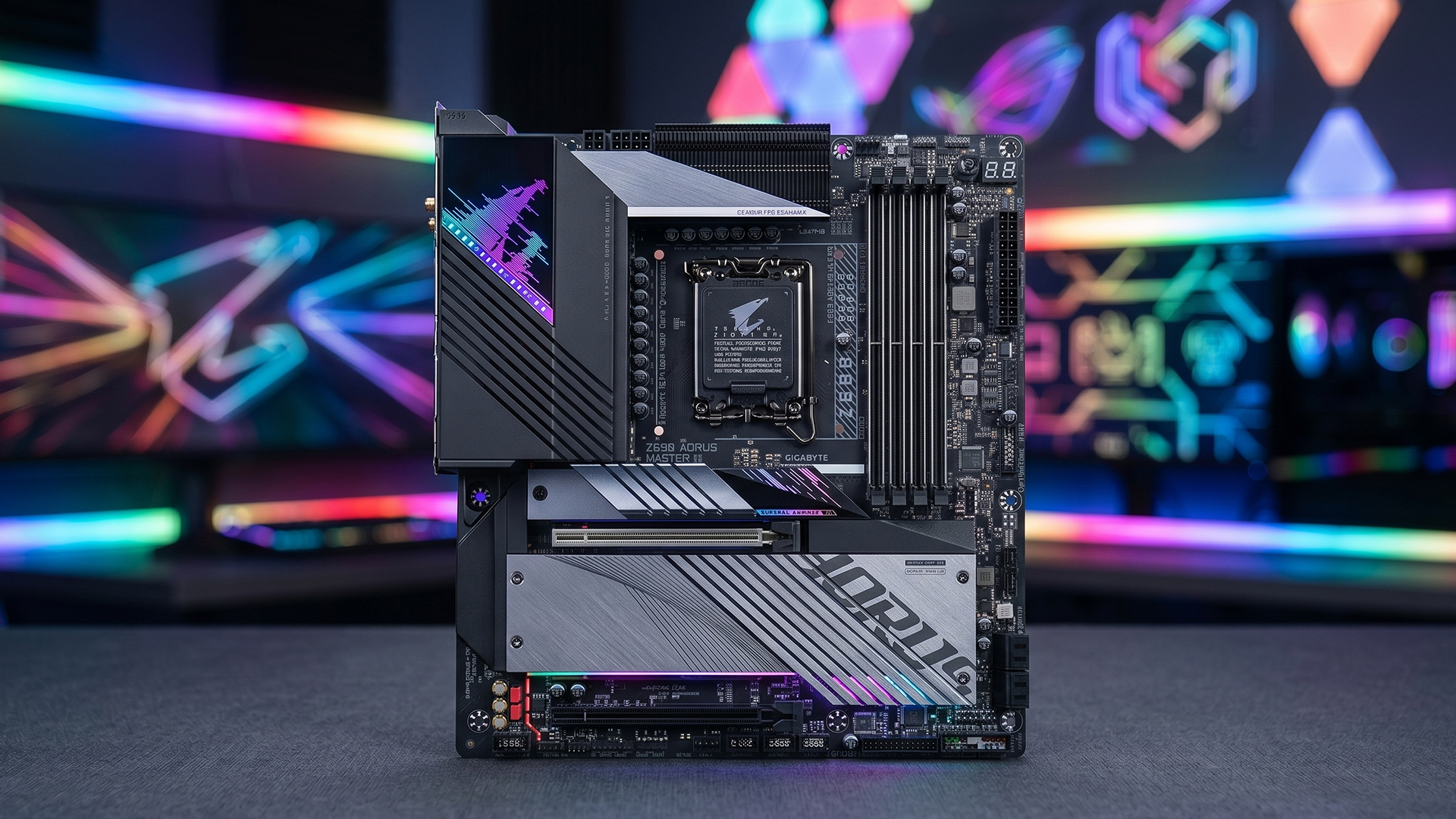
VRM does not work like a graphics card or processor upgrade. It will not suddenly turn a slow system into a fast one. Its real job is to help the CPU stay stable, especially when games create changing loads, boost spikes and long periods of high-power demand.
Stable Power Delivery and FPS Consistency
Good VRM power delivery in gaming helps the CPU receive cleaner power when the system is under pressure. This matters most in CPU-heavy games, open-world titles, high-refresh gaming and situations where the processor has to react quickly to changing workloads.
The gaming impact of VRM quality is usually seen in consistency rather than huge FPS gains. A stronger VRM can help reduce instability, sudden dips and rough frame pacing when the CPU is working hard, which improves system stability under load. This is one reason high-performance gaming motherboards are often built with stronger power delivery and better cooling around the CPU socket.
CPU Boost Behaviour in Games
Modern CPUs boost dynamically, but they can only hold higher clock speeds when power, temperature and current conditions allow it. Most CPUs can run above their rated frequency only while they remain within power, temperature and current limits.
That is where VRM CPU performance becomes important. A weak or hot VRM can limit how confidently the CPU boosts during heavier gameplay, while a stronger design can support more sustained CPU boost and smoother load-based power scaling.
Frame Stability vs Raw FPS
The performance impact of a VRM is not about chasing the highest benchmark number. It is more about keeping the system steady when the CPU is already under pressure from the game, background tasks, streaming or recording.
So, VRM performance in a gaming motherboard matters most when you care about smoothness, not just peak FPS. A better VRM will not fix a weak CPU, but poor power delivery can make a strong CPU feel less consistent than it should. That is why VRM stability in gaming becomes more important as the CPU, GPU and workload get more demanding.
VRM and Thermal Performance
VRM thermals matter because power regulation creates heat, especially when the CPU is under sustained load. In gaming, that heat usually becomes more important during long sessions, high-refresh gameplay, streaming, or when a powerful CPU is paired with a weaker board.
Why VRMs Heat Up
A motherboard VRM is constantly converting and regulating power for the CPU, and that process is not perfectly efficient. The harder the processor works, the more current the VRM has to handle, which means more heat around the socket area.
Good motherboard VRM cooling helps move that heat away from the power stages before it becomes a problem. Better heatsinks, airflow around the CPU socket, and a stronger heat dissipation design all improve VRM cooling efficiency, especially in gaming PCs that stay under load for hours. Hot MOSFETs can also become less efficient, which adds more heat and can make the problem worse over time.
Thermal Throttling Explained
VRM overheating during gaming can lead to throttling if the motherboard reduces CPU power to protect itself. This is different from the CPU simply getting hot. In some cases, the processor temperature may look fine, but the power delivery area is the part struggling.
That is where thermal throttling behaviour becomes important. If the VRM cannot stay cool enough, the CPU may drop clocks or boost less aggressively, which can affect smoothness and responsiveness. This is also why VRM stability in gaming matters more in demanding builds than many people realise.
Impact on Long Gaming Sessions
The performance impact of VRM heat usually shows up over time rather than in the first few minutes of a game. A short benchmark might look fine, but a two-hour gaming session can expose weak cooling, poor airflow, or a board that is being pushed too hard for the CPU installed.
For motherboard VRM gaming performance, case size also matters. Full-size ATX boards with better VRM cooling often have more room for larger heatsinks and airflow, while compact builds with VRM limits need more careful planning because smaller boards and tighter cases can trap heat around the CPU socket.
VRM and Overclocking Performance
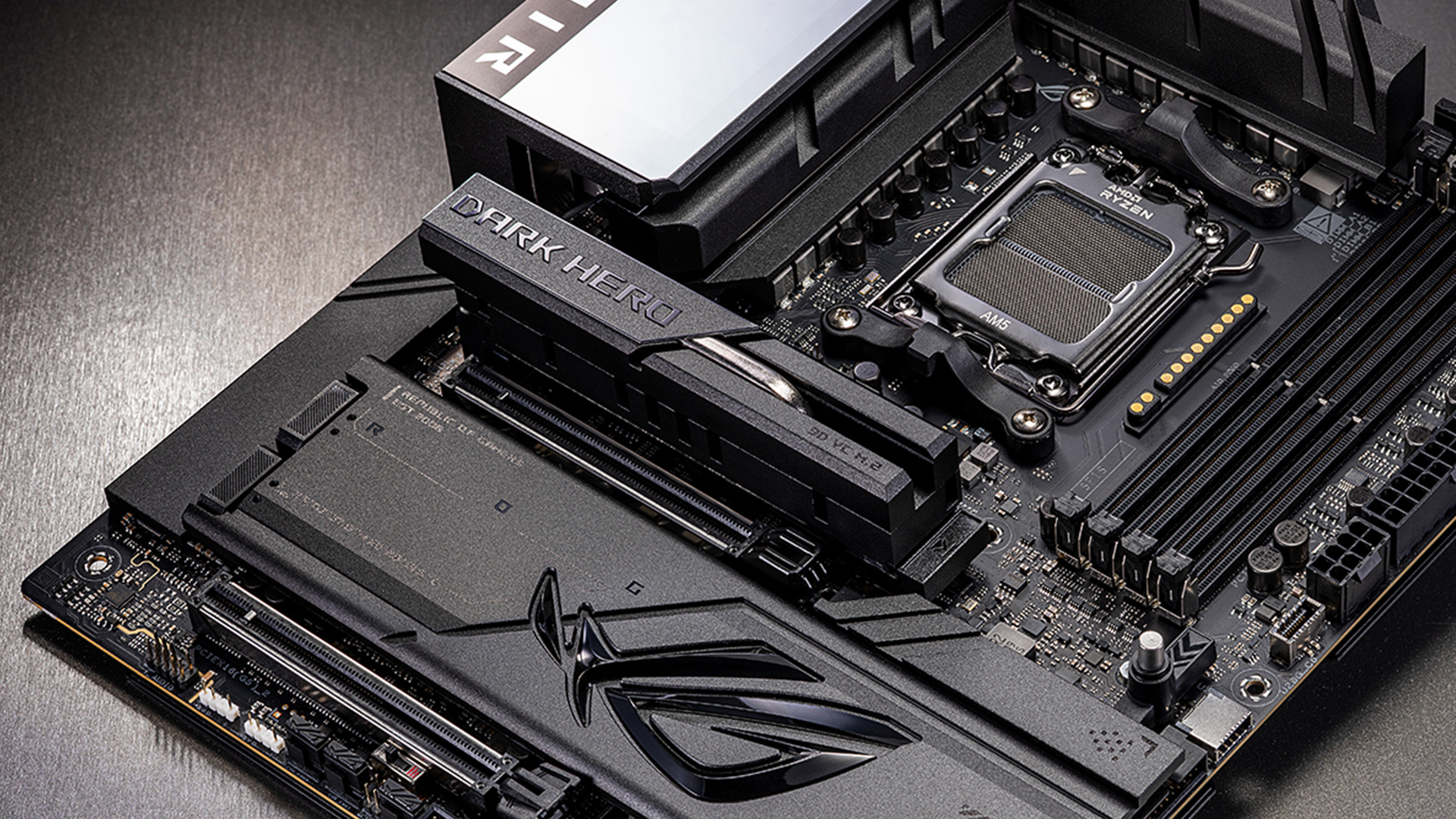
Overclocking puts more pressure on the motherboard because the CPU needs cleaner power, stronger cooling and steadier voltage control. This is where VRM quality starts to matter far more than it would in a basic gaming build.
Power Phases Explained
A VRM on the motherboard is usually split into power phases. These phases share the electrical load going to the CPU, which can help reduce heat and improve stability when the processor is working harder. The power phase design matters because more phases can spread the load, but phase quality, power stage rating, controller design and heatsink size are just as important as the number printed on the spec sheet.
This is why VRM quality on a motherboard should not be judged by phase count alone. A well-built 12-phase design can be better than a cheaper board advertising a bigger number but using weaker components or poor cooling.
Why Better VRMs Matter for High-End CPUs
High-end CPUs can pull more power when boosting, rendering, streaming or running demanding games. Better VRM power delivery for gaming helps the processor stay stable when those loads change quickly, especially if you are using a powerful chip with high boost behaviour.
This is also where VRM and CPU performance become linked. The VRM does not make the CPU faster by itself, but it helps create the conditions where the processor can run properly under load. If you are comparing stable AMD motherboards or Intel motherboards for a PC, the VRM design should be part of the decision, not just the chipset or RGB features.
Stability During Overclocking
Overclocking increases power and voltage demands, so weak VRMs can run hotter, deliver less consistent power or limit how far the system can be pushed. Some boards use doubled or parallel phase layouts, so it is worth checking real VRM reviews rather than relying only on marketing numbers.
For serious tuning, VRM stability in gaming matters because instability is not always dramatic. It can show up as crashes, stutter, failed stress tests or clocks dropping during long sessions. If you are comparing AMD vs Intel motherboards, the rule is the same: stronger VRM cooling and cleaner power delivery give a high-end CPU more room to stay stable.
Do Gamers Actually Need High-End VRM?
Not every gaming PC needs an expensive motherboard with a huge VRM setup. The right level depends on the CPU you use, how long you game for, whether you stream or overclock, and how much heat your case can move away from the socket area.
Casual Gaming Builds
For a casual gaming PC, a high-end VRM is usually not essential. If you are using a lower-power processor, playing lighter games, and not overclocking, a reliable entry-level or mid-range board with basic heatsinks can be enough.
The gaming impact of VRM quality becomes smaller in this kind of setup because the CPU is not constantly pulling heavy power. You still want a decent board, but you do not need to pay for extreme power stages just to play casual titles or esports games at sensible settings.
Mid-Range Gaming Systems
Mid-range builds are where motherboard VRM cooling starts to matter more. A stronger CPU, a higher refresh rate target, background apps, and longer play sessions can all keep the processor under more regular load.
This is where the performance impact of VRM design is more about consistency than headline FPS. You are looking for a board that can keep power delivery steady, control heat around the socket, and avoid performance dips after the system has been running for a while. Reviews and board testing often show that VRM temperature and heatsink design become more important as CPU load rises.
High-End CPUs and RTX Builds
For high-end gaming, streaming, editing, or RTX-heavy builds, motherboard VRM gaming performance becomes much more important. Powerful CPUs can draw a lot of power during boost behaviour. For example, some flagship desktop chips sit around 170W default TDP, while others can reach 253W in turbo power states, so the motherboard has to handle far more than a basic office-style workload.
So, VRM power delivery for gaming should be part of the buying decision. If the CPU is expensive, power-hungry, or likely to be pushed for long sessions, it makes sense to choose a board with stronger heatsinks, better phase design, and a build quality that matches the processor. A cheap board may still boot, but it may not be the best match for keeping a high-end gaming system stable under sustained load.
How to Identify a Good VRM
A good VRM is not always obvious from the motherboard name or price. You need to look at cooling, power phase design, component quality and how the board behaves under real CPU load.
Heatsinks and Cooling
The first thing to check is the cooling around the CPU socket. A board with proper heatsinks over the power stages is usually a better choice for gaming than one with bare or lightly covered VRMs, especially if you are pairing it with a higher-power CPU.
Good motherboard VRM cooling is not just about having metal on the board. The heatsinks need enough surface area, decent contact, and airflow from the case or CPU cooler. Poor airflow may overheat the VRM in games during long sessions, particularly in compact cases or builds using liquid coolers with less air moving around the socket. Consistently high VRM temperatures can also affect component lifespan over time.
Power Phase Design
Do not judge the board by phase count alone. More phases can help spread current and heat, but the quality of the power stages, filtering, controller design and cooling are just as important.
That is why VRM quality on the motherboard should be checked through the full design, not just a big number on the spec sheet. Some boards use doublers or marketing-friendly phase counts, so real reviews and teardown-style analysis can be more useful than the headline figure. More phases can distribute heat better, but component quality and cooling matter more than the advertised count alone.
Real-World Indicators
A good motherboard VRM is usually easy to spot when the board is matched properly to the CPU class. Look for clear CPU support, decent VRM heatsinks, sensible case airflow, real-world temperature testing, and a board tier that suits the processor you are using.
For a VRM in a PC build, also think beyond the CPU socket. A board with good VRM design, enough M.2 cooling, strong expansion options and clear layout choices is usually easier to build around. If you are comparing board features, our PCI Express slot differences guide can also help you understand how expansion slots affect GPUs, SSDs and future upgrades.
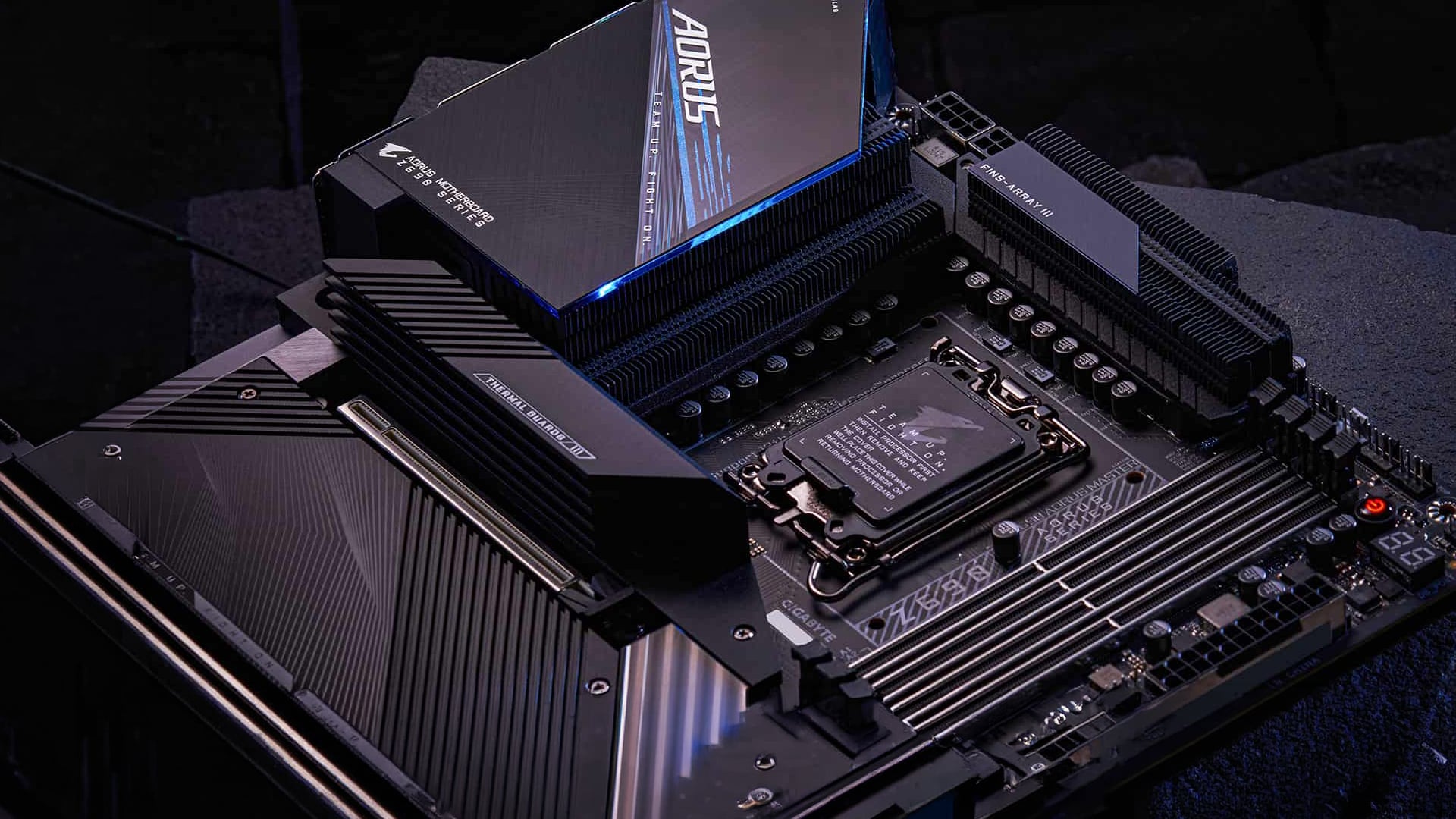
Final Verdict: Does VRM Really Matter for Gaming?
Yes, VRM matters for gaming, but mainly for stability rather than instant FPS gains. A good motherboard VRM gaming performance helps the CPU receive cleaner power, hold boost behaviour more consistently, and stay reliable when the system is under load.
For casual builds, a decent mid-range board is usually enough. For high-end CPUs, long gaming sessions, streaming, or overclocking, VRM stability in gaming becomes far more important because weak power delivery can lead to heat, throttling, crashes or uneven performance. Poor VRM design is often linked with overheating and throttling under sustained load, while stronger electrical design and cooling help the system stay stable.
In short, the performance impact of VRM is not about making every game faster. It is about helping your gaming PC perform consistently, especially when the CPU is powerful and the workload is heavy.
Frequently Asked Questions
What does the motherboard VRM do?
A motherboard VRM controls and regulates power before it reaches the CPU. It converts power from the PSU into the lower, stable voltage the processor needs to run properly.
Is a higher VRM always better?
Not always. More phases can help spread heat and current, but component quality, cooling and the overall design matter more than the number alone.
How much VRM is good for a motherboard?
For a basic gaming PC, a decent mid-range board is usually enough. For high-end CPUs, overclocking or long heavy workloads, a stronger VRM design and better heatsinks are worth paying attention to.
Does VRM affect gaming performance?
Yes, but mostly through stability and consistency rather than direct FPS gains. A weak VRM can limit CPU boost behaviour or cause throttling under heavy load.
Can a bad VRM cause FPS drops?
Yes. If the VRM overheats or cannot deliver stable power, the CPU may reduce performance to stay safe, which can lead to stutter, dips or inconsistent gameplay.
You can pay with:
*PayPal Credit Representative Example: Assumed credit limit £1,200, Representative 23.9% APR (variable). Purchase rate 23.9% p.a (variable).Terms & Conditions apply.


PayPal Credit and PayPal Pay in 3 are trading names of PayPal UK Ltd, 5 Fleet Place, London, United Kingdom, EC4M 7RD. Terms and conditions apply. Credit subject to status, UK residents only, Five Tech LTD acts as a broker and offers finance from a restricted range of finance providers. PayPal Pay in 3 is not regulated by the Financial Conduct Authority. Pay in 3 eligibility is subject to status and approval. 18+. UK residents only. Pay in 3 is a form of credit. Check if affordable and how you will repay. May make other borrowing more difficult or expensive. See product terms for more details.
Copyright © 1996-2026 Fivetech LTD | Terms and Conditions
box.co.uk & Box are trading names of Five Tech Limited. Registered office: Box LTD, Unit 10 Woodford Trading Estate, Woodford Green IG8 8HF