


 Menu
MenuMenu


Get Sales Advice from Mon - Fri 9am - 5:00pm:
020 3337 8950POSTED: July 13, 2026
Medion AKOYA vs ERAZER: Which Laptop Range Should You Choose?
Choosing between Medion AKOYA vs ERAZER is mainly about how you plan to use your laptop. Both ranges come from Medion, but they are built for different types of users. AKOYA laptops are designed for everyday computing, study, home use, and office work. ERAZER laptops are built for gaming, stronger performance, and more demanding tasks.
If you need a simple, reliable and good-value laptop for browsing, emails, assignments, video calls and documents, a Medion AKOYA laptop is usually the better fit. If you want a Medion ERAZER laptop for gaming, creative software, faster graphics and heavier multitasking, the ERAZER range makes more sense.
This guide explains the difference between the two Medion laptop ranges in simple terms, including performance, design, gaming, study, portability, price, and long-term value. It will also help you decide whether an AKOYA laptop, ERAZER laptop, Medion i7 laptop or ERAZER gaming notebook is right for your needs.
To compare current options, browse the Medion laptops range and explore Medion gaming laptops at Box.co.uk.
Quick Answer: Medion AKOYA vs ERAZER
The quick answer is simple: choose Medion AKOYA for everyday laptop use and choose Medion ERAZER for gaming and performance.
A Medion AKOYA notebook is better for students, home users, office workers, and anyone who needs a practical laptop for normal daily tasks. An ERAZER gaming notebook is better for gamers, creators and users who need stronger graphics performance.
| Buyer Type | Better Choice | Why |
|---|---|---|
| Everyday home user | Medion AKOYA | Better for browsing, emails, shopping, streaming and general use |
| Student or college user | Medion AKOYA | Usually better value for documents, research, assignments and video calls |
| Home office worker | Medion AKOYA | Good for productivity apps, spreadsheets, meetings and multitasking |
| Casual gamer | Medion ERAZER | Better if you want dedicated graphics and smoother gameplay |
| Serious gamer | Medion ERAZER | Built for gaming performance, cooling and higher-end hardware |
| Creative user | Medion ERAZER | Better for video editing, design, 3D work and GPU-heavy apps |
| Budget-focused buyer | Medion AKOYA | Usually the more affordable choice |
| Performance-focused buyer | Medion ERAZER | Better for users who need more power |
For most people, AKOYA is the sensible everyday option. For gaming, content creation, and high-performance workloads, ERAZER is the stronger choice.
Who Should Choose a Medion AKOYA Notebook?
Choose a Medion AKOYA notebook if your laptop needs are practical rather than gaming-focused. It is ideal if you want a device that can handle schoolwork, university notes, spreadsheets, presentations, emails, and everyday browsing without paying extra for gaming hardware.
An AKOYA laptop is especially useful for:
- Students
- Families
- Home workers
- Office users
- Light business users
- Everyday laptop buyers
- Users upgrading from an old basic laptop
If you want a laptop AKOYA model for study, portability and general use, focus on RAM, SSD storage, screen size and battery life before looking at gaming features.
What Is the Medion ERAZER Laptop Range?

The Medion ERAZER laptop range is built for gaming and performance. ERAZER models usually include stronger processors, dedicated graphics cards, more advanced cooling and gaming-focused displays.
An ERAZER laptop is a good fit for:
- PC gaming
- Esports
- AAA games
- Streaming
- Video editing
- 3D software
- Creative workloads
- Heavier multitasking
- Performance-focused computing
Compared with AKOYA, ERAZER laptops are designed to handle more demanding tasks. They are also likely to be larger, heavier and more powerful because gaming hardware needs more cooling and stronger components.
Who Should Choose an ERAZER Gaming Notebook?
Choose an ERAZER gaming notebook if gaming performance matters. A standard everyday laptop may run basic games, but it will not deliver the same experience as a dedicated gaming laptop.
An ERAZER laptop is better if you want:
- Dedicated graphics
- Higher frame rates
- Faster refresh rate displays
- Better gaming performance
- Stronger cooling
- More powerful processors
- More RAM and storage options
- A laptop that can handle demanding games
If you are looking at Medion gaming laptops, the ERAZER range is the one to focus on.
Medion AKOYA vs ERAZER Comparison Table
| Feature | Medion AKOYA | Medion ERAZER |
|---|---|---|
| Main purpose | Everyday computing, work, study and home use | Gaming, performance and creative workloads |
| Best for | Students, families, office users and general buyers | Gamers, creators and power users |
| Performance level | Good for everyday tasks | Stronger for demanding apps and gaming |
| Graphics | Usually integrated graphics on many models | Dedicated graphics on gaming models |
| Portability | Usually slimmer and easier to carry | Often larger and heavier due to gaming hardware |
| Battery life focus | Better suited to mobile everyday use | More performance-focused, so battery life can vary |
| Design style | Simple, practical and professional | More gaming-focused and performance-led |
| Price expectation | Usually more affordable | Usually more expensive due to stronger specs |
| Best buyer | Someone who needs a practical laptop | Someone who needs a gaming or high-performance laptop |
| Overall choice | Best for everyday value | Best for gaming power |
This is the simplest way to understand the difference. AKOYA is for everyday practicality. ERAZER is for performance.
Medion AKOYA for Work, Study and Everyday Computing
A Medion AKOYA laptop is a strong choice if your main tasks are work, study and everyday use. It gives you the core laptop features most people need without the extra cost of gaming hardware.
Everyday Computing
For everyday computing, an AKOYA laptop can handle web browsing, emails, streaming, video calls, shopping, banking and social media. These are not tasks that need a dedicated graphics card, so a mainstream laptop is usually enough.
If your current laptop feels slow because it has an old hard drive, low RAM or an outdated processor, moving to an AKOYA model with an SSD and enough memory can feel like a big upgrade.
School and College Use
For students, AKOYA laptops are usually a sensible choice. They are designed for everyday tasks such as research, essay writing, online learning, presentations, and video calls.
Students should look for:
- Lightweight design
- Good battery life
- Comfortable keyboard
- Enough RAM for multitasking
- SSD storage
- A screen size that balances comfort and portability
For study-focused options, browse laptops for school and college.
Home Office Use
For home office use, AKOYA laptops can be a practical fit. They are suitable for Microsoft Office, Google Workspace, email, web conferencing and light business tasks.
If you work with large spreadsheets, multiple browser tabs or regular video calls, choose a model with stronger specs, such as more RAM and a modern processor.
Medion ERAZER for Gaming and Performance
If gaming is your priority, AKOYA is usually not the right range. You should look at Medion ERAZER instead.
Gaming Performance
An ERAZER laptop is built to offer better gaming performance than a standard everyday notebook. It is designed for users who want smoother frame rates, better graphics settings, and stronger performance in modern games.
Gaming laptops usually include:
- Dedicated NVIDIA GeForce graphics
- Faster processors
- Higher refresh rate displays
- Larger cooling systems
- More RAM
- Bigger SSD storage
- Gaming-focused keyboards and ports
This makes ERAZER better for users who want to play PC games properly rather than just run basic casual titles.
Creative and Demanding Workloads
ERAZER laptops are also useful beyond gaming. A gaming laptop can often work well for video editing, 3D design, animation, photo editing, streaming and software that benefits from GPU power.
If you edit videos, create content or use demanding creative apps, an ERAZER laptop can give you more headroom than a mainstream AKOYA laptop.
Medion ERAZER Beast and High-End Gaming
The Medion ERAZER Beast range is one of the names associated with higher-performance ERAZER gaming laptops. These types of models are aimed at users who want more power for demanding games, higher settings and heavier performance workloads.
A Medion ERAZER Beast-style laptop may suit you if you want a desktop-replacement gaming notebook rather than a lightweight everyday laptop.
Medion AKOYA vs ERAZER for Students
Students do not all need the same type of laptop. A student studying English, business or social sciences will usually need a different laptop from a student studying game design, animation or engineering.
Choose AKOYA for Most Students
For most students, AKOYA is the better choice. It is usually more affordable, easier to carry and better suited to everyday study tasks.
Choose AKOYA if you need lecture notes, essays, research, presentations, online classes, and light multitasking.
This is why AKOYA is often the better option for students who want value for money laptops for everyday learning.
Choose ERAZER for Gaming or Creative Courses
Choose ERAZER if your course involves performance-heavy software or if you want the same laptop for study and gaming.
ERAZER may be better for game design, 3D modelling, video editing, creative media, animation, streaming and content creation.
If you want one laptop for coursework and gaming, ERAZER is more flexible, but it is usually heavier and more expensive.
Medion AKOYA vs ERAZER for Work
For work, the best choice depends on your job. Most office users will be fine with AKOYA. Performance users may need ERAZER.
AKOYA for Office and Business Tasks
AKOYA is usually the better fit for everyday office tasks. It is practical for emails, spreadsheets, reports, presentations, video meetings and general admin.
Choose AKOYA if your work mainly involves:
- Microsoft Office
- Browser-based tools
- Emails
- CRM systems
- Video calls
- Data entry
- Reports
- Presentations
A good AKOYA laptop should feel professional, practical and easy to use.
ERAZER for Demanding Workloads
ERAZER is better if your work needs more performance. This includes creative software, heavy multitasking, development workloads, video editing and design tasks.
Choose ERAZER if you need:
- Dedicated graphics
- More processing power
- Faster performance
- Better cooling
- More RAM
- A laptop that can handle demanding software
For creators and power users, the extra cost of ERAZER can be worth it because it saves time and handles heavier tasks more comfortably.
Medion AKOYA vs ERAZER for Gaming
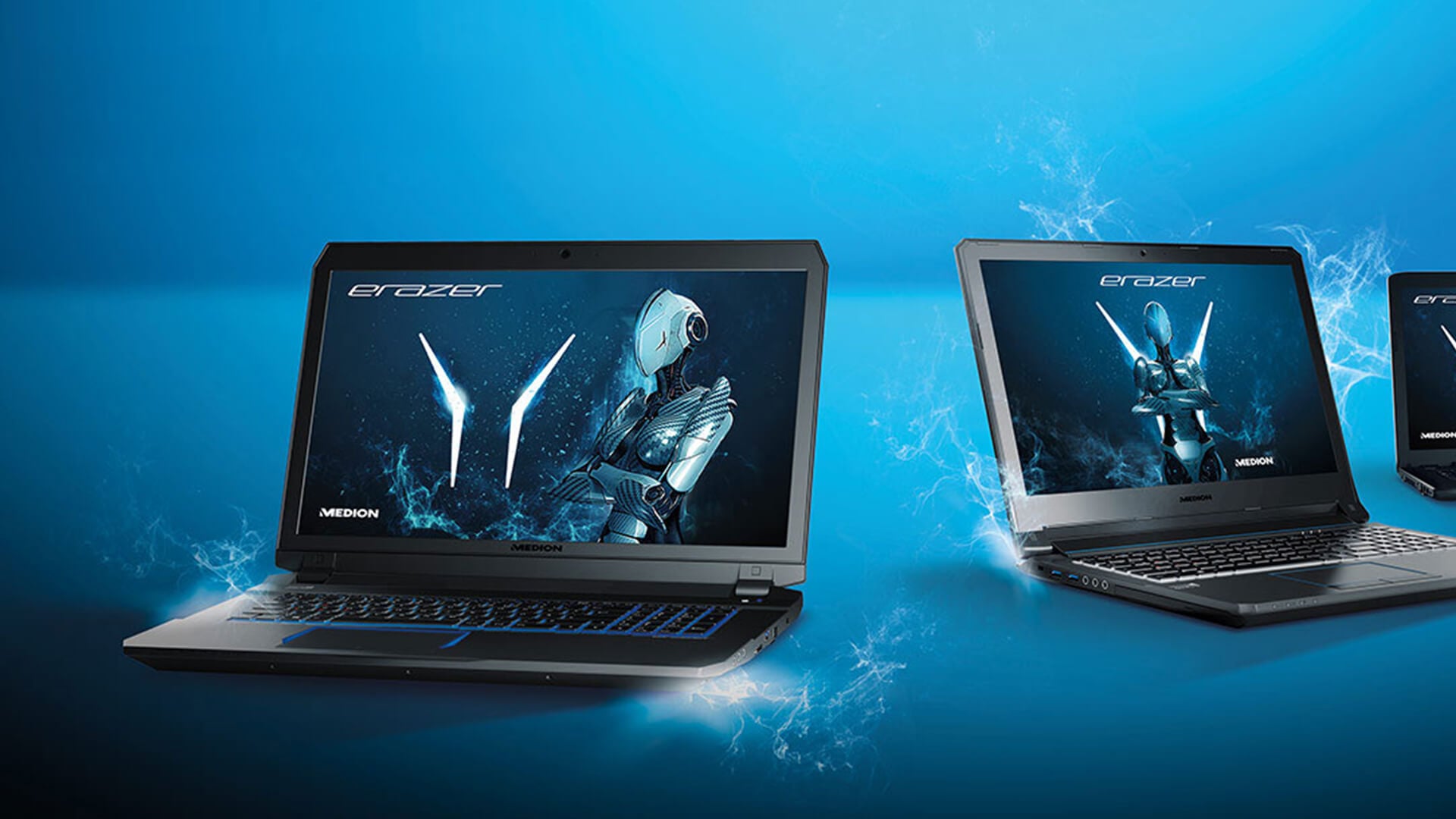
Gaming is the easiest area to compare. ERAZER is the clear winner.
An AKOYA laptop may handle very light games, browser games or older titles, depending on the specification. However, it is not designed as a gaming performance laptop. If you want to play modern PC games, choose ERAZER.
Why ERAZER Is Better for Gaming
ERAZER laptops are better for gaming because they are built with stronger graphics and cooling. Gaming performance depends heavily on the GPU, not just the processor. This is why a mainstream laptop with a good CPU can still struggle in games if it does not have dedicated graphics.
Choose ERAZER if you play:
- Esports games
- Open-world games
- Racing games
- Shooters
- RPGs
- AAA titles
- Games with ray tracing or higher graphics settings
For gaming options, explore Medion gaming laptops.
Medion AKOYA vs ERAZER Design and Portability
Design matters because a laptop should fit your daily routine. The best laptop is not just the most powerful one; it is the one you will actually enjoy using.
AKOYA Design
AKOYA laptops usually focus on practical, everyday design. They are often simpler, lighter and more professional-looking than gaming laptops. This makes them easier to use in classrooms, offices, libraries and home workspaces.
AKOYA is usually better if you want:
- A clean laptop design
- Better portability
- Less weight
- A laptop for meetings or classes
- Everyday battery-focused use
- A practical home or work device
ERAZER Design
ERAZER laptops are more performance-focused. They may be larger, heavier and more aggressive in design because they need space for cooling, graphics hardware and gaming displays.
ERAZER is usually better if you want performance more than portability. It is a laptop you choose because you need power, not because you want the lightest possible notebook.
Medion AKOYA vs ERAZER Performance
Performance depends on the exact model, but the general pattern is clear. AKOYA is for everyday performance. ERAZER is for gaming and power users.
Processor Performance
Both ranges can include capable processors, including Intel Core models. If you are searching for a Medion i7 laptop, you may find i7 options across different types of Medion laptops depending on the range and stock.
For everyday use, a modern Intel Core i5 or similar processor can be enough. For gaming, editing, or heavier multitasking, an Intel Core i7 or stronger processor may be worth considering.
Graphics Performance
Graphics are one of the biggest differences. AKOYA laptops usually focus on integrated graphics for everyday use. ERAZER laptops usually focus on dedicated graphics for gaming and performance.
If you do not play games or use graphics-heavy apps, integrated graphics may be enough. If you want gaming performance, choose ERAZER.
RAM and Storage
For everyday use, 8GB RAM can be acceptable, but 16GB RAM is better for smoother multitasking. For gaming and creative work, 16GB should be considered a stronger starting point, with 32GB useful for heavier users.
For storage, an SSD is important. It helps the laptop start faster, open apps quicker and feel more responsive.
Medion AKOYA vs ERAZER Price and Value
AKOYA is usually the cheaper option, while ERAZER costs more because it includes stronger performance hardware.
Which Is Better Value?
AKOYA is better value if you only need everyday computing. There is no need to pay for gaming graphics if you mainly browse, write documents, and stream videos.
ERAZER is better value if you actually need the extra power. If you play games or use demanding software, an AKOYA laptop may feel limiting, even if it costs less upfront.
When to Spend More on ERAZER
Spending more on ERAZER makes sense if the laptop will replace a desktop PC, run modern games, handle creative work or support heavier multitasking.
A cheaper laptop is not always better value if it cannot do what you need. The right value comes from matching the laptop to the workload.
Medion AKOYA vs ERAZER: Which Should You Buy?
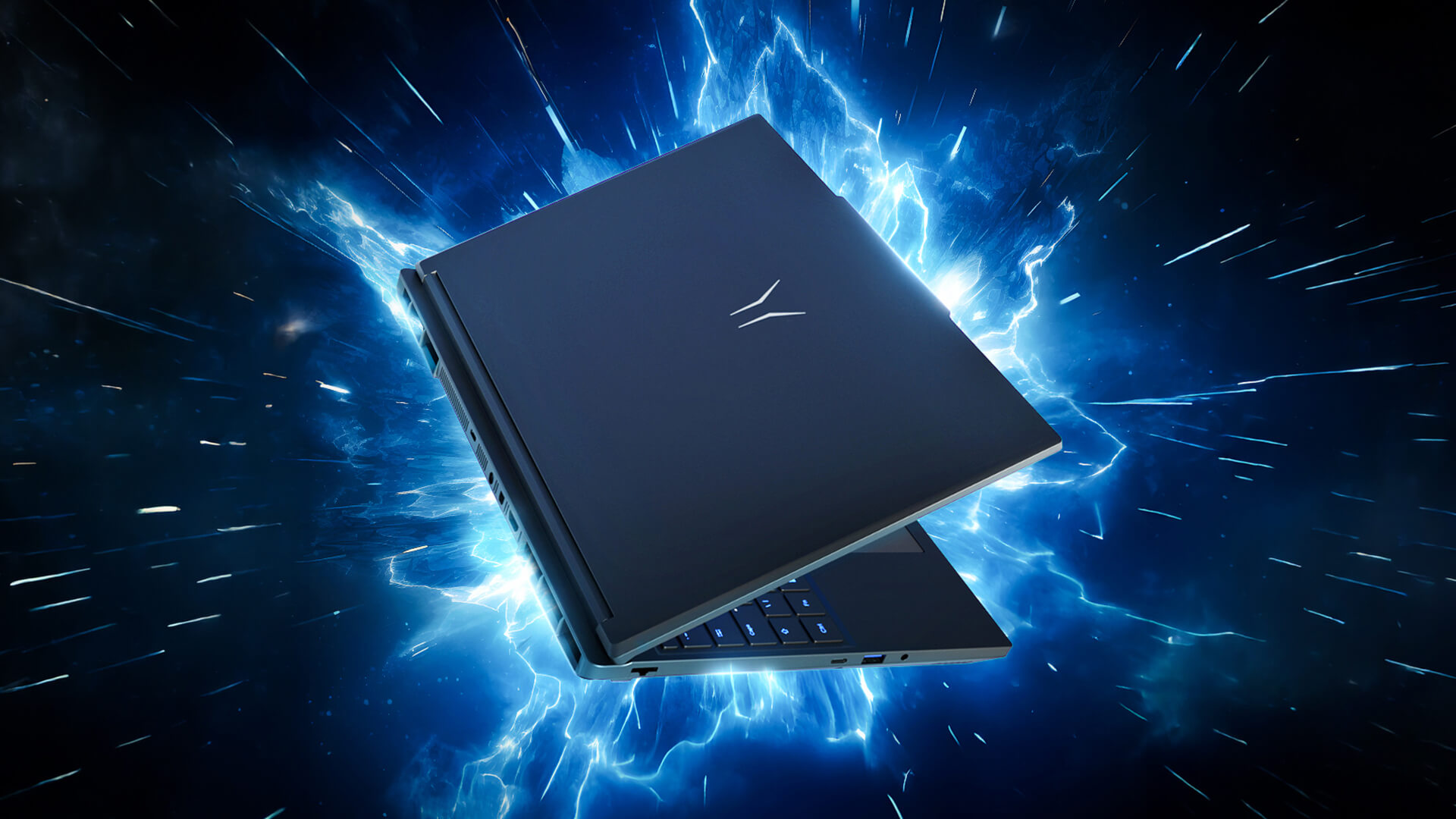
The best choice depends on what you need every day.
Choose Medion AKOYA if you want:
- An everyday laptop
- A student laptop
- A home office laptop
- Better portability
- Lower cost
- Practical performance
- A simple laptop for mainstream use
Choose Medion ERAZER if you want:
- A gaming laptop
- Dedicated graphics
- Stronger performance
- Better cooling
- A high-refresh-rate display
- A laptop for gaming and creative work
- More power for demanding software
If your priority is everyday computing, AKOYA is the better choice. If your priority is gaming performance, ERAZER is the better choice.
Common Mistakes to Avoid When Choosing
Buying ERAZER When You Only Need Everyday Use
If you only need a laptop for browsing, emails and documents, an ERAZER model may be more power than you need. It may cost more, weigh more and use more power than a simple AKOYA laptop.
Buying AKOYA for Gaming
If you want to play modern games, do not choose AKOYA just because it is cheaper. A standard everyday laptop may not have the graphics performance needed for smooth gaming.
Ignoring RAM and Storage
Whether you choose AKOYA or ERAZER, RAM and storage matter. A laptop with too little RAM or storage can feel limited over time.
Choosing by Brand Name Alone
The Medion laptop range includes different models for different users. Always compare the exact processor, RAM, storage, screen size, graphics and ports before buying.
Final Verdict!
Medion AKOYA is the better choice for everyday computing, study, home use and office work. Medion ERAZER is the better choice for gaming, content creation and performance-heavy tasks.
Choose AKOYA if you want a practical, good-value laptop for documents, browsing, video calls and schoolwork. Choose ERAZER if you need dedicated graphics, stronger cooling and more power for demanding software or games.
To compare your options, visit the Medion store hub at Box.co.uk.
FAQs
What is the difference between Medion AKOYA and ERAZER?
The main difference is purpose. Medion AKOYA laptops are designed for everyday computing, work, study and home use. Medion ERAZER laptops are designed for gaming, stronger performance and more demanding tasks.
Is Medion AKOYA good for everyday use?
Yes, Medion AKOYA is good for everyday use if you need a laptop for browsing, documents, emails, video calls, streaming, schoolwork, and general productivity. It is usually the better choice for mainstream laptop use.
Is Medion ERAZER only for gaming?
No, Medion ERAZER is not only for gaming. It is built for gaming, but the stronger hardware can also help with video editing, creative software, streaming, 3D work and heavier multitasking.
Which is cheaper, AKOYA or ERAZER?
AKOYA is usually cheaper than ERAZER because it is designed for everyday computing rather than gaming performance. ERAZER models usually cost more because they include stronger processors, dedicated graphics, and gaming-focused hardware.
You can pay with:
*PayPal Credit Representative Example: Assumed credit limit £1,200, Representative 23.9% APR (variable). Purchase rate 23.9% p.a (variable).Terms & Conditions apply.


PayPal Credit and PayPal Pay in 3 are trading names of PayPal UK Ltd, 5 Fleet Place, London, United Kingdom, EC4M 7RD. Terms and conditions apply. Credit subject to status, UK residents only, Five Tech LTD acts as a broker and offers finance from a restricted range of finance providers. PayPal Pay in 3 is not regulated by the Financial Conduct Authority. Pay in 3 eligibility is subject to status and approval. 18+. UK residents only. Pay in 3 is a form of credit. Check if affordable and how you will repay. May make other borrowing more difficult or expensive. See product terms for more details.
Copyright © 1996-2026 Fivetech LTD | Terms and Conditions
box.co.uk & Box are trading names of Five Tech Limited. Registered office: Box LTD, Unit 10 Woodford Trading Estate, Woodford Green IG8 8HF