


 Menu
MenuMenu


Get Sales Advice from Mon - Fri 9am - 5:00pm:
020 3337 8950LAST UPDATED: April 09, 2026
MacBook Neo vs Air: Which Apple Laptop Should You Choose in 2026?
Apple's March 2026 Mac announcements introduced something buyers have been asking for years: a genuine entry point into the Mac ecosystem that doesn't feel stripped down just because it's affordable. The new MacBook Neo arrives as Apple's most budget-friendly MacBook yet, while the MacBook Air M5 continues its role as the laptop most people end up buying once they look beyond the price tag.
At first glance, the decision seems simple. Neo is clearly the cheaper option, and that alone will make it appealing to students, families, and anyone buying their first Mac. But the moment you start looking deeper at how you actually plan to use your laptop over the next few years, the comparison becomes more interesting. The MacBook Air M5 brings stronger performance headroom, a more capable display, and extra connectivity that can make a real difference in day-to-day use.
That's why the MacBook Neo vs MacBook Air question isn't really about which laptop is "better". It's about which one fits your workflow. If you want the most affordable path into macOS, Neo makes a strong case. If you want a machine that stays fast as your workload grows, the Air starts to justify its higher price.
In this guide, we will compare these two MacBook options side by side and help you choose the right fit based on what your day to day looks like.
Still deciding which model suits your needs best? You can explore more Apple devices currently available. See the full lineup on the Apple store page.
And if you want the full context around where both laptops sit in Apple's latest lineup, including the new iPhone, iPad, MacBook Pro and Studio Display updates, our Apple March Event 2026 recap is the best place to see how the entire ecosystem fits together before choosing your next device.
MacBook Neo vs MacBook Air at a Glance
If you want the shortest, buyer-focused difference between MacBook Neo vs MacBook Air, it comes down to this: Neo is a budget-friendly, everyday Mac with a smaller battery, simpler ports, and lighter display specs; Air is the premium everyday Mac with a faster M-series chip, more memory, better colour, stronger cameras/speakers, and far better support for docks and external displays.
| Spec / Feature | MacBook Neo | MacBook Air (M5) |
| Chip | A18 Pro | M5 |
| Memory (RAM) | 8GB unified memory | 16GB unified memory (configurable to 24GB/32GB) |
| Storage | 256GB or 512GB | 512GB base (configurable up to 4TB) |
| Display Size | 13.0-inch Liquid Retina | 13.6-inch or 15.3-inch Liquid Retina |
| Brightness | 500 nits | 500 nits |
| colour | sRGB | P3 wide colour + True Tone |
| Battery (Apple rating) | Up to 16 hrs video / 11 hrs web | Up to 18 hrs video / 15 hrs web |
| Charging | USB‑C charging (20W adapter included) | MagSafe 3 + fast-charge support |
| Ports | 2× USB‑C (one USB 3, one USB 2) + headphone jack | 2× Thunderbolt 4 (USB‑C) + MagSafe + headphone jack |
| External displays | 1 external display up to 4K/60Hz | Up to 2 external displays (higher max resolutions/refresh) |
| Wi‑Fi / Bluetooth | Wi‑Fi 6E + Bluetooth 6 | Wi‑Fi 7 + Bluetooth 6 (Apple N1) |
| Best for | Students, families, light everyday work | Most people, heavier multitasking, longer-term value |
If you want a full, deep spec and features breakdown of Air, our MacBook Air M5 launch overview pairs perfectly with this comparison.
Price and Value in the UK

For most buyers, price is where this decision becomes real.
On Apple's UK store, MacBook Neo starts from £599, while MacBook Air (M5) starts from £1,099, a meaningful gap that can easily cover software, accessories, or even an iPad depending on your setup goals.
If you're buying for education, Apple's UK education store lists MacBook Neo from £499 and MacBook Air from £999 with education savings, which makes Neo especially attractive as a true student laptop (and may influence what you spend on storage upgrades).
Where value gets interesting is what you get at "base":
- MacBook Neo's base storage is 256GB, and memory is 8GB.
- MacBook Air's base storage is 512GB, and memory starts at 16GB, with upgrade options up to 32GB.
That means MacBook Air costs more upfront, but it also starts in a configuration that typically ages better, especially if you're the kind of person who keeps a laptop for four to six years, piles on apps, stores big photo libraries, or relies on heavier browser multitasking.
If your priority is getting the lowest entry price into macOS while still getting a modern, current-generation laptop, Neo is designed to win that conversation. Apple explicitly positions it as "an unmatched combination of quality and affordability" for students, families, small business owners, and new Mac users.
If you want a dedicated "Neo-only" buying guide with the best config advice, our MacBook Neo: Apple's most affordable MacBook guide will be the most helpful next click.
Performance and Apple Intelligence Experiences
If you're deciding between "good enough" and "I don't want to think about performance for years", here's what to consider:
A18 Pro vs M5
MacBook Neo runs Apple's A18 Pro chip: a 6-core CPU (2 performance + 4 efficiency) and a 5-core GPU, plus a 16-core Neural Engine.
MacBook Air runs Apple's M5 chip: a 10-core CPU (4 super + 6 efficiency) and either an 8-core GPU or an optional 10-core GPU, plus a 16-core Neural Engine and higher memory bandwidth.
You don't need to obsess over core counts, but you should care about what they mean in everyday life:
If your laptop life is mostly browsing, streaming, email, Google Docs/Office docs, casual photo edits, and school platforms, MacBook Neo is built for that. Apple specifically frames it around "everyday tasks" like browsing and streaming, plus creative hobbies and AI capabilities across apps.
If you regularly juggle lots of apps and tabs, use heavier creative tools, want more consistent speed when multitasking, or plan to keep the laptop a long time, MacBook Air M5 is designed as the higher-performance platform, including Apple's emphasis on AI performance and broader workflows.
Memory is the Real "Performance" Divider for Most Buyers
For most users, memory is the primary differentiator. MacBook Neo is fixed at 8GB unified memory, while MacBook Air starts at 16GB and can be configured higher.
In real use, more memory usually means:
- Smoother multitasking (switching between apps without reloads)
- More breathing room for browser-heavy days (research + video calls + docs + messaging)
- Better long-term comfort as apps and AI features grow in size and complexity
That's why "I'm buying one laptop to do everything" shoppers often steer toward Air as it simply starts in a less limiting configuration.
Apple Intelligence and macOS
Both Apple mac laptops support Apple Intelligence and run macOS as the core of the experience. Apple highlights Apple Intelligence across its Mac lineup, describing it as a personal intelligence system built into macOS with privacy protections.
In practice, that means either laptop can handle AI-assisted tasks like writing help, summarizing, and supported photo cleanup workflows. Neo isn't "locked out" of Apple's AI direction.
But if you expect to use more demanding AI tools locally (larger models, bigger creative workflows, more app switching), MacBook Air's stronger baseline memory and performance headroom gives you more confidence that the laptop will still feel responsive as your workflow grows.
Battery Life and Portability

Both models are designed for real mobility, but Apple's own battery ratings show MacBook Air has the advantage if you want maximum unplugged time.
MacBook Neo is rated for up to 16 hours of video streaming and up to 11 hours of wireless web, with a 36.5‑watt‑hour battery.
MacBook Air (M5) is rated for up to 18 hours of video streaming and up to 15 hours of wireless web, with battery capacity varying by size (53.8Wh in 13-inch, 66.5Wh in 15-inch).
That web-browsing number matters because it's the closest to real school/work use. If you're the type of student who bounces between research tabs, PDFs, assignments, and messaging all day, Air's battery rating is simply stronger.
On carry weight, MacBook Neo and the 13-inch MacBook Air are essentially tied at 2.7 pounds (1.23 kg).
Where they differ is shape/footprint:
- MacBook Neo is a bit thicker at 0.50 inch, while the 13-inch MacBook Air is 0.44 inch, both still extremely backpack-friendly.
- Air also offers a 15-inch option for people who want a bigger screen more than they want the smallest possible footprint.
Display, Camera, and Speakers
When it comes to display, both laptops are "Liquid Retina," yet they're tuned for different expectations. Same is the case for the camera and the speakers. Here's how they differentiate:
Display Quality: colour Support is the Big Difference
MacBook Neo has a 13.0-inch Liquid Retina display at 2408×1506, 500 nits, and it's built around sRGB colour (with support for 1 billion colours).
MacBook Air has a larger display in either 13.6-inch (2560×1664) or 15.3-inch (2880×1864), also at 500 nits, but with P3 wide colour and True Tone.
If you're mostly writing, studying, streaming, and browsing, Neo's screen will look bright and sharp. But if you do design work, photo editing, content creation, or you simply want richer colours for media, the Air's P3 wide colour support is a premium feature you'll notice.
Webcam: Air is the Clear Step Up
MacBook Neo includes a 1080p FaceTime HD camera.
MacBook Air includes a 12MP Center Stage camera with Desk View support, which is designed to keep you framed better and improve video call experience.
If your week includes lots of video calls (remote work, online classes, interviews), Air's camera advantage is real, and it's one of the easiest "quality of life" benefits to justify.
Speakers and Microphones: Both are Good, Air Scales Up
MacBook Neo includes a dual-speaker sound system plus a dual-mic array.
MacBook Air's audio depends on size:
- 13-inch Air: four-speaker sound system + three-mic array.
- 15-inch Air: six-speaker sound system with force-cancelling woofers + three-mic array.
So, if you're the type of buyer who watches a lot of content, edits audio/video, or wants the best built-in "laptop speakers that don't sound like laptop speakers," the 15-inch Air is the standout, while Neo remains perfectly fine for everyday listening.
Ports, External Displays, and Connectivity

Ports and connectivity is where the two laptops feel the most different as "setup" machines.
Charging and Ports: Neo Keeps it Simple, Air Keeps it Flexible
MacBook Neo has:
- One USB 3 (USB‑C) port (supports charging, DisplayPort, USB 3 up to 10Gb/s)
- One USB 2 (USB‑C) port (charging + USB 2 up to 480Mb/s)
- A 3.5mm headphone jack
MacBook Air has:
- A dedicated MagSafe 3 charging port
- Two Thunderbolt 4 (USB‑C) ports (charging, DisplayPort, Thunderbolt 4, USB4)
- A 3.5mm headphone jack
What that means in real buying terms:
- If you want to plug in fast storage, a dock, and an external display, while still charging, MacBook Air is the easier laptop to live with.
- If you rarely connect accessories and you just want a simple laptop you charge with USB‑C, Neo's ports are enough (and the headphone jack stays, which many shoppers still love).
External Display Support: a Major Decision Point
MacBook Neo supports one external display up to 4K at 60Hz.
MacBook Air supports up to two external displays, with higher max resolution/refresh combinations depending on setup.
So if your plan includes:
- A dual-monitor desk setup
- Using a dock with HDMI/DisplayPort
- Growing into a home office or creator desk over time
…MacBook Air is the practical choice.
Wireless: Wi‑Fi 6E vs Wi‑Fi 7
MacBook Neo includes Wi‑Fi 6E and Bluetooth 6.
MacBook Air includes Apple's N1 wireless networking chip with Wi‑Fi 7 and Bluetooth 6 (plus Thread networking).
If your router and environment already support Wi‑Fi 7 (or you're upgrading your home network soon), MacBook Air is better positioned for the next few years. If you just need reliable, modern Wi‑Fi today, Wi‑Fi 6E on Neo is still a strong everyday standard.
Ready to Make the Purchase?
MacBook Neo is the new addition in the Apple lineup and it is already making waves for being the most affordable MacBook ever. But MacBook Air has a history of being a reliable laptop for everyday use. So, here are options for both available at Box.co.uk so you can compare and choose the one that resonates more with you:
Shop Apple MacBook Neo A18 Pro
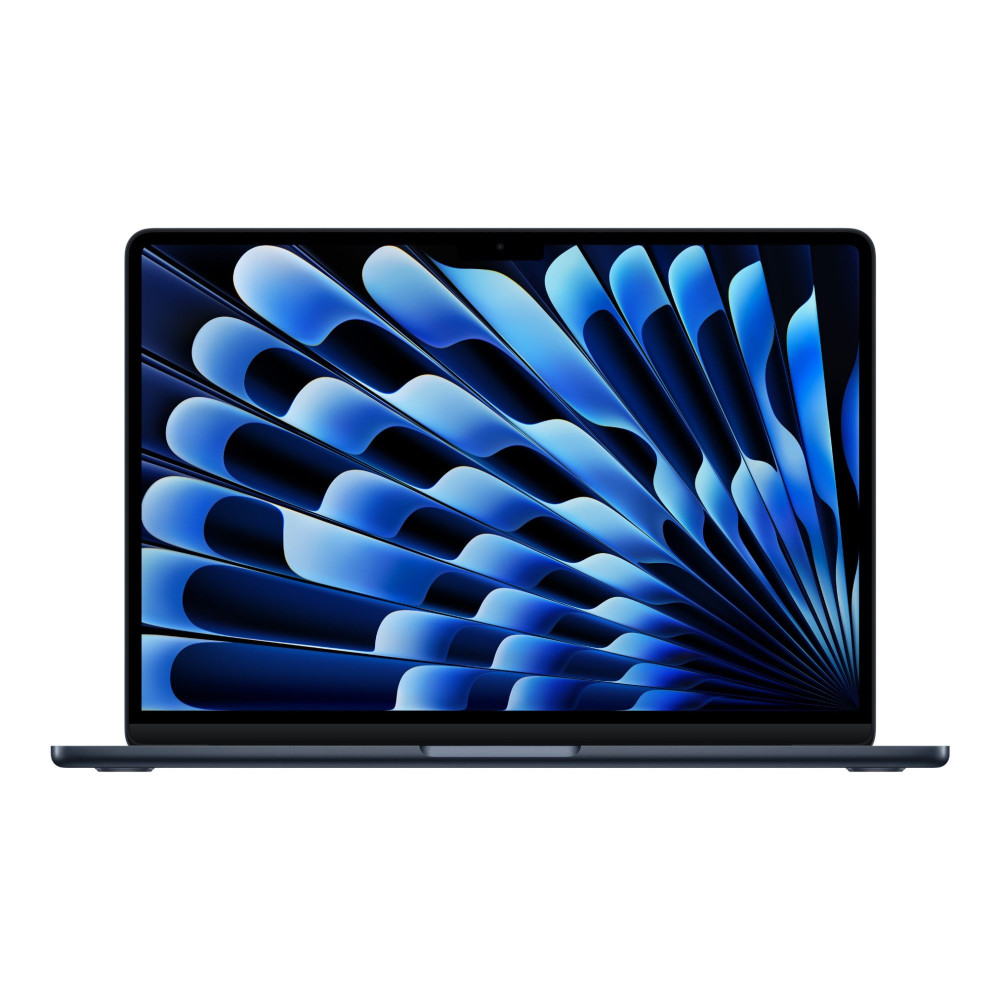
Shop Apple MacBook Air Apple M4
Final Recommendations
Here's the simplest way to choose confidently, without overthinking specs.
Choose MacBook Neo if you want the best value and your daily use looks like "life stuff": schoolwork, web browsing, streaming, messaging, document creation, light creative apps, and you don't plan to build a multi-monitor desk setup. Neo is explicitly designed to make Mac more accessible with a durable aluminum design, all-day battery life claims, and Apple Intelligence support at a breakthrough price.
Choose MacBook Air M5 if you want the best MacBook Air value over time: more base storage (512GB), more memory (16GB+), better camera, better colour support (P3), better ports (Thunderbolt 4 + MagSafe), stronger external display support, and faster next-gen wireless. Apple positions Air as unmatched value for college students and creative professionals, while keeping the same thin, light, fanless experience.
And if you already know your workload is heavier than either of these, such as video production, dev work, engineering apps, or you just want more sustained performance and extra ports, then it's worth stepping up to Pro MacBooks , because that's exactly what they're built for.
FAQs: MacBook Neo vs MacBook Air
Is MacBook Neo good for students?
Yes. MacBook Neo is designed as an affordable student laptop, offering solid performance for browsing, assignments, streaming, and everyday productivity. Its lower price and lightweight design make it a practical entry point into macOS.
Is MacBook Air better than MacBook Neo?
MacBook Air M5 is generally the more powerful option. It offers stronger MacBook Air performance, more memory, better display colour support, and improved connectivity, making it a better long-term everyday laptop for multitasking and creative work.
What chip does MacBook Neo use?
MacBook Neo uses Apple's A18 Pro chip, featuring a 6-core CPU, 5-core GPU, and a 16-core Neural Engine designed for everyday performance and Apple Intelligence features on macOS.
How much faster is MacBook Air M5 compared to MacBook Neo?
MacBook Air M5 is noticeably faster for multitasking and creative workloads thanks to its 10-core CPU and higher memory bandwidth. While MacBook Neo performance is great for everyday tasks, the Air provides more headroom for demanding apps and heavier workflows.
Does MacBook Neo support external monitors?
Yes, but it supports one external display up to 4K at 60Hz. In comparison, MacBook Air supports up to two external displays, making it a better choice for desk setups and productivity workstations.
Which MacBook has better battery life?
MacBook Air M5 has slightly better battery ratings, offering up to 18 hours of video playback and 15 hours of web browsing, compared with MacBook Neo's 16 hours video and 11 hours web browsing.
Is MacBook Neo cheaper than MacBook Air?
Yes. MacBook Neo price starts around £599, making it Apple's most affordable MacBook. On the other hand, MacBook Air price starts around £1,099, but it includes higher base memory and storage.
Is MacBook Neo enough for everyday use?
For most everyday tasks like browsing, streaming, office apps, and schoolwork, MacBook Neo features are more than capable. However, users who multitask heavily or use creative software may benefit more from MacBook Air.
You can pay with:
*PayPal Credit Representative Example: Assumed credit limit £1,200, Representative 23.9% APR (variable). Purchase rate 23.9% p.a (variable).Terms & Conditions apply.


PayPal Credit and PayPal Pay in 3 are trading names of PayPal UK Ltd, 5 Fleet Place, London, United Kingdom, EC4M 7RD. Terms and conditions apply. Credit subject to status, UK residents only, Five Tech LTD acts as a broker and offers finance from a restricted range of finance providers. PayPal Pay in 3 is not regulated by the Financial Conduct Authority. Pay in 3 eligibility is subject to status and approval. 18+. UK residents only. Pay in 3 is a form of credit. Check if affordable and how you will repay. May make other borrowing more difficult or expensive. See product terms for more details.
Copyright © 1996-2026 Fivetech LTD | Terms and Conditions
box.co.uk & Box are trading names of Five Tech Limited. Registered office: Box LTD, Unit 10 Woodford Trading Estate, Woodford Green IG8 8HF