


 Menu
MenuMenu


Get Sales Advice from Mon - Fri 9am - 5:00pm:
020 3337 8950LAST UPDATED: January 28, 2026
Wondering If It’s Time to Upgrade? What the Latest MacBook Air Does Differently Day to Day
If you already own a MacBook Air, upgrading rarely feels urgent. Apple doesn't redesign the MacBook Air every year in dramatic ways, and that's intentional. Instead of chasing headline specs, Apple focuses on refining how the laptop feels to use every single day.
That's why many existing users, especially those on Intel or early Apple Silicon models, find themselves wondering whether the latest MacBook Air really offers anything meaningful beyond what they already have.
This guide breaks down what the new MacBook Air actually does differently in real-world use. Not benchmarks or marketing claims, but how it feels during work, study, travel, and everyday multitasking, so you can decide if upgrading makes sense for you.
Why MacBook Air Upgrades Feel Subtle but Matter More Over Time
Apple has always positioned the MacBook Air as a long-term, dependable laptop rather than something you're expected to replace every year. Instead of chasing dramatic redesigns or headline-grabbing specs, each new generation focuses on refining how the laptop behaves in everyday use. The changes are often about efficiency, stability, and comfort rather than raw power.
That's why upgrades to the Mac Air latest model can feel understated at first. You might not notice a single standout feature on day one, but over weeks and months, the differences become clearer. The laptop wakes faster, stays responsive under everyday multitasking, holds its battery more reliably, and runs quietly without getting warm. These improvements reduce small frustrations that build up during daily use.
This approach suits the people the MacBook Air is built for: students, professionals, and remote workers who use their laptop for hours at a time and value consistency. The aim of the latest Apple laptop isn't to compete with high-performance machines, but to make everyday computing feel smoother, more predictable, and easier to live with over the long term.
What "Day-to-Day Performance" Really Means on a MacBook Air
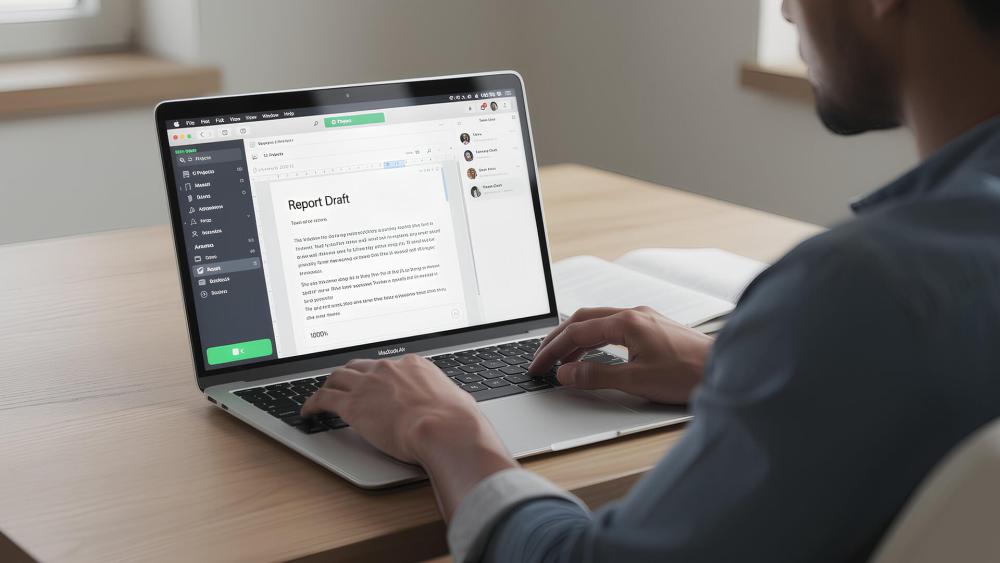
When people talk about day-to-day performance on the latest MacBook Air, they're really describing how smooth and effortless it feels to use throughout a normal day. It's not about pushing the laptop to its limits, but about how quickly it responds, how quietly it runs, and how reliably it keeps up with everyday tasks.
1- Smooth Multitasking Without Interruptions
In practical terms, this means apps open almost instantly, switching between browser tabs and documents feels fluid, and the system stays responsive even with multiple apps running. With 16GB of memory now standard on 2025 models, everyday combinations like web browsing, Teams or Slack, Office apps, and background syncing no longer create slowdowns or force you to close things.
2- Silent and Cool in Daily Use
Because the MacBook Air is fanless, it runs silently at all times. Light creative tasks such as photo editing or short video clips don't trigger noise or noticeable heat, which makes a real difference in shared spaces, classrooms, or home offices.
3- Battery Life that Fits Real Routines
Day-to-day performance also includes endurance. Most users can expect around 15 to 18 hours of battery life under normal use, along with excellent standby efficiency. The laptop holds its charge when closed and wakes instantly, even after hours or overnight.
4- Fast System Feel and Instant Launches
Another reason the MacBook Air feels consistently quick is how fast it responds. Apps launch almost immediately, animations stay smooth, and even older software runs well through Apple's Rosetta translation. The system rarely feels like it's catching up to you.
Understanding the limits
There are boundaries to this experience. Because there are no fans, very long, sustained workloads like extended 4K video rendering can cause performance to slow slightly to manage heat. On base 256GB models, heavy multitasking can also rely more on storage swapping. For most users, though, these scenarios are rare.
For everyday work, study, and moderate creative tasks, the latest MacBook Air delivers a level of day-to-day performance that feels indistinguishable from much more expensive laptops, which is why it continues to be such a popular upgrade choice.
How the Latest MacBook Air Feels Faster in Everyday Use (M4, 2025)
The biggest change with the latest MacBook Air isn't a dramatic redesign, it's how much more capable it feels during normal, everyday work. Powered by Apple's new M4 chip, the 2025 MacBook Air is built to handle heavier multitasking without slowing down, even when you're juggling several apps at once.
Compared to older Intel models, the difference is immediate. Apps open almost instantly, switching between tasks feels smoother, and the system doesn't bog down when background processes are running. Even compared to earlier Apple Silicon models like the M1 or M2, the M4 brings noticeable refinements. Apple claims up to twice the performance of the M1 and around a 30% CPU uplift over the M3, and while you won't measure that day to day, you will feel it in faster spreadsheets, smoother photo edits, and fewer slowdowns under load.
One of the most practical upgrades is that 16GB of unified memory is now standard. This makes a real difference in daily use. You're far less likely to hit limits when working with large documents, keeping dozens of browser tabs open, or running creative apps alongside video calls. The laptop simply feels more relaxed under pressure.
Despite this extra power, the MacBook Air remains completely fanless. Thanks to Apple's efficient 3nm chip design, it runs cooler and quieter, even during sustained workloads.
Apple Intelligence and AI Features You Actually Use
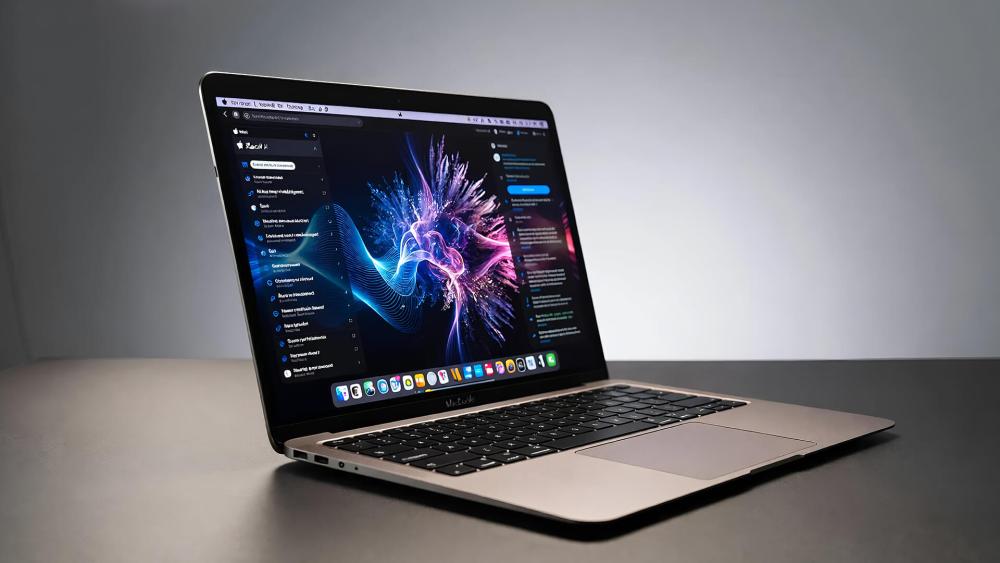
The M4 chip isn't just about raw speed; it's designed around Apple's growing focus on on-device AI. The 16-core Neural Engine is significantly faster than previous generations, which makes everyday AI-powered features feel more responsive rather than experimental.
In practice, this shows up in tools like improved speech-to-text, smoother translations, smarter writing assistance, and image enhancement features inside supported apps. These aren't headline features you'll constantly think about, but they quietly speed up everyday tasks and reduce friction across macOS.
This is one of the reasons the new MacBook Air feels more future-proof. As Apple Intelligence features expand, the latest model is better equipped to handle them locally without relying heavily on cloud processing.
Battery Life That Fits a Full Day and Then Some
Battery life remains one of the MacBook Air's strongest selling points, and the latest model continues that trend. Apple rates the M4 MacBook Air at up to 18 hours of use, and for most people, that translates into a full workday with battery to spare.
What's just as important is how the laptop behaves between uses. Standby drain is minimal, which makes a real difference if you travel, work remotely, or move between locations. You can close the lid, come back hours later, and pick up exactly where you left off without worrying about charge levels.
Compared to Intel models, this is a huge leap. Compared to early Apple Silicon models, the improvement is more about consistency and reliability than raw numbers.
Display and Multi-Screen Support That Changes Desk Use
The display on the mac air latest model doesn't reinvent what came before, but it refines it in ways you notice daily. The Liquid Retina screen reaches 500 nits of brightness and supports one billion colours, making text clearer and visuals more vibrant whether you're working indoors or near bright windows.
One of the most meaningful upgrades for desk users is external display support. The 2025 MacBook Air can now drive two external 6K displays at 60Hz when used in clamshell mode. This is a major improvement over older models and makes the MacBook Air far more viable as a primary workstation for professionals who rely on multi-monitor setups.
Video Calls, Audio, and Remote Work Improvements
Apple has clearly paid attention to how people actually use their laptops day to day. The latest MacBook Air now features a 12MP Center Stage camera, which keeps you automatically framed during video calls. It's a noticeable step up from older webcams, especially for frequent meetings.
There's also a new Desk View feature, which lets you show both your face and a top-down view of your desk at the same time. This is particularly useful for teaching, presenting, or demonstrating physical work without extra cameras.
Audio quality has also improved, thanks to a three-microphone array with better voice isolation. Calls sound clearer, and background noise is reduced without you needing to adjust settings.
Connectivity and Everyday Convenience
The latest MacBook Air supports Wi-Fi 6E, offering faster and more stable wireless connections if your network supports it. Charging is handled via MagSafe, which keeps both Thunderbolt / USB-4 ports free for accessories, displays, or storage.
These aren't flashy upgrades, but they improve daily convenience, especially if you work from different locations or rely on external devices.
start with a supporting paragraph - mention some main points in the paragraph and then make a detailed comparison table
Latest MacBook Air vs Older Models: What's Changed?
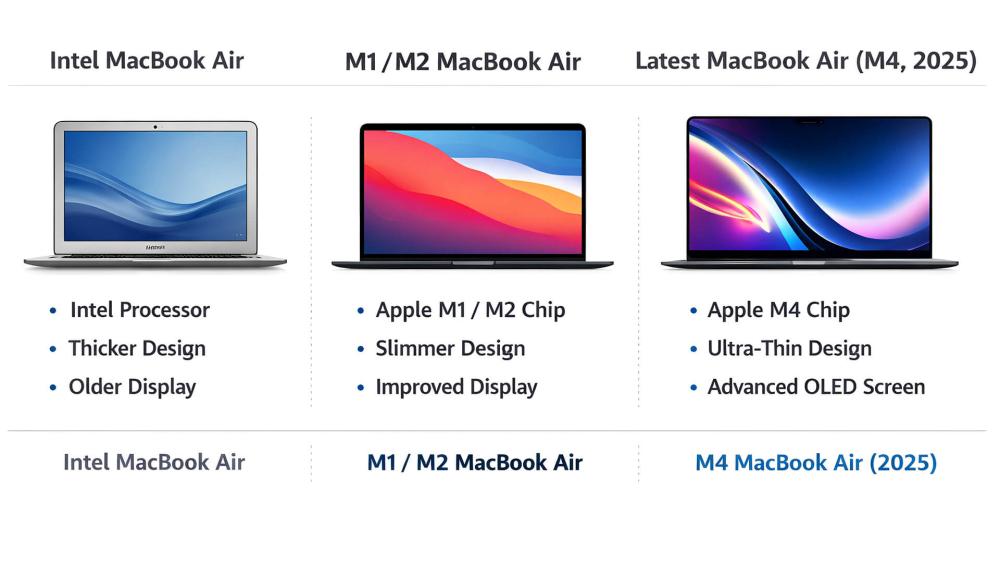
Upgrading to the latest MacBook Air brings different benefits depending on what you're using now. If you're coming from an Intel-based MacBook Air, the improvement is immediate and obvious, with smoother performance, far longer battery life, and the complete removal of fan noise. For users on early Apple Silicon models like the M1 or M2, the changes are more refined than dramatic, focusing on better multitasking headroom, improved efficiency, stronger external display support, and more polished daily behaviour. Across all upgrades, the biggest gains show up during longer work sessions, travel, and multitasking-heavy days, where the latest model simply feels more reliable and future-ready.
Day-to-Day Comparison: Latest MacBook Air vs Older Models
| Feature / Experience | Intel MacBook Air | M1 / M2 MacBook Air | Latest MacBook Air (M4, 2025) |
| Everyday performance | Noticeable slowdowns under multitasking | Smooth for most tasks | Consistently smooth, even with heavy multitasking |
| Base memory | 8GB typical | 8GB standard | 16GB standard |
| App launch & responsiveness | Slower, especially over time | Fast | Near-instant, more consistent under load |
| Multitasking headroom | Limited | Good | Excellent, fewer slowdowns |
| Fan noise | Audible under load | Fanless | Fanless and cooler |
| Battery life (real-world) | 6-10 hours | 14-18 hours | 15-18 hours, more consistent |
| Standby efficiency | Noticeable drain | Good | Very low drain |
| External display support | Limited | Single external display | Up to two 6K displays (clamshell) |
| Video calls & camera | Basic webcam | Improved but standard | 12MP Center Stage + Desk View |
| Long-term usability | Feels dated quickly | Still capable | Most future-proof option |
Recommended Pick: Apple MacBook Air M3
MPN: MC8K4B/A
If you're not stepping up to the very latest M4 model, the Apple MacBook Air M3 with 16GB RAM is the strongest all-round alternative in the MacBook Air lineup. It delivers excellent day-to-day performance for work, study, and creative tasks, with the same silent, fanless design and long battery life the Air is known for; without pushing into the highest price tier.
With Apple's M3 octa-core chip and a 16GB unified memory configuration, this model handles multitasking, productivity apps, photo editing, and video calls with ease. The 13.6-inch Liquid Retina display remains bright and colour-accurate, while the lightweight design makes it ideal for students, professionals, and remote workers who value portability.

Best for: Users upgrading from Intel or M1 models who want a noticeable performance boost and long-term reliability, but don't specifically need the AI features or dual-display support of the M4.
Who Should Upgrade to the Latest MacBook Air and Who Shouldn't
| User Type | Should You Upgrade | Why it Makes Sense (or Doesn't) |
| Intel MacBook Air users | Yes, strongly recommended | You'll see immediate gains in speed, battery life, silent operation, and app responsiveness. The jump to Apple Silicon and 16GB RAM transforms daily use. |
| M1 MacBook Air users | Yes, noticeable upgrade | Faster multitasking, better webcam, dual external display support (clamshell), and built-in Apple Intelligence features make a real difference over time. |
| M2 MacBook Air users | Maybe | Worth upgrading if you want 16GB RAM as standard, improved AI tools, or better external display support. Otherwise, gains are incremental. |
| M3 MacBook Air users | Probably not | Performance is already strong. Upgrade only if Apple Intelligence features or the 12MP camera significantly improve your workflow. |
| Students & remote workers | Yes | Excellent battery life, quiet operation, and future-proof memory make it ideal for long study or workdays. |
| Light creative users | Yes | Handles photo editing, light video work, and design tasks smoothly without heat or fan noise. |
| Heavy creators or sustained workloads | No | Long renders and intensive workloads are better suited to a MacBook Pro with active cooling. |
Should You Upgrade to the Latest MacBook Air?
Whether upgrading makes sense depends heavily on what you're using now.
If you're on an Intel MacBook Air, the answer is a clear yes. Performance, battery life, thermals, and camera quality all improve dramatically.
If you're using an M1 MacBook Air, the upgrade is still very compelling. You'll notice faster multitasking, better memory headroom, improved external display support, and much stronger video calling features.
If you're on an M2 model, it's more situational. The upgrade makes sense if you need dual external displays, heavier multitasking, or improved AI features.
If you're already using an M3 MacBook Air, upgrading is harder to justify unless the AI improvements or camera upgrades matter to you specifically.
Final Thoughts!
The latest MacBook Air doesn't try to reinvent what the Air is meant to be - and that's exactly why the upgrade feels meaningful. Instead of chasing headline specs, Apple has focused on making everyday use faster, quieter, and more capable over time. From quicker app launches and smoother multitasking to noticeably better battery life and improved video calls, the changes show up in daily routines rather than benchmark charts.
For users coming from Intel or early Apple Silicon models, the upgrade feels substantial. The shift to a 16GB memory baseline, Apple Intelligence features, and stronger multi-display support makes the latest MacBook Air easier to live with long term—especially for work, study, and remote use. If your current laptop is starting to feel restrictive rather than slow, this generation is designed to remove those friction points rather than just mask them.
If you're comparing options or deciding whether now is the right time to upgrade, you can explore the latest MacBook Air models, the wider Apple MacBook range, and other best laptops at Box.co.uk, where clear configurations and trusted advice make it easier to choose what actually suits your day-to-day needs.
Frequently Asked Questions
Is the latest MacBook Air noticeably faster day to day?
Yes. App launches, multitasking, and general responsiveness feel quicker, especially compared to Intel and M1 models.
How much better is battery life on the new MacBook Air?
Most users can expect around 15–18 hours of real-world use, which is a clear improvement over older generations.
Should I upgrade from an Intel MacBook Air?
Yes. The jump to Apple Silicon brings major gains in speed, battery life, silent operation, and overall reliability.
Is the MacBook Air good enough for work and study?
Absolutely. It handles office apps, research, video calls, and multitasking comfortably without heat or fan noise.
How long will the latest MacBook Air last?
With Apple's long macOS support cycle and 16GB of base memory, it's built to stay relevant for many years.
Is it worth upgrading from an M1 MacBook Air?
For many users, yes. You'll benefit from better multitasking, improved camera quality, AI features, and dual external display support in clamshell mode.
You can pay with:
*PayPal Credit Representative Example: Assumed credit limit £1,200, Representative 23.9% APR (variable). Purchase rate 23.9% p.a (variable).Terms & Conditions apply.


PayPal Credit and PayPal Pay in 3 are trading names of PayPal UK Ltd, 5 Fleet Place, London, United Kingdom, EC4M 7RD. Terms and conditions apply. Credit subject to status, UK residents only, Five Tech LTD acts as a broker and offers finance from a restricted range of finance providers. PayPal Pay in 3 is not regulated by the Financial Conduct Authority. Pay in 3 eligibility is subject to status and approval. 18+. UK residents only. Pay in 3 is a form of credit. Check if affordable and how you will repay. May make other borrowing more difficult or expensive. See product terms for more details.
Copyright © 1996-2026 Fivetech LTD | Terms and Conditions
box.co.uk & Box are trading names of Five Tech Limited. Registered office: Box LTD, Unit 10 Woodford Trading Estate, Woodford Green IG8 8HF