


 Menu
MenuMenu


Get Sales Advice from Mon - Fri 9am - 5:00pm:
020 3337 8950LAST UPDATED: March 06, 2026
MacBook Air M5 vs MacBook Pro M5: Do You Really Need the Pro?
If you're shopping for the latest MacBook in 2026, this is the question that keeps coming up: MacBook Air M5 vs MacBook Pro M5, is the Pro actually worth it, or is it just the "safe" choice because it has "Pro" in the name?
Here's the truth we see every day at Box: a lot of people buy the new MacBook Pro out of fear—fear they'll regret not getting the best model. But the new MacBook Air M5 has quietly become powerful enough that, for many everyday buyers, it's not a compromise anymore. Apple's own March 2026 launch messaging is clear: MacBook Air now starts with 512GB storage, adds Wi‑Fi 7 + Bluetooth 6 via Apple's N1 wireless chip, and is built to handle Apple Intelligence and modern workflows while staying thin, light, and fanless.
At the same time, Apple's March updates also made the case for going Pro even stronger, but only if you genuinely benefit from it. The MacBook Pro lineup (now spanning M5, M5 Pro, and M5 Max) adds a Liquid Retina XDR display with ProMotion up to 120Hz, bigger starting storage (1TB+), and the kind of connectivity and multi-display support creators and power users actually rely on.
This guide will walk you through a detailed comparison between the MacBook Air M5 and the MacBook Pro M5. By the end, you will be able to choose the right option based on your unique needs. So, without further ado, let's get started.
| If you want the broader context on everything Apple revealed this week, our guide on the Apple March Event 2026 will help you see how Air and Pro fit into the full ecosystem refresh. |
What's New in The M5 Generation
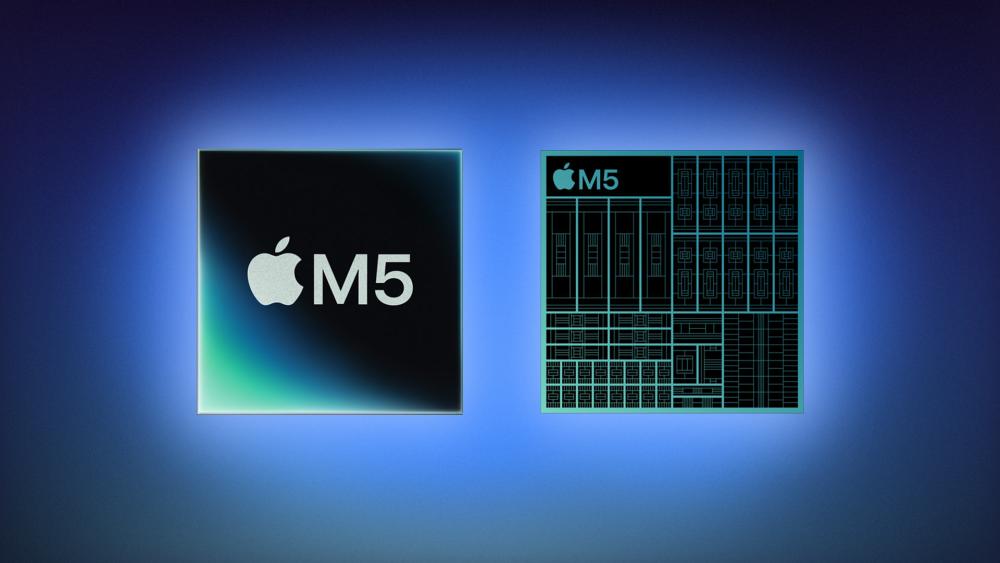
A few years ago, the decision was easy: MacBook Air was for "light use," and MacBook Pro was for "real work." In 2026, Apple blurred that line on purpose.
MacBook Air M5 is still the portable, completely silent option, but it now comes with fewer base-model compromises: double the starting storage to 512GB, a faster SSD, and Wi‑Fi 7 + Bluetooth 6 via Apple's N1 chip. Apple also highlights up to 18 hours of battery life, a Liquid Retina display, a 12MP Center Stage camera, and two Thunderbolt 4 ports with support for up to two external displays.
Meanwhile, the MacBook Pro family now gives you three "levels" of Pro, which matters for buyers:
- The 14‑inch MacBook Pro with M5 is the closest "Air alternative" in the Pro family because it uses the same M5-class platform, but pairs it with a more premium screen and more ports (including HDMI and SDXC).
- The MacBook Pro with M5 Pro is where you start getting noticeably more performance headroom, higher memory bandwidth, and stronger multi-display support.
- The MacBook Pro with M5 Max is the "I need the most headroom possible" option for demanding creative, technical, and AI workloads, plus the highest external display support tier.
This is exactly why people overbuy Pro: it feels like the only way to "future-proof." But when you compare what you actually get for the extra money, and whether you'll use it, most shoppers can make a more confident choice.
MacBook Air M5 vs MacBook Pro M5 at a Glance
This is the fastest way to understand the differences that actually impact buying decisions.
| Category | MacBook Air M5 | MacBook Pro M5 family |
| Sizes | 13.6" and 15.3" Liquid Retina | 14.2" and 16.2" Liquid Retina XDR |
| Display "feel" | 500 nits, P3 wide colour, True Tone (60Hz class) | XDR brightness (up to 1000 nits sustained / 1600 peak HDR), 1,000,000:1 contrast, ProMotion up to 120Hz |
| Base performance tier | M5 CPU (10-core) with 8-core GPU standard on some configs; configurable up to 10-core GPU | M5 (10-core CPU/10-core GPU) or step up to M5 Pro / M5 Max |
| Base memory | 16GB unified memory (configurable to 24GB/32GB) | M5: 16–32GB; Pro/Max scale far higher (up to 128GB) |
| Base storage | 512GB (configurable up to 4TB), plus Apple touts faster SSD tech | March 2026 refresh pushes higher base storage: M5 Pro starts at 1TB; M5 Max starts at 2TB; Apple also notes up to 2x faster SSD performance |
| Battery (Apple rating) | Up to 18 hours video / 15 hours web | 14" M5 up to 24h video/16h web; 16" up to 24h video/17h web (varies by chip) |
| Ports (reality check) | MagSafe 3 + 2× Thunderbolt 4 + headphone jack | HDMI + SDXC + MagSafe 3 + 3× Thunderbolt (TB4 on M5; TB5 on M5 Pro/Max) |
| External displays | Up to 2 external displays with high-res/high-refresh options (based on Apple's spec ceilings) | M5: up to 2; M5 Pro: up to 3; M5 Max: up to 4 |
| Wireless | Apple N1: Wi‑Fi 7 + Bluetooth 6 + Thread | Important nuance: M5 model lists Wi‑Fi 6E + Bluetooth 5.3; M5 Pro/Max list Apple N1 with Wi‑Fi 7 + Bluetooth 6 + Thread |
| Weight | 13": 2.7 lb (1.23 kg); 15": 3.3 lb (1.51 kg) | 14": ~3.4–3.56 lb; 16": ~4.7 lb (varies by chip) |
If you want the full Air deep-dive, we have a dedicated guide on what's new in MacBook Air M5 to help you explore in detail. If you're mainly comparing Pro configurations, our guide to MacBook Pro with M5 Pro and M5 Max breaks down the feature highlights and chip tiers.
Price and Availability
For buyers, the value question starts with pricing, and Apple made the pricing ladder very clear this generation.
MacBook Air with M5 is available in 13-inch and 15-inch models and is available for pre-order from 2:15pm GMT on March 4, with availability beginning March 11. Apple lists UK starting prices at £1099 (13-inch) and £1299 (15-inch), with education pricing also available.
MacBook Pro models powered by M5 Pro and M5 Max are available to pre-order from March 4, with availability beginning March 11, and Apple lists UK starting prices at:
- 14-inch MacBook Pro with M5 Pro: £2199
- 16-inch MacBook Pro with M5 Pro: £2699
- 14-inch MacBook Pro with M5 Max: £3599
- 16-inch MacBook Pro with M5 Max: £3899
Apple also notes that the 14-inch MacBook Pro with M5 now comes standard with 1TB storage and starts at £1699 in the UK.
So, the "do you really need the Pro?" question often becomes a simpler one:
Are you getting real value from the Pro's screen, ports, storage, and performance tier, or are you buying it just because it feels safer?
A useful outside perspective: many reviewers have framed this cycle as "more storage + new chips," rather than a major redesign, meaning the best choice is usually the one that fits your workload, not the one with the highest spec sheet.
Performance and Apple Intelligence
When shoppers say "I need the Pro," they usually mean one of two things:
They want the laptop that feels fast no matter what, even with lots of apps open.
They do specific workloads (creative, dev, engineering, AI) where time saved is money saved.
The Good News: For a Lot of People, Air is Already Fast Enough
Apple positions the MacBook Air with M5 as a huge capability upgrade for everyday and creative use, highlighting M5's faster CPU and next-gen GPU with a Neural Accelerator in each GPU core for AI-focused workloads. The Air also features a 10-core CPU, up to a 10-core GPU, a 16-core Neural Engine, hardware-accelerated ray tracing, and 153GB/s memory bandwidth depending on configuration.
The more buyer-relevant part is what Apple improved at the base configuration: MacBook Air now ships with 512GB starting storage and Apple claims the new SSD delivers 2x faster read/write performance than the previous generation. For the average buyer, storage speed and having enough storage from the start can matter more than raw compute benchmarks.
Where the Pro Becomes Clearly worth considering
If your work is consistent, sustained, and heavy, think large video projects, heavy code builds, advanced 3D, or more demanding on-device AI experimentation, Apple's M5 Pro and M5 Max tiers are built for that.
Apple says MacBook Pro with M5 Pro and M5 Max delivers "breakthrough pro performance and next-level on-device AI," and that the MacBook Pro now comes with up to 2x faster SSD performance, plus higher baseline storage (1TB on M5 Pro models and 2TB on M5 Max models). The chip specs also scale far beyond Air: M5 Pro and M5 Max offer much higher memory bandwidth (for example, Apple lists 307GB/s on M5 Pro and up to 614GB/s on M5 Max configurations).
Here's the simplest buyer test we recommend:
- If you can name the exact app(s) and scenario(s) where your current laptop slows you down, and you hit that limit weekly, Pro is probably worth it.
- If you're mainly doing productivity, study, light creative work, and you just want a great Apple laptop that feels premium and stays portable, Air is usually the smarter value.
Also note: Apple Intelligence is positioned as a key part of the experience on both MacBook Air and MacBook Pro, but Apple states availability can vary by region/language and is "available in beta" in its technical notes.
Display and the "Feel" Factor
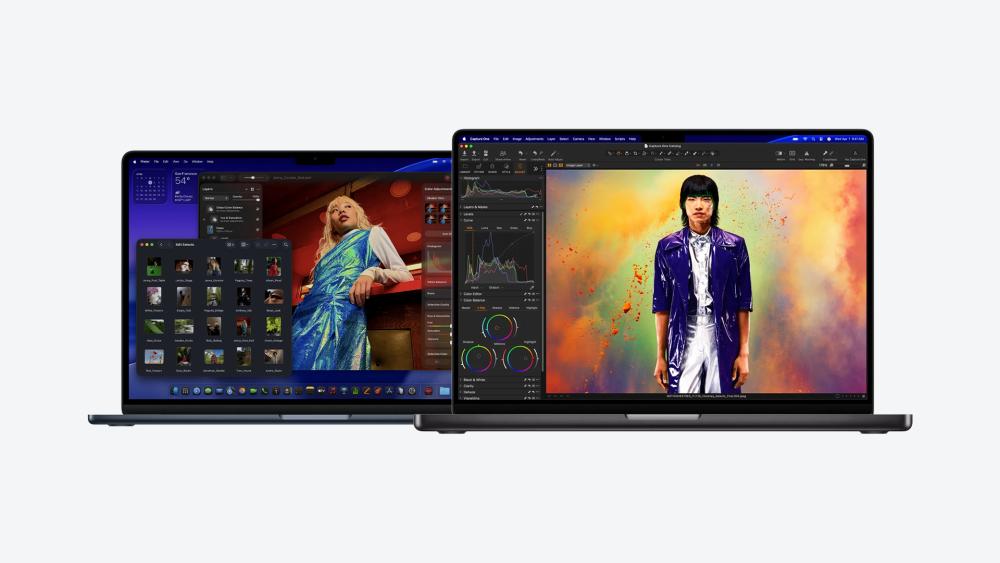
This is the part most people don't think about until they use the laptop every day: the display can be the biggest "quality of life" upgrade, sometimes more than raw speed.
MacBook Air's Liquid Retina display is bright and sharp, with 500 nits brightness, P3 wide colour, True Tone, and support for 1 billion colours. For most everyday users, it looks excellent for coursework, office work, Netflix, and even casual photo editing.
MacBook Pro's Liquid Retina XDR display is built for a different level of work and viewing:
Apple lists a 1,000,000:1 contrast ratio, 1000 nits sustained full-screen brightness, 1600 nits peak brightness for HDR, and SDR brightness up to 1000 nits outdoors, plus ProMotion up to 120Hz for smoother scrolling and motion.
If you edit video, work with HDR content, do colour-critical creative work, or just want the smoothest, richest MacBook screen Apple makes, this is one of the most compelling reasons to go Pro.
Audio is also worth mentioning:
- MacBook Air 13-inch includes a four-speaker system, while the 15-inch Air steps up to a six-speaker system with force-cancelling woofers.
- MacBook Pro (both sizes) includes a high-fidelity six-speaker system with force-cancelling woofers and a studio-quality three-mic array.
So, if you care about built-in speakers for calls, content, and casual editing, the Pro is consistently strong, and the 15-inch Air narrows the gap.
Battery Life and Portability in Real Life
Battery life is one area where both laptops are strong, but Apple's own ratings show meaningful differences depending on size and chip.
MacBook Air (M5) is rated for up to 18 hours of video streaming and up to 15 hours of wireless web. Apple also emphasises that the Air remains "thin, light, and completely silent" with a fanless design.
MacBook Pro battery ratings vary by chip and size:
- 14-inch MacBook Pro (M5) is rated up to 24 hours video streaming and 16 hours wireless web.
- 14-inch MacBook Pro (M5 Pro) is rated up to 22 hours video and 14 hours web, and (M5 Max) up to 20 hours video and 13 hours web.
- 16-inch MacBook Pro tiers push higher again (Apple lists up to 24 hours video and 17 hours web for M5 Pro, and up to 22 hours video and 16 hours web for M5 Max).
Portability is where Air still wins for most people. Apple's own weights make it simple:
- 13-inch Air: 2.7 lb (1.23 kg) and 0.44" thick.
- 15-inch Air: 3.3 lb (1.51 kg).
- 14-inch Pro: roughly 3.4–3.56 lb depending on chip.
- 16-inch Pro: about 4.7 lb (2.14–2.15 kg) depending on chip.
If you commute daily, move between classes, work hybrid, or travel often, Air's weight and thinness still feel meaningfully better in the real world.
Ports, External Displays, and When You'll Want a Dock

For a lot of Box customers, the "Air vs Pro" decision becomes a desk decision. Are you going to run external monitors, wired peripherals, SD cards, HDMI, or fast storage? And do you want to plug everything in with minimal adapters?
MacBook Air keeps things minimal: MagSafe 3, a headphone jack, and two Thunderbolt 4 / USB‑C ports. In return, it supports surprisingly capable external display setups, Apple lists support for up to two external displays, including high resolution and high refresh rate combinations (with capability details spelled out in the specs).
MacBook Pro is built for creators and desk setups:
- It adds HDMI and SDXC as standard, plus more Thunderbolt ports (three total).
- M5 Pro / M5 Max models move to Thunderbolt 5 (up to 120Gb/s) and Apple specifically calls out Thunderbolt 5 connectivity and HDMI up to 8K support in the March 2026 update.
- External display support scales with the chip: up to two displays on M5, up to three on M5 Pro, and up to four on M5 Max.
A key buying nuance many shoppers miss: Apple's tech specs list the M5 Pro and M5 Max models using the Apple N1 wireless networking chip (Wi‑Fi 7 + Bluetooth 6 + Thread), while the M5 MacBook Pro model lists Wi‑Fi 6E and Bluetooth 5.3 instead. If Wi‑Fi 7 matters to you, Air gets it; Pro gets it only once you're in the Pro/Max tier. (Also note Apple's regional availability note for Wi‑Fi 7/6E support.)
Even if you choose Pro, a clean desk setup usually benefits from a dock, especially if you want one-cable connect/disconnect, Ethernet, and extra ports. If you go Air, a dock becomes even more valuable because the port selection is intentionally minimal. That's where our docking stations for connectivity category is the easiest way to expand your setup without juggling dongles.
Final Words:
Here's our buyer-first recommendation, based on what you'll actually notice after the excitement of unboxing fades.
Choose MacBook Air M5 if you want the best balance of price, portability, and everyday power. Apple improved the base configuration in the ways that matter most, 512GB starting storage, faster SSD, and Wi‑Fi 7/Bluetooth 6, while keeping the Air experience thin, light, and silent. For most students, home users, office work, and even plenty of creators, the Air is the sweet spot.
Choose MacBook Pro M5 when you can clearly benefit from the Pro advantages: the Liquid Retina XDR + ProMotion display, higher baseline storage (starting at 1TB+), more ports (HDMI + SDXC), and higher performance tiers (especially if you're stepping into M5 Pro or M5 Max). If you do sustained creative work, professional editing, heavy development, or advanced multi-display setups, this is where the premium becomes easier to justify.
If you're ready to compare models and shop, start with all MacBook models available at Box, then narrow down into MacBook Air laptops or MacBook Pro laptops depending on your priorities.
FAQs: MacBook Air M5 vs MacBook Pro M5
Is the MacBook Air M5 powerful enough for most users?
Yes. The MacBook Air M5 is powerful enough for most everyday tasks such as browsing, office work, coding, photo editing, and light creative work. With the M5 chip, 16GB base memory, and Apple Intelligence support, it delivers excellent performance for students, professionals, and everyday users.
What is the main difference between MacBook Air M5 and MacBook Pro M5?
The biggest differences are performance headroom, display technology, and connectivity. MacBook Pro models add a Liquid Retina XDR display with ProMotion, more ports (HDMI and SDXC), and higher-performance chips like M5 Pro and M5 Max, while MacBook Air focuses on portability and value.
Is the MacBook Pro M5 worth it over the MacBook Air M5?
The MacBook Pro M5 is worth it if you need sustained performance for demanding workloads such as video editing, 3D rendering, software development, or AI tasks. For everyday productivity, the MacBook Air M5 offers better value and similar performance for lighter workloads.
Does MacBook Air M5 support external monitors?
Yes. The MacBook Air M5 supports up to two external displays, depending on the configuration and resolution settings. If you need three or four displays, the MacBook Pro with M5 Pro or M5 Max is the better choice.
Is the MacBook Air M5 lighter than the MacBook Pro M5?
Yes. The MacBook Air M5 is noticeably lighter and thinner, starting at around 2.7 lb (1.23 kg). The MacBook Pro models are heavier, especially the 16-inch version, which prioritises performance and cooling over portability.
Which MacBook has better battery life: Air M5 or Pro M5?
Both offer excellent battery life, but MacBook Pro models can last longer, with some configurations rated up to 24 hours of video playback. The MacBook Air M5 still delivers strong battery life, with Apple rating it for up to 18 hours of video streaming.
Is the MacBook Air M5 good for students?
Yes. The MacBook Air M5 is one of the best student laptops thanks to its portability, long battery life, quiet fanless design, and strong everyday performance. It's ideal for note-taking, research, online classes, and productivity apps.
Which MacBook is better for video editing: Air M5 or Pro M5?
For casual editing, the MacBook Air M5 performs very well. However, professional editors working with 4K or 8K video will benefit from the MacBook Pro M5 Pro or M5 Max, which offer higher GPU performance, more memory bandwidth, and a Liquid Retina XDR display.
You can pay with:
*PayPal Credit Representative Example: Assumed credit limit £1,200, Representative 23.9% APR (variable). Purchase rate 23.9% p.a (variable).Terms & Conditions apply.


PayPal Credit and PayPal Pay in 3 are trading names of PayPal UK Ltd, 5 Fleet Place, London, United Kingdom, EC4M 7RD. Terms and conditions apply. Credit subject to status, UK residents only, Five Tech LTD acts as a broker and offers finance from a restricted range of finance providers. PayPal Pay in 3 is not regulated by the Financial Conduct Authority. Pay in 3 eligibility is subject to status and approval. 18+. UK residents only. Pay in 3 is a form of credit. Check if affordable and how you will repay. May make other borrowing more difficult or expensive. See product terms for more details.
Copyright © 1996-2026 Fivetech LTD | Terms and Conditions
box.co.uk & Box are trading names of Five Tech Limited. Registered office: Box LTD, Unit 10 Woodford Trading Estate, Woodford Green IG8 8HF