


 Menu
MenuMenu


Get Sales Advice from Mon - Fri 9am - 5:00pm:
020 3337 8950LAST UPDATED: April 13, 2026
How Long Each MacBook Air Generation Stays Usable (Intel vs M-Series)
MacBook Air lifespan is not just about whether the laptop still turns on after a few years. It is about how well it holds up with new macOS versions, how smoothly it runs day-to-day work, how the battery ages, and whether it still feels worth using once newer models arrive. That is where the gap between Intel and Apple silicon really matters. Older Intel Air models can still be usable, but the M-series changed the conversation by improving efficiency, battery life, thermal performance, and long-term speed. If you are weighing up an older machine against the latest MacBook Air models, the real question is not simply which one is newer. It is which one will still feel good to use after years of real-world work. This guide clearly answers that question for each MacBook generation so you can pick the right one according to your needs. So, without further ado, let's get started.
What Determines a MacBook Air's Lifespan?
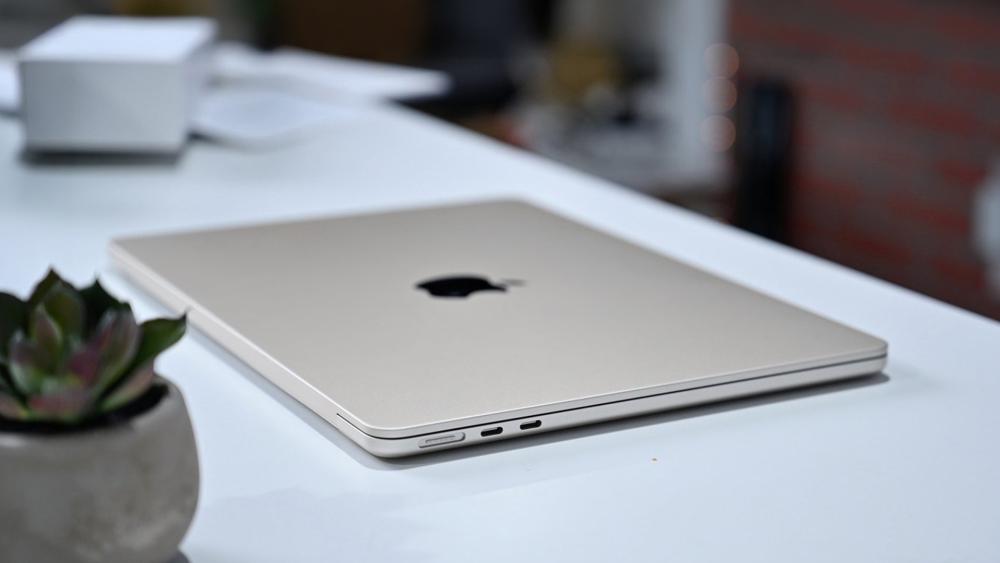
A good MacBook Air lifespan is shaped by more than one factor. Hardware quality matters, but so do software support, battery health, storage wear, and how demanding your workload becomes over time. A machine that feels fast for browsing and writing today may feel much less comfortable once you add heavier multitasking, creative apps, or years of OS updates.
-
Hardware vs Software Longevity
Hardware longevity is the physical side of the equation. The chassis, keyboard, ports, SSD, and battery all affect MacBook Air durability and day-to-day reliability. Software longevity is different. That comes down to how long Apple keeps shipping macOS updates and security support for a specific model. A MacBook Air can still function after official support ends, but it usually stops feeling future-proof at that point. Apple's latest macOS Tahoe compatibility list still includes the 2020 Intel MacBook Air, the M1 MacBook Air, and all later Apple Silicon Air models, which shows the 2020 Intel generation remains supported for now.
-
macOS Support and Updates
macOS support is one of the biggest factors in MacBook Air longevity. Once a model drops off the newest macOS list, it becomes much harder to recommend for long-term ownership. Right now, the current compatibility list still covers MacBook Air models from 2020 onward, including the Intel Retina 13-inch 2020 and the M1 model. That means any 2020 Air still has official life left in it, but the Intel version is clearly closer to the end of its support runway than the Apple Silicon models that launched later and sit on Apple's current architecture.
-
Performance Degradation Over Time
Performance ageing is where Intel and Apple Silicon separate most clearly. Batteries wear down, storage fills up, and newer apps lean harder on memory and graphics acceleration. Apple's own comparisons around newer MacBook Air launches highlight just how wide the gap has become. Apple says the M4 MacBook Air is up to 23 times faster than the fastest Intel-based MacBook Air in certain workloads, while the M5 launch materials position it as up to 9.5 times faster than M1 in selected tasks. Those are marketing comparisons, but they still point to the same reality: MacBook Air ageing performance is much more forgiving on Apple Silicon than on older Intel machines.
Intel MacBook Air Lifespan (2018–2020 Models)
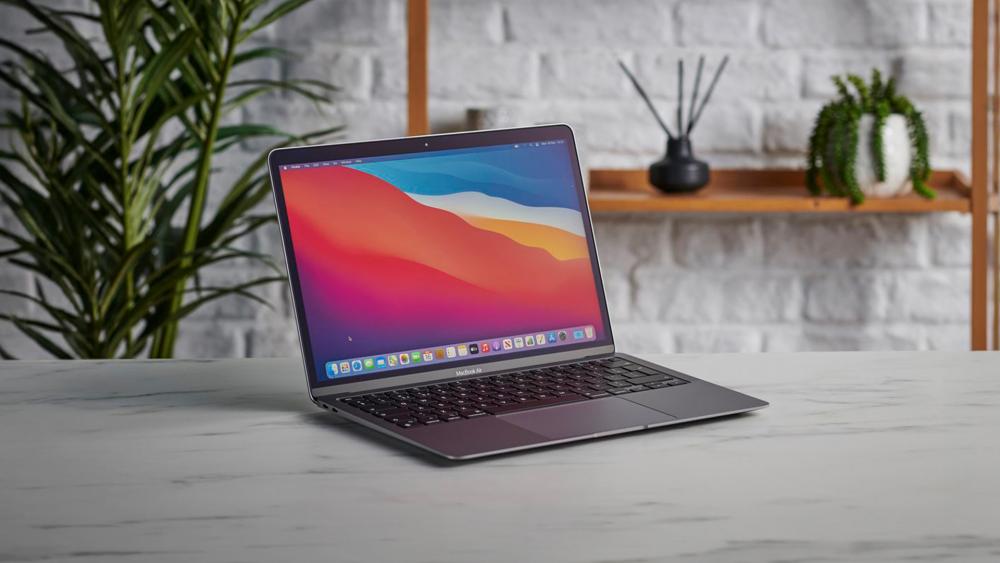
If you are judging MacBook Air lifespan across generations, Intel MacBook Air models from 2018 to 2020 are the turning point. They introduced the more modern Retina design, but they also arrived before Apple Silicon solved several long-standing weaknesses in the Air line.
-
Performance Over Time
The biggest issue with Intel vs M1 MacBook Air is not that Intel Airs were unusable at launch. It is that they age more quickly under modern workloads. Even the 2020 Intel MacBook Air shipped with lower battery-life figures than later Apple Silicon Air models. Apple's 2020 Intel spec page lists wireless web and movie playback testing on an Intel Core i3-based MacBook Air, while M1 and later generations pushed much harder on all-day efficiency and sustained responsiveness. In practical terms, Intel Air models tend to feel fine for light tasks if kept clean and maintained, but they lose comfort sooner once you start stacking browser tabs, multitasking, video calls, or heavier productivity work.
-
Common Issues With Intel Models
One reason MacBook Air reliability feels shakier on older Intel generations is that the broader 2018 to 2020 period overlaps with some of Apple's less-loved keyboard years and more thermally limited designs. Apple's support materials show older Retina Air models, including 2018, 2019, and 2020, already sitting on the vintage products list, which usually means service becomes more limited over time depending on parts availability. That does not mean every Intel Air is problematic, but it does mean owners are more likely to face the usual ageing laptop issues with less long-term confidence than on newer Apple Silicon models.
-
Are Intel MacBook Airs Still Usable Today?
Yes, but with clearer limits. A 2020 Intel Air is still officially supported by macOS Tahoe, so it is not obsolete in software terms. For email, documents, research, and streaming, it can still be a usable machine. The issue is value and headroom. If you want a machine for another several years of MacBook Air long term use, Intel is now the weaker bet. It is more of a "keep using if you already own it" option than a "buy now and ride it for years" option. For buyers comparing old Intel machines with the wider MacBook range, this is where Apple Silicon becomes the smarter long-term pick.
M-Series MacBook Air Lifespan (M1–M5)
This is where the MacBook Air lifespan conversation gets much more positive. The shift to Apple Silicon improved speed, battery life, thermal efficiency, and long-term performance stability all at once.
-
M1 MacBook Air Longevity
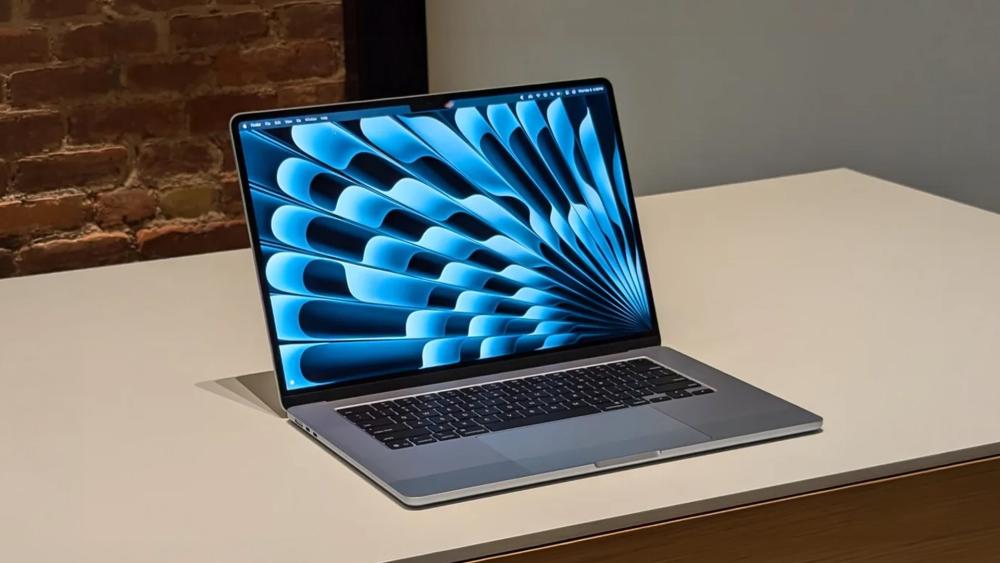
The Apple M1 chip changed the Air from a light-duty ultraportable into something that still feels relevant years later. Apple's M1 MacBook Air technical specs point to strong battery life and the usual fanless design, and that combination is a huge reason M1 machines have aged well. For many users, the M1 remains the baseline example of strong Apple Silicon MacBook lifespan. It is old enough to be affordable on the second-hand market, but still modern enough to feel capable for mainstream work. That balance is why the M1 is often the easiest answer when people ask about MacBook Air future proof value on a budget.
-
M2 and M3 Improvements
The Apple M2 chip and Apple M3 chip did not radically change the Air's role, but they improved the formula. Apple's M2 materials added a redesigned chassis, larger Liquid Retina display, MagSafe charging, 1080p camera, and up to 18 hours of battery life. M3 then carried that forward with better efficiency and stronger external display support. For MacBook Air longevity, that matters because these are not just minor spec bumps. They are better long-term daily drivers, especially if you want a machine that feels current for more than basic office work.
-
M4 and M5 Future Expectations
The Apple M4 chip and Apple M5 chip move the Air into even safer long-term territory. Apple says the M4 Air starts with 16GB of unified memory and supports two external displays alongside the built-in display, while M5 adds double the starting storage at 512GB, Wi-Fi 7, Bluetooth 6, and the same thin, durable aluminium design. Those changes matter because extra memory, newer wireless standards, and stronger baseline storage all improve MacBook Air long term use. The current Macbook Air newest model is the M5 generation, and on paper it is the safest choice for buyers who want the longest usable runway.
Intel vs M-Series: Which Lasts Longer?
If the goal is to compare MacBook Air lifespan directly, the answer is straightforward. M-series models last longer in practical terms because they age more gracefully.
-
Performance Stability
Performance stability strongly favours Apple Silicon. Intel MacBook Air models lose responsiveness sooner once modern apps and multitasking stack up. Apple Silicon machines benefit from better efficiency, stronger integrated performance, and unified memory architecture, which keeps day-to-day use smoother for longer. This is the biggest difference in MacBook Air performance over time. The laptop may look similar on a desk, but the experience after several years is not.
-
Battery Life Over Time
Battery wear happens on every laptop, but Apple's battery guidance still uses cycle count as a useful benchmark, and Mac notebook batteries are considered consumed once they hit their model's cycle limit. Even when both Intel and Apple Silicon models share the same broad cycle-count concept, Apple Silicon gets more done per charge to begin with, which makes battery ageing easier to live with. Apple's own launch comparisons say M4 Air offers up to six additional hours of battery life compared with Intel-based upgraders. That is a huge real-world quality-of-life gap.
-
Software Support Differences
Software support is where the longer-term edge becomes even clearer. The 2020 Intel Air still makes the current compatibility list, but it is the only Intel Air there. The M1 and all later Apple silicon Air models are part of Apple's current architecture and should logically have a longer support runway from here. Apple does not publish a fixed end date for support, so that part is still an inference, but it is a grounded one. If you care about MacBook Air upgrade cycle planning, M-series is the safer long-term lane.
When Should You Replace Your MacBook Air?
Knowing MacBook Air lifespan is useful, but so is knowing when to stop squeezing extra life out of a machine that no longer suits your work.
-
Signs Your MacBook Air Is Slowing Down
A MacBook Air is usually ready for replacement when the slowdown affects your routine rather than just benchmarks. Long app launches, reduced battery life, lag under multitasking, heat during simple tasks, and lack of headroom for newer software are all signs the machine is moving out of comfortable MacBook Air long term use. If it still handles your work cleanly, you do not need to panic-upgrade. If basic tasks now feel like a chore, the lifespan question has already answered itself.
-
Upgrade vs Continue Using
For Intel owners, continuing to use the machine can still make sense if your workload is light and the battery remains acceptable. For most buyers shopping now, though, upgrading is the better call. M1 and later models simply age better. They also fit modern desks more naturally, especially once you start adding laptop accessories for productivity such as docks, stands, keyboards, and external displays. And when it comes to accessories, you might face some issues with the MacBook supporting all USB-C ports and nothing else. To understand more about this, you can refer to our MacBook Air USB-C limitations explained guide, as older Airs often feel more restricted once you try to build a fuller workstation around them.
-
Best Time to Switch to Apple Silicon
The best time to switch is usually before an Intel Air drops off current macOS support or before your daily work starts feeling cramped. For many people, that point has already arrived. If you own a 2018, 2019, or 2020 Intel MacBook Air, the move to Apple Silicon is not just about getting a newer machine. It is about getting a laptop with better efficiency, stronger battery life, quieter operation, and a much healthier outlook for MacBook Air future proof value.
Final Verdict: Which MacBook Air Generation Ages Best?
If the goal is to find the best MacBook Air lifespan, Apple Silicon wins comfortably. The M1 remains the standout value pick for longevity on a sensible budget. M2 and M3 improve the design and keep the formula strong. M4 and M5 offer the best long-term runway thanks to stronger starting specs, better external display support, and more future-friendly memory and storage positions. Intel MacBook Air models are still usable in the right conditions, but they no longer make the best case for long ownership.
So, which generation ages best? The broad answer is M-series as a whole, with the newer chips naturally offering the safest long-term bet. The practical answer is simpler: keep an Intel Air only if it still fits your needs, buy M1 if value matters most, and buy M4 or M5 if you want the longest and smoothest path ahead. That is the clearest way to think about MacBook Air lifespan in 2026.
FAQs
How many years do MacBook Airs usually last?
Most MacBook Airs can remain physically usable for several years, but practical lifespan depends on software support, battery health, and workload. In 2026, Apple still supports 2020 MacBook Air models with macOS Tahoe, while older 2018 and 2019 (excluding the 16-inch MacBook Pro 2019) Retina Air models are already on Apple's vintage list.
Is M1 MacBook Air better than Intel for longevity?
Yes. The M1 MacBook Air is generally better for MacBook Air longevity because Apple Silicon is more efficient, holds performance better over time, and sits on Apple's current platform direction.
Are Intel MacBook Airs still worth using?
They can still be worth using if you already own one and your workload is light. The 2020 Intel Air still supports the latest macOS, but it has a shorter long-term runway than M-series models.
How long will M-series MacBook Airs be supported?
Apple does not publish fixed end dates for Mac support. What is clear is that M-series MacBook Air models are part of Apple's current Silicon platform, so they are positioned better for long-term macOS support than Intel Air models.
You can pay with:
*PayPal Credit Representative Example: Assumed credit limit £1,200, Representative 23.9% APR (variable). Purchase rate 23.9% p.a (variable).Terms & Conditions apply.


PayPal Credit and PayPal Pay in 3 are trading names of PayPal UK Ltd, 5 Fleet Place, London, United Kingdom, EC4M 7RD. Terms and conditions apply. Credit subject to status, UK residents only, Five Tech LTD acts as a broker and offers finance from a restricted range of finance providers. PayPal Pay in 3 is not regulated by the Financial Conduct Authority. Pay in 3 eligibility is subject to status and approval. 18+. UK residents only. Pay in 3 is a form of credit. Check if affordable and how you will repay. May make other borrowing more difficult or expensive. See product terms for more details.
Copyright © 1996-2026 Fivetech LTD | Terms and Conditions
box.co.uk & Box are trading names of Five Tech Limited. Registered office: Box LTD, Unit 10 Woodford Trading Estate, Woodford Green IG8 8HF