


 Menu
MenuMenu


Get Sales Advice from Mon - Fri 9am - 5:00pm:
020 3337 8950LAST UPDATED: December 09, 2025
M2 vs M3 vs M4 MacBook Air: What’s Changed & Which One Should You Buy?
Apple's lightweight champ has come a long way, and in 2025 the big question many shoppers are asking is how the M2 vs M3 vs M4 MacBook Air models stack up. With each generation pushing Apple Silicon further – and with the newest M4 chip promising major gains in speed, efficiency and on-device AI – choosing the right Apple MacBook Air has never been more important. Whether you're upgrading from an older Intel machine, deciding between the Apple MacBook Air M2 or M3, or wondering if the leap to M4 is worth it, this guide breaks down everything clearly.
At Box, you'll find the full Apple MacBook laptop range, including the latest Apple MacBook Air models. This blog will help you figure out which MacBook Air offers the best mix of performance, battery life and long-term value for your needs. So, without further ado, let's get to it.
MacBook Air M2 vs M3 vs M4
Before diving into the detailed feature comparison for the MacBook Air series, here is a quick comparison table:
|
Feature |
MacBook Air M2 |
MacBook Air M3 |
MacBook Air M4 |
|
Chip Architecture |
5nm Apple Silicon |
3nm Apple Silicon |
Next-gen 3nm+ Apple Silicon |
|
CPU |
8-core |
8-core, faster single-core |
Redesigned 8-core with higher efficiency |
|
GPU |
Up to 10-core |
Up to 10-core with Dynamic Caching & ray tracing |
Up to 10-core, cooler & more stable under load |
|
Neural Engine |
16-core with 15.8 TOPS |
16-core with 18 TOPS and Faster ML acceleration |
16-core with 38 TOPS and Next-gen AI acceleration (best for future macOS features) |
|
Display |
13.6" Liquid Retina |
13.6" Liquid Retina |
13.6" Liquid Retina with higher brightness + HDR boost |
|
External Displays |
1 external display |
1 external display |
2 external displays (new Display Engine) |
|
Battery Life |
15–18 hours |
~18 hours |
Up to 20 hours |
|
Weight |
~1.24 kg |
~1.24 kg |
Slightly lighter frame |
|
Thermals |
Fanless, moderate throttling |
Fanless, improved efficiency |
Fanless, best sustained performance |
|
Ideal For |
Students, everyday users |
Professionals, light creatives, hybrid workers |
Creators, developers, long-term buyers |
|
Value Summary |
Best budget pick |
Best mid-range balance |
Best future-proof model |
Apple Silicon Evolution: M2 → M3 → M4.
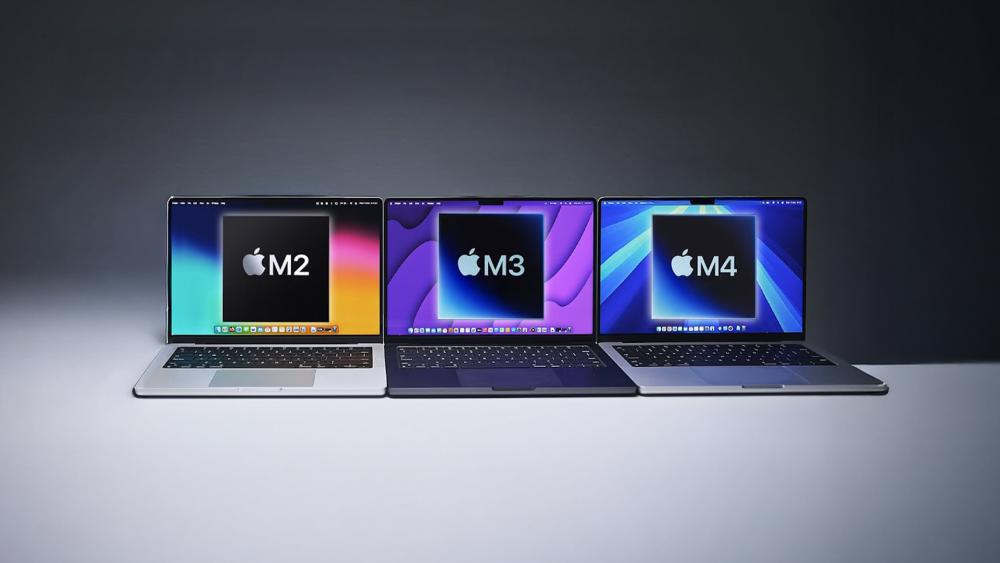
The jump from the M2 to the M3 and now the M4 represents one of the biggest performance shifts in the Air lineup, which is why so many buyers comparing M2 vs M3 vs M4 MacBook Air models want to understand what has actually changed under the hood. Apple Silicon has been steadily refined with each generation, improving efficiency per watt, graphics handling and AI-driven workloads.
-
A Quick Recap of Apple Silicon Progress:
The Apple MacBook range first adopted the M2 chip built on a 5nm process, offering strong improvements over the early M1 machines. The M3 arrived with a 3nm process, allowing better thermal efficiency and noticeably stronger GPU performance. With the latest M4 chip, Apple has shifted to a next-generation 3nm+ design that focuses on cooler operation, longer battery life, and smarter AI acceleration.
-
GPU and Neural Engine Progression Across Each Generation:
Where the M2 delivered reliable everyday performance, the M3 raised the bar with Dynamic Caching and hardware-level ray tracing, making it more capable for casual gaming and creative apps. The M4 builds on this with a faster Neural Engine optimised for on-device AI tasks like photo enhancements, coding assistance and background processing. These gains matter if you want your latest MacBook Air to feel fast for years.
-
How Much Faster is M4 Compared to M3 and M2?
Benchmarks show the M4 pulling ahead in sustained CPU and GPU workloads, especially when running multi-app workflows or handling exported media. The performance uplift between the M3 and M4 is bigger than the jump from the M2, which is why many buyers evaluating M2 vs M3 vs M4 MacBook Air options gravitate toward the M4 for future-proofing.
-
Is the M3 MacBook Air still worth buying in 2025?
Absolutely. The M3 sits in a sweet spot for users who don't need the extra AI acceleration of the M4 but want better graphics performance than the M2. If you find a good deal through Box's Apple MacBook laptop selection, the M3 remains a solid mid-range option, especially for students or professionals.
Design & Build: What's Changed in 2025?
When comparing the M2 vs M3 vs M4 MacBook Air, one thing becomes clear straight away: Apple hasn't messed with the winning formula. All three generations stick to the ultra-thin aluminium unibody that makes the Apple Mac Air one of the easiest laptops to carry around. Even so, the M4 model introduces a few subtle but useful improvements.
-
Weight and Chassis Comparison (M2 vs M3 vs M4 Air)
The M2 and M3 editions sit at around 1.24 kg, keeping them ideal for students, commuters and creators who want something genuinely portable. The new M4 Air trims a little weight thanks to internal refinements, giving it a slightly lighter frame without losing durability. If portability is your top priority in the M2 vs M3 vs M4 MacBook Air debate, all three models deliver, though the M4 edges ahead.
-
New Pastel Finishes on the M4 Air
One noticeable shift in 2025 is colour variety. Apple has introduced softer pastel tones on the M4 model, adding a fresh look for users who want something different to the classic Midnight and Starlight options. This gives the latest MacBook Air lineup a more modern style without changing the familiar, minimalistic design.
-
Sustainability Updates: Recycled Aluminium & Cobalt Batteries
Apple has continued its push toward environmentally sound manufacturing. The M4 generation uses more recycled aluminium in its chassis and a higher percentage of recycled cobalt in the battery. If sustainability forms part of your buying decision, the M4 stands out in the M2 vs M3 vs M4 MacBook Air comparison, offering the greenest build so far.
Display Comparison: What's New on the Latest MacBook Air?
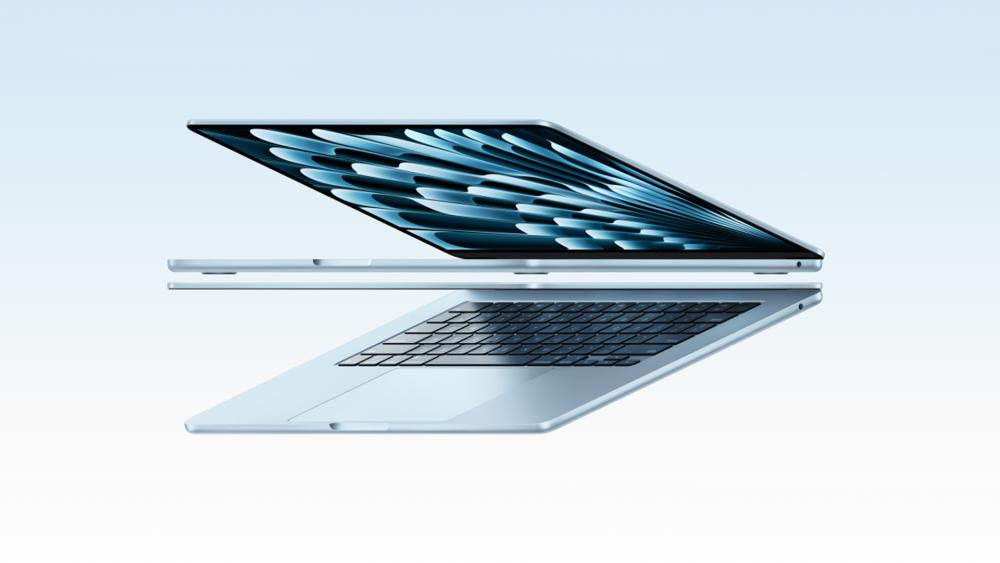
When comparing the M2 vs M3 vs M4 MacBook Air, the display specs may look similar at first glance, but the M4 model introduces meaningful improvements for anyone who values brightness, colour accuracy or external monitor support. This is especially important for students, creators, developers, and even casual gamers who need clarity and consistency across apps, videos, and workflows.
-
All Models Still Use the 13.6-inch Liquid Retina Panel
Apple has kept the same 13.6-inch Liquid Retina display across all three generations. That means sharp text, crisp visuals, and rich colours whether you're working on documents, watching films or running lightweight games. It's still one of the standout features of the Apple MacBook Air, bringing flagship-level visual quality into the thin-and-light category.
-
Brightness and HDR Improvements on the M4
The biggest upgrade comes from the M4 model's brighter panel. It offers enhanced HDR performance and better visibility outdoors or under harsh indoor lighting. As a result, in the M2 vs M3 vs M4 MacBook Air comparison, the M4 provides a more comfortable viewing experience, especially if you work with high-contrast imagery or regularly edit photos and videos. The improved peak brightness also makes colours pop in games and media without washing out detail.
-
External Monitor Support: 1 Display on M2/M3 vs 2 Displays on M4
This is one of the most important differences.
- M2 & M3 MacBook Air: Support one external display.
- M4 MacBook Air: Supports two external displays thanks to its upgraded Display Engine.
For users juggling multiple windows, coding environments or editing timelines, this alone might make the M4 the best choice. If you're planning a dual-screen setup, you can explore compatible Monitor options at Box when configuring your workspace.
Performance Breakdown: CPU, GPU & Neural Engine
Performance is often the deciding factor when choosing between the M2 vs M3 vs M4 MacBook Air, especially for users who split their time between work, study, content creation and occasional gaming. Apple Silicon has evolved at a steady pace, but the M4 marks the biggest leap yet, improving multitasking, graphics capability and AI-assisted workflows.
-
CPU Performance Boosts from M2 to M4
The M2 features an 8-core CPU designed for everyday tasks, light creative work, and general productivity. The M3 builds on this with improved efficiency, offering faster single-core speeds that benefit app responsiveness and browser-heavy multitasking. The M4 goes further with a refined 3nm+ process and higher-efficiency cores, giving it a noticeable edge in demanding workloads. If you're comparing M2 vs M3 vs M4 MacBook Air options based on raw speed, the M4 handles sustained performance far better, especially under heavy multitasking.
-
GPU Improvements: Dynamic Caching, Ray Rracing, and Efficiency Gains
The M2 GPU is solid for basic creative work and light gaming, but the M3 introduced proper hardware-accelerated ray tracing and Dynamic Caching. This makes the M3 surprisingly capable for casual titles and more graphically intense apps. The M4 retains these features but with improved efficiency, cooler operation and better sustained frame stability. If you want the snappiest visuals in the Apple MacBook Air lineup, the M4 performs best without needing a jump to the Apple MacBook Pro range.
-
Neural Engine Upgrades for AI & On-Device Processing
AI-driven features have become a major part of macOS, and the Neural Engine is key to handling them smoothly.
- M2: Reliable but limited in AI-heavy tasks.
- M3: Faster response times for machine-learning apps.
- M4: Massive improvement thanks to next-gen acceleration built for 2025 workflows.
From code generation to video upscaling, the M4 makes AI-powered tasks feel instant. In the M2 vs M3 vs M4 MacBook Air debate, this will matter for students, creators and professionals adopting AI-enhanced tools.
-
Real-World Benchmarks for Gaming, Editing & Multitasking
In everyday use, the M4 pulls ahead with smoother performance in Final Cut, Logic, Lightroom, and complex browser sessions. Gamers running lighter titles will notice more stable frame pacing and fewer dips, especially during longer sessions thanks to better thermal tuning. For workloads that push the GPU, the M3 still offers excellent value, while the M2 remains the best entry-level choice for users who don't need cutting-edge acceleration.
Battery Life & Efficiency

Battery life has always been one of the biggest selling points of the MacBook Air, and comparing the M2 vs M3 vs M4 MacBook Air models shows Apple's focus on efficiency more clearly than ever. Each generation improves how long the laptop lasts on a single charge, but the M4 pushes endurance further thanks to architectural upgrades and better power management.
-
Battery Life Comparison
The M2 MacBook Air already delivered a respectable 15 to 18 hours of video playback. The M3 refined this with improved power efficiency, hitting around 18 hours in most real-world tests. The new M4 stretches closer to 20 hours, making it the most capable option if long unplugged sessions are essential. Across the M2 vs M3 vs M4 MacBook Air comparison, the M4 stands out for users who study, travel or work all day away from the charger.
-
Why the M4 Lasts Longer: Architecture & Efficiency Cores
The M4 chip uses a next-generation 3nm+ process, allowing more work to be done while consuming less power. Its redesigned efficiency cores can handle lighter workloads without waking the more power-hungry performance cores. This makes the M4 Air feel fast while sipping battery power, which is a noticeable improvement over both the M2 and M3 generations.
-
Charging Options & Long-Term Battery Health
All three models use USB-C charging and support fast-charge with the right power adaptor. Apple has also refined battery management in recent macOS releases, improving long-term health and slowing battery ageing. If you're thinking long-term when comparing M2 vs M3 vs M4 MacBook Air models, the M4 not only lasts longer per charge but should hold its capacity better over time.
Thermal Design & Quiet Performance
One of the biggest strengths across all three generations in the M2 vs M3 vs M4 MacBook Air comparison is the fanless design. Apple continues to rely on efficient thermal engineering rather than active cooling, which keeps the MacBook Air silent even when pushed. The differences begin to show, however, when looking at how well each model maintains performance over longer, heavier tasks.
-
Fanless Cooling Across All Three Models
Despite the rise in performance from M2 through to the M4, every model retains the fanless approach that defines the Apple MacBook Air range. This ensures zero noise whether you're browsing, editing photos or playing lighter games. It's a big selling point for students and home workers who want absolute silence at their desk.
-
M4's Improved Thermal Headroom
Thanks to the refined 3nm+ architecture, the M4 chip operates more efficiently than the previous generation. This gives the newest Air more thermal headroom, meaning it can sustain higher performance for longer before heat begins to limit speed. For anyone comparing M2 vs M3 vs M4 MacBook Air models with creative workloads in mind, the M4 has the clear advantage.
-
Sustained Performance Under Real Workloads
Tasks like rendering, coding, long video meetings, and even extended gaming sessions can push the system harder. The M2 and M3 handle these well, but the M4 holds higher clock speeds for a longer period thanks to better heat distribution and lower internal temperatures. This leads to fewer slowdowns and a smoother experience, especially when several apps are open at once.
Price & Value for Money:
Price is often the final deciding factor when comparing the M2 vs M3 vs M4 MacBook Air, especially for students, home users, and creators who want the best balance of performance and cost. In the UK, all three models occupy very different price brackets in 2025.
-
Launch Price vs Current UK Pricing for Each Model
Here's how the three models currently sit in the market:
|
Model |
Launch Price (UK) |
Typical 2025 Price |
Positioning |
|
M2 MacBook Air |
£1,099 |
~£899 - ~999 (discounted) |
Best-value budget choice |
|
M3 MacBook Air |
£1,199 |
~£1,099 |
Mid-tier performance |
|
M4 MacBook Air |
£1,299 |
£1,299 |
Premium, most future-proof |
With discounts on Apple MacBook laptop range on Box, the M2 is still a strong competitor for anyone who wants a cheaper entry into the Apple MacBook Air lineup.
-
Best-Value Pick for 2025 Buyers
Value depends heavily on your workload.
- The M2 is ideal for light users and students who want a reliable machine at a much lower cost.
- The M3 offers the best mid-range experience, especially for people who do occasional creative work or light gaming.
- The M4 is the best long-term investment for those comparing M2 vs M3 vs M4 MacBook Air models and wanting the longest support lifespan.
-
Resale Value & Longevity Across M2, M3 and M4
Apple laptops traditionally hold strong resale value, and the newer the chip, the longer macOS support is expected to last. The M4 will naturally retain the highest value over time, with the M3 close behind. Even the M2 continues to resell well, making it a safe buy for anyone upgrading from older Intel systems or looking for a dependable MacBook Air without overspending.
Ideal Buyer Profiles: Which One Should You Buy?
When comparing the M2 vs M3 vs M4 MacBook Air, the right choice often depends less on raw benchmarks and more on how you actually use your laptop. Each model suits a different type of buyer, and Apple's pricing in 2025 makes the decision clearer than you might expect. Here's who each model is best suited for.
-
Who should buy the M2 MacBook Air?
The M2 is perfect for students, home users and anyone who needs a lightweight device for browsing, note-taking, streaming, and day-to-day productivity. It remains the best entry-level option in the Apple MacBook Air lineup, offering great portability at a much lower cost. If you want macOS without paying top-tier pricing, the M2 is still unbeatable value in the M2 vs M3 vs M4 MacBook Air comparison.
-
Who should buy the M3 MacBook Air?
The M3 suits professionals, office users and creatives who need stronger GPU performance for photo editing, design tools, or occasional gaming. It also handles multitasking noticeably better than the M2, making it ideal if you regularly switch between multiple apps. For most people, the M3 is the most balanced model in Apple's 2025 lineup.
-
Who should buy the M4 MacBook Air?
The M4 is built for those who want maximum longevity, stronger AI performance, and smoother handling of heavier workloads. Developers, content creators, and power users benefit the most from the M4's improved Neural Engine, brighter display, and dual external monitor support. If you want the most future-proof choice in the M2 vs M3 vs M4 MacBook Air range, this is the one to buy.
Future-Proofing & Upgrade Advice
Future-proofing plays a huge part when choosing between the M2 vs M3 vs M4 MacBook Air, especially if you want a laptop that will stay fast and supported for several years. Apple Silicon improves with every generation, and the M4 now sets a new baseline for long-term use thanks to its updated architecture and on-device AI performance.
-
macOS Optimisation and Long-Term Support Differences
Newer chips typically receive the longest macOS support. The M4 will naturally enjoy the longest lifespan, with the M3 not far behind. The M2 is still fully supported, but as software grows more AI-driven, the newer Neural Engine and efficiency cores of the M4 will age better. For buyers comparing M2 vs M3 vs M4 MacBook Air options with longevity in mind, the M4 clearly leads.
-
Should You Upgrade from M2 → M4?
If you're coming from an M2, the jump to the M4 offers noticeable improvements such as better battery life, stronger performance under load, improved display brightness, and support for two external monitors. Heavy multitaskers, creators, and professionals will notice the difference immediately. Casual users may not need the upgrade unless their workloads have grown.
-
Should You Upgrade from Intel → M3 or M4?
Upgrading from an older Intel-based MacBook makes a huge difference no matter which Apple Silicon model you pick. The apple macbook air feels dramatically faster, quieter and more efficient compared to ageing Intel machines. The M3 is ideal for budget-conscious upgraders, while the M4 is the better long-term investment if you want a machine that will still feel snappy in five or more years.
-
Resale Timing & Trade-In Value Expectations
Apple laptops hold value exceptionally well. If resale matters to you, the M3 and M4 models will maintain higher value for longer, particularly as developers shift more workflows to AI-enhanced tools. The M2 remains a safe choice, but won't retain value quite as strongly as the newer models in the M2 vs M3 vs M4 MacBook Air comparison.
Conclusion
When comparing the M2 vs M3 vs M4 MacBook Air, the choice becomes clearer once you break down your needs. The M2 is the most affordable option and still an excellent everyday machine for students and casual users who want macOS without stretching their budget. The M3 sits comfortably in the middle, offering stronger graphics, better efficiency and smoother multitasking for professionals and creators who don't need the power of a Pro model. The M4 is the premium pick for those who want the best performance, longest battery life and maximum future-proofing thanks to its next-gen architecture and AI capabilities.
If you want the best value, the M3 is the sweet spot. If longevity and performance matter most, the M4 is the clear winner. For simple day-to-day use and lower costs, the M2 remains a solid choice in 2025.
FAQs
-
What's the main difference between the M3 and M4 MacBook Air?
The biggest difference lies in efficiency and AI performance. The M4 uses a next-generation 3nm+ design that delivers longer battery life, cooler operation and a much faster Neural Engine. If you're comparing the M2 vs M3 vs M4 MacBook Air, the M4 clearly leads in future-proofing and external monitor support.
-
Is the M4 MacBook Air worth the upgrade from the M2?
Yes, if you want stronger performance, better battery life, and a brighter display. The M4 is a major leap from the M2, especially for multitasking, creative apps, and AI-assisted tasks. For basic use, though, the M2 still remains excellent value.
-
How long will the M2 MacBook Air be supported?
Apple typically supports Macs for 7–8 years with macOS updates, so the M2 MacBook Air should remain supported well into the early 2030s. It will receive security patches beyond that, though AI-heavy features may run better on newer models in the M2 vs M3 vs M4 MacBook Air lineup.
-
Does the M4 MacBook Air support two external displays?
Yes. Thanks to its upgraded Display Engine, the M4 can power up to two external monitors at once. The M2 and M3 models only support a single external display.
-
Which MacBook Air has the best battery life?
The M4 MacBook Air offers the longest battery life at around 20 hours, followed by the M3 at around 18 hours and the M2 at 15–18 hours depending on usage.
-
Is the M4 MacBook Air good for creators or developers?
Absolutely. The M4's improved GPU efficiency, stronger Neural Engine and support for dual monitors make it the best option for video editing, coding, design tools and AI workflows. If you're deciding between the M2 vs M3 vs M4 MacBook Air for creative work, the M4 is the clear winner.
You can pay with:
*PayPal Credit Representative Example: Assumed credit limit £1,200, Representative 23.9% APR (variable). Purchase rate 23.9% p.a (variable).Terms & Conditions apply.


PayPal Credit and PayPal Pay in 3 are trading names of PayPal UK Ltd, 5 Fleet Place, London, United Kingdom, EC4M 7RD. Terms and conditions apply. Credit subject to status, UK residents only, Five Tech LTD acts as a broker and offers finance from a restricted range of finance providers. PayPal Pay in 3 is not regulated by the Financial Conduct Authority. Pay in 3 eligibility is subject to status and approval. 18+. UK residents only. Pay in 3 is a form of credit. Check if affordable and how you will repay. May make other borrowing more difficult or expensive. See product terms for more details.
Copyright © 1996-2026 Fivetech LTD | Terms and Conditions
box.co.uk & Box are trading names of Five Tech Limited. Registered office: Box LTD, Unit 10 Woodford Trading Estate, Woodford Green IG8 8HF