


 Menu
MenuMenu


Get Sales Advice from Mon - Fri 9am - 5:00pm:
020 3337 8950LAST UPDATED: February 10, 2026
Lenovo vs Dell Laptops: Full Buyer’s Guide to Ranges, Specs and Value
Choosing between two major laptop brands can feel overwhelming, especially when both offer wide line-ups that cater to students, professionals, creatives, gamers, and businesses alike. The Lenovo vs Dell laptops debate isn’t about declaring one brand universally better than the other; it’s about understanding how each brand approaches design, performance, durability, and long-term value.
Dell and Lenovo have both built strong reputations in the UK market, but they serve slightly different priorities depending on the range. From premium ultrabooks and business machines to gaming systems and flexible 2-in-1 laptops, the real difference often comes down to how a laptop fits into your daily routine rather than the logo on the lid.
This buyer’s guide breaks down Dell and Lenovo laptop ranges in a practical, user-focused way. Instead of focusing purely on specs, it looks at real-world factors such as build quality, battery life, display options, and value for money, helping you decide which brand makes the most sense for how you actually work, study, or create.
Lenovo vs Dell Laptops: A Quick Comparison
Before diving into individual ranges and use cases, it is helpful to compare all the important features. This table gives you a quick snapshot of a Dell vs Lenovo laptop comparison.
| Feature | Dell Laptops | Lenovo Laptops |
| Main laptop ranges | XPS, Inspiron, Latitude, Vostro, Precision, Alienware, G Series | ThinkPad, IdeaPad, Yoga, Legion, ThinkBook |
| Build quality | Premium materials on XPS & Latitude; plastic on entry models | Strong reputation for durability, especially ThinkPad |
| Durability | Business models built for daily professional use | ThinkPad ranges known for long-term reliability |
| Performance options | Broad Intel & AMD coverage, strong workstation options | Balanced performance across consumer, business, and gaming |
| Display quality | High-resolution IPS and OLED on XPS and premium models | Wide range, including OLED on Yoga and high-refresh gaming panels |
|
Battery life |
Competitive, varies by range and configuration | Often strong efficiency, especially on business models |
| Gaming performance | Alienware and G Series focus on premium and mid-range gaming | Legion and LOQ offer strong price-to-performance gaming |
| Security features | Strong enterprise tools on Latitude and Precision | Extensive security on ThinkPad and business ranges |
| Price range | Broad, from budget to premium | Broad, with strong value options at most levels |
| Best for | Professionals, creatives, premium buyers | Business users, students, gamers, flexible workflows |
This overview helps frame the Lenovo laptop vs Dell laptop debate, but the finer details matter just as much. Build choices, range positioning, and everyday experience often make the biggest difference once you dig deeper.
Laptop Ranges Explained: Dell vs Lenovo Line-ups
Before comparing raw performance or value of these Windows laptops, it helps to understand how Dell and Lenovo structure their laptop ranges. Each series is built around a specific type of user, and the typical specs reflect those priorities.
Dell Laptop Ranges
XPS Series
Dell XPS laptops sit at the top of Dell’s consumer lineup. Models like the XPS 13, XPS 14, and XPS 16 typically feature Intel Core Ultra processors, up to 32GB RAM, fast PCIe SSDs, and high-resolution displays, including OLED options up to 3.2K. These laptops prioritise slim aluminium builds, strong display quality, and portability for professionals and creatives.
Inspiron Series
Inspiron laptops are Dell’s mainstream range, commonly configured with Intel Core i3, i5, or AMD Ryzen 5 processors, 8–16GB RAM, and Full HD IPS displays. Storage usually starts at 256GB SSD, making them suitable for everyday productivity, studying, and home use rather than demanding workloads.
Vostro Series
Vostro models share many internal components with Inspiron laptops but add business-focused touches. Typical specs include Intel Core i5 processors, 16GB RAM options, TPM support, and a practical port selection. They’re designed for small businesses that want reliability without the cost of enterprise-grade systems.
Latitude Series
Latitude laptops are Dell’s core business machines. They commonly ship with Intel Core Ultra vPro CPUs, 16–32GB RAM, extended battery options, and enterprise security features. Displays tend to focus on efficiency and brightness rather than ultra-high resolution, reflecting their use in large-scale corporate deployments.
Precision Series
Precision laptops are built for professional workloads. Typical configurations include Intel Core i7/i9 or Xeon processors, NVIDIA RTX A-series GPUs, and support for 64GB RAM or more. These systems are aimed at CAD, engineering, and content creation, where certified drivers and sustained performance matter.
Alienware and G Series
Alienware represents Dell’s premium gaming brand, offering Intel or AMD high-wattage CPUs, NVIDIA RTX graphics, high-refresh displays, and advanced cooling. The Dell G Series uses similar components but at lower price points, often pairing RTX 4050/4060 GPUs with more understated designs.
Lenovo Laptop Ranges
ThinkPad Series
ThinkPad laptops are Lenovo’s flagship business devices. Common specs include Intel Core Ultra or AMD Ryzen Pro processors, 16–32GB RAM, and highly reliable keyboards. ThinkPads focus on durability, security features, and long lifecycle support rather than flashy displays.
IdeaPad Series
IdeaPad models target everyday users and students. Typical configurations include Intel Core i5 or AMD Ryzen 5 CPUs, 8–16GB RAM, and Full HD IPS screens. They offer good value for browsing, office work, and media consumption without premium pricing.
Yoga Series
Yoga laptops focus on flexibility and design. They commonly feature touch-enabled displays, 360-degree hinges, Intel Core Ultra processors, and optional OLED panels. These are aimed at users who want tablet-style interaction alongside traditional laptop use.
Legion Series
Legion laptops are Lenovo’s dedicated gaming machines. They typically include AMD Ryzen or Intel HX processors, NVIDIA RTX GPUs, high-refresh displays (165Hz+), and strong thermal systems. They prioritise performance and cooling over portability.
ThinkBook Series
ThinkBook sits between IdeaPad and ThinkPad. Typical specs include Intel Core i5/i7 processors, 16GB RAM, modern designs, and business-friendly features. They suit SMEs that want a professional-looking laptop without full enterprise pricing.
Dell vs Lenovo Laptops: Performance and Specifications
Both brands offer a wide performance spread, but their priorities differ depending on the range and target user.
Dell
Most of the Dell laptops typically focus on stable, well-balanced performance. Mainstream models use Intel Core i5/i7 or AMD Ryzen 5/7 CPUs with 8GB–16GB RAM and PCIe SSDs. Dell Latitude laptops often feature Intel Core Ultra processors, integrated graphics, and enterprise-ready firmware, while XPS and Precision models add OLED display options and higher RAM support.
Lenovo
Top Lenovo laptops favour AMD Ryzen processors alongside Intel options, especially in IdeaPad, ThinkBook, and Legion lines. Lenovo ThinkPad business laptops commonly ship with Intel Core Ultra or Ryzen Pro CPUs, 16GB RAM as a standard option, and strong input-focused designs.

Lenovo vs Dell Laptops: Durability and Build Quality Comparison
Build quality is one of the clearest differences when comparing Dell and Lenovo, especially for long-term and business use.
Dell
Dell laptops use aluminium and reinforced plastics across mid-range and premium models. XPS and Latitude lines focus on slim, rigid chassis designs, while Precision models add extra structural strength for professional use. Business-focused Dell systems are built for regular travel and sustained daily use, with an emphasis on consistency across product generations.
Lenovo
Lenovo is widely known for durability, particularly in its ThinkPad range. Many ThinkPad models undergo MIL-STD testing and feature reinforced hinges, spill-resistant keyboards, and robust chassis construction. Compared with Dell, Lenovo laptops often prioritise practical durability over ultra-thin design, making them popular for hybrid work and frequent travel.
Dell vs Lenovo Laptops: Display Quality and Screen Options
Display quality varies significantly depending on the series, but both brands now offer strong choices across different use cases.
Dell
Dell’s premium models, especially XPS and Precision, offer high-resolution IPS and OLED display options with strong brightness and colour accuracy. These displays suit creative work and long productivity sessions, while mainstream Inspiron and Latitude models focus on reliable Full HD panels for everyday use.
Lenovo
Lenovo offers a wide mix of IPS and OLED panels across Yoga, ThinkPad, and Legion ranges. Many Lenovo laptops balance resolution and brightness with power efficiency, making them well-suited for work-focused users. Compared to Dell, Lenovo provides more OLED options across mid-range models rather than limiting them to top-tier devices.
Dell vs Lenovo Laptops: Battery Life and Portability
Battery life and portability often depend more on series and configuration than brand alone, but Dell and Lenovo take slightly different approaches.
Dell
Dell laptops prioritise efficiency in business and premium ranges. Latitude and XPS models commonly ship with 52Wh–86Wh batteries, paired with Intel Core Ultra or low-power Intel U-series CPUs, delivering realistic all-day use for office workloads. Many Dell ultrabooks focus on thin designs under 1.3–1.5kg, making them well-suited for professionals who travel frequently.
Lenovo
Lenovo laptops often trade a little weight for endurance. ThinkPad and Yoga models regularly include 57Wh–80Wh batteries, with AMD Ryzen variants known for strong efficiency in mixed workloads. In battery life benchmarks, Lenovo frequently performs well in productivity-focused testing, particularly in lightweight laptops in the UK aimed at hybrid work and long sessions away from power.
Dell vs Lenovo Laptops: Keyboard, Trackpad, and User Experience
Day-to-day usability often comes down to input quality and ergonomics rather than raw specs. The following section explains how keyboards and trackpads affect daily use when choosing a Dell or Lenovo laptop for office work.
Dell
Dell laptops focus on large, responsive precision trackpads and clean keyboard layouts. Premium lines like XPS and Latitude use backlit keyboards, glass trackpads, and wide palm rests designed for long sessions. Dell’s trackpads are often preferred for gesture accuracy and smooth navigation.
Lenovo
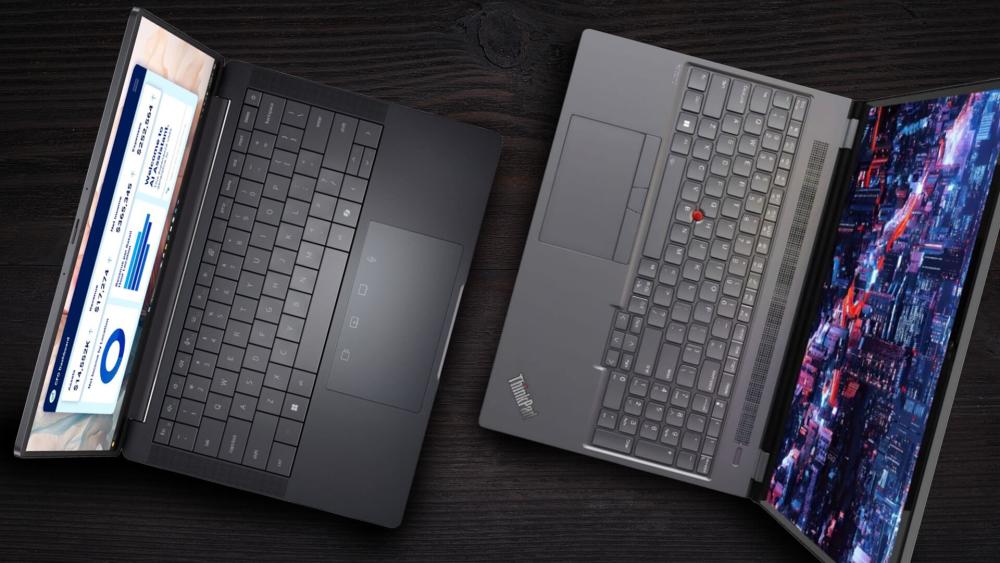
Lenovo ThinkPad business laptops are widely recognised for their high-quality keyboards. Deep key travel, tactile feedback, and the TrackPoint remain highlights for professionals who type all day.
Lenovo vs Dell Laptops: Security and Business Features
Business users need consistency, security, and long-term support just as much as performance. Security feature comparisons play a critical role for buyers comparing Dell Latitude vs Lenovo ThinkPad laptops.
Dell
Dell’s Latitude and Precision ranges include TPM 2.0, fingerprint readers, IR cameras, and BIOS-level protections. These features make Dell a strong option for users looking for business laptops for work, especially for managed IT environments that prioritise stability and compliance.
Lenovo
Lenovo business laptops emphasise layered security through ThinkShield, hardware-level encryption, and privacy features. Lenovo ThinkPads are often chosen for enterprise fleets due to consistent chassis designs, long lifecycle support, and predictable component availability.
Dell vs Lenovo Gaming Laptops
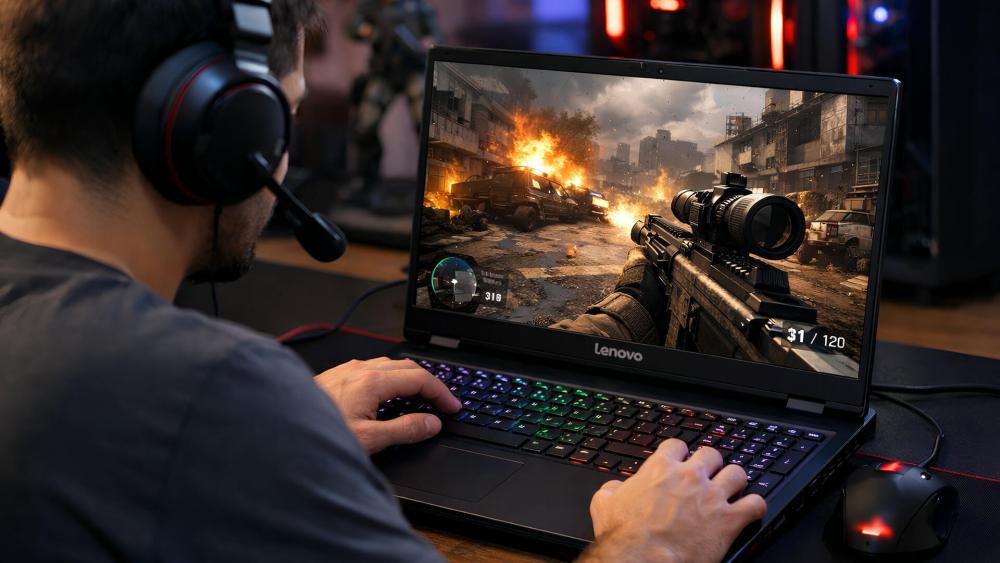
Gaming is one area where the differences between Dell and Lenovo are clearly defined by design philosophy. These differences are most noticeable in their gaming laptops, from performance tuning to overall design choices.
Dell
Dell’s gaming lineup centres on Alienware and the G Series. These models typically use Intel Core i7/i9 or AMD Ryzen 7/9 processors, paired with dedicated gaming GPUs. Dell gaming laptops focus heavily on cooling design, premium materials, and distinctive aesthetics, with Alienware targeting high-end performance over compact form factors.
Lenovo
Lenovo’s Legion range is known for a strong price-to-performance balance. Legion and LOQ laptops often pair AMD Ryzen or Intel HX-series CPUs with the latest GPUs, delivering competitive gaming performance with more restrained designs.
Pricing and Overall Value for Money
Value depends on how much performance, build quality, and longevity you expect at each price point.
Dell
Dell pricing is typically higher in premium ranges, especially XPS, Latitude, and Alienware. In return, buyers get refined builds, strong displays, and long software support cycles.
Lenovo
Lenovo offers a wider spread across budget and mid-range options, including Lenovo IdeaPad laptops, Lenovo V Series laptops, and Lenovo ThinkBook laptops.
Final Words: Which Brand Is Best for You?
There’s no universal winner in the Lenovo vs Dell laptops debate, as the better choice depends on how you work and what you value most.
- Students & home users: Lenovo IdeaPad and Dell Inspiron offer strong everyday performance
- Professionals & remote workers: ThinkPad and Latitude excel in comfort, durability, and battery life
- Creatives: Lenovo Yoga or Dell XPS provide strong displays and premium designs
- Gamers: Legion offers better value, while Alienware targets premium performance
- Businesses: ThinkPad and Latitude remain the safest long-term choices
Frequently Asked Questions
Are Lenovo Laptops More Reliable Than Dell Laptops?
Both brands are considered reliable, especially in their business ranges. Lenovo ThinkPad and Dell Latitude models are widely used in corporate environments and are designed for long-term, daily use rather than short upgrade cycles.
Which Brand Offers Better Value for Students: Lenovo or Dell?
Lenovo generally offers stronger value at lower price points, making it popular with students. Dell focuses more on build quality and displays, which can make some student models slightly more expensive.
Which Is Better for Business Use: Lenovo ThinkPad or Dell Pro/Pro Max?
Lenovo ThinkPad laptops are known for excellent keyboards, durability, and consistency across fleets. Dell Pro and Pro Max models emphasise manageability, security features, and display quality. Both are strong choices depending on IT priorities.
Which Brand Has Better Gaming Laptops: Lenovo Legion or Alienware?
Alienware targets premium gaming performance and distinctive design, while Lenovo Legion focuses on strong performance at more accessible prices. Value-focused gamers often lean toward Legion, while enthusiasts prefer Alienware.
Is It Worth Switching from Dell to Lenovo (or Vice Versa) When You Upgrade?
Switching brands can make sense if your priorities change, such as battery life, keyboard feel, or pricing. If you’re satisfied with your current experience, both brands offer enough continuity that switching isn’t necessary unless needs evolve.
You can pay with:
*PayPal Credit Representative Example: Assumed credit limit £1,200, Representative 23.9% APR (variable). Purchase rate 23.9% p.a (variable).Terms & Conditions apply.


PayPal Credit and PayPal Pay in 3 are trading names of PayPal UK Ltd, 5 Fleet Place, London, United Kingdom, EC4M 7RD. Terms and conditions apply. Credit subject to status, UK residents only, Five Tech LTD acts as a broker and offers finance from a restricted range of finance providers. PayPal Pay in 3 is not regulated by the Financial Conduct Authority. Pay in 3 eligibility is subject to status and approval. 18+. UK residents only. Pay in 3 is a form of credit. Check if affordable and how you will repay. May make other borrowing more difficult or expensive. See product terms for more details.
Copyright © 1996-2026 Fivetech LTD | Terms and Conditions
box.co.uk & Box are trading names of Five Tech Limited. Registered office: Box LTD, Unit 10 Woodford Trading Estate, Woodford Green IG8 8HF