


 Menu
MenuMenu


Get Sales Advice from Mon - Fri 9am - 5:00pm:
020 3337 8950LAST UPDATED: January 28, 2026
From Longer Sessions to Cooler Palms: How Lenovo Legion Is Making Gaming Laptops Less Painful to Use
Ever finished a gaming session and realised your palms feel like they've been parked next to a space heater? If you're grinding ranked, running raids, or locked into hours-long sessions, heat and discomfort aren't just annoying, they start messing with focus, reactions, and overall consistency.
That's the reality with a lot of gaming laptops. High FPS, powerful GPUs, and flashy specs don't mean much when heat builds up around the keyboard, palms start to feel uncomfortable, and fatigue kicks in before you're ready to log off. For serious players, comfort isn't a "nice to have". It's part of staying competitive.
This is where Lenovo Legion gaming laptops change the approach. Built for players who don't quit early, Legion focuses on smarter cooling, better ergonomics, and surface temperatures that stay manageable over long sessions. The result is a comfortable gaming laptop for long sessions that reduces distractions from heat, helps maintain consistent performance, and lets you stay locked in when it matters most.
Why Gaming Laptops Can Feel Uncomfortable During Long Sessions
Gaming laptops often feel perfectly fine during short play sessions, but extended gameplay quickly reveals their limitations. As matches stretch on and hardware remains under constant load, heat builds up, surfaces warm, and minor comfort issues become increasingly noticeable. What starts as a small distraction can eventually break focus or shorten a session entirely.
This is why many players begin searching for a comfortable gaming laptop for long sessions. The goal isn't to eliminate heat, but to ensure it's managed well enough that comfort and performance remain stable over time.
Heat Build-Up During Extended Gameplay
Modern gaming laptops house powerful CPUs and GPUs within slim chassis designs. During long sessions, these components generate sustained heat that gradually spreads through the internal structure. Without effective cooling, warmth rises towards the keyboard and palm rest, particularly around frequently used areas such as the WASD keys.
Surface Temperatures and Player Comfort
As surface temperatures increase, the keyboard and palm rest can begin to feel noticeably warm. While this may not cause immediate discomfort, it becomes more apparent the longer gameplay continues. Hands may shift more often, grip can feel less natural, and overall comfort slowly declines if the laptop's thermal design isn't well-balanced.
When Comfort Starts Affecting Gameplay
Extended contact with warm surfaces can lead to subtle hand tension and fatigue. Over time, this can affect precision and reaction consistency, especially in fast-paced or competitive games. At this stage, physical comfort isn't just about feel, it begins to influence in-game performance.
Heat and Sustained Performance
Internal temperatures are just as important as surface comfort. As heat accumulates inside the system, most gaming laptops rely on thermal throttling to protect components. This reduces clock speeds and can lead to inconsistent frame rates during long sessions. As a result, effective cooling becomes more important than peak specifications when gaming for extended periods.
Long-Session Fatigue and Usability
Poor heat control combined with suboptimal ergonomics can contribute to overall fatigue. Hands tire more quickly, posture slips, and maintaining concentration becomes harder the longer a session lasts. Laptops designed with proper airflow and comfortable layouts help reduce strain and support longer, more focused play.
This balance between thermal management, comfort, and sustained performance is where Lenovo Legion places its focus, prioritising long-session usability rather than short bursts of peak power.

Lenovo Legion's Cooling and Ergonomic Design for Long Gaming Sessions
Lenovo didn't design Legion laptops just to top benchmark charts. The Legion range is built around how gamers actually play, especially those who stay locked in for hours at a time. Instead of treating comfort as an afterthought, Lenovo approaches cooling, layout, and ergonomics as part of sustained performance.
Built Around Sustained Play, Not Short Bursts
Many gaming laptops prioritise peak performance first and address comfort later. With Lenovo Legion gaming laptops, cooling and ergonomics are treated as core design goals from the start. The focus is on keeping gameplay consistent over long sessions, rather than delivering short bursts of power that become uncomfortable over time.
Smarter Airflow and Internal Component Layout
Inside a Legion laptop, components are arranged to manage heat more intelligently during sustained load. Air intakes and exhausts are positioned to direct hot air away from high-contact areas such as the keyboard and palm rest. This layout doesn't eliminate heat, but it helps keep surface warmth more controlled during longer gaming sessions.
Managing Palm Area Heat During Gameplay
Palm temperature is one of the first things gamers notice as sessions stretch on. Lenovo designs each Legion gaming laptop with surface heat management in mind, limiting how much warmth reaches areas where your hands rest most. This approach helps prevent heat from becoming distracting during extended play, especially in more demanding titles.
Balanced Cooling Without Sacrificing Performance
Keeping palm rest temperatures under control doesn't mean reducing performance. Lenovo Legion focuses on maintaining strong airflow while managing surface warmth effectively. The result is a system where performance remains stable under load, and surface heat stays less noticeable during real-world gaming. This balance is a key part of Lenovo Legion cooling and comfort.
Cooling Systems Tuned for Longer Sessions
Under the hood, Lenovo Legion gaming systems use clearly defined thermal zones, advanced airflow paths, and fan behaviour tuned for sustained workloads. Instead of aggressive, noisy fan spikes, cooling responds more gradually as temperatures change. This helps maintain a smoother, more comfortable experience across longer sessions.
Keyboard Design That Reduces Fatigue Over Time
Cooling alone doesn't define comfort. Lenovo Legion ergonomics place strong emphasis on keyboard feel, with key travel and spacing designed to stay responsive without becoming tiring. This reduces finger fatigue during rapid inputs, long MMO sessions, or extended gameplay stretches.
Layout and Materials Designed for Real Gaming Habits
On a Legion gaming laptop, the keyboard is positioned where gamers expect it, while the trackpad stays out of the way during play. Chassis materials are chosen to minimise heat transfer and maintain a consistent feel. Palm rests may still warm slightly, but they are less prone to noticeable heat buildup compared to many traditional gaming laptops, supporting longer and more comfortable play sessions.
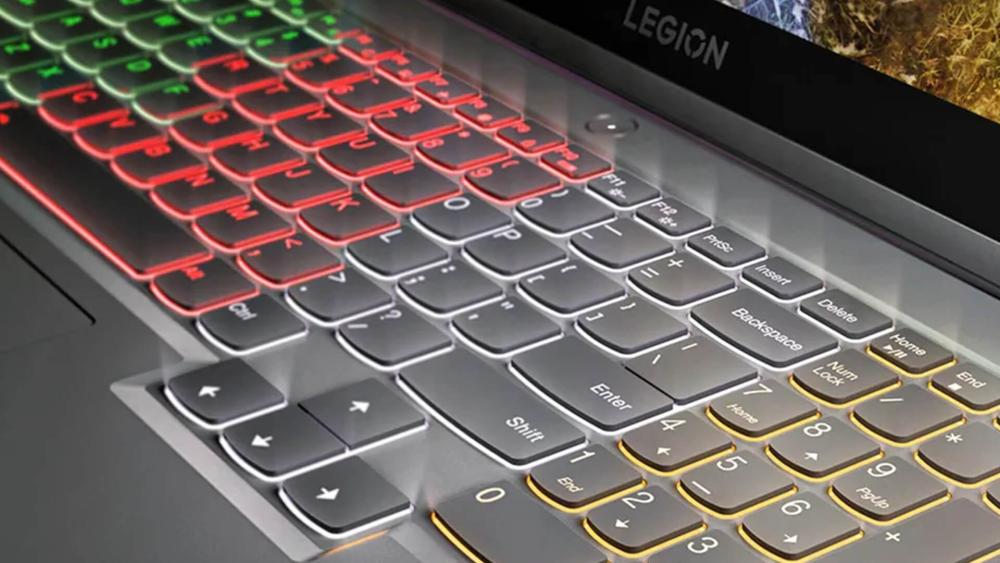
Lenovo Legion vs Typical Gaming Laptops: Comfort Compared
When you put Lenovo Legion side by side with a more typical gaming laptop, the comfort differences become obvious pretty quickly, especially during longer sessions. Specs might look similar on paper, but how a laptop manages heat and ergonomics is what makes the real difference when it comes to long gaming sessions.
Many gaming laptops concentrate heat around the centre of the keyboard and palm rest. Over time, that warmth creeps into your hands and makes extended play uncomfortable. Lenovo Legion gaming laptops take a different approach by spreading heat more evenly and pushing it away from high-contact areas. This leads to more controlled surface temperatures and a better overall experience for gamers searching for a gaming laptop that doesn't overheat hands, especially during longer playtimes.
On the other hand, slim gaming laptops look great, but a thinner chassis usually means tighter thermal space. That often results in hotter palm rests and louder fans under load. Lenovo Legion slim models aim to balance portability with proper cooling, avoiding the extreme compromises seen in many ultra-thin gaming laptops. It's a big reason Legion stands out when gamers compare comfort, not just aesthetics.
Who Benefits Most from Lenovo Legion's Comfort-First Design
Not every gaming laptop is built with marathon sessions in mind. Lenovo Legion is clearly aimed at players who spend serious time in-game, making it a strong fit if you're looking for a comfortable gaming machine for long sessions rather than something designed for quick play and shutdown.
Competitive Gamers Who Play for Hours at a Time
In competitive games, comfort has a direct impact on consistency. As sessions stretch on, heat, hand tension, and awkward positioning can all start to affect performance. Lenovo Legion gaming laptops help competitive players stay locked in longer by keeping surface temperatures more stable and ergonomics well thought out. That added comfort can make a real difference when reaction time and precision matter most.
Long-Session Players and MMO Fans
If your gaming sessions regularly run into the evening, comfort becomes hard to ignore. MMO players, open-world explorers, and co-op gamers benefit from the more controlled palm rest temperatures and relaxed keyboard feel of a Legion gaming laptop.
Streamers and Creators Who Stay Live for Longer
Streaming adds extra strain, with gaming, monitoring chat, and managing software all happening at once. A laptop that runs hot can quickly become distracting. Thanks to Lenovo Legion's cooling and comfort mechanism, streamers can stay live longer without constantly adjusting their hands or dealing with surface heat. For creators, that level of comfort is just as important as performance.
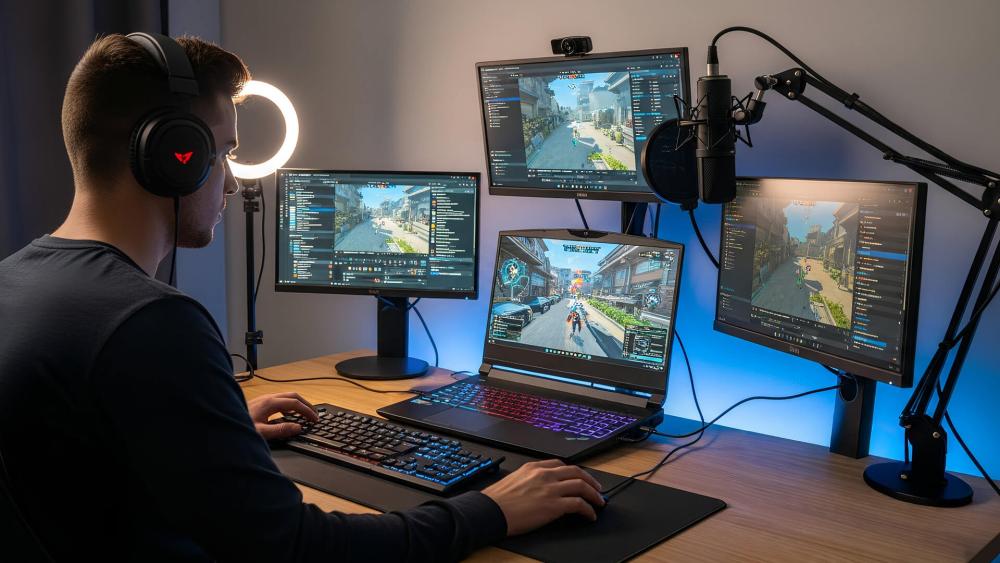
Final Words: Are Lenovo Legion Gaming Laptops Worth It for Long Sessions?
If long gaming sessions are your norm, comfort quickly becomes non-negotiable. Lenovo Legion focuses on the details that matter once the hours add up, from better-managed palm rest temperatures to smarter airflow and a keyboard layout designed to reduce fatigue over time. All of these features make it a highly comfortable gaming laptop for long sessions.
The real strength of Lenovo Legion gaming laptops is consistency. Surface temperatures stay more controlled compared to typical designs, helping reduce hand fatigue, while reliable cooling keeps performance steady throughout extended play rather than dropping off after short bursts.
While a budget gaming laptop may seem appealing, comfort is often where compromises show. For gamers comparing the best laptops for long sessions, Lenovo Legion stands out as a solid choice for sustained comfort, performance, and playability.
Frequently Asked Questions
Why do gaming laptops get hot on the palms?
Gaming laptops pack powerful components into a small space, and heat naturally rises towards the keyboard area. If the internal layout and airflow aren't well managed, that warmth can gradually reach the palm rest, making longer sessions less comfortable over time.
How does Lenovo Legion reduce palm heat?
Lenovo Legion designs its laptops to move heat away from areas where your hands rest. By separating hot components and improving airflow paths, it keeps the overall temperature lower during extended sessions.
Are Lenovo Legion laptops more comfortable than other gaming laptops?
For longer sessions, they're often easier to use. More controlled palm rest temperatures, better keyboard spacing, and balanced airflow help reduce strain, especially when compared to laptops that prioritise thin designs over comfort.
Does better cooling improve gaming performance?
Yes. Good cooling helps maintain stable performance over time by preventing the system from slowing itself down due to high temperatures. This means smoother gameplay during longer sessions.
Are gaming laptops bad for long gaming sessions?
Not necessarily. Problems usually come from poor cooling and uncomfortable layouts. Laptops designed with sustained use in mind can remain comfortable and reliable, even during extended play sessions.
You can pay with:
*PayPal Credit Representative Example: Assumed credit limit £1,200, Representative 23.9% APR (variable). Purchase rate 23.9% p.a (variable).Terms & Conditions apply.


PayPal Credit and PayPal Pay in 3 are trading names of PayPal UK Ltd, 5 Fleet Place, London, United Kingdom, EC4M 7RD. Terms and conditions apply. Credit subject to status, UK residents only, Five Tech LTD acts as a broker and offers finance from a restricted range of finance providers. PayPal Pay in 3 is not regulated by the Financial Conduct Authority. Pay in 3 eligibility is subject to status and approval. 18+. UK residents only. Pay in 3 is a form of credit. Check if affordable and how you will repay. May make other borrowing more difficult or expensive. See product terms for more details.
Copyright © 1996-2026 Fivetech LTD | Terms and Conditions
box.co.uk & Box are trading names of Five Tech Limited. Registered office: Box LTD, Unit 10 Woodford Trading Estate, Woodford Green IG8 8HF