


 Menu
MenuMenu


Get Sales Advice from Mon - Fri 9am - 5:00pm:
020 3337 8950POSTED: 20 May, 2026
Intel U-Series CPUs Explained: What Do P-Cores and E-Cores Actually Do?
The Intel U Series is designed for laptops that need a balance of performance, battery life and portability. These are the kinds of processors often found in thin, lightweight laptops built for work, study, browsing, video calls, and everyday productivity.
What makes many modern Intel U Series processors different from older laptop CPUs is their hybrid design. Instead of using one type of CPU core for every task, Intel combines two different types of cores: P-cores and E-cores.
P-cores, or Performance cores, are designed for speed. E-cores, or Efficiency cores, are designed to handle lighter and background tasks more efficiently. Together, they help a laptop feel responsive when you need performance, while also helping reduce power use when you are doing simpler tasks.
For buyers, this matters because CPU architecture affects how a laptop feels in real life. It can influence how quickly apps open, how smoothly you multitask, how long the battery lasts and how comfortable the laptop feels during daily use.
If you are looking for laptops powered by Intel U Series processors, it helps to understand what this hybrid design does before choosing your next device.
Why Modern Intel Laptop CPUs Work Differently
Shift from Traditional CPU Design
Older laptop processors were easier to understand. A CPU usually had several similar cores, and each core worked in broadly the same way. If the laptop needed more performance, the processor would use more power and increase clock speeds. If it needed to save battery, it would slow down.
Modern laptop usage is different. People now expect one device to handle web browsing, emails, spreadsheets, video meetings, streaming, cloud apps, background updates, and light creative tools, often all at the same time.
This is why Intel CPU architecture has changed. Instead of relying on one type of core, Intel moved towards a hybrid processor design that combines different core types on the same chip. Intel describes performance hybrid architecture as combining Performance-cores and Efficient-cores on a single processor die.
The benefit is simple: the processor can use the right type of core for the right type of task.
Need for Performance + Efficiency
Modern laptops need to be fast, but they also need to be efficient. A processor that is powerful but drains battery quickly is not ideal for a thin laptop. A processor that saves battery but feels slow is equally frustrating.
That is where P and E cores help. P-cores focus on performance when the laptop needs speed. E-cores focus on efficiency when tasks are lighter or running in the background.
This gives users a better laptop CPU performance balance. You can get smooth responsiveness when opening apps or working on important tasks, while the system can still manage smaller jobs in a more power-efficient way.
Evolution of Laptop Processors
The move towards hybrid Intel architecture reflects how laptops are used today. A modern laptop is not just a document machine. It may be used for Teams calls, browser-based work, AI tools, streaming, cloud storage, security software, and background syncing all at once.
Intel U-Series processors are especially relevant because they are commonly used in thin and light laptops. They have improved performance hybrid architecture, real-world multitasking, support for faster memory, and features that help enable long-lasting battery life.
For everyday users, this means a U-Series laptop is designed to feel responsive without needing the size, heat, or battery drain of a high-power performance laptop.
What Are P-Cores and E-Cores?
What P-Cores Are Designed For
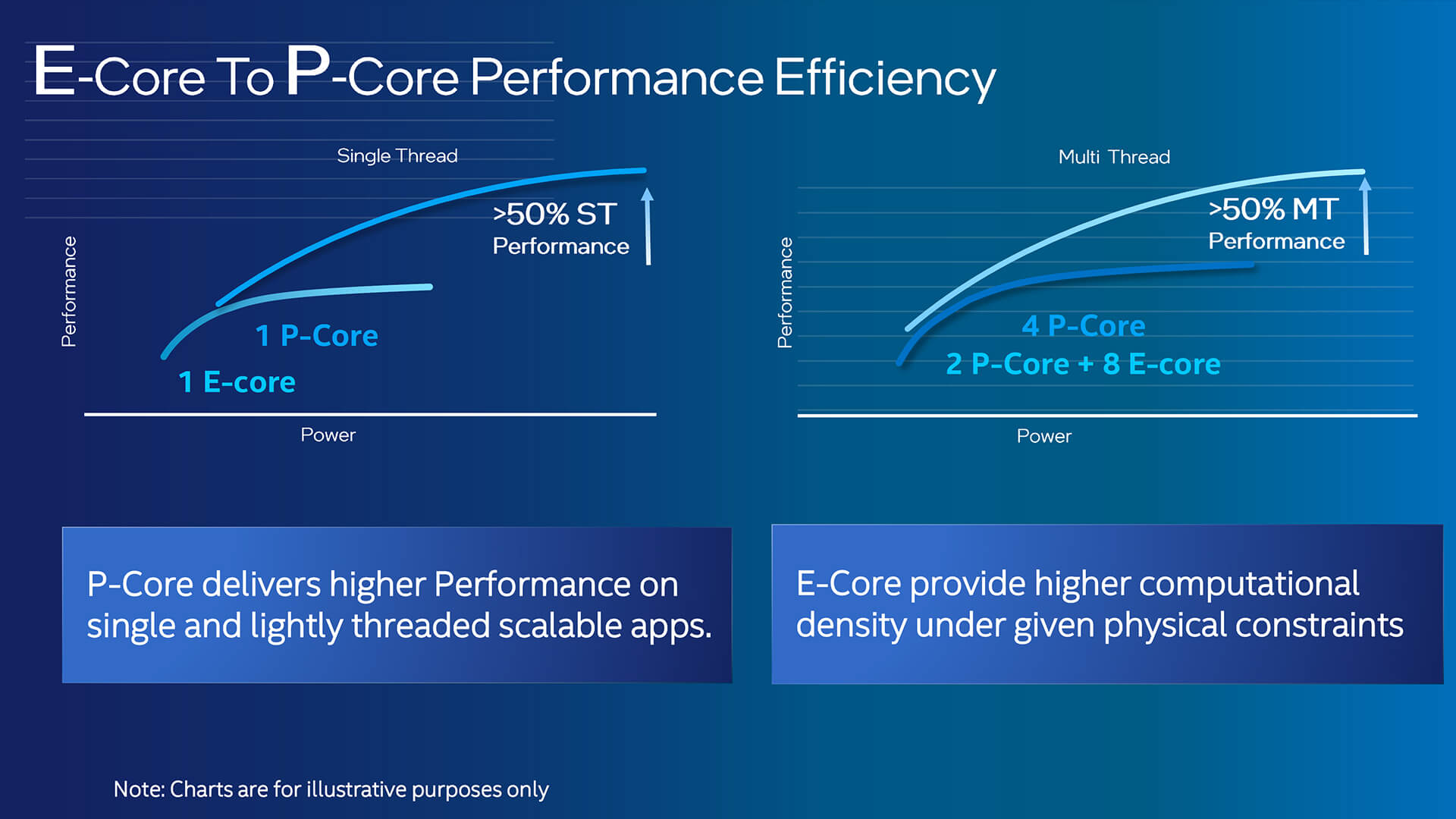
P-cores, or Performance cores, are the stronger cores inside a hybrid Intel CPU. They are built for tasks that need higher speed, stronger single-core performance, and quick responsiveness.
Think of P-cores as the part of the processor that steps in when you need the laptop to feel fast. They help with tasks such as:
- Opening applications
- Loading large spreadsheets
- Running active browser tabs
- Editing documents
- Handling video calls
- Light photo editing
- Running business software
- Working in demanding web apps
If you click an app and expect it to open quickly, the P-cores are likely doing the heavier work. If you are actively using a programme that needs speed, the P-cores help keep the experience smooth.
Intel’s performance-cores are designed to maximise single-thread performance and responsiveness.
For users, that means better day-to-day speed where you notice it most.
What E-Cores Actually Do
E-cores, or Efficiency cores, are designed to handle lighter tasks and background workloads more efficiently. They are not just “weaker” cores. They have a different job.
E-cores are useful for tasks such as:
- Background updates
- File syncing
- Antivirus scans
- Messaging apps
- Browser background tabs
- Email syncing
- System processes
- Music playback
- Light multitasking
This matters because laptops are always doing more than one thing. Even when you are only writing a document, the system may be syncing files, checking emails, updating apps and keeping security tools active.
Instead of using higher-power P-cores for every small task, the laptop can use E-cores for lighter work. Intel describes Efficient-cores as supporting scalable multi-threaded performance and efficient offload of background tasks for modern multitasking.
For users, this can mean better efficiency, smoother multitasking, and improved battery-friendly performance.
How They Work Together
The real benefit comes from how P-cores and E-cores work together. A laptop does not ask you to choose which core type to use. The processor and operating system manage that in the background.
When a demanding task appears, the system can prioritise P-cores. When smaller tasks are running, it can place them on E-cores. When several tasks happen at once, the processor can split work across both types of cores.
A simple way to understand it is this:
| Task Type | Best Core Type | Benefit |
| Opening apps | P-cores | Faster response |
| Video calls | P-cores + E-cores | Smooth call with background support |
| Background syncing | E-cores | Lower power use |
| Web browsing | P-cores + E-cores | Responsive tabs and efficient background work |
| Office work | P-cores + E-cores | Balanced daily performance |
| System updates | E-cores | Less interruption to active work |
This is why modern laptop architecture can feel smoother than older CPU designs, even when the laptop is thin and lightweight.
How Intel’s Hybrid Architecture Improves Performance
Smarter Task Distribution
The biggest advantage of hybrid Intel architecture is smarter CPU workload distribution. Instead of treating every task the same, the system can decide where each task should go.
Intel Thread Director helps the operating system distribute workloads to the optimal cores in supported hybrid Intel processors.
In real terms, this means your laptop can be more intelligent about performance. A demanding task can be sent to the faster P-cores, while background tasks can be handled by the E-cores.
This helps avoid wasting power on small tasks and helps keep the system responsive when you are doing something important.
Multitasking and Background Workloads
Multitasking is one of the biggest reasons hybrid processor design matters. Most users do not run one task at a time. A normal work session might include:
- A browser with several tabs open
- Microsoft Word or Google Docs
- Outlook or Gmail
- Teams or Zoom
- Cloud storage
- Security software
- Music streaming
- Background updates
On a traditional CPU, all of these tasks compete across similar cores. On a hybrid Intel CPU, lighter background work can be handled more efficiently while active tasks still get strong performance.
That makes the laptop feel smoother. You may notice fewer slowdowns when switching between apps, joining meetings, or working with several browser tabs open.
Real-World Speed Improvements
The benefit of P-cores and E-cores is not only about benchmark numbers. It is about everyday comfort.
A laptop with a well-balanced Intel U-Series CPU can feel faster because it responds quickly when you need it, while still managing background work efficiently. This helps with productivity laptop performance because the system is better at balancing speed, heat and power use.
For a buyer, this means fewer delays, less frustration, and a smoother everyday experience.
Why U-Series CPUs Focus on Efficiency
Battery Life Benefits
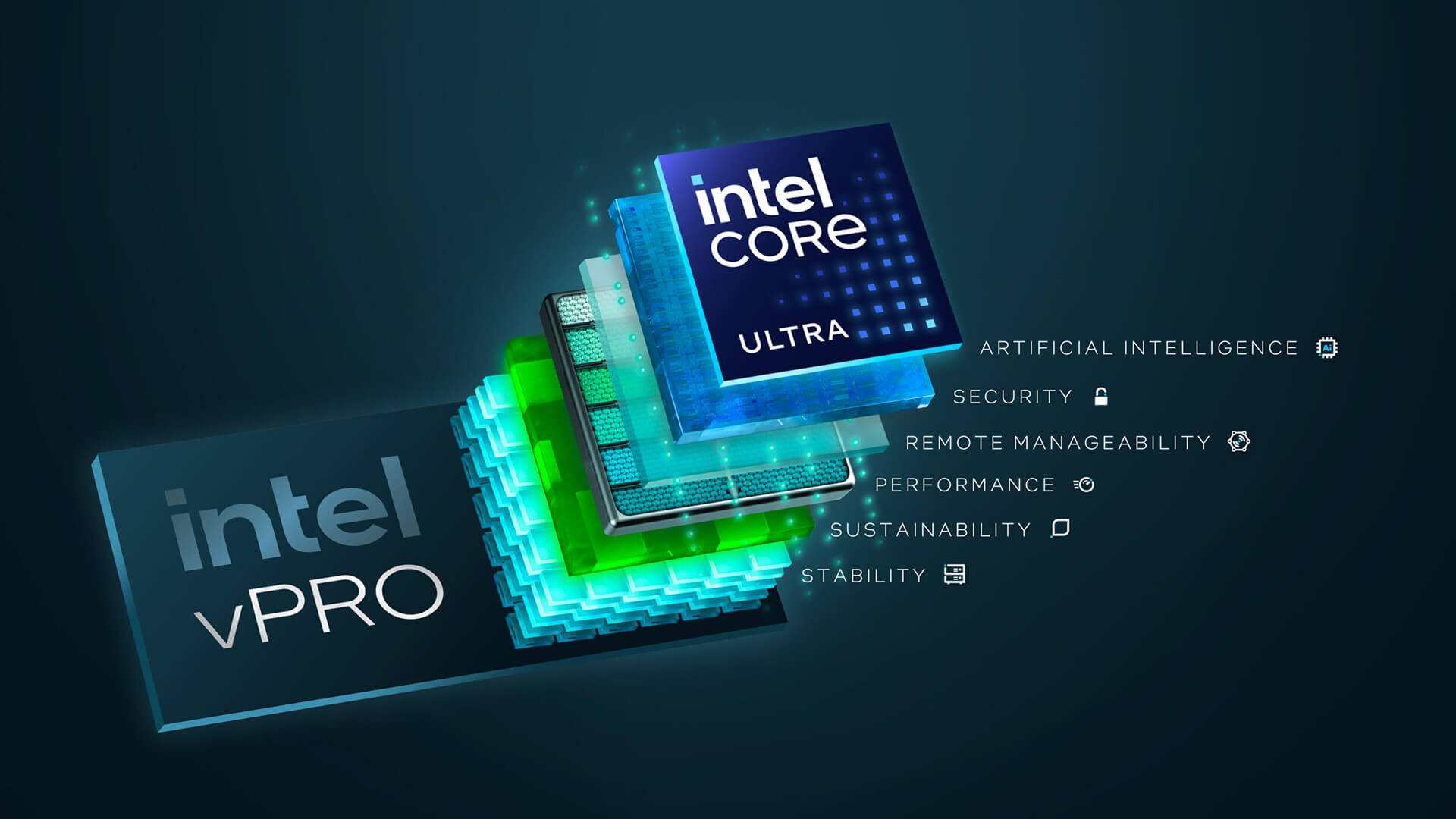
The Intel U Series is designed for portable laptops, so efficiency is a major priority. U-Series CPUs are usually found in laptops that need to stay slim, quiet, and battery-friendly.
Intel’s U-Series product brief lists 15W processor base power and 55W maximum turbo power for several current U-Series models, showing how these processors are designed around low everyday power use with the ability to boost when needed.
This is important because most users do not need maximum performance all day. They need a laptop that can handle everyday work while lasting through meetings, lectures, travel, or remote working sessions.
E-cores help by allowing lighter tasks to run with less power demand. That supports battery efficient computing in a way that makes sense for thin laptops.
Lightweight Laptop Performance
A U-Series laptop is not usually designed to replace a high-end workstation or gaming laptop. Instead, it is designed for lightweight laptop performance.
That means it is best suited to:
- Office work
- Web browsing
- Video calls
- Streaming
- Study tasks
- Online learning
- Cloud apps
- Light multitasking
- Everyday productivity
For many users, that is exactly what they need. They want a laptop that is easy to carry, comfortable to use and efficient enough for a full working day.
If you are comparing options, laptops powered by Intel U Series processors are a strong place to start if you want a practical balance of speed, portability and battery life.
Everyday Usage Optimisation
Everyday usage optimisation is where Intel U-Series processors make the most sense. They are not designed to win every performance contest. They are designed to make normal laptop use feel smooth and efficient.
This is especially useful for users who need:
- A laptop for work
- A laptop for university
- A laptop for commuting
- A laptop for remote meetings
- A laptop for home admin
- A laptop for everyday browsing
The hybrid design helps the system use performance when needed and save power when possible. That is the main advantage of energy efficient processing.
How This Works in Real CPUs Like i7-1255U
Core Configuration Explained
The Intel Core i7-1255U is a useful example because it shows how P-cores and E-cores work in a real U-Series processor.
The i7-1255U uses a 10-core, 12-thread design with 2 P-cores and 8 E-cores. It launched as a 12th Gen Intel Core U-Series processor with 15W processor base power, 12W minimum assured power, 12MB cache and support for DDR5, DDR4, LPDDR5 and LPDDR4x memory types.
That core setup may sound unusual at first. It does not have 10 identical cores. Instead, it has:
| Core Type | Number of Cores | Main Role |
| P-cores | 2 | Active, performance-focused tasks |
| E-cores | 8 | Efficient multitasking and background work |
| Total cores | 10 | Combined performance and efficiency |
| Total threads | 12 | More task handling flexibility |
This is a good example of mobile processor design. The processor does not need a large number of high-power P-cores because it is built for slim laptops. Instead, it uses a smaller number of fast P-cores and more E-cores to support efficiency and multitasking.
Performance in Daily Tasks
In daily use, an i7-1255U laptop can feel fast because the P-cores handle the active work while the E-cores support everything else running in the background.
For example, if you are editing a document during a video call while cloud storage syncs in the background, the CPU can spread those tasks across different core types. The P-cores can focus on the active, responsive work, while the E-cores help manage background processes.
This can make the laptop feel smoother than a basic processor with fewer resources for multitasking.
Where It Makes a Difference
The hybrid design makes the biggest difference when you are doing several things at once.
You may notice the benefit when:
- Switching between browser tabs
- Joining video meetings
- Working with Office apps
- Using cloud-based tools
- Keeping background apps open
- Running light creative tasks
- Working away from a charger
This is why Intel U-Series laptops are popular for business, education, and everyday productivity. They are not only about raw speed. They are about balanced computing performance.
What This Means for Laptop Users
Better Battery + Performance Balance
For most buyers, the main benefit of Intel U-Series processors is balance. You get enough performance for daily work without choosing a heavy laptop or sacrificing battery life too quickly.
P-cores help when the laptop needs speed. E-cores help when the laptop needs efficiency. Together, they allow a thin laptop to feel responsive while still being practical for portable use.
This is especially useful for people who work in different places, such as home, office, university, cafés or shared workspaces.
Smooth Everyday Experience
A good everyday laptop should not make you think about the processor. It should simply feel responsive when you open apps, browse the web, join calls and switch between tasks.
That is what Intel’s hybrid architecture is designed to support. It helps the laptop manage workloads intelligently, so your experience feels smoother.
For users who work with modern software, browser tools and cloud apps, this is a practical advantage. You do not need to understand every technical detail to benefit from it.
Ideal Use Cases
Intel U-Series laptops are best suited to users who want practical performance, good efficiency and portability.
| User Type | Why Intel U-Series Makes Sense |
| Office workers | Smooth performance for documents, emails, calls and spreadsheets |
| Students | Good balance of battery life, portability and study performance |
| Hybrid workers | Efficient performance for meetings, browsing and cloud tools |
| Home users | Practical for browsing, streaming, shopping and admin |
| Business users | Useful for reliable productivity and everyday office apps |
If your work includes AI tools, smart meeting features or creative productivity apps, you may also want to compare laptops for AI-powered workflows. If you are choosing based on processor type, you can explore hybrid Intel CPUs. For business-focused buying, laptops designed for office work may be a better fit.
Conclusion
Intel U-Series processors are designed to make modern laptops feel fast, efficient, and practical for everyday use. Their hybrid design uses P-cores for performance-focused tasks and E-cores for efficient background work, giving users a better balance between speed and battery life.
This matters because most people do not use laptops for one task at a time. You may be browsing, working in documents, joining video calls, syncing files and running background apps all at once. Hybrid Intel architecture helps manage that mix more intelligently.
For everyday users, students, office workers and hybrid professionals, Intel U-Series laptops offer a strong blend of portability, performance and efficiency. They are not designed for heavy gaming or workstation-class creative work, but they are excellent for daily productivity.
If you want a laptop that is light, responsive and built for modern work, Intel U-Series processors remain a smart choice.
FAQs
What do P and E-cores mean?
P-cores are Performance cores, designed for demanding tasks that need speed and responsiveness. E-cores are Efficiency cores, designed for lighter tasks and background workloads while using less power.
What is 8 P-cores 12 E-cores?
A processor with 8 P-cores and 12 E-cores has 20 physical cores in total. The 8 P-cores handle heavier performance-focused tasks, while the 12 E-cores help with efficient multitasking and background work.
Are U-Series CPUs good for everyday use?
Yes, Intel U-Series CPUs are good for everyday use. They are designed for thin and light laptops, making them suitable for office work, web browsing, video calls, study tasks, streaming, and general productivity.
Why does Intel use hybrid architecture?
Intel uses hybrid architecture to improve the balance between performance and efficiency. P-cores handle demanding tasks, while E-cores manage lighter workloads more efficiently. This helps laptops feel responsive while supporting better battery life.
You can pay with:
*PayPal Credit Representative Example: Assumed credit limit £1,200, Representative 23.9% APR (variable). Purchase rate 23.9% p.a (variable).Terms & Conditions apply.


PayPal Credit and PayPal Pay in 3 are trading names of PayPal UK Ltd, 5 Fleet Place, London, United Kingdom, EC4M 7RD. Terms and conditions apply. Credit subject to status, UK residents only, Five Tech LTD acts as a broker and offers finance from a restricted range of finance providers. PayPal Pay in 3 is not regulated by the Financial Conduct Authority. Pay in 3 eligibility is subject to status and approval. 18+. UK residents only. Pay in 3 is a form of credit. Check if affordable and how you will repay. May make other borrowing more difficult or expensive. See product terms for more details.
Copyright © 1996-2026 Fivetech LTD | Terms and Conditions
box.co.uk & Box are trading names of Five Tech Limited. Registered office: Box LTD, Unit 10 Woodford Trading Estate, Woodford Green IG8 8HF