


 Menu
MenuMenu


Get Sales Advice from Mon - Fri 9am - 5:00pm:
020 3337 8950POSTED: 14 April, 2026
Why Intel Core i7 Windows Laptops Are Ideal for Power Users
Not all laptop users have the same demands. Some people browse, stream, and handle light tasks, while others push their systems much harder. These are the power users, including developers, designers, content creators, and professionals who rely on consistent performance across multiple applications.
For this kind of workload, machines with Intel Core i7 sit in a strong middle ground. They offer significantly more processing power than entry-level options, without stepping into the higher cost and diminishing returns often associated with top-tier chips.
With modern Intel Core i7 processors, you get a balance of speed, multitasking capability, and efficiency that fits a wide range of demanding tasks. Combined with the flexibility of Windows laptops, this makes them a reliable choice for users who need performance without compromise.
In this guide, we break down why Intel Core i7 Windows laptops continue to be one of the most practical options for UK power users in 2026.
What Makes a Laptop Suitable for Power Users?
Before choosing hardware, it is important to understand what actually defines a "power user" laptop. These systems are built to handle demanding tasks consistently, not just perform well in short bursts.
Key Requirements: Performance, Multitasking, Reliability
Power users need laptops that can handle multiple heavy tasks at once without slowing down. This includes running demanding software, managing large files, and switching between applications seamlessly.
Key requirements include:
- Strong CPU performance for sustained workloads
- Sufficient RAM for smooth multitasking
- Fast SSD storage for quick data access
- Stable performance under load
This is where devices designed as laptops for multitasking and performance stand out, offering a more reliable experience for professional use.
Typical Workloads (Editing, Coding, Data Processing)
Unlike casual users, power users rely on their laptops for intensive workflows such as:
- Video editing and graphic design
- Software development and compiling code
- Running data-heavy applications or simulations
- Managing large spreadsheets and databases
These tasks require consistent processing power and efficient handling of multitasking workloads, especially when using multiple tools simultaneously.
Why CPU Choice Matters Most
Among all components, the CPU has the biggest impact on overall performance. It determines how quickly tasks are processed and how well the system handles multiple operations at once.
Factors like CPU cores and threads, clock speeds, and architecture directly affect performance. This is why choosing the right processor, such as an Intel Core i7, is critical for users who rely on their laptop for demanding, everyday workloads.

What is Intel Core i7 and Where It Sits in the Lineup
Before choosing from the best Intel Core i7 laptops, it helps to understand where the i7 sits in Intel's processor range and what makes it a strong choice for demanding workloads. It is designed to deliver higher performance than mainstream chips while remaining more efficient and cost-effective than flagship options.
Intel Processor Hierarchy (i5 vs i7 vs i9)
Intel's consumer lineup is typically structured into three main tiers:
- Intel Core i5 → Entry to mid-level performance for everyday tasks
- Intel Core i7 → High-performance tier for multitasking and professional workloads
- Intel Core i9 → Flagship performance for extreme workloads and heavy rendering
An Intel i7 laptop sits right in the sweet spot. It offers a noticeable jump in performance over i5, especially in multi-core tasks, without the higher power consumption and cost that often come with i9 processors.
Core Count, Threads, and Clock Speeds Explained
Modern Intel Core i7 processors (12th Gen onwards) use a hybrid architecture with:
- Performance cores (P-cores) for heavy tasks
- Efficiency cores (E-cores) for background processes
Typical specs for recent i7 chips include:
- 10 to 16 cores (combined P-cores + E-cores)
- 16 to 24 threads
- Base clock speeds around 2.0–3.0 GHz
- Turbo Boost speeds up to 5.0 GHz or higher
Features like hyper-threading and Intel Turbo Boost allow these CPUs to handle multiple tasks efficiently while dynamically increasing speed when needed. This directly improves the i7 Windows laptop performance in real-world scenarios.
Generational Improvements in Modern i7 Chips
Most of the i7 laptops with the latest generation (13th Gen, 14th Gen, and newer architectures) bring meaningful improvements:
- Better multi-core performance for heavy workloads
- Improved power efficiency for longer battery life
- Enhanced integrated graphics (Intel Iris Xe) for light creative work
- Smarter workload distribution via Intel Thread Director
These improvements make modern Intel Core i7 Windows laptops more capable of handling demanding tasks like editing, development, and multitasking without relying entirely on high-end workstation hardware. Overall, the i7 tier continues to evolve as a balanced solution for users who need strong performance without stepping into the premium extremes of the lineup.
Key Advantages of Intel Core i7 Windows Laptops
When it comes to real-world performance, laptops with Intel Core i7 are designed to handle demanding workloads without compromising on efficiency. They strike a balance between raw processing power and everyday usability, making them a practical choice for professionals and advanced users.
Strong Multitasking and High-Core Performance
Modern Intel Core i7 processors are built with hybrid architectures that combine performance and efficiency cores, typically offering 10 to 16 cores and up to 24 threads in recent generations. This allows them to handle multiple applications simultaneously without slowdowns, whether it is running heavy software alongside background tasks or managing large datasets.
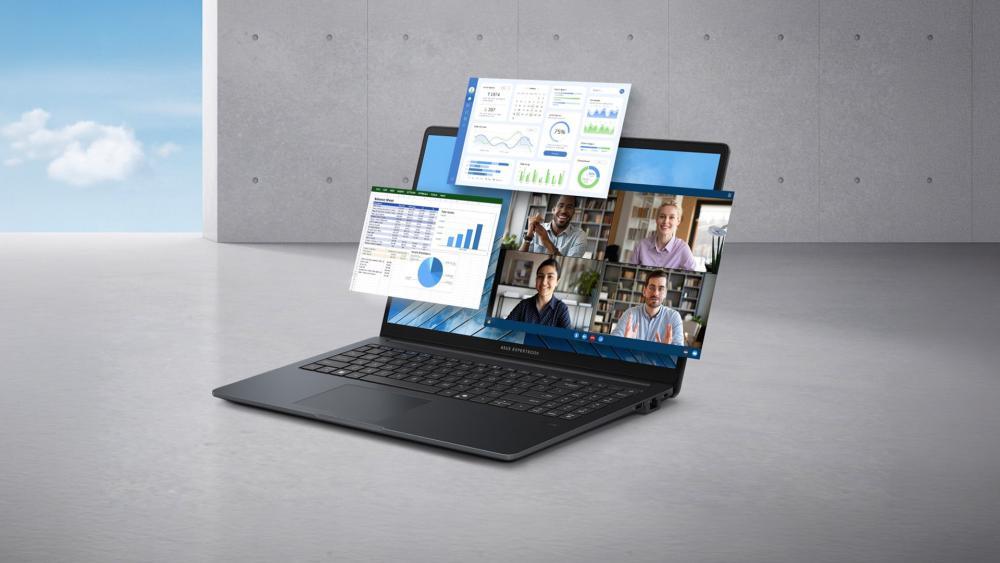
In practical use, this means smoother switching between applications, faster processing of complex tasks, and consistent performance under load. This is the reason why an i7 laptop is a perfect fit for multitasking.
Optimised for Professional Software (Adobe, IDEs, etc.)
One of the biggest strengths of Intel Core i7 Windows laptops is how well they perform with professional applications. Software like Adobe Premiere Pro, Photoshop, AutoCAD, and development environments such as Visual Studio or IntelliJ IDEA are optimised to take advantage of multi-core CPUs.
With higher clock speeds that can exceed 5.0 GHz using Turbo Boost, along with hyper-threading support, i7 processors can significantly reduce rendering times, speed up code compilation, and improve responsiveness when working on large projects. This is why many users use an i7 laptop for video editing or development workflows.
Excellent Balance of Power and Battery Efficiency
Despite their strong performance, modern i7 chips are designed to be efficient. Thanks to Intel's hybrid architecture and improved power management, newer processors can intelligently allocate tasks between performance and efficiency cores.
This results in better battery optimisation, especially during lighter tasks, while still delivering full power when needed. Integrated graphics like Intel Iris Xe also help reduce power consumption for everyday workloads without requiring a dedicated GPU.
Performance Benefits in Real-World Use Cases
Understanding specs is one thing, but the real value of Intel Core i7 Windows laptops shows up in everyday workloads. These systems are built to handle demanding tasks smoothly, making them a reliable choice for professionals and advanced users.
Content Creation (Video Editing, Design, Rendering)
For content creators, performance directly impacts productivity. Intel Core i7 processors, with turbo speeds often exceeding 5.0 GHz and multi-core configurations, can significantly reduce rendering times in software like Adobe Premiere Pro and After Effects.
Tasks such as 4K video editing, exporting large files, and working with layered designs become noticeably smoother. Combined with fast SSD storage and sufficient RAM, an i7 Windows laptop's performance stays consistent during long editing sessions.
Software Development and Virtual Machines
Developers often run multiple tools simultaneously, including IDEs, local servers, and virtual machines. This is where the higher core and thread count of an i7 processor becomes essential.
Modern i7 CPUs can handle compiling code, running containers, and managing virtual environments without bottlenecks. This makes the i7 laptop perfect for developers, especially when working on complex projects or testing across multiple environments.
Heavy Multitasking and Productivity Workflows
Power users rarely run a single application. It is common to have dozens of browser tabs, spreadsheets, communication tools, and background processes running at the same time. With support for high RAM capacity (typically 16GB to 32GB) and fast NVMe SSDs, Intel Core i7 Windows laptops can handle these multitasking workloads without lag.
Intel Core i7 vs i5 and i9: Which One Should You Choose?
Choosing the right processor depends on how demanding your workload is. While all three tiers serve different purposes, Windows laptops with an Intel Core i7 are often the most balanced option for performance, efficiency, and value.
i7 vs i5: Is the Upgrade Worth It?
The difference between an i5 and an i7 becomes clear in heavier workloads. While i5 processors are suitable for everyday tasks, they typically offer fewer cores and lower turbo speeds.
An Intel i7 vs i5 laptop comparison shows that i7 processors:
- Handle multitasking more efficiently
- Perform better in content creation and development tasks
- Offer higher clock speeds for faster processing
For users working with demanding software or multiple applications, upgrading to an i7 is usually worth it.
i7 vs i9: Do You Really Need More Power?
While i9 processors deliver top-tier performance, they are often designed for specialised workloads such as advanced rendering, simulations, or workstation-level tasks.
In comparison, Intel Core i7 laptops provide:
- Strong multi-core performance for most professional tasks
- Better power efficiency
- Lower heat output and improved battery life
For most users, the extra cost and power demands of an i9 do not translate into noticeable everyday benefits.
Best Value Tier for Most Power Users
For the majority of users, i7 sits in the ideal middle ground. It delivers high performance without the premium pricing and thermal demands of higher-end chips.
This is why many of the best laptops with an i7 processor are positioned as versatile machines, capable of handling both work and demanding applications. Whether you are editing content, coding, or managing complex workflows, i7 Windows laptops for power users offer the right balance of performance and practicality.

Why Windows Laptops Enhance the i7 Experience
The processor is only part of the equation. The real advantage of Windows laptops with Intel Core i7 processor comes from how well the hardware and operating system work together. Windows provides the flexibility, compatibility, and variety that allow users to fully utilise the i7 performance across different workloads.
Software Compatibility and Flexibility
One of the biggest advantages of Windows laptops is their ability to run a wide range of software without limitations. From Adobe Creative Suite and CAD tools to development environments and enterprise applications, everything works natively.
With improvements in Windows 11 performance, modern systems are better optimised for hybrid CPUs like Intel Core i7. Tasks are distributed efficiently across cores, which helps maintain smooth multitasking and consistent performance in demanding applications.
Hardware Variety and Customisation Options
Another key benefit is the sheer variety available. From ultra-portable devices to high-performance machines, there is no shortage of the latest laptops built around Intel Core i7 processors.
This flexibility makes it easier to find the best Windows laptops that match specific needs, whether that is portability, power, or a balanced setup. Users are not restricted to a single design or configuration, which is especially useful for power users with specific requirements.
Business and Enterprise Integration
Windows is widely adopted in professional environments because of its strong compatibility with business tools and infrastructure. Features like advanced security, domain integration, and support for enterprise software make it a practical choice.
This is why Intel-powered Windows laptops are commonly used in professional environments where reliability matters. These business and productivity laptops are great for handling everyday workflows with consistency and efficiency.
Things to Consider Before Buying an i7 Laptop
When browsing the best Intel Core i7 laptops for multitasking and productivity, it is important to look beyond just the processor. Other components play a key role in overall performance and how well the laptop handles real-world tasks.
RAM and Storage Requirements
For most power users, 16GB of RAM is considered the minimum, while 32GB is ideal for heavier workloads such as video editing or running virtual machines. More RAM allows smoother multitasking and better handling of large applications.
Storage is equally important. Fast SSD storage, especially NVMe drives, significantly improves boot times, file transfers, and application loading speeds. This is essential for maintaining consistent performance in demanding tasks.
Cooling and Thermal Performance
High-performance processors like the Intel Core i7 generate more heat under load. Without proper cooling, this can lead to thermal throttling, where performance is reduced to manage temperatures.
Modern laptops use advanced laptop cooling systems and improved thermal management to maintain stable performance. Choosing a laptop with a well-designed cooling solution ensures that the CPU can sustain high performance over longer periods.
Battery Life vs Performance Trade-offs
Powerful hardware often comes with higher energy consumption. While modern i7 processors are more efficient, heavy workloads such as rendering or multitasking will still impact battery life.
Many Intel Core i7 Windows laptops balance this by using efficiency cores for lighter tasks and performance cores for demanding workloads. This helps extend battery life during everyday use while still delivering full power when needed.
Who Should (and Shouldn't) Buy an Intel Core i7 Laptop?
Not every user needs high-end performance, but for the right audience, these Core i7 laptops offer a strong balance of power and practicality. Understanding who benefits most helps make a better buying decision.
Ideal Users (Professionals, Creators, Power Users)
Intel Core i7 laptops are best suited for users who rely on consistent performance throughout the day. This includes developers, designers, video editors, and professionals working with demanding applications.
For these users, the extra cores, higher clock speeds, and better multitasking capabilities make a noticeable difference. This is why Intel i7 laptops for professionals are often preferred for workloads that go beyond basic tasks.
When an i5 or i9 Might Be Better
An i5 processor may be a better option for users with lighter workloads, such as browsing, office tasks, or casual use. It offers good performance at a lower cost and is often more than enough for everyday needs.
On the other hand, an i9 processor is designed for specialised, high-intensity workloads like advanced rendering, simulations, or workstation-level tasks. However, for most users, the added cost and power requirements may not justify the upgrade.
Best Use Case Scenarios
Windows i7 laptops are ideal for users who need a system that can handle both productivity and demanding applications without compromise.
They are particularly well-suited for mixed workloads, making them a strong choice among the best laptops for work and gaming. Whether you are switching between professional tasks and creative projects or handling multiple applications at once, i7 laptops provide the flexibility needed for modern workflows.
Final Verdict: Are Intel Core i7 Laptops Worth It?
For most power users, the answer is straightforward. Intel Core i7 Windows laptops offer one of the best balances between performance, efficiency, and versatility available today.
The top i7 laptops are powerful enough to handle demanding workloads like content creation, development, and heavy multitasking, while still being efficient enough for everyday use. This makes them a practical long-term investment rather than a niche upgrade.
What sets them apart is their flexibility. Whether you need a machine for professional work, creative tasks, or a mix of both, i7 laptops adapt well to different use cases without pushing into unnecessary cost or complexity.
If you are exploring options, it is worth looking at premium Windows laptops and high-performance laptops for professionals that are built around Intel Core i7 processors. The best i7 laptops in the UK are designed to deliver consistent performance and reliability for years to come.
In short, if your workflow demands more than basic performance, an i7 laptop is not just a good choice, it is the right one.
Frequently Asked Questions
Are Intel Core i7 laptops good for multitasking?
Yes, Intel Core i7 laptops are designed for multitasking, with multiple cores and threads that allow smooth performance across several applications at once.
Is an i7 laptop worth it over an i5 in 2026?
For power users, yes. An i7 offers better performance in demanding tasks like editing, coding, and multitasking compared to an i5.
Can Intel Core i7 laptops handle video editing?
Yes, i7 laptops are well-suited for video editing, especially when paired with enough RAM and fast SSD storage.
How much RAM is ideal for an i7 laptop?
16GB is the minimum recommended, while 32GB is ideal for heavy workloads like editing or running virtual machines.
Do i7 laptops have good battery life?
Modern i7 laptops offer improved efficiency, but battery life depends on usage. Light tasks can last longer, while heavy workloads consume more power.
Is the Intel Core i7 good for gaming and work?
Yes, i7 laptops provide enough power for both gaming and professional workloads, making them a versatile choice.
How long will an i7 laptop last?
A well-configured i7 laptop can last 4–6 years or more, depending on usage and how well it is maintained.
You can pay with:
*PayPal Credit Representative Example: Assumed credit limit £1,200, Representative 23.9% APR (variable). Purchase rate 23.9% p.a (variable).Terms & Conditions apply.


PayPal Credit and PayPal Pay in 3 are trading names of PayPal UK Ltd, 5 Fleet Place, London, United Kingdom, EC4M 7RD. Terms and conditions apply. Credit subject to status, UK residents only, Five Tech LTD acts as a broker and offers finance from a restricted range of finance providers. PayPal Pay in 3 is not regulated by the Financial Conduct Authority. Pay in 3 eligibility is subject to status and approval. 18+. UK residents only. Pay in 3 is a form of credit. Check if affordable and how you will repay. May make other borrowing more difficult or expensive. See product terms for more details.
Copyright © 1996-2026 Fivetech LTD | Terms and Conditions
box.co.uk & Box are trading names of Five Tech Limited. Registered office: Box LTD, Unit 10 Woodford Trading Estate, Woodford Green IG8 8HF