


 Menu
MenuMenu


Get Sales Advice from Mon - Fri 9am - 5:00pm:
020 3337 8950POSTED: 14 April, 2026
How Much RAM Do You Really Need with an Intel Core i7 Laptop
Choosing the right RAM for a laptop can be confusing, especially when you are already investing in a powerful processor like an Intel Core i7. Many users wonder whether 8GB is enough, if 16GB is the standard, or if 32GB is worth the upgrade.
In simple terms, Intel Core i7 RAM requirements come down to your workload. For most users, 16GB is the ideal balance. If you are working with demanding tasks like video editing or virtual machines, 32GB makes more sense, while 8GB is only suitable for very basic use.
The key point is that the RAM size in a laptop directly affects how well an i7 processor performs. Without enough memory, even a high-end CPU cannot deliver its full potential.
In this 2026 laptop RAM guide, we break down exactly how much memory you need based on real-world use cases, so you can make the right choice without exceeding your budget.
Why RAM Matters in an Intel Core i7 Laptop
A powerful processor like an Intel i7 can only perform as well as the memory that supports it. RAM plays a critical role in determining how smoothly your system runs, especially when handling multiple tasks or demanding applications.
What RAM Does in Everyday Performance
RAM acts as a temporary working space for your system. It stores active applications, background processes, and data that the CPU needs quick access to. The more RAM available, the more tasks your laptop can handle at once without slowing down.
In practical terms, this means faster app launches, smoother browsing, and better responsiveness when switching between programs. This is why understanding laptop memory requirements is essential for consistent performance.
How RAM Works with a High-Performance CPU
An Intel Core i7 processor is designed to handle heavy workloads, but without sufficient RAM, it can become limited. If memory runs out, the system relies on slower storage (virtual memory), which creates a noticeable drop in performance.
This is where memory bandwidth and RAM capacity come into play. Faster and larger RAM allows the CPU to process data efficiently, preventing performance bottlenecks and ensuring the system runs at its full potential.
Common Misconceptions About RAM
A common belief is that more RAM always leads to better performance. While having enough RAM is important, adding excessive memory beyond your needs does not always result in noticeable improvements.
Another misconception is that RAM alone improves speed. In reality, performance depends on the balance between CPU, RAM, and storage. Knowing how much memory you need for a laptop helps avoid overspending while still achieving optimal performance.
How Much RAM Do You Actually Need for an Intel Core i7 Laptop?
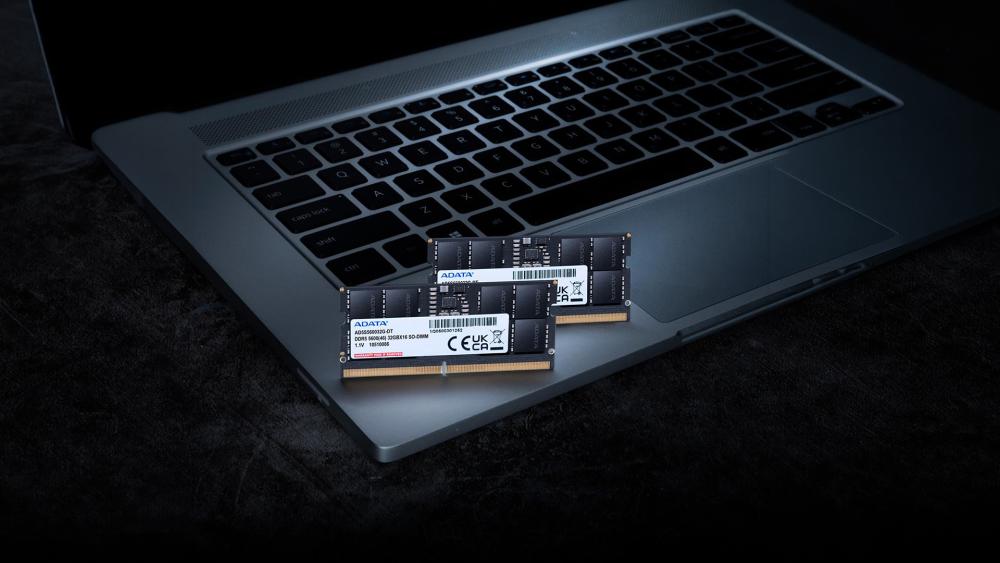
Choosing the right Intel Core i7 RAM depends largely on how you use your laptop. While the i7 processor can handle demanding workloads, the amount of laptop RAM determines how smoothly those tasks run in real-world scenarios. The best RAM for an Intel Core i7 laptop depends on how you intend to use the machine. Here is a clear breakdown based on usage.
8GB RAM: Basic Use Only
8GB RAM is the minimum configuration you will find in some Windows i7 laptops, but it is not ideal for most users.
It can handle:
- Web browsing
- Office applications
- Light multitasking
However, limitations appear quickly with heavier workloads. Running multiple apps, large browser sessions, or modern software can cause slowdowns due to limited system memory usage. In simple terms, 8GB RAM for an i7 laptop is only suitable if your needs are very basic and short-term.
16GB RAM: The Sweet Spot for Most Users
For many users, 16GB is the ideal RAM size for proper laptop performance. It offers enough headroom for smooth multitasking and consistent performance across a wide range of tasks.
It is well-suited for:
- Everyday productivity and multitasking
- Gaming and light streaming
- Content creation at a moderate level
- Running multiple applications simultaneously
This is why most i7 laptops with 16GB RAM are considered the standard choice. It handles typical multitasking needs without creating performance bottlenecks.
32GB+ RAM: For Heavy Workloads and Future-Proofing
32GB or more RAM is recommended for users with demanding workflows or those who want the best Intel Core i7 laptops that offer long-term performance without limitations.
It is ideal for:
- Video editing and 4K rendering
- 3D design and large creative projects
- Running multiple virtual machines
- Advanced multitasking and professional workloads
In a 16GB vs 32GB RAM laptop comparison, the latter makes sense when dealing with intensive applications or large datasets. Most of the top i7 laptops come with 16GB or 32GB DDR5 RAM.
RAM Recommendations by Use Case
To simplify things further, here is how the i7 laptop RAM requirements break down based on common use cases:
- Everyday use (browsing, office work): 8GB–16GB (16GB recommended for a smoother experience with Windows 11 memory management)
- Gaming and streaming: 16GB minimum and 32GB or more for high-end setups is the perfect RAM for gaming on an i7 laptop
- Content creation (editing, rendering): Similarly, 16GB minimum and 32GB or more is the recommended RAM for a video editing laptop
- Programming and virtual machines: 16GB–32GB+, depending on workload and multitasking requirements
How RAM Impacts Performance with Intel Core i7
The amount of Intel Core i7 RAM directly affects how efficiently the system performs under real workloads. While the processor handles computations, RAM determines how much data it can access instantly without delays.
With sufficient memory, an i7 laptop delivers smoother multitasking performance, allowing multiple applications, browser tabs, and background processes to run without slowdowns. This becomes especially noticeable when switching between apps or working on large files.
RAM also plays a role in gaming performance, where insufficient memory can lead to stuttering or inconsistent frame delivery, even if the GPU and CPU are capable. Similarly, in content creation workflows, tasks like editing, rendering, or working with high-resolution assets benefit from having more available memory.
In practical terms, the right RAM configuration ensures your i7 processor operates without bottlenecks, maintaining consistent speed and responsiveness across different workloads.
RAM Speed, Type, and Configuration Explained
While capacity is important, RAM performance also depends on its type, speed, and configuration. These factors influence how efficiently your Intel Core i7 RAM supports the processor.
DDR4 vs DDR5 in i7 Laptops
Most modern i7 laptops use either DDR4 RAM or DDR5 RAM. DDR5 offers higher bandwidth and better efficiency, making it more suitable for newer systems and demanding workloads.
DDR4 is still widely used and performs well for most tasks, but DDR5 RAM in i7 laptops provides better future-proofing and improved performance in memory-intensive applications.
Does RAM Speed Make a Difference?
RAM speed, measured in MHz, affects how quickly data is transferred between memory and the CPU. Higher RAM frequency can improve performance in tasks like gaming and content creation, although the difference is usually noticeable only in specific workloads. Latency also plays a role, as lower latency allows faster response times when accessing data.
Single vs Dual Channel Memory
Memory configuration impacts performance as well. Dual-channel memory allows the system to access two RAM modules simultaneously, increasing bandwidth compared to a single module.
For best results, using dual-channel RAM helps maximise performance and ensures your i7 processor is not limited by memory throughput.
Can You Upgrade RAM in an i7 Laptop?
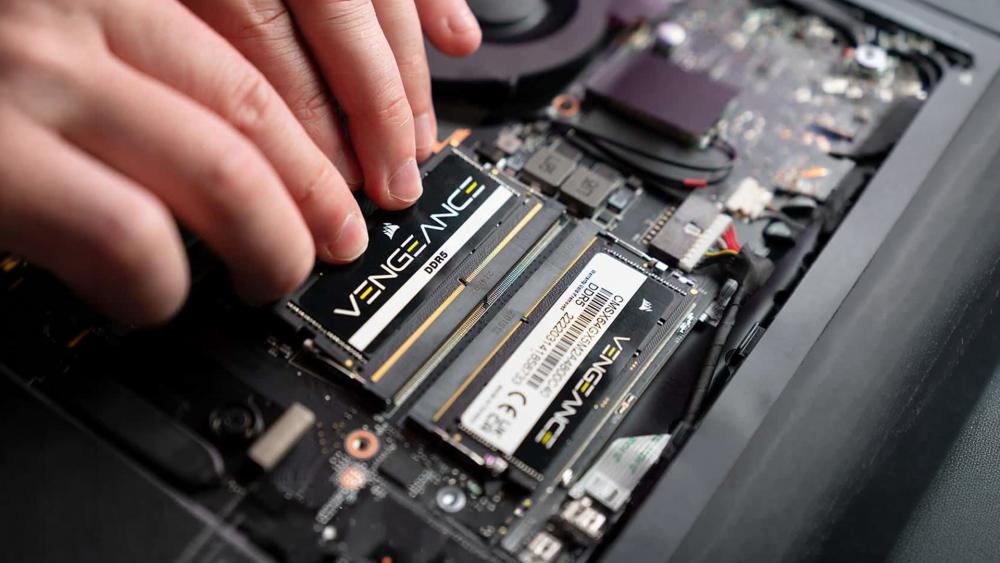
Not all Intel Core i7 laptops allow RAM upgrades, so it is important to check before buying. Some models, especially thin and lightweight ones, come with soldered memory that cannot be replaced.
Upgradeable vs Soldered RAM
Performance-focused laptops often include upgradeable RAM slots, while ultra-thin designs usually have fixed memory. This directly affects laptop upgradeability and long-term flexibility.
How to Check Compatibility
You can check upgrade options through the manufacturer's specifications. Look for:
- Number of RAM slots
- Maximum supported capacity
- RAM type (DDR4 or DDR5)
Future-Proofing Your Purchase
If upgrades are limited, it is better to choose higher RAM upfront. Planning for future needs reduces the need for a RAM upgrade for an i7 laptop later and ensures better long-term performance.
Final Verdict: What's the Ideal RAM for an i7 Laptop?
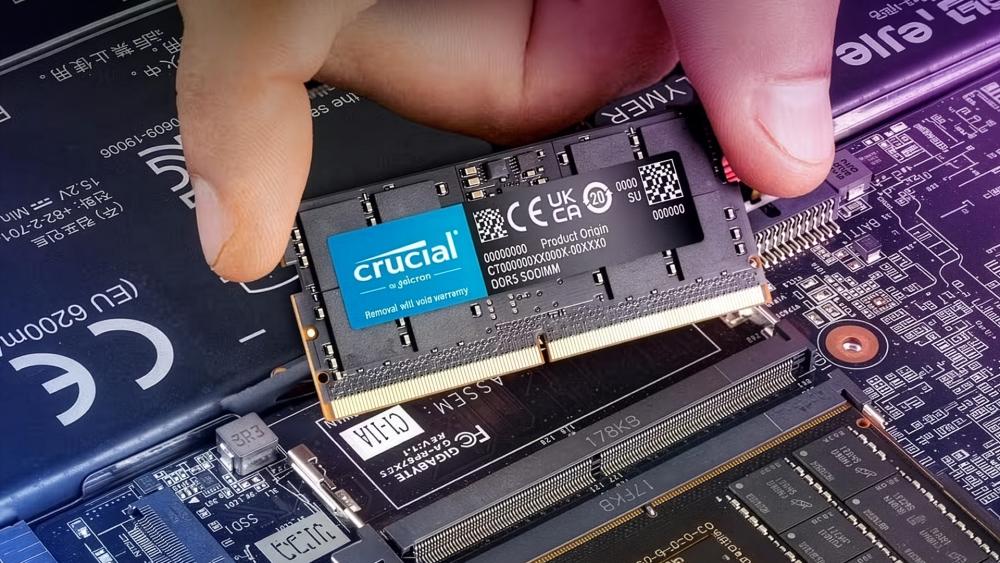
Choosing the right Intel Core i7 RAM does not have to be complicated. For most users, 16GB remains the safest and most balanced option, offering smooth performance across everyday tasks, gaming, and moderate creative work.
If your workload involves heavier tasks like video editing, large projects, or running multiple virtual environments, moving to 32GB provides a noticeable improvement in stability and long-term usability.
For those exploring the best Intel i7 laptops in the UK, it is also worth considering the type of memory. Newer i7 laptops with DDR5 RAM offer better bandwidth and future-proofing, particularly for modern applications and multitasking needs.
Ultimately, the goal is to match your RAM to how you use your laptop. Whether you are looking at the latest laptops or planning an upgrade, choosing the right memory ensures your i7 processor performs at its full potential without unnecessary limitations.
Frequently Asked Questions
Is 8GB RAM enough for an Intel Core i7 laptop?
8GB is only suitable for basic tasks. For smoother performance and multitasking, 16GB is recommended.
Is 16GB RAM enough for gaming on an i7 laptop?
Yes, 16GB is ideal for most modern games. It provides stable performance and handles background tasks well.
Do I need 32GB RAM for video editing on an i7?
32GB is recommended for heavy video editing, especially when working with 4K footage or large projects.
Does RAM speed matter for Intel Core i7 laptops?
Yes, faster RAM can improve performance in certain tasks like gaming and content creation, though the impact varies.
Can I upgrade RAM in most i7 laptops?
It depends on the model. Some laptops allow upgrades, while others have soldered RAM that cannot be changed.
You can pay with:
*PayPal Credit Representative Example: Assumed credit limit £1,200, Representative 23.9% APR (variable). Purchase rate 23.9% p.a (variable).Terms & Conditions apply.


PayPal Credit and PayPal Pay in 3 are trading names of PayPal UK Ltd, 5 Fleet Place, London, United Kingdom, EC4M 7RD. Terms and conditions apply. Credit subject to status, UK residents only, Five Tech LTD acts as a broker and offers finance from a restricted range of finance providers. PayPal Pay in 3 is not regulated by the Financial Conduct Authority. Pay in 3 eligibility is subject to status and approval. 18+. UK residents only. Pay in 3 is a form of credit. Check if affordable and how you will repay. May make other borrowing more difficult or expensive. See product terms for more details.
Copyright © 1996-2026 Fivetech LTD | Terms and Conditions
box.co.uk & Box are trading names of Five Tech Limited. Registered office: Box LTD, Unit 10 Woodford Trading Estate, Woodford Green IG8 8HF