


 Menu
MenuMenu


Get Sales Advice from Mon - Fri 9am - 5:00pm:
020 3337 8950LAST UPDATED: May 13, 2026
What Are Intel Core i7 Motherboards and How Do You Choose the Right One?
Choosing the right motherboard can feel confusing, especially when different generations use different sockets, chipsets and memory types. A motherboard is not just a board that holds the processor. It decides what CPU you can use, what RAM fits, how many drives you can install, and what upgrade options you get later.
The same is the case with Core i7 motherboards. If you are searching for a new one, it needs to be matched carefully with the exact processor you plan to use. Whether you are building a gaming PC, upgrading an older system, or planning a powerful home workstation, the right Intel Core i7 motherboard will keep your build stable, compatible and ready for the performance your i7 chip can deliver.
What Are Core i7 Motherboards?
Core i7 motherboards are PC mobos that support specific Intel Core i7 processors. The important word here is “specific”, because an i7 chip will only work with a board that has the right socket, chipset support, memory support and BIOS compatibility.
What a Motherboard Does
A computer motherboard is the main board inside a PC. It connects the processor, RAM, graphics card, storage drives, cooling, power supply and ports into one working system.
Think of it as the base of the build. Your motherboard CPU pairing decides what processor you can use, how much memory you can install, what storage options you get and what future upgrades are possible.
What Makes a Motherboard Compatible with Core i7?
An Intel i7 motherboard is compatible when it matches the exact i7 generation you are using. The socket must physically fit the chip, while the chipset and BIOS must support that processor properly.
That means you cannot pick any Intel board and expect it to work. Before buying, check the processor model, the board’s CPU support list and the required CPU socket compatibility.
Why the CPU Generation Matters
The generation matters because Intel changes platforms over time. Many 12th, 13th and 14th Gen Core i7 desktop processors use LGA 1700 motherboards with Intel 600 or 700 Series chipsets. Intel’s 14th Gen desktop platform also supports DDR5 up to 5600 MT/s and DDR4 up to 3200 MT/s, depending on the board.
Newer Intel Core Ultra desktop processors move to a newer platform, so you need to check the socket before buying. This is why i7 motherboards should always be chosen around the exact i7 processor, not just the Core i7 name.
Core i7 Motherboard Compatibility: Socket and Chipset Explained
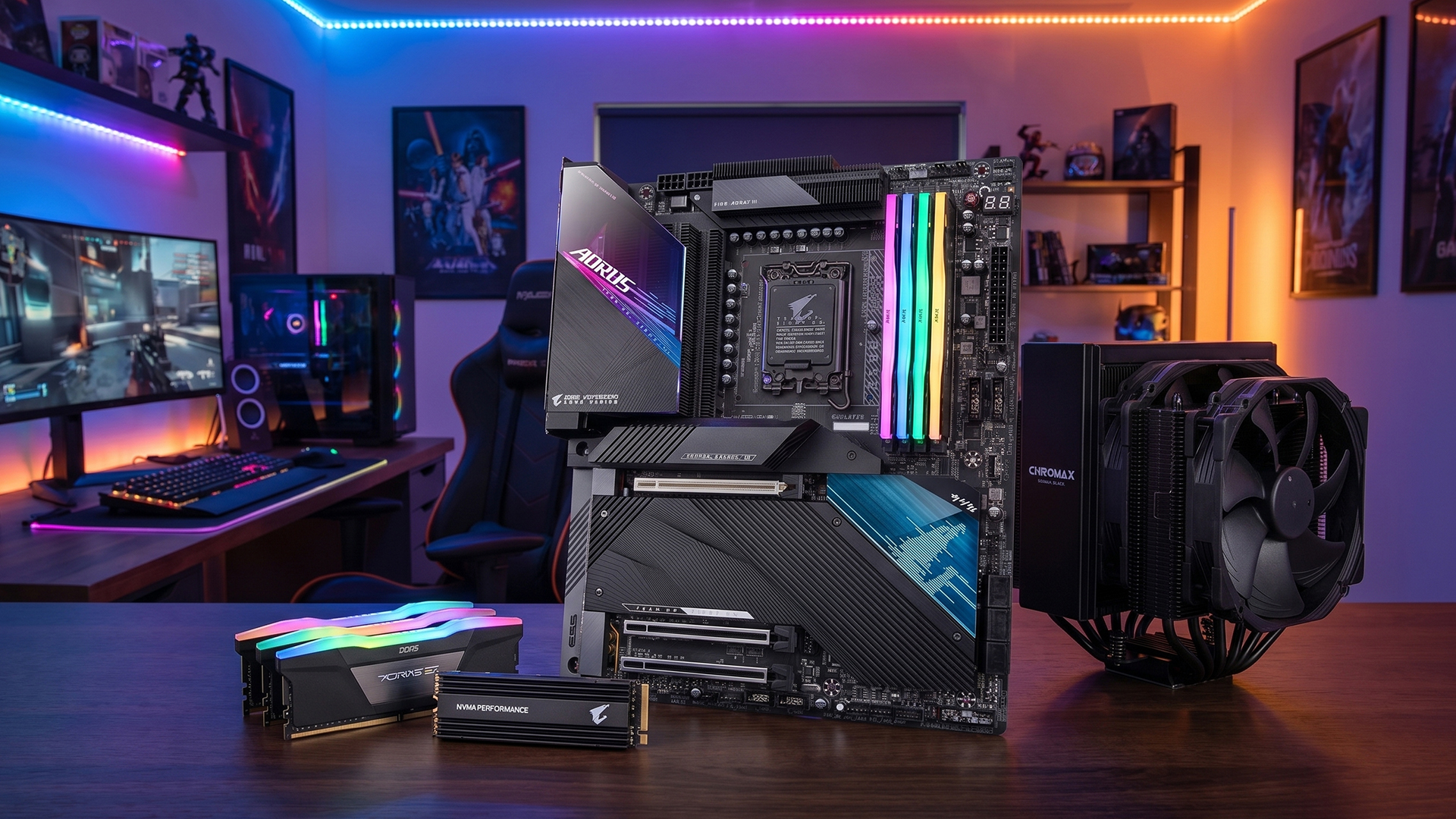
Compatibility is the part you cannot guess. A board may support Intel chips, but that does not automatically make it right for your i7. Before buying, match the processor generation, socket, chipset and memory type.
LGA 1700 for 12th, 13th and 14th Gen Core i7 CPUs
Most recent Intel Core i7 desktop chips from the 12th, 13th and 14th Gen families use the LGA 1700 motherboard platform. Common options include Z790 and B760 boards, with some 600 Series boards also supporting newer chips after the right BIOS update.
For example, Intel’s 14th Gen desktop platform supports Intel 700 Series chipsets and is also backwards compatible with Intel 600 Series chipsets. That makes LGA 1700 a key platform for many Intel Core i7 motherboards still used in gaming and productivity builds.
LGA 1851 for Newer Intel Core Ultra CPUs
Newer Intel Core Ultra desktop processors use the newer LGA 1851 platform, not LGA 1700. These are usually paired with newer boards such as Z890 and B860, so they are not drop-in replacements for older i7 builds.
This matters because someone upgrading from a 12th, 13th or 14th Gen i7 cannot simply move to a newer Core Ultra chip without changing the motherboard. Intel describes Core Ultra 200S as its newer desktop processor family for enthusiast AI PCs, which is why buyers need to treat it as a different platform.
Here is a quick table to help you select the right Intel Core i7 motherboard based on the socket and chipset.
| CPU Type | Socket | Common Chipsets | Best For |
| Intel Core i7 12th Gen | LGA 1700 | Z690, B660, H610 | Older upgrades and value builds |
| Intel Core i7 13th Gen | LGA 1700 | Z790, B760, Z690 | Gaming and productivity |
| Intel Core i7 14th Gen | LGA 1700 | Z790, B760 | Current-value Intel builds |
| Intel Core Ultra desktop CPUs | LGA 1851 | Z890, B860 | Newer platform builds |
In simple terms, choose the i7 CPU motherboard around the exact processor first, then look at features. Socket comes before everything else.
How to Choose the Best Motherboard for i7
Choosing the best motherboard for i7 starts with compatibility, but it should not stop there. Once the socket is right, the next things to check are chipset, memory support, power delivery, storage, ports, and whether the board fits your case.
Match the Socket and Chipset First
For Core i7 motherboards, the socket decides whether the processor will physically fit, while the chipset decides what features the board can offer. Z-series boards are better for high-performance builds, especially with unlocked K-series chips, while B-series boards are usually a better value for users who do not need CPU overclocking.
A Z-series motherboard is the better choice if you want more tuning options, stronger connectivity and overclocking support. A B-series motherboard makes more sense for straightforward gaming, office work, and productivity builds where stability and price matter more. B760 boards do not support CPU overclocking by base clock changes, so they are not the best match for users buying an unlocked chip mainly to tune it.
Choose DDR4 or DDR5 Carefully
An Intel i7 motherboard can support either DDR4 or DDR5, depending on the board, but the two memory types are not interchangeable. If the motherboard is DDR5-only, your old DDR4 sticks will not fit.
DDR4 can be useful for budget upgrades if you already own compatible RAM. DDR5 is the better route for a newer build, especially if you want a longer-lasting setup with stronger memory performance. Intel’s 14th Gen desktop platform supports both DDR5 and DDR4, but the final choice depends on the motherboard model.
Check VRM Power Delivery and Cooling
A Core i7 can pull serious power during gaming, editing, streaming or heavy multitasking. That is why VRM power delivery matters: it helps regulate power going to the CPU and keeps performance more stable under load.
Look for boards with proper motherboard heatsinks, especially if you are using a high-end i7 or a K-series processor. A cheaper board may still work, but it can run hotter and offer less headroom when the system is under pressure.
Look at PCIe, M.2 and Storage Support
Storage and expansion matter if you want the build to last. PCIe 5.0 can help with newer graphics cards and fast storage support, while multiple M.2 slots make it easier to add high-speed SSDs without using extra cables.
For most users, one fast NVMe drive is enough to start, but extra NVMe SSD support is useful if you install large games, creative files or project libraries. Some B760 boards already include PCIe 5.0 graphics support and several PCIe 4.0 M.2 slots, so mid-range boards can still be very capable.
Check Ports, Networking and Expansion
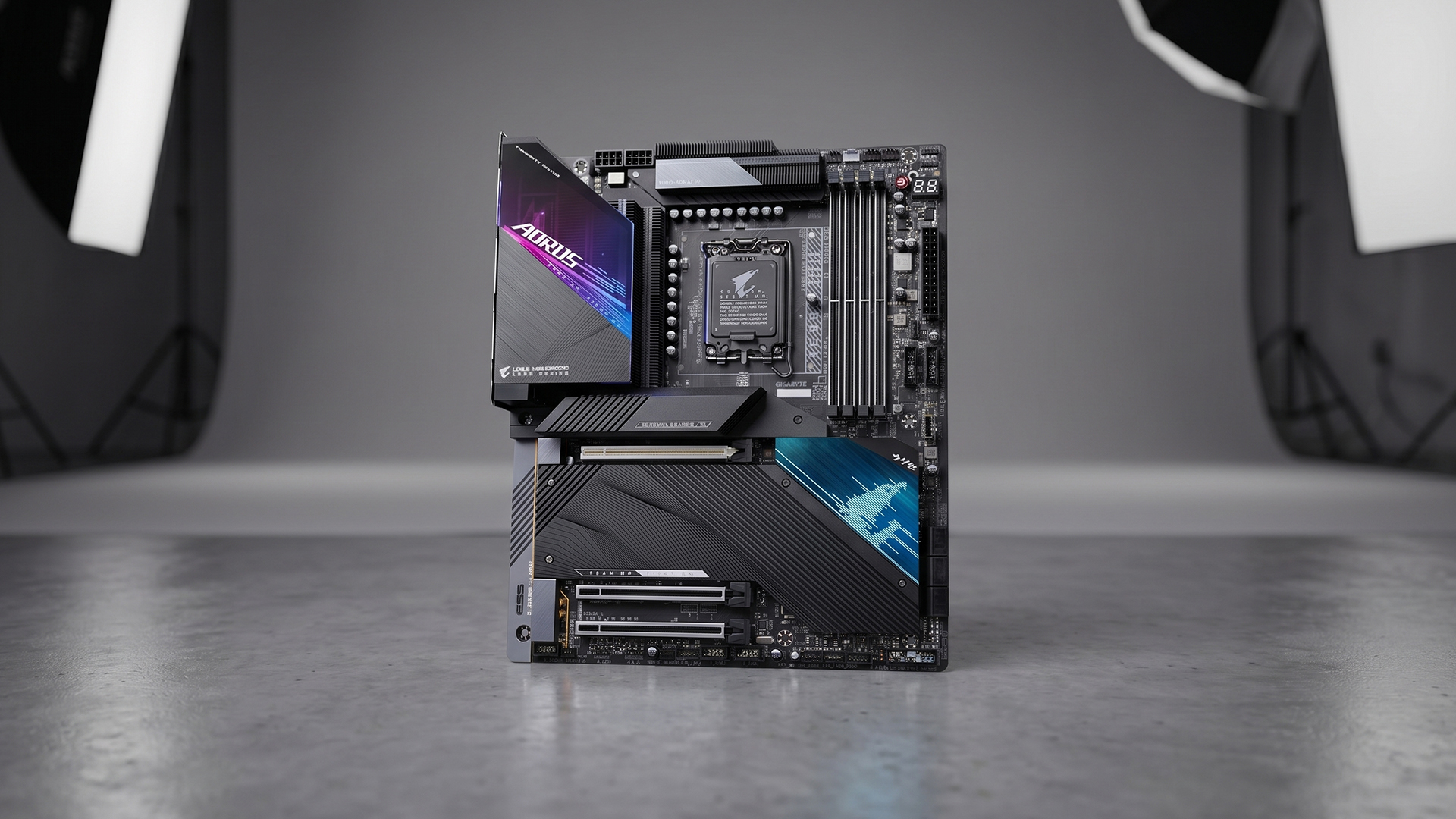
A good Intel i7 motherboard should match the devices you use. Check for enough rear USB ports, front-panel connectors, USB-C, fan headers, audio ports and room for add-in cards.
A Wi-Fi 7 motherboard can be useful if you want newer wireless support, while 2.5Gb Ethernet is worth having for faster wired networking. Also check USB-C ports and expansion slots before buying, especially if you plan to add capture cards, sound cards, extra storage or other upgrades later.
Make Sure the Board Fits Your Case
An ATX motherboard usually gives the most room for slots and connectors, while a Micro-ATX motherboard is smaller and often a better value. A Mini-ITX motherboard is best for compact builds, but it usually gives you fewer expansion options.
The simple rule is this: choose the board size around your case, cooling, graphics card and upgrade plans. A small board can be great for a neat build, but a larger board is usually easier to work with if you want more storage, more ports and more space inside the system.
Z790 vs B760 vs Z890: Which Motherboard Type Makes Sense?
This is where the choice becomes more practical. Once you know the socket, the chipset helps decide whether the board is built for value, performance tuning, or a newer platform.
Z790 for High-Performance LGA 1700 Builds
Z790 is the stronger choice for 13th and 14th Gen Core i7 builds where performance tuning, stronger connectivity and unlocked K-series CPUs matter. It is the better fit for gaming PCs, editing systems, and higher-end builds where the motherboard needs to handle more power and more expansion.
For users comparing Core i7 motherboards, Z790 makes the most sense when you want the most capable LGA 1700 option without moving to a newer socket. It is also designed with overclocking and precision tuning in mind when paired with an unlocked processor.
B760 for Better Value
B760 is usually the more sensible pick if you want a solid i7 build without paying for premium features you may never use. It is well-suited to gaming, office work, everyday productivity and non-overclocking systems.
The key trade-off is simple: B760 boards do not support CPU overclocking in the same way as Z-series boards. For many buyers, that is fine. If you are building around a locked i7 chip or just want reliable performance at a better price, i7 motherboards with B760 chipsets can be the smarter buy.
Z890 for Newer Intel Core Ultra Builds
Z890 is for the newer LGA 1851 platform, so it is not the right choice for 12th, 13th or 14th Gen i7 processors. It makes sense when you are building around newer Intel Core Ultra desktop CPUs and want a more current platform.
A typical Z890 board can bring newer features such as DDR5 support, PCIe 5.0, faster M.2 storage support, Wi-Fi 7 and stronger high-speed connectivity. If you are buying an Intel i7 motherboard for an older Core i7, do not choose Z890. If you are moving to a newer Intel Core Ultra build, that is where Z890 becomes relevant.
| Motherboard Type | Socket | Best For | Overclocking | Buyer Type |
| Z790 | LGA 1700 | 13th/14th Gen i7 gaming and creator builds | Yes, with unlocked K CPUs | Enthusiasts |
| B760 | LGA 1700 | Value i7 gaming and productivity builds | No CPU overclocking | Budget-conscious users |
| Z890 | LGA 1851 | Newer Core Ultra desktop builds | Yes, on supported unlocked CPUs | New platform buyers |
| B860 | LGA 1851 | Newer value-focused Core Ultra builds | Usually, no CPU overclocking | Mainstream users |
Common Mistakes When Buying an i7 Motherboard
Even when the main specs look right, small compatibility mistakes can cause big build problems. These are the most common issues to avoid before buying.
Assuming Every Intel Board Supports Every i7
Not every Intel board supports every i7 chip. Socket, chipset and BIOS support all matter, so always check the exact CPU support list before buying an i7 CPU motherboard. Intel’s own processor database is designed to help users confirm product specifications and compatibility details before pairing parts.
Mixing Up DDR4 and DDR5
A motherboard i7 Intel build may use DDR4 or DDR5, depending on the board, but the two are not interchangeable. DDR5 memory will not fit or work in a DDR4-only board, and DDR4 will not work in a DDR5-only board because the physical layout and electrical requirements differ.
Paying for Features You Will Not Use
The best motherboard for i7 is not always the most expensive one. If you are not overclocking, using multiple expansion cards, or building a high-end setup, a simpler board with the right socket, RAM support, storage slots and ports can be the smarter buy.
Forgetting About BIOS Updates
Some Intel Core i7 motherboards may need a BIOS update before they work properly with newer processors, especially when pairing a newer CPU with an older compatible chipset. Intel’s 14th Gen desktop platform supports 700 Series chipsets and is backwards compatible with 600 Series chipsets, but users should still check update requirements before building.
BIOS updates can also improve stability. Intel has released microcode updates for 13th and 14th-generation desktop processors, so keeping the motherboard firmware current is not just about compatibility; it can also affect long-term reliability.
Final Verdict: How to Choose the Right Core i7 Motherboard
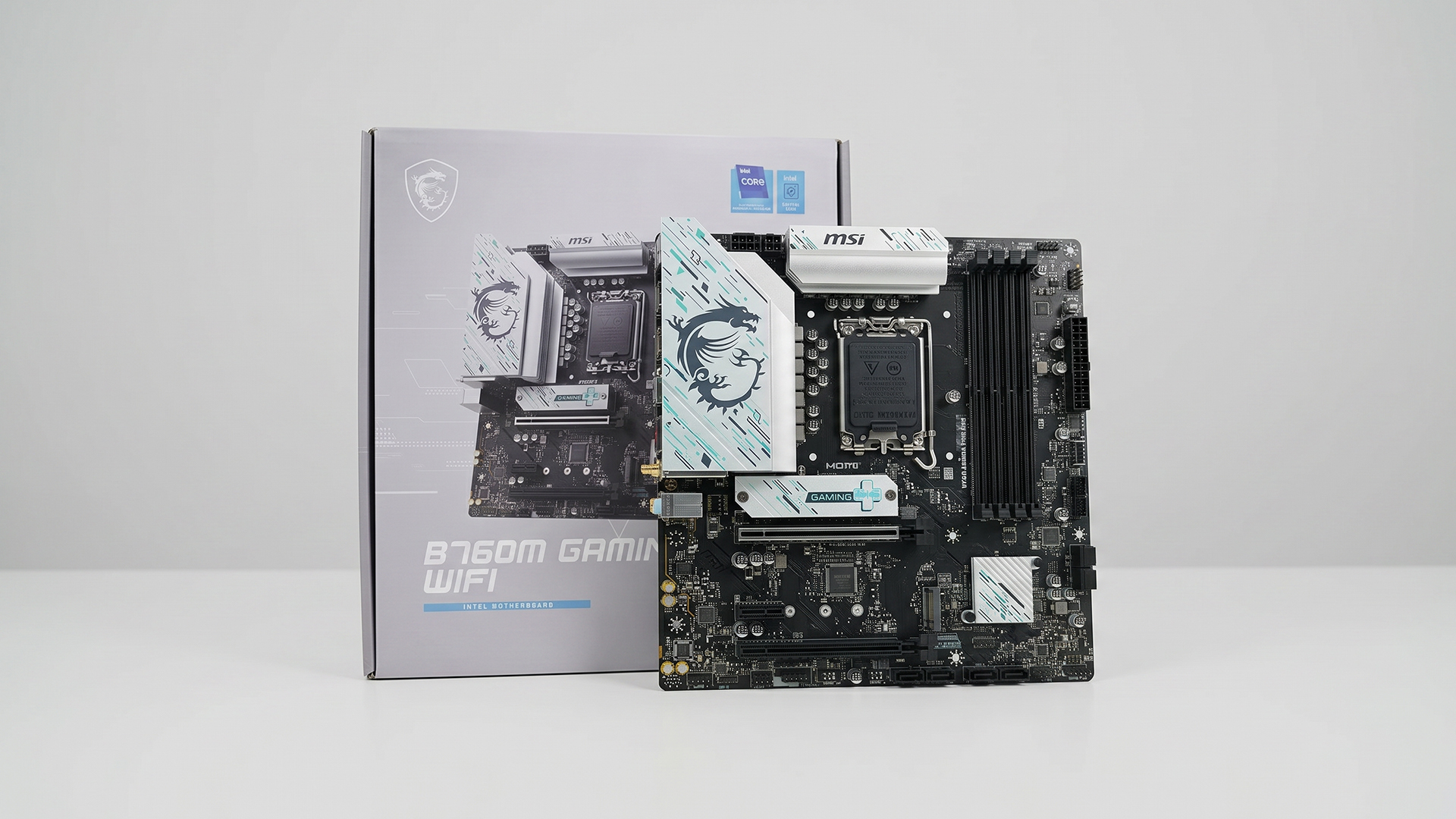
Choosing the right Core i7 motherboard comes down to one simple rule: start with the exact processor, then build the rest around it. Check the generation first, match the socket, confirm the chipset, and make sure the RAM type is correct before looking at extra features. For 12th, 13th and 14th Gen desktop chips, LGA 1700 is the key platform, while newer Core Ultra desktop builds move to LGA 1851.
After compatibility, focus on the parts that affect day-to-day use: VRM quality, cooling, M.2 slots, PCIe support, networking, rear ports and form factor. The best motherboard for i7 is not always the most expensive option. It is the board that fits your computer processor, supports your Intel CPU properly, and gives you the features your build needs.
Frequently Asked Questions
What motherboard do I need for an Intel Core i7?
You need a motherboard that matches your exact i7 generation. Many 12th, 13th and 14th Gen desktop Core i7 processors use LGA 1700 boards, while newer Core Ultra desktop processors use LGA 1851. Always check the CPU support list before buying.
Are all Core i7 motherboards the same?
No. Core i7 motherboards can differ by socket, chipset, RAM support, form factor, storage slots, networking, ports and power delivery. Two boards can both support an i7 but still offer very different features.
Can I use a 14th Gen i7 on a Z790 motherboard?
Yes, many Z790 motherboards support 14th Gen Intel Core processors. Some boards may need a BIOS update first, so check the motherboard’s CPU support page before building.
Do I need a Z790 motherboard for an i7?
Not always. Z790 is best if you have an unlocked K-series i7, want overclocking, or need more premium features. For a locked i7 processor, a B760 motherboard can be enough for gaming, work and everyday use.
Is DDR5 better for Intel Core i7 motherboards?
DDR5 is better for newer builds because it offers stronger memory performance and better long-term upgrade value. DDR4 can still make sense if you are reusing existing memory or building on a tighter budget.
What is the best motherboard for an i7 gaming PC?
The best option depends on your processor. For a 13th or 14th Gen i7 gaming PC, Z790 is a strong choice for high-performance builds, while B760 is better for value-focused systems. For newer Core Ultra builds, look at LGA 1851 boards such as Z890 or B860.
You can pay with:
*PayPal Credit Representative Example: Assumed credit limit £1,200, Representative 23.9% APR (variable). Purchase rate 23.9% p.a (variable).Terms & Conditions apply.


PayPal Credit and PayPal Pay in 3 are trading names of PayPal UK Ltd, 5 Fleet Place, London, United Kingdom, EC4M 7RD. Terms and conditions apply. Credit subject to status, UK residents only, Five Tech LTD acts as a broker and offers finance from a restricted range of finance providers. PayPal Pay in 3 is not regulated by the Financial Conduct Authority. Pay in 3 eligibility is subject to status and approval. 18+. UK residents only. Pay in 3 is a form of credit. Check if affordable and how you will repay. May make other borrowing more difficult or expensive. See product terms for more details.
Copyright © 1996-2026 Fivetech LTD | Terms and Conditions
box.co.uk & Box are trading names of Five Tech Limited. Registered office: Box LTD, Unit 10 Woodford Trading Estate, Woodford Green IG8 8HF