


 Menu
MenuMenu


Get Sales Advice from Mon - Fri 9am - 5:00pm:
020 3337 8950LAST UPDATED: July 06, 2026
HP ZBook G1A vs G1i: Which Workstation Laptop Should You Choose?
The ZBook G1a vs G1i comparison comes down to how you work. Both sit under the HP ZBook workstation family, but they are built for different professional priorities. One leans towards compact, modern workstation performance, while the other gives buyers more room to scale power, graphics, display size, and enterprise-ready configurations.
For professionals choosing between them, the real question is not simply which model is “better”. It is the one that fits your workload. The ZBook G1a makes sense for users who want serious capability in a more portable machine, while the G1i ZBook range is better suited to those who need broader workstation options for heavier projects.
This ZBook workstation comparison looks at performance, design, displays, connectivity, battery life, and workflow fit. The goal is to help you choose the right workstation for creative work, engineering tasks, business use, and other demanding professional workflows.
ZBook G1a vs G1i: Key Differences Overview
The easiest way to understand ZBook G1a vs G1i is to look at what each machine is trying to solve. The G1a focuses on workstation capability in a smaller, more mobile format, while G1i models are better suited to buyers who want more configuration depth across screen size, graphics, storage, and memory.
Before getting into detailed performance, this quick comparison gives a practical view of the main differences in the two workstations.
| Area | ZBook G1a | G1i ZBook |
| Best suited to | Mobile professionals, creators, and AI-assisted workflows | Engineers, designers, enterprise users, heavy workstation users |
| Main strength | Compact workstation performance | Higher configuration flexibility |
| Processor platform | AMD Ryzen AI Max PRO options | Intel Core Ultra workstation options |
| Graphics direction | Strong integrated workstation-style graphics on Ultra models | Wider professional GPU options on selected models |
| Memory approach | Unified memory options, with Ultra G1a listed up to 128GB | Larger workstation memory scaling on higher-end models |
| Mobility | Better suited to travel and hybrid work | Varies by model, with larger versions favouring desk-based power |
| Buying angle | Choose it when portability matters more | Choose it when expandability and sustained performance matter more |
Target Users
- ZBook G1a: It is a better match for professionals who need serious performance in a smaller machine. It suits mobile creators, analysts, hybrid workers, and users who want workstation-level features without moving to a larger chassis.
- G1i ZBook: It makes more sense for users who need more powerful professional laptop configurations. That includes engineers, CAD users, 3D professionals, and business teams that need more control over CPU, GPU, display, memory, and storage choices.
Performance Tier
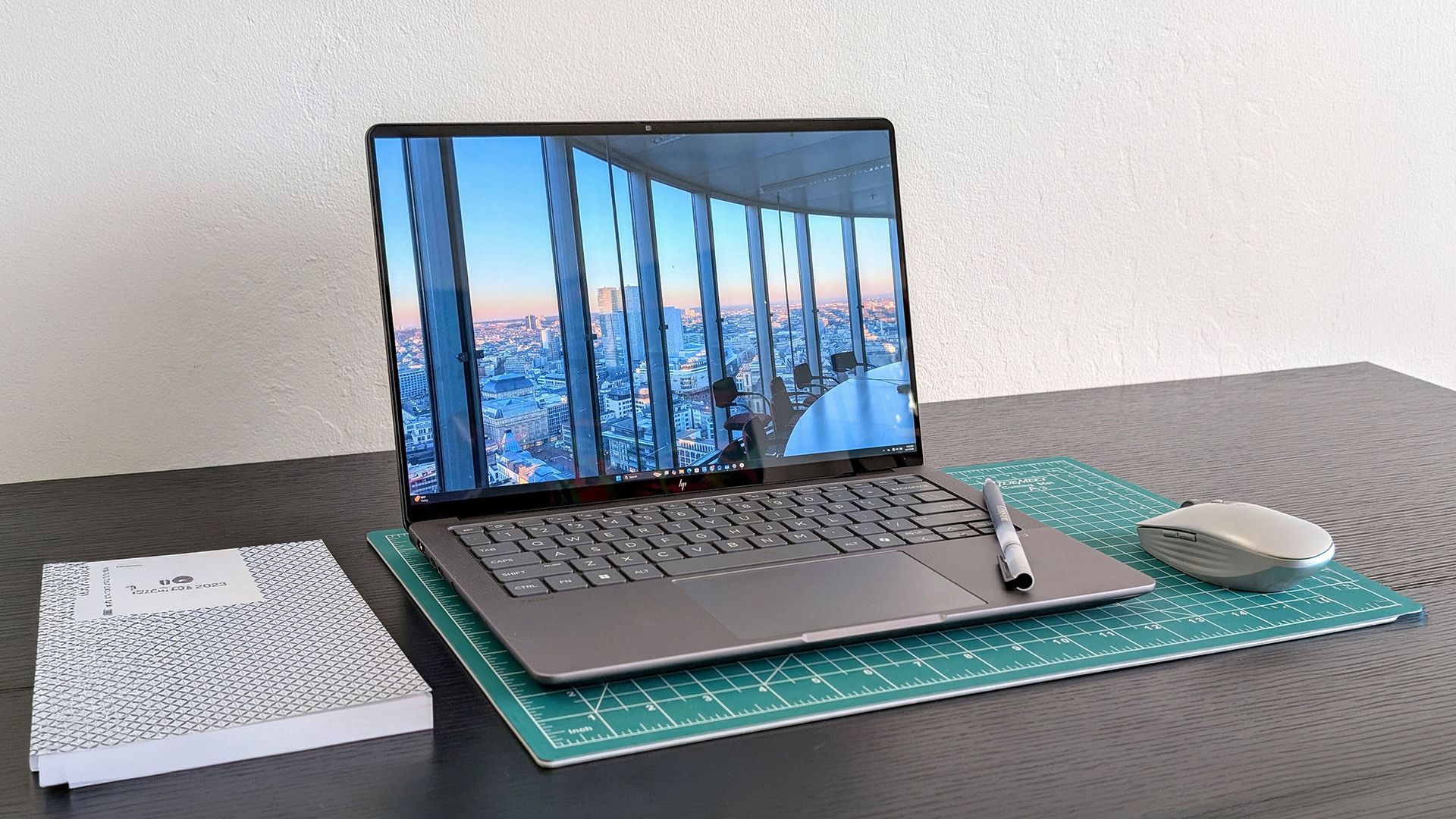
The ZBook G1a specs are interesting because the Ultra G1a is built around AMD Ryzen AI Max PRO processors. Some options come with up to 16 desktop-class CPU cores, discrete-like integrated graphics, and up to 128GB unified memory. That gives it a strong appeal for mobile AI, creative, and multitasking workflows.
The G1i specs depend on the exact model, but the ZBook Fury G1i is positioned higher for heavier workstation use. You can find 16-inch and 18-inch versions, desktop-class CPU options, pro graphics, and larger memory and storage potential, which gives it more headroom for demanding professional setups.
Design Approach
The design difference is not just about size. It affects how the laptop fits into daily work. G1a is easier to justify when your work moves with you. G1i is more compelling when your setup depends on larger displays, stronger graphics options, docking, and heavier sustained workloads. Users doing a portability vs power balance comparison will be more tilted towards G1a as it is more travel-friendly.
Performance Comparison
This is where the ZBook G1a vs G1i comparison becomes more workload-specific. The better choice depends on whether your work benefits more from compact AI-ready performance, stronger CPU scaling, dedicated professional graphics, or larger memory and storage headroom. In a ZBook workstation comparison, the G1a side is strongest when mobility and unified resources matter, while G1i models give more room for traditional workstation scaling.
CPU Differences
- ZBook G1a: Higher-end ZBook G1a specs include AMD Ryzen AI Max+ PRO options with up to 16 CPU cores, plus a 50 TOPS neural engine for local AI and accelerated professional tasks. This works well for creators, analysts, and users who want strong workstation performance in a compact machine.
- G1i ZBook: G1i specs for top models include Intel Core Ultra HX processors, with configurations such as the Core Ultra 9 285HX offering 24 cores. That makes the G1i side stronger for CPU-heavy workloads such as simulation, rendering prep, code compilation, and large project handling.
GPU Capabilities
- ZBook G1a: The G1a route can use Radeon 8060S graphics with 40 compute units, giving it far stronger integrated graphics capability than a standard thin-and-light laptop. This helps with creative work, AI-assisted visual tasks, and lighter 3D workflows where compact performance matters.
- G1i ZBook: G1i workstation configurations can move into dedicated RTX PRO graphics, including RTX PRO 5000-class options with 24GB GDDR7 VRAM. That gives the G1i side a clearer advantage for heavy rendering, complex CAD scenes, and GPU compute. You will notice impressive GPU performance differences in the Gli if you are looking for a laptop for heavy workloads.
Multitasking and RAM
- ZBook G1a: The G1a uses unified memory, with Ultra G1a configurations reaching up to 128GB. This can be useful when CPU, graphics, and AI workloads need access to a shared memory pool during mixed creative or technical work.
- G1i ZBook: G1i workstation models are better for buyers who need broader memory and storage scaling, especially in larger configurations built for datasets, virtual machines, large CAD assemblies, and multi-application professional workflows.
Design and Build Differences
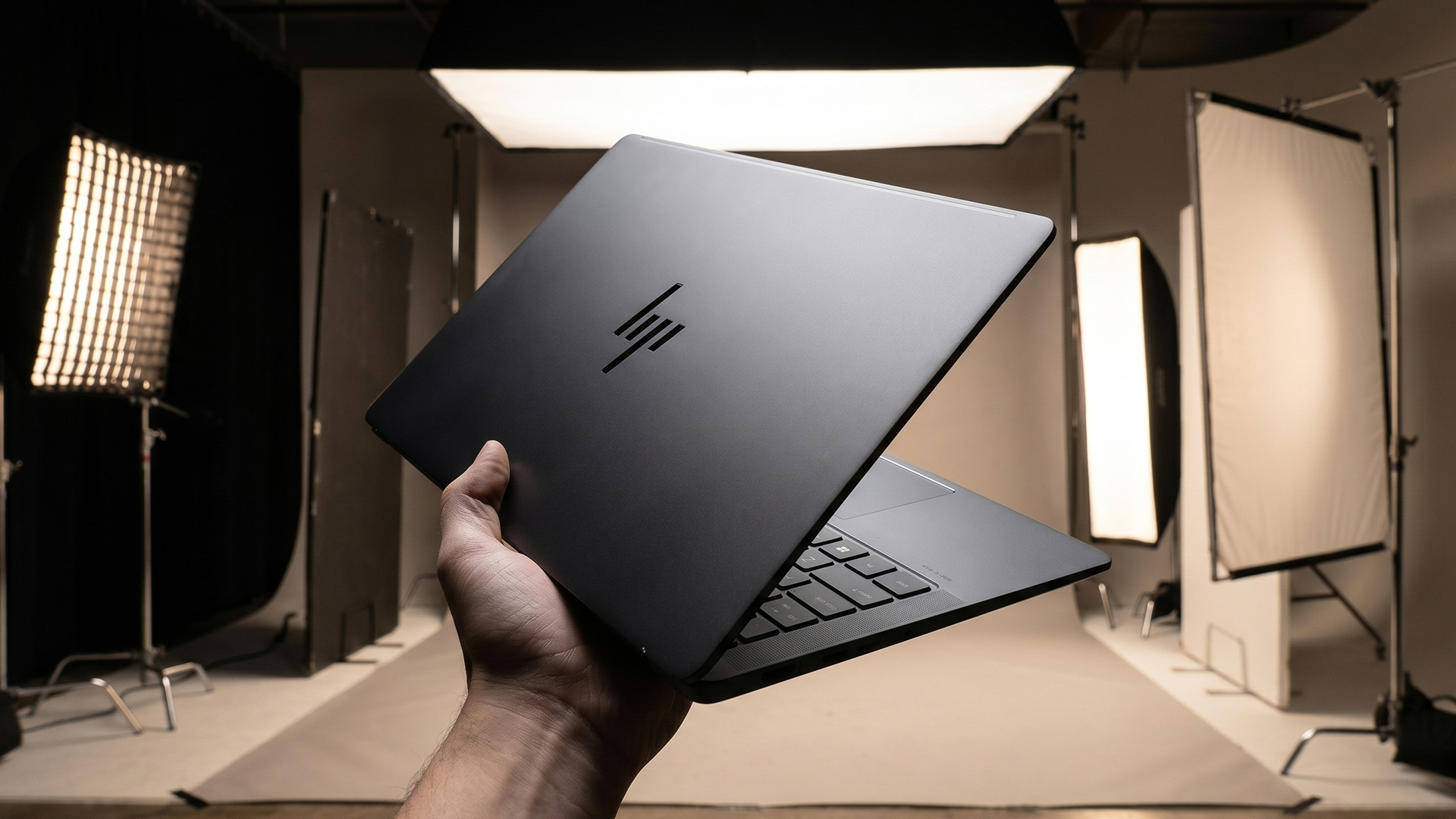
There are clear build and design variations in both ranges. The ZBook G1a is easier to place in a mobile setup, while a G1i ZBook is more about giving professionals a larger, workstation-first chassis.
Portability and Weight
- ZBook G1a: The 14-inch design is the more travel-friendly option, with some configurations around 1.57kg and a slim 1.81cm profile. It suits professionals who move between desks, meetings, home offices, and client sites.
- G1i ZBook: Larger models are built with power and workspace in mind. The 16-inch Fury G1i starts at around 2.43kg and is physically deeper and thicker, so it is better suited to users who prioritise a bigger working canvas over daily portability.
Build Quality
- ZBook G1a: The compact chassis still includes workstation-style touches such as a spill-resistant backlit keyboard, glass clickpad, 5MP IR camera, and biometric security options, which makes it feel more premium than a typical compact business laptop.
- G1i ZBook: The larger body gives more room for professional input and enterprise hardware features, including a 3-button touchpad layout, smart card reader options, security lock support, and a more desk-ready feel for long workstation sessions.
Professional Use Design
- ZBook G1a: This is the better fit when you want a balance of portability and power. It works well for hybrid professionals who need a capable HP ZBook without carrying a large workstation every day.
- G1i ZBook: This makes more sense for users who need enterprise laptop features. It is great for office docking, large projects, and precision input, and comes with numerous features that make it a more traditional workstation.
Display and Visual Performance
Display choice can change the whole feel of a mobile workstation. For visual work, the main things to check are size, resolution, touch support, colour coverage, refresh rate, and whether the screen gives enough space for complex apps. These display configuration options matter because different workflows need different screens, not just different processors.
Panel Quality
- ZBook G1a: The 14-inch format suits users who want a sharp, compact workstation display. Some configurations offer a 2880 x 1800 OLED touchscreen, which gives the ZBook G1a a strong visual setup for a smaller machine.
- G1i ZBook: The 16-inch options give more workspace, including 2560 x 1600 panels with a 120Hz refresh rate on selected configurations. That extra screen area helps when you are working across timelines, toolbars, drawings, previews, and multiple windows.
Colour Accuracy
- ZBook G1a: The OLED route makes more sense for creators who care about contrast, rich colour, and a sharper preview space while staying mobile. It is a strong fit for editing, design review, presentation work, and visual content checks.
- G1i ZBook: Selected 16-inch display options support 100% DCI-P3 coverage, which is useful for colour-sensitive work. This gives the G1i ZBook an advantage when the screen needs to support longer creative sessions or more detailed visual review.
Best for Creative Work and Engineering
- ZBook G1a: Better for mobile creators who want a compact workstation screen for editing, design checks, AI-assisted visual work, and client-ready previews. The smaller size is easier to carry, but it still gives enough quality for polished creative workflows.
- G1i ZBook: Better for users who need a larger visual workspace for CAD, engineering drawings, 3D models, and multi-window professional tools. If your priority is a ZBook for CAD and engineering software, the larger display options make daily work easier to manage.
Ports, Connectivity and Expandability
For workstation users, ports are not just convenience extras. They decide how easily the laptop fits into docks, monitors, external drives, wired networks, card readers, and desk setups. This matters most when it comes to business laptops for professional workflows, where the laptop often needs to move between mobile use and a full office workstation.
Port Selection
- ZBook G1a: The compact model still gives useful connectivity for a smaller workstation, including Thunderbolt 4 over USB-C, HDMI 2.1, USB-A, and wireless support such as Wi-Fi 7 and Bluetooth 5.4 on selected configurations. This is enough for mobile users who still need external screens, fast storage, and core accessories.
- G1i ZBook: The larger workstation layout gives more room for desk-focused ports, including RJ45 Ethernet, USB-A, Thunderbolt 4, two Thunderbolt 5 ports with 80Gbps signalling, HDMI 2.1, an SD card reader, and smart card support. This makes it better suited to fixed workstation setups and enterprise environments.
Expandability Options
- ZBook G1a: The G1a is better when you want a cleaner, more portable setup and plan to configure the laptop properly from the start. It is the neater option for users who rely on docking, cloud storage, external SSDs, and fewer internal upgrades.
- G1i ZBook: The G1i route is stronger for memory and storage scaling, especially in larger workstation models. It makes more sense for professionals who expect project sizes, datasets, virtual machines, or local storage needs to grow over time.
Battery Life and Mobility
A ZBook G1a vs G1i comparison is not complete without explaining battery figures. Mobility is not only about how long the laptop lasts away from the charger. It is also about how often you need to carry it, how quickly it connects to a working setup, and whether it can stay comfortable during meetings, travel, and mixed office use.
Real-World Usage
- ZBook G1a: The smaller chassis is built around a 74.5Wh battery and 140W USB-C charging, with light-to-moderate use reaching around 11 to 13 hours depending on workload and configuration. That suits mobile professionals who move between workspaces and need a lighter workstation for office apps, creative reviews, and moderate workloads.
- G1i ZBook: The larger workstation setup can use a 99Wh long-life polymer battery with fast charge support up to around 50% in 30 minutes. These machines can reach up to 5 hours of battery life, depending on the workload.
Travel and On-the-Go Work
- ZBook G1a: Better for users who need workstation power in a bag-friendly format. It fits hybrid work, client visits, hot-desking, and creative reviews where the laptop has to move often, especially if your unplugged work is closer to meetings, documents, browsing, and review tasks than sustained rendering.
- G1i ZBook: Better for professionals who travel less frequently but need a transportable workstation between fixed locations. It can move, but with battery figures closer to a few working hours under productivity testing, it is more suited to planned travel than daily carry.
Efficiency vs Power
- ZBook G1a: Stronger for users who need portability and good performance without always working from a permanent desk. It is the more natural choice for mobile creative and AI-assisted workloads where battery life still matters.
- G1i ZBook: Stronger when sustained power matters more than unplugged convenience. If your work involves long rendering sessions, heavier CAD projects, or multi-device desk setups, the larger chassis gives more room to prioritise performance over maximum mobility.
Looking to compare ZBook with Apple laptops? Read our ZBook vs Pro MacBook comparison and see which option better suits your workflow, software needs, performance expectations, and budget.
HP ZBook G1a vs G1i: Which One Should You Choose?
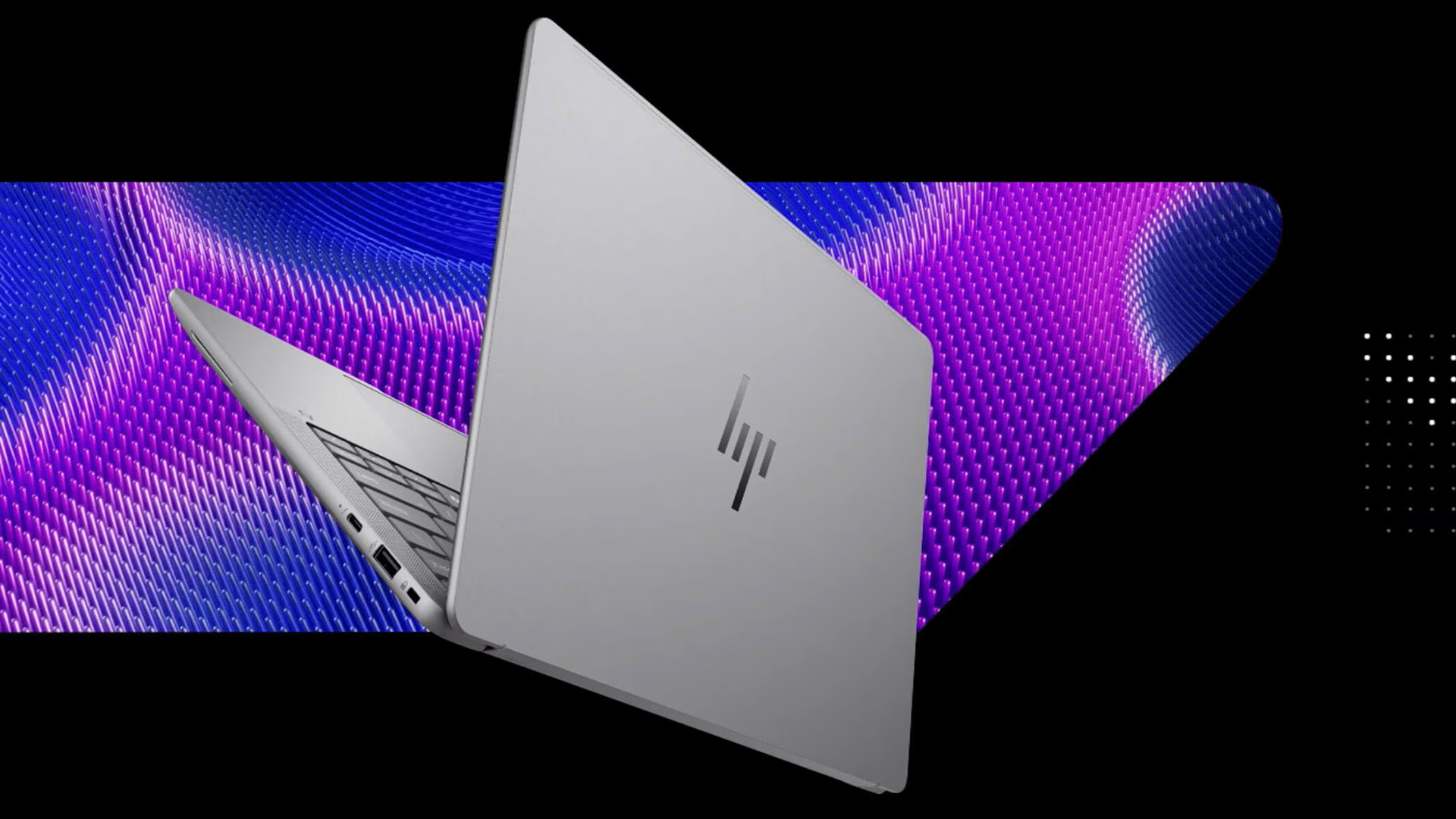
Both these ranges offer excellent machines. However, the right one depends on your workload. Here are some suggestions to help you buy the right HP ZBook.
- Best for engineers: A G1i ZBook is the stronger fit for CAD, engineering models, simulations, large files, and multi-display setups.
- Best for creators: The ZBook G1a works well for editing, design review, AI-assisted creative work, and mobile production.
- Best for business users: For hybrid workers, the G1a offers an easier everyday carry. For managed teams, G1i models bring more configuration depth. If you are comparing ZBook HP laptops, the better option depends on how your team works.
- Best for long-term workstation flexibility: G1i is the safer route when workloads are likely to grow. It is one of the best business workstation laptop ranges and is great for situations where storage, memory, displays, peripherals, and specialist software needs may become more demanding over time.
- Best for mobility-first professionals: G1a makes more sense if you want serious workstation capability without carrying a larger machine every day.
Final Verdict: G1a or G1i?
The ZBook G1a vs G1i decision comes down to mobility versus workstation headroom. The G1a is the better fit if you want a compact workstation for hybrid work, creative tasks, AI-assisted workflows, and professional use away from a fixed desk.
G1i models make more sense if your work depends on larger screens, more powerful graphics options, heavier configurations, and long sessions at a workstation setup. For CAD, engineering, rendering, large datasets, and enterprise deployment, the extra configuration room can matter more than portability.
Frequently Asked Questions
What is the difference between ZBook G1A and G1i?
The ZBook G1a is the more compact option, built for mobile workstation performance in a smaller form factor. G1i models are better suited to users who want more configuration headroom, larger display options, and stronger workstation scaling.
Is the ZBook Ultra G1a worth buying?
Yes, the ZBook Ultra G1a is worth buying if you need a powerful, portable workstation for creative work, AI-assisted tasks, multitasking, and hybrid working. It makes less sense if you need a larger screen, maximum dedicated GPU power, or more internal upgrade flexibility. It supports up to 16 CPU cores and up to 128GB unified memory in higher configurations.
Does the ZBook Ultra G1a have a touchscreen?
Yes, selected ZBook Ultra G1a configurations include a touchscreen. Some models are available with a 14-inch 2880 x 1800 OLED touchscreen and a 120Hz refresh rate.
Is ZBook G1i more powerful than G1A?
In higher configurations, yes. G1i models can offer larger workstation designs, desktop-class CPU options, pro graphics, and more memory and storage scaling, which makes them better suited to heavier professional workloads.
Which is better for CAD, G1A or G1i?
For larger CAD projects, complex assemblies, and engineering work, G1i is usually the better fit because it offers more workstation headroom. G1a can still work well for mobile CAD review, lighter modelling, and professionals who need a more portable workstation.
You can pay with:
*PayPal Credit Representative Example: Assumed credit limit £1,200, Representative 23.9% APR (variable). Purchase rate 23.9% p.a (variable).Terms & Conditions apply.


PayPal Credit and PayPal Pay in 3 are trading names of PayPal UK Ltd, 5 Fleet Place, London, United Kingdom, EC4M 7RD. Terms and conditions apply. Credit subject to status, UK residents only, Five Tech LTD acts as a broker and offers finance from a restricted range of finance providers. PayPal Pay in 3 is not regulated by the Financial Conduct Authority. Pay in 3 eligibility is subject to status and approval. 18+. UK residents only. Pay in 3 is a form of credit. Check if affordable and how you will repay. May make other borrowing more difficult or expensive. See product terms for more details.
Copyright © 1996-2026 Fivetech LTD | Terms and Conditions
box.co.uk & Box are trading names of Five Tech Limited. Registered office: Box LTD, Unit 10 Woodford Trading Estate, Woodford Green IG8 8HF