


 Menu
MenuMenu


Get Sales Advice from Mon - Fri 9am - 5:00pm:
020 3337 8950LAST UPDATED: May 12, 2026
HP ZBook for CAD and Engineering Software: How Well Do They Perform?
When working with CAD and engineering software, performance is everything. Whether you're designing complex 3D models, running simulations or working with precision-based drawings, your laptop needs to deliver consistent power, stability, and accuracy.
This is where HP ZBook laptops stand out. Designed as mobile workstations, they are built specifically for professionals who rely on demanding applications like SolidWorks, AutoCAD, and other 3D modelling tools.
But how well does an HP ZBook for CAD actually perform in real-world use? Let’s break it down in simple terms so you can understand whether it’s the right choice for your workflow.
Why CAD Software Needs a Workstation Laptop
When working with CAD and engineering software, the type of laptop you use can have a direct impact on your productivity and the quality of your work. Unlike everyday applications, CAD tools are built to handle complex designs, large datasets, and real-time visualisation. This is why they require more than just standard hardware; they need the power and reliability of a workstation laptop.
High CPU and GPU Demands
At the core of any CAD workflow is processing power. Tasks such as 3D modelling, simulation, and rendering rely heavily on both the CPU and GPU to function smoothly. The CPU is responsible for calculations and logic-based operations, while the GPU handles visual rendering and graphical performance.
In practical terms, this means your system must be able to process large amounts of data quickly and efficiently. Standard laptops often struggle under this kind of pressure, leading to slowdowns, lag or even crashes. This is where professional laptops for engineers make a difference. They are specifically designed to handle demanding workloads, ensuring that complex projects run smoothly without interruptions.
Real-Time Rendering Requirements
Modern CAD software doesn’t just create designs; it allows you to interact with them in real time. As you make changes to a model, the system updates the visual output instantly. This process, known as real-time rendering, is essential for maintaining an efficient workflow.
To achieve this, your laptop needs consistent and reliable performance. The GPU must be powerful enough to render detailed visuals instantly, while the system's memory must support smooth data handling. If the hardware cannot keep up, even simple adjustments can become slow and frustrating, interrupting the design process.
A workstation laptop ensures that these real-time updates happen seamlessly, allowing you to focus on your work rather than waiting for the system to respond.
Stability and Precision Needs
In engineering and design, precision is not optional; it’s critical. Small inaccuracies in a model or calculation can lead to significant problems later in the project. This makes stability just as important as performance.
Workstation laptops like the HP ZBook workstation are built with this in mind. They are designed to deliver consistent performance even under heavy workloads, reducing the risk of errors or system instability. Additionally, they are optimised to work with professional software, ensuring compatibility and reliable results.
For users working on detailed designs or complex engineering tasks, this level of stability provides confidence that the system will perform accurately every time.
How HP ZBook Handles CAD Workloads

When it comes to running demanding CAD and engineering software, performance isn’t just about raw power; it’s about how well a system handles real-world workloads. This is where the HP ZBook workstation stands out. Built specifically for professional use, it is designed to manage complex tasks efficiently while maintaining stability and responsiveness.
CPU Performance for Engineering Tasks
At the heart of any CAD workflow is the CPU, which is responsible for processing calculations, running simulations and handling core operations. In engineering software, these tasks can become extremely demanding, especially when working with large assemblies or detailed models.
HP ZBook laptops are equipped with high-performance processors that are built to handle these challenges. This allows users to work with complex designs without experiencing slowdowns or interruptions. Whether you are running simulations, analysing data or managing large CAD files, the system remains responsive and efficient.
This level of performance is particularly important for professionals working on tight deadlines, where delays can impact productivity. As a result, ZBooks are well suited as laptops for heavy workload environments, where consistent performance is essential.
GPU Acceleration for 3D Modelling
While the CPU handles calculations, the GPU plays a crucial role in visual performance. For users working in 3D modelling, rendering and design, GPU acceleration can significantly improve workflow efficiency.
One of the key strengths of an HP workstation laptop for CAD is its use of professional-grade graphics. These GPUs are designed to handle complex visual tasks, allowing models to render smoothly and accurately in real time. This is especially beneficial when working with detailed designs, where clarity and precision are critical.
In practical terms, this means that rotating models, applying changes or rendering scenes feels smooth and fluid, even when dealing with complex geometry. This not only improves productivity but also makes the overall design process more intuitive and less time-consuming.
RAM and Multitasking Capabilities
CAD workflows rarely involve a single application. In most professional environments, users are working across multiple tools at once, whether it’s design software, simulation tools or supporting applications.
HP ZBook laptops are designed with high RAM capacity to support this kind of multitasking. This ensures that switching between applications remains smooth, even when handling large and complex projects. It also allows systems to manage heavy files without lag, reducing the risk of slowdowns during critical tasks.
For users, this translates into a more efficient workflow. You can move between different stages of a project seamlessly, without waiting for applications to load or respond. Over time, this can make a significant difference in overall productivity and project turnaround.
ISV Certification and Why It Matters
When choosing a laptop for CAD and engineering software, raw performance is only part of the equation. Stability, compatibility, and reliability are just as important; especially when you’re working on complex, high-value projects. This is where ISV certification becomes a key factor, and it’s one of the reasons why HP ZBook for CAD is widely trusted by professionals.
What ISV Certification Means
ISV stands for Independent Software Vendor, and ISV certified hardware refers to systems that have been officially tested and approved to run specific professional applications.
For HP ZBook laptops, this means they are validated to work seamlessly with industry-standard software. Instead of relying on general compatibility, these systems are fine-tuned to ensure that applications perform exactly as expected.
In real-world use, this translates into a more reliable experience. You’re less likely to encounter crashes, unexpected errors, or compatibility issues, which can otherwise disrupt your workflow. For professionals working on critical designs or tight deadlines, this level of reliability is essential.
Supported Software (SolidWorks, AutoCAD)
One of the biggest advantages of choosing a CAD laptop HP ZBook is its compatibility with leading engineering and design software.
ZBooks are commonly used for applications such as SolidWorks, AutoCAD and other 3D modelling tools, making them a dependable choice across a wide range of industries. Whether you are working on detailed mechanical designs, architectural plans or complex simulations, the system is built to support these tasks efficiently.
This is why many professionals specifically look for a ZBook for SolidWorks or a ZBook for AutoCAD. The assurance that the hardware is optimised for these tools means you can focus on your work without worrying about performance limitations or software conflicts.
Stability and Driver Optimisation
Another major benefit of ISV certification is driver optimisation. Graphics drivers and system software are specifically tuned to work with professional applications, ensuring that performance remains consistent under load.
In practice, this means smoother interactions when working with complex models, better responsiveness when editing designs and fewer interruptions during long sessions. It also improves accuracy, which is especially important in precision-based tasks where even small inconsistencies can have a significant impact.
For users handling demanding workflows, this level of optimisation ensures that the system remains stable and dependable, even during extended use.
Performance in Popular CAD Software
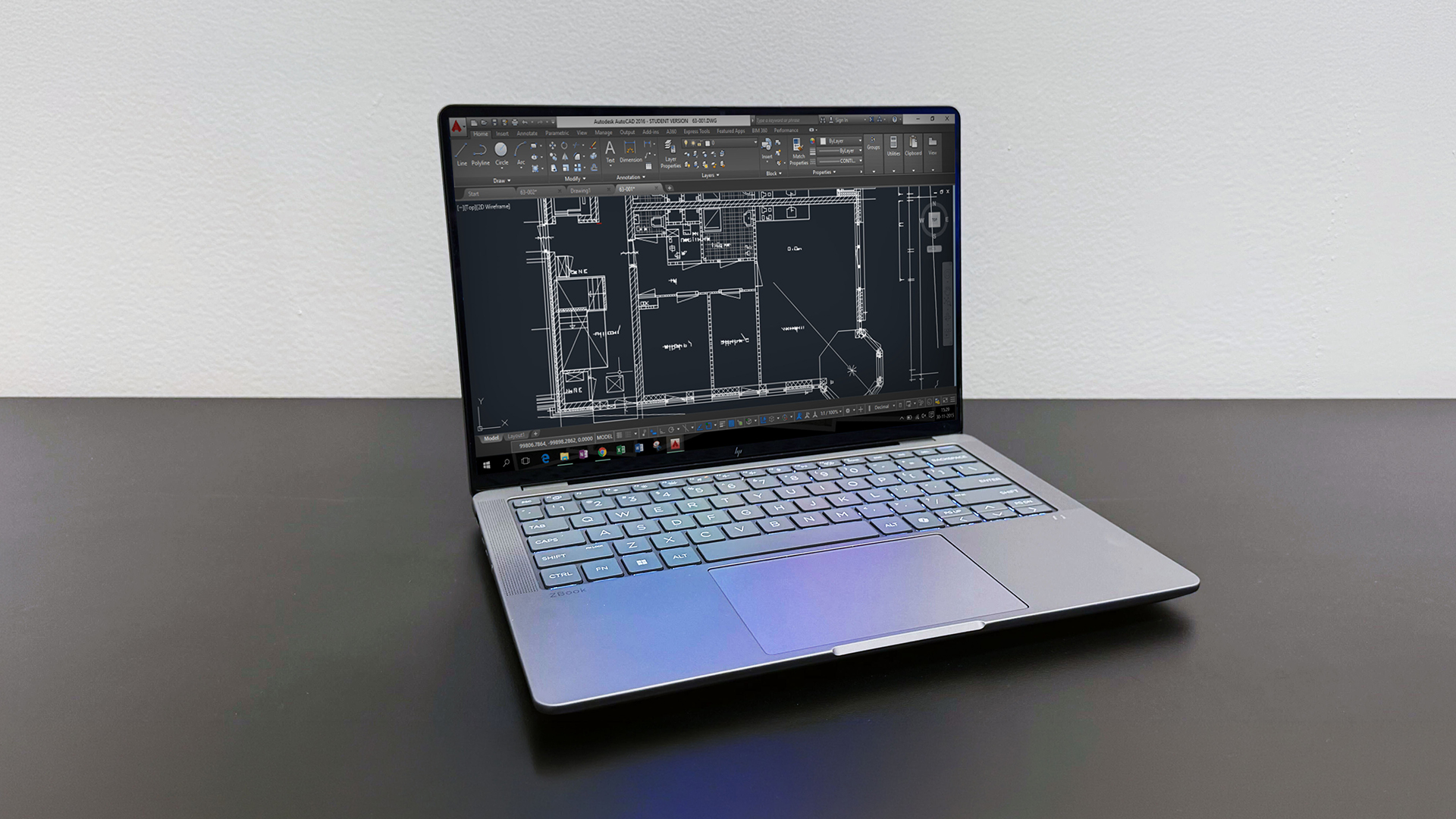
Understanding how the HP ZBook workstation performance translates into real applications is key to evaluating its value. Rather than focusing on specifications alone, it’s important to look at how it performs in widely used CAD software.
SolidWorks Performance
When using a ZBook for SolidWorks, the system delivers a smooth and consistent experience. Tasks such as creating models, assembling components and visualising designs are handled efficiently, even when working with large or complex assemblies.
The combination of CPU performance and GPU acceleration allows for faster processing and real-time interaction, which helps maintain workflow efficiency. This makes the ZBook a reliable option for engineers and designers who depend on SolidWorks for daily tasks.
AutoCAD Performance
For users working with AutoCAD, the ZBook provides a responsive and stable environment. Whether you are focusing on 2D drafting or moving into more complex 3D designs, the system is capable of handling these tasks without slowing down.
Rendering, editing and navigating designs feel smooth, allowing you to work more efficiently. This is particularly valuable in professional environments where time and precision are critical.
3D Rendering Tools
When it comes to ZBook for 3D modelling, performance is driven largely by GPU acceleration. Rendering tasks, which can often be time-consuming on standard systems, are completed more quickly and efficiently on a ZBook.
This means faster visualisation of designs, improved workflow speed and a more seamless creative process. For users working in design, engineering or architecture, this can significantly enhance productivity and reduce project turnaround time.
If you’re comparing different workstation models, it’s worth exploring the G1A vs G1I ZBook comparison to understand which configuration delivers better performance for your specific CAD and engineering workloads.
Thermal Performance Under Heavy Workloads
When working with CAD and engineering software, performance isn’t just about how fast a laptop is; it’s about how long it can sustain that performance. Heavy workloads such as 3D modelling, rendering and simulations often run for extended periods, which puts continuous pressure on the system. This is where HP ZBook workstation performance truly stands out.
Sustained Performance
One of the key strengths of an HP ZBook for CAD is its ability to maintain consistent performance over long sessions. Unlike standard laptops that may slow down after extended use, ZBooks are designed to handle continuous workloads without compromising speed.
For example, high-performance models like the HP ZBook Fury G1i with its Intel Core Ultra 9 processor and RTX PRO graphics are built specifically for intensive engineering tasks. Whether you're rendering complex 3D models or running simulations, the system remains stable and responsive throughout.
This level of sustained performance ensures that your workflow is not interrupted, allowing you to complete projects more efficiently.
Cooling Efficiency
To support heavy workloads, ZBook laptops are equipped with advanced cooling systems that help regulate temperature and prevent overheating. Effective cooling is essential because excessive heat can lead to thermal throttling, where the system reduces performance to protect itself.
Models such as the HP ZBook 8 G1as and HP ZBook Ultra G1a are designed with efficiency in mind, balancing performance with thermal management. This allows them to maintain high processing speeds while keeping temperatures under control.
In practical terms, this means:
- More consistent performance during demanding tasks
- Reduced risk of slowdowns caused by overheating
- A quieter and more stable working environment
For professionals handling zbook engineering software, this reliability is crucial for maintaining productivity.
Long Session Stability
For engineers, architects and designers, projects often require hours of continuous work. Stability during these long sessions is essential, especially when working on complex models or simulations.
HP ZBooks are built to deliver dependable performance over time, ensuring that your system doesn’t slow down or become unstable during critical tasks. This makes them ideal for users working on zbook for 3D modelling or large-scale engineering projects.
Portability vs Workstation Power
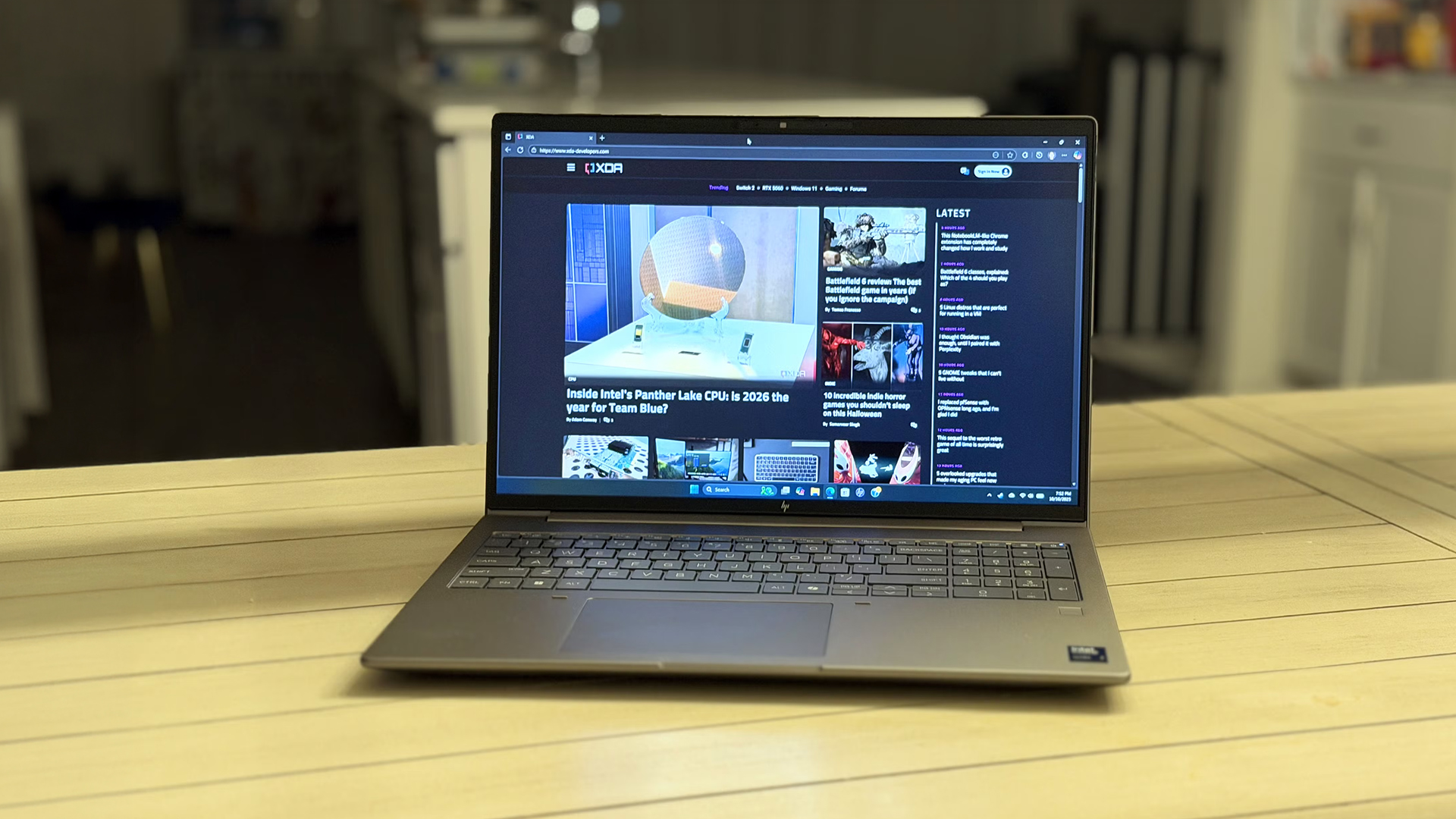
One of the defining features of the ZBook range is its ability to combine workstation-level power with portability. This is what makes it stand out compared to traditional desktop systems.
Mobile Workstations Explained
HP ZBooks are known as mobile workstations, meaning they offer the performance of a desktop workstation in a portable form factor. This allows professionals to access high-level computing power without being tied to a desk.
Working On-the-Go
For many users, the ability to work from different locations is essential. Whether you're on-site, in a meeting or working remotely, ZBooks allow you to continue your workflow without interruption.
This flexibility is particularly valuable for engineers and designers who need access to their tools at all times. Instead of relying on a fixed workstation, you can carry your entire setup with you.
Battery Considerations
Despite their powerful hardware, modern ZBooks are designed with efficiency in mind. While battery life will vary depending on usage, they are capable of supporting mobile workflows when needed.
For users balancing performance and portability, this makes ZBooks a practical solution for both office and remote work environments.
Who Should Use HP ZBook for CAD?
| User Type | Why HP ZBook Is Suitable | Best-Suited Product (with SKU) | What It Means for You (Benefits) |
| Engineers | Built to handle simulations, calculations and complex engineering workflows | HP ZBook 8 G1as (MPN: B72YHET#ABU) | You can run advanced engineering simulations, handle large datasets and work on AI-driven workflows smoothly without performance bottlenecks |
| Architects | Designed for detailed models, large design files and architectural software like AutoCAD | HP ZBook Studio G11 (MPN: 98L17ET#ABU) | You get powerful GPU acceleration for rendering, smooth performance in AutoCAD and reliable handling of complex architectural designs |
| Designers | Optimised for 3D modelling tools like SolidWorks with efficient performance and portability | HP ZBook Firefly G11 (MPN: 86B20EA#ABU) | You benefit from a lightweight workstation that supports 3D modelling, creative workflows and everyday productivity with consistent performance |
Final Verdict: Is HP ZBook Good for CAD Work?
The HP ZBook for CAD delivers strong performance across a wide range of engineering and design applications. With powerful CPUs, professional GPUs and ISV-certified reliability, it provides everything needed for demanding workflows.
Whether you’re working with SolidWorks, AutoCAD or 3D modelling tools, ZBooks offer a balanced combination of performance, stability and portability.
If you’re looking for a reliable CAD laptop HP ZBook, it’s a strong choice; especially for professionals who need consistent performance without being tied to a desktop setup.
You can explore the full range of ZBook workstation laptops, browse workstation laptops, or even consider external storage for your workstation at box.co.uk to support larger projects and improve your workflow.
For users deciding between ecosystems, a detailed HP ZBook vs MacBook Pro comparison can help you evaluate differences in performance, software compatibility and overall suitability for professional design tasks.
FAQs
Is the HP ZBook good for AutoCAD?
Yes, it provides strong performance and stability for AutoCAD workflows.
Is the HP ZBook good for SolidWorks?
Yes, especially due to ISV certification and GPU optimisation.
How much RAM is needed for AutoCAD?
At least 16GB is recommended, but more is ideal for complex projects.
Which ZBook is best for engineering work?
Higher-end ZBook models with strong CPUs and GPUs are best for demanding tasks.
You can pay with:
*PayPal Credit Representative Example: Assumed credit limit £1,200, Representative 23.9% APR (variable). Purchase rate 23.9% p.a (variable).Terms & Conditions apply.


PayPal Credit and PayPal Pay in 3 are trading names of PayPal UK Ltd, 5 Fleet Place, London, United Kingdom, EC4M 7RD. Terms and conditions apply. Credit subject to status, UK residents only, Five Tech LTD acts as a broker and offers finance from a restricted range of finance providers. PayPal Pay in 3 is not regulated by the Financial Conduct Authority. Pay in 3 eligibility is subject to status and approval. 18+. UK residents only. Pay in 3 is a form of credit. Check if affordable and how you will repay. May make other borrowing more difficult or expensive. See product terms for more details.
Copyright © 1996-2026 Fivetech LTD | Terms and Conditions
box.co.uk & Box are trading names of Five Tech Limited. Registered office: Box LTD, Unit 10 Woodford Trading Estate, Woodford Green IG8 8HF