


 Menu
MenuMenu


Get Sales Advice from Mon - Fri 9am - 5:00pm:
020 3337 8950LAST UPDATED: March 26, 2026
HP OmniBook X vs Dell XPS 14: Which Premium AI Laptop Reigns Supreme?
As AI reshapes the future of computing, UK consumers are increasingly turning to intelligent laptops that combine power, speed, and smart features. Among the top contenders for the best AI laptop title in 2025 are the HP OmniBook X and the Dell XPS 14. These two Copilot+ PCs have been engineered with the groundbreaking Snapdragon X Elite processor, offering next-level performance, battery efficiency, and native AI capabilities designed to enhance everyday productivity.
Whether you're a content creator in London, a student in Manchester, or a business executive travelling across the UK, this comparison will help you determine which of these two powerhouse laptops is best suited for your needs. Our comprehensive AI PC comparison covers all critical aspects: design, display, performance, battery life, connectivity, and overall value, to guide your purchasing decision.
Keep reading to discover whether the HP OmniBook X or the Dell XPS 14 is the smarter buy for your AI-enhanced future. Don’t forget to check out our exclusive range of AI-powered laptops in the UK.
AI vs. Traditional Laptops: Why Choose AI Now?
In 2025, the UK laptop market is experiencing a seismic shift, and it’s powered by AI innovation. Forget just faster boot times or thinner bezels: AI-powered laptops like the HP OmniBook X and Dell XPS 14 mark the most radical evolution since the leap from HDDs to SSDs.
This isn’t just an upgrade. It’s a reinvention. With the arrival of Copilot+ PCs, you’re not just buying a laptop—you’re equipping yourself with a smart, context-aware machine that learns and adapts to how you work.
What Makes AI Laptops Different?
Traditional laptops rely on two main processors: the CPU and GPU. But Copilot+ devices add a third brain: the NPU (Neural Processing Unit).
- The NPU in the Snapdragon X Elite chip—featured in both the OmniBook X and XPS 14—handles up to 45 TOPS (trillion operations per second) of dedicated AI tasks.
- This means your laptop can run complex AI models locally, without needing to ping cloud servers, making your work faster, more secure, and more energy-efficient.
What Can AI Do for You?
Owning a Copilot+ PC means unlocking a new suite of tools integrated directly into Windows 11, powered by your NPU:
- Think of it as time-travel for your laptop. It snapshots your activity every few seconds, letting you search visually across past apps, documents, and websites, even weeks later.
- Every Zoom call, YouTube video, or live stream gets accurate, real-time subtitles translated into over 40 languages. Perfect for UK professionals and multilingual users.
- Your personal AI art assistant. Just type a prompt, and it generates stunning images in seconds. Great for creatives, marketers, and students.
- Automatically enhances resolution and frame rates in games and videos, giving smoother visuals without taxing the GPU. Casual gaming? No problem.
HP OmniBook X vs Dell XPS 14: Deep Dive into Specs, Design & Everyday Experience

"Side-by-side comparison of HP OmniBook X and Dell XPS 14 laptops on a stylish desk setup. Clean, modern background with soft lighting. One laptop silver (HP), the other dark grey (Dell)."
Choosing between the HP OmniBook X and Dell XPS 14 depends on key factors like design, display quality, battery life, and AI features. This 2025 comparison helps UK buyers pick the right AI laptop for their daily needs and lifestyle.
Design & Build Quality
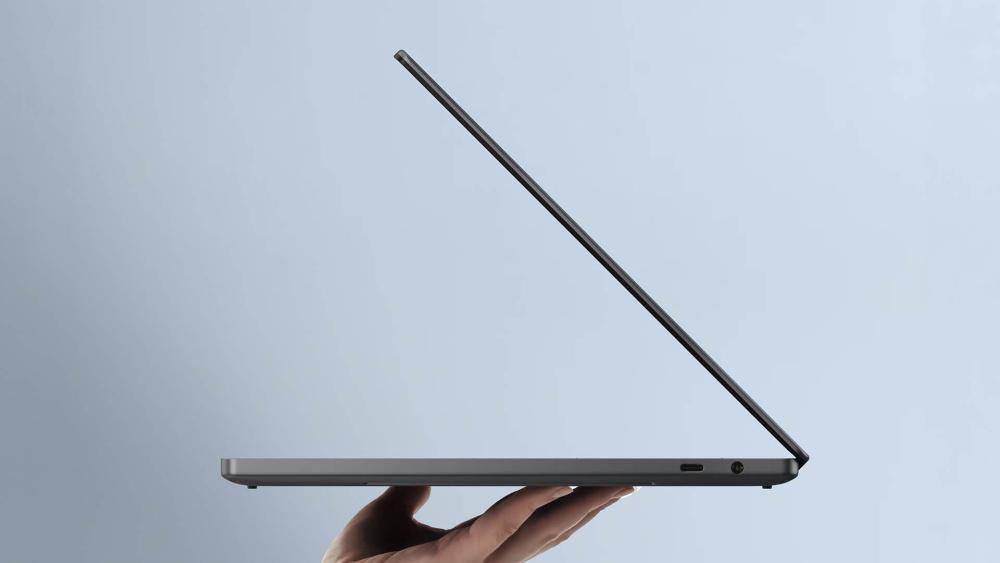
- HP OmniBook X: A minimalist masterpiece, the OmniBook X is crafted from a magnesium-aluminium alloy that offers both strength and featherweight portability. Weighing only 1.35kg, it’s tailored for mobile professionals and digital creatives who value mobility. The matte finish reduces smudges and fingerprints, while the chassis feels solid in hand. The hinge design is both functional and elegant, providing smooth one-handed opening and a satisfying tactile resistance. With clean lines and compact proportions, this laptop is designed for users who prefer modern, understated aesthetics that still exude professionalism and sophistication.
- Dell XPS 14: The XPS 14 embodies cutting-edge craftsmanship with a CNC-machined aluminium build and Corning Gorilla Glass on the display for extra durability. Weighing around 1.55kg, it’s slightly heavier but feels more premium in-hand. The device’s edge-to-edge keyboard and expansive palm rest create a luxurious typing and navigation experience. Dell’s design integrates a carbon fibre interior that stays cool and visually sleek. It’s a laptop meant to turn heads in any meeting room or studio, targeting users who value strong industrial design and premium material feel as much as raw performance.
Display
- HP OmniBook X: The OmniBook X is equipped with a 14-inch 2.2K IPS display, delivering a resolution of 2240 x 1400. It covers 100% of the sRGB colour gamut and reaches up to 300 nits of brightness. The panel’s anti-glare coating helps reduce eye strain during long working hours, making it suitable for productivity-heavy use. The colours are accurate and the text appears crisp, making it perfect for word processing, web browsing, and light creative work. Its screen is also more energy-efficient, balancing visual performance with power savings—a key factor for users working on the move.
- Dell XPS 14: The XPS 14 features a 14.5-inch OLED display that’s a visual powerhouse. With a 3200 x 2000 resolution, 120Hz refresh rate, and VESA DisplayHDR True Black 500 certification, it provides an immersive viewing experience with deep blacks, vivid colours, and fluid motion. Ideal for creative tasks such as photo editing, video production, and content consumption, the OLED panel shines in delivering cinematic-quality visuals. It also offers excellent viewing angles and contrast ratios that outperform traditional LCD panels, setting a new benchmark for laptops in its class.
Performance & AI Features
- HP OmniBook X: Powered by the Snapdragon X Elite X1E-78-100 processor, the OmniBook X delivers balanced performance across the board. With 12 Oryon CPU cores, an integrated Adreno GPU, and a 45 TOPS-capable Hexagon NPU, it supports seamless multitasking and real-time AI enhancements. Its fanless passive cooling system keeps the system silent while managing thermals efficiently. AI-powered features like Windows Studio Effects, offline Copilot, and language translation improve productivity. It’s tailored for professionals who want reliable AI support without the noise or thermal stress of high-powered fans.
- Dell XPS 14: The XPS 14 uses the same Snapdragon X Elite processor but enhances its performance with active cooling, allowing the chip to maintain higher frequencies for longer durations. This makes it suitable for heavier workloads like real-time video editing, generative AI models, and multi-layered graphic projects. Dell has fine-tuned the system for creative professionals using tools like Adobe Creative Cloud. Whether rendering content or automating workflows, the XPS 14 is built to handle intensity without throttling.
Battery Life
- HP OmniBook X: The OmniBook X features a 59Wh battery, optimised with AI for extended use. It offers up to 20 hours of video playback and around 17 hours of general usage, making it ideal for professionals on the move. Fast charging support via USB-C ensures minimal downtime. The efficient display and passively cooled design help reduce power draw, making this a productivity-first laptop for frequent travellers and mobile workers who value longevity and freedom from constant charging.
- Dell XPS 14: With a 69.5Wh battery, the XPS 14 provides around 16 hours of mixed use, which is impressive considering its power-hungry OLED screen. Fast charging is included, helping users regain several hours of power quickly. Despite its slightly shorter runtime, Dell balances performance and power well, ensuring users can still enjoy high performance and stunning visuals without being tethered to a power outlet too often.
Ports & Connectivity
- HP OmniBook X: The HP OmniBook X features a minimalist port setup, tailored for users who thrive in wireless-first environments. It comes equipped with two USB-C (USB4) ports and a 3.5mm audio jack. Wireless connectivity is cutting-edge, offering support for Wi-Fi 7 and Bluetooth 5.4. While it lacks legacy ports or expandability options like HDMI or USB-A, it makes up for this with a clean and compact design, perfect for ultra-portable workflows and cable-free setups. The OmniBook X is ideal for users who prioritise simplicity, rely on cloud solutions, or are always connected through wireless accessories and peripherals.
- Dell XPS 14: In contrast, the Dell XPS 14 embraces versatility with its more expansive port selection. It includes two Thunderbolt 4 ports, which allow high-speed data transfers, 4K external monitor support, and power delivery. It also features a full-size SD card reader, which is especially valuable for photographers and videographers, and a 3.5mm audio jack. Wireless capabilities mirror the OmniBook X with support for Wi-Fi 7 and Bluetooth 5.4. The broader array of ports ensures seamless connections to legacy and modern devices, making the XPS 14 a better option for creatives and power users with more demanding I/O needs.
Audio and Webcam
- HP OmniBook X: The OmniBook X delivers a refined audio-visual experience tailored for the hybrid work environment. It includes dual speakers professionally tuned by Poly Studio, offering crisp and balanced audio output. Its standout feature is a 5MP IR webcam, equipped with AI enhancements like automatic framing, background blur, and noise reduction. These features make virtual meetings and video calls seamless and professional, even in challenging lighting or noisy surroundings. Combined with IR-based Windows Hello support for quick and secure logins, the OmniBook X makes a strong case as a work-from-anywhere productivity companion.
- Dell XPS 14: The XPS 14 takes a different approach with its multimedia capabilities. It includes a powerful quad-speaker setup enhanced by Waves MaxxAudio, delivering deeper bass and immersive stereo sound—ideal for watching content or editing audio and video. The webcam is a 1080p IR sensor with intelligent software enhancements that boost image clarity and adapt to varying lighting conditions. Although it lacks the 5MP resolution of the OmniBook X, the image quality remains sharp and usable, aided by Dell’s AI tuning. IR facial recognition is also supported for secure, quick access.
Software & Ecosystem
- HP OmniBook X: The HP OmniBook X comes preloaded with the latest Windows 11 Copilot+ PC features, such as Recall, Studio Effects, and advanced AI-driven multitasking. In addition to these core enhancements, HP integrates a strong suite of enterprise-focused tools like HP Wolf Security for real-time threat protection and HP QuickDrop for easy file sharing between devices. These tools are especially useful for business users looking for a secure and efficient digital workspace. The ecosystem prioritises professional needs, offering a balance between personal productivity and IT-grade protection.
- Dell XPS 14: Similarly equipped with Windows 11 Copilot+ PC capabilities, the Dell XPS 14 focuses its ecosystem around the creative professional. Dell Optimiser uses AI to adapt performance based on work habits, while the system includes tailored integration with Adobe Creative Cloud tools for enhanced creative workflows. Performance tuning, application prioritisation, and collaboration enhancements are all part of Dell’s software stack. This makes the XPS 14 particularly attractive for digital artists, video editors, and designers who want seamless hardware-software synergy.
Price & Value
- HP OmniBook X: Starting at approximately £1,099 in the UK, the HP OmniBook X offers a compelling package for the price. It combines a lightweight design, excellent battery life, and powerful AI processing into a well-rounded system ideal for business users, students, and digital nomads. Its competitive price point makes it a smart choice for those who want access to cutting-edge features without overspending. The included productivity software and security tools enhance the device’s value, especially in work-focused scenarios where reliability and efficiency are essential.
- Dell XPS 14: Priced from around £1,599, the Dell XPS 14 positions itself firmly in the premium segment. Justifying its cost, it delivers a luxurious aluminium and Gorilla Glass chassis, a stunning OLED display, and creative-learning performance features. It’s designed with high-end users in mind, including photographers, content creators, and media professionals who rely on superior visuals and fast workflow execution. While the investment is significant, the return in display quality, design excellence, and software integration is substantial for users who demand top-tier features.
Use Case Breakdown: Which AI Laptop Fits Your Needs?
Choosing between the HP OmniBook X and Dell XPS 14 depends on your workload, daily habits, and long-term needs. Both AI-powered laptops offer Copilot+ PC capabilities, but they cater to different kinds of users in the UK market.
"Split image showing different user types: on one side, a student using HP OmniBook X in a library; on the other, a creative professional editing video on Dell XPS 14 in a studio. Natural lighting, lifestyle tone."
1. Business Professionals
If you’re a frequent traveller, hybrid executive, or consultant, the HP OmniBook X is tailored for productivity on the go. Powered by the Snapdragon X Elite processor, it delivers ultra-efficient performance and up to 20 hours of battery life—perfect for long meetings, international travel, or working remotely from anywhere in the UK.
- HP Wolf Security ensures your sensitive data is protected, ideal for compliance-heavy industries like finance, law, and healthcare.
- Its fanless chassis means silent operation during Teams or Zoom calls.
- Wi-Fi 7 enables fast, stable connections in co-working spaces or client offices.
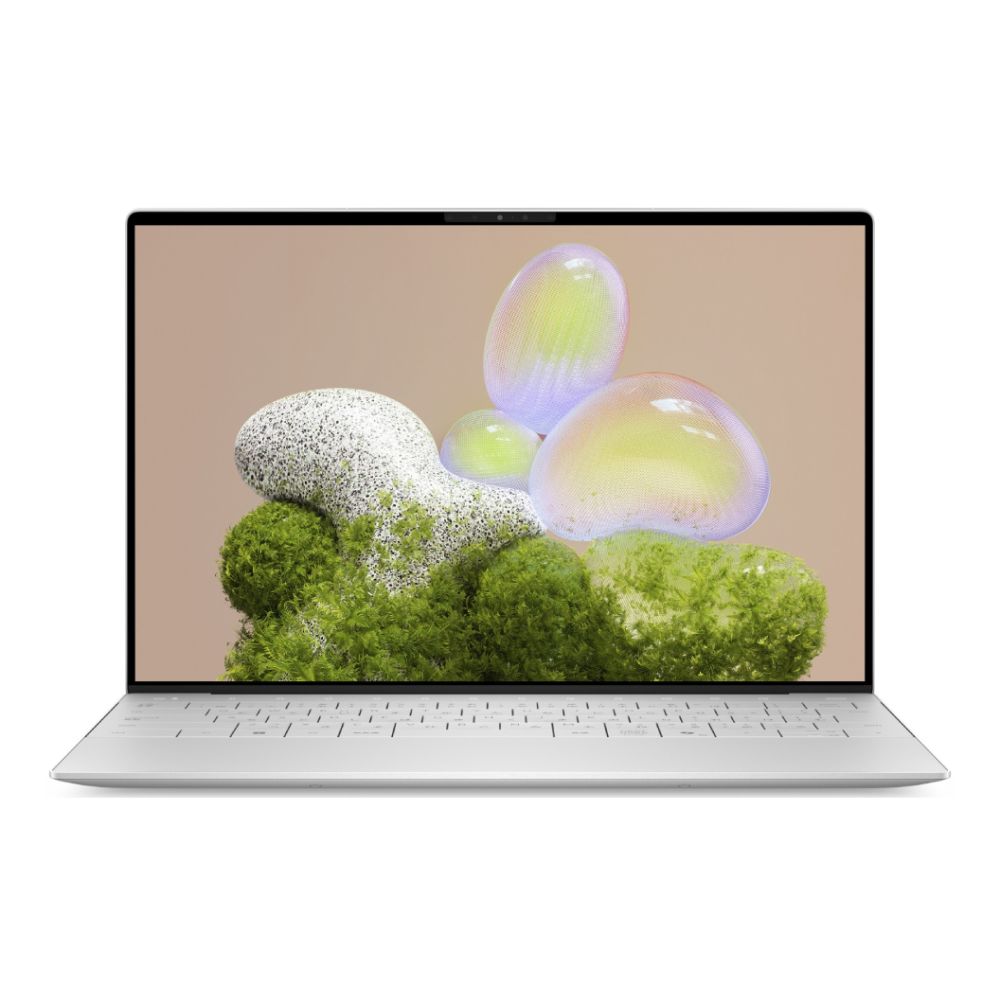
Shop Dell XPS 13 9350 Intel Core
Explore more business laptops for security and performance.
2. Students & Casual Users
For university students or casual users, the OmniBook X delivers powerful multitasking and excellent value for money. Whether you're managing coursework, attending virtual lectures, or streaming content, the Snapdragon X Plus variant handles it effortlessly.
- Built-in Copilot+ features like Recall and Live Captions help with organising study material and transcribing lectures.
- Up to 16GB LPDDR5X RAM ensures smooth Chrome tab juggling and Office 365 work.
- The compact 14-inch form factor and light weight (under 1.4kg) make it ideal for daily commuting around campus.
3. Casual & Cloud Gamers
Although not designed as dedicated gaming rigs, both laptops offer decent performance for casual and cloud gaming. The Qualcomm Adreno GPU supports:
- Native titles like Minecraft, Asphalt 9, and indie games at 1080p.
- Xbox Cloud Gaming or NVIDIA GeForce NOW streaming with ultra-low input lag—thanks to Wi-Fi 7.

For more demanding games or native GPU rendering, consider our best gaming laptops.
4. Creatives & Content Creators
The Dell XPS 14 is built with creators in mind. Its 3.2K OLED laptop display (2880x1800, 120Hz) delivers precise colours, true blacks, and HDR500 support ideal for:
- Photo editing in Lightroom or Photoshop
- Motion graphics or 4K editing in Adobe Premiere Pro
- Digital art in Krita or Figma
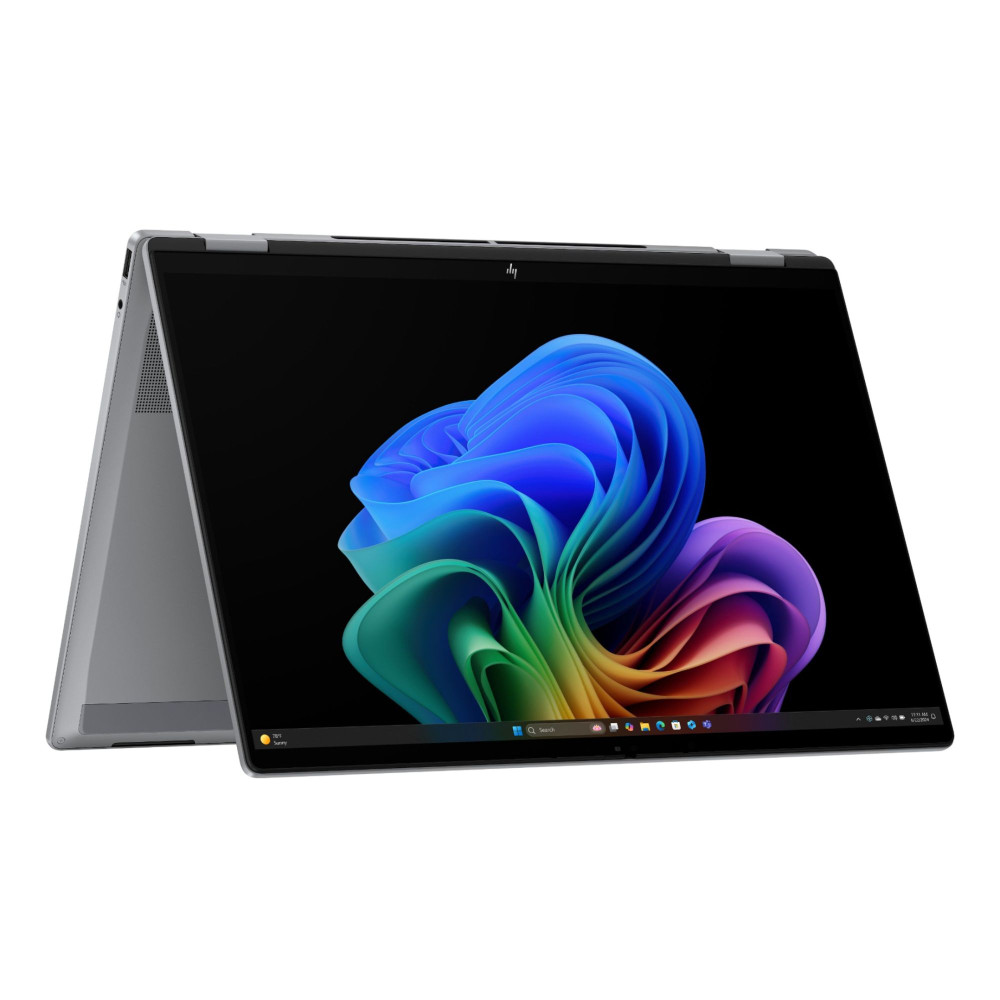
It's 32GB LPDDR5X RAM, 1TB Gen 4 SSD, and advanced cooling allow smoother timeline scrubbing, preview rendering, and layer-heavy design work.
5. Remote Workers & Digital Nomads
For UK-based freelancers, journalists, or remote developers, the HP OmniBook X provides unbeatable battery life and reliable performance across cloud platforms:
- Silent operation with passive cooling means you can work from cafés, trains, or shared spaces distraction-free.
- Copilot+ AI tools like Auto Super Resolution improve video calls and visuals on the fly.
- The Windows on ARM platform now supports the most popular productivity apps, including Chrome, Teams, Zoom, Slack, and OneDrive natively.

Its long battery life and 5G ready design (in select models) make it a serious companion for mobile productivity.
Which AI Laptop Should You Choose?
After comparing the HP OmniBook X and Dell XPS 14, it's clear that both are outstanding AI-powered laptops, but your final decision depends on what matters most to you—portability, display quality, or overall performance.
If Portability and Battery Life Matter Most
Go for the HP OmniBook X. It’s a practical choice for students, remote workers, and professionals in the UK who need lightweight, all-day computing.
Why HP OmniBook X wins here:
- Weighs under 1.4kg – easy to carry on commutes or travel
- Fanless design – silent, even during long work sessions
- Up to 20 hours of battery life – no charger anxiety
- AI tools like Recall and Live Captions for smarter multitasking
- Enhanced privacy and protection with HP Wolf Security
See more business laptops for high-mobility workflows.
If You’re a Creative or Visual Professional
Choose the Dell XPS 14. It’s ideal for photographers, video editors, and design pros who want vivid visuals and high-speed connectivity.
What makes the Dell XPS 14 the creative favourite?
- Stunning 3.2K OLED laptop display: deep blacks, accurate colours
- Thunderbolt 4 ports: connect to monitors, drives, and docks with ease
- Premium aluminium chassis: sleek, modern, and durable
- Superior cooling: handles heavy editing tasks effortlessly
- Excellent for Adobe Creative Cloud and video production apps
If You Want Balanced Power and AI Efficiency
Both laptops feature the powerful Snapdragon X Elite processor and belong to the new Copilot+ PC category. This means you’ll get:
- 45+ TOPS of AI processing on-device
- Fast app launches, multitasking, and real-time AI assistance
- Seamless Windows on ARM experience with native support for most apps
In short, performance is a tie; you’re covered either way.
If Budget and Value Are Top Priorities
The HP OmniBook X wins again here. It offers high-end specs, Copilot+ features, and excellent build quality, usually at a lower price than the XPS 14.
Best for value-conscious buyers who still want:
- Premium design
- Long battery life
- Smart AI capabilities
- Windows 11 optimised for ARM
Our Recommendation
- Pick the HP OmniBook X if you want a lightweight design, long battery life, quieter operation, and better value.
- Choose the Dell XPS 14 if you need richer visuals, stronger port selection, and creative flexibility.
Check out our full collections of:
- HP laptops for dependable daily drivers
- Best gaming laptops if you need more GPU power
- AI-powered laptops for the future of computing
- Latest laptop releases updated for 2025
Conclusion: Future-Proof Your Tech
AI is now integral to modern laptops, and choosing the right AI-powered laptop can boost your productivity, creativity, and mobility. The HP OmniBook X and Dell XPS 14 are leading Copilot+ PCs designed to serve the needs of UK professionals, students, and digital creators.
The OmniBook X excels in battery life, portability, and affordability. The XPS 14 shines in visual quality and creative workflows. Each device has a unique personality—pick based on your lifestyle.
Ready to invest in your next AI-driven experience? Check out the latest offers on AI laptops, HP laptops, and the latest laptops in the UK today.
You can pay with:
*PayPal Credit Representative Example: Assumed credit limit £1,200, Representative 23.9% APR (variable). Purchase rate 23.9% p.a (variable).Terms & Conditions apply.


PayPal Credit and PayPal Pay in 3 are trading names of PayPal UK Ltd, 5 Fleet Place, London, United Kingdom, EC4M 7RD. Terms and conditions apply. Credit subject to status, UK residents only, Five Tech LTD acts as a broker and offers finance from a restricted range of finance providers. PayPal Pay in 3 is not regulated by the Financial Conduct Authority. Pay in 3 eligibility is subject to status and approval. 18+. UK residents only. Pay in 3 is a form of credit. Check if affordable and how you will repay. May make other borrowing more difficult or expensive. See product terms for more details.
Copyright © 1996-2026 Fivetech LTD | Terms and Conditions
box.co.uk & Box are trading names of Five Tech Limited. Registered office: Box LTD, Unit 10 Woodford Trading Estate, Woodford Green IG8 8HF