


 Menu
MenuMenu


Get Sales Advice from Mon - Fri 9am - 5:00pm:
020 3337 8950LAST UPDATED: November 05, 2025
GPU Requirements for 2025 AAA Games: What to Pick for 1080p, 1440p, 4K
The gaming world of 2025 has reached a new level of visual sophistication, with AAA titles pushing boundaries like never before. Developers are crafting near-cinematic experiences powered by engines such as Unreal Engine 5, which use technologies like ray tracing, path tracing, and DirectStorage to create incredibly detailed, lifelike worlds.
Picking the right graphics card today isn’t just about having the highest specs; it’s about understanding the balance between VRAM requirements, frame rate targets, and long-term value for money.
A card that’s perfect for 1080p high-refresh gaming may struggle at 4K ultra settings, and the right choice depends heavily on your preferred resolution and the games you play.
In short, 2025 gaming is all about finding the perfect balance between power, price, and performance, ensuring your setup can handle the visual masterpieces of the next generation while delivering smooth, consistent gameplay across any resolution.
What Makes AAA Games in 2025 So Demanding?

The term “AAA game” once simply meant a big-budget title but in 2025, it’s shorthand for cinematic quality, AI-driven design, and massive performance demands. Each new generation of games pushes your hardware harder than the last, and the GPU sits at the heart of that challenge.
Let’s break down what’s really making modern games so graphically intensive.
4K Textures, Physics, and AI
Today’s AAA games come loaded with 4K textures, complex physics simulations, and lifelike AI behaviour that make every scene feel alive. Characters think, environments react dynamically, and assets are detailed down to the smallest grain of sand. All of this realism eats up VRAM even midrange games now demand 8 to 12 GB just for textures and environment data. That means GPUs with less than 8 GB VRAM are already hitting their limits, especially when you crank up the settings to “Ultra.” Games like Cyberpunk 2077 2.0 and Alan Wake 2 prove that high-resolution textures and real-time lighting can easily saturate older GPUs, leading to stuttering or lower frame rates if your card isn’t up to par.
DLSS 3, FSR 3, and AI Upscaling
AI-driven rendering is the game-changer for modern GPUs. Technologies like DLSS 3 (NVIDIA), FSR 3 (AMD), and XeSS (Intel) use machine learning to predict and generate frames, letting your GPU deliver smoother performance without the raw horsepower traditionally required. In short, they make your GPU “smarter” instead of just faster. This means even more affordable cards like the GeForce RTX 4060 or Radeon RX 7600 can achieve silky-smooth gameplay in demanding titles all thanks to upscaling and frame generation. Still, for those chasing pixel-perfect clarity, native rendering remains the gold standard, delivering every frame exactly as intended by the developers.
Compute Boosters: DirectStorage, OpenCL, and CUDA
While most gamers focus on frame rates, backend technologies are quietly transforming how games load and run. DirectStorage allows your GPU to pull assets straight from an NVMe SSD, bypassing the CPU to drastically reduce loading times and texture pop-in. Meanwhile, OpenCL and CUDA help offload certain compute tasks from the CPU to the GPU, improving performance in everything from AI processing to physics simulation. The result? Smoother gameplay, fewer bottlenecks, and faster transitions especially in expansive open-world titles where massive data streams are handled in real time.
Understanding GPU Basics and Benchmarks
Before diving into specific GPU recommendations, it’s essential to understand what really drives gaming performance. Every GPU spec sheet is packed with jargon, but a few terms truly impact your gaming experience:
- VRAM (Video Memory): This is where your game textures, shadows, and assets live. More VRAM means your GPU can handle higher-resolution textures, crucial for 1440p and 4K gaming.
- RT Cores & Tensor Cores: Found in GeForce RTX graphics cards, these specialised cores handle ray tracing and AI-driven upscaling (DLSS). They make lighting and reflections look far more realistic.
- Memory Bandwidth: Think of it as how fast your GPU can move data. High bandwidth allows for smoother performance at higher resolutions and settings.
- TGP vs TDP: TGP (Total Graphics Power) represents how much power the GPU draws, while TDP (Thermal Design Power) tells you how much heat your cooling system must manage. Both matter when planning airflow and PSU capacity.
How to Read and Use Benchmarks Like a Pro?
When comparing GPUs, benchmarks are your best friend, if you know how to interpret them. Tools like 3DMark, UserBenchmark, or built-in in-game benchmarks give you real-world performance data.
Don’t just focus on the average FPS. Pay attention to 1% and 0.1% lows, which reflect frame consistency and smoothness. A GPU averaging 100 FPS but dipping to 40 FPS frequently will feel choppier than one that stays stable around 80.
Also, consider the test environment; resolution, game settings, and CPU pairing all impact results. For example, a CPU bottleneck with high-end GPUs can misrepresent performance if the system isn’t balanced properly.
Frame Rates, Resolutions, and the Real-World Trade-offs
Your monitor’s refresh rate and target resolution dictate how powerful your GPU needs to be.
- 60 FPS at 4K is far more demanding than 144 FPS at 1080p.
- High Refresh Rate Monitors (120Hz, 144Hz, or more) make fast-paced games like shooters and racers feel buttery smooth, but they also require a GPU capable of consistently feeding those extra frames.
- For most gamers, 1440p at 120 FPS has become the perfect middle ground offering both visual sharpness and responsive gameplay.
Matching your GPU to your monitor’s capabilities ensures you’re not wasting performance or money on overkill hardware.
1080p Gaming in 2025: Budget Builds & High-FPS Play
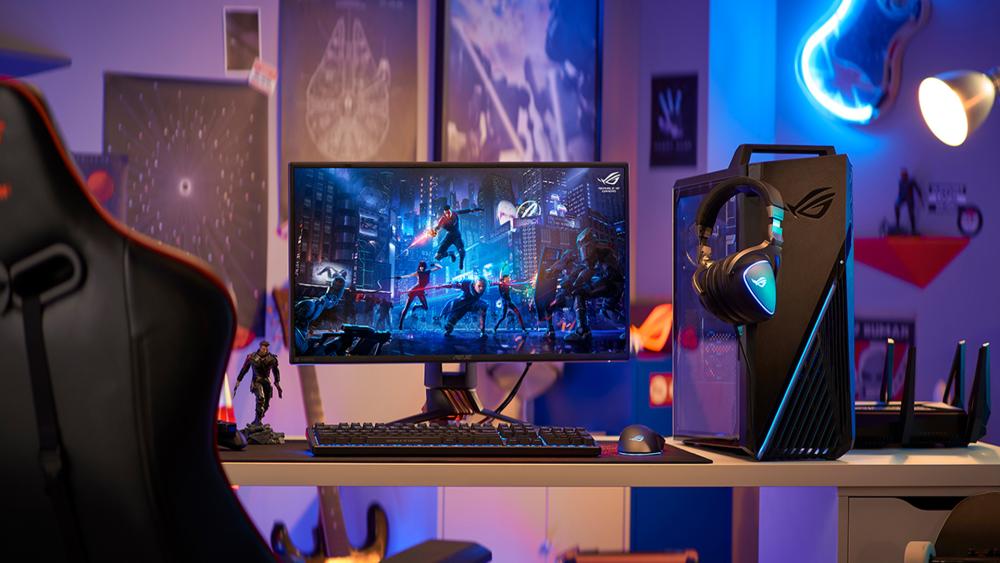
If you’re gaming at 1080p, you’re in luck; it’s still the most popular resolution for PC gaming and the easiest to optimise for high frame rates. Even in 2025, Full HD remains the sweet spot for gamers who want smooth performance without breaking the bank. But with new AAA games demanding more VRAM and processing power than ever before, choosing the right GPU takes a bit of strategy.
Why 1080p Still Matters?
Even though more gamers are upgrading to 4K and 8K, 1080p remains a standard, especially for esports and competitive play. The reason is simple: fewer pixels mean your GPU doesn’t have to work as hard, resulting in higher frame rates, lower input lag, and snappier performance. That’s why titles like Valorant, Apex Legends, and Call of Duty: Warzone are designed to shine at this resolution where every frame can make or break a match.
And the best part? You don’t need an expensive, high-end GPU to enjoy them. Even mid-range or entry-level cards can deliver smooth, consistent performance in today’s most demanding games.
The Best GPUs for 1080p in 2025
When it comes to Full HD performance, you don’t need to go all-in on an ultra-expensive card. Instead, focus on options that offer strong price-to-performance and enough VRAM to handle modern game textures.
ASRock AMD Radeon RX 7600 Challenger 8 GB OC
MPN: 90-GA41ZZ-00UANF
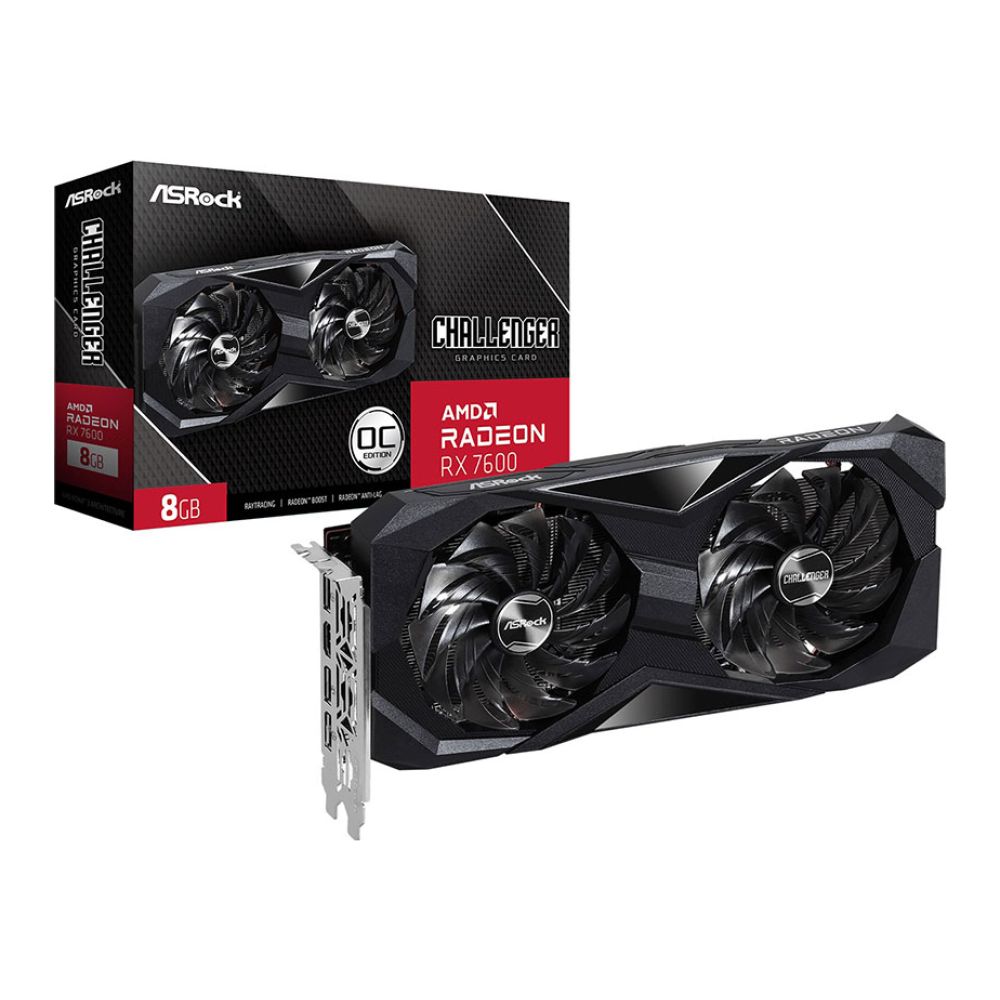
A highly capable 1080 p gaming graphics card, built on AMD’s RDNA 3 architectures with 8 GB of GDDR6 memory and a boost clock close to 2.7 GHz.
If you’re browsing for deals, check out the NVIDIA Graphics Cards and AMD Graphics Cards pages at Box.co.uk; you’ll often find these models (and their newer successors) at competitive prices.
Is 6GB VRAM at 1080p Still Enough?
Here’s the truth: 6GB VRAM used to be plenty for Full HD gaming, but modern titles like Hogwarts Legacy and Alan Wake 2 are changing that. As games adopt higher-resolution textures and AI-based rendering, they’re consuming more VRAM than ever.
If you want to play new releases on high or ultra settings, aim for 8GB VRAM or more. This gives you enough headroom to handle complex environments, 4K texture packs, and heavy post-processing effects without stuttering.
Cards like the Radeon RX 7600 and GeForce RTX 4060 both meet that mark offering an excellent balance of efficiency and performance for 1080p gaming in 2025.
Who Should Stick with 1080p Gaming
1080p isn’t just for budget builds; it’s for smart gamers who prioritize performance over pixels. Here’s who benefits most:
- Competitive gamers who need ultra-fast response times and high FPS for esports titles.
- Streamers who want smooth gameplay without overloading their systems.
- Budget-conscious builders who want to maximize performance without upgrading their PSU or CPU.
- Casual gamers who play across a variety of genres but don’t need 4K fidelity.
Quick Buying Tip
When shopping for a 1080p-ready GPU, always check:
- VRAM capacity (8GB recommended)
- Power draw (ensure your PSU can handle it)
- Cooling design (dual-fan setups run cooler and quieter)
1440p Gaming in 2025: The New Sweet Spot
If 1080p is where most gamers start, 1440p is where things start getting fun. It’s the new “sweet spot” for gaming in 2025; offering that perfect middle ground between stunning image clarity and performance that doesn’t break your GPU (or your wallet). You’ll instantly notice the difference: textures are sharper, worlds look more detailed, and games feel more immersive all while keeping your frame rates nice and high.
Why 1440p Feels So Right
The move from 1080p to 1440p might not sound massive on paper, but in practice, it’s a night-and-day upgrade. You get crisper visuals, cleaner edges, and a richer overall look without needing a high-end, power-hungry card. With High Refresh Rate Monitors becoming more affordable, it’s now easier than ever to enjoy 1440p gaming at smooth 120Hz or 165Hz. It’s no wonder many PC builders in 2025 see this resolution as the “new normal.”
Recommended GPUs That Shine at 1440p
MPN: RX-96TS316B
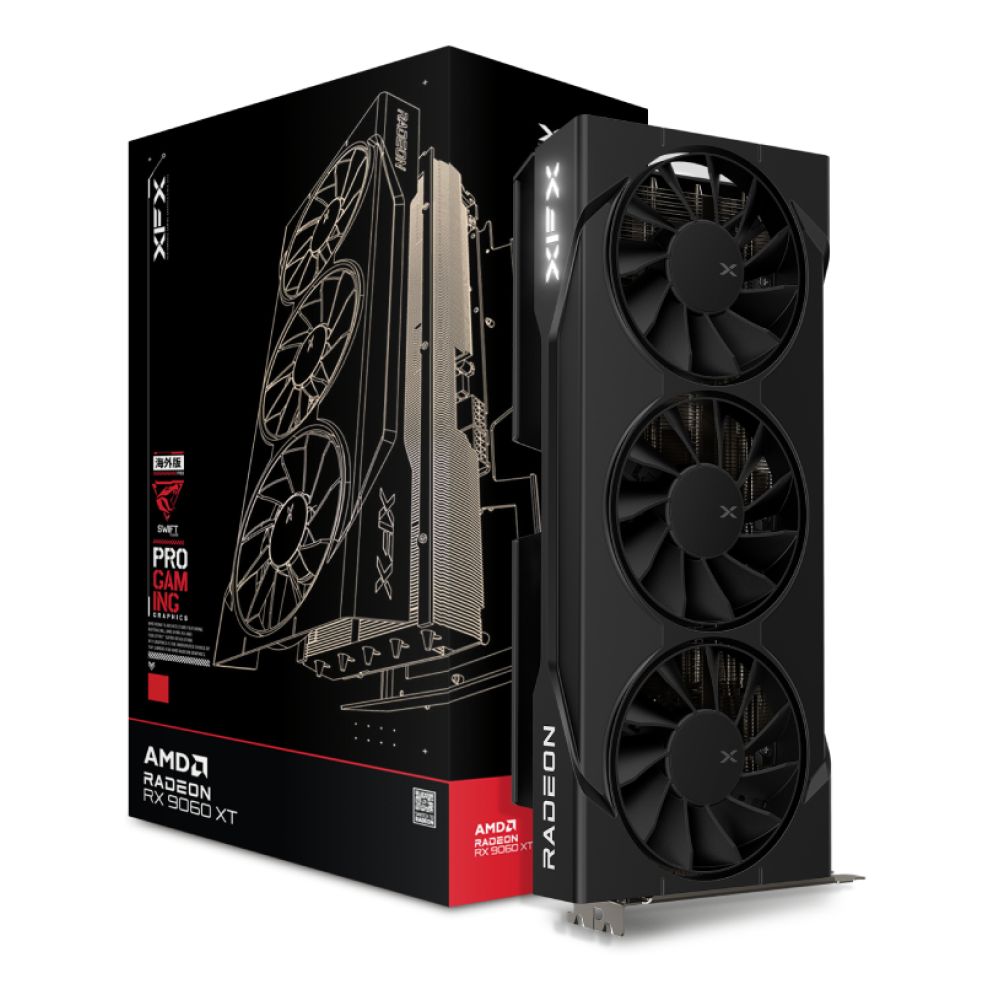
Designed for smooth 1440 p gaming in 2025, this card features 16 GB GDDR6 VRAM, RDNA 4 architecture, support for DisplayPort 2.1a and HDMI 2.1b, and excellent value-for-performance.
A reliable performer that easily runs AAA games at ultra settings while maintaining triple-digit frame rates in most competitive titles.
How Much VRAM Do You Really Need for 1440p?
VRAM matters more than ever at this resolution. While 8GB VRAM is enough for most games, 12GB is the ideal sweet spot in 2025 if you like cranking everything to ultra. Games using 4K texture packs or heavy ray tracing can quickly eat through memory, so a bit of extra VRAM means smoother gameplay and fewer stutters when things get intense.
Think of VRAM as your GPU’s breathing room; the more it has, the longer it can keep up with future titles without breaking a sweat.
Who Should Upgrade to 1440p
1440p is perfect for gamers who want the best of both worlds' better visuals than 1080p, but without the performance hit of 4K. If you enjoy cinematic adventures, open-world games, or visually stunning single-player experiences, this is your zone.
- Competitive gamers who want crisp visuals and high frame rates; ideal for fast-paced shooters or online play.
- Story-driven and open-world players who love cinematic detail and richer environments without sacrificing performance.
- PC builders and upgraders who already have a solid 1080p setup and are ready for a noticeable visual upgrade.
- Future-proof planners who want a GPU that can handle the next few years of AAA titles without constant upgrading.
- Smart spenders who want premium visuals and speed but still care about efficiency and overall value.
Pro Tip: Plan for the FutureIf you’re building a system today, 1440p is the smartest long-term investment. Even if you play at 1080p for now, a capable 1440p-ready GPU ensures your PC will keep up as games get more demanding. Look for cards that support DLSS 3, FSR 3, and PCIe 5.0 for future compatibility and remember; spending a little more now can save you from upgrading again in just a year or two. |
4K Gaming in 2025: For the Power Users
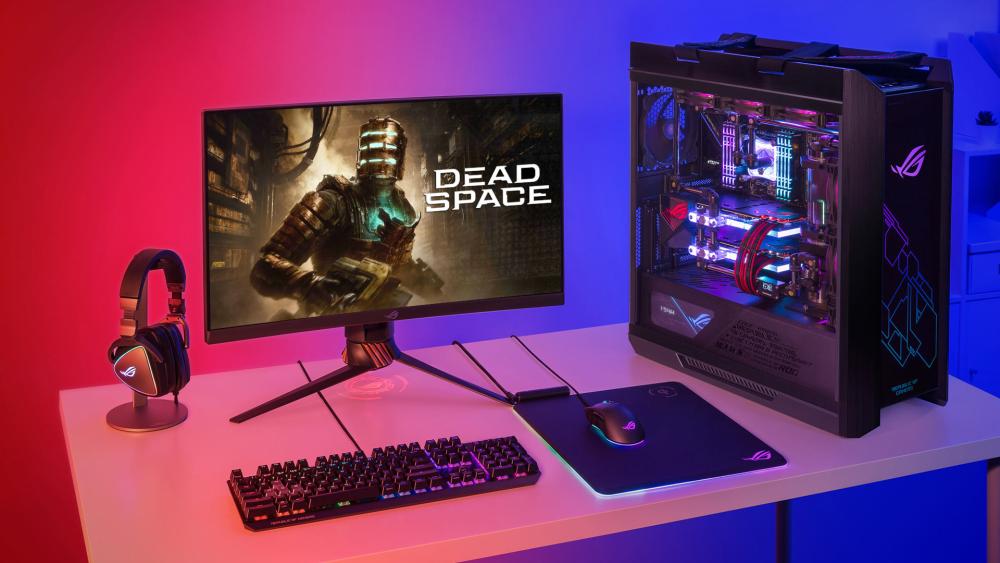
If 1440p is the sweet spot, then 4K gaming is where dreams meet hardware reality. It’s the pinnacle of PC gaming; stunning visuals, lifelike lighting, and breathtaking immersion. But make no mistake: rendering at 4K is no small task. Your GPU has to process over eight million pixels every frame, so you’ll need serious muscle to keep things smooth and cinematic.
What It Takes to Run Games at 4K
Modern AAA titles like Cyberpunk 2077 2.0, Starfield, and Elder Scrolls VI push GPUs to their limits with ultra textures, realistic shadows, and advanced ray tracing. To handle all that without frame drops, you need a card built for performance.
Recommended GPU
GIGABYTE GeForce RTX 5070 Ti GAMING 16GB OC Graphics Card
MPN: GV-N507TGAMING OC-16GD
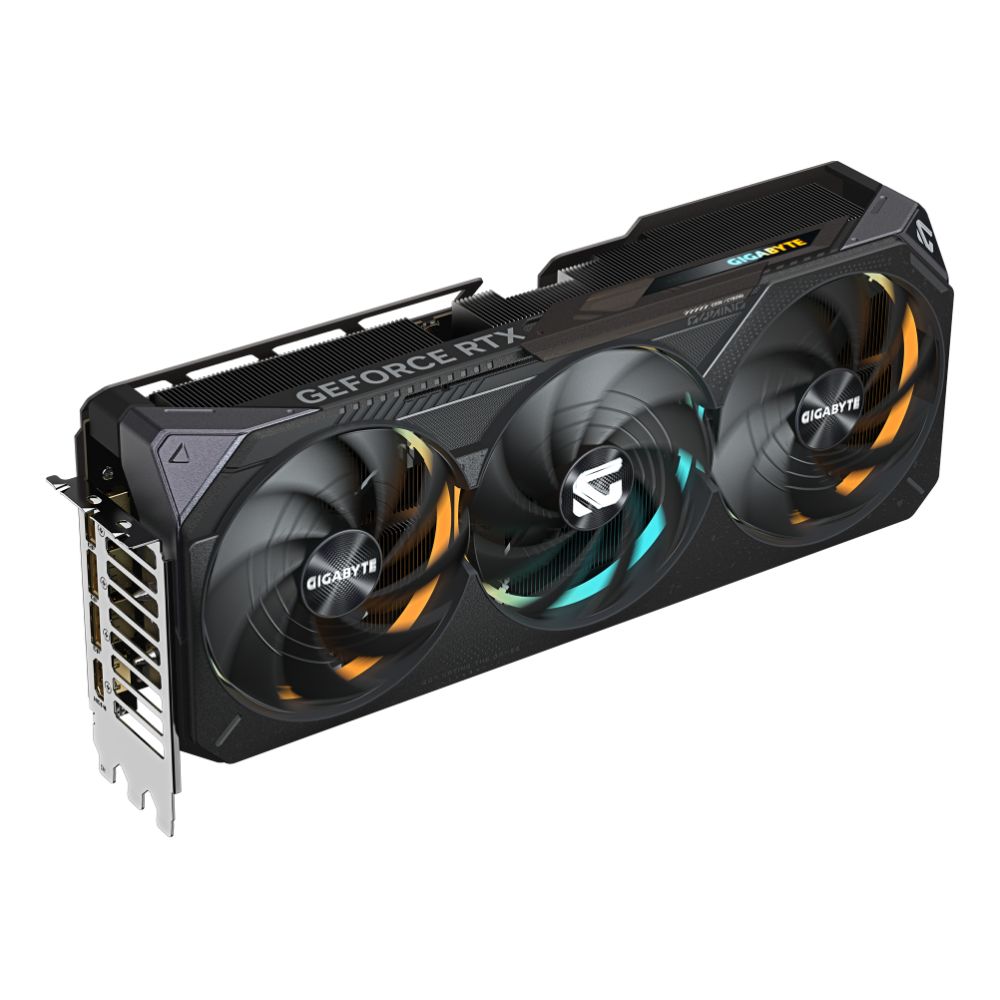
With 16GB of GDDR6 memory, this GPU is a fantastic choice for high-fidelity 4K gaming. It offers the right mix of power efficiency, DLSS 3.5 AI rendering, and stable thermal control, ensuring your games look stunning and run seamlessly.
Of course, the RTX 4090 series remains a powerhouse for 4K gaming, capable of delivering ultra-smooth frame rates even in the most demanding environments. But if you’re after the absolute cutting edge, the RTX 5090 and RTX 5080 series take things even further pushing the boundaries into both 4K and 8K gaming performance levels.
Why 4K Is Worth It in 2025
4K isn’t just about sharpness; it’s about immersion. Games look cinematic, environments feel alive, and every detail pops off the screen. Whether it’s reflections shimmering in puddles or sunlight breaking through clouds, the visual difference is undeniable.
Still, it’s not for everyone. Competitive gamers will see more value in 144Hz or 240Hz 1440p displays, but for story-driven players or single-player enthusiasts who crave visual perfection, 4K is a game-changer.
Most Demanding AAA Game Titles to Watch in 2025
Some of 2025’s biggest AAA releases are set to push GPUs harder than ever before. Expect Elder Scrolls VI, Stalker 2, and Cyberpunk 2077 2.0 to become the new performance benchmarks for gaming PCs. Built using next-gen engines like Unreal Engine 5 and REDengine, these titles demand serious VRAM, DirectX 12 Ultimate compatibility, and support for frame generation to deliver their full visual impact.
If you’re curious about how these upcoming games will test your setup from minimum to recommended specs check out our full guide on PC Requirements for AAA Games: Minimum vs Recommended for a detailed breakdown of system demands and GPU readiness.
Future-Proofing: How Long Will Your GPU Last?
When investing in a new GPU, longevity matters as much as raw power. A well-chosen graphics card should comfortably last 4–5 years with smart settings management and regular driver updates.
The RTX 40 Series Graphics Cards are currently among the most future-proof options, thanks to features like PCIe 5.0, DLSS 3.5, and excellent long-term driver support. NVIDIA typically leads with early driver optimisations, but AMD has made huge strides with open-source drivers, delivering consistent updates that extend GPU performance over time. Intel, meanwhile, continues improving its firmware rapidly to stay competitive.
Final Thoughts – Which GPU Should You Buy?
Choosing the right GPU in 2025 depends on your resolution, performance goals, and budget, but it also means thinking ahead. If you’re gaming at 1080p, options like the RX 7600 or RTX 4060 are fantastic for smooth gameplay and competitive titles. For 1440p, the RX 7800 XT or RTX 4070 hit the perfect balance between crisp visuals and high frame rates. And if you’re aiming for 4K, nothing beats the raw power of the RTX 4090 or RX 7900 XTX, both capable of delivering cinematic visuals and ultra-smooth performance in the latest AAA titles.
Looking ahead, future-proofing your setup means keeping an eye on the next generation of GPUs especially the RTX 50 Series Graphics Cards, which promise even more efficient ray tracing, DLSS advancements, and performance leaps that redefine minimum vs recommended PC specs for upcoming games. Whether you’re building around the GeForce RTX range or the Radeon RX lineup, investing in a GPU that supports cutting-edge technologies like AI upscaling, DLSS 3, FSR 3, and PCIe 5.0 ensures your system stays ready for whatever’s next.
Ultimately, the best choice is the one that fits your needs today while offering room to grow tomorrow. A smart GPU purchase balances value, performance, and longevity, letting you enjoy the full beauty of next-gen gaming without worrying about upgrades every year.
You can pay with:
*PayPal Credit Representative Example: Assumed credit limit £1,200, Representative 23.9% APR (variable). Purchase rate 23.9% p.a (variable).Terms & Conditions apply.


PayPal Credit and PayPal Pay in 3 are trading names of PayPal UK Ltd, 5 Fleet Place, London, United Kingdom, EC4M 7RD. Terms and conditions apply. Credit subject to status, UK residents only, Five Tech LTD acts as a broker and offers finance from a restricted range of finance providers. PayPal Pay in 3 is not regulated by the Financial Conduct Authority. Pay in 3 eligibility is subject to status and approval. 18+. UK residents only. Pay in 3 is a form of credit. Check if affordable and how you will repay. May make other borrowing more difficult or expensive. See product terms for more details.
Copyright © 1996-2026 Fivetech LTD | Terms and Conditions
box.co.uk & Box are trading names of Five Tech Limited. Registered office: Box LTD, Unit 10 Woodford Trading Estate, Woodford Green IG8 8HF