


 Menu
MenuMenu


Get Sales Advice from Mon - Fri 9am - 5:00pm:
020 3337 8950LAST UPDATED: June 02, 2026
FXAA vs TAA vs MSAA vs DLAA: Which Anti-Aliasing Is Best?
Choosing between FXAA vs TAA vs MSAA vs DLAA can be confusing because all four options aim to solve the same problem: jagged edges in games. You may see anti alias options in a graphics menu, switch between them, and notice that one looks sharper, one looks smoother, and another suddenly costs more FPS than expected.
That is because each anti alias method works differently. FXAA is fast and light. TAA uses previous frames to smooth the image in motion. MSAA focuses on geometry edges. DLAA uses AI-based anti aliasing to improve image quality at native resolution on supported RTX hardware.
This guide compares FXAA vs TAA vs MSAA vs DLAA in a practical way, so you can choose the best anti aliasing for gaming based on your setup, resolution, GPU power and the type of games you play. If you are new to anti-aliasing, we have a full guide on what Anti-Aliasing is that can help you understand it better.
Quick Answer: Which Anti-Aliasing Is Best?
For most modern games, TAA is the safest default because it reduces jagged edges and shimmering well during movement. For maximum FPS, FXAA is usually the lightest option. For older or forward-rendered games, MSAA can deliver a sharper edge-cleaning result. For the best quality image on supported RTX setups, DLAA is often the strongest choice when you already have enough performance.
Here is the simple version:
| Anti-Aliasing Type | Best For | Main Strength | Main Weakness |
| FXAA | Low-end systems and FPS-focused players | Very low performance cost | Can blur the image |
| TAA | Modern games and open-world titles | Strong stability in motion | Can look soft or cause ghosting |
| MSAA | Older games and clean geometry edges | Sharp edge smoothing | Heavy performance cost and limited modern use |
| DLAA | RTX systems with spare GPU headroom | Excellent native-resolution image quality | Requires supported hardware and games |
The best answer in FXAA vs TAA vs MSAA vs DLAA is not one fixed winner. It depends on whether you want speed, sharpness, smoothness, or visual quality.
FXAA vs TAA vs MSAA vs DLAA: Full Comparison
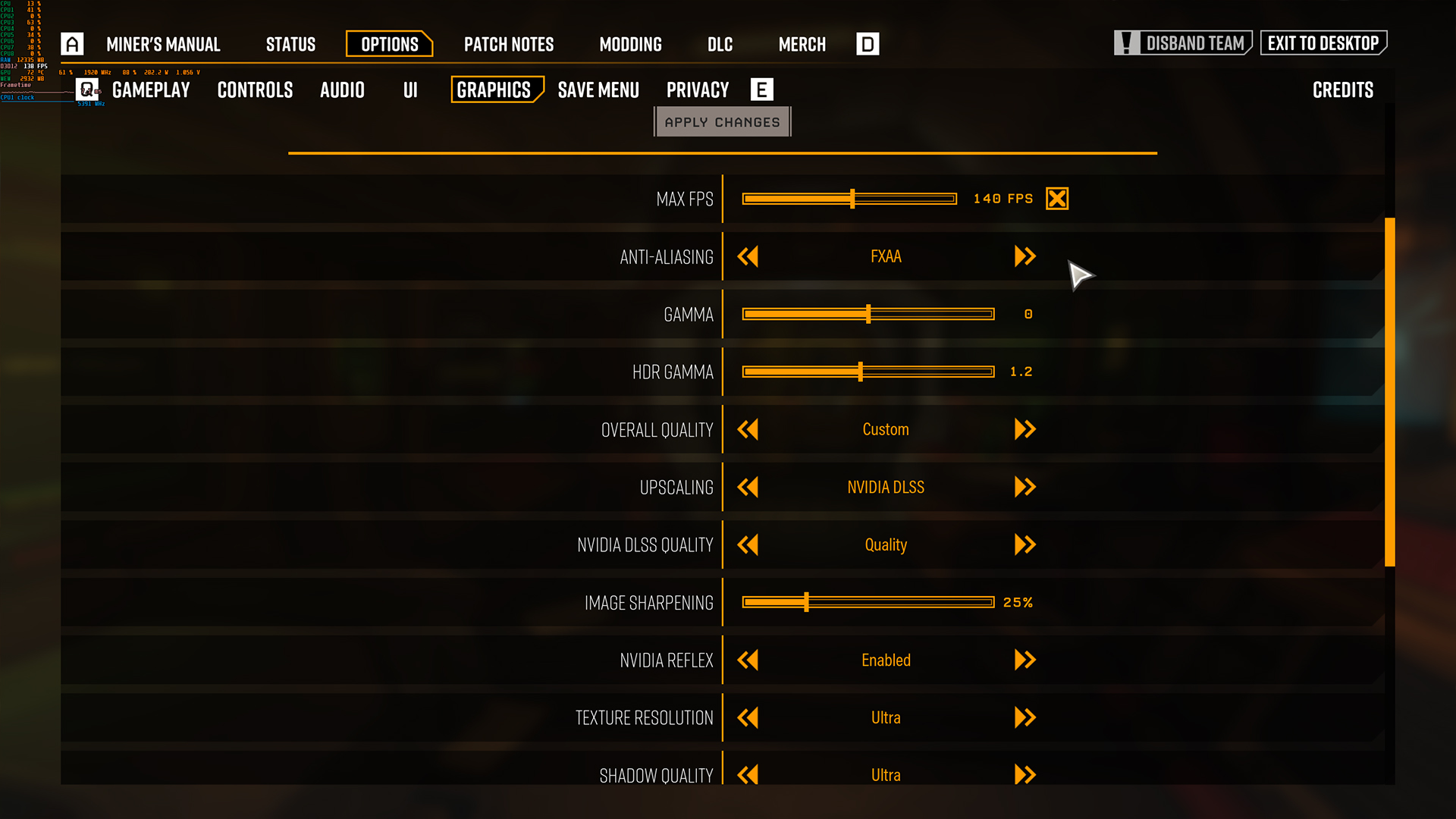
The easiest way to understand FXAA vs TAA vs MSAA vs DLAA is to compare the core trade-offs: image quality, sharpness, motion stability, performance cost, and game support.
Image Quality
DLAA usually offers the best quality image when supported because it is designed to clean up the image at native resolution. TAA can also look very good, especially in games where the developer has tuned it well. MSAA can produce very sharp object edges, but it does not always fix modern shader and texture aliasing. FXAA is the weakest for fine detail because it can blur the final image.
- Best for image quality: DLAA
- Best common option: TAA
- Best classic sharp edge quality: MSAA
- Best quick improvement: FXAA
Performance
FXAA is usually the fastest anti alias option. TAA is generally moderate and is often built into modern rendering pipelines. MSAA can become expensive as sample count rises. DLAA can also cost performance because it works at native resolution and focuses on quality rather than FPS uplift.
- Best for FPS: FXAA
- Good balance: TAA
- Variable but often heavy: MSAA
- Best when performance headroom exists: DLAA
If you are upgrading for higher settings and stronger anti-aliasing, high-end GPUs give you more room to use TAA High, MSAA 4x, or DLAA without sacrificing as much frame rate.
Sharpness
MSAA can look very sharp because it does not blur the entire final image. DLAA can also look sharp and clean when implemented well. FXAA often softens the picture. TAA can vary a lot, with some games looking stable and others looking too soft.
- Sharpest in older games: MSAA
- Best modern clean look: DLAA
- Most variable: TAA
- Softest: FXAA
Motion Stability
TAA and DLAA are usually better for motion stability because they use temporal information. This helps reduce shimmering when the camera moves. FXAA can smooth static edges but may not stop shimmer properly. MSAA can smooth geometry edges, but modern fine-detail shimmer may remain.
- Best motion stability: DLAA or TAA
- Acceptable but limited: MSAA
- Weakest for shimmer: FXAA
Game Support
TAA is the most common modern option. FXAA is also widely available. MSAA appears less often in newer games but is still found in some titles. DLAA support depends on the game and RTX hardware.
- Most common modern option: TAA
- Common lightweight option: FXAA
- Less common in modern AAA: MSAA
- Limited but premium: DLAA
DLAA vs TAA: Which Is Better?
DLAA vs TAA usually comes down to support and performance headroom. TAA is available in far more games, while DLAA can look better when it is properly implemented. If you are using a supported RTX setup, such as an option from RTX laptops range, and the game gives you both options, DLAA is often the better choice for visual quality.
TAA anti aliasing is still useful because it handles motion well and works across many modern titles. It is often the default for a reason. However, TAA can look blurry, especially at 1080p. It may also create ghosting if the game’s implementation is weak.
DLAA anti aliasing is usually cleaner because it uses AI-assisted reconstruction at native resolution. It can reduce shimmer and jagged edges without the same level of softness. The trade-off is that it does not aim to boost FPS like DLSS. It is a quality-first option.
Choose DLAA if your FPS is already comfortable. Choose TAA if DLAA is not available, or if you need a more broadly supported anti alias solution.
MSAA vs FXAA: Which Is Better?
MSAA vs FXAA is a classic image quality versus performance comparison. FXAA is faster. MSAA is usually sharper. If your system is struggling, FXAA is the practical choice. If your system has enough power and the game supports MSAA properly, MSAA can look better.
FXAA works on the final image, so it can smooth rough edges quickly. The problem is that it may blur textures and fine detail. MSAA samples geometry edges, so it can keep the image sharper while cleaning object outlines.
However, MSAA does not solve every modern aliasing issue. In games with lots of post-processing, transparency and shader effects, MSAA may not clean the image as much as expected. That is why MSAA vs FXAA depends heavily on the game.
Choose MSAA if you want sharper edges and have performance headroom. Choose FXAA if you want the lightest anti alias option and need more FPS.
Best Anti-Aliasing for Gaming by Resolution
The best anti-aliasing for gaming changes depending on your resolution. A 1080p display shows jagged edges more clearly, while 1440p and 4K naturally reduce some aliasing because there are more pixels on screen.
Best Anti-Aliasing for 1080p
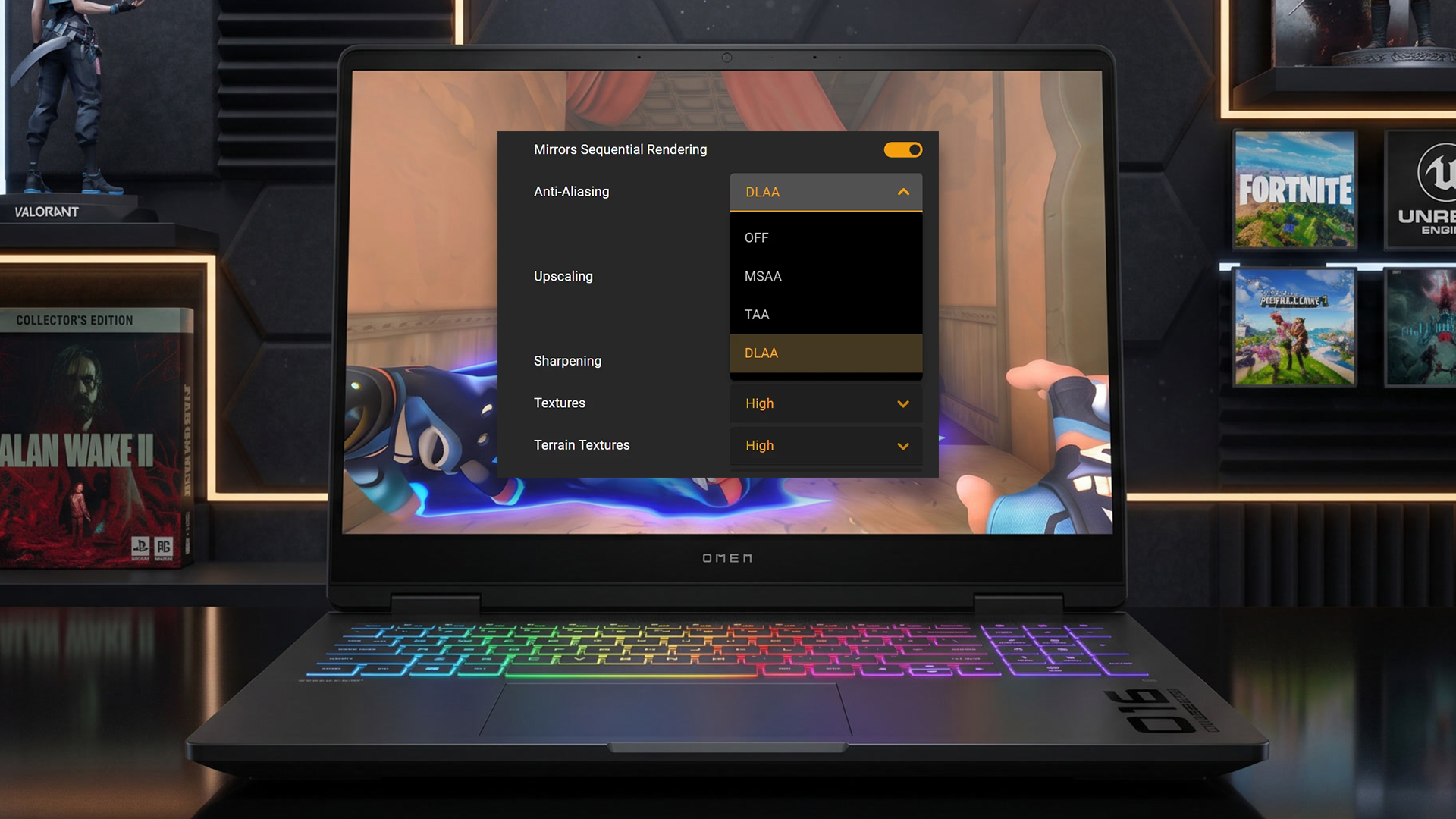
At 1080p, anti aliasing matters a lot. Jagged edges are easier to spot, especially on large monitors. TAA is usually the safest option for modern games, but it can look soft at this resolution. FXAA is useful if you need FPS, while MSAA can look good in older titles.
Best 1080p options:
- TAA for modern games with lots of shimmer.
- SMAA, if available, for sharper low-cost smoothing.
- FXAA for low-end systems.
- MSAA 2x or 4x for older games.
- DLAA if supported and performance allows.
In FXAA vs TAA vs MSAA vs DLAA, 1080p is where the weaknesses of each method are easiest to see. FXAA blur is more obvious. TAA softness is more noticeable. MSAA cost may hurt FPS. DLAA can look excellent, but support is limited.
Best Anti-Aliasing for 1440p
At 1440p, you get a better balance between clarity and performance. TAA often looks cleaner than it does at 1080p. DLAA can look excellent if available. FXAA is less ideal unless you need maximum FPS. MSAA can still work in supported games, but it may not be worth the cost in modern titles.
Best 1440p options:
- TAA High for balanced modern visuals.
- DLAA for best native image quality.
- FXAA only if FPS is the priority.
- MSAA 2x or 4x in suitable games.
1440p is often the sweet spot for players using PCs built for modern games, because you can pair high settings with strong anti-alias options without pushing the GPU as hard as 4K.
Best Anti-Aliasing for 4K
At 4K, jagged edges are naturally less visible because pixel density is much higher. You still may notice shimmer on thin lines, grass, fences, cables, and distant objects even when using high-end gaming laptops, but you often do not need the heaviest anti-aliasing setting.
Best 4K options:
- DLAA for premium image quality.
- TAA Low or Medium for stable visuals.
- FXAA only if needed, though it may be unnecessary.
- No anti-aliasing in some games if the image already looks clean.
If you use 4K monitors for detailed gaming, anti-aliasing becomes less about hiding obvious stair-step edges and more about reducing shimmer and keeping motion stable.
Best Anti-Aliasing for Competitive Gaming
Competitive gaming is different because clarity and response matter more than cinematic smoothness. In fast shooters, battle royale games, and esports titles, the best anti-aliasing for gaming is often the option that keeps FPS high and visibility clear.
FXAA can be useful because it is light, but it may blur distant enemies or fine map detail. TAA can reduce shimmer, but it may soften motion too much. MSAA can look sharp if supported, but it may cost FPS. DLAA can look clean, but it may be unnecessary if you are chasing very high frame rates.
For competitive gaming, start with:
- Anti aliasing off if you want maximum sharpness and FPS.
- FXAA if jagged edges bother you but performance matters.
- SMAA if available.
- TAA Low only if shimmer is distracting.
- DLAA only if your FPS remains comfortably above your target.
If you play at very high refresh rates, 240 hz gaming monitors can make lighter anti aliasing settings feel better because motion smoothness and response become more important than ultra-clean edges.
Best Anti-Aliasing for Single-Player Games
Single-player games are where stronger anti aliasing makes the most sense. RPGs, open-world adventures, racing games, horror games and cinematic action titles often benefit from cleaner edges and better motion stability.
For these games, TAA is usually a good starting point. DLAA is ideal if supported, and your system has enough performance. MSAA can be great in older titles. FXAA should be treated as the fallback option when performance is tight.
For single-player visuals, use:
- DLAA for the best quality image on supported RTX setups.
- TAA High for modern games with lots of detail.
- MSAA 4x for older games if FPS remains stable.
- FXAA only if the game is too demanding.
This is where FXAA vs TAA vs MSAA vs DLAA becomes less about raw speed and more about comfort. A cleaner image can make long sessions easier on the eyes, especially in games with dense scenery and constant camera movement.
Common Mistakes When Choosing Anti-Aliasing
The first mistake is assuming the highest anti-alias setting is always best. It is not. MSAA 8x might cost a lot of performance for a small visual gain. TAA High might look too soft. DLAA might be unnecessary if your FPS target is already hard to maintain.
The second mistake is judging anti-aliasing only while standing still. Some anti-alias options look fine in a static screenshot but fall apart in motion. Move the camera, look at fences, trees, wires, and distant edges, then decide.
The third mistake is ignoring resolution. At 1080p, anti aliasing has a bigger job to do. At 4K, you can often use lighter settings. The same anti alias method will not look identical across every display.
The fourth mistake is forgetting sharpening. TAA can look much better with a sensible sharpening slider. Too little sharpening looks soft. Too much sharpening creates halos and noise.
The fifth mistake is copying settings from another player without matching their hardware. FXAA vs TAA vs MSAA vs DLAA depends on your GPU, monitor, FPS target and game engine. Use recommendations as a starting point, then test.
Final Verdict: Which Anti-Aliasing Should You Use?
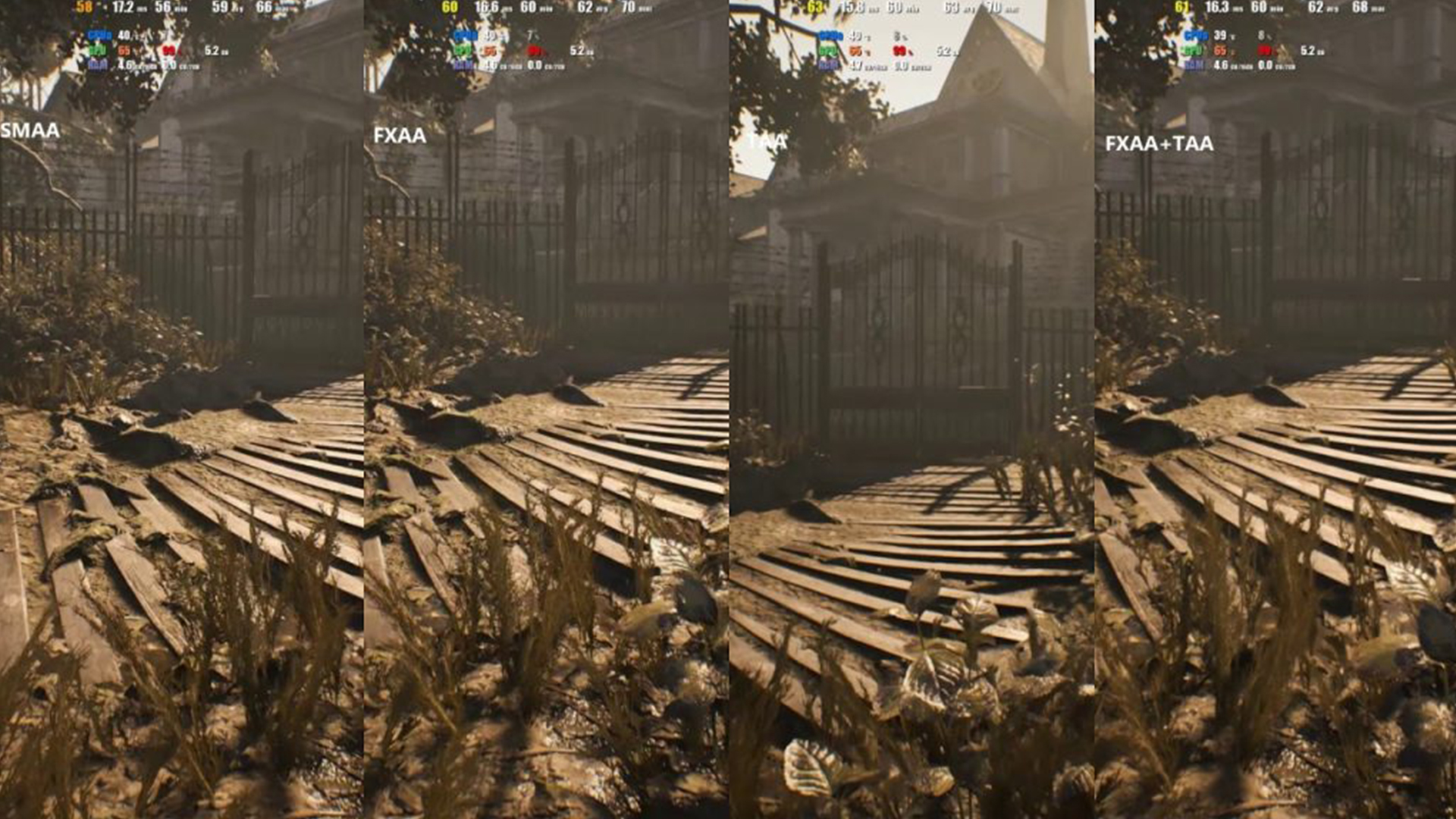
In the FXAA vs TAA vs MSAA vs DLAA debate, DLAA is usually the best for image quality when supported, TAA is the best general-purpose modern option, MSAA is best for sharp geometry edges in suitable games, and FXAA is best for performance.
Choose FXAA if you need more FPS and can accept some blur. Choose TAA if you want stable visuals in modern games. Choose MSAA if the game supports it well and you want sharper object edges. Choose DLAA if you have supported RTX hardware and want the cleanest native-resolution image.
For most players, the best anti aliasing for gaming is not about maxing every option. It is about finding the right balance between clean edges, clear detail, smooth motion and stable FPS. Start with TAA in modern games, switch to DLAA when available, use MSAA in older titles where it looks strong, and keep FXAA as the lightweight backup.
Conclusion
FXAA, TAA, MSAA and DLAA all reduce jagged edges, but they are not equal. FXAA is fast and simple. TAA is stable and widely used. MSAA is sharp but less suited to many modern games. DLAA offers excellent image quality on supported RTX setups.
If you want the cleanest result and have the hardware, DLAA is the premium choice. If you want a reliable default, TAA is usually the answer. If you want sharp edges in older games, MSAA still has value. If you need FPS, FXAA is the easiest option to run.
The best way to decide is simple: test your game while moving, check FPS, look for blur or shimmer, and choose the setting that keeps the game clean without making it feel heavy.
FAQs
Which is better, TAA or FXAA or MSAA?
TAA is usually better for modern games because it reduces shimmer and stabilises the image in motion. FXAA is better for FPS because it is very light, but it can blur the image. MSAA can look sharper than both in older or supported games, but it costs more performance and does not fix every modern aliasing issue.
What is better, DLAA or TAA?
DLAA is usually better than TAA for image quality when supported, especially on RTX hardware with enough performance headroom. TAA is more widely available and still works well in many games, but it can look softer or create ghosting depending on the game.
Should I enable DLAA and DLSS?
You usually choose either DLAA or DLSS, not both for the same purpose. DLAA focuses on better native-resolution image quality, while DLSS renders at a lower internal resolution and upscales to improve performance. Use DLAA when you already have enough FPS. Use DLSS when you need more FPS.
Why do games no longer use MSAA?
Many modern games use rendering methods where MSAA is less efficient or less complete. MSAA is good at smoothing geometry edges, but modern aliasing often comes from shaders, lighting, transparency, foliage, and post-processing. That is why TAA and upscaling-based methods are more common in newer games.
What is the smoothest anti-aliasing?
DLAA and TAA are usually the smoothest anti-alias options in motion. DLAA often gives the cleaner image when supported, while TAA is the common modern default. FXAA is smooth in a basic way but can blur the image. MSAA smooths geometry edges but may not remove shimmer from every part of the scene.
Does FXAA increase FPS?
FXAA does not increase FPS by itself, but it has a very low performance cost compared with heavier anti-alias methods. Switching from MSAA, DLAA, or high-quality TAA to FXAA can improve FPS because the GPU has less anti aliasing work to do.
You can pay with:
*PayPal Credit Representative Example: Assumed credit limit £1,200, Representative 23.9% APR (variable). Purchase rate 23.9% p.a (variable).Terms & Conditions apply.


PayPal Credit and PayPal Pay in 3 are trading names of PayPal UK Ltd, 5 Fleet Place, London, United Kingdom, EC4M 7RD. Terms and conditions apply. Credit subject to status, UK residents only, Five Tech LTD acts as a broker and offers finance from a restricted range of finance providers. PayPal Pay in 3 is not regulated by the Financial Conduct Authority. Pay in 3 eligibility is subject to status and approval. 18+. UK residents only. Pay in 3 is a form of credit. Check if affordable and how you will repay. May make other borrowing more difficult or expensive. See product terms for more details.
Copyright © 1996-2026 Fivetech LTD | Terms and Conditions
box.co.uk & Box are trading names of Five Tech Limited. Registered office: Box LTD, Unit 10 Woodford Trading Estate, Woodford Green IG8 8HF